2BFA8-MYW-A-1Remote Control
Brics Ship LLC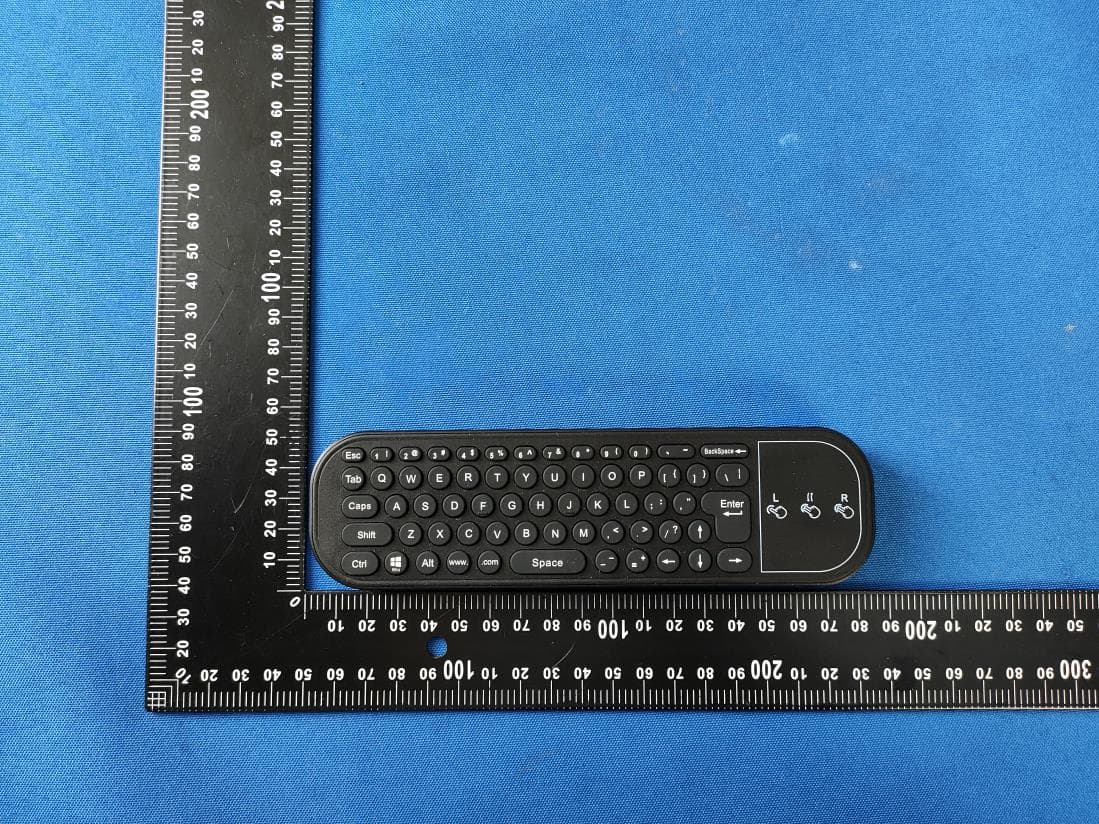
Click to zoom
Application Details
- Equipment Class
- DTS - Digital Transmission System
- Date of Grant
- Mar 27, 2024
- Application Purpose
- Original Equipment
- Date of Application
- Mar 27, 2024
- Equipment Note
- Remote Control
- Frequency Range
- 2402.00000000 - 2480.00000000
- Company
- Brics Ship LLC
- Country
- United States
Documents & Files
Document Text
Text extracted from the exhibit documents filed with the FCC. Open a document above to read the original.
Users Manual
折线 User’ s Manual 说明书 成品尺寸:160X350mm 157双铜 风琴折 FrontBack Built-in apps Contents Safety Instruction For your safety, please read the following instructions before you use the product. Serious injury or property damage may be caused by improper operations. Do not try to repair the product on your own. Disconnect from power supply immediately if major failures occur. Major failures include: Smoke, peculiar smell or abnormal sound is discharged from the product. In the preceding scenarios, do not continue to use the product. Disconnect power supply immediately and contact professional staff for troubleshooting. Do not drop liquid, metal or anything combustible into the product. If any liquid or metal is dropped into the product, power off the product and disconnect power supply, then contact professional staff for solutions. Do not open the cover or change the product on your own. If inspection, adjustment, or maintenance is required, contact with local distributor for help. Do not place the product in high temperature environments. ◆ Do not place the product near a heat source, such as a radiator, a heat reservoir, a stove or other heating products. ◆ Do not expose the product to direct sunlight, which may cause high temperatures and subsequent faults in the product. Keep away from the product when you use a radio. The product complies with the international EMI standard to prevent radio interference. However, interference may still exist and causes noise in the radio. If noise occurs in the radio, try the following solutions. ◆ Adjust the direction of the radio antenna to avoid the interference from the product. ◆ Keep the radio away from the product. Do not damage the power cable. ◆ Do not damage, change, bend, or forcibly drag the power cable. ◆ Do not forcibly drag the cable when you pull out the power plug. If the power cable is damaged, please contact the local distributor to repair or replace it. ◆ The power cable in the accessory box is for this product only. Do not use it on other products. Additional advice: ◆ Use the product in an environment with comfortable lighting. It is harmful to your eyes to watch in a too bright or too dark environment. ◆ Relax your eyes after a period of time for watching. ◆ Adjust the volume to an appropriate level, especially at night. 刀模线 Install the prescription lens frame ( skip this step if not needed ) Customizing the Prescription Lenses: Take the prescription lens template from the accessories box to the local optical shops to customize your own prescription lenses (additional fees needed) if you wear glasses. Before customizing your prescription lenses, ask the optician to comprehensively evaluate the assembly method of the frame template to ensure that the thickness of the processed lenses and the width of the lens frame can meet the assembly requirements. The prescription lens frame adopts a magnetic design. Just align the magnetic position of the frame with the position of the glasses magnet and it will automat- ically attract. Selecting the nose pad There are three types of nose pads that come with the product as shown below: nose pad 1 (pre-installed on the glasses), nose pad 2, and nose pad 3. Select and adjust a nose pad and adjust the wearing position of the glasses for improved comfort and visual experience. Installing the nose pad To replace the nose pad, please use the screw driver to remove the screw, then pull out the nose pad in the opposite direction and remove the original nose pad, then insert it into the slot completely in the direction shown below and tighten up the screw and nose pad gasket. Storing the glasses in the Glasses Case When the glasses are not in use, it is recommended to store the glasses in the glasses case immediately. Tips: When you tidy up and store the data cables, prevent the USB-C metal heads of the data cables from scratching the optical lenses of the glasses. Installing the Sunglasses Sunglasses adopt a magnetic suction design, and simply align the magnetic suction position with the magnetic suction position on the front end of MyW to automatically adsorb them in place. 1 Installation and Use 2 Button Description Short press Long press Short press Short press Long press Short press Long press Turn on / off the display Power on / off Decrease the volume Increase the volume Increase the display brightness To pair remote control Decrease the display brightness Power MovementFunctions Button Button 1 Button 2 Button 1 and 2 Power Button 2 Button 1 The glasses have three buttons. The three buttons can be used for different functions by long or short press. Tips: – Pressing a button for less than 1 second, and then releasing is regarded as a short press. – Pressing a button for 2 seconds or more, and then releasing is regarded as a long press. Button Functions 3 c 5 FAQs&Troubleshooting 6 Operating the glasses 4 4.1 Pair to remote control when you use MyW glasses for the first time, please put out the remote control from the glasses box, then turn on the glasses and remote control, and follow system guidelines to pair. 4.2 Start to use When paired with remote control, the glasses will go to the home page, all applications can be viewed. The following figure shows applications that the system has. 4.3 System Settings Choose MyW Settings to enter system settings page. 4.3.1 Network Settings Enter the Network & Internet submenu to set Wi-Fi and hotspot. 4.3.2 Connected devices Settings Enter the Connected devices submenu to check connected devices or pair new device via Bluetooth. 4.3.3 Apps Settings Enter the Apps submenu to check recently opened apps and enter permission manager to control app access to your data. 4.3.4 Battery Enter the Battery submenu to check your battery status, set Battery Saver and Battery Manager. 4.3.5 Sound Enter the Sound submenu to check your Sound status and change them. 4.3.6 Storage Enter the Storage submenu to mange your glasses storage. 4.3.7 Accounts Enter the Accounts submenu …
Text truncated - open the document above for the full version.
Attestation Statements
Brics Ship LLC 2.911 (d)(5)(i) Equipment Type Attestation v1.2 Section 2.911(d)(5)(i) Certification – Equipment Type Company name: Brics Ship LLC Address: 3410 Geary Blvd, Ste 243, San Francisco CA, 94118 Product Name: MyW AR GLASSES FCC ID: 2BFA8-MYW-A-1 Model(s): MYW-A-1 2.911(d)(5)(i) Equipment Type We, [Brics Ship LLC] (“the applicant”) certify that the equipment for which authorization is sought through certification is not: Prohibited from receiving an equipment authorization pursuant to § 2.903; of the FCC rules. Identified as an equipment type in the “Covered List” NOTE 1 Yours sincerely, Name: Victor Shelton Sanna Pinto Date: March 20, 2024 Title and Company name: CEO Brics Ship LLC NOTE 1 “Covered List”; is the List of Equipment and Services Covered By Section 2 of The Secure Networks Act, available at https://www.fcc.gov/supplychain/coveredlist References; 1) 986446 D01 Covered Equipment v01 https://apps.fcc.gov/oetcf/kdb/forms/FTSSearchResultPage.cfm?switch=P&id=325672 2) Federal Register document 2022-28263 published on 02/06/23 https://www.federalregister.gov/documents/2023/02/06/2022-28263/protecting-against-national-security-threats-to-the-com munications-supply-chain-through-the
Attestation Statements
Brics Ship LLC 2.911 (d)(5)(ii) Applicant Attestation v1.3 Section 2.911(d)(5)(ii) Certification – Applicant (Covered List ) Company name: Brics Ship LLC Address: 3410 Geary Blvd, Ste 243, San Francisco CA, 94118 Product Name: MyW AR GLASSES FCC ID: 2BFA8-MYW-A-1 Model(s): MYW-A-1 2.911(d)(5)(ii) Applicant filing We, [Brics Ship LLC] (“the applicant”) certify that, as of the date of the filing of the application, the applicant is not identified NOTE 1 on the “Covered List” NOTE 2 , established pursuant to § 1.50002 of this chapter, as an entity producing covered communications equipment. Yours sincerely, Name: Victor Shelton Sanna Pinto Date: March 20, 2024 Title and Company name: CEO Brics Ship LLC NOTE 1 Delete option not applicable to this application. NOTE 2 “Covered List”; is the List of Equipment and Services Covered By Section 2 of The Secure Networks Act, available at https://www.fcc.gov/supplychain/coveredlist References; 1)986446 D01 Covered Equipment v01 https://apps.fcc.gov/oetcf/kdb/forms/FTSSearchResultPage.cfm?switch=P&id=325672 2) Federal Register document 2022-28263 published on 02/06/23 https://www.federalregister.gov/documents/2023/02/06/2022-28263/protecting-against-national-security-threats-to-the-com munications-supply-chain-through-the
Attestation Statements
Brics Ship LLC * the applicant must designate a contact located in the United States for purposes of acting as the applicant’s agent for service of process, regardless of whether the applicant is a domestic or foreign entity. An applicant located in the United States may designate itself as the agent for service of process. U.S. Agent Designation for Service of Process - Certification Attestation Letter DATE 2024/3/20 ATTN.: Reviewing Engineer FCC ID: 2BFA8-MYW-A-1 FRN: 0035073246 Per section 2.911(d)(7) of the FCC rules, Brics Ship LLC certifies that the equipment for which authorization is sought is designated to the following U.S. agent* for service of process: Company Name: Brics Ship LLC . FRN: 0035073246 Physical U.S. Company Address: 3410 Geary Blvd, Ste 243, San Francisco CA, 94118 Agent name: Victor Shelton Sanna Pinto Agent Email Address: 3410 Geary Blvd, Ste 243, San Francisco CA, 94118 Tel: +55 (11) 99478-8070 The above contact person accepts the obligation for service of process. The applicant accepts to maintain an agent for no less than one year after the grantee has terminated all marketing and importation or the conclusion of any Commission-related proceeding involving the equipment. Applicant Signed: Signed: Printed name: Victor Shelton Sanna Pinto Title: CEO Company Name: Brics Ship LLC Date: 3/28/2024 Agent Signed (if different to Applicant): Signed: Printed name: Victor Shelton Sanna Pinto Title: CEO Company Name: Brics Ship LLC Date: 3/28/2024
Cover Letter(s)
Brics Ship LLC Agent Authorization Company: Brics Ship LLC Address: 3410 Geary Blvd, Ste 243, San Francisco CA, 94118 Product Name: Remote Control Model Number(s): MYW-A-1 Product Description: Remote Control We authorize MiCOM Labs Inc., 575 Boulder Court, Pleasanton, California 94566, USA, to act on our behalf on all matters concerning the certification of above named equipment. We declare that MiCOM Labs Inc. is allowed to forward all information related to the approval and certification of equipment to the regulatory agencies as required and to discuss any issues concerning the approval application. Any and all acts carried out by MiCOM Labs on our behalf shall have the same effect as acts of our own. Signature: Date: 03/20/2024 Name: Victor Shelton Sanna Pinto Title: CEO Company: Brics Ship LLC
Cover Letter(s)
Brics Ship LLC Office of Engineering Technology Federal Communications Commission 7435 Oakland Mills Road Columbia, MD 21046 Date: 2024-03-20 Subject; Request for Long Term Confidentiality FCC ID: 2BFA8-MYW-A-1 To Whom It May Concern, Pursuant to the provisions of the Commission’s rules Title 47 Sections §0.457 and §0.459, we are requesting the Commission to withhold the following attachment(s) as confidential documents from public disclosure indefinitely. These documents contain detailed system and equipment descriptions and are considered as proprietary information in operation of the equipment. The public disclosure of these documents might be harmful to our company and would give competitors an unfair advantage in the market. Schematic Diagram Block Diagram Operational Description It is our understanding that all measurement test reports, FCC ID label format and correspondence during the certification review process cannot be granted as confidential documents and this information will be available for public review once the grant of equipment authorization is issued. Sincerely, Signature: Name: Victor Shelton Sanna Pinto Title: Deputy CEO
External Photos
FCC ID: 2BFA8-MYW-A-1 FCC ID: 2BFA8-MYW-A-1 FCC ID: 2BFA8-MYW-A-1
ID Label/Location Info
4.5cm 2.5cm Label Location FCC ID: 2BFA8-MYW-A-1 Brics Ship LLC Product name: Remote Control Model No.: MYW-A-1 This device complies with Part 15 of the FCC Rules. Operation is subject to the following two conditions: (1) this device may not cause harmful interference, and (2) this device must accept any interference received, including interference that may cause undesired operation.
Internal Photos
FCC ID: 2BFA8-MYW-A-1 FCC ID: 2BFA8-MYW-A-1 FCC ID: 2BFA8-MYW-A-1 FCC ID: 2BFA8-MYW-A-1 BLE ANT
RF Exposure Info
FCC ID: 2BFA8-MYW-A-1 RF Exposure evaluation According to 447498 D01 General RF Exposure Guidance v06 The 1-g and 10-g SAR test exclusion thresholds for 100 MHz to 6 GHz at test separation distances ≤ 50 mm are determined by: [(max. power of channel, including tune-up tolerance, mW)/(min. test separation distance, mm)] ·[√f(GHz)] ≤ 3.0 for 1-g SAR and ≤ 7.5 for 10-g extremity SAR, where f(GHz) is the RF channel transmit frequency in GHz Power and distance are rounded to the nearest mW and mm before calculation The result is rounded to one decimal place for comparison Worse case is as below: [2402MHz: 3.073dBm(2.029 mW) output power] (2.029 mW /5mm) ·[√2.402 (GHz)]= 0.629 <3.0 for 1-g SAR Then SAR evaluation is not required
Test Report
ALPHA's reports is using a digital certificate that is trusted on Adobe's official server. If there is no digital certificate or the digital certificate shows damaged in your report. Please do not accept the report. E-mail: [email protected] Tel: 4008-3008-95 Website: http://www.a-lab.cn FCC TEST REPORT FCC ID: 2BFA8-MYW-A-1 On Behalf of Brics Ship LLC Remote Control Model No.: MYW-A-1 Prepared for : Brics Ship LLC Address : 3410 Geary Blvd, Ste 243, San Francisco CA, 94118 Prepared By : Shenzhen Alpha Product Testing Co., Ltd. Address : Building i, No.2, Lixin Road, Fuyong Street, Bao’an District, 518103, Shenzhen, Guangdong, China Report Number : A2311295-C01-R05 Date of Receipt : January 23, 2024 Date of Test : January 23, 2024-March 7, 2024 Date of Report : March 13, 2024 Version Number : V0 Test Result : Pass Page 2 of 53 Report No.: A2311295-C01-R05 TABLE OF CONTENTS Description Page TABLE OF CONTENTS ---------------------------------------------------------------------------------------------------------- 2 1. Summary of Standards And Results --------------------------------------------------------------------------------- 5 1.1. Description of Standards and Results ------------------------------------------------------------------------- 5 2. General Information ------------------------------------------------------------------------------------------------------- 6 2.1. Description of Device (EUT) ------------------------------------------------------------------------------------- 6 2.2. Accessories of Device (EUT) ------------------------------------------------------------------------------------ 7 2.3. Tested Supporting System Details ----------------------------------------------------------------------------- 7 2.4. Block Diagram of connection between EUT and simulators --------------------------------------------- 7 2.5. Test Mode Description -------------------------------------------------------------------------------------------- 7 2.6. Test Conditions ----------------------------------------------------------------------------------------------------- 8 2.7. Test Facility ---------------------------------------------------------------------------------------------------------- 8 2.8. Measurement Uncertainty ---------------------------------------------------------------------------------------- 8 2.9. Test Equipment List ------------------------------------------------------------------------------------------------ 9 3. Spurious Emission ------------------------------------------------------------------------------------------------------ 10 3.1. Test Limits ---------------------------------------------------------------------------------------------------------- 10 3.2. Test Procedure ---------------------------------------------------------------------------------------------------- 10 3.3. Test Setup ---------------------------------------------------------------------------------------------------------- 11 3.4. Test Results -------------------------------------------------------------------------------------------------------- 12 4. Power Line Conducted Emission ----------------------------------------------------------------------------------- 23 4.1. Test Limits ---------------------------------------------------------------------------------------------------------- 23 4.2. Test Procedure ---------------------------------------------------------------------------------------------------- 23 4.3. Test Setup ---------------------------------------------------------------------------------------------------------- 23 4.4. Test Results -------------------------------------------------------------------------------------------------------- 23 5. Conducted Maximum peak Output Power ----------------------------------------------------------------------- 26 5.1. Test limits ----------------------------------------------------------------------------------------------------------- 26 5.2. Test Procedure ---------------------------------------------------------------------------------------------------- 26 5.3. Test Setup ---------------------------------------------------------------------------------------------------------- 26 5.4. Test Results -------------------------------------------------------------------------------------------------------- 26 6. Peak Power Spectral Density ---------------------------------------------------------------------------------------- 27 6.1. Test limits ----------------------------------------------------------------------------------------------------------- 27 6.2. Test Procedure ---------------------------------------------------------------------------------------------------- 27 6.3. Test Setup ---------------------------------------------------------------------------------------------------------- 27 6.4. Test Results -------------------------------------------------------------------------------------------------------- 27 7. Bandwidth ------------------------------------------------------------------------------------------------------------------ 32 7.1. Test limits ----------------------------------------------------------------------------------------------------------- 32 7.2. Test Procedure ---------------------------------------------------------------------------------------------------- 32 7.3. Test Setup ---------------------------------------------------------------------------------------------------------- 32 7.4. Test Results -------------------------------------------------------------------------------------------------------- 32 8. Band Edge Check -------------------------------------------------------------------------------------------------------- 40 8.1. Test limits ----------------------------------------------------------------------------------------------------------- 40 8.2. Test Procedure ---------------------------------------------------------------------------------------------------- 40 8.3. T…
Text truncated - open the document above for the full version.
Test Report
天线资料 max gain:1DB
Test Setup Photos
FCC ID: 2BFA8-MYW-A-1 Radiated Emission FCC ID: 2BFA8-MYW-A-1 Conducted Emission
Contact Information
Applicant
Victor Shelton Sanna Pinto(CEO)
Technical Contact
Test Firm
Shenzhen Alpha Product Testing Co., LTD.Real Yak
[email protected]+86 755 29766001
Technical Specifications
| # | Rule Parts | Frequency Range | Power Output |
|---|---|---|---|
| 1 | 15C | 2.40 GHz - 2.48 GHz | 2.03 mW |
Other Applications from Brics Ship LLC
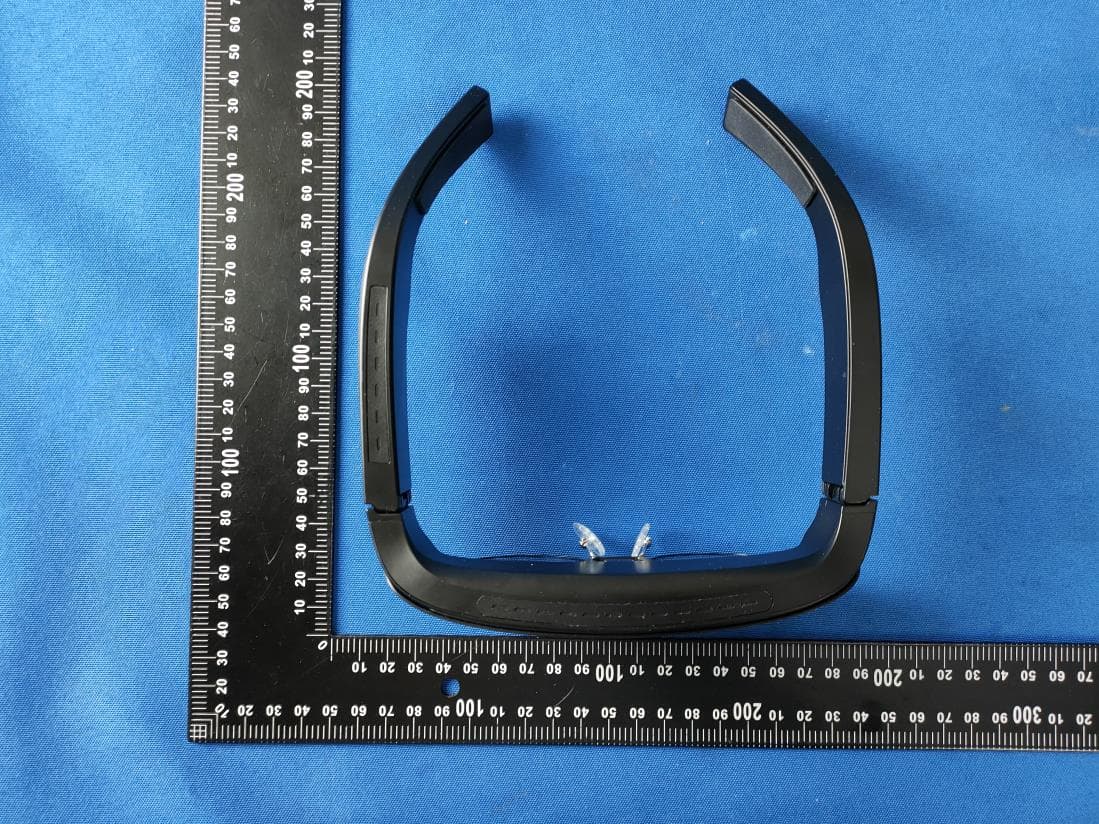
2BFA8-ARGLASSES
Mar 26, 2024MyW AR GLASSES
Equipment Class
NII - Unlicensed National Information Infrastructure TX