2BFEP-LBCAM1080p Wi-Fi Light Bulb Security Camera
CONVERGE BEAUTY LIMITED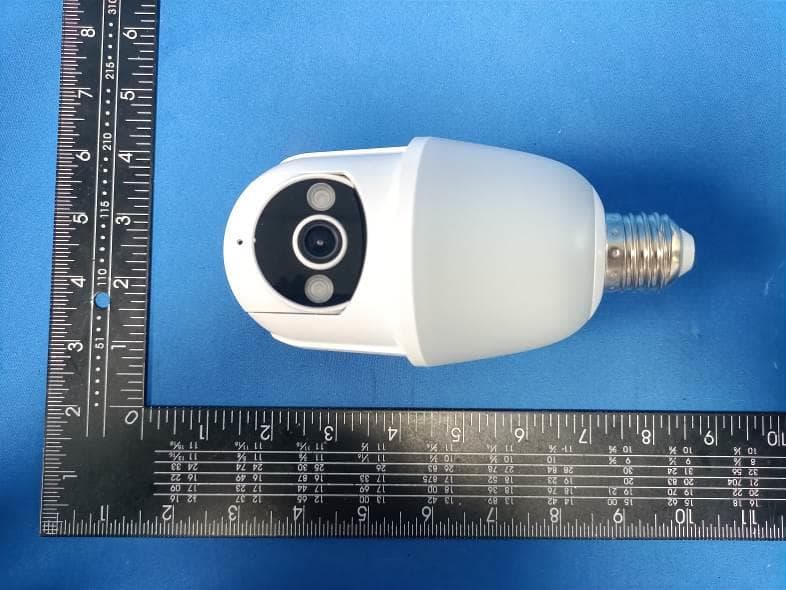
Click to zoom
Application Details
- Equipment Class
- DTS - Digital Transmission System
- Date of Grant
- Apr 01, 2024
- Application Purpose
- Original Equipment
- Date of Application
- Apr 01, 2024
- Equipment Note
- 1080p Wi-Fi Light Bulb Security Camera
- Frequency Range
- 2412.00000000 - 2462.00000000
- Company
- CONVERGE BEAUTY LIMITED
- Country
- China
Documents & Files
Document Text
Text extracted from the exhibit documents filed with the FCC. Open a document above to read the original.
Users Manual
Scan the code to view the user manual 2.0 Bluetooth HT80 Bulb Camera with Motion-activated LED Lights Features 1. LED Lights2. IR LED3. Wide-angle Lens 4. Microphone5. USB Port6. Speaker 7. Setup Button 1 5 6 7 2 3 4 Create an account in the Kement app Scan the QR code provided or search for Kement in the Apple App Store or Google Play. Then download and install the app. 1. 2. Open the Kement app on your cellphone and tap Sign up. Android/iOS App Download LoginSign up Enter your email address, set a password, and tap Sign up.3. After activating your account with the email link, log in to the app using your email and password. 4. Re-open the Kement app, enter your email address and password, and tap Log in. 5. We have sent an email to [email protected] you email and tap the link to verify. If you don’t see the email,check your spam,or tap“Resend email”below. Please Log in Resend email(55 s) Welcome Sign up Email Address Confirm Email Address Password Sign up Login Set Up Your Light Bulb Camera in the Kement App Screw the bulb camera into the light socket. (Input Voltage: 110-240V) 1. Open the Kement app and sign in to your account. 3. When your camera is not connected to your 2.4G Wi-Fi, the LED lights will flash. 2. To add your camera, tap the Add device icon (+). 4. Enable your phone's Bluetooth . 5. Press and hold the setup button on the back of the camera for 8 seconds. Once you hear Entering pairing mode, tap Yes. 7. Select IPC Camera and choose model HT80 Bluetooth . 6. IPC Camera HT80 Bluetooth This feature is turned ON by default. The camera turns on the lights when it sees movement in its view, but it won’t start recording. Motion-activated LED Lights & Human Detection Motion-activated LED Lights The camera turns on the lights and starts recording when it sees a person moving in its view. Human Detection The device supports only the 2.4GHz Wi-Fi network. Navigate to your cellphone's Wi-Fi settings, connect to a 2.4GHz Wi-Fi network, and tap “Yes.” (Note: 5GHz Wi-Fi is not supported). 8. For Connection Setup: Select your 2.4GHz Wi-Fi network name, input the password. 9. Tap Confirm. 10. Use the device’s camera to scan the QR code on your phone. 11. Once you hear Device registration successful, you are all set. 12. Quick Guide to the App HT80 QR Code Sharing Mute Notifications Settings Playback Live View Customer Service LED Lights Frequently asked questions Open the Kement app and tap on Settings . From there, you can share the device via QR code or email, and even transfer ownership of the device. The new user must first download the Kement app and create their own account. Only the owner account can change settings, delete videos, and share the device. Shared accounts do not have these options. 1. How can I share the device with family members? 2. Why can't I change the settings? Kement The owner account can share the device with up to 8 other accounts. Up to 3 users may view the video feed at once, but only 1 user can use the intercom. Your camera may be too far from your wireless router, or there may be obstructions reducing signal strength. You might want to reposition your router or get a signal extender/repeater. 5. Why is my Wi-Fi signal weak? 3. How many users can view the device at the same time? No, the camera only works with 2.4GHz Wi-Fi. Please separate two Wi-Fi bands by giving the 2.4 GHz and 5 GHz networks each a unique separate SSID (network name). Then connect your device to the 2.4GHz Wi-Fi. 4. Is the 5GHz Wi-Fi supported? The camera being offline means it is disconnected. There could be a few reasons for this: 6. Why is the camera offline? The Wi-Fi signal is weak, causing disconnection. Please improve your Wi-Fi signal and reconnect the device. If the Wi-Fi is unstable, the device might go offline or experience interruptions frequently. You can try restarting the router and reconnecting the Wi-Fi to see if it helps. A good Wi-Fi connection is essential since the device is outside the house. 1) 2) Open the Kement app and tap on Settings. password, tap on Motion Settings. Here, you can select the desired human detection accuracy from three options: low, medium, and high. We recommend choosing medium. The high setting provides the strictest detection level, meaning the device will be triggered only when it is entirely certain that the moving object is a human. However, this stringent setting might cause the device to overlook a human figure, resulting in a missed notification. 7. How can I adjust the human detection accuracy? High Accuracy- - - Medium Accuracy Low Accuracy The device will record videos less frequently, ensuring maximum battery life. Medium battery life. The device will record videos more frequently, leading to the shortest battery life. If the areas you're monitoring experience excessive or repetitive motions, like children playing in the yard, you may receive numerous alerts, which can rapidly deplete the battery of devices. The human detection accuracy settings are designed to help you receive the notifications you want while preserving battery life. 8. How can I enable notifications on my phone? Open the Kement app. From the Device page, tap the Settings icon, then tap the Motion Detection icon. Here, you can choose whether to turn Motion Alerts on or off. 1) Open your phone's settings. Navigate to "App Management" and "Notification Settings," then locate the Kement app. Ensure all permissions and notifications are enabled for the Kement app. 2) Contact us HT80 If you require further assistance, feel free to reach out to our support team. use the Kement app's support feature. Please include your product's model and the retailer's name. Thank you. Kement Kement FCC Warnning: This equipment has been tested and found to comply with the limits for a Class B digital device, pursuant to part 15 of the FCC Rules. These limits are designed to provide reasonable protection againstharmful interference in a residential installation. This equipment g…
Text truncated - open the document above for the full version.
Users Manual
Scan the code to view the user manual 1.0 Bluetooth HT90 Bulb Camera with Motion-activated LED Lights Features 1. LED Lights2. IR LED3. Wide-angle Lens 4. Microphone5. USB Port6. Speaker 7. Setup Button 1 5 6 7 2 3 4 Create an account in the Kement app Scan the QR code provided or search for Kement in the Apple App Store or Google Play. Then download and install the app. 1. 2. Open the Kement app on your cellphone and tap Sign up. Android/iOS App Download LoginSign up Enter your email address, set a password, and tap Sign up.3. After activating your account with the email link, log in to the app using your email and password. 4. Re-open the Kement app, enter your email address and password, and tap Log in. 5. We have sent an email to [email protected] you email and tap the link to verify. If you don’t see the email,check your spam,or tap“Resend email”below. Please Log in Resend email(55 s) Welcome Sign up Email Address Confirm Email Address Password Sign up Login Set Up Your Light Bulb Camera in the Kement App Screw the bulb camera into the light socket. (Input Voltage: 110-240V) 1. Open the Kement app and sign in to your account. 3. When your camera is not connected to your 2.4G Wi-Fi, the LED lights will flash. 2. To add your camera, tap the Add device icon (+). 4. Enable your phone's Bluetooth . 5. Press and hold the setup button on the back of the camera for 8 seconds. Once you hear Entering pairing mode, tap Yes. 7. Select IPC Camera and choose model HT90 Bluetooth . 6. IPC Camera HT90 Bluetooth This feature is turned ON by default. The camera turns on the lights when it sees movement in its view, but it won’t start recording. Motion-activated LED Lights & Human Detection Motion-activated LED Lights The camera turns on the lights and starts recording when it sees a person moving in its view. Human Detection The device supports only the 2.4GHz Wi-Fi network. Navigate to your cellphone's Wi-Fi settings, connect to a 2.4GHz Wi-Fi network, and tap “Yes.” (Note: 5GHz Wi-Fi is not supported). 8. For Connection Setup: Select your 2.4GHz Wi-Fi network name, input the password. 9. Tap Confirm. 10. Use the device’s camera to scan the QR code on your phone. 11. Once you hear Device registration successful, you are all set. 12. Frequently asked questions Open the Kement app and tap on Settings . From there, you can share the device via QR code or email, and even transfer ownership of the device. The new user must first download the Kement app and create their own account. Only the owner account can change settings, delete videos, and share the device. Shared accounts do not have these options. 1. How can I share the device with family members? 2. Why can't I change the settings? Quick Guide to the App HT90 QR Code Sharing Mute Notifications Settings Playback Live View Customer Service LED Lights Kement The owner account can share the device with up to 8 other accounts. Up to 3 users may view the video feed at once, but only 1 user can use the intercom. Your camera may be too far from your wireless router, or there may be obstructions reducing signal strength. You might want to reposition your router or get a signal extender/repeater. 5. Why is my Wi-Fi signal weak? 3. How many users can view the device at the same time? No, the camera only works with 2.4GHz Wi-Fi. Please separate two Wi-Fi bands by giving the 2.4 GHz and 5 GHz networks each a unique separate SSID (network name). Then connect your device to the 2.4GHz Wi-Fi. 4. Is the 5GHz Wi-Fi supported? The camera being offline means it is disconnected. There could be a few reasons for this: 6. Why is the camera offline? The Wi-Fi signal is weak, causing disconnection. Please improve your Wi-Fi signal and reconnect the device. If the Wi-Fi is unstable, the device might go offline or experience interruptions frequently. You can try restarting the router and reconnecting the Wi-Fi to see if it helps. A good Wi-Fi connection is essential since the device is outside the house. 1) 2) Open the Kement app and tap on Settings. password, tap on Motion Settings. Here, you can select the desired human detection accuracy from three options: low, medium, and high. We recommend choosing medium. The high setting provides the strictest detection level, meaning the device will be triggered only when it is entirely certain that the moving object is a human. However, this stringent setting might cause the device to overlook a human figure, resulting in a missed notification. 7. How can I adjust the human detection accuracy? High Accuracy- - - Medium Accuracy Low Accuracy The device will record videos less frequently, ensuring maximum battery life. Medium battery life. The device will record videos more frequently, leading to the shortest battery life. If the areas you're monitoring experience excessive or repetitive motions, like children playing in the yard, you may receive numerous alerts, which can rapidly deplete the battery of devices. The human detection accuracy settings are designed to help you receive the notifications you want while preserving battery life. 8. How can I enable notifications on my phone? Open the Kement app. From the Device page, tap the Settings icon, then tap the Motion Detection icon. Here, you can choose whether to turn Motion Alerts on or off. 1) Open your phone's settings. Navigate to "App Management" and "Notification Settings," then locate the Kement app. Ensure all permissions and notifications are enabled for the Kement app. 2) Contact us HT90 If you require further assistance, feel free to reach out to our support team. use the Kement app's support feature. Please include your product's model and the retailer's name. Thank you. Kement Kement FCC Warnning: This equipment has been tested and found to comply with the limits for a Class B digital device, pursuant to part 15 of the FCC Rules. These limits are designed to provide reasonable protection againstharmful interference in a residential installation. This equipment g…
Text truncated - open the document above for the full version.
Attestation Statements
CONVERGE BEAUTY LIMITED FLAT/RM C 22/F FORD GLORY PLAZA 37 WING HONG STREET LAI CHI KOK KOWLOON HONG KONG China Federal Communications Commission Authorization and Evaluation Division Equipment Authorization Branch 7435 Oakland Mills Road Columbia, MD 21046 2024-4-2 To whom it may concern: We, CONVERGE BEAUTY LIMITED, hereby certify that the equipment for which authorization is sought (FCC ID: 2BFEP-LBCAM) is not “covered” equipment prohibited from receiving an equipment authorization pursuant to § 2.903 of the FCC rules. We also certify that, as of the date of the filing of the application, we are not identified on the Covered List (https://www.fcc.gov/supplychain/coveredlist) as an entity producing “covered” equipment. By signing this form, we confirm the above and that we are aware of the application requirements listed under § 2.911(b) and (d)(5) and (6). The information provided in this letter is based on the referenced rule parts of Title 47 of the CFR as well as KDB 986446 D01. Sincerely, Signature Edison Yichun zhang Manager CONVERGE BEAUTY LIMITED 62_[model] CoveredEqu_2.911(d)(5)(i) and (ii) - U, V03
Attestation Statements
CONVERGE BEAUTY LIMITED FLAT/RM C 22/F FORD GLORY PLAZA 37 WING HONG STREET LAI CHI KOK KOWLOON HONG KONG Federal Communications Commission Authorization and Evaluation Division Equipment Authorization Branch 7435 Oakland Mills Road Columbia, MD 21046 2024/03/28 U.S. Agent Designation CONVERGE BEAUTY LIMITED acknowledges their consent for the following contact located in the United States to act as their agent for service of process for the equipment for which authorization is sought (FCC ID: 2BFEP-LBCAM): Name and company of U.S. agent: GSS SERVICE INC Physical U.S. address of agent: 6547 N Academy Blvd #2266 Colorado Springs COLORADO 80918 United States FRN of U.S. agent: 0033402082 Email address of U.S. agent: [email protected] GSS SERVICE INC acknowledges their obligation to accept service of process on behalf of CONVERGE BEAUTY LIMITED CONVERGE BEAUTY LIMITED with the FRN [0035115658] accepts its obligation to maintain an agent for service of process in the United States for no less than one year after either the grantee has permanently terminated all marketing and importation of the applicable equipment within the U.S., or the conclusion of any Commission-related administrative or judicial proceeding involving the equipment, whichever is later. By signing this form, we confirm the above and that we are aware of the application requirements listed under § 2.911(d)(7). The information provided in this letter is based on the referenced rule parts of Title 47 of the CFR as well as KDB 986446 D01. An expiration date for this letter does not exist. In case the U.S. agent changes, the grantee is obligated to notify the FCC within 30 days via the granting TCB. Sincerely, Signature Edison Yichun zhang Manager CONVERGE BEAUTY LIMITED Signature Michoux Logan PM GSS SERVICE INC 48_[mo del] US_Agent_2.911(d)(7) - U, V0 5
Cover Letter(s)
CONVERGE BEAUTY LIMITED Add: FLAT/RM C 22/F FORD GLORY PLAZA 37 WING HONG STREET LAI CHI KOK KOWLOON HONG KONG China Date: 2024-4-2 FCC ID: 2BFEP-LBCAM Dear Sir/Madam, We, CONVERGE BEAUTY LIMITED Hereby declares the following statement for Federal Communications Commission, PCB board, circuit, structure and internal of these model(s) are the same, Only model number is different for these model: Product name: 1080p Wi-Fi Light Bulb Security Camera Model no.: HT80, HT50 pro, HT50, HT60, HT70, HT90, HT10, HT20, HT30, HT55, HT65,KT50, KT60, HT80 pro, HT90 pro, KT80, KT90 Sincerely, Name/Title: Edison Yichun zhang/Manager Company: CONVERGE BEAUTY LIMITED Address: FLAT/RM C 22/F FORD GLORY PLAZA 37 WING HONG STREET LAI CHI KOK KOWLOON HONG KONG China Phone: 18688982589 Fax: N/A E-Mail: [email protected]
Cover Letter(s)
CONFIDENTIALITY REQUEST for Certification Service in USA Federal Communication Commission Equipment Authorization Division, Application Processing Branch 7435 Oakland Mills Road Columbia, MD 21046 Date:<2024-4-2> Pursuant to Paragraphs §0.457 and 0.459 of the Commission’s Rules (47 C.F.R.) and Section §552(b)(4) of the Freedom of Information Act, we requests confidentiality for the following products: FCC ID Model name 2BFEP-LBCAM HT80 For the product stated above, we request that the following information be held confidential; Exhibits Long-Term Confidentiality Short-Term Confidentiality Short-Term Confidentiality Days External Photos Internal Photos Block Diagram Schematics Test Setup Photos User’s Manual Parts List Tune Up Operational Descriptions The long-term confidentiality exhibits contain our trade secrets and proprietary information that could be of benefit to our competitors. The short-term confidentiality on the basis of ensuring that business sensitive information remains confidential until the actual marketing of our new device. If you have any questions, please feel free to contact me at the address shown below. Sincerely, Name/Title: Edison Yichun zhang/Manager Company: CONVERGE BEAUTY LIMITED Address: FLAT/RM C 22/F FORD GLORY PLAZA 37 WING HONG STREET LAI CHI KOK KOWLOON HONG KONG China Phone: 18688982589 Fax: N/A E-Mail: [email protected]
Cover Letter(s)
CONVERGE BEAUTY LIMITED FLAT/RM C 22/F FORD GLORY PLAZA 37 WING HONG STREET LAI CHI KOK KOWLOON HONG KONG China Date: 2024-4-2 FCC ID: 2BFEP-LBCAM Model Number: HT80 To: Federal Communications Commission Authorization and Evaluation Division 7435 Oakland Mills Road Columbia, MD To Whom It May Concern, We, CONVERGE BEAUTY LIMITED, declare that this EUT (FCC ID: 2BFEP-LBCAM) doesn’t have Ad Hoc mode function on “non-US/Canada frequencies”. In addition. The frequency selection feature is disabled by firmware for devices marked to the US/Canada. For DTS part of this device, only channels 1-11 will be used in North America, Country code selection is disabled. Should you have any questions or comments regarding this matter, please have my best attention. Sincerely, Name/Title: Edison Yichun zhang/Manager Company: CONVERGE BEAUTY LIMITED Address: FLAT/RM C 22/F FORD GLORY PLAZA 37 WING HONG STREET LAI CHI KOK KOWLOON HONG KONG China Phone: 18688982589 Fax: N/A E-Mail: [email protected]
Cover Letter(s)
CONVERGE BEAUTY LIMITED FLAT/RM C 22/F FORD GLORY PLAZA 37 WING HONG STREET LAI CHI KOK KOWLOON HONG KONG China Federal Communications Commission Authorization and Evaluation Division Equipment Authorization Branch 7435 Oakland Mills Road Columbia, MD 21046 2024-4-2 To whom it may concern: We, the undersigned, hereby authorize Eurofins Product Service GmbH to act on our behalf in all matters relating to applications for equipment authorization FCC ID: 2BFEP-LBCAM including the signing of all documents related to these matters. Any and all acts carried out by Eurofins Product Service GmbH on our behalf shall have the same effect as acts of our own. By signing this application form, we agree to Eurofins’ current valid General Terms and Conditions (AGB),Testing and Certification Regulations (PZO) which can be viewed on following website www.eurofins.de/ee or retrieved on request. We also hereby certify that no party to this application is subject to a denial of benefits, including FCC benefits, pursuant to Section 5301 of the Anti-Drug Abuse Act of 1988, 21 U.S.C. 862. Sincerely, Name/Title: Edison Yichun zhang/Manager Company: CONVERGE BEAUTY LIMITED Address: FLAT/RM C 22/F FORD GLORY PLAZA 37 WING HONG STREET LAI CHI KOK KOWLOON HONG KONG China Phone: 18688982589 Fax: N/A E-Mail: [email protected]
External Photos
FCC ID: 2BFEP-LBCAM External Photos of the EUT HT80 FCC ID: 2BFEP-LBCAM FCC ID: 2BFEP-LBCAM HT90 FCC ID: 2BFEP-LBCAM FCC ID: 2BFEP-LBCAM
ID Label/Location Info
Label and Location Size: L: 2.0cm*W: 1.0cm Label and Location FCC ID : 2BFEP-LBCAM
Internal Photos
FCC ID: 2BFEP-LBCAM Internal Photos of the EUT HT80 2.4G WIFI PIFA Antenna FCC ID: 2BFEP-LBCAM FCC ID: 2BFEP-LBCAM FCC ID: 2BFEP-LBCAM FCC ID: 2BFEP-LBCAM FCC ID: 2BFEP-LBCAM FCC ID: 2BFEP-LBCAM HT90 2.4G WIFI PIFA Antenna FCC ID: 2BFEP-LBCAM FCC ID: 2BFEP-LBCAM FCC ID: 2BFEP-LBCAM FCC ID: 2BFEP-LBCAM FCC ID: 2BFEP-LBCAM
RF Exposure Info
RF Exposure evaluation FCC ID: 2BFEP-LBCAM Exposure category: General population/uncontrolled environment EUT Type: Production Unit Device Type: Mobile Device 1. Reference According to §1.1307(b)(1), systems operating under the provisions of this section shall be operated in a manner that ensures that the public is not exposed to radio frequency energy level in excess of the Commission’s guidelines. According to §1.1310 and §2.1091 RF exposure is calculated. KDB447498 D01: Mobile and Portable Devices RF Exposure Procedures and Equipment Authorization Policies 2. Limit Limits for Maximum Permissible Exposure (MPE)/Controlled Exposure Frequency Range(MHz) Electric Field Strength(V/m) Magnetic Field Strength(A/m) Power Density (mW/cm²) Averaging Time (minute) Limits for Occupational/Controlled Exposure 0.3 – 3.0 3.0 – 30 30 – 300 300 – 1500 1500 – 100,000 614 1842/f 61.4 / / 1.63 4.89/f 0.163 / / (100) * (900/f 2 )* 1.0 f/300 5 6 6 6 6 6 Limits for Maximum Permissible Exposure (MPE)/Uncontrolled Exposure Frequency Range(MHz) Electric Field Strength(V/m) Magnetic Field Strength(A/m) Power Density (mW/cm²) Averaging Time (minute) Limits for Occupational/Controlled Exposure 0.3 – 3.0 3.0 – 30 30 – 300 300 – 1500 1500 – 100,000 614 824/f 27.5 / / 1.63 2.19/f 0.073 / / (100) * (180/f 2 )* 0.2 f/1500 1.0 30 30 30 30 30 F=frequency in MHz *=Plane-wave equivalent power density 3. MPE Calculation Method Predication of MPE limit at a given distance Equation from page 18 of OET Bulletin 65, Edition 97-01 S=PG/4πR² Where: S=power density P=power input to antenna G=power gain of the antenna in the direction of interest relative to an isotropic radiator R=distance to the center of radiation of the antenna 4. Antenna Information HT80 can only use antennas certificated as follows provided by manufacturer; Antenna No. Model No. of antenna: Type of antenna: Gain of the antenna (Max.) Frequency range: 2.4GWIFI / PIFA antenna 2.0dBi for 2400-2500MHz 5. Manufacturing Tolerance WIFI(Peak) Frequency (MHz) 11b 2412 2437 2462 Target (dBm) 14.0 12.0 12.0 Tolerance ± (dB) 1.0 1.0 1.0 Frequency (MHz) 11g 2412 2437 2462 Target (dBm) 13.0 12.0 12.0 Tolerance ± (dB) 1.0 1.0 1.0 Frequency (MHz) 11n(HT20) 2412 2437 2462 Target (dBm) 13.0 12.0 12.0 Tolerance ± (dB) 1.0 1.0 1.0 6. Standalone MPE Result As declared by the Applicant, the EUT is a wireless device used in a fix application, at least 20 cm from any body part of the user or nearby persons; from the maximum EUT RF output power, the minimum separation distance, r =20cm, as well as the gain of the used antenna is 2.0dBi, the RF power density can be obtained. Modulation Type Output power Antenna Gain (dBi) Antenna Gain (linear) MPE (mW/cm 2 ) MPE Limits (mW/cm 2 ) dBm mW 2.4GWIFI 15.0 31.6228 2.0 1.5849 0.0100 1.0000 Remark: 1. Output power (Peak) including turn-up tolerance; 2. MPE evaluate distance is 20cm from user manual provide by manufacturer. 7. Conclusion The measurement results comply with the FCC Limit per 47 CFR 2.1091 for the uncontrolled RF Exposure of mobile device. ----------------THE END OF REPORT---------------
Test Report
1. Antenna Description: Antenna type PIFA antenna Model HT80 Frequency range 2400-2500MHz Manufacturer Shenzhen Puge Electronics Co., Ltd. ANT Peak Gain 2.00 dBi 2. Antenna Photo: Length: 22.72mm Width: 19.81mm 3. Test Equipment & Conditions 3.1 Test instrument VSWR is tested using Agilent E5071B connected to a hand mechanism, and the status is free space. 3.2 Test environment and methods 4.Antenna Radiation Pattern 2400MHz 2450MHz 2500MHz
Test Report
Shenzhen CTA Testing Technology Co., Ltd. Room 106, Building 1, Yibaolai Industrial Park, Qiaotou Community, Fuhai Street, Bao‘an District, Shenzhen, China Shenzhen CTA Testing Technology Co., Ltd. Room 106, Building 1, Yibaolai Industrial Park, Qiaotou Community, Fuhai Street, Bao’an District, Shenzhen, China Tel:+86-755 2322 5875 E-mail:[email protected] Web:http://www.cta-test.cn FCC PART 15 SUBPART C TEST REPORT FCC PART 15.247 Report Reference No. ..................... : FCC ID............................................. : CTA24031300201 2BFEP-LBCAM Compiled by ( position+printed name+signature) . : File administrators Zoey Cao Supervised by ( position+printed name+signature) . : Project Engineer Amy Wen Approved by ( position+printed name+signature) . : RF Manager Eric Wang Date of issue .................................... : Mar. 22, 2024 Testing Laboratory Name .............. : Shenzhen CTA Testing Technology Co., Ltd. Address............................................ : Room 106, Building 1, Yibaolai Industrial Park, Qiaotou Community, Fuhai Street, Bao‘an District, Shenzhen, China Applicant’s name ............................ : CONVERGE BEAUTY LIMITED Address ............................................ : FLAT/RM C 22/F FORD GLORY PLAZA 37 WING HONG STREET LAI CHI KOK KOWLOON HONG KONG, China Test specification ........................... : Standard ........................................... : FCC Part 15.247 TRF Originator .................................. : Shenzhen CTA Testing Technology Co., Ltd. Shenzhen CTA Testing Technology Co., Ltd. All rights reserved. This publication may be reproduced in whole or in part for non-commercial purposes as long as the Shenzhen CTA Testing Technology Co., Ltd. is acknowledged as copyright owner and source of the material. Shenzhen CTA Testing Technology Co., Ltd. takes no responsibility for and will not assume liability for damages resulting from the reader's interpretation of the reproduced material due to its placement and context. Test item description ..................... : 1080p Wi-Fi Light Bulb Security Camera Trade Mark ....................................... : N/A Manufacturer .................................... : Shenzhen Puge Electronics Co., Ltd. Model/Type reference ...................... : HT80 Listed Models .................................. : HT50 pro, HT50, HT60, HT70, HT90, HT10, HT20, HT30, HT55, HT65, KT50, KT60, HT80 pro, HT90 pro, KT80, KT90 Modulation Type ............................... : CCK/DSSS/OFDM Operation Frequency ........................ : From 2412 - 2462MHz Rating ............................................... : DC 5.0V From external circuit or AC100-240V, 50/60Hz Result ............................................... : PASS Report No.: CTA24031300201 Page 2 of 52 Shenzhen CTA Testing Technology Co., Ltd. Room 106, Building 1, Yibaolai Industrial Park, Qiaotou Community, Fuhai Street, Bao’an District, Shenzhen, China Tel:+86-755 2322 5875 E-mail:[email protected] Web:http://www.cta-test.cn T E S T R E P O R T Equipment under Test : 1080p Wi-Fi Light Bulb Security Camera Model /Type : HT80 Listed Models : HT50 pro, HT50, HT60, HT70, HT90, HT10, HT20, HT30, HT55, HT65, KT50, KT60, HT80 pro, HT90 pro, KT80, KT90 Applicant : CONVERGE BEAUTY LIMITED Address : FLAT/RM C 22/F FORD GLORY PLAZA 37 WING HONG STREET LAI CHI KOK KOWLOON HONG KONG, China Manufacturer : Shenzhen Puge Electronics Co., Ltd. Address : Building E, Urban Construction Industrial Zone, No. 1 Fenghuang Lingxia Road, Fuyong Street, Baoan District, Shenzhen, China Test Result: PASS The test report merely corresponds to the test sample. It is not permitted to copy extracts of these test result without the written permission of the test laboratory. Report No.: CTA24031300201 Page 3 of 52 Shenzhen CTA Testing Technology Co., Ltd. Room 106, Building 1, Yibaolai Industrial Park, Qiaotou Community, Fuhai Street, Bao’an District, Shenzhen, China Tel:+86-755 2322 5875 E-mail:[email protected] Web:http://www.cta-test.cn Contents 1 T E S T S T A N D A R D S ................................................................. 4 2 S U M M A R Y ............................................................................ 5 2.1 General Remarks 5 2.2 Product Description 5 2.3 Equipment Under Test 5 2.4 Short description of the Equipment under Test (EUT) 5 2.5 EUT operation mode 5 2.6 Block Diagram of Test Setup 6 2.7 Related Submittal(s) / Grant (s) 6 2.8 Modifications 6 3 T E S T E N V I R O N M E N T .............................................................. 7 3.1 Address of the test laboratory 7 3.2 Test Facility 7 3.3 Environmental conditions 7 3.4 Test Description 8 3.5 Statement of the measurement uncertainty 8 3.6 Equipments Used during the Test 9 4 T E S T C O N D I T I O N S A N D R E S U L T S ........................................... 11 4.1 AC Power Conducted Emission 11 4.2 Radiated Emission 14 4.3 Maximum Peak Conducted Output Power 20 4.4 Power Spectral Density 21 4.5 6dB Bandwidth 24 4.6 Out-of-band Emissions 27 4.7 Antenna Requirement 34 5 T E S T S E T U P P H O T O S O F T H E E U T ......................................... 35 6 P H O T O S O F T H E E U T ........................................................... 36 Report No.: CTA24031300201 Page 4 of 52 Shenzhen CTA Testing Technology Co., Ltd. Room 106, Building 1, Yibaolai Industrial Park, Qiaotou Community, Fuhai Street, Bao’an District, Shenzhen, China Tel:+86-755 2322 5875 E-mail:[email protected] Web:http://www.cta-test.cn 1 T E S T S T A N D A R D S The tests were performed according to following standards: FCC Rules Part 15.247: Frequency Hopping, Direct Spread Spectrum and Hybrid Systems that are in operation within the bands of 902-928 MHz, 2400-2483.5 MHz, and 5725-5850 MHz. ANSI C63.10-2013: American National Standard for Testing Unlicensed Wireless Devices KDB558074 D01 v05r02: Guidance for Compliance Measurements on Digital Transmission Systems (DTS) ,Frequency Hopping Spr…
Text truncated - open the document above for the full version.
Test Report
Report No.: CTA24031300201 Page 31 of 52 Shenzhen CTA Testing Technology Co., Ltd. Room 106, Building 1, Yibaolai Industrial Park, Qiaotou Community, Fuhai Street, Bao’an District, Shenzhen, China Tel:+86-755 2322 5875 E-mail:[email protected] Web:http://www.cta-test.cn 802.11n20 Reference Reference CH01 CH06 30MHz-3GHz 30MHz-3GHz 3GHz -25GHz 3GHz -25GHz Report No.: CTA24031300201 Page 32 of 52 Shenzhen CTA Testing Technology…
Text truncated - open the document above for the full version.
Contact Information
Applicant
Edison Yichun zhang(Manager)
Test Firm
SHENZHEN CTA TESTING TECHNOLOGY CO., LTD.Eric Wang
[email protected]+86 755 2322 5875
Technical Specifications
| # | Rule Parts | Frequency Range | Power Output |
|---|---|---|---|
| 1 | 15C | 2.41 GHz - 2.46 GHz | 28.60 mW |
Other Applications from CONVERGE BEAUTY LIMITED
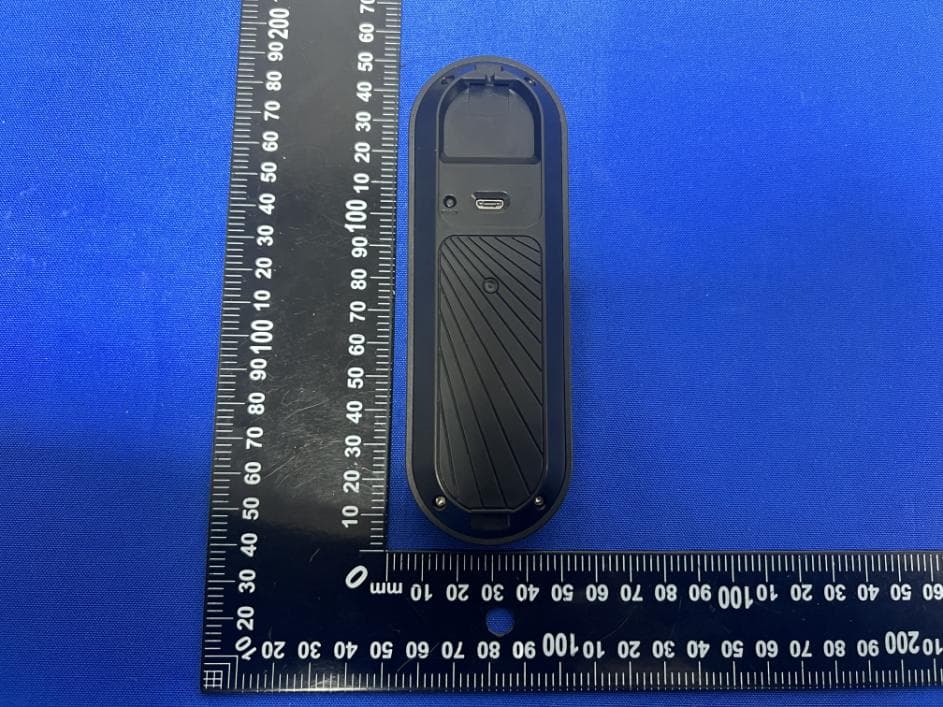
2BFEP-DBM30
Apr 26, 2024Smart Wi-Fi Doorbell Camera
Equipment Class
DSC - Part 15 Security/Remote Control Transmitter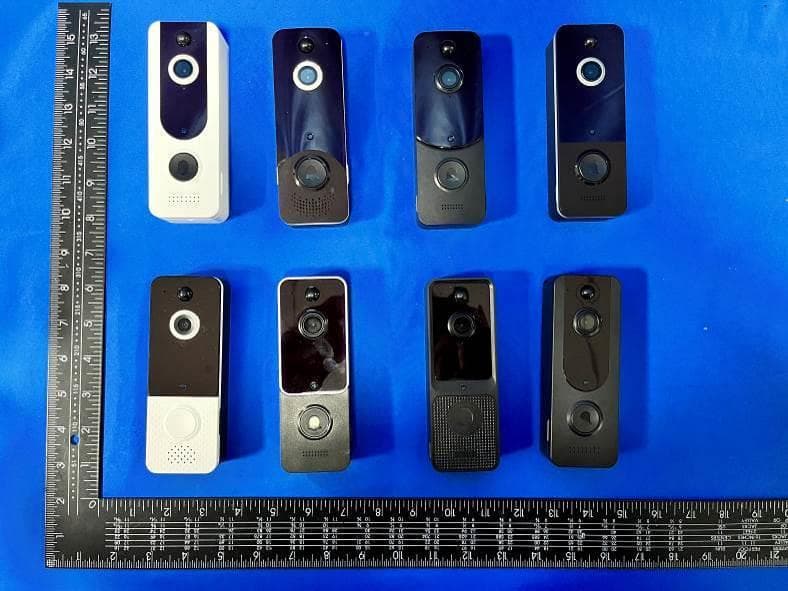
2BFEP-DBCAM
Mar 26, 2024Video Doorbell
Equipment Class
DSC - Part 15 Security/Remote Control Transmitter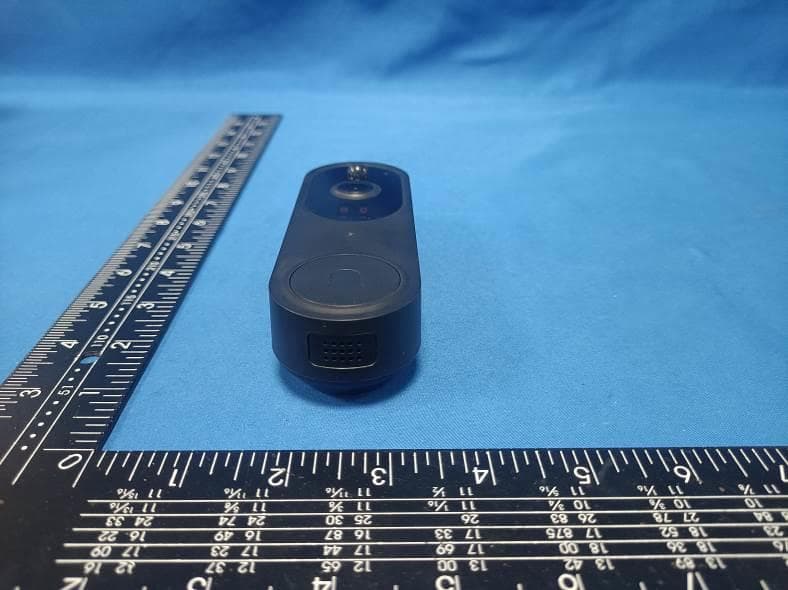
2BFEP-DBM50
Mar 26, 2024Smart Wi-Fi Doorbell Camera
Equipment Class
DSC - Part 15 Security/Remote Control Transmitter
2BFEP-SDBCAM
Mar 17, 2024Video Doorbell
Equipment Class
DSC - Part 15 Security/Remote Control Transmitter