2BO96EW0140100202RFID System
Vitrolife A/S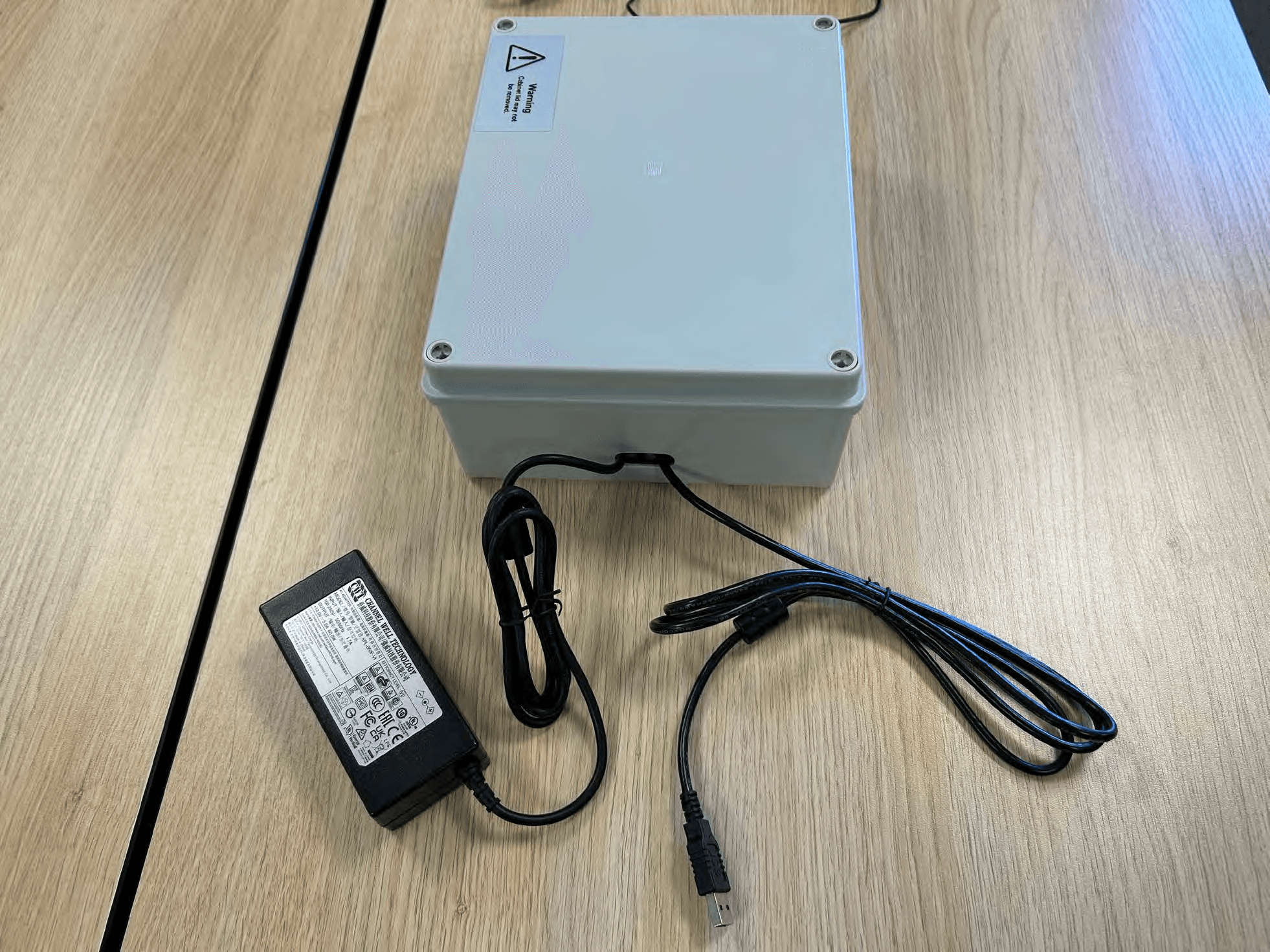
Click to zoom
Application Details
- Equipment Class
- DXX - Part 15 Low Power Communication Device Transmitter
- Date of Grant
- Sep 21, 2026
- Application Purpose
- Original Equipment
- Equipment Note
- RFID System
- Frequency Range
- 13.56000000 - 13.56000000
- Company
- Vitrolife A/S
- Country
- Denmark
Documents & Files
Document Text
Text extracted from the exhibit documents filed with the FCC. Open a document above to read the original.
Users Manual
WieWit.09.1 Installation Manual eWitness ver 3 1 Installation Manual eWitness Version 3 Contents Introduction ........................................................................................................................... 2 Installation ............................................................................................................................. 3 Mobile Handheld Scanners ................................................................................................ 3 ALTEC ATP-600 printer: .................................................................................................... 3 Tablet: ............................................................................................................................... 5 RFID box setup ................................................................................................................. 6 US RFID box setup ........................................................................................................ 7 Tablet Connection and Workspace Installation .............................................................. 7 Charger ............................................................................................................................. 7 ID tags: .............................................................................................................................. 8 FSM Registration .................................................................................................................. 8 Final Test .............................................................................................................................. 8 WieWit.09.1 Installation Manual eWitness ver 3 2 Introduction This instruction describes the installation process of the eWitness RFID box, the handheld barcode scanner and tablet. For the installation of the printers refer to manufacturer’s installation protocol. Jeeves ref. Item description Photo 40100201 40100206 Mobile Handheld Scanner 40100202 eWitness RFID Box 40100203 HF RFID Reader 40100204 40100205 Tablet 40100027 Altec Printer The installation of eWitness in a laboratory requires a kick-off meeting with the end user. Between the kick-off meeting and technical onsite installation, the end user will provide their own physical server or set up a cloud-based server solution. Once a server is provided, eFertility will install the eWitness software on the server. The end user will install drivers to accommodate the printers on their network or directly on their computers via USB. After the technical onsite installation of eWitness, a workshop is held with the end user to implement the system. Both kick-off meeting and workshop are not described in the Installation Manual. WieWit.09.1 Installation Manual eWitness ver 3 3 Installation Mobile Handheld Scanners Depending on the wishes of the end user, the Mobile Handheld Scanners are maintained via our MDM or via the end user’s own MDM system. By default, the Scanners will be maintained in our MDM, making remote support easier. And app updates can be rolled out automatically. The Scanners are installed via our MDM and allocated into the stock group. Once a server is installed and Scanners are connected to the wifi by the end user(this wifi must be able to reach the server!), the Scanners will be allocated into a group created for the end user in our MDM. And with the credentials that we need from the finished server we can configure the settings for the Scanners for the end user. ALTEC ATP-600 printer: Refer to Manufacturers installation protocol. To print stickers for the eWitness system, you need to use a program called eFertility Print. This program will created and provided once the installation of the server is complete. Upon launching eFertility Print, we encounter a user interface similar to the eWitness desktop interface. You log in using the same credentials used for the eWitness desktop. Once logged in, there will be three main options: Scanner: This option is functional only for clinics that use eBase alongside eWitness. eWitness: Access this menu to proceed with printing operations. WieWit.09.1 Installation Manual eWitness ver 3 4 Log Off: Use this to exit the program. Within the eWitness menu, there will be several sections: Printer Selection: select the printer. Usually, the appropriate printer is pre-selected based on the type of label you need, a setup that can be adjusted by the system administrator. Label Type: This dropdown allows you to choose the type of label to print. These types can be configured in the admin settings and might be based on treatment, day, or other criteria. Selecting a label type filters the patient list to those who meet the specified criteria. Patient Information: Displays detailed information about the selected patient. Patient Selection: This is where you'll see a list of patients who match the label type criteria. It shows details such as the patient's date of birth, name, label number offset, and the number of labels to print. Printer Output: Shows the raw data sent to the printer, primarily used for diagnostic purposes by system administrators. There are two methods to print stickers: Per Person Print: WieWit.09.1 Installation Manual eWitness ver 3 5 Click the printer icon next to a patient’s name to print stickers specifically for that patient. The system will prompt you to confirm the number of stickers to print before proceeding. Batch Print: By selecting the printer icon at the bottom right of the screen, you can print stickers for all patients listed under the current label type. Print one label pr printer to check the settings are correct. Tablet: If the end user wishes to use RFID a Tablet is also needed along with the RFID box. Same as with the Mobile Handheld Scanners it’s up to the end user if they wish to use our MDM or their own. (NOTE: If they wish to use there own MDM the tablet can’t under any circumstances be set in kioskmode! B…
Text truncated - open the document above for the full version.
Users Manual
eWitness app, software version 25.2 User manual, first issue 2025.10.28/North America/English (US) eWitness™ app User manual eWitness app - 2 - Table of contents 1 Introduction ............................................................................................................................ 4 2 Login ....................................................................................................................................... 6 2.1 Login using a username and password ........................................................................... 6 2.2 Login using an ID card with a QR code ........................................................................... 7 2.3 Login using an NFC tag .................................................................................................. 7 2.4 Logging out ..................................................................................................................... 8 2.5 Login Timeout ................................................................................................................. 9 3 eWitness Home screen ........................................................................................................ 10 4 eWitness screen ................................................................................................................... 11 5 Task lists .............................................................................................................................. 12 6 Patient Worklist screen........................................................................................................ 13 7 Witnessing process ............................................................................................................. 14 7.1 Barcodes ....................................................................................................................... 14 7.1.1 Using external barcodes .................................................................................... 15 7.2 Scanning process ......................................................................................................... 16 7.2.1 Picture mode ..................................................................................................... 17 7.2.2 Allow multiple ..................................................................................................... 17 7.2.3 Manual overrule ................................................................................................. 18 7.2.4 Handling of misscans ......................................................................................... 19 8 Patient workflow screen ...................................................................................................... 20 8.1 Fingerprint Registration screen ..................................................................................... 21 9 Material registration screen ................................................................................................ 22 9.1 Adding a new material to the inventory ......................................................................... 22 9.2 Linking a material/batch to a day ................................................................................... 24 9.3 Linking a material/batch to a patient .............................................................................. 25 10 Settings screen .................................................................................................................... 26 11 eWitness RFID Box (optional) ............................................................................................. 27 11.1 Positioning materials ..................................................................................................... 27 11.2 Linking RFID tag label to patients ................................................................................. 28 11.3 Technical specifications and safety information for the HF RFID-shielded antenna ....... 28 11.4 Graphical overview of the eWitness system .................................................................. 29 12 Symbols and labels .............................................................................................................. 30 eWitness app - 3 - 13 Disposal of waste ................................................................................................................. 31 14 Contact information ............................................................................................................. 32 eWitness is a trademark belonging to STB Zorg BV (eFertility). ©2025 STB Zorg B.V.. All rights reserved. eWitness app - 4 - 1 Introduction The eWitness app is at the centre of eFertility’s witnessing solution. The app is a native Android app that runs on the witnessing scanner provided by eFertility. Through the scanner, the app controls the identification process of patients enrolled in the witness process. The app is used to carry out witnessing steps, and log and validate all used materials. For security purposes, logging, and easy access, all witnessed steps are stored in the eBase central database. NOTE The eWitness system comprises the app and the System management platform, which are intended for joint use. Proper functionality requires both components. The eWitness System management platform has a separate user manual. NOTE Data collected in the eWitness system is by default stored on a central server in the clinic. Every step and change in data is tracked by the system and can be traced back to a user, time, and IP address of the terminal used. NOTE ON RFID EQUIPMENT – FCC COMPLIANCE – FCC ID 2BO96EW0140100202 This equipment has been tested and found to comply with the limits for a Class B digital device, pursuant to part 15 of the FCC Rules. These limits are designed to provide reasonable protection against harmful interference in a residential installation. This equipment generates, uses and can radi…
Text truncated - open the document above for the full version.
Test Setup Photos
FORCE Technology Venlighedsvej 4 2970 Hørsholm Denmark Tel. +45 72 19 40 00 Fax +45 72 19 40 01 www.force.dk VAT No. 55117314 Vers ion l Th e r e p or t m us t n o t b e r e pr od uc e d, ex c e pt i n f ul l , wi t h o ut t h e wr i tt e n a p pr ov al o f F OR CE T ec hn ol o gy. Photos Test of Tagging system according to CFR 47, FCC Part 15, Subpart C and ISED - Intentional Radiators Performed for Vitrolife A/S Project no.: 125-25804 Page 1 of 16 19-6-2026 This exhibit is an extract of FORCE Technology Test Report 125-25804-1 Dated 19 June 2026 containing only the photos of the test set-ups Page 2 of 16 Photo 1.1.1 - Test item 1 top Photo 1.1.2 - Test item 1 bottom Page 3 of 16 Photo 1.1.3 - Test item 2 top Photo 1.1.4 - Test item 2 bottom Page 4 of 16 Photo 1.1.5 - Test item 2 front connector Photo 1.1.6 - Test item 2 rear connector Page 5 of 16 Photo 1.1.7 - Test item 2 placed in the final enclosure Photo 1.1.8 - Test item 2 placed in the final enclosure Page 6 of 16 Photo 1.1.9 - Test item 2 placed in the final enclosure Photo 1.1.10 - Test item 2 placed in the final enclosure Page 7 of 16 Photo 4.1.1. Measurement of AC power-line conducted emission with Antennas a. High angle front view of EUT and AE on set-up table b. High angle rear oblique view of EUT and AE on set-up table Page 8 of 16 Photo 4.1.2 Measurement of AC power-line conducted emission with antennas re- placed by 50 Ohm terminations a. High angle front view of EUT and AE on set-up table b. High angle rear oblique view of EUT and AE on set-up table with terminations Page 9 of 16 Photo 4.2.1 Measurement of radiated emission below 30 MHz (Magnetic field) a. High angle front view of EUT on set-up table, antenna axis X b. High angle rear oblique view of EUT antenna axis Y Page 10 of 16 c. High angle front view of EUT on set-up table, antenna axis Z Page 11 of 16 Photo 4.3.1 Measurement of Radiated emission 30 - 1000 MHz a. High angle front view of EUT on set-up table b. High angle rear oblique view of EUT on set-up table Page 12 of 16 Photo 4.4.1 Measurement of Radiated emission above 1 GHz a. High angle front view of EUT on set-up table b. High angle rear oblique view of EUT on set-up table Page 13 of 16 Photo 4.5.1 Measurement of frequency stability when varying supply voltage Photo 4.5.2 Measurement of frequency stability with respect to ambient Page 14 of 16 Photo 4.5.3 Measurement of frequency stability with respect to ambient Photo 4.6.1 Measurement of occupied bandwidth Page 15 of 16 Photo 4.7.1 Measurement of band edge a. High angle rear oblique view of EUT antenna axis X (max. power) b. High angle rear oblique view of EUT antenna axis X (max. power) Page 16 of 16 Photo 4.8.1 Measurement of field strength of fundamental a. High angle front view of EUT on set-up table, antenna axis X (max. power) b. High angle rear oblique view of EUT antenna axis X (max. power)
Test Report
Disclaimer: This document is controlled and has been released electronically. The original is held by FORCE Technology TEST REPORT CFR 47, FCC Part 15, Subpart C and ISED Intentional Radiators 125-25804-1 Report Number. .............................. : Date of issue ................................... : 2026-06-19 Total number of pages ................... : 54 Name of Testing Laboratory preparing the Report ...................... : FORCE Technology Venlighedsvej 4 2970 Hørsholm DENMARK Applicant’s name ........................... : Vitrolife A/S Jens Juuls Vej 20 8260 Viby J DENMARK Address ........................................... : Test specification: ......................... : ANSI C63.10:2020 TRF template used: ....................... : IECEE OD-2020-F7:2020; ed. 2 Standards ....................................... : 47 CFR Part 15, Subpart C (Specific rule part §15.225) ISED RSS-210:2024 + RSS-Gen:2019 AM1:2019 + AM2:2021 Test procedure ............................... : DANAK Test Report Form No. .................... : According to OD-2020, Clause 3.3 Test Report Form(s) Originator .... : FORCE Technology Master TRF ...................................... : Dated 2022-06-02 (according to 3.3.4) Copyright © 2024 IEC System of Conformity Assessment Schemes for Electrotechnical Equipment and Components (IECEE System). All rights reserved. This publication may be reproduced in whole or in part for non-commercial purposes as long as the IECEE is acknowledged as copyright owner and source of the material. IECEE takes no responsibility for and will not assume liability for damages resulting from the reader's interpretation of the reproduced material due to its placement and context. General disclaimer: This report is issued under the rules of DANAK (Danish Accreditation) and ILAC (International Laboratory Accreditation Cooperation) including its MRA (Mutual Recognition Arrangement). Further information can be found at www.danak.dk and www.ilac.org. The report must not be reproduced, except in full, without the written approval of FORCE Technology. Page 2 of 54 Report No. 125-25804-1 TRF No. IEC (or ISO) FCC 15.225 Test item description ..................... : Tagging system Trademark or brand name ............. : Manufacturer................................... : Vitrolife A/S Model/Type reference(s) ................ : eWitness FCC ID ............................................. : 2BO96EW0140100202 ISED ID ............................................ : 35551 - Ratings ............................................ : 12 VDC - 100-240 VAC / 50/60 Hz from AC/DC adaptor – 60 W Responsible Testing Laboratory (as applicable), testing procedure and testing location(s): Testing Laboratory ........................................ : FORCE Technology Testing location/ address ............................. : Venlighedsvej 4 2970 Hørsholm DENMARK Tested by (name, function, signature) ........ : Peter Wolf Frandsen, Specialist EMC Approved by (name, function, signature) ... : Karsten Kruse Jensen Senior Team Leader Page 3 of 54 Report No. 125-25804-1 TRF No. IEC (or ISO) FCC 15.225 List of Attachments (including a total number of pages in each attachment): N/A Summary of testing Tests performed (name of test and std. clause): AC power-line conducted emission (6.2) Radiated emission below 30 MHz (6.4) Radiated emission 30 - 1000 MHz (6.5) Radiated emission above 1 GHz (8) Frequency stability (6.8) Occupied bandwidth (6.9) Band edge (6.10) Field strength of fundamental Testing location: FORCE Technology Venlighedsvej 4 2970 Hørsholm DENMARK Summary of compliance The product fulfils the requirements of the following standard, with respect to the test listed below: • USA: 47 CFR Part 15, Subpart C (Specific rule part §15.225) • Canada: ISED RSS-210:2024 + RSS-Gen:2019 AM1:2019 + AM2:2021 The given result is based on a shared risk principle with respect to the measurement uncertainty. Use of uncertainty of measurement for decisions on conformity (decision rule) : The decision rule is inherent in the requested specification. For additional information see 6.2. Information on uncertainty of measurement: Internal procedure used for type testing through which traceability of the measuring uncertainty has been established: Calculations leading to the reported values are on file with the testing laboratory internal Quality Management System D4. Statement not required by the standard used for type testing Page 4 of 54 Report No. 125-25804-1 TRF No. IEC (or ISO) FCC 15.225 Possible test case verdicts: - test case does not apply to the test item . : N/A (Not Applicable) - test item does meet the requirement ........ : P (Pass) - test item does not meet the requirement . : F (Fail) Date of receipt of test item ........................... : 2025-05-01 Date (s) of performance of tests .................. : 2025-05-06 to 2025-06-10 General remarks: "(See Enclosure #)" refers to additional information appended to the report. "(See appended table)" refers to a table appended to the report. Throughout this report a ☐ comma / ☒ point is used as the decimal separator. Note: Throughout this TRF, numerical data taken from IEC standards are using a comma as the decimal separator. Throughout this report, the term “Test item” is used over terms such as Test object, EUT or DUT. General product information (GPI) and other remarks: A RFID System, the eWitness is a safety mechanism used to prevent mix-ups of gametes and embryos, ensuring correct identification and tracking throughout the IVF process. The two antennas are not transmitting simultaneously. The system employs internal multiplexing, ensuring that only one antenna is active in transmit mode at any given time. Page 5 of 54 Report No. 125-25804-1 TRF No. IEC (or ISO) FCC 15.225 Table of Contents: 1 General description of test item ....................................................................................................... 6 1.1 Photo(s) of the test item .............…
Text truncated - open the document above for the full version.
RF Exposure Info
Disclaimer: This document is controlled and has been released electronically. The original is held by FORCE Technology Technical memorandum CFR 47, FCC Part 15, Subpart C and ISED Intentional Radiators 125-25804-11 Report Number. .............................. : Date of issue ................................... : 2026-06-12 Total number of pages ................... : 8 Name of Testing Laboratory preparing the Memorandum .......... : FORCE Technology Venlighedsvej 4 2970 Hørsholm DENMARK Applicant’s name ........................... : Vitrolife A/S Jens Juuls Vej 20 8260 Viby J Denmark Address ........................................... : Specification: ................................. : KDB 447498 (General RF Exposure Guidance v06) TRF template used: ....................... : N/A Standards ....................................... : 47 CFR Part 2, Subpart J (Specific rule part § 2.1093) Test procedure ............................... : - Test Report Form No. .................... : - Test Report Form(s) Originator .... : - Master TRF ...................................... : - Personnel........................................: Jan Askov, Senior Specialist Page 2 of 8 Report No. 125-25804-11 Test item description ..................... : Tagging system Trademark or brand name ............. : Manufacturer................................... : Vitrolife A/S Model/Type reference(s) ................ : eWitness FCC ID ............................................. : 2BO96EW0140100202 ISED ID ............................................ : - Ratings ............................................ : 12 VDC - 100-240 VAC / 50/60 Hz from AC/DC adaptor – 60 W Possible test case verdicts: - test case does not apply to the test item . : N/A (Not Applicable) - test item does meet the requirement ........ : P (Pass) - test item does not meet the requirement . : F (Fail) Date of receipt of test item ........................... : 2025-05-01 Date (s) of performance of tests .................. : 2025-05-06 to 2025-06-10 General product information (GPI) and other remarks: A RFID System, the eWitness is a safety mechanism used to prevent mix-ups of gametes and embryos, ensuring correct identification and tracking throughout the IVF process. The two antennas are not transmitting simultaneously. The system employs internal multiplexing, ensuring that only one antenna is active in transmit mode at any given time. Page 3 of 8 Report No. 125-25804-11 Table of Contents: 1 General description of test item ....................................................................................................... 4 2 Verdict summary section .................................................................................................................. 5 3 Measurement of zero span .............................................................................................................. 6 Page 4 of 8 Report No. 125-25804-11 1 General description of test item See FORCE Technology report no. 125-25804-1 Page 5 of 8 Report No. 125-25804-11 2 Verdict summary section USA: 47 CFR Part 2, Subpart J (Specific rule part § 2.1093) Test Clause Requirement – Test case FCC rule part Test methods Results 4.3.1 c) 2) SAR Test Exclusion 47 CFR Part 2, Subpart J Specific rule part § 2.1093 KDB 447498 P Supplementary information: For 10-g extremity SAR and conducted power values are derived from FORCE Technology report no. 125-25804-1 Page 6 of 8 Report No. 125-25804-11 3 Measurement of zero span Name ........................................... : Jan Askov Date ............................................. : 2025-06-03 Rationale for verdict N/A ............. : -- Test location (stand) .................... : Hørsholm EMCRUM4 and SRD setup Applied limit ................................. : ☐ 6 dB bandwidth ☐ 20 dB bandwidth according to 47 CFR Part 15.215(c) ☐ 26 dB bandwidth ☐ 99 % emission bandwidth according to 47 CFR Part 15.215(c) ☒ Duty cycle measurement Test setup description ................. : ☐ Relative Loop antenna measurement, distance < 10 cm. ☒ Other: Antenna connector measurement Supplementary test setup description ................................... : A spectrum analyzer was used for the measurements, the video bandwidth was set to a value at least three times greater than the IF bandwidth of the measuring instrument to avoid the introduction of unwanted amplitude smoothing. Video filtering is not used during occupied bandwidth tests. Test method applied .................... : ☐ 6.9.2 Occupied bandwidth—relative measurement procedure ☐ 6.9.3 Occupied bandwidth—power bandwidth (99 %) measurement procedure ☒ Other: Zero Span measurements Supplementary information ......... : -- Photo. ........................................... : Measurement of Zero Span Page 7 of 8 Report No. 125-25804-11 Tabulated Results summary Operating frequency [MHz] Note 1 On time [ms] Cycle time [ms] Duty Cycle (DC) [%] 13.560587 59.29 333.65 17.77 Graphical representation Zero Span Note 1: Relative measurement – normal operation Page 8 of 8 Report No. 125-25804-11 4 Test results for maximum time average conducted output power Tabulated Results summary Operating frequency [MHz] Note 1 Power (99 % BW) [dBm] / [mW] Note 1 On time [ms] Cycle time [ms] Duty Cycle (DC) [%] Time average conducted output power [mW] Note 2 Limit [mW] Note 4 Factor ‘Time average conducted output power’ / ‘Limit’ Remarks 13.560587 32.63 / 1.832 59.29 333.65 17.77 325.6 (355 – Note 3) 1108 0.29 (0.32 – Note 3) Passed Note 1: Conducted power values are derived from FORCE Technology report no. 125-25804-1 Note 2: Time average conducted output power is Duty Cycle [%] * Power (99 % BW) [mW] Note 3: Including tune-up tolerance (9%) Note 4: Power threshold according to KDB 447498 §4.3.1 c) 2) for 10-g extremity SAR
RF Exposure Info
Vitrolife Vitrolife A/S | CVR 27406793 Jens Juuls Vej 16 8260 Viby J | Denmark Tel +45 72 21 79 00 www.vitrolife.com Page 1 of 1 Federal Communications Commission Authorization and Evaluation Division Equipment Authorization Branch 7435 Oakland Mills Road Columbia, MD 21046 2026-05-29 Re: RF exposure information for: Product name: eWitness with FCC ID 2BO96EW0140100202 To Whom It May Concern: eWitness is a portable device intended for use within 20 cm of humans for extremities and must demonstrate compli- ance to the either relevant SAR limits or demonstrate a maximum conducted output power less than the SAR exclu- sion thresholds pursuant to “KDB 447498 D01 General RF Exposure Guidance v06” at the specified distance to user and frequency range. The properties of eWitness are as follows: • Maximum average conducted output power: 355 mW • Distance to user: < 50 mm at extremities • Tx Frequency range: 13.110-14.010 MHz (13.56 MHz) • Power threshold according to KDB 447498 §4.3.1: 1108 mW The power threshold for SAR exclusion is respected hence eWitness is compliant. Please contact me if there is any information you may need. Sincerely, ________________________________________________________ Jeppe Christensen, Regulatory Affairs Senior Specialist Electronically signed by: Jeppe Christensen Reason: Approver Date: Jun 1, 2026 10:03:51 GMT+2 05 RF exposure information Final Audit Report2026-06-01 Created:2026-06-01 By:Jeppe Christensen ([email protected]) Status:Signed Transaction ID:CBJCHBCAABAA39PjoRjXXUMu7C-d75kIFITHcfEjHmCA "05 RF exposure information" History Document created by Jeppe Christensen ([email protected]) 2026-06-01 - 8:02:59 AM GMT- IP address: 185.107.202.109 Document emailed to Jeppe Christensen ([email protected]) for signature 2026-06-01 - 8:03:44 AM GMT Jeppe Christensen ([email protected]) authenticated with Adobe Acrobat Sign. 2026-06-01 - 8:03:52 AM GMT Document e-signed by Jeppe Christensen ([email protected]) Signing reason: Approver Signature Date: 2026-06-01 - 8:03:51 AM GMT - Time Source: server- IP address: 185.107.202.109 - Signature Appearance Selected: DRAW Agreement completed. 2026-06-01 - 8:03:51 AM GMT
Internal Photos
Vitrolife Vitrolife A/S | CVR 27406793 Jens Juuls Vej 16 8260 Viby J | Denmark Tel +45 72 21 79 00 www.vitrolife.com Page 1 of 7 HF RFID Reader RD 2104 Picture from bottom view rev 01.06 Vitrolife Vitrolife A/S | CVR 27406793 Jens Juuls Vej 16 8260 Viby J | Denmark Tel +45 72 21 79 00 www.vitrolife.com Page 2 of 7 HF RFID Reader RD 2104 Picture from side view 1 rev 01.06 Vitrolife Vitrolife A/S | CVR 27406793 Jens Juuls Vej 16 8260 Viby J | Denmark Tel +45 72 21 79 00 www.vitrolife.com Page 3 of 7 HF RFID Reader RD 2104 Picture from side view 2 rev 01.06 Vitrolife Vitrolife A/S | CVR 27406793 Jens Juuls Vej 16 8260 Viby J | Denmark Tel +45 72 21 79 00 www.vitrolife.com Page 4 of 7 HF RFID Reader RD 2104 Picture from side view 3 rev 01.06 Vitrolife Vitrolife A/S | CVR 27406793 Jens Juuls Vej 16 8260 Viby J | Denmark Tel +45 72 21 79 00 www.vitrolife.com Page 5 of 7 HF RFID Reader RD 2104 Picture from side view 4 rev 01.06 Vitrolife Vitrolife A/S | CVR 27406793 Jens Juuls Vej 16 8260 Viby J | Denmark Tel +45 72 21 79 00 …
Text truncated - open the document above for the full version.
Contact Information
Applicant
Belinda Dueholm
[email protected]Fax: -
Technical Contact
Vitrolife Inc.Erin Schardt
3601 S Inca St · Englewood, Colorado, 80110 · United States
Test Firm
FORCE Technology Product CompliancePer Rafn Crety
Technical Specifications
| # | Rule Parts | Frequency Range | Power Output |
|---|---|---|---|
| 1 | 15C | 13.56 MHz - 13.56 MHz | - |