2BPSE-XF40VGAME CONSOLE
Shenzhen Xi Fan Technology Co., Ltd.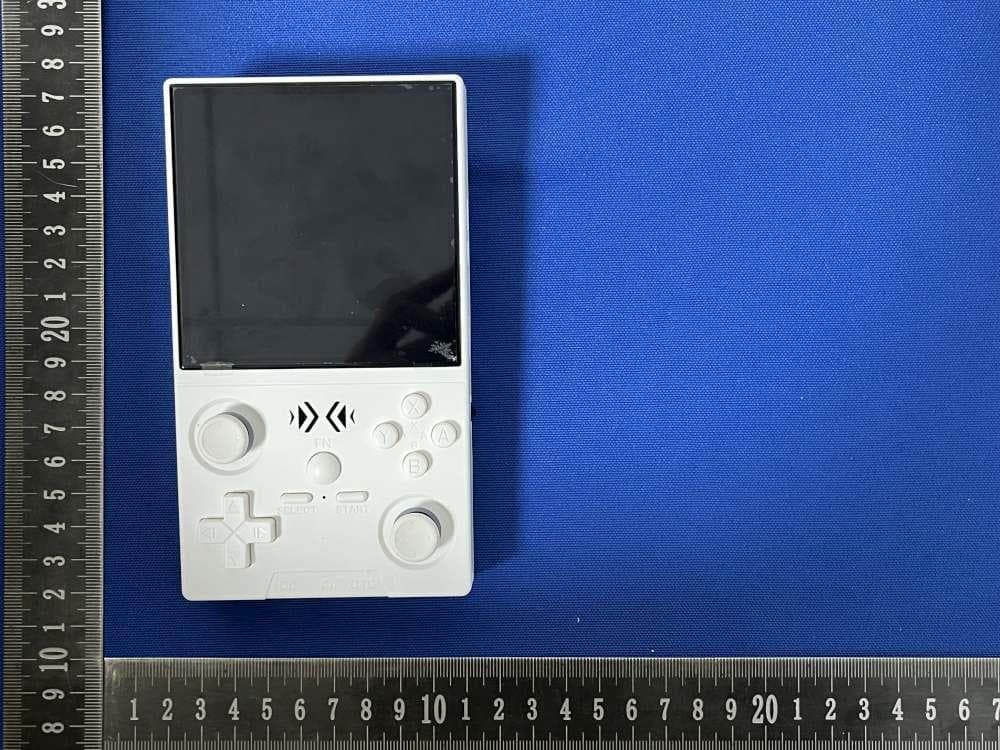
Click to zoom
Application Details
- Equipment Class
- DTS - Digital Transmission System
- Date of Grant
- Sep 28, 2025
- Application Purpose
- Original Equipment
- Equipment Note
- GAME CONSOLE
- Frequency Range
- 2412.00000000 - 2462.00000000
- Country
- China
Documents & Files
Document Text
Text extracted from the exhibit documents filed with the FCC. Open a document above to read the original.
Users Manual
开关机说明 ⚫ 开机:长按开机键5秒,耐心等待25秒左右,进入操作界面。 ⚫ 关机:长按开机键7秒,显示关机菜单,默认按A键,进行关机。 注意:关机前请退出游戏,系统启动的时候请不要按任何按键。 充电说明 当主机红灯亮起,请及时充电,充电线连接DC接口进行充电。充满电时,红灯 自动熄灭。 注意:充电状态请勿按重启键;充电器参数不能超过5V2A。 功能快捷组合键: 修复系统BUG:L1+L2+R1+R2+(SELECT*3) 游戏中快捷组合键(PSP,NDS除外): 保存游戏进度:SELECT+R1 载入保存的游戏进度:SELECT +L1 退出游戏:(SELECT+START)*2 显示FPS:SELECT+B 暂停游戏或取消:SELECT+A RA菜单:SELECT+X 游戏加速开启与取消:SELECT+R2 游戏截图:SELECT+Y 屏幕亮度调节:FN+音量键 PSP游戏按键说明: PSP菜单:SELECT+B PSP保存游戏步骤:按SELECT+B进入PSP菜单选1.设置 → 2.系统设置 → 3. 自动载入即时存档 → 4.卡槽 1 → 5. 返回 → 6. 保存即时存档 已保存即 时存档 NDS游戏按键说明: ⚫ 按R2:切换横竖屏幕显示; ⚫ 按L2:显示全屏切换; ⚫ 按压右边操纵杆:模拟笔标点击; ⚫ 按压左边操纵杆:进入游戏后台菜单。 儿童模式如何解锁? 按START键,选择UNLOCK USER INTERFACE MODE 按A,依次按AAABA即可解 锁。 摇杆灯光设置: 按下“START”键进入菜单,在“LEDS SETTINGS”处按下 A 键进入选项选择。 两台机器wifi联机设置(需游戏支持多人模式): 第一台游戏机设置步骤 步骤1:在主界面按“START”键进入设置界面,找到网络设置连接可用的WIFI (2人以上游戏需连同一WIFI)。 步骤2:记录主机IP地址。(记录IP地址用于后面机器使用。) 步骤3:打开支持多人的游戏,进入游戏界面。按“SELECT”+“X”键进入菜 单设置界面,然后按“B”键。 步骤4:找到“主机”启动网络游戏,第一台机器设置完毕。 第二台游戏机设置步骤 步骤1:在主界面按“START”键进入设置界面,找到网络设置连接一个可用的 WIFI。(注意:连接WIFI的步骤和设置第一台主机的步骤相同。) 步骤2:WIFI连接成功后,找到同款游戏进入游戏界面,按“SELECT”+“X” 进入设置界面再按“B”键。 步骤3:找到“连接到Netplay主机”。 步骤4:输入第一台主机的“IP地址”按“X”键进入游戏。 步骤5:此时两台主机显示相同画面表示连接成功,选择双人模式进入游戏。 注:优先设置“主机”作为游戏机主控启动网络联机,作为“主控手柄”。 切换模拟器核心: 如果游戏无法运行,多因模拟器核心不兼容,操作如下: 1.游戏列表选报错游戏 → 长按 “A” 键 2 秒 → 选倒数第二项 “高级游戏选 项” 。 2.尝试将第一项 “模拟器” 换为其他核心。若所有核心都不行,可能是游戏 ROM 问题,请反馈给我查看并修正。 核心选择建议: ⚫ CPS1、2、3:优先 FBAlpha2012核心,其次是FBNeo 核心和其他FBA核心; ⚫ FBNeo:优先考虑 FBNeo核心,其次是FBAlpha2012和其他FBA核心; ⚫ MAME:优先考虑FBNeo核心,其次是MAME2010,然后是其他核心: ⚫ GBA:MGBA支持组合键,GPSP 支持游戏修改。 ⚫ 注意优先级:个人游戏设置>模拟器设置>全局设置 设置模拟器全局、单个或单个游戏设置模拟器: ⚫ 全局设置:在ES菜单“游戏设置”; ⚫ 单模拟器设置:“游戏设置-PERSYSTEMADVANCED CONFIGURATION”对 应于不同的模拟器; ⚫ 单个游戏设置:选中游戏列表上的游戏长按“A”键,弹出菜单选择“高级 游戏选项”进行设置。注意优先级:个人游戏设置>模拟器设置>全局设置 如何更改主题? 按下“START”弹出菜单,选择“用户界面设置”并按“A”,进入“背景主题”, 切换您喜欢的主题。 游戏显示屏比例调整: 1. 按 “START ”弹出菜单 → 选择 “游戏设置” 并按“A”键 → 下拉选择 “游 戏屏幕比例” ,选合适比例进行配置。 2.X/Y:根据屏幕分辨率选择比例进行配置,譬如:分辨率是720x720对应比例 1/1;640x480,1024x768对应比例4/3;480x272,1080x720,800x480对于 比例16/9;游戏基本上会显示全屏(部分游戏原生自带黑边无法满屏显示)。 3.CORE PROVIDEO:模拟器核心的默认分辨率,对应于游戏模型的原始分辨率, 可避免画面变形。譬如:GB、GBC使用X/Y会严重变形,例如:游戏街机垂直 射击,游戏水平显示,在X/模式下拉伸到全屏变形。 如何将一款游戏添加到收藏夹? 游戏列表选择目标游戏 → 长按 “A” 键弹出菜单 → 选 “添加到收藏夹” 并 按 “A” 键确认,游戏将加入收藏列表。 如何调整屏幕亮度? 按 “START”键弹出菜单 → 选择 “系统设置” 并按 “A”键 → 选择 “亮 度” ,十字键左键降低、右键增加屏幕亮度。 如何转换语言? 按 “START” 键弹出菜单 → 选择 “系统设置”→“语言” 按“A”键打开 各国语言列表 → 选择合适语言按 “A”键确认选择完成 → 按“B”键进行返 回,系统将会自动重启,语言切换成功。 如何在fds游戏中设置B侧? fds部分游戏需要设置B侧才能开始。若打开游戏提示设置B侧,按L1设置B 侧后游戏将正常加载。 如何添加游戏? 1.TF 卡插电脑 → 进入 “EEROMS” 磁盘 → 下载的游戏放进对应模拟器文件 夹;游戏图像放进 “media/screenshot” 文件夹。 2.找到 “gamelist.xml” 文件 → 记事本打开,模仿现有游戏信息,把新游戏添加 进列表后保存。 3.电脑弹出 TF 卡,插入机器启动,新游戏即显示。 (若电脑不显示 EEROMS 磁盘:桌面选 “此电脑”→ 右键 “管理”→“磁盘管 理”→ 找到对应磁盘 → 右键 “分配驱动器号” ) FCC警告 该设备符合FCC规则第15部分。操作受以下两个条件的约束: (1) 此设备可能不会造成有害干扰 (2)此设备必须接受接收到的任何干扰,包括可能导致意外操作的干扰。 注1:根据FCC规则第15部分,该设备经过测试,符合B类数字设备的限制。 这些限制旨在为住宅安装中的有害干扰提供合理的保护。该设备产生、使用并可 以辐射射频能量,如果不按照说明安装和使用,可能会对无线电通信造成有害干 扰。但是,不能保证在特定安装中不会发生干扰。如果此设备确实对无线电或电 视接收造成有害干扰,可以通过关闭和打开设备来确定,鼓励用户尝试通过以下 一种或多种措施来纠正干扰: -重新定向或重新定位接收天线。 -增加设备和接收器之间的间距。 -将设备连接到与接收器连接的电路不同的插座上。 -请咨询经销商或经验丰富的无线电/电视技术人员以获取帮助。 注2:未经负责合规的一方明确批准,对本装置的任何更改或修改都可能使用户 操作设备的权限无效。 该设备已被评估为符合一般射频暴露要求。该设备可在便携式暴露条件下使用, 不受任何限制。 Instructions for Power On and Off: Power On: Press and hold the power button for 5 seconds. Wait patiently for about 25 seconds to enter the operation interface. Power Off: Press and hold the power button for 7 seconds to display the power-off menu. By default, press the A button to turn off the device. Note: Please exit the game before shutting down. Do not press any buttons when the system is starting up. Charging Instructions: When the red light on the host is on, please charge it in a timely manner. Connect the charging cable to the DC interface for charging. When it is fully charged, the red light will automatically turn off. Note: Do not press the reset button during the charging state. The charger must not exceed 5V2A. Function Shortcut Combinations: Fix System Bugs: L1+L2+R1+R2+(SELECT*3) Shortcut Combinations during the Game (except for PSP and NDS): Save Game Progress: SELECT+R1 Load Saved Game Progress: SELECT +L1 Exit the Game: (SELECT+START)*2 Display FPS: SELECT+B Pause the Game: SELECT+A RA Menu: SELECT+X Game acceleration start and stop: SELECT+R2 Game Screenshot: SELECT+Y Adjust screen brightness: FN + volume keys Instructions for PSP Game Buttons: PSP Menu: SELECT+B PSP Save Game: Press SELECT+B to enter the PSP menu, select 1.settings > 2.system > 3.Auto loadsavestate > 4.slot 1> 5. Back > 6. save state for successful saving >7. Exit to menu to exit. Instructions for NDS Game Buttons: Press R2 to switch between vertical and horizontal screen display. Press L2 to display the full-screen switch. Press the right joystick: Use the stylus to click. Press the left joystick: Enter the game background menu. How to Unlock the Child Mode? Press the START key, select UNLOCK USER INTERFACE MODE, press A, and press AAABA in sequence to unlock it. Joystick light settings: Press START to enter the menu and press A at LEDS SETTINGS to enter the selection. How to set up a WiFi connection between two machines? Note: It is required that the game should support the two-player or multi-player battle mode. Setup Steps for the First Game Console Step 1:On the main interface, press the "START" button to enter the settings menu. Find the network settings and connect to an available Wi-Fi network. (Note: For multiplayer games with 2 or more players, all devices must be connected to the same Wi-Fi network.) Step 2:Logging IP Address.(Record the IP address for later steps.) Step 3:Open a game that supports multiplayer (2 or more players). Enter the game interface, then press "SELECT" + "X" to access the settings menu, and press the "B" button. Step 4:Find the "Host" option to start the network game. NOTE: At this point, the setup for the first game console is complete. Setup Steps for the Second Game Console Step 1:Press the “start” key in the main interface to enter the setting interface, find the network setting to connect an available WIFI. (Note: The Wi-Fi connection steps are the s…
Text truncated - open the document above for the full version.
Attestation Statements
Shenzhen Xi Fan Technology Co., Ltd. U.S. Agent Letter of Attestation To: Federal Communications Commission 7435 Oakland Mills Road, Columbia, MD 21046, USA Date: September 28, 2025 Ref: Attestation Statement – Part 2.911(d)(7) filing FCC ID: 2BPSE-XF40V Shenzhen Xi Fan Technology Co., Ltd.(“the applicant”) certifies that, as of the date of the filing of the application, CLF Import and Export Limited (“the agent”) is our designated U.S. agent for service of process for the above reference FCC ID. The applicant accepts to maintain an agent for service of process in the United States for no less than one year after either the grantee has permanently terminated all marketing and importation of the applicable equipment within the U.S., or the conclusion of any Commission-related administrative or judicial proceeding involving the equipment, whichever is later. The applicant further acknowledges it is our responsibility to inform the FCC whenever the agent information changes. CLF Import and Export Limited ("the agent) understand it is the agent's obligation to accept service of process in the United States for matters related to the applicable equipment, and at the physical U.S. address and email address. Designated U.S. Agent Company Name: CLF Import and Export Limited FRN: 0033489683 Address: 1312 17th Street #692, Denver, CO 80202, United States Signature: Contact Person: David Chen Tel: +1 949 254 2565 Email: [email protected] Applicant Shenzhen Xi Fan Technology Co., Ltd. FRN: 0037080017 Address: RM 1320# Caiyunxuan, Wanling Apartment, Xicheng Industrial Zone, Xixiang Street, Bao'an District, Shenzhen, China Signature: Contact Person: Lemon feng Tel: 18211307641 Email: [email protected]
Attestation Statements
Rev 1/26/2023 (Shenzhen Xi Fan Technology Co., Ltd.) Federal Communications Commission Authorization and Evaluation Division 7435 Oakland Mills Road Columbia, MD 21046 USA Date: September 28, 2025 Ref: Attestation Statements Part 2.911(d)(5)(i) Filing FCC ID: 2BPSE-XF40V [Shenzhen Xi Fan Technology Co., Ltd.] certifies that the equipment for which authorization is sought is not “covered” equipment prohibited from receiving an equipment authorization pursuant to section 2.903 of the FCC rules. [Shenzhen Xi Fan Technology Co., Ltd.] certifies that the equipment for which authorization is sought does not include cybersecurity or anti-virus software produced or provided by Kaspersky Lab, Inc. or any of its successors and assignees, including equipment with integrated Kaspersky Lab, Inc. (or any of its successors and assignees) cybersecurity or anti-virus software pursuant to DA-24-886 and KDB 986446 D01 Covered Equipment Guidance section B(2a). Device is inherently compliant based on hardware limitations or software controls. or A Software Bill of Materials (SBOM) is provided to the TCB for review, and The end-user or third parties cannot install additional software on this device. Sincerely, (Lemon feng) Rev 1/26/2023 (Shenzhen Xi Fan Technology Co., Ltd.) Federal Communications Commission Authorization and Evaluation Division 7435 Oakland Mills Road Columbia, MD 21046 USA Date: September 28, 2025 Ref: Attestation Statements Part 2.911(d)(5)(ii) Filing FCC ID: 2BPSE-XF40V [Shenzhen Xi Fan Technology Co., Ltd.] certifies that, as of the date of the filing of the application, the applicant is not identified on the Covered List (as a specifically named entity or any of its subsidiaries or affiliates) as an entity producing “covered” equipment. Sincerely, (Lemon feng)
Cover Letter(s)
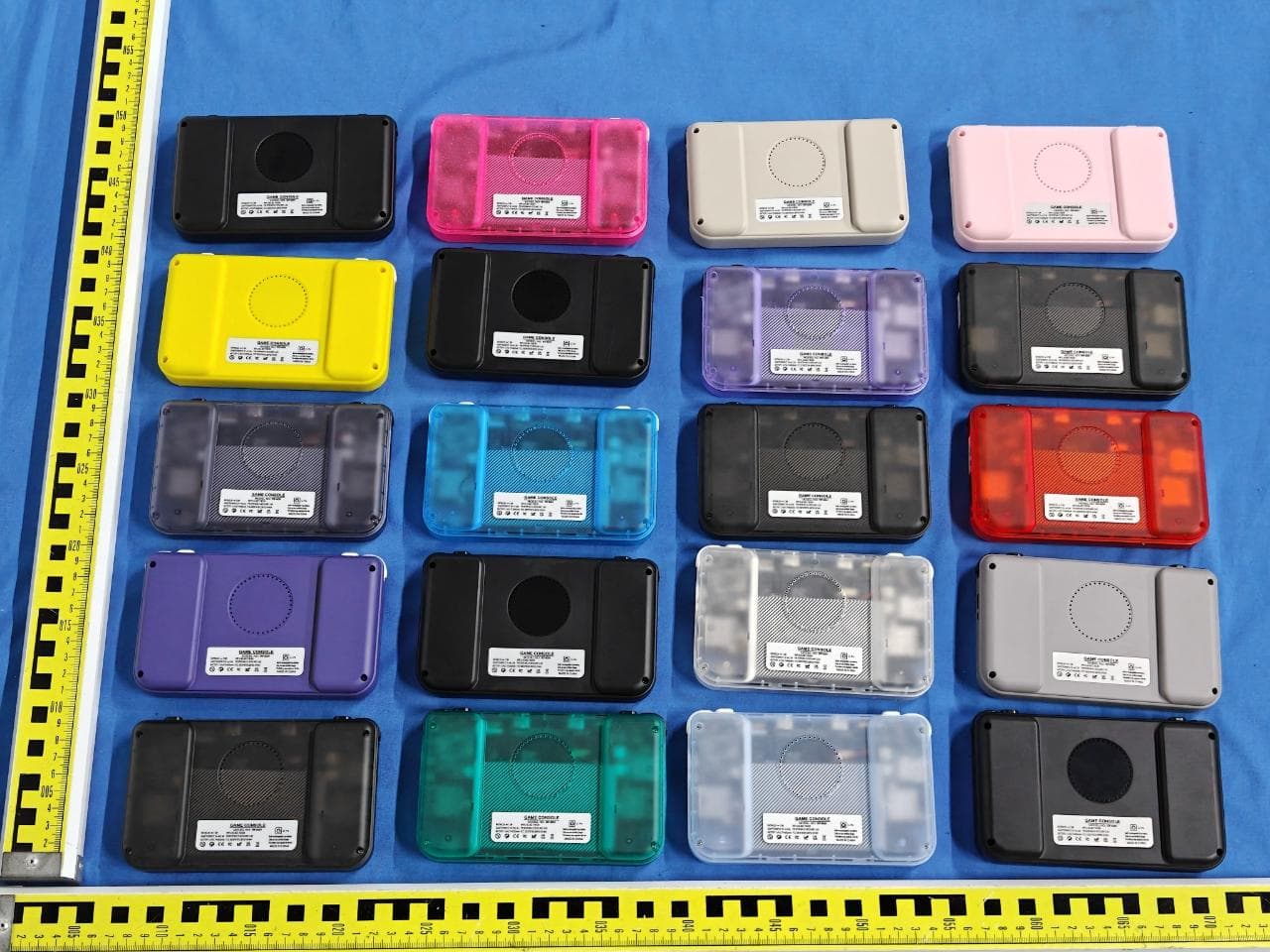
Shenzhen Xi Fan Technology Co., Ltd. Model Difference Statement Dear Sir/Madam, Added models DC40V, DC35V basis of the original product XF40V The button sizes, appearance colors and model names of the listed series of products are different from those of the main model. However, the circuits and electronic structures are the same as those of the main model. This information is stated by the manufacturer. Sincerely, Name: Lemon feng Company name: Shenzhen Xi Fan Technology Co., Ltd. Address: RM 1320# Caiyunxuan, Wanling Apartment, Xicheng Industrial Zone, Xixiang Street, Bao'an District, Shenzhen, China
Cover Letter(s)
Shenzhen Xi Fan Technology Co., Ltd. Office of Engineering Technology Federal Communications Commission 7435 Oakland Mills Road Columbia, MD 21046 USA Date: September 28, 2025 Subject; Request for Confidentiality FCC ID: 2BPSE-XF40V To Whom It May Concern, Pursuant to the provisions of the Commission’s rules Title 47 Sections §0.457 and §0.459, we are requesting the Commission to withhold the following attachment(s) as confidential documents from public disclosure indefinitely. These documents contain detailed system and equipment descriptions and are considered as proprietary information in operation of the equipment. The public disclosure of these documents might be harmful to our company and would give competitors an unfair advantage in the market. Schematic Diagram Block Diagram Parts List Operational Description Tune-up Procedure Software Security Requirements for UNII devices In additional to above mentioned documents, in order to comply with the marketing regulations in Title 47 CFR §2.803 and the importation rules in Title 47 CFR §2.1204, while ensuring that business sensitive information remains confidential until the actual marketing of newly authorized devices, we request Short Term Confidentiality of the following attachment(s); External Photos Test Setup Photos Internal Photos User Manual For 45 days, pursuant to Public Notice DA 04-1705. OR For 180 days pursuant to KDB 726920 D01. It is our understanding that all measurement test reports, FCC ID label format and correspondence during the certification review process cannot be granted as confidential documents and this information will be available for public review once the grant of equipment authorization is issued. Sincerely, Signature: Name: Lemon feng Title: Manager
Cover Letter(s)
Shenzhen Xi Fan Technology Co., Ltd. Date: September 28, 2025 Product Model Number: XF40V, DC40V, DC35V FCC ID: 2BPSE-XF40V To whom it may concern, Re: Product Certification Representative Authorization Letter We authorize QAI Laboratories Ltd. 3980 North Fraser Way, Burnaby B.C. Canada V5J 5K5 to act on our behalf on all matters concerning the above named equipment. This shall include the following: • Testing • Approval applications and procedures We declare that QAI Laboratories Ltd. is allowed to forward all information related to the approval project to the applied certification body and to the notification entities and to discuss any issues concerning the approval application. Any and all acts carried out by QAI Laboratories Ltd. on our behalf shall have the same effect as acts of our own. By: Lemon feng Contact Listed on FCC Wesbite Title: Manager Email: [email protected] Telephone: 18211307641 On behalf of: Shenzhen Xi Fan Technology Co., Ltd.
Cover Letter(s)
Page 1 of 3 1. General Information 1.1 Antenna Information Manufacturer: Shenzhen Xi Fan Technology Co., Ltd. Address of Manufacturer: RM 1320# Caiyunxuan, Wanling Apartment, Xicheng Industrial Zone, Xixiang Street, Bao'an District, Shenzhen, China Product Name: 2.4GHz Antenna Model Name: XF40V Frequency Range: 2400MHz - 2500MHz Type of Antenna: PCB Antenna Antenna Gain: 2.36dBi (Max.) Impedance: 50 ohm Antenna View: Length * Width (1.4cm * 0.5cm) Page 2 of 3 2. Antenna Specification information 2.1 Gain Frequency ID 1 6 11 Frequency (MHz) 2400.0 2450.0 2500.0 Efficiency (dBi) -3.10 -2.83 -3.21 Gain (dBi) 2.01 2.36 1.97 Efficiency (%) 48.98 52.13 47.73 Directivity (dB) 5.11 5.19 5.18 Peak Gain Position (Theta) 96.00 97.00 122.00 Peak Gain Position (Phi) 50.00 50.00 55.00 Efficiency ThetaPol (%) 24.10 25.99 24.47 Efficiency PhiPol (%) 24.88 26.15 23.26 Upper Hem. Efficiency (%) 22.79 23.99 21.88 Lower Hem. Efficiency (%) 26.18 28.14 25.84 Frequency (MHz) 2400.0 2450.0 2500.0 Efficiency (dBi) -3.10 -2.83 -3.21 Gain (dBi) 2.01 2.36 1.97 Page 3 of 3 2.2 Radiation Pattern View 2400MHz 2450MHz 2500MHz
External Photos
Report No: SSP25090141-1E FCC ID: 2BPSE-XF40V Annex of Test Report Annex A. EUT External Photos Model: DC40V EUT View 1 EUT View 2 Report No: SSP25090141-1E FCC ID: 2BPSE-XF40V Annex of Test Report Model: DC35V EUT View 3 EUT View 4 Report No: SSP25090141-1E FCC ID: 2BPSE-XF40V Annex of Test Report Model: XF40V EUT View 5 EUT View 6 Report No: SSP25090141-1E FCC ID: 2BPSE-XF40V Annex of Test Report EUT View 7 EUT View 8 Report No: SSP25090141-1E FCC ID: 2BPSE-XF40V Annex of Test Report EUT View 9 EUT View 10 Report No: SSP25090141-1E FCC ID: 2BPSE-XF40V Annex of Test Report EUT View 11 EUT View 12
ID Label/Location Info
Report No: SSP25090141-1E FCC ID: 2BPSE-XF40V Annex of Test Report Annex D. Label and Information FCC Label Sample FCC Label Specifications Text is Black in color and is justified. Labels are printed in indelible ink on permanent adhesive backing or silk-screened onto the EUT or shall be affixed at a conspicuous location on the EUT. Where the EUT is constructed in two or more sections connected by wires and marketed together, the above statement is required to be affixed only to the main control unit. When the EUT is so small or for such use that it is not practicable to place the statement on it, the above information shall be placed in a prominent location in the instruction manual or pamphlet supplied to the user or, alternatively, shall be placed on the container in which the device is marketed. FCC Label Location
Internal Photos
Report No: SSP25090141-1E FCC ID: 2BPSE-XF40V Annex of Test Report Annex B. EUT Internal Photos Model: XF40V EUT Internal View 1 EUT Internal View 2 Report No: SSP25090141-1E FCC ID: 2BPSE-XF40V Annex of Test Report EUT Internal View 3 EUT Internal View 4 PCB Antenna
RF Exposure Info
FCC ID: 2BPSE-XF40V RF Exposure Evaluation According to KDB 447498 D01 General RF Exposure Guidance v06 and part 2.1093,Unless specifically required by the published RF exposure KDB procedures, standalone 1-g head or body and 10-g extremity SAR evaluation for general population exposure conditions, by measurement or numerical simulation, is not required when the corresponding SAR Test Exclusion Threshold condition(s), listed below, is (are) satisfied. For 100 MHz to 6 GHz and test separation distances ≤ 50 mm, the 1-g and 10-g SAR test exclusion thresholds are determined by the following: [(max. power of channel, including tune-up tolerance, mW) / (min. test separation distance, mm)] · [√f(GHz)] ≤ 3.0 for 1-g SAR, and ≤ 7.5 for 10-g extremity SAR, where f(GHz) is the RF channel transmit frequency in GHz Power and distance are rounded to the nearest mW and mm before calculation The result is rounded to one decimal place for comparison Here, The device has been evaluated to meet general RF exposure requirement. The device can be used in portable exposure condition without restriction. For 2.4GWiFi Max Conducted Power(dBm) Tune-up Power(dBm) Max Tune-up Power(dBm) Max Power(mW) Frequency(MHz) Min. distance(mm) Calc. thresholds limit 7.07 7(±1) 8 6.310 2462 5 1.980 3.0 So a SAR test is not required
Test Report
Report No: SSP25090141-1E FCC Test Report Page 1 of 50 FCC TEST REPORT FCC ID: 2BPSE-XF40V Report No. : SSP25090141-1E Applicant : Shenzhen Xi Fan Technology Co., Ltd. Product Name : GAME CONSOLE Model Name : XF40V Test Standard : FCC Part 15.247 Date of Issue : 2025-09-23 Shenzhen CCUT Quality Technology Co., Ltd. 1F, Building 35, Changxing Technology Industrial Park, Yutang Street, Guangming District, Shenzhen, Guangdong, China; (Tel.:+86-755-23406590 website: www.ccuttest.com) This test report is limited to the above client company and the product model only. It may not be duplicated without prior permitted by Shenzhen CCUT Quality Technology Co., Ltd. Report No: SSP25090141-1E FCC Test Report Page 2 of 50 Test Report Basic Information Applicant..................................: Shenzhen Xi Fan Technology Co., Ltd. Address of Applicant...............: RM 1320# Caiyunxuan, Wanling Apartment, Xicheng Industrial Zone, Xixiang Street, Bao'an District, Shenzhen, China Manufacturer..........................: Shenzhen Xi Fan Technology Co., Ltd. Address of Manufacturer........: RM 1320# Caiyunxuan, Wanling Apartment, Xicheng Industrial Zone, Xixiang Street, Bao'an District, Shenzhen, China Product Name.........................: GAME CONSOLE Brand Name.............................: - Main Model..............................: XF40V Series Models..........................: See section 1.1 (Page 5) Test Standard..........................: FCC Part 15 Subpart C KDB 558074 D01 15.247 Meas Guidance v05r02 ANSI C63.4-2014 ANSI C63.10-2013 Date of Test .............................: 2025-09-18 to 2025-09-23 Test Result...............................: PASS Tested By ................................: (Coke Huang) Reviewed By............................: (Lorzix Luo) Authorized Signatory............: (Lahm Peng) Note : This test report is limited to the above client company and the product model only. It may not be duplicated without prior permitted by Shenzhen CCUT Quality Technology Co., Ltd.. All test data presented in this test report is only applicable to presented test sample. Report No: SSP25090141-1E FCC Test Report Page 3 of 50 CONTENTS 1. General Information ....................................................................................................................................................5 1.1 Product Information .............................................................................................................................................5 1.2 Test Setup Information..........................................................................................................................................6 1.3 Compliance Standards ...........................................................................................................................................7 1.4 Test Facilities ........................................................................................................................................................7 1.5 List of Measurement Instruments ..........................................................................................................................8 1.6 Measurement Uncertainty .....................................................................................................................................9 2. Summary of Test Results ........................................................................................................................................... 10 3. Antenna Requirement ............................................................................................................................................... 11 3.1 Standard and Limit.............................................................................................................................................. 11 3.2 Test Result .......................................................................................................................................................... 11 4. Conducted Emissions ................................................................................................................................................ 12 4.1 Standard and Limit.............................................................................................................................................. 12 4.2 Test Procedure.................................................................................................................................................... 12 4.3 Test Data and Results .......................................................................................................................................... 13 5. Radiated Emissions ................................................................................................................................................... 16 5.1 Standard and Limit.............................................................................................................................................. 16 5.2 Test Procedure.................................................................................................................................................... 16 5.3 Test Data and Results .......................................................................................................................................... 18 6. Band-edge Emissions(Radiated) ............................................................................................................................... 22 6.1 Standard and Limit.............................................................................................................................................. 22 6.2 Test Procedure.................................................................................................................................................... 22 6.3 Test Data and Results ................................................................................................…
Text truncated - open the document above for the full version.
Test Setup Photos
Report No: SSP25090141-1E FCC ID: 2BPSE-XF40V Annex of Test Report Annex C. Test Photos Conducted Emission Test View 1 Radiated Emission Test View Below 1GHz Report No: SSP25090141-1E FCC ID: 2BPSE-XF40V Annex of Test Report Radiated Emission Test View Above 1GHz
Contact Information
Applicant
Lemon feng
[email protected]Fax: 18211307641
Test Firm
Shenzhen CCUT Quality Technology Co., Ltd.Lahm Peng
Technical Specifications
| # | Rule Parts | Frequency Range | Power Output |
|---|---|---|---|
| 1 | 15C | 2.41 GHz - 2.46 GHz | 5.10 mW |
Other Applications from Shenzhen Xi Fan Technology Co., Ltd.
2BPSE-RF40H
Feb 10, 2026GAME CONSOLE
Equipment Class
DTS - Digital Transmission System