A2PSKE-KOHLER3673Entertainment Remote Controller
Shanghai KOHLER Electronics, Ltd.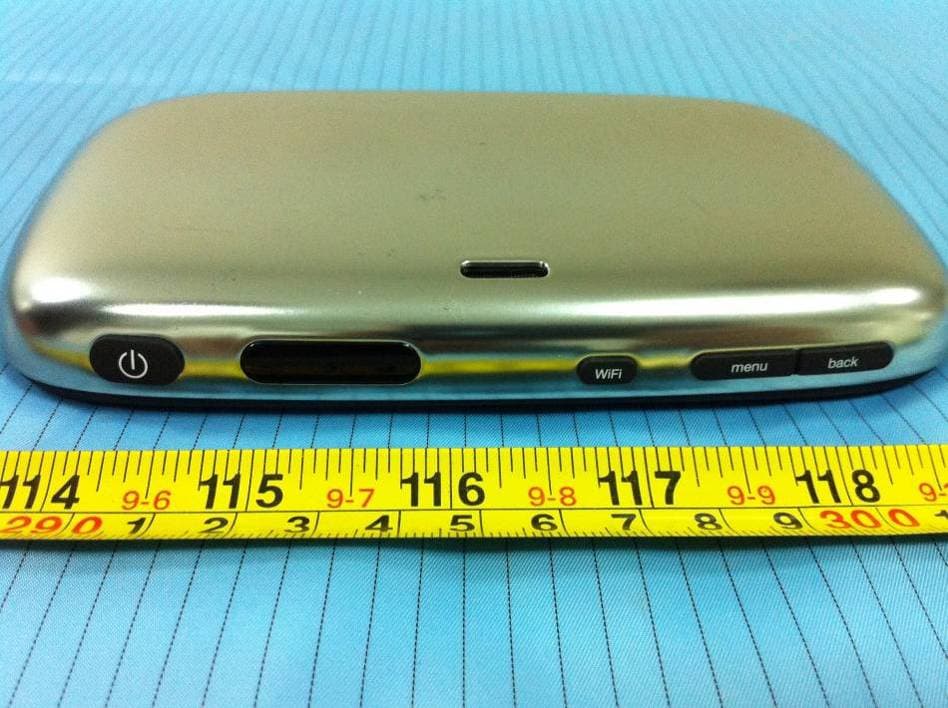
Click to zoom
Application Details
- Equipment Class
- JBP - Part 15 Class B Computing Device Peripheral
- Date of Grant
- Dec 28, 2011
- Application Purpose
- Original Equipment
- Date of Application
- Dec 28, 2011
- Equipment Note
- Entertainment Remote Controller
- Country
- China
Documents & Files
Document Text
Text extracted from the exhibit documents filed with the FCC. Open a document above to read the original.
Users Manual
Entertainment Remote Controller Quick use guide writed by lintao 1. key define a) Power key:power on or off when short press,standby when long press. b) Wifi key:turn on/off wifi device c) Menu key:push or pull menu decide by application d) Back key: return to prev application e) Bidet shortcut key:load bidet application f) Stop shortcut key:send stop message to toilet 2. power on press power key on 1~3 secord and release your finger,then wait for a litter moment,the system will be start. 3. power off press power key and hold for a wait,the the UI will show a power off dialog,press Power off item and then press ok button,the system will be shutdown soon. 4. bidet press Bidet button in the main home,then the bidet application is running.In this application ,you can send control message to toilet,such as front、rear、cover、close and so on. 5. skype press Skype button in the main home,then the skype is running.If you have a skype account,you can login and chat when your friend even you can dial to your friend by IP. 6. game press game button in the main home ,then will show the game software list,press the game which you want to play,then the system will load this game. If you want to install game ,you can copy the game file into game folder in sd card,then push this card in the main home,the game will be installed automatic. 7. explorer press web button in the main home ,then the explorer is running ,you can explorer the net page if the wifi is connected. 8. photo press multimedia button in the main home and press photos button next,then the photo gallery is running,all the pictures are sorted by folder,so,you can view image by folder. 9. music press multimedia button in the main home and press musics button next,then the music is running,all the music are sorted by ID3 info,you can find and play music by ID3 info or playlist. 10. video press multimedia button in the main home and press movies button next,then the video gallery is running,all the video are show in the list,so you can select the video you like to play. 11. ebook press ebook button in the main home,then the fbreader is running,now you can enjoy yourself to read book.if you want to get more function ,please click menu key and select menu item you like. 12. calendar press tools button in the main home and press calendar button next,then the calendar is show in the window,in this application you can add event to special day to alarm you. 13. calculator press tools button in the main home and press calendar button next,then the calendar is show in the window, this is the simplest calendar in the world,so it is very easy to use. 14. document press settings button in the main home and press document management button next,then the file browser is show in the window,in this application you can create folder、copy file、move file and so on. 15. system setting press settings button in the main home and press system setting button next,then the system setting is show in the window,in this application you can set backlight、time and date、language and so on. 16. wi-fi press settings button in the main home and press Wi-Fi controls button next,then the system setting is show in the window,in this application you can enable or disable wifi device ,of course ,you can scan wifi and connect to it. 17. charging if the dev’s state is low battery,you can plug charging to usb remote controller. The use of belt clips, holsters and similar accessories should not contain between the user’s face and the front of the requirements may not comply with FCC use of accessories that do not satisfy these metallic components in its assembly. The that maintain a 1.5cm separation distance exposure requirements, When use the speach function,The any of accessories maintain compliance with FCC RF the handset kept close to the body. To 0.500 W/kg. This device was tested for typica ear is 0.336 W/kg and when pr connect,then the led will show red,when charging full,the led will be turn off. 18. connect to computer if you want to copy f ile from pc,please connect it to pc by usb cable,then pull down the state bar and click usb connected,press Mount button. FCC Warning: The SAR limit of USA (FCC) is 1.6W/kg Averaged over one gram of tissue. Device types 806R (FCC ID : A2PSKE-KOHLER3673) has also been tested against this SAR limit. The Highest SAR Valus reported under this standard during product certification for use at the operly worn on the body is l body-worn operations with the back of RF exposure requirements, and should be avoided. This device complies with part 15 of the FCC Rules. Operation is subject to the following two conditions: (1) This device may not cause harmful interference, and (2) this device must accept any interference received, including interference that may cause undesired operation. Any Changes or modifications not expressly approved by the party responsible for compliance could void the user’s authority to operate the equipment.
External Photos
EXHIBIT B - EUT EXTERNAL PHOTOGRAPHS EUT – Full View EUT – Top View EUT – Bottom View EUT – Left side View EUT – Right side View EUT – Adapter Logo View
ID Label/Location Info
EXHIBIT A - FCC ID LABELING AND LOCATION FCC ID Label FCC ID Label Location The label shown shall be permanently affixed at a conspicuous location on the device and be readily visible to the user at the time purchase (Labeling requirements per 2.925)
Internal Photos
EXHIBIT C - EUT INTERNAL PHOTOGRAPHS EUT – Cover off View 1 EUT – Cover off View 2 EUT – Main Board Top components View Wi-Fi Ant. EUT – Main Board Bottom View EUT – LCD Display Top View EUT – LCD Display Bottom View EUT – Battery View EUT – Touch Panel View
Test Report
Note: This test report is prepared for the customer shown above and for the equipment described herein. It may not be duplicated or used in part without prior written consent from Bay Area Compliance Laboratories Corp. This report must not be used by the customer to claim product certification, approval, or endorsement by NVLAP*, or any agency of the Federal Government. * This report contains data that are not covered by the NVLAP accreditation and are marked with an asterisk “★” (Rev.2) FCC PART 15B TEST REPORT For Shanghai KOHLER Electronics, Ltd. Building E, 18Jindian Road, Pudong New Area, Shanghai, China Report Type: Original Report Product Type: Entertainment Remote Controller Test Engineer: Jim Huang Report Number: RSZ110609001-00A Report Date: 2011-12-08 Reviewed By: Alvin Huang EMC Engineer Test Laboratory: Bay Area Compliance Laboratories Corp. (Shenzhen) 6/F, the 3rd Phase of WanLi Industrial Building, ShiHua Road, FuTian Free Trade Zone Shenzhen, Guangdong, China Tel: +86-755-33320018 Fax: +86-755-33320008 www.baclcorp.com.cn FCC ID: A2PSKE-KOHLER3673 Bay Area Compliance Laboratories Corp. (Shenzhen) Report No.: RSZ110609001-00A FCC Part 15B Page 2 of 15 TABLE OF CONTENTS GENERAL INFORMATION.......................................................................................................................................3 PRODUCT DESCRIPTION FOR EQUIPMENT UNDER TEST (EUT) .....................................................................................3 OBJECTIVE...................................................................................................................................................................3 RELATED SUBMITTAL(S)/GRANT(S).............................................................................................................................3 TEST FACILITY.............................................................................................................................................................3 SYSTEM TEST CONFIGURATION ..........................................................................................................................5 JUSTIFICATION.............................................................................................................................................................5 EUT EXERCISE SOFTWARE..........................................................................................................................................5 EQUIPMENT MODIFICATIONS.......................................................................................................................................5 LOCAL SUPPORT EQUIPMENT LIST AND DETAILS........................................................................................................5 EXTERNAL I/O CABLE..................................................................................................................................................5 BLOCK DIAGRAM OF TEST SETUP................................................................................................................................6 SUMMARY OF TEST RESULTS ...............................................................................................................................7 FCC §15.107 – AC LINE CONDUCTED EMISSIONS .............................................................................................8 MEASUREMENT UNCERTAINTY....................................................................................................................................8 EUT SETUP..................................................................................................................................................................8 EMI TEST RECEIVER SETUP.........................................................................................................................................9 TEST PROCEDURE........................................................................................................................................................9 TEST EQUIPMENT LIST AND DETAILS...........................................................................................................................9 TEST RESULTS SUMMARY............................................................................................................................................9 TEST DATA..................................................................................................................................................................9 FCC §15.109 - RADIATED EMISSIONS .................................................................................................................12 MEASUREMENT UNCERTAINTY..................................................................................................................................12 EUT SETUP................................................................................................................................................................12 EMI TEST RECEIVER SETUP.......................................................................................................................................13 TEST PROCEDURE......................................................................................................................................................13 CORRECTED AMPLITUDE & MARGIN CALCULATION.................................................................................................13 TEST EQUIPMENT LIST AND DETAILS.........................................................................................................................13 TEST RESULTS SUMMARY..........................................................................................................................................14 TEST DATA................................................................................................................................................................14 Bay Area Compli…
Text truncated - open the document above for the full version.
Test Setup Photos
EXHIBIT D - TEST SETUP PHOTOGRAPHS Conduction Emissions - Front View (Downloading) Conduction Emissions - Side View (Downloading) Conduction Emissions - Front View (Playing) Conduction Emissions - Side View (Playing) Radiated Emissions - Front View (Downloading) Radiated Emissions - Rear View (Downloading) Radiated Emissions View (Playing)
Contact Information
Applicant
Yun Zhi Lin(Manager)
Test Firm
Bay Area Compliance Laboratory Corp. (Shenzhen)John Chan
Technical Specifications
| # | Rule Parts | Frequency Range | Power Output |
|---|---|---|---|
| 1 | 15B | - | - |
Other Applications from Shanghai KOHLER Electronics, Ltd.
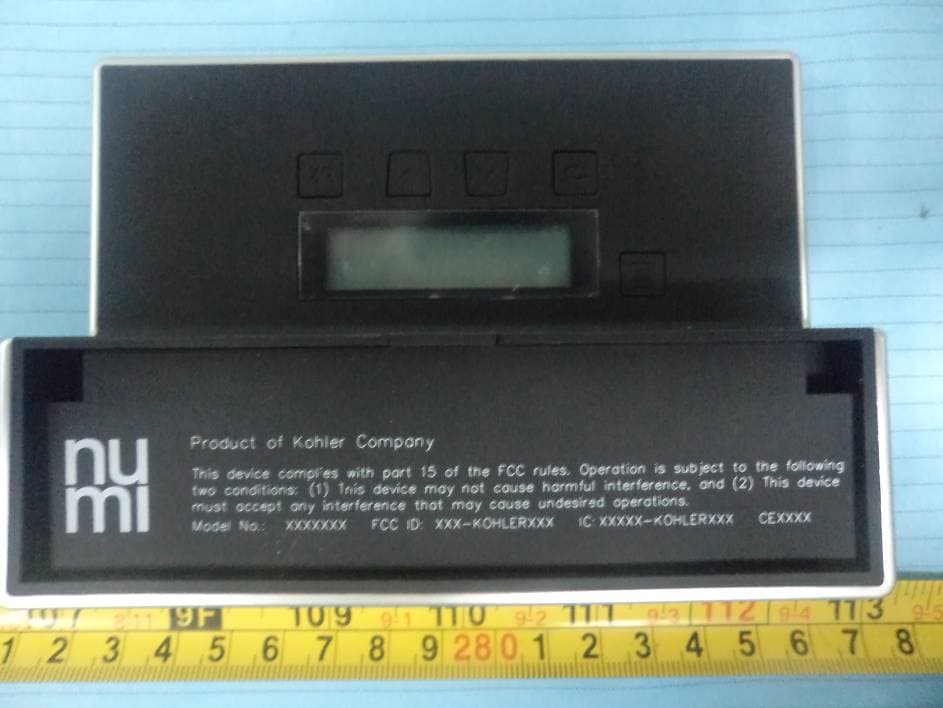
A2PSKE-KOHLER7421
Aug 13, 2012Hospitality Remote
Equipment Class
DTS - Digital Transmission System