A3LEICN10IP Camera
Samsung Electronics Co Ltd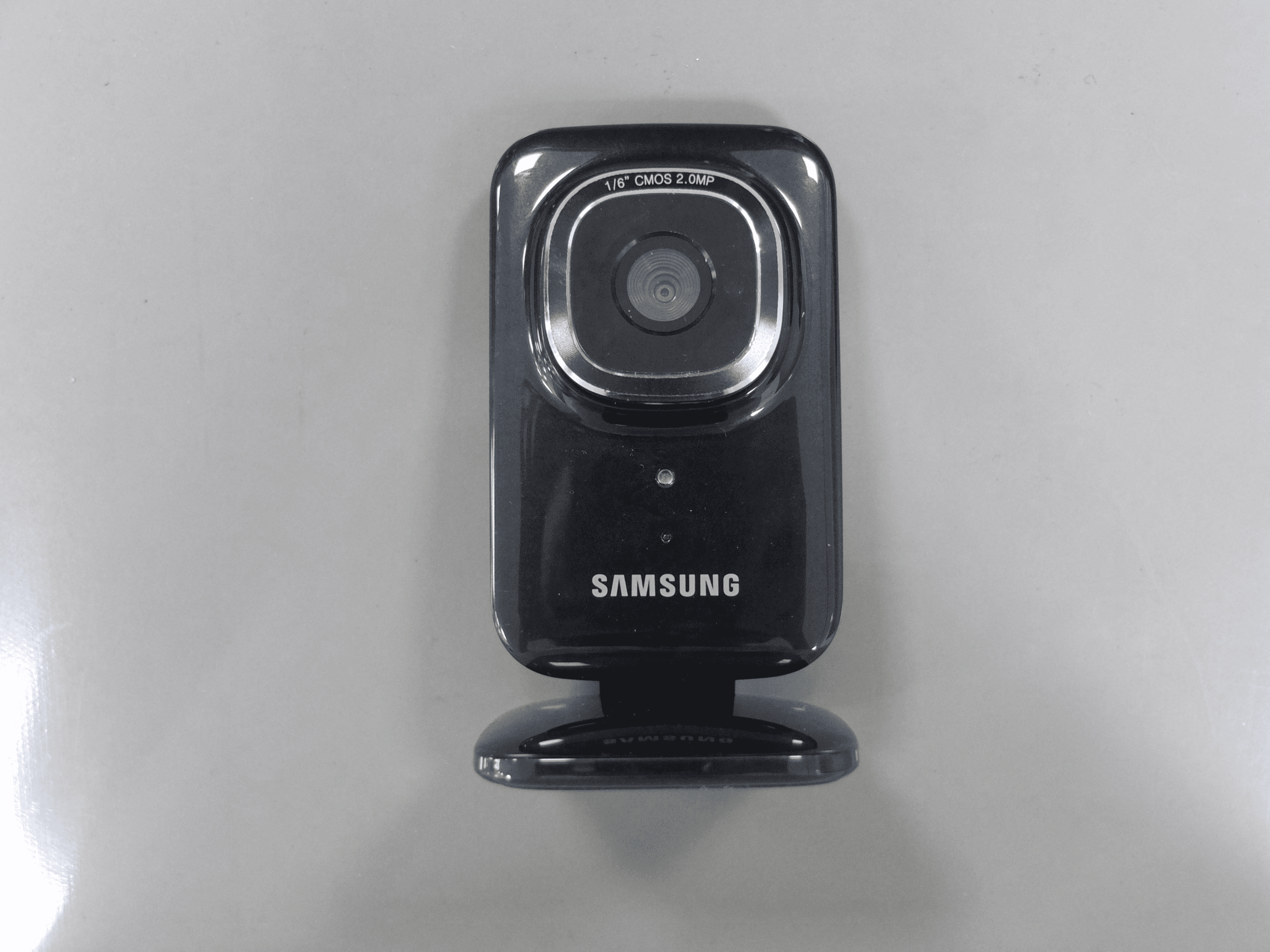
Click to zoom
Application Details
- Equipment Class
- DSS - Part 15 Spread Spectrum Transmitter
- Date of Grant
- Jul 25, 2013
- Application Purpose
- Original Equipment
- Date of Application
- Jul 23, 2013
- Equipment Note
- IP Camera
- Frequency Range
- 2402.00000000 - 2480.00000000
- Company
- Samsung Electronics Co Ltd
- Country
- United States
Documents & Files
Document Text
Text extracted from the exhibit documents filed with the FCC. Open a document above to read the original.
Users Manual
Type STA. AXXXXX 07/2013 Rev. 1.0 www.samsung.com User Guide EI-CN10 2 Please read this manual before using the device to ensure safe and proper use. • Descriptions are based on the device’s default settings. • Images and screenshots may differ in appearance from the actual product. • Content may differ from the final product, or from software provided by service providers or carriers, and is subject to change without prior notice. For the latest version of the manual, refer to the Samsung website, www.samsung.com. • Available features and additional services may vary by device, software, or service provider. 3 Instructional icons Warning: situations that could cause injury to yourself or others Caution: situations that could cause damage to your device or other equipment Note: notes, usage tips, or additional information 4 Copyright Copyright © 2013 Samsung Electronics This guide is protected under international copyright laws. No part of this guide may be reproduced, distributed, translated, or transmitted in any form or by any means, electronic or mechanical, including photocopying, recording, or storing in any information storage and retrieval system, without the prior written permission of Samsung Electronics. 5 Getting started Device layout Status indicator Light sensor Camera lens 6 Microphone Reset button Speaker Multipurpose jack Connection button 7 Package contents Check the product box for the following items: • Device • USB power adapter • USB cable • User guide 8 • The items supplied with the device and any available accessories may vary depending on the region or service provider. • The supplied items are designed only for this device and may not be compatible with other devices. • Appearances and specifications are subject to change without prior notice. • You can purchase additional accessories from your local Samsung retailer. Make sure they are compatible with the device before purchase. 9 • Other accessories may not be compatible with your device. • Use only Samsung-approved accessories. Malfunctions caused by using unapproved accessories are not covered by the warranty service. • Availability of accessories is dependant entirely upon manufacturing the accessory manufacturers. For more information about available accessories, refer to the Samsung website. 10 Connecting the power Connect the USB cable to the USB power adapter and then plug the end of the USB cable into the multipurpose jack. A computer can be also used to supply power to the device via a USB connection. 11 12 • Connecting the USB cable improperly may cause serious damage to the device. Any damage caused by misuse is not covered by the warranty. • Disconnecting the power adapter improperly during operation may cause damage to the device. Connecting to Home care Connect to Home care and register your device. You can view and hear real-time video and audio anywhere in your home on your smartphone. 13 Installing Home care on your smartphone To connect the device to Home care, log in to your Samsung account on your smartphone, run Samsung Apps, and then download and install Home care. Connecting the device to Home care Follow the instructions listed below to connect the device to Home care on your smartphone. 1 Turn on the device. A notification will sound at startup. 14 2 Connect your smartphone to a Wi-Fi network and then run Home care. Refer to the user guide that comes with the smartphone for details about connecting to a Wi-Fi network. 3 Press the Connection button on the back of the device. 4 From the Home care app, tap Get started → → Add device. 5 In the Available device list, tap the serial number of the device. If the Wi-Fi network is password protected, enter the password when the Home care network window appears. 15 6 From the Device list, tap the Home care app to connect to the device. When the connection is made, a notification will sound. • These instructions apply when you connect the device to Home care for the first time. The steps may differ once an initial connection has been established. • For a list of devices that are compatible with this device, refer to the Samsung website, www.samsung.com. • When you connect the device to Home care, the Bluetooth feature on the smartphone will turn on automatically. Disabling the Bluetooth feature will terminate the connection. 16 Resetting the device If your device freezes or hangs, you may need to reset the device to regain functionality. If your device is frozen or unresponsive, press and hold the Power button for more than 8 seconds to reboot the device. 17 Resetting may disconnect the device from your smartphone. If necessary, reconnect the device to your smartphone after a reset. 18 Basics Using Home care Run Home care from your smartphone. There are many useful features you can use on the Home care screen. You can view videos in landscape mode by tapping the video or rotating your smartphone. In landscape mode, the ambient temperature and humidity of the device are displayed on the right side of the video. 19 Change or add devices Record button Mute button Brightness control Capture button Hold & talk button 20 Viewing captured images or videos You can view captured images or videos from your smartphone’s gallery. From the Home care screen, tap → Go to Gallery. Adding more devices Add up to 4 devices to Home care. After adding devices, all videos from the devices can be viewed on one screen. On the Home care screen, tap → Easy Setup. You can add more devices by tapping → on the Home care screen. 21 Setting notification options You can set Home care to play a notification sound when movement or noise is detected in the device’s recording area (while Home care is running). On the Home care screen, tap → Settings and then drag the switch beside the Home monitoring menu. 22 Settings About Settings Set preferences for the device or Home care. On the Home care screen, tap → Settings. Home monitoring Use the Home monitoring menu to enable or disable…
Text truncated - open the document above for the full version.
Cover Letter(s)
July 22, 2013 Federal Communications Commission 7435 Oakland Mills Road Columbia MD 21046 Subject: Request for Confidentiality FCC ID: A3LEICN10 To Whom It May Concern: Pursuant to the provisions of Sections 0.457 and 0.459 of the Commission’s rules (47 CFR §§ 0.457, 0.459), we are requesting the Commission to withhold the following attachments as confidential document from public disclosure indefinitely. Schematics Block Diagram Operational Description Antenna Specification Parts List Tune-Up Procedure Above mentioned document contains detailed system and equipment description are considered as proprietary information in operation of the equipment. The public disclosure of above documents might be harmful to our company and would give competitor an unfair advantage in the market. In additional to above mentioned documents, pursuant to Public Notice DA 04-1705 of the Commission’s policy, in order to comply with the marketing regulations in 47 CFR §2.803 and the importation rules in 47 CFR §2.1204, while ensuring that business sensitive information remains confidential until the actual marketing of newly authorized devices. We are requesting the commission to grant short-term confidentiality request on the following attachments until 180 days External Photos Internal Photos Test Setup Photos User Manual It is our understanding that all measurement test reports, FCC ID label format and correspondence during certification review process cannot be granted as confidential documents and such information will be available for public review once the grant of equipment authorization is issued. Best Regards Sang Kyung (Peter), Ra/ General Manager Samsung Electronics CO. LTD TEL: 310-900-5250 FAX: 310-537-5500 E-mail: [email protected]
Cover Letter(s)
Date: April 1, 2013 UL LLC Certification Division 47173 Benicia Street Fremont, CA 94538, USA To whom it may concern: I, the undersigned, hereby authorize UL LLC to act on our behalf in all manners relating to application for equipment authorization, including signing of all documents relating to these matters. Any and all acts carried out by UL LLC on our behalf shall have the same effect as acts of our own. I, the undersigned, hereby certify that we are not subject to a denial of federal benefits, that includes FCC benefits, pursuant to Section 5301 of the Anti-Drug Abuse Act of 1988, 21 U.S.C. 853(a). In authorizing UL LLC as our agent, we still recognize that we are responsible to: a) comply with the relevant provisions of the certification program; b) make all necessary arrangements for the conduct of the evaluation, including provision for examining documentation and access to all areas, records (including internal audit reports) and personnel for the purposes of evaluation (e.g. testing, inspection, assessment, surveillance, reassessment) and resolution of complaints; c) make claims regarding certification only in respect of the scope for which certification has been granted; d) do not use our product certification in such a manner as to bring the Certification Division into disrepute and not make any statement regarding our product certification which the Certification Division may consider misleading or unauthorized; e) upon suspension or cancellation of certification, discontinue use of all advertising matter that contains any reference thereto and return any certification documents as required by the Certification Division; f) use certification only to indicate the products are certified as being in conformity with specified standards; g) endeavor to ensure that no certificate or report nor any part thereof is used in a misleading manner; h) ensure that any reference to our product certification in communication media such as documents, brochures or advertising, complies with the requirements of the Certification Division; i) keep a record of all complaints made known to the us relating to the product’s compliance with requirements of the relevant standard and to make these records available to the Certification Division when requested; j) take appropriate action with respect to such complaints and any deficiencies found in products or services that affect compliance with the requirements for certification; k) document the actions taken. This authorization is valid until further written notice from the applicant. Sincerely Yours, Sang Kyung (Peter), RA Head of QA Lab (General Manager) Samsung Electronics America, Inc 19 Chapin Rd, Bldg. D, Pine Brook, NJ 07058
ID Label/Location Info
2,3. Label and Label location of EI-CN10 FCC ID : A3LEICN10 MODEL : EI-CN10 LABEL-MAIN Jo Kyeong HwanKim June Sop Technical Description 1. Use ‘AI / PDF’ provided by ‘SAMSUNG’ for letter and contents 2. Background color is ‘WHITE’, letter color is ‘BLACK’ (reverse for SAMSUNG LOGO) 3. Back side should be attached to release paper once adhesive is applied. 4. No letter should be blur/smeared 5. The production must be proceed after the approval of SAMSUNG R&D Group 6. The product must be within approved sample's specification tolerance. 7. The product must be finished in a ROLL 8. Release paper must be unifiedn for material and color(blue) 9. Do not contain any substances which are specified in (OQA-2049). Vendor 130411130411130411 EI-CN10 Hong Mun Ki - Semi transparency OPP laminating + UVP Coating PET Laminating 25 micron Adhesive 15 micron White Polypropylene 80 micron Adhesive 25 micron (0.145T±0.01) MODEL : EI-CN10 RATED : 5.0 V ;2 A MADE IN KOREA BY SAMSUNG C2 FCC ID : A3LEICN10 IP CAMERA SAMSUNG CONFIDENTIAL 5.3 5.3 7.42
RF Exposure Info
Report Number :F690501/RF-RTL006732Page:2of9 The results shown in this test report refer only to the sample(s) tested unless otherwise stated. This test report cannot be reproduced, except in full, without prior written permission of the Company. SGS Korea Co., Ltd. (Gunpo Laboratory)18-34, Sanbon-dong, Gunpo-si, Gyeonggi-do, Korea, 435-040 Tel. +82 31 428 5700 / Fax. +82 31 427 2371www.ee.sgs.com/korea INDEX Table of ContentsPage 1. General Information --------------------------------------------------------------------------------3 2. RF Exposure Evaluation --------------------------------------------------------------------------4 Report Number :F690501/RF-RTL006732Page:3of9 The results shown in this test report refer only to the sample(s) tested unless otherwise stated. This test report cannot be reproduced, except in full, without prior written permission of the Company. SGS Korea Co., Ltd. (Gunpo Laboratory)18-34, Sanbon-dong, Gunpo-si, Gyeonggi-do, Korea, 435-040 Tel. +82 31 428 5700 / Fax. +82 31 427 2371www.ee.sgs.com/korea 1.General information 1.1 Testing laboratory SGS Korea Co., Ltd. (Gunpo Laboratory) - Wireless Div. 3FL, 18-34, Sanbon-dong, Gunpo-si, Gyeonggi-do, Korea 435-040 All SGS services are rendered in accordance with the applicable SGS conditions of service available on request and accessible athttp://www.sgs.com/en/Terms-and-Conditions.aspx. Phone No.:+82 31 428 5700 Fax No.:+82 31 427 2371 1.2 Details of applicant Applicant:SAMSUNG ELECTRONICS CO., LTD. Address:19-29, Samsung-ro, Yeongtong-gu, Suwon-si, Gyeonggi-do, 443-742 Rep. of Korea Contact Person:Park, Min-Ho Phone No.:+82 10 7145 7838 1.3. Description of EUT Kind of ProductIP Camera Model Name EI-CN10 Serial Number N/A Power Supply DC 5.0 V Frequency Range 2 402㎒~ 2 480㎒(BT), 2 412㎒~ 2 462㎒(11b/g/n_HT20), 5 745㎒~ 5 825㎒(11a/n_HT20), 5 755㎒~ 5 795㎒(11n_HT40), 5 180㎒~ 5 240㎒(11a/n_ HT20 – Non DFS), 5 190㎒~ 5 230㎒(11n_ HT40 – Non DFS), 5 260㎒~ 5 320㎒(11a/n_ HT20 – DFS), 5 270㎒~ 5 310㎒(11n_ HT40 – DFS), 5 500㎒~ 5 700㎒(11a/n_ HT20 – DFS), 5 510㎒~ 5 670㎒(11n_ HT40 – DFS) Modulation Technique GFSK, π/4DQPSK, 8DPSK , DSSS, OFDM Number of Channels 11 channel (11b/g/n_HT20), 5 channel (11a/n_HT20), 2 channel (11n_HT40), 4 channel (11a/n_HT20-Non DFS), 2 channel (11n_HT40-Non DFS), 15 channel (11a/n_HT20-DFS), 7 channel (11n_HT40-DFS), 79 channel (BT) Antenna TypeInternal type(SISO) Antenna Gain 2 402㎒~ 2 480㎒, 2 412㎒~ 2 462㎒: 0.35㏈i, 5 180㎒~ 5 320㎒: -0.35㏈i, 5 500㎒~ 5 700㎒: -0.14㏈i, 5 745㎒~ 5 825㎒: 0.87㏈i 1.4. Test report revision RevisionReport numberDescription 0F690501/RF-RTL00Initial Report Number :F690501/RF-RTL006732Page:4of9 The results shown in this test report refer only to the sample(s) tested unless otherwise stated. This test report cannot be reproduced, except in full, without prior written permission of the Company. SGS Korea Co., Ltd. (Gunpo Laboratory)18-34, Sanbon-dong, Gunpo-si, Gyeonggi-do, Korea, 435-040 Tel. +82 31 428 5700 / Fax. +82 31 427 2371www.ee.sgs.com/korea 2. RF Exposure Evaluation 2.1. Environmental evaluation and exposure limit according to FCC CFR 47 part 1, 1.1307(b), 1.1310 According to FCC 1.1310 : The criteria listed in the following table shall be used to evaluate the environment impact of human exposure to radio frequency (RF) radiation as specified in §1.1307(b) LIMITS FOR MAXIMUM PERMISSIBLE EXPOSURE (MPE) 2.1.1. Friis transmission formula: Pd = (Pout*G)/(4*pi*R 2 ) Where Pd = power density in㎽/㎠ Pout = output power to antenna in㎽ G = gain of antenna in linear scale Pi = 3.1416 R = distance between observation point and center of the radiator in㎝ Pd the limit of MPE, 1㎽/㎠. If we know the maximum gain of the antenna and the total power input to the antenna, through the calculation, we will know the distance where the MPE limit is reached. Frequency Range (㎒) Electric Field Strength(V/m) Magnetic Field Strength (A/m) Power Density (㎽/㎠) Average Time (A) Limits for Occupational /Control Exposures 300 – 1 500----F/3006 1 500 – 100 000----56 (B) Limits for General Population/Uncontrol Exposures 300 – 1 500----F/15006 1 500 – 100 000----130 Report Number :F690501/RF-RTL006732Page:5of9 The results shown in this test report refer only to the sample(s) tested unless otherwise stated. This test report cannot be reproduced, except in full, without prior written permission of the Company. SGS Korea Co., Ltd. (Gunpo Laboratory)18-34, Sanbon-dong, Gunpo-si, Gyeonggi-do, Korea, 435-040 Tel. +82 31 428 5700 / Fax. +82 31 427 2371www.ee.sgs.com/korea 2.1.2. Test Result of RF Exposure Evaluation Test Item:RF Exposure Evaluation Data Test Mode:Normal Operation 2.1.3.Output Power into Antenna & RF Exposure Evaluation Distance - 11b Channel Channel Frequency (㎒) Output Average Power to Antenna (㏈m) Antenna Gain (㏈i) Power Density at 20㎝ (㎽/㎠) LIMITS (㎽/㎠) 12 41213.250.350.004 5581 62 43713.630.350.004 9741 112 46213.940.350.005 3421 - 11g Channel Channel Frequency (㎒) Output Average Power to Antenna (㏈m) Antenna Gain (㏈i) Power Density at 20㎝ (㎽/㎠) LIMITS (㎽/㎠) 12 41212.760.350.004 0711 62 43713.200.350.004 5051 112 46213.460.350.004 7831 - 11n_TH20 Channel Channel Frequency (㎒) Output Average Power to Antenna (㏈m) Antenna Gain (㏈i) Power Density at 20㎝ (㎽/㎠) LIMITS (㎽/㎠) 12 41210.580.350.002 4651 62 43710.980.350.002 7021 112 46211.240.350.002 8691 Report Number :F690501/RF-RTL006732Page:6of9 The results shown in this test report refer only to the sample(s) tested unless otherwise stated. This test report cannot be reproduced, except in full, without prior written permission of the Company. SGS Korea Co., Ltd. (Gunpo Laboratory)18-34, Sanbon-dong, Gunpo-si, Gyeonggi-do, Korea, 435-040 Tel. +82 31 428 5700 / Fax. +82 31 427 2371www.ee.sgs.com/korea - 11a Channel Channel Frequency (㎒) Output Average Power to Antenna (㏈m) Antenna Gain (㏈i) Power Density at 20㎝ (㎽/㎠) LIMITS (㎽/㎠) 1495 74514.360.870.006 6331 1575 78514.340.870.006 6031 1655 82514.720.870.007 2071 - 11n_HT20 Channel Channel Frequency…
Text truncated - open the document above for the full version.
Test Report
Report Number:F690501/RF-RTL006730 Page:2of65 The results shown in this test report refer only to the sample(s) tested unless otherwise stated. This test report cannot be reproduced, except in full, without prior written permission of the Company. SGSKoreaCo.,Ltd.(GunpoLaboratory) 18-34, Sanbon-dong, Gunpo-si, Gyeonggi-do, Korea, 435-040 Tel. +82 31 428 5700 / Fax. +82 31 427 2371www.ee.sgs.com/korea INDEX Table of ContentsPage 1. General Information ---------------------------------------------------------------------------------3 2. Transmitter Radiated Spurious Emissions and Conducted Spurious Emission ------7 3. 20㏈Bandwidth-------------------------------------------------------------------------------------- 30 4. Maximum Peak Output Power -------------------------------------------------------------------37 5. Hopping Channel Separation ---------------------------------------------------------------------39 6. Number of Hopping Frequency ------------------------------------------------------------------42 7. Time of Occupancy(Dwell Time) -----------------------------------------------------------------46 8. Transmitter AC Power Line Conducted Emission -------------------------------------------60 9. Antenna Requirement ------------------------------------------------------------------------------65 Report Number:F690501/RF-RTL006730 Page:3of65 The results shown in this test report refer only to the sample(s) tested unless otherwise stated. This test report cannot be reproduced, except in full, without prior written permission of the Company. SGSKoreaCo.,Ltd.(GunpoLaboratory) 18-34, Sanbon-dong, Gunpo-si, Gyeonggi-do, Korea, 435-040 Tel. +82 31 428 5700 / Fax. +82 31 427 2371www.ee.sgs.com/korea 1. General Information 1.1. Testing Laboratory SGS Korea Co., Ltd. (Gunpo Laboratory) - Wireless Div. 3FL, 18-34, Sanbon-dong, Gunpo-si, Gyeonggi-do, Korea 435-040 All SGS services are rendered in accordance with the applicable SGS conditions of service available on request and accessible athttp://www.sgs.com/en/Terms-and-Conditions.aspx. Telephone:+82 31 428 5700 FAX:+82 31 427 2371 1.2. Details of Applicant Applicant:SAMSUNG ELECTRONICS CO., LTD. Address:19-29, Samsung-ro, Yeongtong-gu, Suwon-si, Gyeonggi-do, 443-742 Rep. of Korea Contact Person:Park, Min-Ho Phone No.:+82 10 7145 7838 1.3. Description of EUT Kind of ProductIP Camera Model Name EI-CN10 Serial Number N/A Power Supply DC 5.0 V Frequency Range 2 402㎒~ 2 480㎒(BT), 2 412㎒~ 2 462㎒(11b/g/n_HT20), 5 745㎒~ 5 825㎒(11a/n_HT20), 5 755㎒~ 5 795㎒(11n_HT40), 5 180㎒~ 5 240㎒(11a/n_ HT20 – Non DFS), 5 190㎒~ 5 230㎒(11n_ HT40 – Non DFS), 5 260㎒~ 5 320㎒(11a/n_ HT20 – DFS), 5 270㎒~ 5 310㎒(11n_ HT40 – DFS), 5 500㎒~ 5 700㎒(11a/n_ HT20 – DFS), 5 510㎒~ 5 670㎒(11n_ HT40 – DFS) Modulation Technique GFSK, π/4DQPSK, 8DPSK , DSSS, OFDM Number of Channels 11 channel (11b/g/n_HT20), 5 channel (11a/n_HT20), 2 channel (11n_HT40), 4 channel (11a/n_HT20-Non DFS), 2 channel (11n_HT40-Non DFS), 15 channel (11a/n_HT20-DFS), 7 channel (11n_HT40-DFS), 79 channel (BT) Antenna TypeInternal type(SISO) Antenna Gain 2 402㎒~ 2 480㎒, 2 412㎒~ 2 462㎒: 0.35㏈i, 5 180㎒~ 5 320㎒: -0.35㏈i, 5 500㎒~ 5 700㎒: -0.14㏈i, 5 745㎒~ 5 825㎒: 0.87㏈i 1.4. Declaration by the manufacturer - Adaptive Frequency Hopping is supported and use at least 20 channels Report Number:F690501/RF-RTL006730 Page:4of65 The results shown in this test report refer only to the sample(s) tested unless otherwise stated. This test report cannot be reproduced, except in full, without prior written permission of the Company. SGSKoreaCo.,Ltd.(GunpoLaboratory) 18-34, Sanbon-dong, Gunpo-si, Gyeonggi-do, Korea, 435-040 Tel. +82 31 428 5700 / Fax. +82 31 427 2371www.ee.sgs.com/korea 1.5. Information about the FHSS characteristics: 1.5.1. Pseudorandom Frequency Hopping Sequence The channel is represented by a pseudo-random hopping sequence hopping through the 79 RF channels. The hopping sequence is unique for the piconet and is determined by the Bluetooth device address of the master; the phase in the hopping sequence is determined by the Bluetooth clock of the master. The channel is divided into time slots where each slot corresponds to an RF hop frequency. Consecutive hops correspond to different RF hop frequencies. The nominal hop rate is 1 600 hops/s. 1.5.2. Equal Hopping Frequency Use All Bluetooth units participating in the piconet are time and hop-synchronized to the channel. 1.5.3. System Receiver Input Bandwidth Each channel bandwidth is 1㎒ 1.5.4. Equipment Description 15.247(a)(1) that the rx input bandwidths shift frequencies in synchronization with the transmitted 15.247(g): In accordance with the Bluetooth Industry Standard, the system is designed to comply with all of the regulations in Section 15.247 when the transmitter is presented with a continuous data (or information) system. 15.247(h): In accordance with the Bluetooth Industry Standard, the system does not coordinate it channels selection/ hopping sequence with other frequency hopping systems for the express purpose of avoiding the simultaneous occupancy of individual hopping frequencies by multiple transmitters. Report Number:F690501/RF-RTL006730 Page:5of65 The results shown in this test report refer only to the sample(s) tested unless otherwise stated. This test report cannot be reproduced, except in full, without prior written permission of the Company. SGSKoreaCo.,Ltd.(GunpoLaboratory) 18-34, Sanbon-dong, Gunpo-si, Gyeonggi-do, Korea, 435-040 Tel. +82 31 428 5700 / Fax. +82 31 427 2371www.ee.sgs.com/korea 1.6. Test Equipment List EquipmentManufacturerModelS/NCal DateCal IntervalCal Due. Signal GeneratorR&S SMR40100272 Aug. 23, 2012AnnualAug. 23, 2013 Spectrum AnalyzerR&SFSV30100768Mar. 28, 2013AnnualMar. 28, 2014 Spectrum AnalyzerAgilentN9030AUS51350132Oct. 30, 2012AnnualOct. 30, 2013 Bluetooth TesterTESOMTC-3000C3000C000142Dec. 24, 2012 Annual Dec. 24, 2013 Directional CouplerKRYTAR 152613122661 Apr. 04, 2013 Annual Apr. 04, 2014 High Pass FilterWain…
Text truncated - open the document above for the full version.
Test Setup Photos
Test setup photo of EUT A. the photo of Radiated Emission (WLAN) B. the photo of Radiated Emission (BT) C. Transmitter AC Power Line Conducted Emission (WLAN) D. Transmitter AC Power Line Conducted Emission (BT)
Contact Information
Applicant
Jenni Chun(General Manager)
Test Firm
Compliance Certification ServicesThu Chan
Technical Specifications
| # | Rule Parts | Frequency Range | Power Output |
|---|---|---|---|
| 1 | 15C | 2.40 GHz - 2.48 GHz | 7.80 mW |
Other Applications from Samsung Electronics Co Ltd
A3LSMS741B
Aug 05, 2026Portable Handset
Equipment Class
6VL - 15E 6 GHZ Very Low Power DeviceA3LSMX940
Jul 31, 2026BT,BLE Tablet DTS,UNII a,b,g,n,ac,ax,be and digitizer
Equipment Class
DTS - Digital Transmission SystemA3LSMS741U
Jul 30, 2026Portable Handset
Equipment Class
6CD - 15E 6 GHz Low Power Dual ClientA3LSMX840
Jul 27, 2026BT,BLE Tablet DTS,UNII a,b,g,n,ac,ax and Digitizer
Equipment Class
DSS - Part 15 Spread Spectrum TransmitterA3LSMX848U
Jul 27, 2026WCDMA, LTE, 5G NR Tablet BT,BLE, DTS,UNII a b g n ac ax and Digitizer
Equipment Class
JBP - Part 15 Class B Computing Device Peripheral