A3LGADGETDigital Camera
Samsung Electronics Co Ltd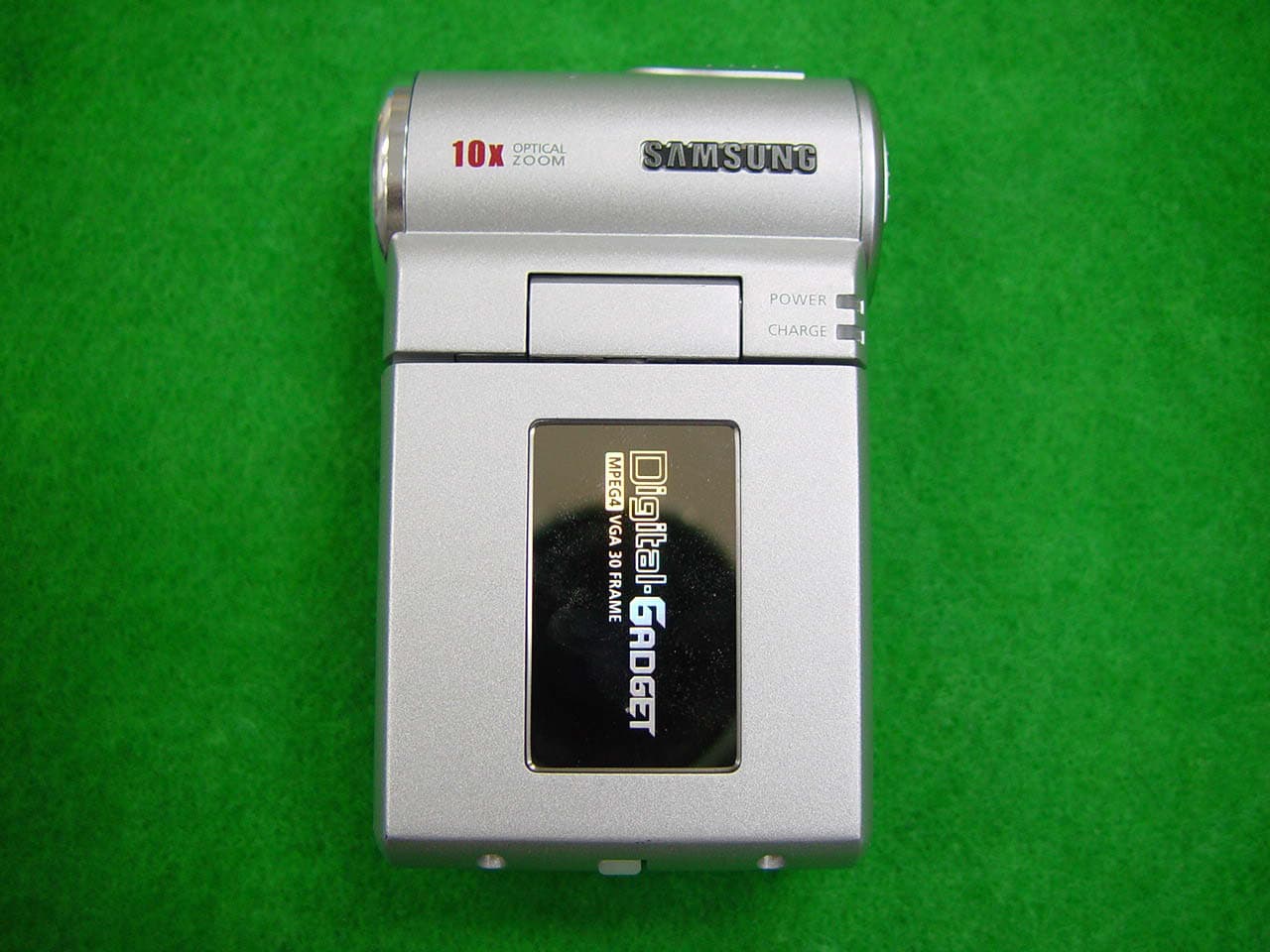
Click to zoom
Application Details
- Equipment Class
- JBP - Part 15 Class B Computing Device Peripheral
- Date of Grant
- Nov 25, 2003
- Application Purpose
- Original Equipment
- Date of Application
- Nov 25, 2003
- Equipment Note
- Digital Camera
- Company
- Samsung Electronics Co Ltd
- Country
- United States
Documents & Files
Document Text
Text extracted from the exhibit documents filed with the FCC. Open a document above to read the original.
Users Manual
Inst_Manu_US.book Page 2 Tuesday, August 12, 2003 6:22 PM 3 Contens (CD-ROM) Before You Start . . . . . . . . . . . . . . . . . . . . . . . . . 5 Charging with the Cradle . . . . . . . . . . . . . . . . . . . . . . . . 5 Charging without the Cradle . . . . . . . . . . . . . . . . . . . . . . 6 Connecting to External Equipment Using the Cradle . . . 7 Connecting GADGET and External Equipment . . . . . . . 9 Time Display . . . . . . . . . . . . . . . . . . . . . . . . . . . . . . . . . 10 Identifying the Parts (the main unit) . . . . . . . . . . . . . . . 12 Inserting Memory Stick/ Operating Delete-Protection switch . . . . . . . . . . . . 14 Identifying the Parts (Cradle and Remote Control) . . . . 16 Selecting a Mode [Play] . . . . . . . . . . . . . . . . . . . . . . . . 18 Setting Menu Items . . . . . . . . . . . . . . . . . . . . . . . . . . . . 19 Quick Access . . . . . . . . . . . . . . . . . . . . . . . . . . . . . . . . 20 LCD Screen . . . . . . . . . . . . . . . . . . . . . . . . . . . . . . . . . . 23 Basic Usage . . . . . . . . . . . . . . . . . . . . . . . . . . . 25 Reference Recordable Hours and Photo Count . . . . . . 25 Recording Movies (MPEG4 Video Recording) . . . . . . . 27 Playing Back Movies (MPEG4 Video Playback) . . . . . . 28 Recording Still Images . . . . . . . . . . . . . . . . . . . . . . . . . 29 Playing Back Still Images . . . . . . . . . . . . . . . . . . . . . . . 29 Recording from a TV or VCR . . . . . . . . . . . . . . . . . . . . . 30 Viewing on TV . . . . . . . . . . . . . . . . . . . . . . . . . . . . . . . . 31 Recording Sounds . . . . . . . . . . . . . . . . . . . . . . . . . . . . 32 Listening to Sounds in an Audio File . . . . . . . . . . . . . . . 33 Listening to MP3 Music . . . . . . . . . . . . . . . . . . . . . . . . . 34 Connecting to a PC . . . . . . . . . . . . . . . . . . . . . 36 USB's Functions . . . . . . . . . . . . . . . . . . . . . . . . . . . . . . 36 PC Camera Function . . . . . . . . . . . . . . . . . . . . . . . . . . 36 Removable Disk Function . . . . . . . . . . . . . . . . . . . . . . . 43 Connecting to a Printer . . . . . . . . . . . . . . . . . . . . . . . . . 44 Enjoy Variety of Usages . . . . . . . . . . . . . . . . . . 45 Different Menu Settings . . . . . . . . . . . . . . . . . . . . . . . . 45 Precautions for Use . . . . . . . . . . . . . . . . . . . . . 51 Precautions for Handling the Internal Hard Disk . . . . . 51 Precautions on Handling the Camera . . . . . . . . . . . . . 51 Precautions for Use - Concerning the Operating Environment of the Supplied Software . . . . . . . . . . 52 Precautions for Cleaning the Unit and Handling the Internal Lithium Cell . . . . . . . . . . . . . . . . . . . . . 53 Precaution for Using “Memory Stick”/ “Memory Stick Pro” . . . . . . . . . . . . . . . . . . . . . . . . 54 Precautions for Handling the Lens and the LCD Screen . . . . . . . . . . . . . . . . . . . . . . . . . . . 56 Precautions for Charging and Handling the Battery . . . . . . . . . . . . . . . . . . . . . . . . . . . . . . . 57 Using GADGET Overseas . . . . . . . . . . . . . . . . . . . . . . 59 Inst_Manu_US.book Page 3 Tuesday, August 12, 2003 6:22 PM 4 Troubleshooting . . . . . . . . . . . . . . . . . . . . . . . . 62 Troubleshooting . . . . . . . . . . . . . . . . . . . . . . . . . . . . . . 62 Additional Information . . . . . . . . . . . . . . . . . . . . 69 Major Specifications . . . . . . . . . . . . . . . . . . . . . . . . . . . 69 Guarantee and Services . . . . . . . . . . . . . . . . . . . . . . . . 72 Inst_Manu_US.book Page 4 Tuesday, August 12, 2003 6:22 PM 5 Before You Start ■ Charging with the Cradle Using the cradle, you can charge GADGET's main and additional battery packs at the same time. ●Charging GADGET's Main Battery Pack 1Connect the AC Adaptor to the cradle and then connect it to a wall outlet. • The cradle's panel lights up blue. 2Connect the GADGET unit to the cradle and power off the cradle. • Charging starts. • When completed, the charge lamp goes off. ●Charging the Additional Battery Pack 1Insert the additional battery pack into the battery charging slot located on the cradle's rear panel. • Charging of the additional battery pack starts. Notes • At the time of purchase, the battery packs are not charged. Charge them before you start using this device. • Charge time: about 90 minutes (for either the main or additional battery pack) • You can charge the main battery pack only, the additional battery pack only or both battery packs at the same time. Charge lamp (orange) Wall outlet AC Adaptor DC IN jack Inst_Manu_US.book Page 5 Tuesday, August 12, 2003 6:22 PM 6 ■Charging without the Cradle You can charge the battery pack installed in the GADGET unit as it is. 1Connect the AC Adaptor to the GADGET unit and then connect it to a wall outlet. 2Turn off the power. • Charging starts. • When completed, the charge lamp goes off. Notes • At the time of purchase, the battery packs are not charged. Charge them before you start using this device. • Batteries cannot be charged when the GADGET unit is powered on. When charging, turn the Power switch to [OFF]. 1Push the upper section of both sides of the battery cover and slide the cover down to remove it. 2Install a battery pack and reattach the cover in place. Wall outlet DC IN jack Charge lamp (orange) AC Adaptor Installing a Battery Pack Push Push Inst_Manu_US.book Page 6 Tuesday, August 12, 2003 6:22 PM 7 ■Connecting to External Equipment Using the Cradle The cradle can be useful for charging or connecting the device to external equipment (such as a TV set or a VCR). Flow of signals DC IN jack AV output AV input S-Video S-video output TV set S-video input Video Sound AC Adaptor S-Video Video Sound AV output AV cable AV input VCR Inst_Manu_US.book Page 7 Tuesday, August 12, 2003 6:22 PM 8 1As shown in the diagram on the previous page, connect the GADGET unit to external equipment with the cable shipped with the device. 2Connect the AC Adaptor to the GADGET uni…
Text truncated - open the document above for the full version.
Block Diagram
ٛ
ID Label/Location Info
FCC ID SAMPLE LABEL & LOCATION LABELLING REQUIREMENTS PER §§ 2.925 & §§ 15.19 The Label shown shall be permanently affixed at a conspicuous location on the device and be readily visible to the user at the time of purchase. (SEE NEXT PAGE)
Test Report
Page : 1 of 20 Samsung EMC Testing and Certification LaboratoryProject No. : LBE032290 Applicant FCC ID Product Name Model Name Manufacturer Brand Name Variant Model Name/Position Kyung Chul, Min Test Engineer No Cheon, Park Manager of EMC Lab. Kyu Baek, Chung Chief of EMC Lab. Address Telephone No. Fax No. This report shall not be reproduced except in full, without the written approval of SEC EMC Testing laboratory SUWON EMC Test Lab. EMC Test Report Authorized by SAMSUNG ELECTRONICS Co., Ltd. LBE032290 A3LGADGET Passed The equipment under test has found to be compliant with the applied standards. Signature Tested by Reviewed by Applied Standards Result Project No. Equipment under Test Issued Date Samsung Electronics Co.Ltd 416 Maetan-3 Dong, Paldal-Ku, Suwon City, Gyeonggi-Do, Korea, 442-742 Digital Camcorder ITCAM-9 Samsung Electronics Co. Ltd SAMSUNG See Page 2 13-Nov-03 FCC Part 15 82-31-200-2189 1. This test reports does not constitute an endorsement by NIST/NVLAP or U.S Government. 2. This test report is to certify that the tested device properly complies with the requirements of FCC Rules and Regulations Part 15 Subpart B Unintentional Radiators.All tests necessary to show compliance to the requirements were and these results met the specifications requirement. This laboratory is registered by the NIST/NVLAP, U.S.A. The test reported herein have been performed in accordance with its terms of registration. 416 Maetan-3 Dong, Paldal-Ku, Suwon City, Kyungki-Do,Korea, 442-742 82-31-200-2135 Page : 2 of 20 Samsung EMC Testing and Certification Laboratory 1. General Information 1.1 Basic Information related Product 1.2 Power Input Ports DescriptionVoltage(V)Frequency(Hz)No of phases Mains Cable120V60Hz1 1.3 EUT & Support Equipment MarkItemModel No.Serial No.ManufacturerRemark AHDD CamcorderITCAM-9-SAMSUNGEUT BCradle--SAMSUNGEUT CRemote Controller--SAMSUNGEUT DNote PCPP03S9X9X9 A00SAMSUNG- EAC AdapterAA-E7-SAMSUNGEUT FAC AdapterADP-50FH08H051|C/0DELTA ElectronicsNote PC This report shall not be reproduced except in full, without the written approval of SEC EMC Testing laboratory Applicant Samsung Electronics Co. Ltd Product name Digital Camcorder Model name ITCAM-9 Brand Name SAMSUNG Used EUT and Peripherals Manufacturer Samsung Electronics Co. Ltd Variant Models None Page : 3 of 20 Samsung EMC Testing and Certification Laboratory This report shall not be reproduced except in full, without the written approval of SEC EMC Testing laboratory Page : 4 of 20 Samsung EMC Testing and Certification Laboratory Project No. : LBE032290 1.4 Operating Mode and Conditions The system was configured for testing in typical fashion use. The mode of operation utilized for testing was selected to best simulate typical EUT use. - HDD Recording - HDD Play - MP3 Play 1.5 Block Diagram This report shall not be reproduced except in full, without the written approval of SEC EMC Testing laboratory A E 2 1 654 3 D F 10 9 C B Page : 5 of 20 Samsung EMC Testing and Certification Laboratory Project No. : LBE032290 1.6 Test Facility The EMI/EMS measurement facilities used to collect the tested data are located at 416 Maetan 3 Dong, Paldal-Ku, Suwon City, Gyeonggi-Do, Korea. This sites are constructed in conformance with the requirements of ANSI C63.4 and CISPR 16-1 & 16-2. SAMSUNG Electronics Co.,Ltd is accredited by Korea Laboratory Accreditation scheme(KOLAS) which . signed the International Laboratory Accreditation Cooperation(ILAC) Mutual Recognition Arrangement (MRA) for the above test item(s) and test method(S) This report shall not be reproduced except in full, without the written approval of SEC EMC Testing laboratory General Information Accreditation and Listing LAB CODE 200447-0 R-1221,C-1095 No.195 Reg. No.98856 Reg. No. KR0004 App. No.001 H9354285 Reg. No. 124 Page : 6 of 20 Samsung EMC Testing and Certification Laboratory Project No. : LBE032290 1.7 Applied Standards List This report shall not be reproduced except in full, without the written approval of SEC EMC Testing laboratory FCC Rule Part(s)Test Procedure(s) FCC Part 15 Subpart BANSI C63.4-2001 - - Page : 7 of 20 Samsung EMC Testing and Certification Laboratory Project No. : LBE032290 2. Summary of Test Results Result : The equipment under test(EUT) has been found to comply with the applied standards Applied StandardResult 3.1Conducted EmissionFCC Part 15Complied 3.2Radiated EmissionFCC Part 15Complied * N/A : Test not applicable This report shall not be reproduced except in full, without the written approval of SEC EMC Testing laboratory Section of the Product Standard Electromagnetic Emission Test Page : 8 of 20 Samsung EMC Testing and Certification Laboratory Project No. : LBE032290 3. Description of Individual Tests 3.1 Disturbance voltage at the mains terminals Test Information Test Engineer Test Date Climate Condition Test Place Test Equipments EquipmentModel NameManufacturerSerial No. TEST RECEIVERESI26R & S839809/002 LISNESH3-Z5R & S847265/028 LISNESH3-Z5R & S100261 10dB Attenuator8491AAGILENT2708A52512 Test SoftwareEP5/CETOYOVersion : 2.0.860 Test Setup EUT was placed on a platform of nominal size, raised 80cm above the conducting ground plane. The rear of table top was located 40cm to the vertical conducting plane. The rear of EUT was aligned and flushed with rear of tabletop. All other surfaces of tabletop was at least 80cm from any other grounded conducting surface. All unused 50 ohm connectors of the LISN were resistively terminated in 50 ohm when not connected to the measuring equipment Test Result This report shall not be reproduced except in full, without the written approval of SEC EMC Testing laboratory Kyung Chul, Min 05-Nov-03 Ambient Temperature : 27.0 , Relative Humidity : 31% Shield Room #5 Measurement Results Passed The Measured emissions of the EUT have found to be below the specified limits. Page : 9 of 20 Samsung EMC Testing and Certification Laboratory Project No. : LBE032290 * Operating Mode : HDD RecordingAMN Mode : Li…
Text truncated - open the document above for the full version.
Test Setup Photos
Page : 17 of 20 Samsung EMC Testing and Certification Laboratory Project No. : LBE032290 4. Appendix 4.1 Test Photography This report shall not be reproduced except in full, without the written approval of SEC EMC Testing laboratory Pic. 1 Conducted Emission [Front] Pic. 2 Conducted Emission [Rear] Page : 18 of 20 Samsung EMC Testing and Certification Laboratory Project No. : LBE032290 This report shall not be reproduced except in full, without the written approval of SEC EMC Testing laboratory Pic. 3 Radiated Emission [Front] Pic. 4 Radiated Emission [Rear]
Contact Information
Applicant
Jenni Chun(General Manager)
Technical Contact
PCTEST Engineering Lab., Inc.Randy Ortanez
[email protected]410-290-6652
6660-B Dobbin Road · Columbia, Maryland · United States
Test Firm
SAMSUNG ELECTRONICS CO., LTD.No Cheon Park
Technical Specifications
| # | Rule Parts | Frequency Range | Power Output |
|---|---|---|---|
| 1 | 15B | - | - |
Other Applications from Samsung Electronics Co Ltd
A3LSMS741B
Aug 05, 2026Portable Handset
Equipment Class
6VL - 15E 6 GHZ Very Low Power DeviceA3LSMX940
Jul 31, 2026BT,BLE Tablet DTS,UNII a,b,g,n,ac,ax,be and digitizer
Equipment Class
DTS - Digital Transmission SystemA3LSMS741U
Jul 30, 2026Portable Handset
Equipment Class
6CD - 15E 6 GHz Low Power Dual ClientA3LSMX840
Jul 27, 2026BT,BLE Tablet DTS,UNII a,b,g,n,ac,ax and Digitizer
Equipment Class
DSS - Part 15 Spread Spectrum TransmitterA3LSMX848U
Jul 27, 2026WCDMA, LTE, 5G NR Tablet BT,BLE, DTS,UNII a b g n ac ax and Digitizer
Equipment Class
JBP - Part 15 Class B Computing Device Peripheral