A3LSGHT409Cellular/PCS GSM/EDGE Phone with WLAN and BT
Samsung Electronics Co Ltd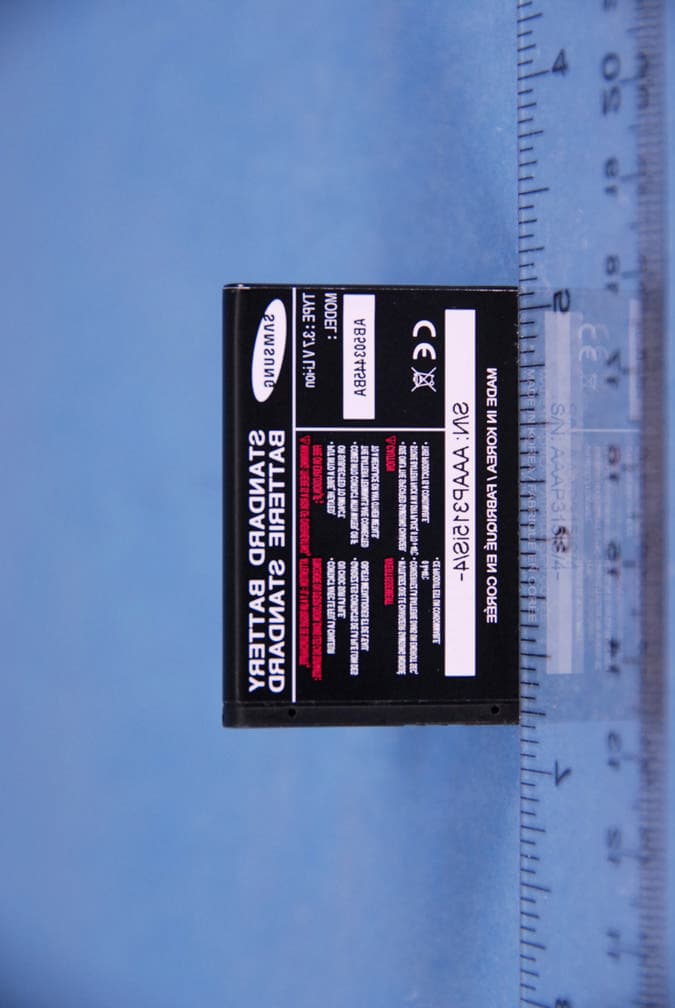
Click to zoom
Application Details
- Equipment Class
- DTS - Digital Transmission System
- Date of Grant
- May 22, 2007
- Application Purpose
- Original Equipment
- Date of Application
- May 22, 2007
- Equipment Note
- Cellular/PCS GSM/EDGE Phone with WLAN and BT
- Frequency Range
- 2412.00000000 - 2462.00000000
- Company
- Samsung Electronics Co Ltd
- Country
- United States
Documents & Files
Document Text
Text extracted from the exhibit documents filed with the FCC. Open a document above to read the original.
Users Manual
World Wide Webhttp://www.samsungmobile.com * Depending on the software installed or your service provider or country, some of the description in this guide may not match your phone. * Depending on your country, your phone and accessories may appear different from the illustra tions in this guide. Printed in Korea Code No.: GH68-xxxxxA English. 03/2007. Draft SGH-t409User’s Guide Important safety precautions Failure to comply with the following precautions may be dangerous or illegal. Drive safely at all timesDo not use a hand-held phone while driving. Park the vehicle first. Switch off the phone when refuellingDo not use the phone at a refuelling point (service station) or near fuels or chemicals.Switch off in an aircraftWireless phones can cause interference. Using them in an aircraft is both illegal and dangerous.Switch off the phone near all medical equipmentHospitals or health care facilities may be using equipment that could be sensitive to external radio frequency energy. Follow any regulations or rules in force.InterferenceAll wireless phones may be subject to interference, which could affect their performance. Important safety precautions 1 Be aware of special regulationsMeet any special regulations in force in any area and always switch off your phone whenever it is forbidden to use it, or when it may cause interference or danger.Water resistanceYour phone is not water-resistant. Keep it dry. Sensible useUse only in the normal position (held to the ear). Avoid unnecessary contact with the antenna when the phone is switched on.Emergency callKey in the emergency number for your present location, then press . Keep your phone away from small children Keep the phone and all its parts, including accessories, out of the reach of small children. Accessories and batteriesUse only Samsung-approved batteries and accessories, such as headse ts and PC data cables. Useof any unauthorised accessories could damage you or your phone and may be dangerous.Qualified serviceOnly qualified service personnel may repair your phone.For more detailed safety information, see "Health and safety information" on page 21. • The phone could explode if the battery is replaced with an incorrect type.• Dispose of used batteries according to the manufacturer’s instructions. At very high volumes, prolonged listening to a headset can damage your hearing. 2 Contents Unpack 4 Make sure you have each itemGet started 5 First steps to operating your phoneInstall and charge the phone ..................................... 5Power on or off........................................................ 6Keys and display ..................................................... 6Menu functions 9 All menu options listedSolve problems 17 Help and personal needsHealth and safety information 19 3 Overview of menu functions To access Menu mode, press < Menu > in Idle mode. 1 Voice notes2 2 Call records1 All calls2 Missed calls3 Incoming calls4 Outgoing calls5 Delete all6 Call time3 t-zones1 Home2 Go to URL3 Bookmarks4 Clear cache4 IM 5 Messages1 Create new2 Inbox3 Sentbox4 Outbox5 Drafts6 Templates7 Voice mail8 Delete all9 Setttings10 Broadcast message6 Fun & Apps 1 Files2 Games3 Camera4 Organizer5 SIM-AT 7 Help8 Phonebook1 Add new contact2 Contact list3 Group4 Speed dial5 My name card6 Own number7 FDN list8 Management 9 Settings1 Wi-Fi2 Time & Date3 Phone settings4 myFaves settings5 Display settings6 Bluetooth7 Sound settings8 Network services9 Security10 Memory status11 Reset settings 4 Unpack Your package contains the following items.•Handset• Battery•Travel Adapter•User’s GuideIn addition, you can obtain various accessories from your local Samsung dealer.•Standard Battery• Extended Battery• Battery Charger•Headset• PC Data Link Kit• Car Charger/Adaptor The items supplied with your phone and the accessories at your Samsung dealer may vary, depending on your country or service provider. Yo ur phone 5 Get started First steps to operating your phoneSIM card informationWhen you subscribe to a cellular network, you receive a plug-in SIM (Subscriber Identity Module) card loaded with your subscripti on details, such as your PIN, and available optional services.Install and charge the phone Low battery indicatorWhen the battery is low:• a warning tone sounds,• the battery low message displays, and• the empty battery icon blinks. If the battery level becomes too low, the phone automatically turns off. Recharge your battery. Remove the battery. If the phone is already on, first turn it off by holding [ ]. Insert the SIM card. Make sure that the gold-coloured contacts on the card face down into the phone. Install the battery. Plug the travel adapter into the phone. Plug the adapter into a standard AC wall outlet. When the phone is completely charged (the battery icon becomes still), unplug the adapter from the power outlet.Remove the adapter from the phone. 6 Get started Power on or off Keys and display Switch onDo not turn on the phone when mobile phone use is prohibited. 1. Open the phone.2. Press and hold [ ] to turn on the phone. 3. If necessary, enter the PIN and press < OK >. Switch off 1. Open the phone.2. Press and hold [ ]. Key(s) Description Soft keys Perform the function indicated on the bottom line of the display. Navigation keys In Idle mode, access your favourite menus, directly.In Menu mode, scroll through the menu options. Cancel key Delete characters from the display.In Menu mode, return to the previous menu level. SEND key Send or answer a call.In Idle mode, retrieve the recent numbers dialled, missed, or received. 7 Get started ENDkey End a call. Press and hold to switch the phone on and off. In Menu mode, cancel input and return the phone to Idle mode. Numeric keys Enter numbers, letters, and some special characters.In Idle mode, press and hold [ 1 ] to access your voicemail server. Press and hold [ 0 ] to enter the international call prefix. * key In Idle mode, press and hold [ ] to enter a pause between numbers. # key Press and …
Text truncated - open the document above for the full version.
Attestation Statements
Declaration of Conformity We, Samsung Electronics Co., Ltd., declare on our sole responsibility that the product SGH-T409 HW version : Rev 0.2 has WIFI chipset made by Philips co. SGH-T409 use this WIFI chipset for UMA voice call & data call. It’ s similar to VOIP. SGH-T409 does not use typical access to AP likes usual PDA. When UMA mode being activation, this terminal can not doing GSM voice call. The reason is below. One of the concept of UMA handset is “ hand over” between GSM & UMA call. So, UMA handset does not going together at the same time. Point of contact D.M Choi R&D Group 5 (H/W Lab.1). Samsung Electronics Co., Ltd. Tel. : +82 31 301 6063 Fax : +82 31 279 4288 e-mail: [email protected] (Signature )
Cover Letter(s)
PCTEST TCB From: 장왈운 [[email protected]] Sent: Wednesday, May 16, 2007 6:28 AM To: annalee; Gregory Cc: Channy; Mia Kang; Randy; courtenay; steve; 박병준; 박승호; 이현경; 장왈운 Subject: Re: Fwd: Questions Regarding FCC ID: A3LSGHT409 Attachments: SGH-T409 FCC document_WLAN 추가 .pdf Page 1 of 2Samsung Enterprise Portal mySingle 5/18/2007 Dear Mr.Gregory 1. In your letter you state that the WLAN (WiFi) will not transmit simultaneously with a GSM voice call . Can the WLAN transmit simultaneously with a GPRS data call? If so, the application must be submitted directly to the FCC for approval. -> WLAN doesn't transmit simultaneously with a GPRS data call. 2. Please describe the WLAN antenna. What is its gain? -> 0.35dB peak (see the document p6) 3. Please submit an operational (technical) description of the WLAN. -> See page 165 Please issue the grant by 5/18 Sincerely, Chase Jang ------- Original Message ------- Sender : PCTEST TCB<[email protected]> Date : 2007-05-16 06:48 Title : Questions Regarding FCC ID: A3LSGHT409 To: Mr. Chase Jang / Samsung Electronics Co., Ltd. From: Mr. Gregory Czumak / PCTEST TCB RE: FCC ID: A3LSGHT409 Applicant: Samsung Electronics Co., Ltd. Correspondence Reference Number: A3L7326 Confirmation Number: 704190326-29 Date of Original Email: May 15, 2007 Subject: Request for additional information In regards to your recent TCB application referenced above, we kindly request that you provide the following additional information. 1. In your letter you state that the WLAN (WiFi) will not transmit simultaneously with a GSM voice call . Can the WLAN transmit simultaneously with a GPRS data call? If so, the application must be submitted directly to the FCC for approval. -> WLAN doesn't transmit simultaneously with a GPRS data call. 2. Please describe the WLAN antenna. What is its gain? -> 0.35dB peak (see the document p6) 3. Please submit an operational (technical) description of the WLAN. -> See page 37 The items indicated above must be submitted before processing can continue on the above referenced application. Sincerely, Gregory Czumak Senior Certification Engineer Quality Manager PCTEST Engineering Laboratory, Inc. 6660-B Dobbin Road Columbia, MD 21045 410-290-6652 410-290-6654 (Fax) [email protected] This communication and its attachments contain information from PCTEST Engineering Laboratory, Inc., and is intended for the exclusive use of the recipient (s) named above. It may contain information that is confidential and/or legally privileged. Any unauthorized use that may compromise that confidentiality via distribution or disclosure is prohibited. Please notify the sender immediately if you receive this communication in error, and delete it from your computer system. Usage of PCTEST email addresses for non-business related activities is strictly prohibited. No warranty is made that the e-mail or attachment(s) are free from computer virus or other defect. Thank you. Page 2 of 2Samsung Enterprise Portal mySingle 5/18/2007
Cover Letter(s)
SAMSUNG ELECTRONICS CO.,LTD. 416 Maetan3-Dong Yeongtong-gu, Suwon city, Gyeonggi-Do, Korea 442-742 Date: April 19, 2007 Federal Communications Commission Authorization and Evaluation Division 7435 Oakland Mills Road, Columbia, MD 21046 RE: Request of Confidentiality for FCC ID: A3LSGHT409 To Whom It May Concern: Pursuant to Sections 0.457 and 0.459 of the Commission’s Rules (CFR 47), and Section 552 (b) (4) of the Freedom of Information Act, SAMSUNG ELECTRONICS CO.,LTD. hereby requests confidentiality and treatment of certain information accompanying this application. The materials contain trade secrets and proprietary information not customarily released to the public. The public disclosure of these matters might be harmful to the Applicant and provide unjustified benefits to its competitors. We are also hereby request Short-Term Confidentiality for 180 days after the grant as outlined in Public Notice DA 04-1705. This provision will give SAMSUNG ELECTRONICS CO.,LTD. temporary confidentiality of commercially sensitive information prior to product release. The requested Confidential and Temporary Confidential exhibits are listed as follows: CONFIDENTIAL AND SHORT-TERM CONFIDENTIAL LIST Exhibit Description 1 Block Diagram 2 Operational Description CONFIDENTIAL 3 Schematics 4 External Photos 5 Internal Photos 6 Test-Setup Photos SHORT-TERM CONFIDENTIAL 7 Users Mnaual The Applicant understands that pursuant to Rule 0.457, disclosure of this application and all accompanying documentations, where applicable, will not be made public before the date of the Grant for this application. Sincerely, SEOUNG HO PARK SAMSUNG ELECTRONICS CO.,LTD.
External Photos
Sacmsung FCC ID: A3LSGHT409 EUT Photographs © 2007 PCTEST Lab. 850/1900 GSM/EDGE Phone with Bluetooth & WLAN Model: SGH-T409 Sacmsung FCC ID: A3LSGHT409 EUT Photographs © 2007 PCTEST Lab. 850/1900 GSM/EDGE Phone with Bluetooth & WLAN Model: SGH-T409 Sacmsung FCC ID: A3LSGHT409 EUT Photographs © 2007 PCTEST Lab. 850/1900 GSM/EDGE Phone with Bluetooth & WLAN Model: SGH-T409 Sacmsung FCC ID: A3LSGHT409 EUT Photographs © 2007 PCTEST Lab. 850/1900 GSM/EDGE Phone with Bluetooth & WLAN Model: SGH-T409 Sacmsung FCC ID: A3LSGHT409 EUT Photographs © 2007 PCTEST Lab. 850/1900 GSM/EDGE Phone with Bluetooth & WLAN Model: SGH-T409 Sacmsung FCC ID: A3LSGHT409 EUT Photographs © 2007 PCTEST Lab. 850/1900 GSM/EDGE Phone with Bluetooth & WLAN Model: SGH-T409 Sacmsung FCC ID: A3LSGHT409 EUT Photographs © 2007 PCTEST Lab. 850/1900 GSM/EDGE Phone with Bluetooth & WLAN Model: SGH-T409
Internal Photos
Sacmsung FCC ID: A3LSGHT409 EUT Photographs © 2007 PCTEST Lab. 850/1900 GSM/EDGE Phone with Bluetooth & WLAN Model: SGH-T409 Sacmsung FCC ID: A3LSGHT409 EUT Photographs © 2007 PCTEST Lab. 850/1900 GSM/EDGE Phone with Bluetooth & WLAN Model: SGH-T409 Sacmsung FCC ID: A3LSGHT409 EUT Photographs © 2007 PCTEST Lab. 850/1900 GSM/EDGE Phone with Bluetooth & WLAN Model: SGH-T409 Sacmsung FCC ID: A3LSGHT409 EUT Photographs © 2007 PCTEST Lab. 850/1900 GSM/EDGE Phone with Bluetooth & WLAN Model: SGH-T409 Sacmsung FCC ID: A3LSGHT409 EUT Photographs © 2007 PCTEST Lab. 850/1900 GSM/EDGE Phone with Bluetooth & WLAN Model: SGH-T409 Sacmsung FCC ID: A3LSGHT409 EUT Photographs © 2007 PCTEST Lab. 850/1900 GSM/EDGE Phone with Bluetooth & WLAN Model: SGH-T409 Sacmsung FCC ID: A3LSGHT409 EUT Photographs © 2007 PCTEST Lab. 850/1900 GSM/EDGE Phone with Bluetooth & WLAN Model: SGH-T409 Sacmsung FCC ID: A3LSGHT409 EUT Photographs © 2007 PCTEST Lab. 850/1900 GSM/EDGE Phone with Bluetooth & WLAN Model: SGH-T409 Sacmsung FCC ID: A3LSGHT409 EUT Photographs © 2007 PCTEST Lab. 850/1900 GSM/EDGE Phone with Bluetooth & WLAN Model: SGH-T409
Test Report
SAMSUNG ELECTRONICS Co., Ltd., Regulatory Compliance Group IT R&D Center 416, Maetan-3Dong, Youngtong-Gu, Suwon-city, Gyeonggi-Do, Korea 443 -742 FCC CFR47 PART 15 SUBPART CERTIFICATION REPORT Model Tested: SGH-T409 FCC ID (Requested): A3LSGHT409 Report No: FE-063-R1 Job No: FE-063 Date issued: May 19, 2007 - Abstract – All measurement reported herein accordance with FCC Rules, 47CFR Part2, Part15. Prepared By JW LEE – Test Engineer Authorized By WW JANG – Technical Manager Report Number : FE-063-R1 of 42 Table of Contents 1. GENERAL INFORMATION .......................................................................................................................... 2. TEST METHODOLOGY ............................................................................................................................... 2.1 EUT CONFIGURATION....................................................................................................................... 2.2 EUT EXERCISE ................................................................................................................................... 2.3 GENERAL TEST PROCEDURES ....................................................................................................... 2.4 DESCRIPTION OF TEST MODES ...................................................................................................... 3. INSTRUMENT CALIBRATION..................................................................................................................... 4. FACILITIES AND ACCREDITATIONS ......................................................................................................... 4.1 FACILITIES.......................................................................................................................................... 4.2 EQUIPMENT ........................................................................................................................................ 5. SETUP OF EQUIPMENT UNDER TEST ..................................................................................................... 5.1 SETUP CONFIGURATION OF EUT ................................................................................................... 6. TEST RESULT ............................................................................................................................................. 6.1 SUMMARY........................................................................................................................................... 6.2 6dB Bandwidth Measurement (802.11b/g)....................................................................................... 6.3 Output Power Measurement (802.11b/g) ..................................................................................... 6.4 Power Spectral Density (802.11b/g) ............................................................................................. 6.5 Out of Band Emissions at the Band Edge/ Conducted Spurious Emissions .......................... 6.6 Radiated Measurement.................................................................................................................. 6.6.1 Radiated Spurious Emissions. .................................................................................................. 6.6.2 Radiated Restricted Band Measurements ................................................................................ 6.7 POWERLINE CONDUCTED EMISSIONS ...................................................................................... 7. LIST OF TEST EQUIPMENT ................................................................................................................... Report Number : FE-063-R1 1. GENERAL INFORMATION The following information is in accordance with FCC Rules, 47CFR Part15, Subpart C 1.1 2.1033 GENERAL INFORMATION Applicant Name: SAMSUNG ELECRONICS CO., LTD. Address: 416, Maetan-3Dong, Youngtong-Gu, Suwon City Gyeonggi-Do, KOREA 443-742 Attention: SungJoo KIM, Engineering Manager(QA Lab) FCC ID: A3LSGHT409 Quantity: Quantity production is planned. Equipment (EUT) Type: Dual-Band GSM Mobile Phone With Bluetooth and WLAN FCC Classification(s): FCC Part 15 Frequency Hopping Spread Spectrum Transceiver (DSS) Frequency Range: 2412 ~ 2462MHz(DSSS/OFDM) Max. Output Power: Peak Conducted(802.11b) Peak Conducted(802.11g) FCC Rule Part(s): 15.247, 2 Dates of Test: May 18, 2007 Place of Test: SAMSUNG Lab, Test Report S/N: FE-063-R1 Report Number : FE-063-R1 of 42 2. TEST METHODOLOGY The tests documented in this report were performed in accordance with ANSI C63.4. (Version :2003) Radiated testing was performed at an antenna to EUT distance 3 meters. 2.1 EUT CONFIGURATION The EUT configuration for testing is installed on RF field strength measurement to meet the Commissions requirement and operating in a manner that intends to maximize its emission characteristics in a continuous normal application. 2.2 EUT EXERCISE The EUT was operated in the engineering mode to fix the Tx frequency that was for the purpose of the measurements. According to its specifications, the EUT must comply with the requirements of the Section 15.207, 15.209 and 15.247 under the FCC Rules Part 15 Subpart C. 2.3 GENERAL TEST PROCEDURES Conducted Emissions The EUT is placed on the turntable, which is 0.8 m above ground plane. According to the requirements in Section 13.1.4.1 of ANSI C63.4. (Version :2003) Conducted emissions from the EUT measured in the frequency range between 0.15 MHz and 30MHz using CISPR Quasi-peak and average detector modes. Radiated Emissions The EUT is placed on a turn table, which is 0.8 m above ground plane. The turntable shall rotate 360 degrees to determine the position of maximum emission level. EUT is set 3 m away from the receiving antenna, which varied from 1 m to 4 m to find out the highest emission. And also, each emission was to be maximized by changing the polarization of receiving antenna both horizontal and vertical. In order …
Text truncated - open the document above for the full version.
Test Setup Photos
Samsung FCC ID: A3LSGHT409 EUT Photographs © 2007 PCTEST Lab. 850/1900 GSM/EDGE Phone with Bluetooth & WLAN Model: SGH-T409 Samsung FCC ID: A3LSGHT409 EUT Photographs © 2007 PCTEST Lab. 850/1900 GSM/EDGE Phone with Bluetooth & WLAN Model: SGH-T409 Samsung FCC ID: A3LSGHT409 EUT Photographs © 2007 PCTEST Lab. 850/1900 GSM/EDGE Phone with Bluetooth & WLAN Model: SGH-T409 Samsung FCC ID: A3LSGHT409 EUT Photographs © 2007 PCTEST Lab. 850/1900 GSM/EDGE Phone with Bluetooth & WLAN Model: SGH-T409
Contact Information
Applicant
Jenni Chun(General Manager)
Technical Contact
PCTEST Engineering Lab., Inc.Randy Ortanez
[email protected]410-290-6652
6660-B Dobbin Road · Columbia, Maryland · United States
Test Firm
Samsung Electronics Co., Ltd. Global CS CenterPark No cheon
Technical Specifications
| # | Rule Parts | Frequency Range | Power Output |
|---|---|---|---|
| 1 | 15C | 2.41 GHz - 2.46 GHz | 38.00 mW |
Other Applications from Samsung Electronics Co Ltd
A3LSMS741B
Aug 05, 2026Portable Handset
Equipment Class
6VL - 15E 6 GHZ Very Low Power DeviceA3LSMX940
Jul 31, 2026BT,BLE Tablet DTS,UNII a,b,g,n,ac,ax,be and digitizer
Equipment Class
DTS - Digital Transmission SystemA3LSMS741U
Jul 30, 2026Portable Handset
Equipment Class
6CD - 15E 6 GHz Low Power Dual ClientA3LSMX840
Jul 27, 2026BT,BLE Tablet DTS,UNII a,b,g,n,ac,ax and Digitizer
Equipment Class
DSS - Part 15 Spread Spectrum TransmitterA3LSMX848U
Jul 27, 2026WCDMA, LTE, 5G NR Tablet BT,BLE, DTS,UNII a b g n ac ax and Digitizer
Equipment Class
JBP - Part 15 Class B Computing Device Peripheral