A8J-ENS202LONG RANGE WIRELESS 11N OUTDOOR AP/CB
EnGenius Technologies
Click to zoom
Application Details
- Equipment Class
- DTS - Digital Transmission System
- Date of Grant
- Mar 03, 2013
- Application Purpose
- Original Equipment
- Date of Application
- Mar 03, 2013
- Equipment Note
- LONG RANGE WIRELESS 11N OUTDOOR AP/CB
- Frequency Range
- 2412.00000000 - 2462.00000000
- Company
- EnGenius Technologies
- Country
- United States
Documents & Files
Document Text
Text extracted from the exhibit documents filed with the FCC. Open a document above to read the original.
Users Manual
WIRELESS 11N LONG RANGE OUTDOOR AP / CB ENS202EXT User Guide V1.0 TABLE OF CONTENTS I TABLE OF CONTENTS Conventions0-vi Copyright0-viii Product Overview Package Contents1-1 Product Overview1-2 Hardware Features . . . . . . . . . . . . . . . . . . . . . . . . . . . . . . . . . . . . . . . . . . . . . . . . . . .1-2 Software Features . . . . . . . . . . . . . . . . . . . . . . . . . . . . . . . . . . . . . . . . . . . . . . . . . . . .1-2 Benefits . . . . . . . . . . . . . . . . . . . . . . . . . . . . . . . . . . . . . . . . . . . . . . . . . . . . . . . . . . .1-3 Technical Specification . . . . . . . . . . . . . . . . . . . . . . . . . . . . . . . . . . . . . . . . . . . . . . . . .1-4 Hardware Specification . . . . . . . . . . . . . . . . . . . . . . . . . . . . . . . . . . . . . . . . . . . . . . .1-4 Software Specification. . . . . . . . . . . . . . . . . . . . . . . . . . . . . . . . . . . . . . . . . . . . . . . .1-4 Environment & Mechanical. . . . . . . . . . . . . . . . . . . . . . . . . . . . . . . . . . . . . . . . . . . . .1-4 Wireless Specification . . . . . . . . . . . . . . . . . . . . . . . . . . . . . . . . . . . . . . . . . . . . . . . .1-5 Product Layout1-6 TABLE OF CONTENTS II Installation System Requirements2-1 Installing the Device2-2 Pre-Installation Guidelines . . . . . . . . . . . . . . . . . . . . . . . . . . . . . . . . . . . . . . . . . . . . . .2-2 Installing the Device . . . . . . . . . . . . . . . . . . . . . . . . . . . . . . . . . . . . . . . . . . . . . . . . . .2-2 Web Configuration Logging In3-1 Best Practices . . . . . . . . . . . . . . . . . . . . . . . . . . . . . . . . . . . . . . . . . . . . . . . . . . . . . . .3-2 Basic Network Settings System Status4-1 Using Save/Reload4-1 Viewing System Information4-2 Viewing Wireless Client List4-4 Viewing System Log4-5 Viewing Connection Status4-6 Viewing DHCP Client Table4-7 TABLE OF CONTENTS III Viewing WDS Link List4-8 System Setup4-9 Configuring Operation Mode4-9 Configuring IP Settings4-10 Configuring Spanning Tree Settings4-11 Router Setup4-12 Configuring WAN Settings4-12 Static IP . . . . . . . . . . . . . . . . . . . . . . . . . . . . . . . . . . . . . . . . . . . . . . . . . . . . . . . . . . 4-12 Dynamic IP. . . . . . . . . . . . . . . . . . . . . . . . . . . . . . . . . . . . . . . . . . . . . . . . . . . . . . . . 4-13 Point-to-Point Protocol over Ethernet (PPPoE) . . . . . . . . . . . . . . . . . . . . . . . . . . . . . . . . 4-14 Point-to-Point Tunnelling Protocol (PPTP) . . . . . . . . . . . . . . . . . . . . . . . . . . . . . . . . . . . 4-15 Configuring LAN Settings4-17 Configuring VPN Pass-Through4-18 Configuring Port Forwarding4-19 Configuring Demilitarized Zone4-21 Configuring Wireless LAN4-22 Configuring Wireless Settings4-22 Access Point Mode . . . . . . . . . . . . . . . . . . . . . . . . . . . . . . . . . . . . . . . . . . . . . . . . . . . 4-22 Client Bridge Mode . . . . . . . . . . . . . . . . . . . . . . . . . . . . . . . . . . . . . . . . . . . . . . . . . . 4-24 WDS Bridge Mode . . . . . . . . . . . . . . . . . . . . . . . . . . . . . . . . . . . . . . . . . . . . . . . . . . . 4-26 TABLE OF CONTENTS IV Client Router Mode . . . . . . . . . . . . . . . . . . . . . . . . . . . . . . . . . . . . . . . . . . . . . . . . . . 4-28 Configuring Wireless Security4-30 Wired Equivalent Privacy (WEP) . . . . . . . . . . . . . . . . . . . . . . . . . . . . . . . . . . . . . . . . . 4-30 Wi-Fi Protected Access Pre-Shared Key (WPA-PSK) . . . . . . . . . . . . . . . . . . . . . . . . . . . . 4-31 Wi-Fi Protected Access 2 Pre-Shared Key (WPA2-PSK). . . . . . . . . . . . . . . . . . . . . . . . . . 4-32 Wi-Fi Protected Access Pre-Shared Key (WPA-PSK) Mixed . . . . . . . . . . . . . . . . . . . . . . . 4-33 Wi-Fi Protected Access (WPA) . . . . . . . . . . . . . . . . . . . . . . . . . . . . . . . . . . . . . . . . . . . 4-34 Wi-Fi Protected Access 2 (WPA2) . . . . . . . . . . . . . . . . . . . . . . . . . . . . . . . . . . . . . . . . 4-35 Wi-Fi Protected Access (WPA) Mixed . . . . . . . . . . . . . . . . . . . . . . . . . . . . . . . . . . . . . . 4-36 Configuring Wireless MAC Filter4-37 Configuring WDS Link Settings4-38 Configuring Wireless Advanced Settings4-39 Management Setup4-41 Configuring Administrator Account4-41 Configuring Management VLAN4-42 Configuring SNMP4-43 Configuring Backup/Restore Settings4-45 Configuring Firmware Upgrade4-46 Configuring System Time4-47 Configuring Wi-Fi Schedule4-48 TABLE OF CONTENTS V Add a Schedule Service . . . . . . . . . . . . . . . . . . . . . . . . . . . . . . . . . . . . . . . . . . . . . . . 4-48 Schedule Services Table. . . . . . . . . . . . . . . . . . . . . . . . . . . . . . . . . . . . . . . . . . . . . . . 4-49 Configuring Command Line Interface4-50 Configuring Logging4-51 Configuring Diagnostics4-52 Viewing Device Discovery4-53 Configure Denial of Service Protection4-54 Logging Out4-55 Appendix A Federal Communication Commission Interference StatementA-1 Appendix B Industry Canada StatementB-1 Appendix C WorldWide Technical SupportC-1 CONVENTIONS VI Conventions The following conventions are used to give the user additional information about specific procedures or content. It is important to pay attention to these conventions as they provide informa- tion to prevent damage to equipment or personal injury. General Conventions The following general conventions are used in this document. N/A: Indicates that a component or a procedure is not applica- ble to this model. Prerequisite: Indicates a requirement that must be addressed before proceeding with the current function or procedure. CAUTION! CAUTIONS APPEAR BEFORE THE TEXT IT REFERENCES. CAU- TIONS APPEAR IN CAPITAL LETTERS TO EMPHASIZE THAT THE MESSAGE CONTAINS VITAL HEALTH AND SAFETY INFORMATION. WARNING! Warning information appears before the text it references to emphasize that the content may prevent damage to the device or equipment. Important: Indicates information that is important to know f…
Text truncated - open the document above for the full version.
Users Manual
BASIC NETWORK SETTINGSDYNAMIC IP 4-13 Secondary DNS Enter the secondary DNS server address. Discard Ping on WAN Check to Enable to recognize pings on the ENS202EXT WAN interface or Disable to block pings on the ENS202EXT WAN interface. Note: Pinging IP addresses is a common method used by hackers to test whether the IP address is valid. Blocking pings provides some extra security from hackers. Click Accept to save the settings or Cancel to discard changes. Dynamic IP Dynamic IP addressing assigns a different IP address each time a device connects to an ISP service provider. The service is most commonly used by ISP cable providers. Account Name Enter the account name provided by your ISP. Domain Name Enter the domain name provided by your ISP. MTU The maximum transmission unit (MTU) specifies the largest packet size permitted for an internet transmission. The factory default MTU size for static IP is 1500. The MTU size can be set between 512 and 1500. Get Automatically From ISP Click the radio button to obtain the DNS automatically from the DHCP server. Use These DNS Servers Click the radio button to set up the Primary DNS and Secondary DNS servers manually. Discard Ping on WAN Check to Enable to recognize pings on the ENS202EXT WAN interface or Disable to block pings on the ENS202EXT WAN interface. Note: Pinging IP addresses is a common method used by hackers to test whether the IP address is valid. Blocking pings provides some extra security from hackers. Click Accept to save the settings or Cancel to discard changes. BASIC NETWORK SETTINGSPOINT-TO-POINT PROTOCOL OVER ETHERNET (PPPOE) 4-14 Point-to-Point Protocol over Ethernet (PPPoE) Point-to-Point Protocol over Ethernet (PPPoE) is used mainly by ISPs that provide DSL modems to connect to the Internet. MTU Enter the maximum transmission unit (MTU). The MTU specifies the largest packet size permitted for an internet transmission (PPPoE default: 1492). The MTU size can be set between 512 and 1492. Login Enter the username assigned by an ISP. Password Enter the password assigned by an ISP. Service Name Enter the service name of an ISP (optional). Connect on Demand Select the radio button to specify the maximum idle time. Internet connection will disconnect when it reach the maximum idle time, but it will automatically connect when user tries to access the network. Keep Alive Select whether to keep the Internet connection always on, or enter a redial period once the internet lose connection. Get Automatically From ISP Click the radio button to obtain the DNS automatically from the DHCP server. Use These DNS Servers Click the radio button to set up the Primary DNS and Secondary DNS servers manually. Discard Ping on WAN Check to Enable to recognize pings on the ENS202EXT WAN interface or Disable to block pings on the ENS202EXT WAN interface. Note: Pinging IP addresses is a common method used by hackers to test whether the IP address is valid. Blocking pings provides some extra security from hackers. Click Accept to save the settings or Cancel to discard changes. BASIC NETWORK SETTINGSPOINT-TO-POINT TUNNELLING PROTOCOL (PPTP) 4-15 Point-to-Point Tunnelling Protocol (PPTP) The point-to-point tunnelling protocol (PPTP) is used in association with virtual private networks (VPNs). There a two parts to a PPTP connection: the WAN interface settings and the PPTP settings. MTU Enter the maximum transmission unit (MTU). The MTU specifies the largest packet size permitted for an internet transmission (PPPoE default: 1492). The MTU size can be set between 512 and 1492. IP Address Enter the router’s WAN IP address. Subnet Mask Enter the router’s WAN subnet IP address. Default Gateway Enter the router’s WAN gateway IP address. PPTP Server Enter the IP address of the PPTP server. Username Enter the username provided by your ISP. Password Enter the password provided by your ISP. Connect on Demand If you want the ENS202EXT to end the Internet connection after it has been inactive for a period of time, select this option and enter the number of minutes you want that period of inactivity to last. Keep Alive If you want the ENS202EXT to periodically check your Internet connection, select this option. Then specify how often you want the ENS202EXT to check the Internet connection. If the connection is down, the ENS202EXT automatically re-establishes your connection Get Automatically From ISP Obtains the DNS automatically from DHCP server. BASIC NETWORK SETTINGSPOINT-TO-POINT TUNNELLING PROTOCOL (PPTP) 4-16 Use These DNS Servers Click the radio button to set up the Primary DNS and Secondary DNS servers manually. Discard Ping on WAN Check to Enable to recognize pings on the ENS202EXT WAN interface or Disable to block pings on the ENS202EXT WAN interface. Note: Pinging IP addresses is a common method used by hackers to test whether the IP address is valid. Blocking pings provides some extra security from hackers. Click Accept to save the settings or Cancel to discard changes. BASIC NETWORK SETTINGSCONFIGURING LAN SETTINGS 4-17 4.3.2 Configuring LAN Settings IP Address Enter the LAN IP address. IP Subnet Mask Enter the LAN IP subnet mask. Use Router As DHCP Server Check this option to enable the ENS202EXT internal DHCP server. Starting IP Address Specify the starting IP address range for the pool of allocated for private IP addresses. The starting IP address must be on the same subnet as the ending IP address; that is the first three octets specified here must be the same as the first three octets in End IP Address. Ending IP Address Specify the ending IP address range for the pool of allocated for private IP addresses. The ending IP address must be on the same subnet as the starting IP address; that is the first three octets specified here must be the same as the first three octets in Start IP Address. WINS Server IP Enter the IP address of the WINS server. Click Accept to confirm the changes or Cancel to cancel and return previous settings. BASIC NETWORK SETTINGSCO…
Text truncated - open the document above for the full version.
External Photos
Page 1 CONSTRUCTION PHOTOS OF EUT Page 2 Page 3 Page 4 Page 5 Page 6 Page 7 Page 8
ID Label/Location Info
Label location
Internal Photos
Page 1 CONSTRUCTION PHOTOS OF EUT Page 2 Page 3
Operational Description
FCC ID: A8J-ENS202 Report No.: RF121031C18 Operational Description This device is a LONG RANGE WIRELESS 11N OUTDOOR AP/CB, which operates in 2.4GHz band; the maximum data rate could be up to 300Mbps which OFDM technique. If the signal to noise radio is too poor which could not support 300Mbps, the 11Mbps data rate with DSSS technique will be applied. The transmitter of the EUT is powered by the 24Vdc from POE. The EUT is used Dipole antenna with RSMA connector. The other instruction, please have a look at the users manual.
RF Exposure Info
Report No.: SA121031C18 of 5 Report Format Version 5.0.0 1 RF EXPOSURE REPORT REPORT NO.: SA121031C18 MODEL NO.: ENS202, ENS202EXT FCC ID: A8J-ENS202 RECEIVED: Nov. 01, 2012 TESTED: Jan. 04 ~ Jan. 11, 2013 ISSUED: Jan. 16, 2013 APPLICANT: EnGenius Technologies ADDRESS: 1580 Scenic Avenue, Costa Mesa, CA92626 ISSUED BY: Bureau Veritas Consumer Products Services (H.K.) Ltd., Taoyuan Branch LAB ADDRESS: No. 47, 14th Ling, Chia Pau Vil., Lin Kou Dist., New Taipei City, Taiwan, R.O.C. TEST LOCATION: No. 19, Hwa Ya 2nd Rd, Wen Hwa Tsuen, Kwei Shan Hsiang, Taoyuan Hsien 333, Taiwan, R.O.C. This report is for your exclusive use. Any copying or replication of this report to or for any other person or entity, or use of our name or trademark, is permitted only with our prior written permission. This report sets forth our findings solely with respect to the test samples identified herein. The results set forth in this report are not indicative or representative of the quality or characteristics of the lot from which a test sample was taken or any similar or identical product unless specifically and expressly noted. Our report includes all of the tests requested by you and the results thereof based upon the information that you provided to us. You have 60 days from date of issuance of this report to notify us of any material error or omission caused by our negligence, provided, however, that such notice shall be in writing and shall specifically address the issue you wish to raise. A failure to raise such issue within the prescribed time shall constitute your unqualified acceptance of the completeness of this report, the tests conducted and the correctness of the report contents. Unless specific mention, the uncertainty of measurement has been explicitly taken into account to declare the compliance or non-com pliance to the specification. Report No.: SA121031C18 of 5 Report Format Version 5.0.0 2 TABLE OF CONTENTS RELEASE CONTROL RECORD ................................................................................................................ 3 1. CERTIFICATION ............................................................................................................................. 4 2. RF EXPOSURE ............................................................................................................................... 5 2.1 LIMITS FOR MAXIMUM PERMISSIBLE EXPOSURE (MPE) ........................................................ 5 2.2 MPE CALCULATION FORMULA .................................................................................................... 5 2.3 CLASSIFICATION ........................................................................................................................... 5 2.4 CALCULATION RESULT OF MAXIMUM CONDUCTED POWER ................................................. 5 Report No.: SA121031C18 of 5 Report Format Version 5.0.0 3 RELEASE CONTROL RECORD ISSUE NO. REASON FOR CHANGE DATE ISSUED SA121031C18 Original release. Jan. 16, 2013 Report No.: SA121031C18 of 5 Report Format Version 5.0.0 4 1. CERTIFICATION PRODUCT: LONG RANGE WIRELESS 11N OUTDOOR AP/CB MODEL NO.: ENS202, ENS202EXT BRAND: EnGenius APPLICANT: EnGenius Technologies TESTED: Jan. 04 ~ Jan. 11, 2013 TEST SAMPLE: ENGINEERING SAMPLE STANDARDS: FCC Part 2 (Section 2.1091) FCC OET Bulletin 65, Supplement C (01-01) IEEE C95.1 The above equipment (Model: ENS202EXT) has been tested by Bureau Veritas Consumer Products Services (H.K.) Ltd., Taoyuan Branch, and found compliance with the requirement of the above standards. The test record, data evaluation & Equipment Under Test (EUT) configurations represented herein are true and accurate accounts of the measurements of the sample’s EMC characteristics under the conditions specified in this report. PREPARED BY : , DATE :Jan. 16, 2013 Maggie Wu / Specialist APPROVED BY : , DATE : Jan. 16, 2013 Ken Liu / Manager Report No.: SA121031C18 of 5 Report Format Version 5.0.0 5 2. RF EXPOSURE 2.1 LIMITS FOR MAXIMUM PERMISSIBLE EXPOSURE (MPE) FREQUENCY RANGE (MHz) ELECTRIC FIELD STRENGTH (V/m) MAGNETIC FIELD STRENGTH (A/m) POWER DENSITY (mW/cm 2 ) AVERAGE TIME (minutes) LIMITS FOR GENERAL POPULATION / UNCONTROLLED EXPOSURE 300-1500 ... ... F/1500 30 1500-100,000 ... ... 1.0 30 F = Frequency in MHz 2.2 MPE CALCULATION FORMULA Pd = (Pout*G) / (4*pi*r 2 ) where Pd = power density in mW/cm 2 Pout = output power to antenna in mW G = gain of antenna in linear scale Pi = 3.1416 R = distance between observation point and center of the radiator in cm 2.3 CLASSIFICATION The antenna of this product, under normal use condition, is at least 21cm away from the body of the user. So, this device is classified as Mobile Device. 2.4 CALCULATION RESULT OF MAXIMUM CONDUCTED POWER MAX POWER (dBm) ANTENNA GAIN (dBi) DISTANCE (cm) POWER DENSITY (mW/cm 2 ) LIMIT (mW/cm 2 ) 29.18 8.01 21 0.945 1 NOTE: Directional gain = 5dBi + 10log(2) = 8.01dBi
Test Report
Report No.: RF121031C18 1 of 54 Report Format Version 5.1.0 FCC TEST REPORT REPORT NO.: RF121031C18 MODEL NO.: ENS202EXT (Refer to item 3.1 for more details) FCC ID: A8J-ENS202 RECEIVED: Nov. 01, 2012 TESTED: Jan. 04 ~ Jan. 11, 2013 ISSUED: Jan. 16, 2013 APPLICANT: EnGenius Technologies ADDRESS: 1580 Scenic Avenue, Costa Mesa, CA92626 ISSUED BY: Bureau Veritas Consumer Products Services (H.K.) Ltd., Taoyuan Branch LAB ADDRESS: No. 47, 14th Ling, Chia Pau Vil., Lin Kou Dist., New Taipei City, Taiwan, R.O.C. TEST LOCATION: No. 19, Hwa Ya 2nd Rd, Wen Hwa Tsuen, Kwei Shan Hsiang, Taoyuan Hsien 333, Taiwan, R.O.C. This report is for your exclusive use. Any copying or replication of this report to or for any other person or entity, or use of our name or trademark, is permitted only with our prior written permission. This report sets forth our findings solely with respect to the test samples identified herein. The results set forth in this report are not indicative or representative of the quality or characteristics of the lot from which a test sample was taken or any similar or identical product unless specifically and expressly noted. Our report includes all of the tests requested by you and the results thereof based upon the information that you provided to us. You have 60 days from date of issuance of this report to notify us of any material error or omission caused by our negligence, provided, however, that such notice shall be in writing and shall specifically address the issue you wish to raise. A failure to raise such issue within the prescribed time shall constitute your unqualified acceptance of the completeness of this report, the tests conducted and the correctness of the report contents. Unless specific mention, the uncertainty of measurement has been explicitly taken into account to declare the compliance or non-com pliance to the specification. This report should not be used by the client to claim product certification, approval, or endorsement by TAF or any government agencies. Report No.: RF121031C18 2 of 54 Report Format Version 5.1.0 TABLE OF CONTENTS RELEASE CONTROL RECORD ................................................................................................................ 4 1. CERTIFICATION ............................................................................................................................ 5 2. SUMMARY OF TEST RESULTS ................................................................................................... 6 2.1 MEASUREMENT UNCERTAINTY ................................................................................................ 6 3. GENERAL INFORMATION ............................................................................................................ 7 3.1 GENERAL DESCRIPTION OF EUT .............................................................................................. 7 3.2 DESCRIPTION OF TEST MODES ................................................................................................ 9 3.2.1 TEST MODE APPLICABILITY AND TESTED CHANNEL DETAIL .............................................. 10 3.3 DESCRIPTION OF SUPPORT UNITS ........................................................................................ 12 3.3.1 CONFIGURATION OF SYSTEM UNDER TEST ......................................................................... 13 3.4 GENERAL DESCRIPTION OF APPLIED STANDARDS ............................................................. 14 4. TEST TYPES AND RESULTS ..................................................................................................... 15 4.1 RADIATED EMISSION AND BANDEDGE MEASUREMENT ..................................................... 15 4.1.1 LIMITS OF RADIATED EMISSION AND BANDEDGE MEASUREMENT ................................... 15 4.1.2 TEST INSTRUMENTS ................................................................................................................. 16 4.1.3 TEST PROCEDURES ................................................................................................................. 17 4.1.4 DEVIATION FROM TEST STANDARD ....................................................................................... 17 4.1.5 TEST SETUP ............................................................................................................................... 18 4.1.6 EUT OPERATING CONDITIONS ................................................................................................ 18 4.1.7 TEST RESULTS .......................................................................................................................... 19 4.2 CONDUCTED EMISSION MEASUREMENT .............................................................................. 32 4.2.1 LIMITS OF CONDUCTED EMISSION MEASUREMENT ........................................................... 32 4.2.2 TEST INSTRUMENTS ................................................................................................................. 32 4.2.3 TEST PROCEDURES ................................................................................................................. 33 4.2.4 DEVIATION FROM TEST STANDARD ....................................................................................... 33 4.2.5 TEST SETUP ............................................................................................................................... 33 4.2.6 EUT OPERATING CONDITIONS ................................................................................................ 33 4.2.7 TEST RESULTS .......................................................................................................................... 34 4.3 6dB BANDWIDTH MEASUREMENT .......................................................................................... 36 4.3.1 LIMITS OF 6dB BANDWIDTH MEASUREMENT ........................................................................ 36 4.3.2 TEST SETUP ...................................…
Text truncated - open the document above for the full version.
Test Setup Photos
1 PHOTOGRAPHS OF THE TEST CONFIGURATION CONDUCTED EMISSION TEST 2 RADIATED EMISSION TEST
Contact Information
Applicant
Mingi Tsai(Senior Product Manager)
Test Firm
Bureau Veritas CPS (H.K.) Ltd., Taoyuan BranchRichard Chen
Technical Specifications
| # | Rule Parts | Frequency Range | Power Output |
|---|---|---|---|
| 1 | 15C | 2.41 GHz - 2.46 GHz | 828.00 mW |
Other Applications from EnGenius Technologies
A8J-EOC655
Feb 18, 2024Outdoor6 2x2 CPE
Equipment Class
DTS - Digital Transmission System
A8J-ENSTATION6
May 07, 2023EnGenius Station Wi-Fi 6 2x2 5GHz Outdoor CPE
Equipment Class
DTS - Digital Transmission System
A8J-ECW270
Mar 21, 2023Cloud6 4x4 Outdoor
Equipment Class
DTS - Digital Transmission System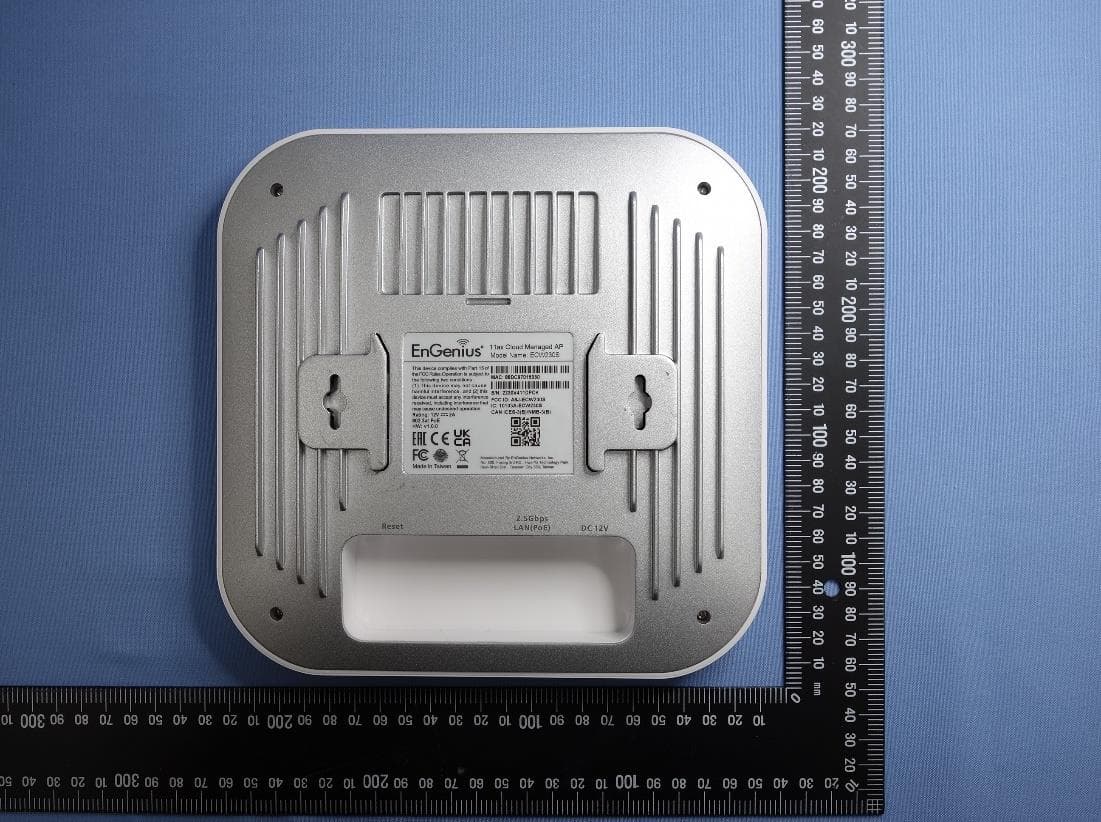
A8J-ECW230S
Jul 31, 202211ax Cloud Managed AP
Equipment Class
NII - Unlicensed National Information Infrastructure TX
A8J-EWS357APV3A
Jan 17, 202111ax Indoor Managed AP, 11ax Cloud Managed AP
Equipment Class
DTS - Digital Transmission System