ACJ96NKX-MB2061Multi-Function Laser Printer with Facsimile and 1.9 GHz DECT Base
Panasonic Corporation of North America
Click to zoom
Application Details
- Equipment Class
- PUB - Part 15 Unlicensed PCS Base Station
- Date of Grant
- Sep 13, 2010
- Application Purpose
- Original Equipment
- Date of Application
- Sep 13, 2010
- Equipment Note
- Multi-Function Laser Printer with Facsimile and 1.9 GHz DECT Base
- Frequency Range
- 1921.53600000 - 1928.44800000
- Country
- United States
Documents & Files
Document Text
Text extracted from the exhibit documents filed with the FCC. Open a document above to read the original.
Users Manual
Operating Instructions Multi-Function Printer The pictured model is KX-MB2061. KX-MB2061 Model No. KX-MB2060 Do NOT connect the unit to a computer with the USB cable until prompted to do so during the setup of Multi-Function Station (CD-ROM). 12 For hearing or speech impaired TTY users, TTY: 1-877-833-8855 Charge the battery for about 7 hours before initial use. RThis unit is compatible with Caller ID. Subscription to the appropriate service through your service provider/telephone company is required. Thank you for purchasing a Panasonic product. You can select a desired language. RBase unit: The voice guidance, display and reports will be in the selected language. The default setting is English. If you want to change the setting, see feature #110 on page 78 and feature #112 on page 88. RCordless handset: The display will be in the selected language. The default setting is English. If you want to change the setting, see page 102. Caution: RDo not rub or use an eraser on the printed side of the recording paper, as the print may smear. Notice for product disposal, transfer, or return: RThis product can store your private/confidential information. To protect your privacy/confidentiality, we recommend that you erase the information from the memory before you dispose of, transfer or return the product. Environment: RPanasonic’s strategic direction incorporates concern for the environment into all aspects of the product life cycle, from product development to energy saving designs; from greater product reusability to waste-conscious packaging practices. For U.S.A. only: Please visit www.panasonic.com/environmental for more information. Trademarks: RMicrosoft, Windows, Windows Vista, Internet Explorer and PowerPoint are either registered trademarks or trademarks of Microsoft Corporation in the United States and/or other countries. RPentium is a trademark of Intel Corporation in the U.S. and other countries. RScreen shots reprinted with permission from Microsoft Corporation. RAdobe and Reader are either registered trademarks or trademarks of Adobe Systems Incorporated in the United States and/or other countries. RAvery is a registered trademark of Avery Dennison Corporation. RXEROX is a registered trademark of Xerox Corporation in the U.S. and/or other countries. RAll other trademarks identified herein are the property of their respective owners. Copyright: RThis material is copyrighted by Panasonic System Networks Co., Ltd., and may be reproduced for internal use only. All other reproduction, in whole or in part, is prohibited without the written consent of Panasonic System Networks Co., Ltd. © Panasonic System Networks Co., Ltd. 2010 2 For your safety Laser radiation RThe printer of this unit utilizes a laser. Use of controls or adjustments or performance of procedures other than those specified herein may result in hazardous radiation exposure. Fuser unit RDuring or immediately after printing, the fuser unit (A) gets hot. This is normal. Do not touch the fuser unit. Note: RThe area near the output tray (B) may also get warm. This is normal. B A For best performance Toner cartridge and drum cartridge RWhen replacing the toner cartridge or drum cartridge, do not allow dust, water, or liquids to come in contact with the drum. This may affect print quality. RFor optimal performance, genuine Panasonic toner cartridges and drum cartridges are recommended. We cannot be responsible for problems that may be caused by a non-Panasonic toner cartridge or drum cartridge: – Damage to the unit – Poor print quality – Improper operation Toner cartridge RDo not leave the toner cartridge out of the protective bag for a long time. It will decrease the toner life. Drum cartridge RRead the instructions on page 12 before you begin installation of the drum cartridge. After you have read them, open the drum cartridge protective bag. The drum cartridge contains a photosensitive drum. Exposing it to light may damage the drum. Once you have opened the protective bag: – Do not expose the drum cartridge to light for more than 5 minutes. – Do not touch or scratch the black drum surface. – Do not place the drum cartridge near dust or dirt, or in a high humidity area. – Do not expose the drum cartridge to direct sunlight. RTo extend the life of the drum cartridge, the power switch should never be turned OFF immediately after printing. Leave the power turned ON for a minimum of 30 minutes after printing. Location RTo avoid malfunction, do not position the unit near appliances such as TVs or speakers which generate an intense magnetic field. Static electricity RTo prevent static electricity damage to the interface connectors or other electrical components inside the unit, touch a grounded metal surface before touching the components. Environment RKeep the unit away from electrical noise generating devices, such as fluorescent lamps and motors. RThe unit should be kept free from dust, high temperature and vibration. RThe unit should not be exposed to direct sunlight. RDo not place heavy objects on top of the unit. When you leave the unit unused for a long period of time, unplug this unit from the power outlet. RThe unit should be kept away from heat sources such as heaters, kitchen stoves, etc. Damp basements should also be avoided. RDo not cover slots or openings on the base unit. Inspect the air circulation vents regularly and remove any dust build-up with a vacuum cleaner (A). A A Routine care RWipe the outer surface of the unit with a soft cloth. Do not use benzine, thinner, or any abrasive powder. For assistance, please visit http://www.panasonic.com/help 3 Important Information Cordless handset communication RThe base unit and other compatible Panasonic units use radio waves to communicate with each other. For maximum coverage and noise-free communications, place your base unit: – at a convenient, high, and central location with no obstructions between the cordless handset and base unit in an indoor environment. – away fr…
Text truncated - open the document above for the full version.
Users Manual
Important Information Guide Multi-Function Printer Model No. KX-MB2060 KX-MB2061 Do NOT connect the unit to a computer with the USB cable until prompted to do so during the setup of Multi-Function Station (CD-ROM). 12 For hearing or speech impaired TTY users, TTY: 1-877-833-8855 For support: (for customers in the U.S.A. or Puerto Rico) — VISIT www.panasonic.com/help — E-MAIL www.panasonic.com/contactinfo Please register your product: http://www.panasonic.com/prodreg Accessory information: To ensure that the unit operates properly, we recommend the use of Panasonic toner and drum cartridges. N Replacement accessory – Toner cartridge L Model No. (Part No.): KX-FAT461 – Drum cartridge L Model No. (Part No.): KX-FAD462 – Rechargeable batteries L Model No. (Part No.): HHR- 4DPA N Optional accessory – Additional digital cordless handset L Model No. (Part No.): KX-TGA651 – Headset L Model No. (Part No.): KX-TCA60, KX-TCA93, KX- TCA94, KX-TCA400, KX-TCA430 Important: L To use cordless handset features with KX-MB2060, please purchase an additional digital cordless handset. To place an order online (for customers in the U.S.A. or Puerto Rico) Visit our web site: http://www.panasonic.com/mfpsupplies L For questions regarding online orders: E-mail: [email protected] Telephone: (800) 405-0652 To place an order by fax Fax: (800) 237-9080 Include: – your name, shipping address and telephone number – c redit card type, number, expiration date and your signature – part number and quantity To place an order by telephone Telephone: (800) 332-5368 (Monday - Friday 9 am to 9 pm, EST.) The supplied Setup CD-ROM provides the Operating Instructions in PDF format with a detailed description on how to use the unit. Adobe ® Reader ® is required to view them. Please read before using the unit and save the CD-ROM for future reference. Language selection: You can select a desired language. L Base unit: The voice guidance, display and reports will be in the selected language. The default setting is English. If you want to change the setting, see the operating instructions (feature #110 and feature #112). L Cordless handset: The display will be in the selected language. The default setting is English. If you want to change the setting, see the operating instructions. User record (for your future reference) Date of purchase Serial number (found on the rear of the unit) Retailer’s/Dealer’s name and address Retailer’s/Dealer’s telephone number Attach your sales receipt here. Note: RSave the original carton and packing materials for future shipping and transportation of the unit. RAfter unpacking the product, take care of the packing materials and/or power plug cap appropriately. Caution: RWhen you operate this product, the power outlet should be near the product and easily accessible. RThis product contains a CR Coin Cell Lithium Battery which contains Perchlorate Material - special handling may apply. See www.dtsc.ca.gov/hazardouswaste/perchlorate RThe Telephone Consumer Protection Act of 1991 makes it unlawful for any person to use a computer or other electronic device, including fax machines, to send any message unless such message clearly contains in a margin at the top or bottom of each transmitted page or on the first page of the transmission, the date and time it is sent and an identification of the business or other entity, or other individual sending the message and the telephone number of the sending machine or such business, other entity, or individual. (The telephone number provided may not be a 900 number or any other number for which charges exceed local or long-distance transmission charges.) In order to program this information into your fax machine, you should complete the instructions from the operating instructions. ENERGY STAR: RAs an ENERGY STAR ® Partner, Panasonic has determined that this product meets the ENERGY STAR guidelines for energy efficiency. ENERGY STAR is a U.S. registered mark. Trademarks: RAdobe and Reader are either registered trademarks or trademarks of Adobe Systems Incorporated in the United States and/or other countries. RAll other trademarks identified herein are the property of their respective owners. Copyright: RThis material is copyrighted by Panasonic System Networks Co., Ltd., and may be reproduced for internal use only. All other reproduction, in whole or in part, is prohibited without the written consent of Panasonic System Networks Co., Ltd. © Panasonic System Networks Co., Ltd. 2010 Table of Contents 1.1 For your safety2 1.2 Important safety instructions4 1.3 Illegal copies4 1.4 Turning the power ON5 1.5 Selecting the operation mode (Scan/Copy/Fax)5 1.6 Setting the original5 1.7 Display messages5 1.8 FCC and Other Information7 1.9 Limited Warranty (United States and Puerto Rico) 9 1.10 Customer Services directory10 1.1 For your safety To prevent severe injury and loss of life/property, read this section carefully before using the unit to ensure proper and safe operation of your unit. 1.1.1 WARNING Power and ground connection RUnplug this unit from power outlets if it emits smoke, an abnormal smell or makes unusual noise. These conditions can cause fire or electric shock. Confirm that smoke has stopped and contact an authorized service center. 2 Detailed operating instructions are on the CD-ROM, or can be viewed at www.panasonic.com/help 1. . Important Information 1. Important Information RUse only the power source marked on the unit. If you are not sure of the type of power supplied to your home, consult your retailer/dealer or local power company. RFor safety purposes this unit is equipped with a grounded plug. If you do not have this type of outlet, please have one installed. Do not ignore this safety feature by tampering with the plug. RDo not place objects on the power cord. Install the unit where no one can step or trip on the cord. RDo not overload power outlets and extension cords. This can result in the risk of fire or electric shock. RComplet…
Text truncated - open the document above for the full version.
Attestation Statements
PCM-10-F106 / FCC ID: ACJ96NKX-MB2061 Multi-Function Laser Printer with FAX and DECT Base FCC Part 15D – Compliance Information pcm-10-f106 (part 15d declaration for acj96nkx-mb2061).doc 8-Dec-2006 page 1 (4) rev.1.4 EUT AND PRODUCT INFORMATION Type of Equipment UPCS (DECT 6.0) Applicant Name Panasonic Corporation of North America Address Three Panasonic Way, 4B-8 Contact Richard Mullen, Group Manager [email protected] FP PP Repeater EUT Type/System FCC ID ACJ96NKX-MB2061 Model name KX-MB2060 KX-MB2061 KX-MB2062 HW Version SW Version Max antenna Gain Can the EUT be Initiating Device YES YES YES Does the EUT transmit signaling channels YES YES YES Max number of slots in use simultaneously Test standard: FCC part 15D Other: Industry Canada RSS-213, Issue 2 Frequency Band 1921.536 – 1928.448 MHz # of RF Channels 5 Frame Period 10 ms Max. Burst length Min. Burst Length # of Logical Channels 60 (12 duplex channels per RF carrier) Operating Mode Simplex Duplex PCM-10-F106 / FCC ID: ACJ96NKX-MB2061 Multi-Function Laser Printer with FAX and DECT Base FCC Part 15D – Compliance Information pcm-10-f106 (part 15d declaration for acj96nkx-mb2061).doc 8-Dec-2006 page 2 (4) rev.1.4 ANTENNAS Base (FP) or Repeater Antenna Type Internal External 1 2 3 4 Does RX and TX use the same antenna(s)? Yes No Handset (PP) Antenna Type Internal External 1 2 Does RX and TX use the same antenna(s)? Yes No ANTENNA DIVERSITY Antenna Diversity Supported TX RX Base (FP) or Repeater 1 2 3 4 Handset (PP) 1 2 VOLTAGE AND TEMPERATURE RANGES VOLTAGES FP PP Repeater Nominal Voltage 120VAC Cut-Off Voltage (if applicable) POWER SOURCE Type Manufacturer Base or Repeater Handset (PP) (charger) Data Connections PSTN Others (please specify) .... PCM-10-F106 / FCC ID: ACJ96NKX-MB2061 Multi-Function Laser Printer with FAX and DECT Base FCC Part 15D – Compliance Information pcm-10-f106 (part 15d declaration for acj96nkx-mb2061).doc 8-Dec-2006 page 3 (4) rev.1.4 ANCILLARY EQUIPMENT Description Type Manufacturer HOST DEVICE Description Type Manufacturer ADDITIONAL INFORMATION PCM-10-F106 / FCC ID: ACJ96NKX-MB2061 Multi-Function Laser Printer with FAX and DECT Base FCC Part 15D – Compliance Information pcm-10-f106 (part 15d declaration for acj96nkx-mb2061).doc 8-Dec-2006 page 4 (4) rev.1.4 MANUFACTURERS DECLARATIONS FCC part 15.323 (c)(5) No device or group of co-operating devices located within 1m of each other shall during any frame period occupy more than 6 MHz of aggregate bandwidth, or alternatively, more than one third of the time and spectrum windows defined by the system. Applicant Agrees Yes No FCC part 15.323 (c)(10) The applicant hereby declares that the system in this application does use the criteria of (c)(10) of this section. Applicant Agrees Yes No FCC part 15.323 (c)(11) The applicant hereby declares that system in this application does not use the criteria of (c)(11) of this section. Applicant Agrees Yes No FCC part 15.323 (c)(12) The provisions of (c)(10) or (c)(11) of this section shall not be used to extend the range of spectrum occupied over space or time for the purpose of denying fair access to spectrum to other devices. Applicant Agrees Yes No FCC part 15.307 (b) The Applicant is a participating member of UTAM, Inc. and will provide an affidavit from UTAM, Inc. certifying this. Confirmed By Applicant Yes No ADDITIONAL REMARKS: > DECLARED BY: August 25, 2010 Richard Mullen Richard Mullen
Cover Letter(s)
EXHIBIT A STATEMENT OF SECURITY CODE This cordless telephone system has more than 1,000 billion combinations that are provided by the following means: • Provided with 128 bits for security codes. • When shipped from the factory, the security code is decided by the manufacture. It is memorized in a memory IC. • Base and Handset knows each other’s security code information.
Cover Letter(s)
Panasonic Corporation of North America One Panasonic Way 4B-8 Secaucus, NJ 07094 Tel: 201-348-7758 / Fax: 201-392-4564 [email protected] Richard Mullen Group Manager Product Safety and Compliance Division Power of Attorney September 14, 2010 PCM-10-F106 Federal Communication Commission Equipment Authorization Division 7435 Oakland Mills Road Columbia, Maryland 21046 To whom it may concern; We, the undersigned, Panasonic Corporation of North America, hereby authorizes Nemko Canada to act on our behalf in all matters relating to the preparation of TCB Certification application for the below described product in compliance with FCC Part 15D. Any and all acts carried out by Nemko Canada on our behalf shall have the same effects as acts of our own for a period of one year from the date of this letter. Type Equipment: Isochronous UPCS Base Product Name: Multi-Function Printer with 1921~1928.448 MHz DECT Base, Models KX-MB2060, KX-MB2061 and KX-MB2062 1 With AC Adaptor with Switching Power Supply @ 35~40 kHz, Model PQLV219(Y) FCC ID Base Unit ACJ96NKX-MB2061 2 Type of Filing: Original Applicant & Grantee: Panasonic Corporation of North America One Panasonic Way, Secaucus, NJ 07094 FRN Number: 0003762242 Responsible Manufacturer: Panasonic System Networks Co., Ltd. Responsible Sales Company: Panasonic Consumer Electronics Company Unit Company under Panasonic Corporation of North America Sincerely yours, Richard Mullen Richard Mullen Group Manager Panasonic Corporation of North America Product Safety and Compliance Division 1 All three models are similarity models under the same FCC ID: ACJ96NKX-MB2061 2 This product was FCC Part 15B DoC authorized as Class B Computing Device Peripheral under DoC2010-86 and FCC Part 68 certified by Nemko Canada under identification number US: ACJFA03BKX-MB2061. Panasonic Corporation of North America One Panasonic Way 4B-8 Secaucus, NJ 07094 Tel: 201-348-7758 / Fax: 201-392-4564 [email protected] Richard Mullen Group Manager Product Safety and Compliance Division Request for Confidentiality September 14, 2010 PCM-10-F106 Federal Communication Commission Equipment Authorization Division Application Processing Branch 7435 Oakland Mills Road Columbia, Maryland 21046 To whom it may concern; Type Equipment: Isochronous UPCS Base Product Name: Multi-Function Printer with 1921~1928.448 MHz DECT Base, Models KX-MB2060, KX-MB2061 and KX-MB2062 With AC Adaptor with Switching Power Supply @ 35~40 kHz, Model PQLV219(Y) FCC ID Base Unit: ACJ96NKX-MB2061 In accordance with provisions of Sections 0.457 and 0.459 of the Commission’s Rules and Section 552(b)(4) of the Freedom of Information Act, we request permanent confidentiality for exhibits, which contain: (1) Antenna Construction; (2) Description of Electrical Circuitry; (3) Schematic Diagram of Base Unit and RF Unit; (4) Block Diagram of Base Unit and RF Unit; and (5) Parts List. The transmitter is not user adjustable and does not have a Tune-Up Procedure. These exhibits contain proprietary, confidential and trade secrets material, which would not be routinely made available for public inspection. In accordance with FCC Public DA 04-1705, we request forty-five day short-term confidentiality, starting from the issuance of equipment authorization date for exhibits which contain: (1) External Photographs; (2) Internal Photographs; (3) Test Setup Photographs; and (4) User Manual. These exhibits contain pre-market information, which could give our competitors unfair advantage should this information be released before this product is actually introduced into the common marketplace. Sincerely yours, Richard Mullen Richard Mullen Group Manager Panasonic Corporation of North America Product Safety and Compliance Division
External Photos
EXTERNAL PHOTOGRAPHS KX-MB2061 Rear View
ID Label/Location Info
EXHIBIT B MARKINGS Base Unit: The base unit provides with the following marking, or equivalent. This device complies with Part 15 of the FCC rules. Operation is subject to the following two conditions: (1) This device may not cause harmful interference, and (2) this device must accept any interference received, including interference that may cause undesired operation. Privacy of communications may not be ensured when using this phone. NOTE: Above markings are shown on the rear of the base unit.
Internal Photos
INTERNAL PHOTOGRAPHS Internal View Main Board RF Portion Main Board - Component Side Main Board - Soldering Side Power Supply Unit Board - Componet Side Power Supply Unit Board - Soldering Side High Voltage Power Supply Unit Board - Component Side High Voltage Power Supply Unit Board - Soldering Side Operation Panel Board - Component Side Operation Panel Board - Soldering Side RF Circuit with Shiled RF Circuit without Shiled Antenna Antenna
RF Exposure Info
Prediction of MPE limit at a given distance Equation from page 18 of OET Bulletin 65, Edition 9 7-01 where: S = power density P = power input to the antennaG = power gain of the antenna in the direction of i nterest relative to an isotropic radiator R = distance to the center of radiation of the ante nna Valid for frequencies from 100 to 300.000 MHz Maximum peak output power at antenna input terminal : 19.30 (dBm) Maximum peak output power at antenna input terminal : 0.085 (W) Antenna gain(typical): 1.80 (dBi) Maximum antenna gain: 1.514 (numeric) 2 4 R PG S π = Maximum antenna gain: 1.514 (numeric) Prediction distance: 20 (cm) Prediction frequency: 1925 (MHz) MPE limit for uncontrolled exposure at prediction f requency: 10.00 (W/m^2) Power density at prediction frequency: 0.2563 (W/m^2) Maximum allowable antenna gain: 17.7 (dBi) Margin of Compliance: 15.9 (dB) 2 4 R PG S π =
Test Report
Nemko AS, Gaustadalléen 30, P.O.Box 73 Blindern, NO-0314 Oslo Norway T +47 22 96 03 30 F +47 22 96 05 50 Enterprise number NO974404532 Visiting address: Nemko Kjeller, Instituttveien 6, P.O.Box 96, NO-2027 Kjeller Norway T +47 64 84 57 00 F +47 64 84 57 05 Test report no. : 153587-2 Item tested : KX-MB2061 Type of equipment : UPCS Base FCC ID : ACJN96KX-MB2061 Client : Panasonic System Networks Co., Ltd. FCC Part 15, subpart D Isochronous UPCS Device 1920 - 1930 MHz Industry Canada RSS-213, Issue 2 2 GHz Licence-exempt Personal Communications Service Devices (LE-PCS) 2 September 2010 Authorized by : ........................ ...................... Egil Hauger Technical Verificator TEST REPORT FCC part 15D Report no.: 153587-2 FCC ID: ACJN96KX-MB2061 Nemko AS, N-2007 Kjeller Page 2 (51) CONTENTS 1 GENERAL INFORMATION ............................................................................................................... 3 1.1 Testhouse Info ................................................................................................................................... 3 1.2 Client Information .............................................................................................................................. 3 1.3 Responsible Manufacturer (if other than client) ................................................................................. 3 2 TEST INFORMATION ....................................................................................................................... 4 2.1 Tested Item........................................................................................................................................ 4 2.2 Description of Tested Device ............................................................................................................. 4 2.3 Exposure Evaluation .......................................................................................................................... 4 2.4 Test Environment .............................................................................................................................. 5 2.5 Test Period ........................................................................................................................................ 5 2.6 Test Engineer(s) ................................................................................................................................ 5 2.7 Test Equipment ................................................................................................................................. 5 2.8 Other Comments ............................................................................................................................... 5 3 TEST REPORT SUMMARY .............................................................................................................. 6 3.1 General .............................................................................................................................................. 6 3.2 Test Summary ................................................................................................................................... 7 4 TEST RESULTS ................................................................................................................................ 8 4.1 Power Line Conducted Emissions ..................................................................................................... 8 4.2 Coordination with fixed microwave .................................................................................................. 10 4.3 Digital Modulation Techniques ........................................................................................................ 10 4.4 Labeling Requirements ................................................................................................................... 10 4.5 Antenna Requirement...................................................................................................................... 11 4.6 Channel Frequencies ...................................................................................................................... 11 4.7 Automatic Discontinuation of Transmission .................................................................................... 12 4.8 Peak Power Output ......................................................................................................................... 13 4.9 Emission Bandwidth B ..................................................................................................................... 18 4.10 Power Spectral Density ................................................................................................................... 21 4.11 In-Band Unwanted Emissions, Conducted ...................................................................................... 24 4.12 Out-of-band Emissions, Conducted................................................................................................. 26 4.13 Carrier Frequency Stability .............................................................................................................. 31 4.14 Frame Repetition Stability ............................................................................................................... 32 4.15 Frame Period and Jitter ................................................................................................................... 32 4.16 Monitoring Threshold, Least Interfered Channel ............................................................................. 35 4.17 Threshold Monitoring Bandwidth ..................................................................................................... 37 4.18 Reaction Time and Monitoring Interval ............................................................................................ 38 4.19 Time and Spectrum Window Access Procedure ............................................................................. 3…
Text truncated - open the document above for the full version.
Test Setup Photos
FCC ID: ACJ96NKX-MB2061 Project no.: 153587 Page 1 of 1 TEST SET-UP PHOTOS – KX-MB2061 Power line Conducted Emissions Test
Contact Information
Applicant
Ben Botros(Project Manager)
Technical Contact
Panasonic Corporation of North AmericaRichard Mullen
[email protected]201-348-7758
One Panasonic Way, 4B-8 · United States
Test Firm
Nemko ASFrode Sveinsen
Technical Specifications
| # | Rule Parts | Frequency Range | Power Output |
|---|---|---|---|
| 1 | 15D | 1.92 GHz - 1.93 GHz | 85.00 mW |
Other Applications from Panasonic Corporation of North America
ACJ-EAH-A1000
Aug 19, 2026Digital Wireless Stereo Headphones
Equipment Class
DSS - Part 15 Spread Spectrum TransmitterACJ9TGFZVNF3G1
Jun 16, 2026Contactless Smart Card Reader
Equipment Class
DXX - Part 15 Low Power Communication Device Transmitter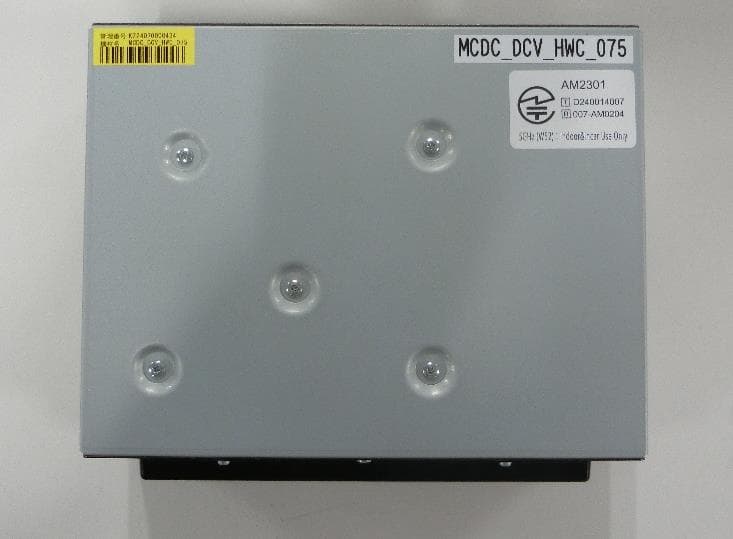
ACJ932AM2301
Jan 29, 2025Car AV Control Unit for CDC
Equipment Class
DTS - Digital Transmission SystemACJ96NKX-TGEA60B
Aug 13, 2024DECT Handset
Equipment Class
PUE - Part 15 Unlicensed PCS portable Tx held to earACJ96NKX-TGE630B
Aug 12, 2024DECT Base Unit
Equipment Class
PUB - Part 15 Unlicensed PCS Base Station