ACJ96NKX-TGF370DECT 6.0 Base with BT
Panasonic Corporation of North America
Click to zoom
Application Details
- Equipment Class
- PUB - Part 15 Unlicensed PCS Base Station
- Date of Grant
- Feb 04, 2015
- Application Purpose
- Original Equipment
- Date of Application
- Feb 04, 2015
- Equipment Note
- DECT 6.0 Base with BT
- Frequency Range
- 1921.53600000 - 1928.44800000
- Country
- United States
Documents & Files
Document Text
Text extracted from the exhibit documents filed with the FCC. Open a document above to read the original.
Users Manual
Operating Instructions Link-to-Cell Bluetooth Convergence Solution Model No. KX-TGF372 KX-TGF373 KX-TGF374 KX-TGF375 KX-TG585SK Model shown is KX-TGF372. Before initial use, see “Getting Started” on page 11. Thank you for purchasing a Panasonic product. Please read these operating instructions before using the unit and save them for future reference. Consulte “Guía Rápida Española”, página 83. For assistance, visit our Web site: www.panasonic.com/support for customers in the U.S.A. or Puerto Rico. Please register your product: www.panasonic.com/prodreg TGF37x(en)_1128_ver032.pdf 12014/11/28 16:08:38 Introduction Model composition .......................................4 Accessory information ..................................4 Important Information For your safety .............................................7 Important safety instructions ........................8 For best performance ...................................8 Other information .........................................9 Specifications .............................................10 Getting Started Setting up ...................................................11 Controls ......................................................13 Display icons/Indicators .............................14 Language settings ......................................16 Date and time .............................................16 Recording your greeting message .............16 Other settings .............................................16 Link to Cell Link to cell feature ......................................17 Pairing a cellular phone ..............................17 Link to cell settings .....................................18 Making/Answering Calls Using the Handset Making cellular calls ...................................21 Making landline calls ..................................21 Answering calls ..........................................22 Useful features during a call .......................22 Power backup operation for landline ..........25 Making/Answering Calls Using the Base Unit Making cellular calls ...................................27 Making landline calls ..................................27 Answering calls ..........................................28 Useful features during a call .......................28 Intercom Intercom .....................................................31 Call Block Using the MCALL BLOCKN button .............32 Storing unwanted callers ............................32 Phonebook Phonebook .................................................35 Speed dial ..................................................38 Programming Menu list .....................................................40 Alarm ..........................................................49 Silent mode ................................................50 Baby monitor ..............................................51 Other programming ....................................53 Registering a unit .......................................53 Caller ID Service Using Caller ID service ...............................54 Caller list ....................................................54 Using Bluetooth ® Devices Copying phonebook from a cellular phone (phonebook transfer) ..................................57 Link to Cell app ..........................................58 Text message (SMS) alert .........................59 Alert settings for your DECT phone ...........59 Using a Bluetooth wireless headset (optional) for landline calls .........................................60 Answering System for Landline Answering system for landline ...................62 Turning the answering system on/off .........62 Greeting message ......................................62 Listening to messages ...............................63 Advanced new message alerting features ......................................................65 Remote operation .......................................66 Answering system settings .........................67 Useful Information Voicemail service for landline .....................69 Wall mounting ............................................70 Error messages ..........................................72 Troubleshooting .........................................73 FCC and other information .........................81 Guía Rápida Española Guía Rápida Española ...............................83 Appendix Customer services .....................................93 Warranty (For United States and Puerto Rico) ...........................................................94 Index 2 Table of Contents TGF37x(en)_1128_ver032.pdf 22014/11/28 16:08:38 Index...........................................................96 3 Table of Contents TGF37x(en)_1128_ver032.pdf 32014/11/28 16:08:38 Model composition SeriesModel No. Base unitHandset Part No.Part No.Quantity KX-TGF370 series KX-TGF372KX-TGF370KX-TGFA302 KX-TGF373KX-TGF370KX-TGFA303 KX-TGF374KX-TGF370KX-TGFA304 KX-TGF375KX-TGF370KX-TGFA305 KX-TG585SKKX-TGF370KX-TGFA305 Accessory information Supplied accessories No. Supplied handset qty. 2 units *1 3 units *2 4 units *3 5 units *4 Accessory item/Part numberAccessory quantity AAC adaptor/PNLV226Z1111 B Telephone line cord *5 1111 CWall mounting adaptor/PNKL1038Z11111 D Rechargeable batteries *6 46810 E Handset cover/PNYNTGA680BR *7 2345 FBelt clip/PNKE1268Z12345 G Charger *8 1234 *1 KX-TGF372 *2 KX-TGF373 *3 KX-TGF374 *4 KX-TGF375/KX-TG585SK *5 PQJA10075Y: Black cord, PQJA10075Z: Transparent cord *6 See page 5 for replacement battery information. *7 The handset cover comes attached to the handset. *8 PNLC1040ZS (Silver), PNLC1040ZB (Black) ABCDE 4 For assistance, please visit www.panasonic.com/support Introduction TGF37x(en)_1128_ver032.pdf 42014/11/28 16:08:38 FG Additional/replacement accessories Please contact your nearest Panasonic dealer for sales information (page 93). Accessory itemModel number/Specifications Rechargeable batteries HHR-4DPA *1 RTo order, please visit www.panasonic.com/bat…
Text truncated - open the document above for the full version.
Users Manual
2MbN: Select the desired group. a MSELECTN R“ ” is displayed next to the selected group numbers. RTo cancel the selected group: MbN: Select the group. a Press MSELECTN again. “ ” disappears. 3MSAVEN 4Proceed with the operation for your unit. Handset: MOFFN Base unit: MEXITN Baby monitor This feature allows you to listen in on a room where another handset is located, allowing you to easily monitor from different areas of the house or place. The monitored handset (placed in a baby’s room, for example) will automatically call the monitoring handset, base unit, or the phone number stored when it detects sound. Important: RYou should perform a test run of the baby monitor procedure to ensure that the baby monitor feature is set correctly. For example, test its sensitivity. Check the connection if you are diverting the baby monitor to an outside line. RThis feature should not be used as a substitute for a medical or caregiver’s supervision. It is the caregiver’s responsibility to stay close enough to handle any eventuality. Note: RIf the unit is connected to a PBX system, you cannot set the baby monitor. RDuring the monitoring mode, battery consumption is faster than usual. We recommend leaving the monitored handset on the base unit or charger. RThe monitored handset never rings while it is being monitoring. If the base unit is placed near the monitored handset, we recommend turning off the base unit ringer volume (page 47, 48). Setting the baby monitor Perform the setting operation with the handset to be monitored (for example, the handset placed in a baby’s room). To monitor with a unit The internal baby monitor feature is only available: – between handsets – between a handset and the base unit Handset 1MMENUN#268 2MbN: “On” a MSELECTN 3MbN: Select the desired unit’s number to monitor with. a MSAVEN R“Baby monitor” will be displayed. RThe registered unit’s name/number is displayed. Note: RWhen this feature is on, another handset or the base unit can hear the monitored handset by making an intercom call. To monitor from an outside line If you enable this feature, the unit will call a pre-programmed phone number when the handset detects sound. After you answer the call, you can listen in on the room where the handset is located. This feature is only available for landline. Handset nFrom the phonebook: 1MMENUN#268 2MbN: “On” a MSELECTN 3MbN: Select “Outgoing call” to monitor from an outside line. a MEDITN a MADDN 4MbN: “Phonebook” a MSELECTN 5MbN: Select the phonebook entry. a MSAVEN R“Baby monitor” will be displayed. For assistance, please visit www.panasonic.com/support 51 Programming TGF37x(en)_1128_ver032.pdf 512014/11/28 16:08:42 Note: RIf you edit a phonebook entry which is assigned for monitoring, the edited entry does not transfer to the monitor. nBy entering phone numbers: 1MMENUN#268 2MbN: “On” a MSELECTN 3MbN: Select “Outgoing call” to monitor from an outside line. a MEDITN a MADDN 4MbN: “Manual” a MSELECTN 5Enter the desired name. a MOKN 6Enter the desired number. a MOKN a MSELECTN R“Baby monitor” will be displayed. Note: RThe registered name/number is displayed. Turning off the baby monitor The monitored handset cannot be used while baby monitor is set to “On”. Handset 1Press MMENUN on the handset being monitored. 2MbN: “On/Off” a MSELECTN 3MbN: “Off” a MSELECTN a MOFFN Editing an outside monitoring number Handset 1Press MMENUN on the handset being monitored. 2MbN: “On/Off” a MSELECTN 3MbN: “On” a MSELECTN 4MbN: Select the outside line. a MEDITN 5MMENUN a MbN: “Edit” a MSELECTN 6Edit the name if necessary. a MOKN 7Edit the phone number if necessary. a MOKN a MSELECTN Erasing an outside monitoring number Handset 1Press MMENUN on the handset being monitored. 2MbN: “On/Off” a MSELECTN 3MbN: “On” a MSELECTN 4MbN: Select the outside line. a MEDITN 5MMENUN a MbN: “Erase” a MSELECTN 6MbN: “Yes” a MSELECTN a MOFFN Baby monitor sensitivity You can adjust the sensitivity of the baby monitor. Increase or decrease the sensitivity to adjust the sound level needed to trigger the baby monitor feature. RThis feature cannot be set during a monitoring call. Handset 1Press MMENUN on the handset being monitored. 2MbN: “Sensitivity level” a MSELECTN 3MbN: Select the desired setting. a MSAVEN a MOFFN Answering the baby monitor nWhen monitoring with a unit: Handset: Press M N to answer a call. Base unit: Press MZN to answer a call. If you want to respond from the monitoring unit, press MMUTEN. RThe monitoring unit will answer calls automatically when the auto intercom feature is set to “On” (page 31). Note: RIf you receive an outside call when communicating with the monitored handset, the interrupt tone sounds. – To answer the call with the handset, press MOFFN, then press M N. 52 For assistance, please visit www.panasonic.com/support Programming TGF37x(en)_1128_ver032.pdf 522014/11/28 16:08:42 – To answer the call with the base unit, press MZN 3 times. *1 *1 If MMUTEN is pressed, press MZN 2 times. nWhen monitoring from an outside line: Answer the call. If you want to respond from your monitoring phone, press #1 using tone dialing. You can turn off the baby monitor feature by pressing #0. Note: RThe unit disconnects the call automatically after 2 minutes. Other programming Changing the handset name The default handset name is “Handset 1” to “Handset 6”. You can customize the name of each handset (“Bob”, “Kitchen”, etc.). This is useful when you make intercom calls between handsets. To display the handset name in standby mode, turn on the handset name display feature (page 53). Handset 1MMENUN#104 2Enter the desired name (10 characters max.). 3MSAVEN a MOFFN Displaying the handset name You can select whether or not the handset name is displayed in standby mode. The default setting is “Off”. Handset 1MMENUN#105 2MbN: Select the desired setting. a MSAVEN a MOFFN Registering a unit Operating additional units Additional handsets Up to 6 handsets can be registered to the base unit. Important: RSee page 6 for …
Text truncated - open the document above for the full version.
Users Manual
Cómo usar un audíf ono Bluetooth (opcional) para ll amadas por la línea terrestre Al empa rejar un audífono Bluetooth con la unidad base, podrá te ner conversaciones in alámbricas a manos libres para llamadas terrestres. LSolo se pueden usar 2 dispositivos Bluetooth con la unidad al mismo tiempo (por ejemplo, 2 líneas celulares o el audífono y 1 línea celular). Cómo emparejar un audí fono con la unidad base 1Su audíf ono: Configure su audífono en modo de emparejamiento. LConsulte las instrucciones de operación de su audífono. 2Auricular: {MENU}(621 1 Empareje usando el auricular. 2 Emparejamiento 3Si el NIP de su audíf ono es “0000”, vaya al paso 4. Si el NIP de su audíf ono es diferente a “0000”, opri ma {BORRAR} y después introduzca el NIP de su audífono. LPor lo general, el NIP pre determinado es “0000”. Consulte las instrucciones de operación del audífono. 4Oprima {OK}, y después espere a que se emita un pitido largo. s {OFF} L Cuando aparece en la unidad base, el auricular está disponible para usar. Cómo operar un audíf ono inalámbrico con Bluetooth usando una línea terrestre Consulte las instrucciones de operación de su audífono para ver cómo funciona. NCómo contestar llamadas de la línea terrestre con su audíf ono Para contestar una llamada de línea terrestre, oprima el botón del audífono (consulte las in strucciones de operación de su audífono). Cuando termine de hablar, oprima el botón del audífono (consulte las instrucciones de operación de su audí fono). LSi no puede colgar la llamada usando su audífono, oprima {s} 2 veces en la unidad base. NCómo cambiar entr e la unidad base y su audí fono Puede cambiar entre la unidad base y su audífono: −durante una llamada por una línea terrestre con el altavoz de la unidad base. −durante una llamada de intercomunicador entre la unidad base y el auricular. −mientras escucha los mensajes grabados en el contestador de llamadas de la unidad base. Para cambiar a su audífono: Oprima {} en la unidad base. Para cambiar a la unidad base: Oprima {s} en la unidad base. Cómo usar dispositivos Bluetooth 2 1 Para obtener ayuda, visite www.panasonic.com/support (solo en inglés) 91 Guía Rápida Española TGF37x(en)_1128_ver032.pdf 912014/11/28 16:08:44 Preguntas frecuentes PreguntaCausa y solu ción ¿Por qué aparece _?LEl auricular está demasiado lejos de la unidad base. Acérquelo. LEl adaptador para corriente de la unidad base no está conectado correctamente. Conecte de nuevo el adaptador para corriente a la unidad base. LEl auricular no está registrado en la unidad base. Regístrelo. 1Auricular: {MENU}(13) 2Unidad base: Oprima y mantenga oprimido {LOCATOR} durante aproximadamente 5 segundos. 3Auricular: Oprima {OK}, y después espere hasta que suene un pitido largo. ¿Por qué no es posible emparejar un teléf ono celular con la unidad base? LDependiendo de la compatibilidad del teléfono celular, es posible que no pueda emparejarlo con la unidad base. Para obtener más informació n, visite www.panasonic.com/link2cell LConfirme que la función de Bluetooth de su teléfono celular esté encendida. Es posible que necesite encender esta función dependiendo de su teléfono celular. ¿Por qué no se escucha el tono de marcación? (línea celular) LAsegúrese de que el indicador de CELL se ilumine y de que el teléfono celular esté conectado a la unidad base. LEl teléfono celular no se ha emparejado con la unidad base. Empareje el teléfono celular. ¿Cómo se in cr ementa el nivel de volumen del auricular? LOprima la tecla de volumen {^} repetidamente mientras habla. ¿Por qué hay ruido o se corta la conversación? LTrate de re ubicar la unidad base de forma que se minimice la distancia al auricular. LSi ocurre el mismo problema aunque el auricular se encuentre enseguida de la unidad base, visite: www.panasonic.com/support ¿Es posible añadir otro auricular accesorio a mi unidad base? LSí, puede añadir hasta 6 auriculares (i ncluyendo los que se venden con su unidad base) a una sola unidad base. LPara adquiri r auriculares accesorios adicionales (KX-TGFA30), visite: www.panasonic.com/accessories Los usuarios TTY (usuarios con impedimentos auditivos o del habla) pueden llamar al 1-877-833-8855. ¿Es posible mantener cargando las baterías todo el tiempo? LPuede dejar el auricular en la unidad base o el cargador en cualquier momento. Esto no daña las batería s. ¿Cómo se contestan las llamadas en espera (2a llamada)? LOprima {CALL WAIT} cuando escuche el tono de llamada en espera. 92 Para obtener ayuda, visite www.panasonic.com/support (solo en inglés) Guía Rápida Española TGF37x(en)_1128_ver032.pdf 922014/11/28 16:08:44 Customer services Accessories! www.panasonic.com/accessories Customer Services Directory Shop for all your Panasonic gear Go to Get everything you need to get the most out of your Panasonic products Accessories & Parts for your Camera, Phone, A/V products, TV, Computers & Networking, Personal Care, Home Appliances, Headphones, Ba!eries, Backup Chargers & more... For Product Informa"on, Opera"ng Assistance, Parts, Owner’s Manuals, Dealer and Service info go to www.panasonic.com/support For the hearing or speech impaired TTY: 1- 877-833-8855 For assistance, please visit www.panasonic.com/support 93 Appendix TGF37x(en)_1128_ver032.pdf 932014/11/28 16:08:44 Warranty (For United States and Puerto Rico) Limited Warranty Coverage If your product does not work properly because of a defect in materials or workmanship, Panasonic Corporation of North America (referred to as “the warrantor”) will, for the length of the period indicated on the chart below, which starts with the date of original purchase (“Limited Warranty period”), at its option either (a) repair your product with new or refurbished parts, or (b) replace it with a new or a refurbished equivalent value product, or (c) refund your purchase price. The decision to repair, replace or refund will be made by the warrantor. LaborParts One (1) YearOne (1) Year During the “Labor” Limited Warranty period there will be no charg…
Text truncated - open the document above for the full version.
Cover Letter(s)
EXHIBIT A STATEMENT OF SECURITY CODE This cordless telephone system has more than 1,000 billion combinations that are provided by the following means: Provided with 128 bits for security codes. When shipped from the factory, the security code is decided by the manufacture. It is memorized in a memory IC. Base and Handset knows each other’s security code information.
Cover Letter(s)
Date: October 06th, 2014 DESCRIPTION OF DIFFERENCES between ORIGINAL and SIMILARITY Name of Appliance : 1.9GHz Cordless Telephone System/2.4GHz Bluetooth Transmitter SIMILARITY Model No. : KX-TGF370 (Base Unit) FCC ID : ACJ96NKX-TG7871 ORIGINAL Model No. : KX-TG7841 (Base Unit) FCC ID : ACJ96NKX-TG7871 Approval Date : Jun. 2013 BASIC MODEL SIMILAR MODEL KX-TG7841 KX-TGF370 Appearance Inside Structure P.C. Board AC adaptor Both model are used to PNLV226 AC adaptor. We declare that KX-TGF370 is used the same ID as similar model for KX-TG7841 with the following items. (1) The 1.9GHz RF unit and antenna of KX-TG7841 and KX-TGF370 are identical. (2) The 2.4 GHz Bluetooth RF Block and antenna of KX-TG7841 and KX-TGF370 are identical. (3) AC adaptor PNLV226 use for both models KX-TG7841 and KX-TGF370. P.C. board and Antenna are identical. Modify the cosmetic design. Inside Structure are identical. ANT1 (DECT) BT ANT The ANT2 (DECT) are formed in the P.C. board.
Cover Letter(s)
Date: January 07, 2013 DESCRIPTION OF DIFFERENCES between ORIGINAL and SIMILARITY Name of Appliance : 1.9GHz Cordless Telephone System/2.4GHz Bluetooth Transmitter SIMILARITY Model No. : KX-TG784 1 (Base Unit) FCC ID : ACJ96NKX-TG7871 ORIGINAL Model No. : KX-TG787 1 (Base Unit) FCC ID : ACJ96NKX-TG7871 Approval Date : under application BASIC MODEL SIMILAR MODEL KX-TG7871 KX-TG7841 Appearance Top view Side view Rear view Inside Structure Provided with USB connector (DC 5V output only for USB charge) Not Provided with USB connector DC in plug : Modular jack (2 DC voltage input) One is DC5.5V 500mA rated same as PNLV226 adaptor. Another is DC5.0V 500mA rated for USB charge. DC in plug : Normal type DC5.5V 500mA rated of PNLV226 adaptor. Provided with USB connector (DC 5V output only for USB charge) Not Provided with USB connector P.C. Board AC adaptor We declare that KX-TG7841 is used the same ID as similar model for KX-TG7871 with the following items. (1) The 1.9GHz RF unit and antenna of KX-TG7871 and KX-TG7841 are identical. (2) The 2.4 GHz Bluetooth RF Block and antenna of KX-TG7871 and KX-TG7841 are identical. (3) AC adaptor PNLV234 use for KX-TG7871 is consisted of containing AC adaptor PNLV226 use for KX-TG7841. P.C. board and Antenna are identical. PNLV234 (2 output) 1 DC5.5V 500mA rated (Same as PNLV226) 2 DC5.0V 500mA rated (For USB charge) PNLV226 (1 output) DC5.5V 500mA rated ① 5.5V/500mA (For Base system) ② 5V/500mA (For USB charge) PNLV 226 PNLV 230 DC plug ① 5.5V/500mA (For Base system) ② 5V/500mA (For USB charge) PNLV 226 PNLV 230 DC plug <PNLV234 Block Diagram>
Cover Letter(s)
Panasonic Corporation of North America Two Riverfront Plaza, 9 th Floor, Newark, NJ 07102-5490 Tel/Fax: 201-348-7758 / [email protected] Richard Mullen, Group Manager Product Safety and Compliance Department Power of Attorney October 17, 2014 PCTP-15-F001 Federal Communication Commission Equipment Authorization Division / Application Processing Branch 7435 Oakland Mills Road Columbia, Maryland 21046 To whom it may concern; We, the undersigned, Panasonic Corporation of North America, hereby authorizes Nemko AS to act on our behalf in all matters relating to the preparation of TCB Certification application for the below described product in compliance with FCC Part 15C and D. Any and all acts carried out by Nemko AS on our behalf shall have the same effects as acts of our own for a period of one year from the date of this letter. Type Filing: Original Application for 1.9 GHz DECT Cordless Telephone Base Station 1 Model Numbers: KX-TGF370(xx), KX-TGF372(xx), KX-TGF373(xx), KX-TGF374(xx), KX-TGF375(xx), KX-TG585(xx)SK FCC Classification: Spread Spectrum Transmitter (DSS) / BT Transceiver in UPCS Base Station FCC ID Base Unit ACJ96NKX-TGF370 FCC Rule Part: FCC Part 15, Subpart C, Section 15.247 Frequency Range: 2402~ 2480 MHz Number Channels: 79 Channels Type Modulation: Digital (Gaussian Frequency Shift Keying) FCC Classification: Isochronous UPCS Base Station (PUB) FCC ID: ACJ96NKX-TGF370 FCC Rule Part: FCC Part 15, Subpart D Frequency Range: 1921.536 ~ 1928.448 Number Channels: 5 RF Channels / 5x12 = 60 TDMA Duplex Channels RF Exposure: Mobile / MPE (requires minimum 20cm spacing between antenna and body) Responsible Panasonic Corporation of North America Applicant & Grantee: Two Riverfront Plaza, 9 th Floor, Newark, NJ 07102-5490 Responsible Manufacturer: Panasonic System Networks Co., Ltd. Sincerely yours, Richard Mullen Richard Mullen Group Manager Panasonic Corporation of North America Product Safety and Compliance Department 1 Base Station will be used with Handset, which will be separately certified under FCC ID: ACJ96NKX-TGFA30. Panasonic Corporation of North America Two Riverfront Plaza, 9 th Floor, Newark, NJ 07102-5490 Tel/Fax: 201-348-7758 / [email protected] Richard Mullen, Group Manager Product Safety and Compliance Department Request for Confidentiality October 17, 2014 PCTP-15-F001 Federal Communication Commission Equipment Authorization Division Application Processing Branch 7435 Oakland Mills Road Columbia, Maryland 21046 To whom it may concern; Type Filing: Original Application for 1.9 GHz DECT Cordless Telephone Base Station 2 Model Numbers: KX-TGF370(xx), KX-TGF372(xx), KX-TGF373(xx), KX-TGF374(xx), KX-TGF375(xx), KX-TG585(xx)SK Product Description: Base Station contains DECT Transmitter FCC ID: ACJ96NKX-TGF370 In accordance with provisions of Sections 0.457 and 0.459 of the Commission’s Rules and Section 552(b)(4) of the Freedom of Information Act, we request permanent confidentiality for exhibits, which contain: (1) Antenna Construction; (2) Description of Electrical Circuitry; (3) Schematic Diagrams of Base Unit and RF Unit; and (4) Base Unit Block Diagram. The transmitter is not user adjustable and does not have a Tune-Up Procedure. These exhibits contain proprietary, confidential and trade secrets material, which would not be routinely made available for public inspection. In accordance with FCC Public DA 04-1705, we request forty-five day short-term confidentiality, starting from the from the issuance of equipment authorization date, for exhibits, which contain: (1) External Photographs of Base Unit and RF Unit; (2) Internal Photographs of Base Unit and RF Unit; (3) Test Setup Photographs; and (4) User Manual. These exhibits contain pre-market information, which could give our competitors unfair advantage should this information be released before this product is actually introduced into the common marketplace. Sincerely yours, Richard Mullen Richard Mullen Group Manager Panasonic Corporation of North America Product Safety and Compliance Division 2 Base Station will be used with Handset, which will be separately certified under FCC ID: ACJ96NKX-TGFA30.
Cover Letter(s)
FCC 15C – Product Information PCTP-15-F001 - FCC IDs: ACJ96NKX-TGF370 Nemko AS, Instituttveien 6, 2007 Kjeller, Norway pctp-15-f001 (fcc id-acj96nkx-tgf370 fcc 15c test info - bluetoooth part)Tel: +47 22 96 03 30 Fax: +47 22 96 05 50 Page 1 (4) rev.0.4 17-Jul-2013 Email: [email protected] EUT AND PRODUCT INFORMATION Type of Equipment UPCS (DECT 6.0) Applicant Name Panasonic Corporation of North America Address Two Riverfront Plaza, 9th Floor Newark, NJ 07102-5490 Contact Richard Mullen Telephone +1-201-348-7758 Email [email protected] Brand Name Panasonic Model Number KX-TGF370 Hardware Version Software Version Grantee Code IC Company Number 1. Basic Information FCC 15 Part 15.247 15.249 Other Please specify if other: Type of Equipment FHSS DTS Other Please specify if other: Classification of EUT Portable Mobile Fixed Lowest Operating Frequency 0CH 2402MHz Highest Operating Frequency 78CH 2480MHz Nominal Output Power 7 dBm Maximum Duty Cycle (in actual use) Operating Mode (list all) Modulation Type (list all) GFSK Nominal 99% Bandwidth 1MHz Maximum Number of channels 79ch Channel Separation 1MHz Number of Antennas TX : 1 , RX : 1 Antenna Diversity Supported Yes No Smart Antenna System Yes No Reduced output power on any channels Yes No If YES, please specify: FCC 15C – Product Information PCTP-15-F001 - FCC IDs: ACJ96NKX-TGF370 Nemko AS, Instituttveien 6, 2007 Kjeller, Norway pctp-15-f001 (fcc id-acj96nkx-tgf370 fcc 15c test info - bluetoooth part)Tel: +47 22 96 03 30 Fax: +47 22 96 05 50 Page 2 (4) rev.0.4 17-Jul-2013 Email: [email protected] 2. FHSS Equipment (fill in if FHSS Equipment, FCC 15.247) Adaptive Frequency Hopping Yes No If YES, please specify minimum number of hopping channels : 3. DTS Equipment (fill in if DTS Equipment, FCC 15.247) Nominal 6 dB Bandwidth 4. Bluetooth Equipment (fill in if Bluetooth Equipment) BT 2.0 EDR ? Yes No BT 3.0 HS ? Yes No BT Low Energy Yes No 5. 2.4GHz WLAN Equipment (fill in if 2.4GHz WLAN Equipment) Supported Operating Modes 802.11b 802.11g 802.11n 802.11ac 40 MHz mode supported Yes No Number of Antennas TX :1 , RX : 1 Antenna Diversity Supported Yes No Smart Antenna System Yes No If Smart Antenna System supported, please specify number of streams If number of channels differ in any of the operating modes, please specify: 6. 5GHz WLAN Equipment (fill in if 5GHz WLAN Equipment) Supported Operating Modes 802.11a 802.11n 802.11ac Supported Frequency Bands 5150 – 5250 MHz 5250 – 5350 MHz 5470 – 5725 MHz 5725 – 5825 MHz DFS Supported Yes No If DFS, what mode Master Slave 40 MHz mode supported Yes No Number of Antennas Antenna Diversity Supported Yes No Smart Antenna System Yes No If Smart Antenna System supported, please specify number of streams If Output Power is reduced on any channels in one of the Frequency Bands, please specify: If number of channels differ in any of the operating modes, please specify: FCC 15C – Product Information PCTP-15-F001 - FCC IDs: ACJ96NKX-TGF370 Nemko AS, Instituttveien 6, 2007 Kjeller, Norway pctp-15-f001 (fcc id-acj96nkx-tgf370 fcc 15c test info - bluetoooth part)Tel: +47 22 96 03 30 Fax: +47 22 96 05 50 Page 3 (4) rev.0.4 17-Jul-2013 Email: [email protected] 6. Power Supply and Connections Type of Power Supply Mains Battery Other Please specify if other than Mains Nominal Voltage 3.0V Please specify all connections on the EUT: ADDITIONAL REMARKS: DECLARED BY: October 17, 2014 Richard Mullen Richard Mullen FCC 15C – Product Information PCTP-15-F001 - FCC IDs: ACJ96NKX-TGF370 Nemko AS, Instituttveien 6, 2007 Kjeller, Norway pctp-15-f001 (fcc id-acj96nkx-tgf370 fcc 15c test info - bluetoooth part)Tel: +47 22 96 03 30 Fax: +47 22 96 05 50 Page 4 (4) rev.0.4 17-Jul-2013 Email: [email protected] About this document This document specifies the information that is needed to select the correct testcases and test procedures for testing to FCC Part 15C. The form must be completed by the applicant and submitted to Nemko before testing is started. Preparation of Equipment for Testing Note (a): Number of samples for testing In general, the following samples are needed for FCC 15C testing: RF Conducted Tests: One sample with a 50 ohm antenna connector (preferably SMA Female). Only one antenna connector is normally needed even if the equipment has more than one antenna, however EUTs with Smart Antenna Systems must have antenna connectors on all antennas. Radiated Tests: One sample with integral antennas. This sample will be used to measure Radiated Emissions, Antenna Gain, Part 15B and Power-Line Conducted tests. If it is not possible to mount antenna connector(s) on the EUT all tests will be performed radiated or with a test jig. In this case the applicant shall always supply a value for the antenna gain. Note (b): Power supply Means of connecting the equipment to an external power supply shall be …
Text truncated - open the document above for the full version.
Contact Information
Applicant
Ben Botros(Project Manager)
Test Firm
Nemko ASFrode Sveinsen
Technical Specifications
| # | Rule Parts | Frequency Range | Power Output |
|---|---|---|---|
| 1 | 15D | 1.92 GHz - 1.93 GHz | 85.00 mW |
Other Applications from Panasonic Corporation of North America
ACJ-EAH-A1000
Aug 19, 2026Digital Wireless Stereo Headphones
Equipment Class
DSS - Part 15 Spread Spectrum TransmitterACJ9TGFZVNF3G1
Jun 16, 2026Contactless Smart Card Reader
Equipment Class
DXX - Part 15 Low Power Communication Device Transmitter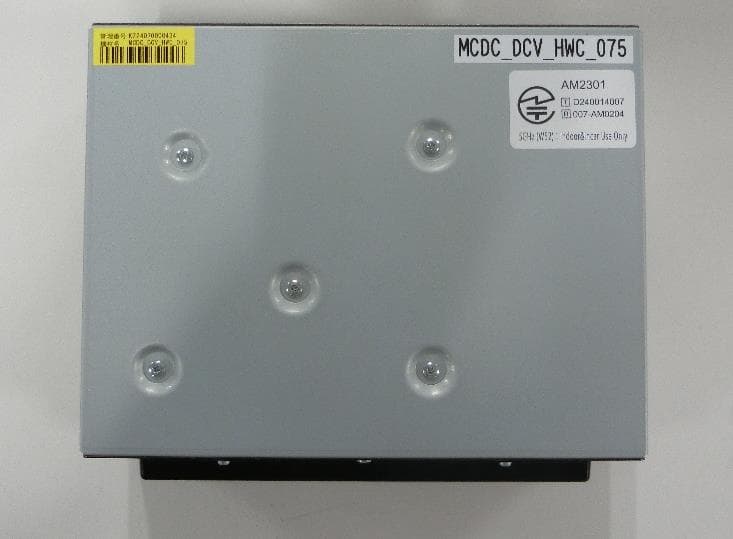
ACJ932AM2301
Jan 29, 2025Car AV Control Unit for CDC
Equipment Class
DTS - Digital Transmission SystemACJ96NKX-TGEA60B
Aug 13, 2024DECT Handset
Equipment Class
PUE - Part 15 Unlicensed PCS portable Tx held to earACJ96NKX-TGE630B
Aug 12, 2024DECT Base Unit
Equipment Class
PUB - Part 15 Unlicensed PCS Base Station