ACJ96NKX-THA122.4 GHz Cordless Telephone Handset
Panasonic Corporation of North America
Click to zoom
Application Details
- Equipment Class
- DSS - Part 15 Spread Spectrum Transmitter
- Date of Grant
- Oct 20, 2005
- Application Purpose
- Original Equipment
- Date of Application
- Aug 10, 2005
- Equipment Note
- 2.4 GHz Cordless Telephone Handset
- Frequency Range
- 2402.00000000 - 2480.00000000
- Country
- United States
Documents & Files
Document Text
Text extracted from the exhibit documents filed with the FCC. Open a document above to read the original.
Users Manual
Temporary Confidential This unit is compatible with Caller ID. To use this feature, you must subscribe to the appropriate service offered by your service provider. Please read these Operating Instructions before using the unit and save for future reference. For assistance, visit our website: http://www.panasonic.com for customers in the U.S.A. or Puerto Rico. Charge the battery for 6 hours before initial use. 2.4 GHz Expandable Cordless Phone System Model No. KX-TH102-A Operating Instructions KX-TH102-M Model shown is KX-TH102-M. TH102.book Page 1 Thursday, May 12, 2005 6:47 PM Temporary Confidential Introduction 2 For assistance, please visit http://www.panasonic.com/consumersupport Expanding your phone You can expand the system by adding handsets (monochrome display handsets and color display handset), wireless camera unit, USB wireless adaptor, and repeater, sold separately. Using these accessories, you can have a video call, monitor on a room where the color display handset or wireless camera is located and taking pictures. Note: LUp to 8 handsets (KX-THA11/KX-THA12/KX-THA16) and up to 10 other Bluetooth featured units (KX-THA13/KX-THA14 and a maximum of 5 cellular phones) can be registered to a single base unit. A B C D G H F E TH102.book Page 8 Thursday, May 12, 2005 6:47 PM Temporary Confidential Introduction For assistance, please visit http://www.panasonic.com/consumersupport 3 Available accessory handsets 3 accessory handset models are available. Operations and features of 3 different accessory handsets have certain differences as indicated in the table below. *1 USB-support allows you to connect the handset to your PC and send pictures and songs from your PC to the handset, as well as create and edit phonebook entries using your PC. *2 For information on using this feature, refer to the help section of the GIGARANGE USB Utility software. If you have not installed the GIGARANGE USB Utility software, refer to the included “Installation Guide for GIGARANGE USB Utility” for details. FeatureKX-THA11KX-THA12KX-THA16Page DescriptionAvailable as accessory handset only Same handset supplied with KX-TH102-A/ KX-TH102-M Available as accessory handset only – Display typeMonochromeColorColor– Display size1.6 inch2 inch3.6 inch– Control type Joystick Navigator key Navigator key USB-support *1 rrr *2 Picture ID – rr Picture download feature – rr *2 Song record feature rrr Song download feature rrr *2 Wallpaper – rr Wallpaper download feature – rr *2 Memory status display – rr Video call – rr View monitor–rr Camera–rr Cellular featurerrr TH102.book Page 9 Thursday, May 12, 2005 6:47 PM Temporary Confidential Introduction 4 For assistance, please visit http://www.panasonic.com/consumersupport Important safety instructions When using this unit, basic safety precautions should always be followed to reduce the risk of fire, electric shock, or personal injury. 1. Read and understand all instructions. 2. Follow all warnings and instructions marked on this unit. 3. Unplug this unit from power outlets before cleaning. Do not use liquid or aerosol cleaners. Use a damp cloth for cleaning. 4. Do not use this unit near water, for example near a bathtub, wash bowl, kitchen sink, etc. 5. Place the unit securely on a stable surface. Serious damage and/or injury may result if the unit falls. 6. Do not cover slots and openings on the unit. They are provided for ventilation and protection against overheating. Never place the unit near radiators, or in a place where proper ventilation is not provided. 7. Use only the power source marked on the unit. If you are not sure of the type of power supplied to your home, consult your dealer or local power company. 8. Do not place objects on the power cord. Install the unit where no one can step or trip on the cord. 9. Do not overload power outlets and extension cords. This can result in the risk of fire or electric shock. 10. Never push any objects through slots in this unit. This may result in the risk of fire or electric shock. Never spill any liquid on the unit. 11. To reduce the risk of electric shock, do not disassemble this unit. Take the unit to an authorized service center when service is required. Opening or removing covers may expose you to dangerous voltages or other risks. Incorrect reassembly can cause electric shock when the unit is subsequently used. 12. Unplug this unit from power outlets and refer servicing to an authorized service center when the following conditions occur: A. When the power cord is damaged or frayed. B. If liquid has been spilled into the unit. C. If the unit has been exposed to rain or water. D. If the unit does not work normally by following the operating instructions. Adjust only controls covered by the operating instructions. Improper adjustment may require extensive work by an authorized service center. E. If the unit has been dropped or physically damaged. F. If the unit exhibits a distinct change in performance. 13. During thunderstorms, avoid using telephones except cordless types. There may be a remote risk of an electric shock from lightning. 14. Do not use this unit to report a gas leak, when in the vicinity of the leak. SAVE THESE INSTRUCTIONS CAUTION: Installation LNever install telephone wiring during a lightning storm. LNever install telephone jacks in wet locations unless the jack is specifically designed for wet locations. LNever touch uninsulated telephone wires or terminals unless the telephone line has been disconnected at the network interface. LUse caution when installing or modifying telephone lines. TH102.book Page 10 Thursday, May 12, 2005 6:47 PM Temporary Confidential Introduction For assistance, please visit http://www.panasonic.com/consumersupport 5 LDo not touch the plug with wet hands. LThe AC adaptor is used as the main disconnect device. Ensure that the AC outlet is installed near the unit and is easily accessible. LTo prevent the electric shock, use only the included audio cable with the transformer w…
Text truncated - open the document above for the full version.
Users Manual
Please read these Operating Instructions before using the unit and save for future reference. For assistance, visit our website: http://www.panasonic.com/phonehelp for customers in the U.S.A. or Puerto Rico. This handset is an accessory handset for use with the KX-TH102 base unit. You must register this handset with your base unit before it can be used. Charge the handset battery for 6 hours before initial use. Home Communication System Cordless Video Camera Handset Model No. KX-THA12 Home Communication System Cordless Video Camera Handset with TV output Model No. KX-THA17 Operating Instructions THA12_THA17.book Page 1 Thursday, September 8, 2005 1:32 PM Table of Contents 2For assistance, please visit http://www.panasonic.com/phonehelp Introduction Feature highlights . . . . . . . . . . . . . . . . . . 3 Accessory information . . . . . . . . . . . . . . 5 Expanding your phone system . . . . . . . . 6 Important safety instructions . . . . . . . . . 9 For best performance . . . . . . . . . . . . . . 11 Preparation Setting up the handset . . . . . . . . . . . . . 12 Battery charge . . . . . . . . . . . . . . . . . . . 13 Battery replacement . . . . . . . . . . . . . . . 14 Controls . . . . . . . . . . . . . . . . . . . . . . . . 15 Display . . . . . . . . . . . . . . . . . . . . . . . . . 18 Symbols used in these operating instructions . . . . . . . . . . . . . . . . . . . . . . 19 Registering the unit . . . . . . . . . . . . . . . 20 Setting the unit before use . . . . . . . . . . 21 C Making/Answering Calls Making calls . . . . . . . . . . . . . . . . . . . . . 22 Answering calls . . . . . . . . . . . . . . . . . . 23 Useful features during a call . . . . . . . . . 23 Using the other line during a call . . . . . 25 d Phonebook Handset phonebook . . . . . . . . . . . . . . . 26 G Caller ID Service Using Caller ID service . . . . . . . . . . . . . 29 Caller list. . . . . . . . . . . . . . . . . . . . . . . . 30 u Video Calls Video call feature . . . . . . . . . . . . . . . . . 32 Video call settings . . . . . . . . . . . . . . . . 35 Intercom Intercom feature . . . . . . . . . . . . . . . . . . 36 Transferring a call. . . . . . . . . . . . . . . . . 37 Conference calls. . . . . . . . . . . . . . . . . . 38 Call share . . . . . . . . . . . . . . . . . . . . . . . 39 F Monitoring Monitoring feature . . . . . . . . . . . . . . . . 40 Audio monitor . . . . . . . . . . . . . . . . . . . . 40 View monitor. . . . . . . . . . . . . . . . . . . . . 41 v Handset Camera Feature Taking a picture . . . . . . . . . . . . . . . . . . 46 Picture gallery . . . . . . . . . . . . . . . . . . . . 46 h Programmable Settings Ringer settings . . . . . . . . . . . . . . . . . . . 48 Display settings . . . . . . . . . . . . . . . . . . 50 Other settings . . . . . . . . . . . . . . . . . . . . 51 Registering the unit. . . . . . . . . . . . . . . . 54 i Answering System Answering system feature . . . . . . . . . . 55 Listening to messages using the handset 55 Using a Cellular Phone with this Unit Configuring a cellular phone . . . . . . . . . 57 Making/answering calls using a cellular line . . . . . . . . . . . . . . . . . . . . . . . . . . . . 57 Useful Information Wall mounting . . . . . . . . . . . . . . . . . . . . 60 Headset (Optional) . . . . . . . . . . . . . . . . 61 Error messages . . . . . . . . . . . . . . . . . . 62 Troubleshooting . . . . . . . . . . . . . . . . . . 64 FCC and other information . . . . . . . . . . 68 Specifications . . . . . . . . . . . . . . . . . . . . 70 Warranty . . . . . . . . . . . . . . . . . . . . . . . . 71 Customer services . . . . . . . . . . . . . . . . 73 Direct commands chart/programming index . . . . . . . . . . . . . . . . . . . . . . . . . . . 74 Index Index . . . . . . . . . . . . . . . . . . . . . . . . . . . 77 THA12_THA17.book Page 2 Thursday, September 8, 2005 1:32 PM Introduction For assistance, please visit http://www.panasonic.com/phonehelp3 Feature highlights Thank you for purchasing the Panasonic Home Communication System Cordless Video Camera Handset/Home Communication System Cordless Video Camera with TV output. Important: LFor information about the other compatible Panasonic units, see page 5. LIn these operating instructions, the cordless video camera handset and cordless video camera handset with TV output are referred to as the “handset”. Telephone features N2 line telephone While one line is in use, you can make or answer a call using the other line. NVideo calls The handset allows you and the person you are talking to to see each other in real time during an outside call (page 32). NAudio monitor (between handset and base unit/handsets) You can listen to the audio in the room where the handset or base unit is located (page 40). NView monitor (between cordless camera and handset) The handset allows you to view the room where the cordless camera is located (page 41). NHandset camera You can use the handset’s built-in camera to take pictures (page 46). These pictures can be used for the phonebook, as wallpaper, and as privacy images for the handset. NCustomize ring You can connect an audio device to the handset using the audio cable included with your base unit and record songs to be used as the handset ringer tone (page 48). NCellular convergence This feature allows you to save on phone charges by using the handset and base unit to make or answer calls using the cellular line of a connected Bluetooth-compatible cellular phone (page 57). THA12_THA17.book Page 3 Thursday, September 8, 2005 1:32 PM Introduction 4For assistance, please visit http://www.panasonic.com/phonehelp MULTI TALK V software The CD-ROM included with your base unit contains the MULTI TALK V Utility suite. The suite consists of the following utilities. Refer to the included “Installation Guide for MULTI TALK V Software” for installation details. NMULTI TALK V USB Utility Allows you to use your computer to: – Add, edit, erase, and backup phonebook entries – Send images and melodies stored …
Text truncated - open the document above for the full version.
Users Manual
This unit is compatible with Caller ID. To use this feature, you must subscribe to the appropriate service offered by your service provider. Please read these Operating Instructions before using the unit and save for future reference. For assistance, visit our website: http://www.panasonic.com/phonehelp for customers in the U.S.A. or Puerto Rico. Charge the handset battery for 6 hours before initial use. Home Communication System Model No. KX-TH102-C Operating Instructions TH102-C.book Page 1 Wednesday, August 24, 2005 6:54 PM Table of Contents 2For assistance, please visit http://www.panasonic.com/phonehelp Introduction Feature highlights . . . . . . . . . . . . . . . . . . 3 Accessory information . . . . . . . . . . . . . . 5 Expanding your phone system . . . . . . . . 7 Important safety instructions . . . . . . . . 10 For best performance . . . . . . . . . . . . . . 12 Preparation Setting up the base unit . . . . . . . . . . . . 13 Setting up the handset . . . . . . . . . . . . . 16 Battery charge . . . . . . . . . . . . . . . . . . . 16 Battery replacement . . . . . . . . . . . . . . . 17 Controls . . . . . . . . . . . . . . . . . . . . . . . . 18 Displays . . . . . . . . . . . . . . . . . . . . . . . . 21 Symbols used in these operating instructions . . . . . . . . . . . . . . . . . . . . . . 22 Setting the unit before use . . . . . . . . . . 23 C Making/Answering Calls Making calls . . . . . . . . . . . . . . . . . . . . . 25 Answering calls . . . . . . . . . . . . . . . . . . 26 Useful features during a call . . . . . . . . . 27 Using the other line during a call . . . . . 28 q Phonebook Handset phonebook . . . . . . . . . . . . . . . 29 Base unit phonebook . . . . . . . . . . . . . . 32 G Caller ID Service Using Caller ID service . . . . . . . . . . . . . 34 Caller list. . . . . . . . . . . . . . . . . . . . . . . . 35 Intercom Intercom feature . . . . . . . . . . . . . . . . . . 38 Transferring a call. . . . . . . . . . . . . . . . . 39 Conference calls. . . . . . . . . . . . . . . . . . 40 Call share . . . . . . . . . . . . . . . . . . . . . . . 42 H Monitoring Monitoring feature . . . . . . . . . . . . . . . . 43 Audio monitor . . . . . . . . . . . . . . . . . . . . 43 h Programmable Settings Ringer settings . . . . . . . . . . . . . . . . . . . 44 Other settings . . . . . . . . . . . . . . . . . . . . 47 Registering a unit . . . . . . . . . . . . . . . . . 51 i Answering System Answering system feature . . . . . . . . . . 52 Setting up the answering system . . . . . 53 Listening to messages using the base unit 54 Listening to messages using the handset 55 Voice memo . . . . . . . . . . . . . . . . . . . . . 56 Remote operation . . . . . . . . . . . . . . . . . 56 Answering system settings . . . . . . . . . . 58 Using a Cellular Phone with this Unit Configuring a cellular phone . . . . . . . . . 61 Making/answering calls using a cellular line . . . . . . . . . . . . . . . . . . . . . . . . . . . . 62 Useful features during a cellular call. . . 63 Cellular settings . . . . . . . . . . . . . . . . . . 64 Transferring a cellular call. . . . . . . . . . . 65 Conference calls . . . . . . . . . . . . . . . . . . 67 Useful Information Connecting to your LAN . . . . . . . . . . . . 69 Wall mounting . . . . . . . . . . . . . . . . . . . . 70 Headset (Optional) . . . . . . . . . . . . . . . . 72 Error messages . . . . . . . . . . . . . . . . . . 73 Troubleshooting . . . . . . . . . . . . . . . . . . 75 FCC and other information . . . . . . . . . . 79 Specifications . . . . . . . . . . . . . . . . . . . . 82 Warranty . . . . . . . . . . . . . . . . . . . . . . . . 83 Customer services . . . . . . . . . . . . . . . . 85 Direct commands chart/programming index . . . . . . . . . . . . . . . . . . . . . . . . . . . 86 Index Index . . . . . . . . . . . . . . . . . . . . . . . . . . . 89 TH102-C.book Page 2 Wednesday, August 24, 2005 6:54 PM Introduction For assistance, please visit http://www.panasonic.com/phonehelp3 Feature highlights Thank you for purchasing a Panasonic Home Communication System. Important: LKX-TH102-C includes a cordless handset (KX-THA11) and a base unit. LIn these operating instructions, the included cordless handset is referred to as the “handset”. Telephone features N2 line telephone While one line is in use, you can make or answer a call using the other line. NAudio monitor (between handset and base unit) You can listen to the audio in the room where the handset or base unit is located (page 43). NCustomize ring You can connect an audio device to the handset using the included audio cable and record songs to be used as the handset ringer tone (page 46). NCellular convergence Bluetooth-compatibility allows you to make or answer calls using a cellular line (page 61). Trademarks LBluetooth is a registered trademark of Bluetooth SIG, Inc. KX-TH102-C Cordless handsetBase unit TH102-C.book Page 3 Wednesday, August 24, 2005 6:54 PM Introduction 4For assistance, please visit http://www.panasonic.com/phonehelp MULTI TALK V software The included CD-ROM contains the MULTI TALK V Utility suite. The suite consists of the following utilities. Refer to the included “Installation Guide for MULTI TALK V Software” for installation details. NMULTI TALK V USB Utility Allows you to use your computer to: – Add, edit, erase, and backup phonebook entries – Send melodies stored in your computer to your phone – Play, erase, and save answering system messages – Change phone settings – Connect to the Internet or to another computer using a MULTI TALK V phone NMULTI TALK V Camera Utility Allows you to use your computer to register a cordless camera (sold separately) in order to view cordless camera images with a web browser. NMULTI TALK V Printing Utility Allows you to use your computer to register a KX-THA16 (sold separately) in order to print images from the KX-THA16 to your computer’s printer. TH102-C.book Page 4 Wednesday, August 24, 2005 6:54 PM Introduction For assistance, please visit http…
Text truncated - open the document above for the full version.
Cover Letter(s)
EXHIBIT A STATEMENT OF SECURITY CODE This device is an optional cordless telephone portable unit, and has 281,475 billion digital security coding combinations that are provided by the following means: • Provided with 48bit (281,475billion) for security codes. • When shipped from the factory, the security code is decided by the manufacture. It is memorized in a memory IC. • This model and the base unit can register each other's security code while the registration mode.
Cover Letter(s)
Panasonic Corporation of North America One Panasonic Way 4B-8 Secaucus, NJ 07094 Tel: 201.348.7758 / Fax: 201.392.4564 [email protected] RICHARD MULLEN Group Manager Product Safety and Compliance Division Date: August 11, 2005 Control No: PCTP-05-F015 731 Confirm No: EA178823 Federal Communications Commission 7435 Oakland Mills Road Columbia, MD 21046 USA Subject: Certification Application for FHSS System (FCC Equipment Code DSS) 2.4 GHz FHSS Cordless Telephone Portable Color LCD Handset, Model KX-THA12 FCC Certification for FCC ID: ACJ96NKX-THA12 To Whom It May Concern: Enclosed, find Panasonic Corporation of North America’s original application for the subject transmitter. This product is in compliance with Part 15, Subpart C and Section 15.247. In accordance with provisions of Section 0.457(d) of the Commission’s Rules and Section 552(b)(4) of the Freedom of Information Act, we request confidentiality for exhibits E, F, G and I, which contain Description of Electrical Circuitry, Schematic Diagram, Block Diagram and FHSS Description. These exhibits contain proprietary, confidential and trade secrets material, which would not be routinely made available for public inspection. The subject handset uses frequency hopping spread spectrum operation within 2402~2480 MHz band. Also, it uses permanently attached main whip antenna with 2.14 dBi and sub-whip antenna with 2.14 dBi nominal antenna gain and has 120 mW maximum peak conducted output power. RF exposure evaluation is satisfied by SAR for portable handset operation at zero spacing with measured results of 0.179 W/kg for Head and 0.342 W/kg for Body. This handset may be used with associated base unit, which will be separately FCC certified under FCC ID: ACJ96NKX-TH102. The base unit was separately TCB certified under US: ACJW402BKX-TH102. Please advise the undersigned if you have any questions or comments for this filing. Thank you for your attention in this matter. Sincerely yours, Richard Mullen Richard Mullen Group Manager
Cover Letter(s)
Panasonic Corporation of North America One Panasonic Way 4B-8 Secaucus, NJ 07094 Tel: 201.348.7758 / Fax: 201.392.4564 [email protected] RICHARD MULLEN Group Manager Product Safety and Compliance Division Date: October 19, 2005 Control No: PCTP-05-F015 Attn: Stanley Lyles / FCC Equipment Authorization Branch Applicant: Panasonic Corporation of North America FCC ID: ACJ96NKX-THA12 CRN: 29583 731 Confirm No: EA178823 Product Type: 2.4 GHz Cordless Telephone Color LCD Handset, Model KX-THA12 This is in response to the subject Correspondence Reference Number 29583 issued on September 15, 2005. 1. Filing for FCC ID ACJ96NKX-TH102 (EA289114) applies for base, and also includes handset model KX-THA11. This filing FCC ID ACJ96NKX-THA12 (EA178823) is handset model KX-THA12. User manual in this filing is for model KX-TH102 system, same manual as in EA289114 for base and other model handset. Please confirm correct user manual is in this filing, or re-submit if needed. Answer: Our PCTP-05-F013 application for 2.4 GHz Cordless Telephone System reported Base Unit Model KX-TH102 and Handset Unit Model KX-THA11, which will be sold together under the same FCC ID: ACJ96NKX-TH102. The subject PCTP-05-F015 application for 2.4 GHz Cordless Telephone Handset Model KX-THA12, and future similarity model KX-THA17, will be marketed under FCC ID: ACJ96NKX-THA12. Both Handset Models KX-THA12 and KX-THA17 under FCC ID: ACJ96NKX-THA12 may be sold separately or part of various KX-TH102 system configurations. Refer to amended User Manuals for both FCC ID: ACJ96NKX-TH102 and FCC ID: ACJ96NKX-THA12. 2. Please provide info about signal timing and how crest factor for SAR was determined. Answer: UL Apex, who performed the SAR Test Report, explained the following regarding how the signal timing and crest factor for SAR was determined. The tests were measured in the maximum packet size. Ratio of packet time ON time : OFF time = 5 : 1 Crest factor formula ; (ON+OFF) / ON = 6/5 = 1.2 Please advise if you should have any other questions or comments. Thank you for your attention in this matter. Sincerely yours, Richard Mullen Richard Mullen Group Manager
External Photos
Temporary Confidential EXTERNAL PHOTOGRAPHS KX-THA12 Temporary Confidential KX-THA12 Back Side Temporary Confidential Battery Compartment
ID Label/Location Info
EXHIBIT B MARKINGS This unit provides with the following markings, or equivalent. Above markings are shown on FCC ID Label battery compartment of the unit.
Internal Photos
Temporary Confidential INTERNAL PHOTOGRAPHS Internal View Temporary Confidential Main Board Temporary Confidential Main Board Another Side Temporary Confidential RF Board Temporary Confidential RF Board RF Cover Open Temporary Confidential RF Board Another Side
RF Exposure Info
Test report No. : 25IE0112-HO-3 Page : 2 of 87 Issued date : June 20, 2005 FCC ID : ACJ96NKX-THA12 UL Apex Co., Ltd. Head Office EMC Lab. 4383-326 Asama-cho, Ise-shi, Mie-ken 516-0021 JAPAN Telephone: +81 596 24 8116 Facsimile: +81 596 24 8124 CONTENTS PAGE SECTION 1 : Client information ................................................................................................................. 3 SECTION 2 : Equipment under test (E.U.T.) ............................................................................................. 3 SECTION 3 : Requirements for compliance testing defined by the FCC ................................................ 6 SECTION 4 : Dosimetry assessment setup.................................................................................................. 6 SECTION 5 : Test system specifications ................................................................................................... 10 SECTION 6 : Test setup of EUT ................................................................................................................ 11 SECTION 7 : Measurement uncertainty ................................................................................................... 15 SECTION 8 : Simulated tissue liquid parameter ..................................................................................... 16 SECTION 9 : System validation data ........................................................................................................ 17 SECTION 10 : Evaluation procedure ........................................................................................................ 18 SECTION 11 : Exposure limit .................................................................................................................... 19 SECTION 12 : Output power Measurement results ................................................................................ 20 SECTION 13 : Measurement results ......................................................................................................... 21 SECTION 14 : Equipment & calibration information............................................................................. 23 SECTION 15 : References .......................................................................................................................... 24 APPENDIX 1 : Photographs of test setup ............................................................................................... 25 APPENDIX 2 : SAR Measurement data of Head ................................................................................... 32 APPENDIX 3 : SAR Measurement data of Body ................................................................................... 51 APPENDIX 4 : Validation Measurement data........................................................................................65 APPENDIX 5 : System Validation Dipole (D2450V2,S/N: 713) ............................................................ 68 APPENDIX 6 : Dosimetric E-Field Probe Calibration (ET3DV6,S/N: 1684) ...................................... 78 Test report No. : 25IE0112-HO-3 Page : 3 of 87 Issued date : June 20, 2005 FCC ID : ACJ96NKX-THA12 UL Apex Co., Ltd. Head Office EMC Lab. 4383-326 Asama-cho, Ise-shi, Mie-ken 516-0021 JAPAN Telephone: +81 596 24 8116 Facsimile: +81 596 24 8124 SECTION 1 : Client information Company Name : Panasonic Communications Co., Ltd. Brand Name : Panasonic Address : 1-62, 4-chome, Minoshima, Hakata-ku, Fukuoka, 812-8531 Japan Telephone Number : +81-92-477-1405 Facsimile Number : +81-92-477-1487 Contact Person : Kunihiko Nawata Test report No. : 25IE0112-HO-3 Page : 4 of 87 Issued date : June 20, 2005 FCC ID : ACJ96NKX-THA12 UL Apex Co., Ltd. Head Office EMC Lab. 4383-326 Asama-cho, Ise-shi, Mie-ken 516-0021 JAPAN Telephone: +81 596 24 8116 Facsimile: +81 596 24 8124 SECTION 2 : Equipment under test (E.U.T.) Type of Equipment : Color LCD Portable Unit Model No. : KX-THA12 Serial No. : 3512 80f0 8000 Country of Manufacture : Japan Receipt Date of Sample : May 16, 2005 Condition of EUT : Engineering prototype (Not for sale: This sample is equivalent to mass-produced items.) Rating : DC3.6V(Battery) Size of EUT(L*W*H) : 170*45*35 Battery option : Only one type Ni-MH Battery DC3.6V / 830mA.h. Accessories : Headset Category Identified : Portable device Face (Color LCD) Back(Telephone) Test report No. : 25IE0112-HO-3 Page : 5 of 87 Issued date : June 20, 2005 FCC ID : ACJ96NKX-THA12 UL Apex Co., Ltd. Head Office EMC Lab. 4383-326 Asama-cho, Ise-shi, Mie-ken 516-0021 JAPAN Telephone: +81 596 24 8116 Facsimile: +81 596 24 8124 2.2 Product Description of EUT Tx Frequency : 2402MHz~2480MHz Modulation : FHSS Rating (Inner) : DC 2.5V Max.Output Power Tested : 21.0dBm (EIRP) Antenna Type : Whip Antenna Antenna Gain : 2.14 dBi Position of Antenna : See photographs of the following Whip antenna 2 Mode 2(Sub antenna) Whip antenna 1 Mode1, Mode 2(Main antenna) Test report No. : 25IE0112-HO-3 Page : 6 of 87 Issued date : June 20, 2005 FCC ID : ACJ96NKX-THA12 UL Apex Co., Ltd. Head Office EMC Lab. 4383-326 Asama-cho, Ise-shi, Mie-ken 516-0021 JAPAN Telephone: +81 596 24 8116 Facsimile: +81 596 24 8124 SECTION 3 : Requirements for compliance testing defined by the FCC The US Federal Communications Commission has released the report and order “Guidelines for Evaluating the Environmental Effects of RF Radiation", ET Docket No. 93-62 in August 1996. The order requires routine SAR evaluation prior to equipment authorization of portable transmitter devices, including portable telephones. For consumer products, the applicable limit is 1.6 mW/g for an uncontrolled environment and 8.0 mW/g for an occupational/controlled environment as recommended by the ANSI/IEEE standard C95.1-1992. According to the Supplement C of OET Bulletin 65 “Evaluating Compliance with FCC Guide-lines for Human Exposure to Radio frequency Electromagnetic Fields", released on Jun 29, 2001 by the FCC, the devic…
Text truncated - open the document above for the full version.
RF Exposure Info
Test report No. : 25IE0112-HO-3 Page : 68 of 87 Issued date : June 20, 2005 FCC ID : ACJ96NKX-THA12 UL Apex Co., Ltd. Head Office EMC Lab. 4383-326 Asama-cho, Ise-shi, Mie-ken 516-0021 JAPAN Telephone: +81 596 24 8116 Facsimile: +81 596 24 8124 APPENDIX 5 : System Validation Dipole (D2450V2,S/N: 713) Test report No. : 25IE0112-HO-3 Page : 69 of 87 Issued date : June 20, 2005 FCC ID : ACJ96NKX-THA12 UL Apex Co., Ltd. Head Office EMC Lab. 4383-326 Asama-cho, Ise-shi, Mie-ken 516-0021 JAPAN Telephone: +81 596 24 8116 Facsimile: +81 596 24 8124 Test report No. : 25IE0112-HO-3 Page : 70 of 87 Issued date : June 20, 2005 FCC ID : ACJ96NKX-THA12 UL Apex Co., Ltd. Head Office EMC Lab. 4383-326 Asama-cho, Ise-shi, Mie-ken 516-0021 JAPAN Telephone: +81 596 24 8116 Facsimile: +81 596 24 8124 Test repo…
Text truncated - open the document above for the full version.
Contact Information
Applicant
Ben Botros(Manager - Regulatory & Compliance)
Test Firm
UL Japan, IncMitsuru Fujimura
Technical Specifications
| # | Rule Parts | Frequency Range | Power Output |
|---|---|---|---|
| 1 | 15C | 2.40 GHz - 2.48 GHz | 120.00 mW |
Other Applications from Panasonic Corporation of North America
ACJ-EAH-A1000
Aug 19, 2026Digital Wireless Stereo Headphones
Equipment Class
DSS - Part 15 Spread Spectrum TransmitterACJ9TGFZVNF3G1
Jun 16, 2026Contactless Smart Card Reader
Equipment Class
DXX - Part 15 Low Power Communication Device Transmitter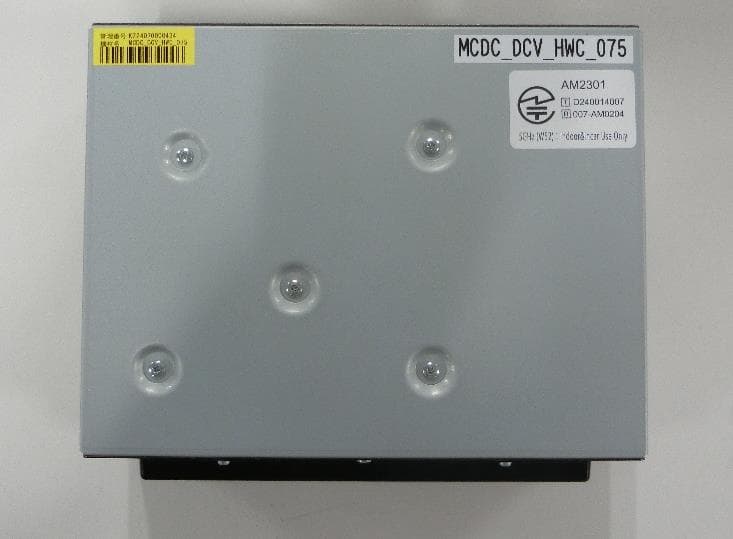
ACJ932AM2301
Jan 29, 2025Car AV Control Unit for CDC
Equipment Class
DTS - Digital Transmission SystemACJ96NKX-TGEA60B
Aug 13, 2024DECT Handset
Equipment Class
PUE - Part 15 Unlicensed PCS portable Tx held to earACJ96NKX-TGE630B
Aug 12, 2024DECT Base Unit
Equipment Class
PUB - Part 15 Unlicensed PCS Base Station