ACJ9TGCF-181APersonal Compupter CF-18 With WLAN(a+b+g)
Panasonic Corporation of North America
Click to zoom
Application Details
- Equipment Class
- DTS - Digital Transmission System
- Date of Grant
- Dec 14, 2004
- Application Purpose
- Original Equipment
- Date of Application
- Oct 18, 2004
- Equipment Note
- Personal Compupter CF-18 With WLAN(a+b+g)
- Frequency Range
- 5745.00000000 - 5825.00000000
- Country
- United States
Documents & Files
Document Text
Text extracted from the exhibit documents filed with the FCC. Open a document above to read the original.
Users Manual
Operation Starting Up/Shutting Down ............................17 Touch Pad (Basic Operation).............................20 Touchscreen (Basic Operation)..........................21 Operating in Tablet Mode ..............................22 Reference Manual .........................................24 Useful Information .........................................25 OPERATING INSTRUCTIONS Personal Computer Appendix LIMITED USE LICENSE AGREEMENT ........36 Hard Disk Backup Function .............................38 Hard Disk Data Erase Utility ..........................42 Specifications ................................................43 LIMITED WARRANTY ...................................45 Troubleshooting List of Error Codes ........................................28 Dealing with Problems (Summary)..................29 Reinstalling Software ....................................34 Getting Started Read Me First..................................................3 Names and Functions of Parts ........................8 First-time Operation ......................................12 Contents [Additional Manual] Reference Manual This manual can be accessed on your computer. Refer to page 24 on how to access the Reference Manual. Reference Manual •Read Me First •Key Combinations Reference Manual •Tablet Buttons •Touch Pad •Touchscreen •Software keyboard •Panasonic Hand Writing •Display Rotation •Standby/Hibernation Functions •Security Measures •Computing on the Road •Battery Power •PC Cards •RAM Module •Port Replicator •External Display •USB Devices •Modem •LAN •Wireless LAN •Hard Disk Drive •Setup Utility •Icon Enlarger •LED Indicators Reference Manual •Technical Information •DMI Viewer •List of Error Codes •Dealing with Problems (Advanced) Appendix Getting Started Operation Troubleshooting Model No. CF-18 Series XP Please read these instructions carefully before using this product and save this manual for future use. 2 Getting Started Introduction Thank you for purchasing the Panasonic computer. Read the operating instructions thoroughly for proper operation of your new computer. Illustrations and Terminology in this Manual Copyright This manual is copyrighted by Matsushita Electric Industrial Co., Ltd. with all rights reserved. No part of this manual may be reproduced in any form without the prior written permission of Matsushita Electric Industrial Co., Ltd. No patent liability is assumed with respect to the use of the information contained herein. ©2004 Matsushita Electric Industrial Co., Ltd. All Rights Reserved. Disclaimer Computer specifications and manuals are subject to change without notice. Matsushita Electric Industrial Co., Ltd. assumes no liability for damage incurred directly or indirectly from errors, omissions or discrepancies between the computer and the manuals. Trademarks Microsoft, Windows and the Windows logo are registered trademarks of Microsoft Corporation of the United States and/or other countries. Intel, Pentium and PROSet are either registered trademarks or trademarks of Intel Corporation. Adobe ® and Acrobat ® are either registered trademarks or trademarks of Adobe Systems Incorporated in the United States and/or other countries. Panasonic is a registered trademark of Matsushita Electric Industrial Co., Ltd. Names of products, brands, etc., appearing in this manual are trademarks or registered trademarks of their respective owner companies. NOTE:NOTE provides a useful fact or helpful information. CAUTION:CAUTION indicates a condition that may result in minor or moderate injury. Enter :This illustration means to press the [Enter] key. Fn + F5 :This illustration means to press and hold the [Fn] key, then press the [F5] key. [start]-[Run]:This illustration means to click [start], then to click [Run]. (For some applications, you may need to double-click.) :Where to go for referred information. :This illustration means to refer to the Reference Manual, which is available on your computer. Refer to page 24 on how to access this manual. Some of the illustrations in this manual may differ slightly in shape from the actual items in order to make the explana- tion easier to understand. The “CD/DVD drive” is a description about drives, such as DVD-ROM, CD-ROM, CD-R/RW, and DVD-ROM & CD- R/RW drives. In this manual, descriptions are given using illustrations not featuring the hand strap for convenience of explanation. If the user has logged on without administrator authority, some functions may not be executable, and some screens may be not displayed as shown in this manual. If this happens, log on with the administrator authority to enable these functions. Confirm the latest information on optional products in catalogs, etc. In this manual, “Microsoft ® Windows ® XP Professional” is indicated as “Windows” or “Windows XP”. *For the Model No., insert the 12 digit number (for example, CF-18DHAZXKM) located on the bottom of the computer. Customer's Record Serial No. or Date of Purchase Model No.* Code No. Dealer's Name Dealer's Address 3 Getting Started Read Me First Federal Communications Commission Radio Frequency Interference Statement Note: This equipment has been tested and found to comply with the limits for a Class B digital device, pursuant to Part 15 of the FCC Rules. These limits are designed to provide reasonable protection against harmful interference in a residential installation. This equipment generates, uses and can radiate radio frequency energy and, if not installed and used in accordance with the instructions, may cause harmful interference to radio communications. However, there is no guarantee that interference will not occur in a particular installation. If this equipment does cause harmful interference to radio or television reception, which can be determined by turning the equipment off and on, the user is encouraged to try to correct the interference by one or more of the following measures: Reorient or relocate the receiving antenna. Increase the separation betwee…
Text truncated - open the document above for the full version.
Users Manual
This manual contains supplementary instructions regarding the use of the computer. It explains the cases where the operation of the computer differs from that in the Operating Instructions. Your computer is equipped with Wireless LAN enabling you to communicate using radio frequencies. Supplementary Instructions for Wireless LAN FCC Radio Frequency Interference Requirements This product is restricted to indoor use due to its operation in the 5.15 to 5.25 GHz frequency range. FCC requires this product to be used indoors for the frequency range 5.15 to 5.25 GHz to reduce the potential for harmful interference to co-channel Mobile Satellite systems. High power radars are allocated as primary users of the 5.25 to 5.35 GHz and 5.65 to 5.85 GHz bands. These radar stations can cause interference with and /or damage this product. Specifications Data transfer rates Standards supported Transmission method Wireless channels used RF frequency band IEEE802.11a: 54/48/36/24/18/12/9/6Mbps (automatically switched) IEEE802.11g: 54/48/36/24/18/12/9/6Mbps (automatically switched) IEEE802.11b: 11/5.5/2/1 Mbps IEEE802.11a/IEEE802.11g/IEEE802.11b OFDM system, DSSS system IEEE802.11a: Channels 36 to 64, 149 to 165 IEEE802.11b/IEEE802.11g: Channels 1 to 11 IEEE802.11a: 5.18~5.32GHz, 5.745~5.825GHz IEEE802.11g/IEEE802.11b: 2412~2462MHz 3 Wireless LAN If you use a wireless LAN, you can use a network without cable connections. CAUTIONz Communication is performed through the wireless LAN antenna. Do not block the antenna area with your hand or otherwise interfere with the passage of the radio signals. NOTEz The communication speeds and distances differ depending on the devices that support the wireless LAN, the installation environment and other ambient conditions. z One characteristic of radio waves is that th eir transmission rate tends to drop as the communication distance increases. It is recommended that the devices supporting the wireless LAN be used in close vicinity to each other. z The rate may drop while a microwave oven is being used. Windows XP z Do not use the Fast User Switching function. Do not use wireless LAN on airpl anes, in hospitals, or in other locations where wireless LAN signa ls may affect the operation of devices in the vicinity. z If you intend to use the computer in the environments described above, turn the wireless LAN off using the following method: 1 Double-click or on the taskbar. 2 Select your wireless LAN adaptor and select [General]. 3 Select [Off] for [Switch radio]. 4 Select [OK].The icon will turn to . Precautions 4 Wireless LAN To prevent theft of dat a or unauthorized access to the hard disk via a wireless LAN. z If you plan to use wireless LAN functions, we recommend that you do so only after making the appropriate security settings, such as for data encryption. We recommend turning the wireless LAN off when it is not used or out of range. z If you leave the wireless LAN on, the battery's operating time is shortened. To use the wireless LAN, set the profile using the following procedure.The settings will vary for diff erent network environments de pending on the network system being used. For more details, a sk your system administrator or the person in charge of the network. CAUTIONz Set profiles for each user using the following procedure. NOTE Windows XP z If [Windows XP is currently configured to manage the Intel(R) PRO/Wireless LAN adaptor.] is displayed, select [Yes]. Windows 2000 z After setting the profile, delete the profile displayed at the time of purchase (profile name: Default). 1 Double-click on the taskbar. 2 Select your wireless LAN adap ter and select [General]. 3 Select [On] for [Switch radio]. The Settings 5 Wireless LAN 4 Select [Networks] and select [Add]. 5 Enter the profile name and network name (SSID), and then make other necessary changes, then select [Next]. 6 Make necessary changes and select [Finish]. 7 Select [OK]. NOTEz About WLAN Security ClientWLAN Security Client is an implementation of the client side of the IEEE 802.1X-Port Based Network Access Control protocol. • Since the WLAN Security Client has alre ady started when is displayed on the taskbar, do not double-start it. If is not displayed, start up the WLAN Security Client in the following menu.Windows XP Select [Start] - [All Programs] - [Int el] - [WLAN Security Client Manager]. Windows 2000Select [Start] - [Programs] - [Intel] - [WLAN Security Client Manager]. • For more information about how to use the WLAN Security Client, refer to [Help] in the menu bar or;Windows XP Select [Getting Started Guide] or [User's Guide] in [Start] - [All Programs] - [Intel].Windows 2000Select [Getting Started Guide] or [User's Guide] in [Start] - [Programs] - [Intel]. Select or on the taskbar to check the communication status.For more information about how to use the Intel PROSet, refer to [Help] in the menu bar. Check the Communication Status 6 Wireless LAN If the function fails to operate correctly Read the operating instructions for the access point carefully and check the settings. The access point fails to be displayed in [Available Networks] z Select the profile you are using, and select [Advanced] in [Networks]. [Connect to ad hoc networks only] may have been selected in [Connection preference]. In this case, select [Connect to infrastructure and ad hoc networks]. z This computer uses channels 1 through 11 *1 . Check the channel being used. *1 In the case of wireless communications, the frequency band being used can be divided into segments, so that different communications can be conducted on each band segment. A "Channel" refers to the individual frequency bandwidth divisions. The access point cannot be accessed z The network key setting may not conform to the access point.Check the network key setting of the access point and, if necessary, set it again correctly. z Depending on the access point and settings, access may not be accepted unless the computer's MAC address is registered b…
Text truncated - open the document above for the full version.
Users Manual
Operation Starting Up/Shutting Down ............................17 Touch Pad (Basic Operation).............................20 Touchscreen (Basic Operation)..........................21 Operating in Tablet Mode ..............................22 Reference Manual .........................................24 Useful Information .........................................25 OPERATING INSTRUCTIONS Personal Computer Appendix LIMITED USE LICENSE AGREEMENT ........36 Hard Disk Backup Function .............................38 Hard Disk Data Erase Utility ..........................42 Specifications ................................................43 LIMITED WARRANTY ...................................45 Troubleshooting List of Error Codes ........................................28 Dealing with Problems (Summary)..................29 Reinstalling Software ....................................34 Getting Started Read Me First..................................................3 Names and Functions of Parts ........................8 First-time Operation ......................................12 Contents [Additional Manual] Reference Manual This manual can be accessed on your computer. Refer to page 24 on how to access the Reference Manual. Reference Manual •Read Me First •Key Combinations Reference Manual •Tablet Buttons •Touch Pad •Touchscreen •Software keyboard •Panasonic Hand Writing •Display Rotation •Standby/Hibernation Functions •Security Measures •Computing on the Road •Battery Power •PC Cards •RAM Module •Port Replicator •External Display •USB Devices •Modem •LAN •Wireless LAN •Hard Disk Drive •Setup Utility •Icon Enlarger •LED Indicators Reference Manual •Technical Information •DMI Viewer •List of Error Codes •Dealing with Problems (Advanced) Appendix Getting Started Operation Troubleshooting Model No. CF-18 Series XP Please read these instructions carefully before using this product and save this manual for future use. 2 Getting Started Introduction Thank you for purchasing the Panasonic computer. Read the operating instructions thoroughly for proper operation of your new computer. Illustrations and Terminology in this Manual Copyright This manual is copyrighted by Matsushita Electric Industrial Co., Ltd. with all rights reserved. No part of this manual may be reproduced in any form without the prior written permission of Matsushita Electric Industrial Co., Ltd. No patent liability is assumed with respect to the use of the information contained herein. ©2004 Matsushita Electric Industrial Co., Ltd. All Rights Reserved. Disclaimer Computer specifications and manuals are subject to change without notice. Matsushita Electric Industrial Co., Ltd. assumes no liability for damage incurred directly or indirectly from errors, omissions or discrepancies between the computer and the manuals. Trademarks Microsoft, Windows and the Windows logo are registered trademarks of Microsoft Corporation of the United States and/or other countries. Intel, Pentium and PROSet are either registered trademarks or trademarks of Intel Corporation. Adobe ® and Acrobat ® are either registered trademarks or trademarks of Adobe Systems Incorporated in the United States and/or other countries. Panasonic is a registered trademark of Matsushita Electric Industrial Co., Ltd. Names of products, brands, etc., appearing in this manual are trademarks or registered trademarks of their respective owner companies. NOTE:NOTE provides a useful fact or helpful information. CAUTION:CAUTION indicates a condition that may result in minor or moderate injury. Enter :This illustration means to press the [Enter] key. Fn + F5 :This illustration means to press and hold the [Fn] key, then press the [F5] key. [start]-[Run]:This illustration means to click [start], then to click [Run]. (For some applications, you may need to double-click.) :Where to go for referred information. :This illustration means to refer to the Reference Manual, which is available on your computer. Refer to page 24 on how to access this manual. Some of the illustrations in this manual may differ slightly in shape from the actual items in order to make the explana- tion easier to understand. The “CD/DVD drive” is a description about drives, such as DVD-ROM, CD-ROM, CD-R/RW, and DVD-ROM & CD- R/RW drives. In this manual, descriptions are given using illustrations not featuring the hand strap for convenience of explanation. If the user has logged on without administrator authority, some functions may not be executable, and some screens may be not displayed as shown in this manual. If this happens, log on with the administrator authority to enable these functions. Confirm the latest information on optional products in catalogs, etc. In this manual, “Microsoft ® Windows ® XP Professional” is indicated as “Windows” or “Windows XP”. *For the Model No., insert the 12 digit number (for example, CF-18DHAZXKM) located on the bottom of the computer. Customer's Record Serial No. or Date of Purchase Model No.* Code No. Dealer's Name Dealer's Address 3 Getting Started Read Me First Federal Communications Commission Radio Frequency Interference Statement Note: This equipment has been tested and found to comply with the limits for a Class B digital device, pursuant to Part 15 of the FCC Rules. These limits are designed to provide reasonable protection against harmful interference in a residential installation. This equipment generates, uses and can radiate radio frequency energy and, if not installed and used in accordance with the instructions, may cause harmful interference to radio communications. However, there is no guarantee that interference will not occur in a particular installation. If this equipment does cause harmful interference to radio or television reception, which can be determined by turning the equipment off and on, the user is encouraged to try to correct the interference by one or more of the following measures: Reorient or relocate the receiving antenna. Increase the separation betwee…
Text truncated - open the document above for the full version.
External Photos
<CF-18 WLANa+b+g model photo> 1) CF-18 Top/Front View Top View Front View 2) WLAN Card position WLAN Card Position
External Photos
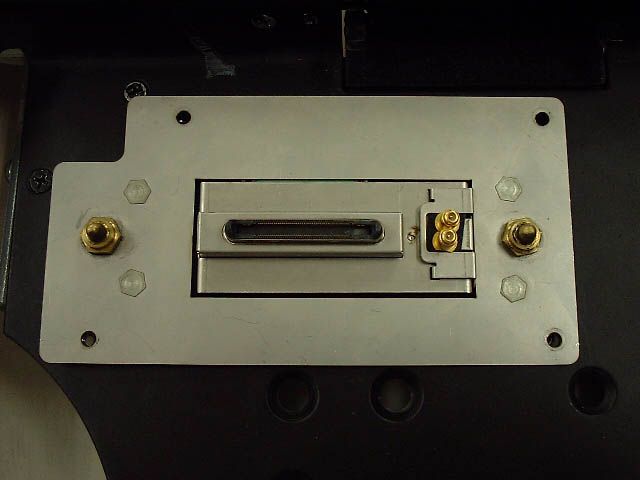
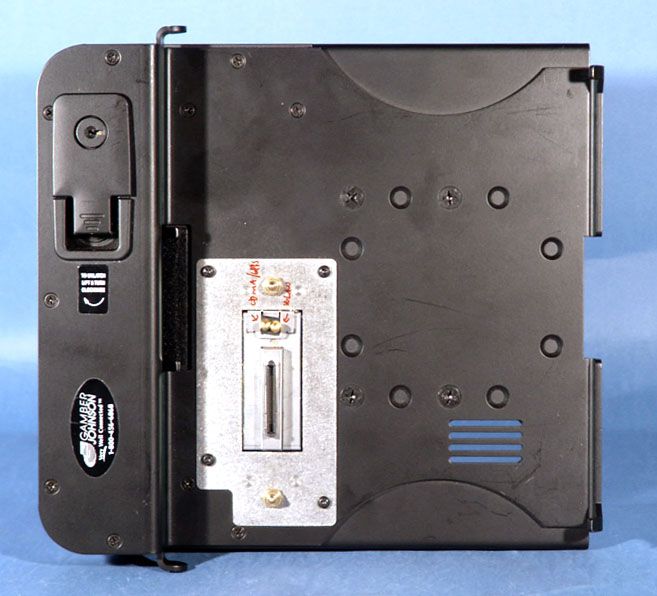
CF18 <-> Car Mounter with 2 external Antenna Port Connection 1) Photo CDMA/GPRS Antenna Connector for Car Mounter WLAN Antenna Connector for Car Mounter Extension Bus Connector (include ID pin) Mechanical Switch WLAN Main Tx/Rx Antenna cable 2) Block Diagram for Mechanical Switch CF18 Extension Bus External WLAN antenna Connector Internal Integral WLAN antenna Stand alone Intel WLAN Module CF18 Extension Bus External WLAN antenna Connector Car Mounter docked * Internal Integral WLAN antenna is disconnected. 3) Car Mounter auto detection and 802.11a disable procedure Car Mounter docked Expantion Connector ID pin (Pin No. 22) signal H -> L ID pin L signal -> Micro-com Micro-Com makes System interrupt 802.11a OFF utility operate automatically Prohibition of 802.11a mode operation during docked
External Photos
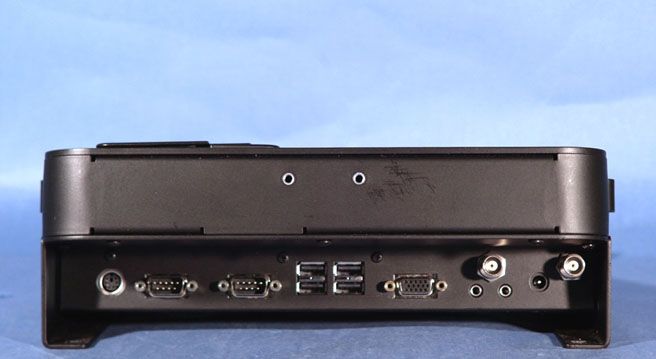
PANASONIC FCC ID: ACJ9TGCF-188 EUT Photographs © 2004 PCTEST Lab. Notebook PC w/ Car Mounter / WLAN & GPRS Module Model: CF-18 PANASONIC FCC ID: ACJ9TGCF-188 EUT Photographs © 2004 PCTEST Lab. Notebook PC w/ Car Mounter / WLAN & GPRS Module Model: CF-18 PANASONIC FCC ID: ACJ9TGCF-188 EUT Photographs © 2004 PCTEST Lab. Notebook PC w/ Car Mounter / WLAN & GPRS Module Model: CF-18
ID Label/Location Info
<CF-18 WLANa+b+g model’s Label Description> 1) FCCID Label 2) FCC DoC Logo FCC ID: ACJ9TGCF-181A This device complies with Part 15 of the FCC Rules. Operation is subject to the following two conditions. (1) this device may not cause harmful interference, and (2) this device must accept any interference received, including interference that may cause undesired operation. FCC DoC LABEL FCC ID LABEL
Internal Photos
3) WLAN exterior photo WLAN Top View *The Rating Plate of above photo is not final. See hereinafter Rating Plate design. WLAN Bottom View 4) WLAN interior photo WLAN inside Top View WLAN inside Bottom View 5) Antenna position LCD Left Side View WLAN Main TX/RX Antenna WLAN Main TX/RX Antenna LCD Right Side View WLAN Aux TX/RX Antenna WLAN Aux TX/RX Antenna 6) Antenna Specification WLAN Main TX/RX Antenna: Pattern Antenna (Inverted F type: 1.42dBi max) WLAN Aux TX/RX Antenna: Pattern Antenna (Inverted F type: 2.59dBi max) Note) WLAN Main/Aux Antenna is diversity Antenna.
RF Exposure Info
PCTEST ENGINEERING LABORATORY, INC. 6660 – B Dobbin Road • Columbia, MD 21045 • USA Telephone 410.290.6652 / Fax 410.290.6654 http://www.pctestlab.com (email: [email protected]) CERTIFICATE OF COMPLIANCE (SAR EVALUATION) PCTEST SAR REPORT FCC CERTIFICATION Reviewed by: Quality Manager SAR Filename: SAR.240902548.ACJ Test Dates: Sept. 20-22, 2004 Phone Type: Panasonic Notebook PC w/ Intel Centrino WLAN FCC ID: ACJ9TGCF-181A Page 1 of 32 © 2004 PCTEST Engineering Laboratory, Inc APPLICANT NAME & ADDRESS: DATE & LOCATION OF TESTING: Matsushita Electric Industrial Co., Ltd. Dates of Tests: September 20-22, 2004 1006 Oaza Kadoma, Kadoma, Test Report S/N: SAR.240902548.ACJ Osaka, 571 JAPAN Test Site: PCTEST Lab, Columbia MD Project No.: ITPD-04-F104A FCC ID: ACJ9TGCF-181A APPLICANT: Matsushita Electric Industrial Co., Ltd. EUT Type: Notebook PC w/ WLAN (Intel Centrino Model: 2915ABG) Tx/Rx Frequency: 2412 – 2462 MHz (DSSS/OFDM) 5180 – 5320 MHz / 5745 – 5825 MHz (OFDM) Max. RF Output Power: 16.13 dBm Peak Conducted (2.4 GHz DSSS/OFDM) 14.08 dBm Peak Conducted (5.8 GHz OFDM) 15.86 dBm Peak Conducted (5.2 GHz OFDM) Max. SAR Measurement: 0.034 W/kg Laptop Body SAR; 1.180 W/kg Bystander Body SAR; Trade Name/Model(s): CF-18mk3 FCC Classification(s): Digital Transmission System (DTS) Unlicensed National Information Infrastructure (NII) FCC Rule Part(s): §2.1093; FCC/OET Bulletin 65 Supplement C [July 2001] Application Type: Certification Test Device Serial No.: identical prototype [S/N: #4AKYA20526] This wireless portable device has been shown to be capable of compliance for localized specific absorption rate (SAR) for uncontrolled environment/general population exposure limits specified in ANSI/IEEE Std. C95.1-1992 and had been tested in accordance with the measurement procedures specified in FCC/OET Bulletin 65 Supplement C (2001) and IEEE Std. 1528 - 2003. I attest to the accuracy of data. All measurements reported herein were performed by me or were made under my supervision and are correct to the best of my knowledge and belief. I assume full responsibility for the completeness of these measurements and vouch for the qualifications of all persons taking them. Grant Conditions: Output power listed is Conducted. SAR compliance for body-worn operating configuration is based on a separation distance of 0.0 cm between the bottom of the unit and the body of the user. End-users must be informed of the body-worn operating configurations for satisfying RF exposure compliance. PCTEST certifies that no party to this application has been denied the FCC benefits pursuant to Section 5301 of the Anti-Drug Abuse Act of 1988, 21 U.S.C. 862. PCTEST SAR REPORT FCC CERTIFICATION Reviewed by: Quality Manager SAR Filename: SAR.240902548.ACJ Test Dates: Sept. 20-22, 2004 Phone Type: Panasonic Notebook PC w/ Intel Centrino WLAN FCC ID: ACJ9TGCF-181A Page 2 of 32 © 2004 PCTEST Engineering Laboratory, Inc TABLE OF CONTENTS 1. INTRODUCTION / SAR DEFINITION.................................................................................3 2. SAR MEASUREMENT SETUP.............................................................................................4 3. DASY4 E-FIELD PROBE SYSTEM........................................................................................5 4. Probe Calibration Process..................................................................................................6 5. PHANTOM & EQUIVALENT TISSUES................................................................................7 6. TEST SYSTEM SPECIFICATIONS.........................................................................................8 7. DOSIMETRIC ASSESSMENT & PHANTOM SPECS...............................................................9 8. DEFINITION OF REFERENCE POINTS..............................................................................10 9. TEST CONFIGURATION POSITIONS...............................................................................11 10. ANSI/IEEE C95.1 - 1992 RF EXPOSURE LIMITS.................................................................12 11. MEASUREMENT UNCERTAINTIES...............................................................................13-14 12. SYSTEM VERIFICATION..................................................................................................15 13. SAR TEST DATA SUMMARY...........................................................................................16 14. SAR DATA SUMMARY...............................................................................................17-29 15. SAR TEST EQUIPMENT...................................................................................................29 16. CONCLUSION...............................................................................................................30 17. REFERENCES..................................................................................................................31 PCTEST SAR REPORT FCC CERTIFICATION Reviewed by: Quality Manager SAR Filename: SAR.240902548.ACJ Test Dates: Sept. 20-22, 2004 Phone Type: Panasonic Notebook PC w/ Intel Centrino WLAN FCC ID: ACJ9TGCF-181A Page 3 of 32 © 2004 PCTEST Engineering Laboratory, Inc 1. INTRODUCTION / SAR DEFINITION The FCC has adopted the guidelines for evaluating the environmental effects of radiofrequency radiation in ET Docket 93-62 on Aug. 6, 1996 to protect the public and workers from the potential hazards of RF emissions due to FCC-regulated portable devices.[1] The safety limits used for the environmental evaluation measurements are based on the criteria published by the American National Standards Institute (ANSI) for localized specific absorption rate (SAR) in IEEE/ANSI C95.1-1992 Standard for Safety Levels with Respect to Human Exposure to Radio Frequency Electromagnetic Fields, 3 kHz to 300 GHz. (c) 1992 by the Institute of Electrical and Electronics Engineers, Inc., New York, New York 10017.[2] The measurement procedure describ…
Text truncated - open the document above for the full version.
RF Exposure Info
2004/7/20 This document is NOT for FCC/TCB Application. Do NOT upload to FCC Web. Model Name: CF-18 Location LCD side/edge Location LCD side/edge Antenna - bottom < 20 cm Location LCD side/edge *co-locateddistance < 20cm Antenna - bottom < 20 cmLocation LCD side/edge *co-locateddistance < 20cm WLAN(a/b/g) diversity antennaBluetooth antennaCDMA or GPRS antenna
Test Report
© 2004 PCTEST Engineering Laboratory, Inc. PCTEST ENGINEERING LABORATORY, INC. 6660 – B Dobbin Road • Columbia, MD 21045 • USA Telephone 410.290.6652 / Fax 410.290.6654 http://www.pctestlab.com (email: [email protected]) CERTIFICATE OF COMPLIANCE MANUFACTURER NAME & ADDRESS: DATE & LOCATION OF TESTING: Matsushita Electric Industrial Co., Ltd. Date(s) of Tests: September 20-22, 2004 1006 Oaza Kadoma, Kadoma, Test Report S/N: 15.240902547.ACJ Osaka, 571 JAPAN Test Site: PCTEST Lab, Columbia, MD Project No.: ITPD-04-F104A FCC ID: ACJ9TGCF-181A APPLICANT: Matsushita Electric Industrial Co., Ltd. SUMMARY: Model No.: CF-18 Equipment EUT Type: Notebook PC w/ Intel WLAN Max. Output Power: 18.85 dBm Peak Conducted (b) 23.67 dBm Peak Conducted (g) 20.14 dBm Peak Conducted (a) Frequency Range: 2412 - 2462 MHz (DSSS/OFDM) 5745 – 5825 MHz (OFDM) FCC Classification: Digital Transmission System (DTS) FCC Rule Part(s): Parts 15.247; ANSI C-63.4-2001 Test Device Serial No.: S/N: 4AKYA20526 This equipment has been shown to be capable of compliance with the applicable technical standards as indicated in the measurement report and was tested in accordance with the measurement procedures specified in ANSI C-63.4-2001. I authorize and attest to the accuracy of data. All measurements reported herein were performed by me or were made under my supervision and are correct to the best of my knowledge and belief. I assume full responsibility for the completeness of these measurements and vouch for the qualifications of all persons taking them. PCTEST certifies that no party to this application has been denied the FCC benefits pursuant to Section 5301 of the Anti- Drug Abuse Act of 1988, 21 U.S.C. 862. Digital Transmission System (DTS), 15.247 PCTEST LAB TEST REPORT 15.247 FCC Measurement Report Reviewed by: Quality Manager Filename: 15.240902547.ACJ Test Dates: Sept. 20-22, 2004 EUT Type: Notebook PC w/ WLAN FCC ID: ACJ9TGCF-181A Page i of i © 2004 PCTEST Engineering Laboratory, Inc. CONFIDENTIAL PROPERTY OF PCTEST TABLE OF CONTENTS ATTESTATION STATEMENTS.............................................................................................................................1 FCC 15.247 MEASUREMENT REPORT COVER PAGE......................................................................................................2 1.0 INTRODUCTION.......................................................................................................................................................3 1.1 EVALUATION PROCEDURE.......................................................................................................................................................................................................3 1.2 SCOPE................................................................................................................................................................................................................................................3 1.3 PCTEST TEST LOCATION............................................................................................................................................................................................................3 2.0 PRODUCT INFORMATION......................................................................................................................................4…
Text truncated - open the document above for the full version.
Contact Information
Applicant
Ben Botros(Manager - Regulatory & Compliance)
Test Firm
PCTEST Engineering Laboratory, Inc.Randy Ortanez
Technical Specifications
| # | Rule Parts | Frequency Range | Power Output |
|---|---|---|---|
| 2 | 15C | 5.75 GHz - 5.83 GHz | 103.00 mW |
Other Applications from Panasonic Corporation of North America
ACJ-EAH-A1000
Aug 19, 2026Digital Wireless Stereo Headphones
Equipment Class
DSS - Part 15 Spread Spectrum TransmitterACJ9TGFZVNF3G1
Jun 16, 2026Contactless Smart Card Reader
Equipment Class
DXX - Part 15 Low Power Communication Device Transmitter
ACJ932AM2301
Jan 29, 2025Car AV Control Unit for CDC
Equipment Class
DTS - Digital Transmission SystemACJ96NKX-TGEA60B
Aug 13, 2024DECT Handset
Equipment Class
PUE - Part 15 Unlicensed PCS portable Tx held to earACJ96NKX-TGE630B
Aug 12, 2024DECT Base Unit
Equipment Class
PUB - Part 15 Unlicensed PCS Base Station