AMWUH052APortable Emergency Cellular Telephone
Uniden America Corporation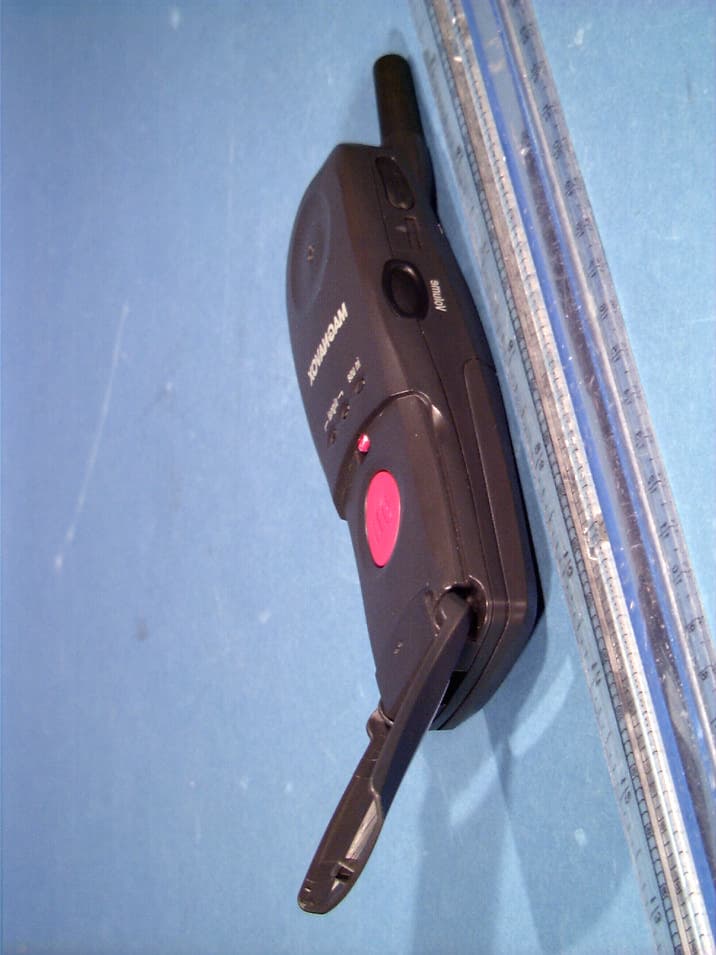
Click to zoom
Application Details
- Equipment Class
- TNE - Licensed Non-Broadcast Transmitter Held to Ear
- Date of Grant
- Apr 24, 2001
- Application Purpose
- Original Equipment
- Date of Application
- Feb 11, 2001
- Equipment Note
- Portable Emergency Cellular Telephone
- Frequency Range
- 824.04000000 - 848.97000000
- Company
- Uniden America Corporation
- Country
- United States
Documents & Files
Document Text
Text extracted from the exhibit documents filed with the FCC. Open a document above to read the original.
Users Manual
Mobile911 • Connects you directly to a 911 operator • Works anywhere in the US and Canada where analog cellular phones work • Requires no contracts, monthly service, activation or roaming charges • Includes a loud 95 decibel panic siren • No recharging; batteries last up to one year PACKAGE CONTENTS Mobile911 4 AAA Alkaline Belt Clip CONTROLS LEFT KEY: Volume adjust RIGHT KEY: Signal/battery test. Signal lights, Antenna, Call button, Microphone, Earpiece, Battery compartment, Siren, In-use light 4 AAA Alkaline Batteries To TEST SIGNAL & BATTERY Press "signal" button for 1 second To Call a 911 Operator Flip dow n cover, Press Call button until unit beeps and lights flash momentarily, Wait and watch signal lights: FLASHING ORANGE- Searching for cellular signal, SOLID RED- Call cannot be placed because no cellular signal is available, SOLID GREEN- Now dialing a 911 Operator, Listen for Operator OPTIONAL: Press once to increase volume To end the call, press the Signal button for one second PANIC SIREN: Press both buttons until unit beeps Stop siren: Press both buttons again for 3 seconds While siren is sounding, you can still dial Operator. Press and hold the red Call button The siren will turn off automatically. IMPORTANT SAFETY INFORM ATION • Most 911 Call Centers do not have the capability to identify the location of a cellular call, unless the caller verbally provides that information. It is important to immediately identify your location to 911 operators when placing an emergency call to 911. Before saying anything else to the 911 operator, give an address and/or any nearby landmarks to help speed assistance. • Do not hang up until instructed to do so by a 911 operator. If your 911 call somehow gets disconnected, Mobile911's yellow "i n us e" light will t urn off. Mobile911 cannot receive calls, so a 911 operator will be unable to call you back. Simply press and hold the Call button for two seconds to place another 911 call. • In the unlikely event that you press the Call button and you hear a recorded message, or a 911 operator does not answer, simply press and hold the Signal button to "hang up". Press and hold the Call button again, and Mobile911 will attempt to redial a 911 operator through an alternate cellular carrier. Please feel free to contact customer service with questions or concerns. Checking Batteries & Availability of Service Press and hold the "signal" button until unit beeps. After several flashes and beeps, the lights will display: Green light - Cellular signal is available Red light - Cellular signal is unavailable All lights flash - batteries are weak and must be replaced The lights will tur n off automatically after 60 seconds. Troubleshooting Problems • Verify that the batteries are inserted correctly and are not weak. • After pushing the red Call button until it beeps, look at the lights labeled "signal". If the red signal light becomes solid, this indicates that no signal could be found and your call will not go through to a 911 operator. INST ALLING BELT CLIP Insert the belt clip into the slots on each side Clip removes by releasing one side Battery Maintenance When batteries are low, the unit will beep and all lights flash after pressing and holding "signal" button. Check batteries yearly even if the Mobile911 has not been used. Check batteries each time you place a 911 call. Use AAA alkaline batteries only. Never put discarded batteries into a fire or physically damage them. Avoid mixing old and new batteries or mixing different brands. Maintenance Clean Mobile911 with a soft, dry cloth. If necessary, dampen the cloth with diluted detergent then dry with a clean cloth. Caution: Other cleaning chemicals may discolor the surface. IMPOR TANT MESSAGE PLEASE READ Mobile911 is not guaranteed to contact emergency services. Mobile911 is intended solely for use in the United States and Canada. 911 emergency services are not available in all areas. Analog cellular service is not available in all areas. Prior to your first use of Mobile911 you should call your local emergency communications office and verify that wireless 911 service is available in your area. You should also remember that the availability of wireless 911 does not mean Mobile911 will always work. If you are in an area with insufficient cellular service, the call cannot be placed. Further, even if you contact emergency services, the emergency service provider may not properly respond. You must also remember to keep fresh batteries in Mobile911. In the United States, current Federal Communications Commission (FCC) Regulations require cellular service providers to pass all 911 calls through to all 911 emergency centers that have requested the calls regardless of whether the call originates from a cellular service provider’s paid subscriber. In Canada, cellular service providers currently pass all 911 calls through to 911 centers on a voluntary basis. Should FCC regulations change or if the policy of the Canadian service providers changes, 911 access through Mobile911 may be modified or eliminated. Mobile911 should not be used in Nova Scotia according to Chapter 4 of the Nova Scotia Emergency "911" Act of 1992, which states that no person shall use an automatic dialer to dial the number "911". 90-Day Limited Warranty WHO IS COVERED? Only the original purchaser is covered. You must have the original sales invoice to obtain warranty service. WHAT IS COVERED? Mobile911 is warranted to be free from defects in materials and workmanship. Mobile911 IS NOT GUARANTEED TO CONTACT EMERGENCY SERVICES IN ALL I NSTANCES. HOW DO I OBTAIN WARRANTY SERVICE? Contact SecureAlert, LLC at 1-888-809-1253. You will be given a return authorization code and the address to which the defective product may be sent. You must send the defective product and the original sales invoice, postage paid, to SecureAlert, LLC. SecureAlert, LLC will repair or replace the defective product with a new, renewed, or comparable product at no charge to …
Text truncated - open the document above for the full version.
Users Manual
StreetSafe Concierge Ser vice • Connects you directly to Concierge services • Works anywhere in the US and Canada where analog cellular phones work • Includes a loud 95 decibel panic siren • No recharging PACKAGE CONTENTS StreetSafe 4 AAA Alkaline Belt Clip CONTROLS LEFT KEY: Volume adjust RIGHT KEY: Power on/off, test signal/batt. Signal lights, Antenna, Concierge Call button, Microphone, Earpiece, Battery compartment, Siren, In-use light 4 AAA Alkaline Batteries To TEST SIGNAL & BATTERY Press "signal" button for 1 second To Call Concierge Service Operator Flip dow n cover, Press Call button until unit beeps and lights flash momentarily, Wait and watch signal lights: FLASHING ORANGE- Searching for cellular signal, SOLID RED- Call cannot be placed because no cellular signal is available, SOLID GREEN- Now dialing the Concierge Service Center, Listen for Operator OPTIONAL: Press once to increase volume To end the call, press the Signal button for one second PANIC SIREN: Press both buttons until unit beeps Stop siren: Press both buttons again for 3 seconds While siren is sounding, you can still dial Operator. Press and hold the red Call button The siren will turn off automatically. IMPORTANT 911 SAFETY INFORMATION • The StreetSafe can also connect you to a 911 operator. Simply press the Signal button and wait for the green light. You will have 60 seconds to press the red Call button to call a 911operator. To end the call, press the Signal button for 1 second. • Most 911 Call Centers do not have the capability to identify the location of a cellular call, unless the caller verbally provides that information. It is important to immediately identify your location to 911 operators when placing an emergency call to 911. Before saying anything else to the 911 operator, give an address and/or any nearby landmarks to help speed assistance. • Do not hang up until instructed to do so by a 911 operator. If your 911call somehow gets disconnected, StreetSafe's yellow "in use" light will tur n off. StreetSafe cannot receive calls, so a 911 operator will be unable to call you back. Simply press the Signal button and wait for a green light. Press the red call button to place another 911 call. • In the unlikely event that you attempt to call 911 and you hear a recorded message, or a 911 operator does not answer, simply press and hold the Signal button to "hang up". Press and hold the Signal button again and wait for the green light. You will have 60 seconds to press the red Call button to call a 911 operator. StreetSafe will attempt to redial 911 through an alternate cellular carrier. Please feel free to contact customer service with questions or concerns. Checking Batteries & Availability of Service Press and hold the "signal" button until unit beeps. After several flashes and beeps, the lights will display: Green light - Cellular signal is available Red light - Cellular signal is unavailable All lights flash - batteries are weak and must be replaced The lights will tur n off automatically after 60 seconds. Troubleshooting Problems • Verify that the batteries are inserted correctly and are not weak. • After pushing the red Call button until it beeps, look at the lights labeled "signal". If the red signal light becomes solid, this indicates that no signal could be found and your call will not go through to the Concierge Ser vice Center. INST ALLING BELT CLIP Insert the belt clip into the slots on each side Clip removes by releasing one side Battery Maintenance When batteries are low, the unit will beep and all lights flash after pressing and holding "signal" button. Check batteries yearly even if the StreetSafe has not been used. Check batteries each time you place a Concierge or 911 call. Use AAA alkaline batteries only. Never put discarded batteries into a fire or physically damage them. Avoid mixing old and new batteries or mixing different brands. Maintenance Clean Street Safe with a soft, dry cloth. If necessary, dampen the cloth with diluted detergent then dry with a clean cloth. Caution: Other cleaning chemicals may discolor the surface. IMPOR TANT MESSAGE PLEASE READ StreetSafe is not guaranteed to contact emergency services. StreetSafe is intended solely for use in the United States and Canada. 911 emergency services are not available in all areas. Analog cellular service is not available in all areas. Prior to your first use of StreetSafe you should call your local emergency communications office and verify that wireless 911 service is available in your area. You should also remember that the availability of wireless 911 does not mean StreetSafe will always work. If you are in an area with insufficient cellular service, the call cannot be placed. Further, even if you contact emergency services, the emergency service provider may not properly respond. You must also remember to keep fresh batteries in StreetSafe. In the United States, current Federal Communications Commission (FCC) Regulations require cellular service providers to pass all 911 calls through to all 911 emergency centers that have requested the calls regardless of whether the call originates from a cellular service provider’s paid subscriber. In Canada, cellular service providers currently pass all 911 calls through to 911 centers on a voluntary basis. Should FCC regulations change or if the policy of the Canadian service providers changes, 911 access through StreetSafe may be modified or eliminated. StreetSafe should not be used in Nova Scotia according to Chapter 4 of the Nova Scotia Emergency "911" Act of 1992, which states that no person shall use an automatic dialer to dial the number "911". Warranty WHO IS COVERED? Only the original purchaser is covered. You must have the original sales invoice to obtain warranty service. WHAT IS COVERED? StreetSafe is warranted to be free from defects in materials and workmanship. StreetSafe IS NOT GUARANTEED TO CONTACT EMERGENCY SERVICES IN ALL I NSTANCES. HOW DO I OBTAIN WARRANTY SERVICE? Cont…
Text truncated - open the document above for the full version.
External Photos
© 2001 PCTEST Lab UNIDEN FCC ID: AMWUH052A (Model: ASC911A) NVLAP Lab Code: 100431-0 Single-Band Analog Panic Phone (AMPS) © 2001 PCTEST Lab UNIDEN FCC ID: AMWUH052A (Model: ASC911A) NVLAP Lab Code: 100431-0 Single-Band Analog Panic Phone (AMPS) © 2001 PCTEST Lab UNIDEN FCC ID: AMWUH052A (Model: ASC911A) NVLAP Lab Code: 100431-0 Single-Band Analog Panic Phone (AMPS) © 2001 PCTEST Lab UNIDEN FCC ID: AMWUH052A (Model: ASC911A) NVLAP Lab Code: 100431-0 Single-Band Analog Panic Phone (AMPS) © 2001 PCTEST Lab UNIDEN FCC ID: AMWUH052A (Model: ASC911A) NVLAP Lab Code: 100431-0 Single-Band Analog Panic Phone (AMPS) © 2001 PCTEST Lab UNIDEN FCC ID: AMWUH052A (Model: ASC911A) NVLAP Lab Code: 100431-0 Single-Band Analog Panic Phone (AMPS) © 2001 PCTEST Lab UNIDEN FCC ID: AMWUH052A (Model: ASC911A) NVLAP Lab Code: 100431-0 Single-Band Analog Panic Phone (AMPS) © 2001 PCTEST Lab UNIDEN FCC ID: AMWUH052A (Model: ASC911A) NVLAP Lab Code: 100431-0 Single-Band Analog Panic Phone (AMPS) © 2001 PCTEST Lab UNIDEN FCC ID: AMWUH052A (Model: ASC911A) NVLAP Lab Code: 100431-0 Single-Band Analog Panic Phone (AMPS)
ID Label/Location Info
© 2001 PCTEST Lab UNIDEN FCC ID: AMWUH052A (Model: ASC911A) NVLAP Lab Code: 100431-0 Single-Band Analog Panic Phone (AMPS) © 2001 PCTEST Lab UNIDEN FCC ID: AMWUH052A (Model: ASC911A) NVLAP Lab Code: 100431-0 Single-Band Analog Panic Phone (AMPS)
Internal Photos
© 2001 PCTEST Lab UNIDEN FCC ID: AMWUH052A (Model: ASC911A) NVLAP Lab Code: 100431-0 Single-Band Analog Panic Phone (AMPS) © 2001 PCTEST Lab UNIDEN FCC ID: AMWUH052A (Model: ASC911A) NVLAP Lab Code: 100431-0 Single-Band Analog Panic Phone (AMPS) © 2001 PCTEST Lab UNIDEN FCC ID: AMWUH052A (Model: ASC911A) NVLAP Lab Code: 100431-0 Single-Band Analog Panic Phone (AMPS) © 2001 PCTEST Lab UNIDEN FCC ID: AMWUH052A (Model: ASC911A) NVLAP Lab Code: 100431-0 Single-Band Analog Panic Phone (AMPS) © 2001 PCTEST Lab UNIDEN FCC ID: AMWUH052A (Model: ASC911A) NVLAP Lab Code: 100431-0 Single-Band Analog Panic Phone (AMPS) © 2001 PCTEST Lab UNIDEN FCC ID: AMWUH052A (Model: ASC911A) NVLAP Lab Code: 100431-0 Single-Band Analog Panic Phone (AMPS) © 2001 PCTEST Lab UNIDEN FCC ID: AMWUH052A (Model: ASC911A) NVLAP Lab Code: 100431-0 Single-Band Analog Panic Phone (AMPS) © 2001 PCTEST Lab UNIDEN FCC ID: AMWUH052A (Model: ASC911A) NVLAP Lab Code: 100431-0 Single-Band Analog Panic Phone (AMPS)
RF Exposure Info
835MHz Brain Dipole Validation Generic Twin Phantom; Flat Section; Probe: ET3DV5 - SN1370 -- Probe Cal Date 02/00 Med. Parameters 835 MHz Brain: σ = 0.86 mho/m ε r = 42.5 ρ = 1.00 g/cm 3 ; Antenna Position -- Out; Crest Factor 1.0 SAR (1g): 2.11 mW/g, SAR (10g): 1.40 mW/g 835MHz Brain Dipole Validation (D835V2 S/N: 406) Frequency: 835 MHz; Antenna Input Power: 250 [mW] PCTEST Brain Tissue Simulating Liquid SAR Tot [mW/g] 2.17E-1 6.51E-1 1.08E+0 1.52E+0 1.95E+0 PCTEST Engineering Laboratory, Inc.
RF Exposure Info
835MHz Muscle Dipole Validation Generic Twin Phantom; Flat Section; Probe: ET3DV5 - SN1370 -- Probe Cal Date 02/00 Med. Parameters 835 MHz Muscle: σ = 0.95 mho/m ε r = 56.2 ρ = 1.00 g/cm 3 ; Antenna Position -- Out; Crest Factor 1.0 SAR (1g): 2.16 mW/g, SAR (10g): 1.43 mW/g 835MHz Muscle Dipole Validation (D835V2 S/N: 406) Frequency: 835 MHz; Antenna Input Power: 250 [mW] PCTEST Muscle Tissue Simulating Liquid SAR Tot [mW/g] 2.73E-1 8.20E-1 1.37E+0 1.91E+0 2.46E+0 PCTEST Engineering Laboratory, Inc.
RF Exposure Info
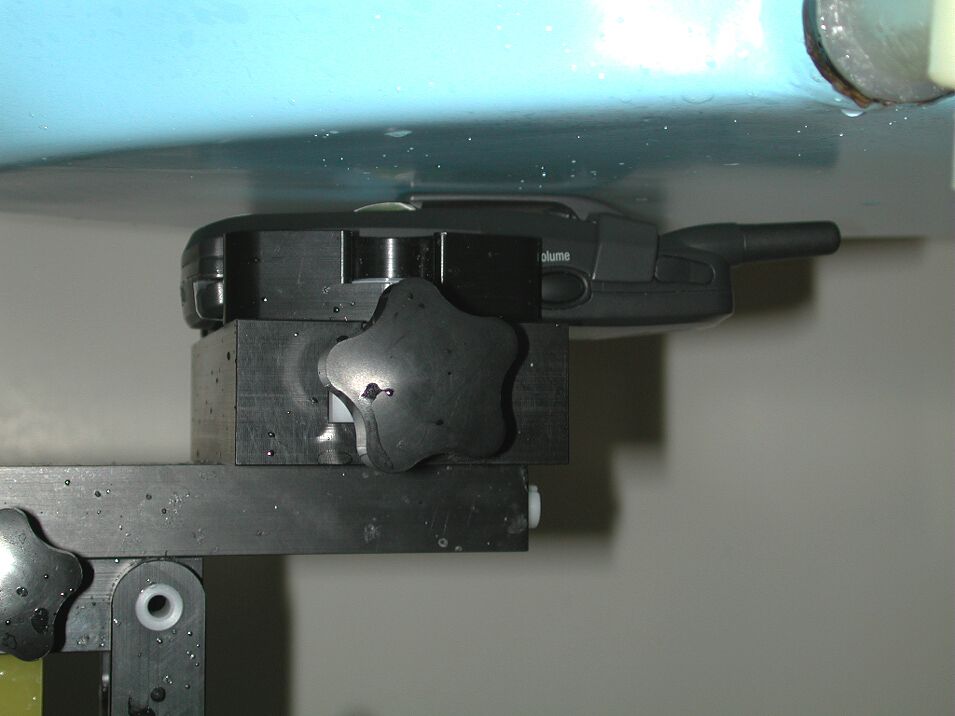
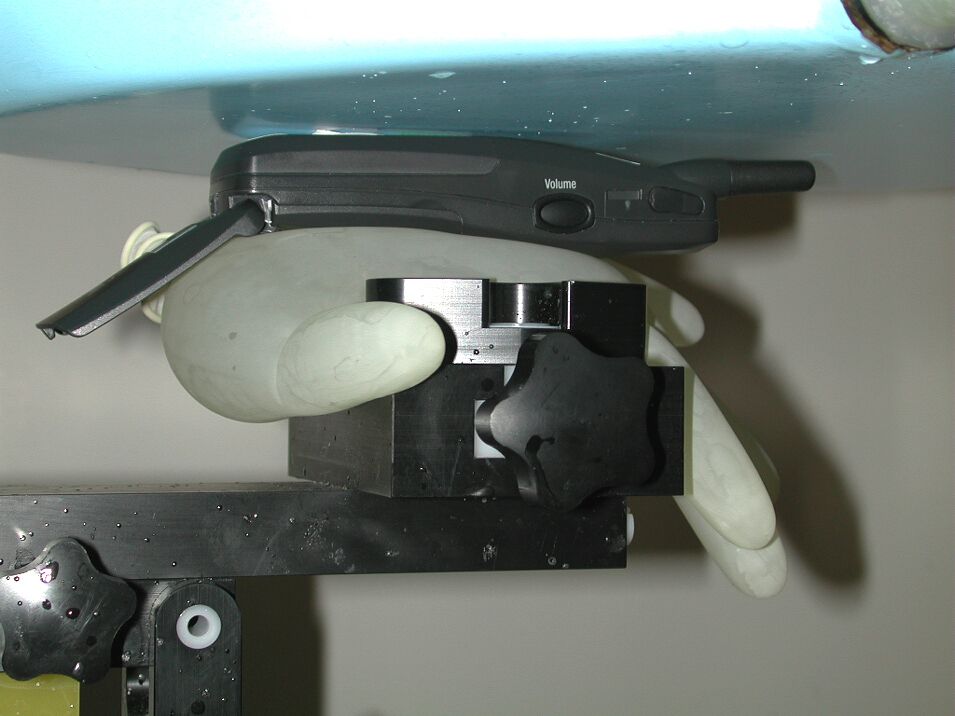
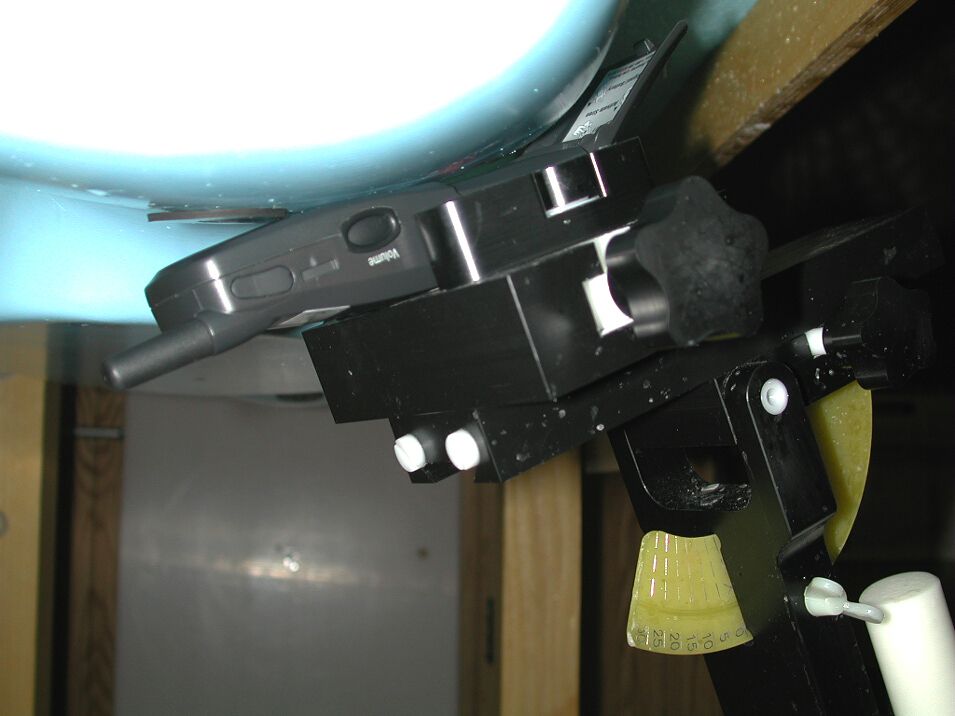
© 2001 PCTEST Engineering Lab., Inc. PCTEST Engineering Laboratory, Inc. 66606660--B Dobbin Road B Dobbin Road •• Columbia, MD 21045 Columbia, MD 21045 •• U.S.A. U.S.A. TEL (410) 290TEL (410) 290--6652 6652 •• FAX (410) 290 FAX (410) 290--66546654 http://www.pctestlab.comhttp://www.pctestlab.com CERTIFICATE OF COMPLIANCE (SAR EVALUATION) UNIDEN ENGINEERING SERVICES Dates of Tests: February 01-02, 2001 216 John Street Test Report S/N: SAR.210201058.AMW P.O. Box 580 Test Site: PCTEST Lab, Columbia, MD USA Lake City, SC 29560-0580 Attn: Mr. Jim Haynes, Vice President ~ Engineering & Regulatory Affairs FCC ID AMWUH052A APPLICANT UNIDEN ENGINEERING SERVICES EUT Type: Single-Band Analog Panic Phone (AMPS) Tx Frequency: 824.04 – 848.97 MHz (AMPS) Rx Frequency: 869.04 – 893.97 MHz (AMPS) Max. RF Output Power: 0.421 W ERP AMPS (26.246 dBm) Max. SAR Measurement: 1.100 mW/g (1g) AMPS Head SAR; 1.420 mW/g (1g) AMPS Body SAR; 0.773 mW/g (10g) AMPS Hand SAR Model(s): ASC911A FCC Classification: Non-Broadcast Transmitter Held to Ear (TNE) Application Type: Certification Serial Number: n/a (pre production) FCC Rule Part(s): 2.1093; ET Docket 96.326; 22(H) This wireless portable device has been shown to be capable of compliance for localized specific absorption rate (SAR) for uncontrolled environment/general population exposure limits specified in ANSI/IEEE Std. C95.1-1992 and had been tested in accordance with the measurement procedures specified in ANSI/IEEE Std. C95.3-1992. (See Test Report). I attest to the accuracy of data. All measurements reported herein were performed by me or were made under my supervision and are correct to the best of my knowledge and belief. I assume full responsibility for the completeness of these measurements and vouch for the qualifications of all persons taking them. NVLAP accreditation does not constitute any product endorsement by NVLAP or any agency of the United States Government. PCTEST certifies that no party to this application has been denied the FCC benefits pursuant to Section 5301 of the Anti-Drug Abuse Act of 1988, 21 U.S.C. 862. 210201058.AMW SAR Measurement Report FCC Part 22 Certification © 2001 PCTEST Lab i Table of Contents 1.1 SCOPE 1 2.1 INTRODUCTION / SAR DEFINITION 2 3.1 SAR MEASUREMENT SET-UP 3 4.1 E-FIELD PROBE SYSTEM 4 5.1 E-FIELD PROBE CALIBRATION PROCESS 5-6 6.1 PHANTOM, HOLDER, & EQUIVALENT TISSUE 7 7.1 SYSTEM SPECIFICATIONS 8 8.1 MEASUREMENT PROCESS 9 9.1 TEST POSITION OF THE PHONE 10 10.1 BODY SAR TEST SETUP 11 11.1 ANSI/IEEE C95.1 RF EXPOSURE LIMITS 12 12.1 MEASUREMENT UNCERTAINTIES 13 13.1 TEST DATA SUMMARY 14-16 14.1 SAR TEST EQUIPMENT LIST 17 15.1 CONCLUSION 18 16.1 REFERENCES 19 Test Report S/N: SAR.210201058.AMW SAR Measurement Report Test Date(s): February 01-02, 2001 FCC Part 22 Certification UNIDEN FCC ID: AMWUH052A (Model: ASC911A) © 2001 PCTEST Lab Single-Band Analog Panic Phone (AMPS) 1 SAR MEASUREMENT REPORT 1.1 Scope Environmental evaluation measurements of specific absorption rate 1 (SAR) distributions in simulated human head and body tissues exposed to radiofrequency (RF) radiation from wireless portable devices for compliance with the rules and regulations of the U.S. Federal Communications Commission (FCC). 2 Company Name: UNIDEN ENGINEERING SERVICES 216 John Street Address: P.O. Box 580 Lake City, SC 29560-0580 Attention: Mr. Jim Haynes, Vice President ~ Engineering & Regulatory Affairs • EUT Type: Single-Band Analog Panic Phone • FCC IDENTIFIER: AMWUH052A • Model(s): ASC911A • S/N: Pre-production • Tx Frequency: 824.04 – 848.97 MHz (AMPS) • Rx Frequency: 869.04 – 893.97 MHz (AMPS) • Application Type: Certification • FCC Classification: Non-Broadcast Transmitter Held to Ear (TNE) • Modulation(s): AMPS • FCC Rule Part(s): § 2.1093, Docket 96-326; § 22(H) • Max. SAR Measurement: 1.100 mW/g (1g) AMPS Head SAR; 1.420 mW/g (1g) AMPS Body SAR; 0.773 mW/g (10g) AMPS Hand SAR • Max. RF Output Power: 0.421 ERP AMPS (26.246 dBm) • Antenna Type: Helical • Dates of Tests: February 01-02, 2001 • Place of Tests: PCTEST Engineering Lab. Columbia, MD, U.S.A. • Report Serial No.: SAR.210201058.AMW 1 Specific Absorption Rate (SAR) is a measure of the rate of energy absorption due to exposure to an RF transmitting source (wireless portable device). 2 IEEE/ANSI Std. C95.1-1992 limits are used to determine compliance with FCC ET Docket 93-62. Fig. 1 SAR Test Setup Test Report S/N: SAR.210201058.AMW SAR Measurement Report Test Date(s): February 01-02, 2001 FCC Part 22 Certification UNIDEN FCC ID: AMWUH052A (Model: ASC911A) © 2001 PCTEST Lab Single-Band Analog Panic Phone (AMPS) 2 2.1 INTRODUCTION The FCC has adopted the guidelines for evaluating the environmental effects of radiofrequency radiation in ET Docket 93-62 on Aug. 6, 1996 to protect the public and workers from the potential hazards of RF emissions due to FCC-regulated portable devices.[1] The safety limits used for the environmental evaluation measurements are based on the criteria published by the American National Standards Institute (ANSI) for localized specific absorption rate (SAR) in IEEE/ANSI C95.1-1992 Standard for Safety Levels with Respect to Human Exposure to Radio Frequency Electromagnetic Fields, 3 kHz to 300 GHz. (c) 1992 by the Institute of Electrical and Electronics Engineers, Inc., New York, New York 10017.[2] The measurement procedure described in IEEE/ANSI C95.3-1992 Recommended Practice for the Measurement of Potentially Hazardous Electromagnetic Fields - RF and Microwave[3] is used for guidance in measuring SAR due to the RF radiation exposure from the Equipment Under Test (EUT). These criteria for SAR evaluation are similar to those recommended by the National Council on Radiation Protection and Measurements (NCRP) in Biological Effects and Exposure Criteria for Radiofrequency Electromagnetic Fields,” NCRP Report No. 86 (c) NCRP, 1986, Bethesda, MD 20814.[4] SAR is a measure of the rate of energy absorption due to exposure to an RF transmitting source. SAR values…
Text truncated - open the document above for the full version.
RF Exposure Info
UNIDEN FCC ID:AMWUH052A -- FM Body SAR Generic Twin Phantom; Flat Section; Probe: ET3DV5 - SN1370 -- Probe Cal Date 02/00 Med. Parameters 835 MHz Muscle: σ = 0.95 mho/m ε r = 56.2 ρ = 1.00 g/cm 3 ; Antenna Position -- Out; Crest Factor 1.0 SAR (1g): 1.10 mW/g, SAR (10g): 0.795 mW/g UNIDEN FCC ID: AMWUH052A Single-Mode Phone Model: ASC911A FM Mode, Ch.0993 [824.100MHz]; Flip = closed Conducted Power = 25.6dBm; Spacing = 0.6cm from flat phantom to phone, w/beltclip Test Date -- 02-02-2001 SAR Tot [mW/g] 1.06E-1 3.18E-1 5.30E-1 7.43E-1 9.55E-1 PCTEST Engineering Laboratory, Inc. UNIDEN FCC ID:AMWUH052A -- FM Body SAR Generic Twin Phantom; Flat Section; Probe: ET3DV5 - SN1370 -- Probe Cal Date 02/00 Med. Parameters 835 MHz Muscle: σ = 0.95 mho/m ε r = 56.2 ρ = 1.00 g/cm 3 ; Antenna Position -- Out; Crest Factor 1.0 SAR (1g): 1.09 mW/g, SAR (10g): 0.788 mW/g UNIDEN FCC ID: AMWUH052A Single-Mode Phone Model: ASC911A FM Mode, Ch.0384 [836.520MHz]; Flip = closed Conducted Power = 25.6dBm; Spacing = 0.6cm from flat phantom to phone, w/beltclip Test Date -- 02-02-2001 SAR Tot [mW/g] 1.02E-1 3.06E-1 5.11E-1 7.15E-1 9.19E-1 PCTEST Engineering Laboratory, Inc. UNIDEN FCC ID:AMWUH052A -- FM Body SAR Generic Twin Phantom; Flat Section; Probe: ET3DV5 - SN1370 -- Probe Cal Date 02/00 Med. Parameters 835 MHz Muscle: σ = 0.95 mho/m ε r = 56.2 ρ = 1.00 g/cm 3 ; Antenna Position -- Out; Crest Factor 1.0 SAR (1g): 0.991 mW/g, SAR (10g): 0.715 mW/g UNIDEN FCC ID: AMWUH052A Single-Mode Phone Model: ASC911A FM Mode, Ch.0797 [848.910MHz]; Flip = closed Conducted Power = 25.6dBm; Spacing = 0.6cm from flat phantom to phone, w/beltclip Test Date -- 02-02-2001 SAR Tot [mW/g] 9.28E-2 2.78E-1 4.64E-1 6.50E-1 8.35E-1 PCTEST Engineering Laboratory, Inc.
RF Exposure Info
UNIDEN FCC ID:AMWUH052A -- FM Hand SAR Generic Twin Phantom; Flat Section; Probe: ET3DV5 - SN1370 -- Probe Cal Date 02/00 Med. Parameters 835 MHz Muscle: σ = 0.95 mho/m ε r = 56.2 ρ = 1.00 g/cm 3 ; Antenna Position -- Out; Crest Factor 1.0 SAR (1g): 1.07 mW/g, SAR (10g): 0.763 mW/g UNIDEN FCC ID: AMWUH052A Single-Mode Phone Model: ASC911A FM Mode, Ch.0993 [824.100MHz]; Flip = open Conducted Power = 25.6dBm; Spacing = touching flat phantom to phone Test Date -- 02-02-2001 SAR Tot [mW/g] 9.49E-2 2.85E-1 4.75E-1 6.64E-1 8.54E-1 PCTEST Engineering Laboratory, Inc. UNIDEN FCC ID:AMWUH052A -- FM Hand SAR Generic Twin Phantom; Flat Section; Probe: ET3DV5 - SN1370 -- Probe Cal Date 02/00 Med. Parameters 835 MHz Muscle: σ = 0.95 mho/m ε r = 56.2 ρ = 1.00 g/cm 3 ; Antenna Position -- Out; Crest Factor 1.0 SAR (1g): 1.26 mW/g, SAR (10g): 0.761 mW/g UNIDEN FCC ID: AMWUH052A Single-Mode Phone Model: ASC911A FM Mode, Ch.0384 [836.520MHz]; Flip = open Conducted Power = 25.6dBm; Spacing = touching flat phantom to phone Test Date -- 02-02-2001 SAR Tot [mW/g] 7.68E-2 2.30E-1 3.84E-1 5.38E-1 6.91E-1 PCTEST Engineering Laboratory, Inc. UNIDEN FCC ID:AMWUH052A -- FM Hand SAR Generic Twin Phantom; Flat Section; Probe: ET3DV5 - SN1370 -- Probe Cal Date 02/00 Med. Parameters 835 MHz Muscle: σ = 0.95 mho/m ε r = 56.2 ρ = 1.00 g/cm 3 ; Antenna Position -- Out; Crest Factor 1.0 SAR (1g): 1.28 mW/g, SAR (10g): 0.773 mW/g UNIDEN FCC ID: AMWUH052A Single-Mode Phone Model: ASC911A FM Mode, Ch.0797 [848.910MHz]; Flip = open Conducted Power = 25.6dBm; Spacing = touching flat phantom to phone Test Date -- 02-02-2001 SAR Tot [mW/g] 7.70E-2 2.31E-1 3.85E-1 5.39E-1 6.93E-1 PCTEST Engineering Laboratory, Inc.
RF Exposure Info
UNIDEN FCC ID:AMWUH052A -- FM Head SAR Generic Twin Phantom; Right Hand Section; Probe: ET3DV5 - SN1370 -- Probe Cal Date 02/00 Med. Parameters 835 MHz Brain: σ = 0.90 mho/m ε r = 41.5 ρ = 1.00 g/cm 3 ; Antenna Position -- Out; Crest Factor 1.0 SAR (1g): 1.42 mW/g, SAR (10g): 0.991 mW/g UNIDEN FCC ID: AMWUH052A Single-Mode Phone Model: ASC911A FM Mode, Ch.0993 [824.100MHz]; Flip = open Conducted Power = 25.6dBm Test Date -- 02-01-2001 SAR Tot [mW/g] 1.43E-1 4.29E-1 7.16E-1 1.00E+0 1.29E+0 PCTEST Engineering Laboratory, Inc. UNIDEN FCC ID:AMWUH052A -- FM Head SAR Generic Twin Phantom; Right Hand Section; Probe: ET3DV5 - SN1370 -- Probe Cal Date 02/00 Med. Parameters 835 MHz Brain: σ = 0.90 mho/m ε r = 41.5 ρ = 1.00 g/cm 3 ; Antenna Position -- Out; Crest Factor 1.0 SAR (1g): 1.34 mW/g, SAR (10g): 0.941 mW/g UNIDEN FCC ID: AMWUH052A Single-Mode Phone Model: ASC911A FM Mode, Ch.0384 [836.520MHz]; Flip = open Conducted Power = 25.6dBm Test Date -- 02-01-2001 SAR Tot [mW/g] 1.34E-1 4.03E-1 6.71E-1 9.39E-1 1.21E+0 PCTEST Engineering Laboratory, Inc. UNIDEN FCC ID:AMWUH052A -- FM Head SAR Generic Twin Phantom; Right Hand Section; Probe: ET3DV5 - SN1370 -- Probe Cal Date 02/00 Med. Parameters 835 MHz Brain: σ = 0.90 mho/m ε r = 41.5 ρ = 1.00 g/cm 3 ; Antenna Position -- Out; Crest Factor 1.0 SAR (1g): 1.30 mW/g, SAR (10g): 0.918 mW/g UNIDEN FCC ID: AMWUH052A Single-Mode Phone Model: ASC911A FM Mode, Ch.0797 [848.910MHz]; Flip = open Conducted Power = 25.6dBm Test Date -- 02-01-2001 SAR Tot [mW/g] 1.36E-1 4.08E-1 6.80E-1 9.53E-1 1.22E+0 PCTEST Engineering Laboratory, Inc.
RF Exposure Info
© 2001 PCTEST Lab UNIDEN FCC ID: AMWUH052A (Model: ASC911A) NVLAP Lab Code: 100431-0 Single-Band Analog Panic Phone (AMPS) © 2001 PCTEST Lab UNIDEN FCC ID: AMWUH052A (Model: ASC911A) NVLAP Lab Code: 100431-0 Single-Band Analog Panic Phone (AMPS) © 2001 PCTEST Lab UNIDEN FCC ID: AMWUH052A (Model: ASC911A) NVLAP Lab Code: 100431-0 Single-Band Analog Panic Phone (AMPS)
RF Exposure Info
© 2001 PCTEST Lab UNIDEN FCC ID: AMWUH052A (Model: ASC911A) NVLAP Lab Code: 100431-0 Single-Band Analog Panic Phone (AMPS) © 2001 PCTEST Lab UNIDEN FCC ID: AMWUH052A (Model: ASC911A) NVLAP Lab Code: 100431-0 Single-Band Analog Panic Phone (AMPS) © 2001 PCTEST Lab UNIDEN FCC ID: AMWUH052A (Model: ASC911A) NVLAP Lab Code: 100431-0 Single-Band Analog Panic Phone (AMPS)
RF Exposure Info
© 2001 PCTEST Lab UNIDEN FCC ID: AMWUH052A (Model: ASC911A) NVLAP Lab Code: 100431-0 Single-Band Analog Panic Phone (AMPS) © 2001 PCTEST Lab UNIDEN FCC ID: AMWUH052A (Model: ASC911A) NVLAP Lab Code: 100431-0 Single-Band Analog Panic Phone (AMPS) © 2001 PCTEST Lab UNIDEN FCC ID: AMWUH052A (Model: ASC911A) NVLAP Lab Code: 100431-0 Single-Band Analog Panic Phone (AMPS)
RF Exposure Info
Probe ET3DV5 SN:1370 Manufactured: February 1999 Calibrated: February 2000 Calibrated for System DASY3 Page 1 of 8 ET3DV5 SN:1370 Introduction The performance of all probes is measured before delivery. This includes an assessment of the characteristic parameters, receiving patterns as a function of frequency, frequency response and relative accuracy. Furthermore, each probe is tested in use according to a dosimetric assessment protocol. The sensitivity parameters (NormX, NormY, NormZ), the diode compresion parameter (DCP) and the conversion factor (ConvF) of the probe and some of the measurement diagrams are given in the following. The performance of the individual probes varies slightly due to tolerances arising from the manufacturing process. Since the lines are highly resistive (several MOhms), the offset and noise problem is greatly increased if signals in the low μ V range are measured. Accurate measurement below 10 μW/g are possible if the following precautions are taken. 1) check the current grounding with the multimeter 1 , i.e., low noise levels, 2) compensate the current offset 1 , 3) use long integration time (approx. 10 seconds), 4) calibrate 1 before each measurement, 5) persons should avoid moving around the lab while measuring. Since the field distortion caused by the supporting material and the sheath is quite high in the θ direction, the receiving pattern is poor in air. However, the distortion in tissue equivalent material is much less because of its high dielectricity. In addition, the fields induced in the phantoms by dipole structures close to the body are dominently parallel to the surface. Thus, the error due to non-isotropy is much better than 1 dB for dosimetric assessments. The probes are calibrated in the TEM cell ifi 110 although the field distribution in the cell is not very uniform and the frequency response is not very flat. To ensure consistency, a strict protocol is followed. The conversion factor (ConF) between this calibration and the measurement in the tissue simulation solution is performed by comparison with temperature measurements and computer simulations. This conversion factor is only valid for the specified tissue simulating liquids at the specified frequencies. If measurements have to be performed in solutions with other electrical properties or at other frequencies, the conversion factor has to be assessed by the same procedure. As the probes have been constructed with printed resistive lines on ceramic substrates (thick film techn…
Text truncated - open the document above for the full version.
Contact Information
Applicant
Paul Roby
Test Firm
PCTEST Engineering Laboratory, Inc.Randy Ortanez
Technical Specifications
| # | Rule Parts | Frequency Range | Power Output | Emission | Tolerance |
|---|---|---|---|---|---|
| 2 | 22H | 824.04 MHz - 848.97 MHz | 421.00 mW | 40KOF1D | 2.5 ppm |
Other Applications from Uniden America Corporation
AMWUA2405
Apr 15, 2026RADAR DETECTOR
Equipment Class
JBP - Part 15 Class B Computing Device PeripheralAMWUA2406
Apr 15, 2026RADAR DETECTOR
Equipment Class
JBP - Part 15 Class B Computing Device PeripheralAMWUA2402
Jul 23, 2024RADAR DETECTOR
Equipment Class
CRD - Part 15 Radar Detector
AMWUA2404
Feb 17, 2024Wi-Fi Bluetooth Combo Module
Equipment Class
DTS - Digital Transmission System
AMWUA2301
Feb 15, 2023RADAR DETECTOR
Equipment Class
CRD - Part 15 Radar Detector