AMWUT645PORTABLE VHF PTT MARINE RADIO TRANSCEIVER
Uniden America Corporation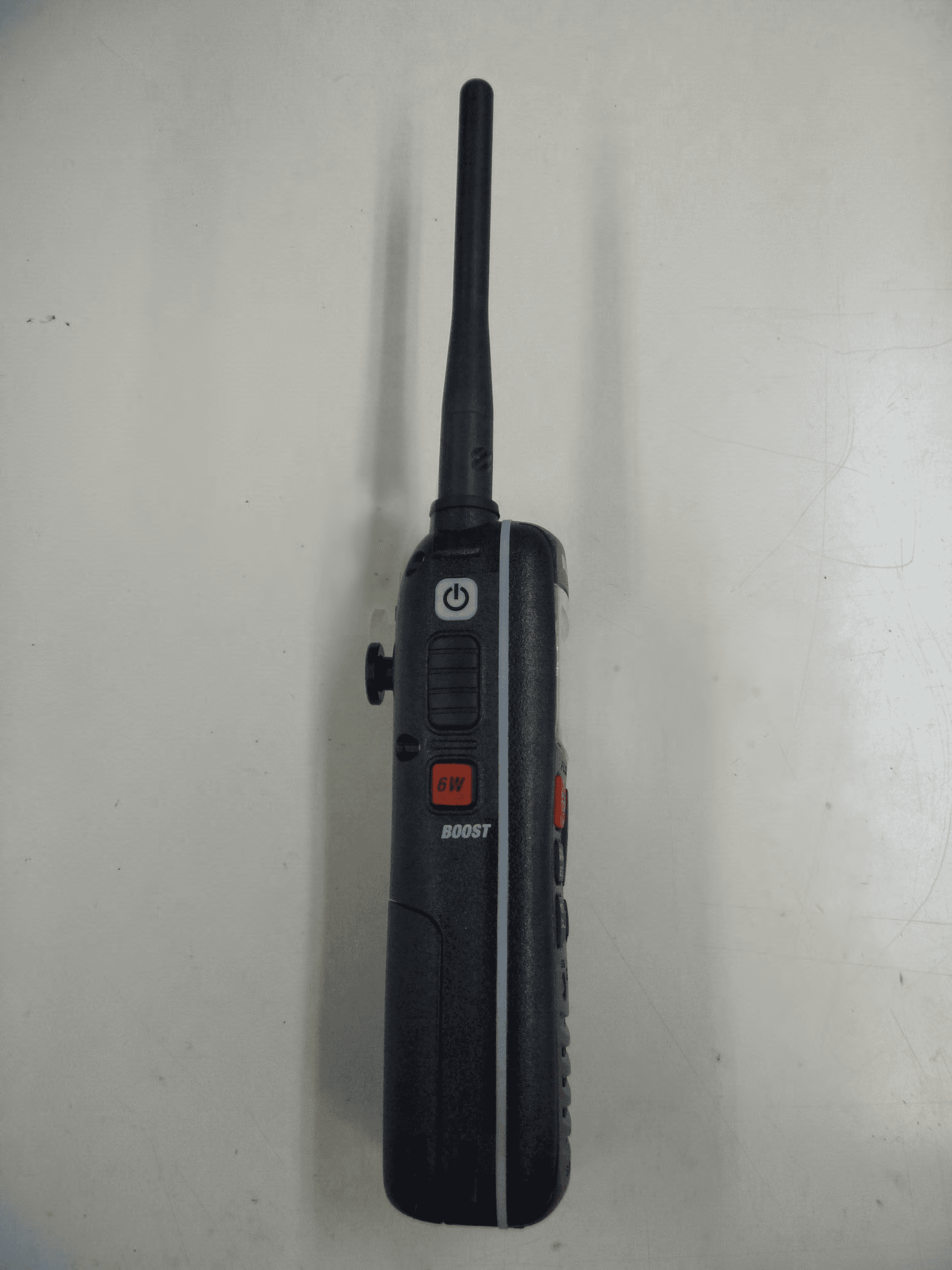
Click to zoom
Application Details
- Equipment Class
- TNF - Licensed Non-Broadcast Transmitter Held to Face
- Date of Grant
- Jan 23, 2013
- Application Purpose
- Original Equipment
- Date of Application
- Jan 07, 2013
- Equipment Note
- PORTABLE VHF PTT MARINE RADIO TRANSCEIVER
- Frequency Range
- 156.02500000 - 157.42500000
- Company
- Uniden America Corporation
- Country
- United States
Documents & Files
Document Text
Text extracted from the exhibit documents filed with the FCC. Open a document above to read the original.
Users Manual
RADIO VHF MARITIME FLOTTANTE GUIDE D’UTILISATION FLOATING VHF MARINE RADIO OWNER’S MANUAL MHS235 Making a Distress Call Lift the red cover. Press and hold the DISTRESS button for three seconds. Your radio transmits your boat’s location every few minutes until you receive a response. #nO te: if the radio displays Enter User MMSI, cancel the automatic distress call and make a normal voice distress call. Making a Voice Distress Call Speak slowly - clearly - calmly. For future reference, write your boat’s name & call sign here: 1. Make sure your radio is on. 2. Press the 16/9-TRI button to switch to Channel 16 (156.8 MHz). (If the corner of the display does not show 16, press the 16/9-TRI button again until it does.) 3. Press the PUSH TO TALK button and say: “MAYDAY -- MAYDAY -- MAYDAY.” 4. Say “THIS IS {name of your boat (three times) and call sign/boat registration number (once).” 5. Repeat “MAYDAY {name of your boat}” once. 6. Tell where you are: (what navigational aids or landmarks are near, or read the latitude and longitude from your GPS). 7. State the nature of your distress (e.g. are you sinking, medical emergency, man overboard, on fire, adrift, etc. ). 8. State the type of assistance you need (medical, towing, pumps, etc.). 9. Give number of persons aboard and conditions of any injured persons. 10. Estimate present seaworthiness of your ship (e.g. how immediate is the danger due to flooding or fire or proximity to shore). 11. Briefly describe your ship, giving ship name (e.g. “Blue Duck is 32 foot cabin cruiser, white hull, blue deck house”). 12. Say: “I WILL BE LISTENING ON CHANNEL 16.” 13. End message by saying “THIS IS {name or call sign of your boat}, OVER.” 14. Release the PUSH TO TALK button and listen. if you do not get an answer after 30 seconds, repeat your call, beginning at step 3, above. Lift the red cover and press the red DISTRESS button underneath. Faire Un aPPel De DÉtresse Soulevez le couvercle noir. Maintenez Distress enfoncé pendant trois secondes. Votre radio transmettra l’emplacement de votre bateau toutes les quelques minutes jusqu’à ce que vous receviez une réponse. #remarque : si la radio affiche Enter User MMSI, annulez l’appel de détresse automatique et effectuez un appel de détresse vocal normal. Faire un appel de détresse Parlez lentement – clairement – calmement. Pour toute référence ultérieure, écrivez ci-dessous le nom et l’indicatif d’appel de votre bateau: 1. Vérifiez si votre radio est en marche. 2. Appuyez sur la touche 16/9-TRI afin de commuter au canal 16 (156,8 MHz). (Si le canal 16 n’apparaît pas à l’affichage, appuyez de nouveau sur la touche 16/9-TRI jusqu’à ce qu’il soit affiché.) 3. Appuyez sur le bouton Push-to-Talk et dites:“MAYDAY -- MAYDAY -- MAYDAY”. 4. Donnez l’identité de votre navire en disant : “ICI {nom de votre bateau (trois fois) ou indicatif d’appel et le numéro d’identification de votre bateau (une fois)}”. 5. Dites “MAYDAY {nom ou indicatif d’appel de votre bateau} une fois”. 6. Donnez votre position : (quels sont les points de repère ou aides à la navigation près de vous ou lisez les coordonnées de longitude et de latitude apparaissant sur votre dispositif GPS). 7. Révélez la nature de votre détresse (par exemple, nous sommes en train de couler, urgence médicale, un homme à la mer, un incendie, nous sommes à la dérive, etc. 8. Révélez la nature de l’aide désirée (médicale, remorquage, essence, etc.) 9. Donnez le nombre de personnes à bord et les conditions des blessés, s’il y en a. 10. Donnez la condition de navigabilité actuelle de votre navire, tel que le degré de l’urgence par rapport une inondation, et une incendie. 11. Donnez une brève description de votre navire en donnant le nom du bateau (par exemple, “Blue Duck est un yacht de croisière de 32 pieds, avec une coque blanche et un rouffle bleu.). 12. Dites : “JE VAIS ÉCOUTER SUR LE CANAL 16”. 13. Terminez le message en disant “ICI {nom ou indicatif d’appel de votre bateau}, À VOUS”. 14. Relâchez le bouton Push-to-Talk du microphone et écoutez. si vous n’obtenez pas de réponse après 30 secondes, répétez l’appel encommençant à l’étape 3 ci-dessus. Soulevez le couvercle noir et appuyez sur le bouton rouge Distress en dessous. table of Contents Introduction .................................E-1 Features ........................................E-1 Getting Started ............................E-3 What’s included .............................E-3 Parts of the MHS235 .....................E-3 Front view ....................................E-3 Back view ....................................E-4 Charger .........................................E-5 Reading the display ......................E-5 Display icons and what they mean ...................................E-5 How It Works ...............................E-6 Displays ........................................E-6 Menus ...........................................E-6 MENU/CALL Menus ......................E-6 Normal Menu ...............................E-6 Radio Setup Menu........................E-7 Call Menu .....................................E-7 DSC Setup Menu .........................E-8 GPS Menus .................................E-8 GPS Setup Menu .........................E-8 Operation Modes ..........................E-9 Normal .........................................E-9 Scan ..........................................E-10 Weather .....................................E-11 Setting Up the Hardware .........E-12 Attaching the Antenna .................E-12 Installing the Battery ...................E-12 Using Rechargeable Batteries ....E-12 Mounting the Charger .................E-13 Charging the Battery ...................E-13 Important notes on charging the battery .................................E-13 Setting Up Your Radio ..............E-13 Turning It On ..............................E-13 Entering the User MMSI ..............E-13 Setting It Up ................................E-14 Acquiring GPS Location ............E-14 Changing the Vo…
Text truncated - open the document above for the full version.
Users Manual
VHF155VHF460 Floating Marine Radio with GPS and DSC Radio maritime flottante avec GPS et ASN Floating Marine Radio with GPS and DSC Owner’s Manual Guide d’utilisation Model/Modèle 14078554 Radio maritime flottante avec GPS et ASN Making a Distress Call Lift the red cover. Press and hold the DISTRESS button for three seconds. Your radio transmits your boat’s location every few minutes until you receive a response. #nO te: if the radio displays Enter User MMSI, cancel the automatic distress call and make a normal voice distress call. Making a Voice Distress Call Speak slowly - clearly - calmly. For future reference, write your boat’s name & call sign here: 1. Make sure your radio is on. 2. Press the 16/9-TRI button to switch to Channel 16 (156.8 MHz). (If the corner of the display does not show 16, press the 16/9-TRI button again until it does.) 3. Press the PUSH TO TALK button and say: “MAYDAY -- MAYDAY -- MAYDAY.” 4. Say “THIS IS {name of your boat (three times) and call sign/boat registration number (once).” 5. Repeat “MAYDAY {name of your boat}” once. 6. Tell where you are: (what navigational aids or landmarks are near, or read the latitude and longitude from your GPS). 7. State the nature of your distress (e.g. are you sinking, medical emergency, man overboard, on fire, adrift, etc. ). 8. State the type of assistance you need (medical, towing, pumps, etc.). 9. Give number of persons aboard and conditions of any injured persons. 10. Estimate present seaworthiness of your ship (e.g. how immediate is the danger due to flooding or fire or proximity to shore). 11. Briefly describe your ship, giving ship name (e.g. “Blue Duck is 32 foot cabin cruiser, white hull, blue deck house”). 12. Say: “I WILL BE LISTENING ON CHANNEL 16.” 13. End message by saying “THIS IS {name or call sign of your boat}, OVER.” 14. Release the PUSH TO TALK button and listen. if you do not get an answer after 30 seconds, repeat your call, beginning at step 3, above. Lift the red cover and press the red DISTRESS button underneath. Faire Un aPPel De DÉtresse Soulevez le couvercle noir. Maintenez Distress enfoncé pendant trois secondes. Votre radio transmettra l’emplacement de votre bateau toutes les quelques minutes jusqu’à ce que vous receviez une réponse. #remarque : si la radio affiche Enter User MMSI, annulez l’appel de détresse automatique et effectuez un appel de détresse vocal normal. Faire un appel de détresse Parlez lentement – clairement – calmement. Pour toute référence ultérieure, écrivez ci-dessous le nom et l’indicatif d’appel de votre bateau: 1. Vérifiez si votre radio est en marche. 2. Appuyez sur la touche 16/9-TRI afin de commuter au canal 16 (156,8 MHz). (Si le canal 16 n’apparaît pas à l’affichage, appuyez de nouveau sur la touche 16/9-TRI jusqu’à ce qu’il soit affiché.) 3. Appuyez sur le bouton Push-to-Talk et dites:“MAYDAY -- MAYDAY -- MAYDAY”. 4. Donnez l’identité de votre navire en disant : “ICI {nom de votre bateau (trois fois) ou indicatif d’appel et le numéro d’identification de votre bateau (une fois)}”. 5. Dites “MAYDAY {nom ou indicatif d’appel de votre bateau} une fois”. 6. Donnez votre position : (quels sont les points de repère ou aides à la navigation près de vous ou lisez les coordonnées de longitude et de latitude apparaissant sur votre dispositif GPS). 7. Révélez la nature de votre détresse (par exemple, nous sommes en train de couler, urgence médicale, un homme à la mer, un incendie, nous sommes à la dérive, etc. 8. Révélez la nature de l’aide désirée (médicale, remorquage, essence, etc.) 9. Donnez le nombre de personnes à bord et les conditions des blessés, s’il y en a. 10. Donnez la condition de navigabilité actuelle de votre navire, tel que le degré de l’urgence par rapport une inondation, et une incendie. 11. Donnez une brève description de votre navire en donnant le nom du bateau (par exemple, “Blue Duck est un yacht de croisière de 32 pieds, avec une coque blanche et un rouffle bleu.). 12. Dites : “JE VAIS ÉCOUTER SUR LE CANAL 16”. 13. Terminez le message en disant “ICI {nom ou indicatif d’appel de votre bateau}, À VOUS”. 14. Relâchez le bouton Push-to-Talk du microphone et écoutez. si vous n’obtenez pas de réponse après 30 secondes, répétez l’appel encommençant à l’étape 3 ci-dessus. Soulevez le couvercle noir et appuyez sur le bouton rouge Distress en dessous. table of Contents Introduction .................................E-1 Features ........................................E-1 Getting Started ............................E-3 What’s included .............................E-3 Parts of the VHF460 .....................E-3 Front view ....................................E-3 Back view ....................................E-4 Charger .........................................E-4 Reading the display ......................E-5 Display icons and what they mean ...............................E-5 How It Works ...............................E-5 Menus ...........................................E-5 MENU/CALL Menus ......................E-5 Normal Menu ...............................E-5 Call Menu .....................................E-6 DSC Setup Menu .........................E-6 GPS Menus .................................E-7 GPS Setup Menu .........................E-7 Operation Modes ..........................E-7 Normal .........................................E-8 Normal Mode with Weather Alert Watch ..............................E-8 Scan ............................................E-9 Weather .....................................E-10 Setting Up the Hardware ......... E-11 Attaching the Antenna ..................E-11 Installing the Battery ....................E-11 Using Rechargeable Batteries .....E-11 Mounting the Charger ..................E-11 Charging the Battery ...................E-12 Important notes on charging the battery ..............E-12 Installing the External Speaker/Mic ............................E-12 Setting Up Your Radio ..............E-12 Turning It On ........................…
Text truncated - open the document above for the full version.
Users Manual
RADIO VHF MARITIME FLOTTANTE GUIDE D’UTILISATION FLOATING VHF MARINE RADIO OWNER’S MANUAL MHS235 Making a Distress Call Lift the red cover. Press and hold the DISTRESS button for three seconds. Your radio transmits your boat’s location every few minutes until you receive a response. #nO te: if the radio displays Enter User MMSI, cancel the automatic distress call and make a normal voice distress call. Making a Voice Distress Call Speak slowly - clearly - calmly. For future reference, write your boat’s name & call sign here: 1. Make sure your radio is on. 2. Press the 16/9-TRI button to switch to Channel 16 (156.8 MHz). (If the corner of the display does not show 16, press the 16/9-TRI button again until it does.) 3. Press the PUSH TO TALK button and say: “MAYDAY -- MAYDAY -- MAYDAY.” 4. Say “THIS IS {name of your boat (three times) and call sign/boat registration number (once).” 5. Repeat “MAYDAY {name of your boat}” once. 6. Tell where you are: (what navigational aids or landmarks are near, or read the latitude and longitude from your GPS). 7. State the nature of your distress (e.g. are you sinking, medical emergency, man overboard, on fire, adrift, etc. ). 8. State the type of assistance you need (medical, towing, pumps, etc.). 9. Give number of persons aboard and conditions of any injured persons. 10. Estimate present seaworthiness of your ship (e.g. how immediate is the danger due to flooding or fire or proximity to shore). 11. Briefly describe your ship, giving ship name (e.g. “Blue Duck is 32 foot cabin cruiser, white hull, blue deck house”). 12. Say: “I WILL BE LISTENING ON CHANNEL 16.” 13. End message by saying “THIS IS {name or call sign of your boat}, OVER.” 14. Release the PUSH TO TALK button and listen. if you do not get an answer after 30 seconds, repeat your call, beginning at step 3, above. Lift the red cover and press the red DISTRESS button underneath. Faire Un aPPel De DÉtresse Soulevez le couvercle noir. Maintenez Distress enfoncé pendant trois secondes. Votre radio transmettra l’emplacement de votre bateau toutes les quelques minutes jusqu’à ce que vous receviez une réponse. #remarque : si la radio affiche Enter User MMSI, annulez l’appel de détresse automatique et effectuez un appel de détresse vocal normal. Faire un appel de détresse Parlez lentement – clairement – calmement. Pour toute référence ultérieure, écrivez ci-dessous le nom et l’indicatif d’appel de votre bateau: 1. Vérifiez si votre radio est en marche. 2. Appuyez sur la touche 16/9-TRI afin de commuter au canal 16 (156,8 MHz). (Si le canal 16 n’apparaît pas à l’affichage, appuyez de nouveau sur la touche 16/9-TRI jusqu’à ce qu’il soit affiché.) 3. Appuyez sur le bouton Push-to-Talk et dites:“MAYDAY -- MAYDAY -- MAYDAY”. 4. Donnez l’identité de votre navire en disant : “ICI {nom de votre bateau (trois fois) ou indicatif d’appel et le numéro d’identification de votre bateau (une fois)}”. 5. Dites “MAYDAY {nom ou indicatif d’appel de votre bateau} une fois”. 6. Donnez votre position : (quels sont les points de repère ou aides à la navigation près de vous ou lisez les coordonnées de longitude et de latitude apparaissant sur votre dispositif GPS). 7. Révélez la nature de votre détresse (par exemple, nous sommes en train de couler, urgence médicale, un homme à la mer, un incendie, nous sommes à la dérive, etc. 8. Révélez la nature de l’aide désirée (médicale, remorquage, essence, etc.) 9. Donnez le nombre de personnes à bord et les conditions des blessés, s’il y en a. 10. Donnez la condition de navigabilité actuelle de votre navire, tel que le degré de l’urgence par rapport une inondation, et une incendie. 11. Donnez une brève description de votre navire en donnant le nom du bateau (par exemple, “Blue Duck est un yacht de croisière de 32 pieds, avec une coque blanche et un rouffle bleu.). 12. Dites : “JE VAIS ÉCOUTER SUR LE CANAL 16”. 13. Terminez le message en disant “ICI {nom ou indicatif d’appel de votre bateau}, À VOUS”. 14. Relâchez le bouton Push-to-Talk du microphone et écoutez. si vous n’obtenez pas de réponse après 30 secondes, répétez l’appel encommençant à l’étape 3 ci-dessus. Soulevez le couvercle noir et appuyez sur le bouton rouge Distress en dessous. table of Contents Introduction .................................E-1 Features ........................................E-1 Getting Started ............................E-3 What’s included .............................E-3 Parts of the MHS235 .....................E-3 Front view ....................................E-3 Back view ....................................E-4 Charger .........................................E-5 Reading the display ......................E-5 Display icons and what they mean ...................................E-5 How It Works ...............................E-6 Displays ........................................E-6 Menus ...........................................E-6 MENU/CALL Menus ......................E-6 Normal Menu ...............................E-6 Radio Setup Menu........................E-7 Call Menu .....................................E-7 DSC Setup Menu .........................E-8 GPS Menus .................................E-8 GPS Setup Menu .........................E-8 Operation Modes ..........................E-9 Normal .........................................E-9 Scan ..........................................E-10 Weather .....................................E-11 Setting Up the Hardware .........E-12 Attaching the Antenna .................E-12 Installing the Battery ...................E-12 Using Rechargeable Batteries ....E-12 Mounting the Charger .................E-13 Charging the Battery ...................E-13 Important notes on charging the battery .................................E-13 Setting Up Your Radio ..............E-13 Turning It On ..............................E-13 Entering the User MMSI ..............E-13 Setting It Up ................................E-14 Acquiring GPS Location ............E-14 Changing the Vo…
Text truncated - open the document above for the full version.
Cover Letter(s)
Uniden America Corporation 4700 Amon Carter Blvd. Fort Worth, TX 76155 817-858-3300 Fax: 817-858-3328 FCC Declaration Letter December 19, 2012 To: Federal Communications Commission Equipment Authorization Branch, Lab Div., OET 7435 Oakland Mills Road Columbia, Maryland 21046 Subject: Compliance to Class ‘D’ handheld specification Applicant: Uniden America Corporation 4700 Amon Carter Blvd. Fort Worth, Texas 76155 Jon Suehiro, Manager, Engineering and Regulatory Affairs FCC Identifier: AMWUT645 This is to declare that pursuant to the requirements contained in Part 80.225(a) of the Commission's Rules, this VHF-FM portable marine radio telephone equipment with digital selective calling (DSC) and global navigation satellite system (GNSS) location functions - meets the specifications specified per RTCM 10150.0 (RTCM Paper 101-2012-SC101-STD) issued on July 5, 2012. Model: VHF460 / MHS235 is classified as Class 2 (General Purpose radio, Floating). Only difference in between the model VHF460 and MHS235 is the external cosmetic design. Test reports are available per the Commission’s request. Uniden wishes to submit the above referenced model for FCC Grant under Part 80.225. Please contact the undersigned if you have any questions or need any further information. Regards, Jon Suehiro Manager, Engineering and Regulatory Affairs
Cover Letter(s)
Uniden America Corporation 4700 Amon Carter Blvd. Fort Worth, TX 76155 817-858-3300 Fax: 817-858-3328 REQUEST FOR CONFIDENTIALITY December 19, 2012 To: Federal Communications Commission Equipment Authorization Branch Laboratory Division Office of Engineering and Technology 7435 Oakland Mills Road Columbia, Maryland 21046 Subject: Data for FCC Certification Applicant: Uniden America Corporation 4700 Amon Carter Blvd., Fort Worth, Texas 76155 Jon Suehiro, Manager – Engineering and Regulatory Affairs TYPE OF EQUIPMENT: Marine VHF Handheld Transceiver with DSC FCC IDENTIFIER: AMWUT645 Dear Sir or Madam: Some of the material included in this application contains trade secrets and proprietary information not customarily released to the public. Because public disclosure of the material might be harmful to the applicant and provide unjustified benefits to its competitors, it is requested that the following be withheld from public disclosure: Circuit Description MHS235_Circuit Description.pdf Schematic Diagrams MHS235_Schematic Diagram.pdf Block Diagrams MHS235_Block Diagram.pdf Alignment Procedure MHS235_Alignment Procedure.pdf Parts List MHS235_Parts List.pdf Trade secrets and proprietary information can be held confidential. Therefore, we wish to invoke the act under the provisions of 47CFR, Sections 0.457(d) and 0.459. Please contact the undersigned if you have any questions or need any further information. Regards, Jon Suehiro Manager, Engineering and Regulatory Affairs
Cover Letter(s)
Uniden America Corporation 4700 Amon Carter Blvd. Fort Worth, TX 76155 817-858-3300 Fax: 817-858-3328 LIMITED AGENCY AGREEMENT December 1, 2012 Federal Communications Commission Equipment Authorization Branch 7435 Oakland Mills Road Columbia, MD 21046 Attn: Director of Certification RE: Equipment Authorization for FCC Certification We, Uniden America Corporation (hereinafter “Uniden”), hereby authorize Ben Hewson, President of Celltech Labs, Inc., located at 21-364 Lougheed Road in Kelowna, BC V1X 7R8, to act as our agent for the purpose of testing and preparing an equipment authorization application for our device identified by the FCC Certification number AMWUT645 under all applicable parts of the FCC rules and regulations. The effective date of this limited agency agreement is today, December 1, 2012. This limited agency agreement expires on November 30, 2013, unless sooner terminated or extended by written notice to Celltech Labs, Inc. and Federal Communications Commission. Uniden certifies that equipment manufactured, imported, or marketed under the FCC Certification number AMWUT645 will comply with the parameters established in the application for equipment authorization unless the changes are in full compliance to the provisions in the FCC Rules and Regulations that allow such changes. For instances where our authorized agent signs the application for certification on our behalf, I acknowledge that all responsibility for complying with the terms and conditions for certification, as specified by Celltech Labs, Inc., resides with Uniden America Corporation located at 4700 Amon Carter Blvd, Fort Worth, Texas 76155. Uniden America Corporation 4700 Amon Carter Blvd. Fort Worth, TX 76155 817-858-3300 Fax: 817-858-3328 If you have any questions or comments, please do not hesitate to contact me. Regards, Jon Suehiro Manager, Engineering and Regulatory Affairs
ID Label/Location Info
Label & Location info ID Labe l: (Size 30 x 20 mm) Location
ID Label/Location Info
Label & Location info ID Labe l: (Size 30 x 20 mm) Location
RF Exposure Info
Applicant: Uniden America Corporation FCC ID: AMWUT645 IC: 513C-UT645 Model(s): MHS235 DUT Type: Portable VHF PTT Marine Radio Transceiver 156.025-157.425 MHz 2012 Celltech Labs Inc. This document is not to be reproduced in whole or in part without the prior written permission of Celltech Labs Inc. Page 1 of 43 Date(s) of Evaluation Nov. 13 & 27, 2012 Test Report Serial No. 110612AMW-T1206-S80V Test Report Revision No. Rev. 1.0 (1st Release) Test Report Issue Date Dec. 14, 2012 Description of Test(s) Specific Absorption Rate RF Exposure Category Gen. Pop. / Uncontrolled Test Lab Certificate No. 2470.01 DECLARATION OF COMPLIANCE SAR RF EXPOSURE EVALUATION FCC & IC Name CELLTECH LABS INC. Test Lab Information Address 21-364 Lougheed Road, Kelowna, B.C. V1X 7R8 Canada Test Lab Accreditation(s) A2LA ISO/IEC 17025:2005 (A2LA Test Lab Certificate No. 2470.01) Name UNIDEN AMERICA CORPORATION Applicant Information Address 4700 Amon Carter Boulevard, Fort Worth, Texas 76155 United States Application Type(s) FCC TCB Certification IC CB Certification Standard(s) Applied FCC 47 CFR §2.1093 IC Health Canada Safety Code 6 FCC OET Bulletin 65, Supplement C FCC KDB 447498 D01v04 Procedure(s) Applied IC RSS-102 Issue 4 IEEE Standard 1528-2003 FCC Licensed Non-Broadcast Transmitter Held to Face (TNF) Device Classification(s) IC Maritime Radio Transmitter and Receiver (RSS-182) Device RF Exposure Category FCC/IC General Population / Uncontrolled Environment FCC ID: AMWUT645 Device Identifier(s) IC: 513C-UT645 Device Model(s) Model(s) MHS235 Test Sample Serial No. None (Identical Prototype) Date of Sample Receipt Nov. 06, 2012 Date(s) of Evaluations Nov. 13 & 27, 2012 Test Sample Hardware Revision No. PCB Rev. Z2 Test Sample Firmware Rev. No. Ver. 0.12 Device-Under-Test Description (DUT) Portable FM VHF Push-To-Talk (PTT) Marine Radio Transceiver VHF Transmit Frequency Range(s) 156.025 - 157.425 MHz (VHF Marine Band) Manuf. Rated Output Power 5.7 Watts Conducted +0.2 W / -0.0 W Hi Power (Boost mode) Measured RF Output Power 5.7 Watts 37.56 dBm Conducted 156.7 MHz Battery Type Tested Lithium-ion 7.4 V 1150 mAh M/N: BT897 Flexible Whip (external detachable) P/N: AT-565 Antenna Type Tested Note: Per applicant, the above-listed antenna is the only antenna supplied with the device Swivel Belt-Clip (contains metal) P/N: 14225304 Body-worn Accessory Tested Note: Per applicant, the above-listed belt-clip is the only body-worn accessory supplied with the device Audio Accessory Tested Speaker-Microphone P/N: SM81 Face-held 0.880 W/kg 1g 50% PTT duty factor Max. SAR Level(s) Evaluated Body-worn 0.466 W/kg 1g 50% PTT duty actor FCC/IC Spatial Peak SAR Limit Head/Body 1.6 W/kg 1g 50% PTT duty factor General Population / Uncontrolled Celltech Labs Inc. declares under its sole responsibility that this wireless portable device has demonstrated compliance with the Specific Absorption Rate (SAR) RF exposure requirements specified in FCC 47 CFR §2.1093 and Health Canada Safety Code 6 for the General Population / Uncontrolled Exposure environment. The device was tested in accordance with the measurement procedures specified in FCC OET Bulletin 65, Supplement C (Edition 01-01), Industry Canada RSS-102 Issue 4, IEEE Standard 1528-2003 and IEC International Standard 62209-2:2010. All measurements were performed in accordance with the SAR system manufacturer recommendations. I attest to the accuracy of data. All measurements were performed by me or were made under my supervision and are correct to the best of my knowledge and belief. I assume full responsibility for the completeness of these measurements and vouch for the qualifications of all persons taking them. The results and statements contained in this report pertain only to the device(s) evaluated. This test report shall not be reproduced partially, or in full, without the prior written approval of Celltech Labs Inc. Test Report Approved By Mike Meaker Engineering Technologist Celltech Labs Inc. Applicant: Uniden America Corporation FCC ID: AMWUT645 IC: 513C-UT645 Model(s): MHS235 DUT Type: Portable VHF PTT Marine Radio Transceiver 156.025-157.425 MHz 2012 Celltech Labs Inc. This document is not to be reproduced in whole or in part without the prior written permission of Celltech Labs Inc. Page 2 of 43 Date(s) of Evaluation Nov. 13 & 27, 2012 Test Report Serial No. 110612AMW-T1206-S80V Test Report Revision No. Rev. 1.0 (1st Release) Test Report Issue Date Dec. 14, 2012 Description of Test(s) Specific Absorption Rate RF Exposure Category Gen. Pop. / Uncontrolled Test Lab Certificate No. 2470.01 TABLE OF CONTENTS 1.0 INTRODUCTION____________________________________________________________________4 2.0 SAR MEASUREMENT SYSTEM _______________________________________________________4 3.0 FCC POWER THRESHOLDS FOR PTT DEVICES (F < 0.5 GHZ) _____________________________5 4.0 RF CONDUCTED OUTPUT POWER MEASUREMENT _____________________________________5 5.0 NO. OF TEST CHANNELS (N C ) ________________________________________________________5 6.0 SAR PROBE CALIBRATION & MEASUREMENT FREQUENCIES ____________________________5 7.0 FLUID DIELECTRIC PARAMETERS ____________________________________________________6 8.0 SAR MEASUREMENT SUMMARY ____________________________________________________10 9.0 SAR SCALING (MANUFACTURER TUNE-UP TOLERANCE) _______________________________10 10.0 DETAILS OF SAR EVALUATION ____________________________________________________11 11.0 SAR EVALUATION PROCEDURES __________________________________________________11 12.0 SYSTEM PERFORMANCE CHECK ___________________________________________________12 13.0 SIMULATED EQUIVALENT TISSUES _________________________________________________13 14.0 SAR LIMITS _____________________________________________________________________13 15.0 ROBOT SYSTEM SPECIFICATIONS__________________________________________________14 16.0 PROBE SPECIFICATION (ET3DV6) __________________________________________________15 17.0 SIDE PLANAR PHANTOM ___…
Text truncated - open the document above for the full version.
Test Report
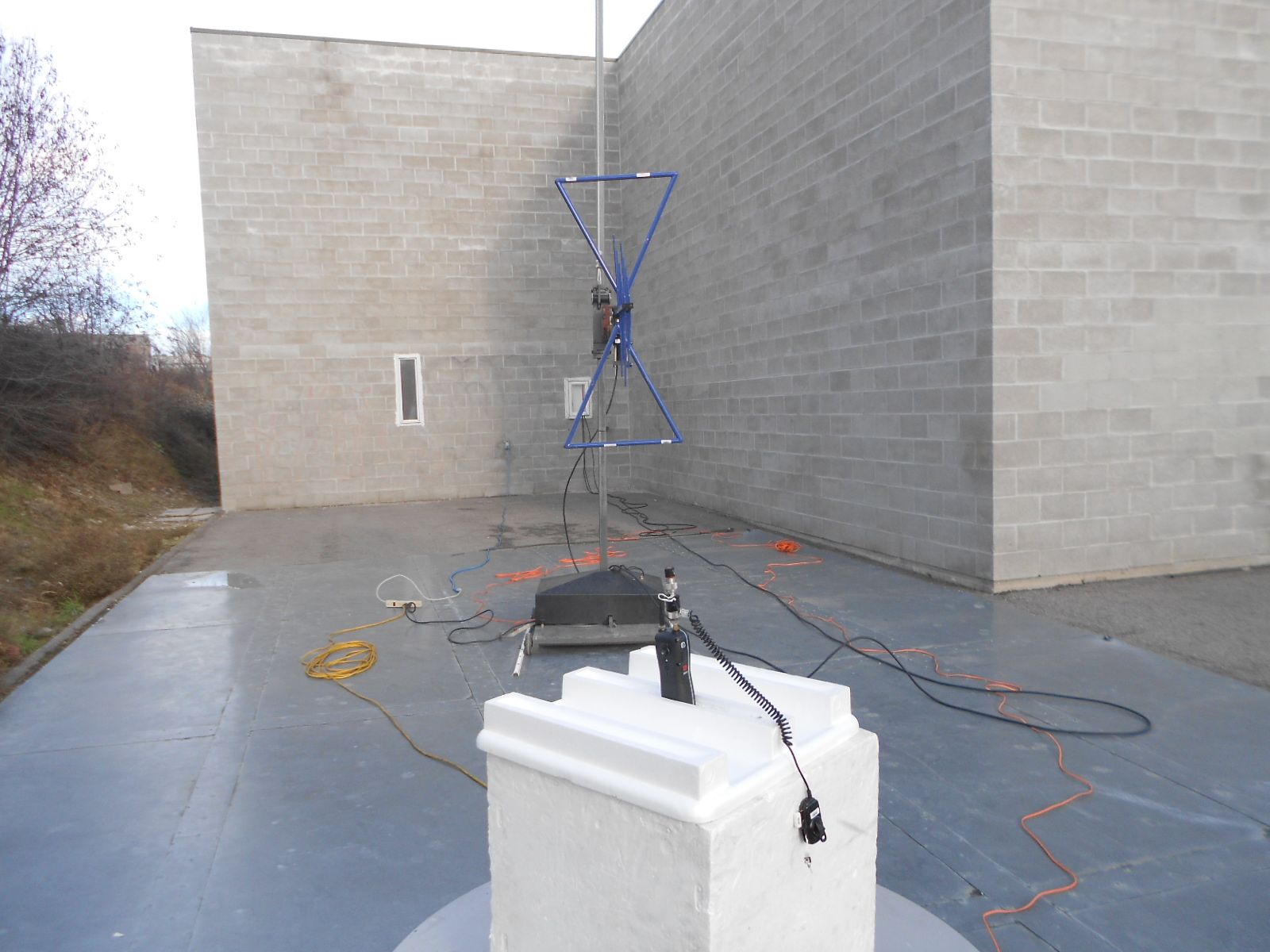
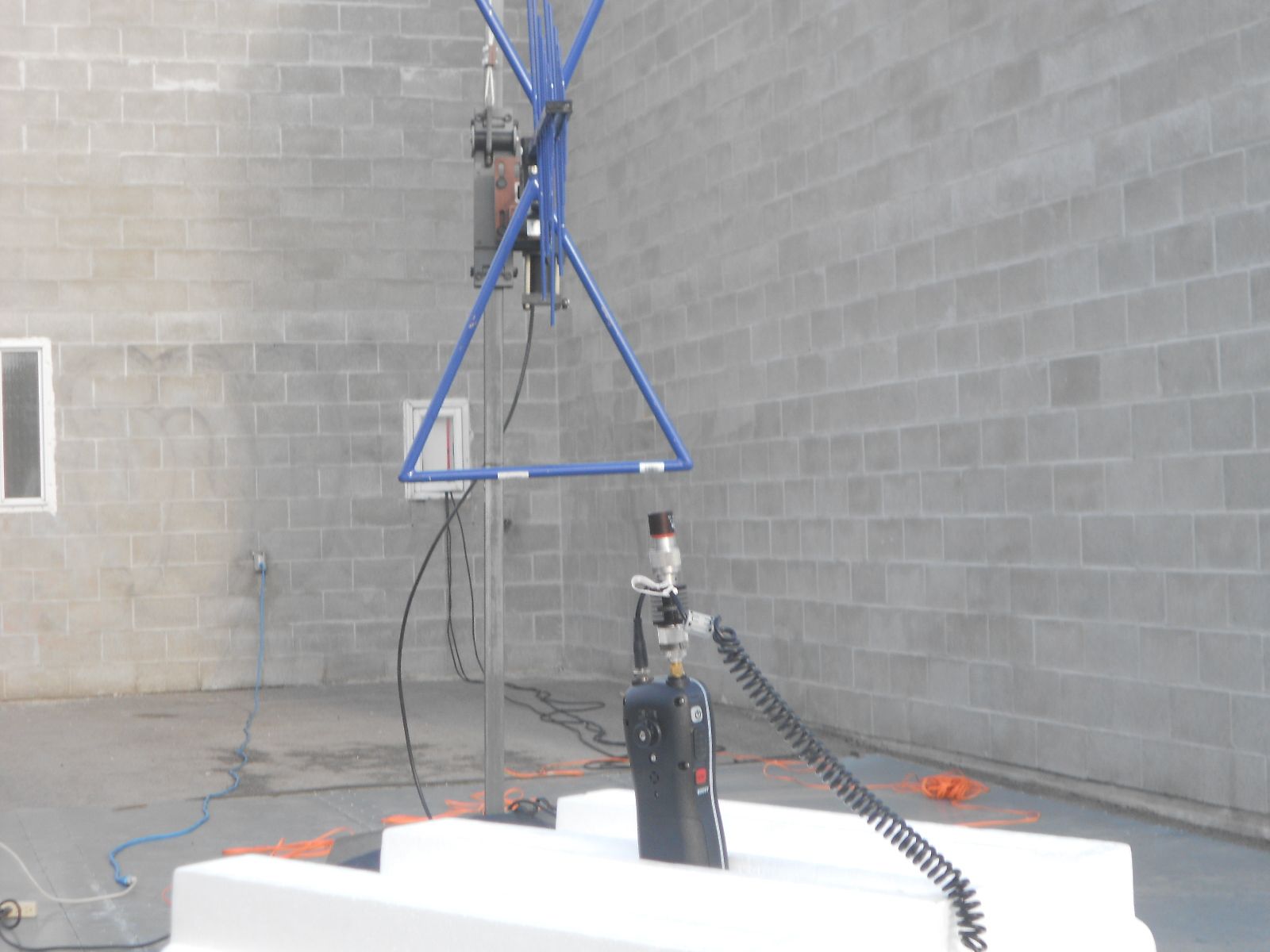
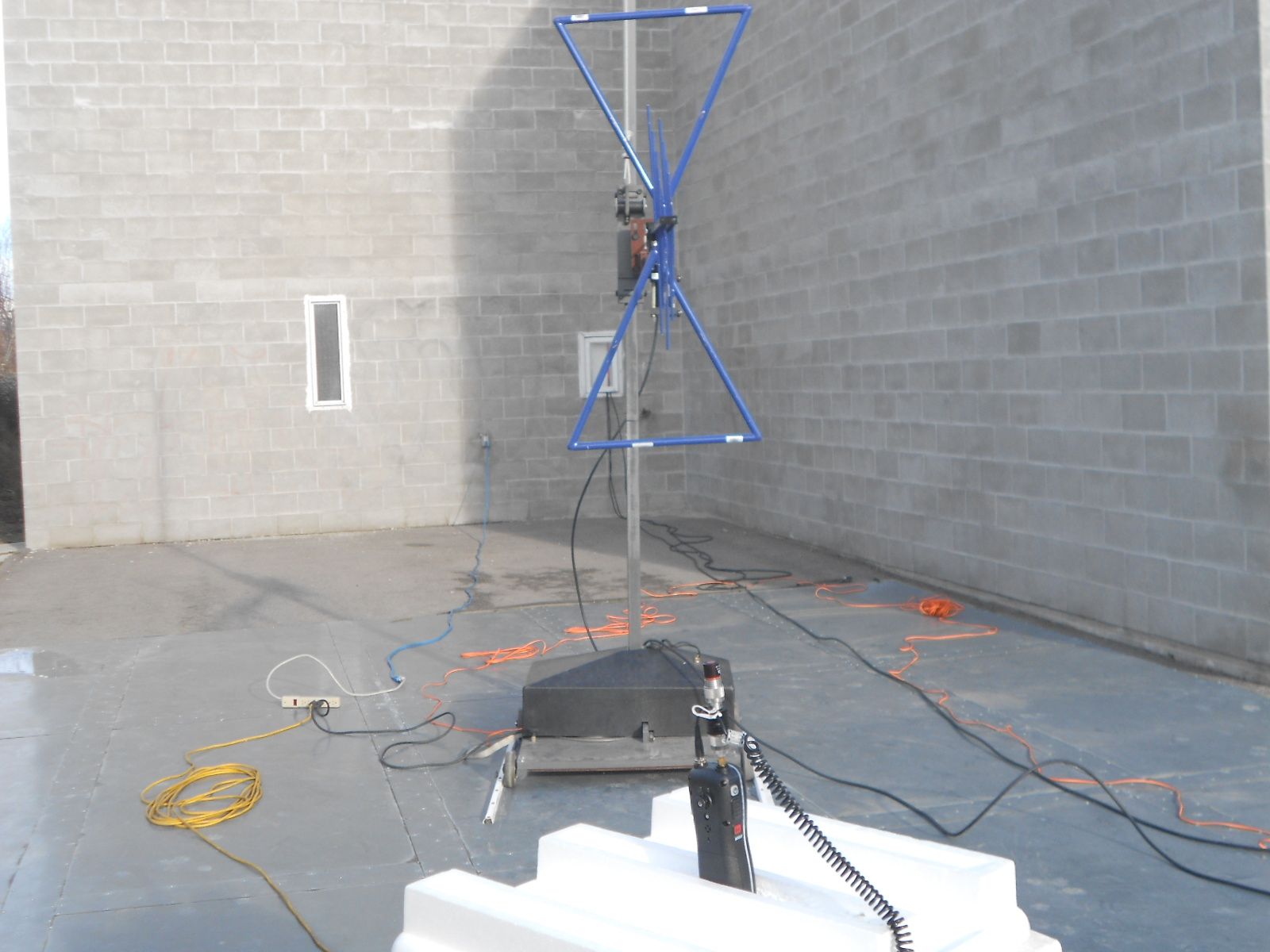
Test Report Serial No.: 110612AMW-T1206-E80V Test Report Issue Date: Dec. 19, 2012 Measurement Date(s): 2-5, Dec 2012 Test Report Revision No.: Rev. 1.1 Rule Part(s) Applied: FCC 47 CFR §2, §80 Industry Canada RSS-182 Issue 4, RSS-Gen Issue 3 Test Site Registration(s): FCC Accredited Site Industry Canada Test Site Registration No. 3874A-1 Applicant: Uniden America Corporation FCC ID: AMWUT645 IC: 513C-UT645 DUT Type: Portable VHF PTT Marine Radio Transceiver Model: MHS235 Freq.: 156-162.5 MHz 2012 Celltech Labs Inc. This document is not to be reproduced in whole or in part without the prior written permission of Celltech Labs Inc. Page 1 of 38 DECLARATION OF COMPLIANCE FCC PART 80 IC RSS-182 (Issue 4) Name CELLTECH LABS INC. Test Lab Information Address 21-364 Lougheed Road, Kelowna, British Columbia V1X 7R8 Canada FCC Accredited Site (ISO 17025:2005 - A2LA Test Lab Certificate No. 2470.01) Test Site Registration No.(s) IC 3874A-1 Name UNIDEN AMERICA CORPORATION Applicant Information Address 4700 Amon Carter Boulevard, Fort Worth, Texas 76155 United States FCC 47 CFR Part 2; Part 80 IC RSS-182 Issue 4; RSS-Gen Issue 3 Standard(s) & Procedure(s) …
Text truncated - open the document above for the full version.
Contact Information
Applicant
Paul Roby
Test Firm
Celltech Labs Inc.Ben Hewson
Technical Specifications
| # | Rule Parts | Frequency Range | Power Output | Emission | Tolerance |
|---|---|---|---|---|---|
| 2 | 8 | 156.025 MHz - 157.425 MHz | 5.9 W | 16K0G2B | 1.12 ppm |
Other Applications from Uniden America Corporation
AMWUA2405
Apr 15, 2026RADAR DETECTOR
Equipment Class
JBP - Part 15 Class B Computing Device PeripheralAMWUA2406
Apr 15, 2026RADAR DETECTOR
Equipment Class
JBP - Part 15 Class B Computing Device PeripheralAMWUA2402
Jul 23, 2024RADAR DETECTOR
Equipment Class
CRD - Part 15 Radar Detector
AMWUA2404
Feb 17, 2024Wi-Fi Bluetooth Combo Module
Equipment Class
DTS - Digital Transmission System
AMWUA2301
Feb 15, 2023RADAR DETECTOR
Equipment Class
CRD - Part 15 Radar Detector