AQO002Key
Pektron Group Ltd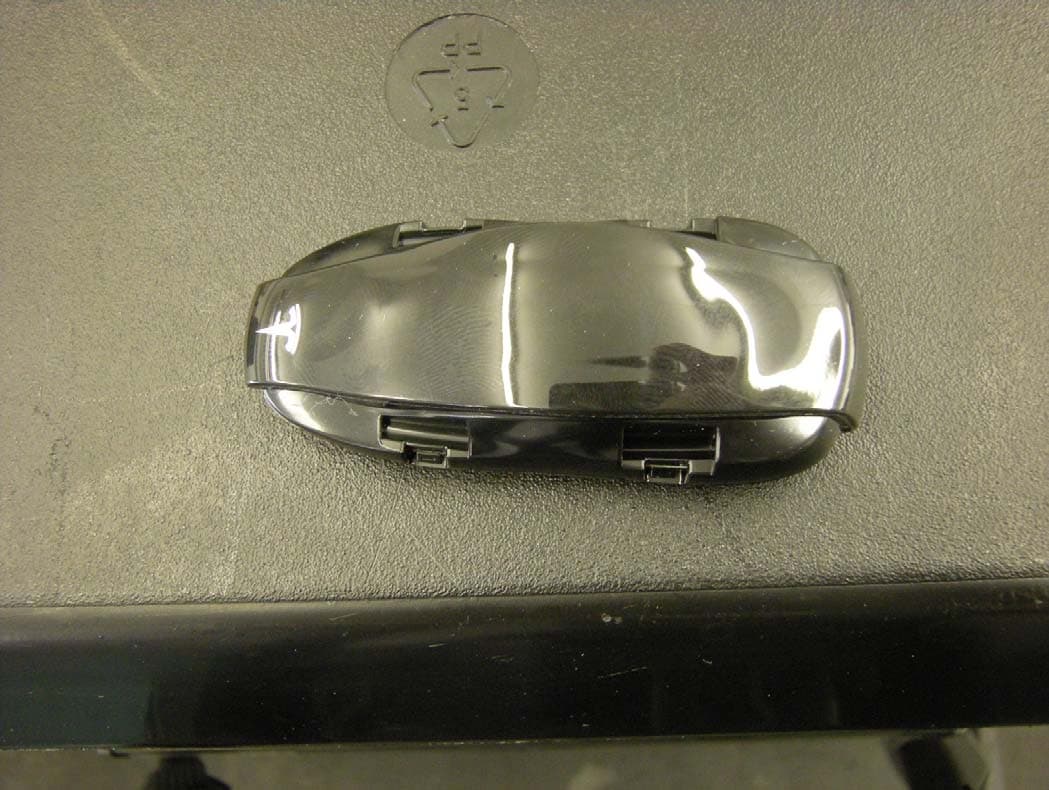
Click to zoom
Application Details
- Equipment Class
- DSR - Part 15 Remote Control/Security Device Transceiver
- Date of Grant
- Jun 21, 2012
- Application Purpose
- Original Equipment
- Date of Application
- Jun 17, 2012
- Equipment Note
- Key
- Frequency Range
- 315.00000000 - 315.00000000
- Company
- Pektron Group Ltd
- Country
- United Kingdom
Documents & Files
Document Text
Text extracted from the exhibit documents filed with the FCC. Open a document above to read the original.
Users Manual
Doors 2.2Doors, Frunk and Liftgate Doors Doors, Frunk and LiftgateDoors Using the Key There are three buttons on the key, these are a softer area of the surface. The buttons on the key transmit a coded radio signal to your Model S. It is not necessary to point the key at Model S, but you must be within operating range. The operating range will vary according to the condition of the key battery and other factors. Use the buttons as follows: 1.Liftgate •Press twice in quick succession to open the Liftgate. Note: If a powered Liftgate is installed, the Liftgate will raise. •Press once to stop a powered Liftgate. •Press twice in quick succession to close a powered Liftgate. 2.Lock/Unlock •Press once to lock all doors and the Liftgate. The hazard warning lights will flash once and a tone will sound to confirm. •Press twice in quick succession to unlock the drivers door. The hazard warning lights will flash twice and two tones will sound to confirm. Note: If the multi-door unlock setting is enabled, all the doors and the Liftgate will unlock. •Press and hold to lower all the windows. 3. Frunk •Press twice in quick succession to open the Frunk. If you can not lock or unlock Model S using the key, you may need to change the key battery. Note: Interference from other radio equipment may affect key operation. If this happens, operate the key as close to Model S as possible. If you are still unable to unlock Model S with the key, you can unlock the doors and disarm the alarm by positioning the key against the passenger side front fender. WARNING: Remove all keys from Model S when it is left unattended. This will ensure Model S is left in a secure and safe condition. ▲ Caring for the key CAUTION: Protect the key from impact, water damage and high temperatures. Avoid contact with solvents, waxes and abrasive cleaners. Do not expose to direct sunlight. Doors Doors, Frunk and Liftgate2.3 Replacing the key battery When the key battery is low, a message will be displayed on the instrument cluster. Change the battery as soon as possible. Note: Life of a key battery is approximately one year depending on use. To change the key battery: 1.Place the key, button side down on a soft surface. 2.Using a small flat bladed tool, carefully release the rear cover from the key. 3.Remove the rear cover. 4.Push the battery towards the center of the key to release it from the front retaining clips and then remove the battery. 5.Fit the new battery (type CR2032) with the ‘+’ side facing upwards. Finger marks will reduce battery life. Avoid touching the flat surfaces of the battery, and wipe the battery clean before fitting. 6.Align the front edges of the two key halves, then press them together until they snap into place. Used batteries contain harmful substances. Seek advice on disposal from Tesla or your local authority. Obtaining additional or replacement keys If you lose a key or require an additional one, contact Tesla. Model S can recognize three keys. When ordering a new key for Model S, take all available keys with you so the system can be reprogrammed. Doors 2.4Doors, Frunk and Liftgate Doors Passive Unlocking Your Model S may be equipped with sensors that can recognize the presence of a key outside the vehicle. The sensors are located at each end of the dash panel and behind the rear bumper, and have a range of approximately 3 ft (1 m). If you are carrying a recognized key (e.g. in your pocket), touch a front door handle. The door handle will extend and you can open the door. Similarly, press the switch located under the exterior handle to open the Liftgate. Note: The key may not be detected if you are carrying a cell phone, personal computer, wireless communication device, coins, metal wallet, CDs or DVDs. Walk away locking Select P (Park) and close all the doors. Check that you have the key when you exit Model S, and the doors and the Liftgate will automatically lock. The hazard warning lights will flash once and a tone will sound to confirm. Enable or disable this feature using the touchscreen. Note: Touch the interior lock icon on the touchscreen with the driver’s door open to enable the feature for a single lock cycle. If you leave the key inside Model S, the doors and Liftgate will remain unlocked. Doors Doors, Frunk and Liftgate2.5 Opening the Doors Exterior handles If you unlock Model S using the key, the door handles will automatically extend. If passive unlocking is installed, the door handles will extend when a front door handle is touched and a recognized key is detected. If you do not open a door within five minutes, the handles will retract into the door. If Model S is still unlocked, touch a door handle and it will extend. Note: Lock Model S using the touchscreen to prevent the door handles extending. Lightly pull the door handle to release the door lock and partially open the door. The door handles will automatically retract three seconds after the door is closed. Interior handles Pull the interior door handle towards you to open the door. Note: Engage the child safety locks to prevent the interior handles being used to open the rear doors. Note: If you lock Model S using the key or with walk away locking, the alarm will sound if a front door is opened. The rear doors can not be opened using the interior handles. Door open warning When you open a door, the Frunk or the Liftgate, the door open warning light will illuminate. With Model S in Drive mode, the left side of the instrument cluster will show a plan view of the vehicle with the aperture open and a warning message. After a collision If you are in a collision and the air bags deploy, the door handles will automatically extend after 30 seconds and remain extended until Model S is locked using either the key or the touchscreen. Doors 2.6Doors, Frunk and Liftgate Doors Interior Lock and Unlock Icon You can lock and unlock Model S using the touchscreen, provided the key is inside the cabin. To u c h t h e CONTROLS icon on the touchscreen to acc…
Text truncated - open the document above for the full version.
Contact Information
Applicant
Nicholas John Thornley Wren(Mr)
Technical Contact
Non-Technical Contact
Tesla MotorsRobert Cooper
[email protected]650-681-5354
Test Firm
CKC Laboratories, Inc.Steve Behm
Technical Specifications
| # | Rule Parts | Frequency Range | Power Output |
|---|---|---|---|
| 1 | 15.231 | 315 MHz - 315 MHz | - |
Other Applications from Pektron Group Ltd
AQO012
May 18, 2021Bluetooth Security Node
Equipment Class
DTS - Digital Transmission System
AQO011
May 18, 2021Bluetooth Security Node with NFC
Equipment Class
DXX - Part 15 Low Power Communication Device Transmitter
AQO013
May 18, 2021Bluetooth Vehicle Key
Equipment Class
DTS - Digital Transmission System