BCGA1084Apple Airport Express Base Station
Apple Inc.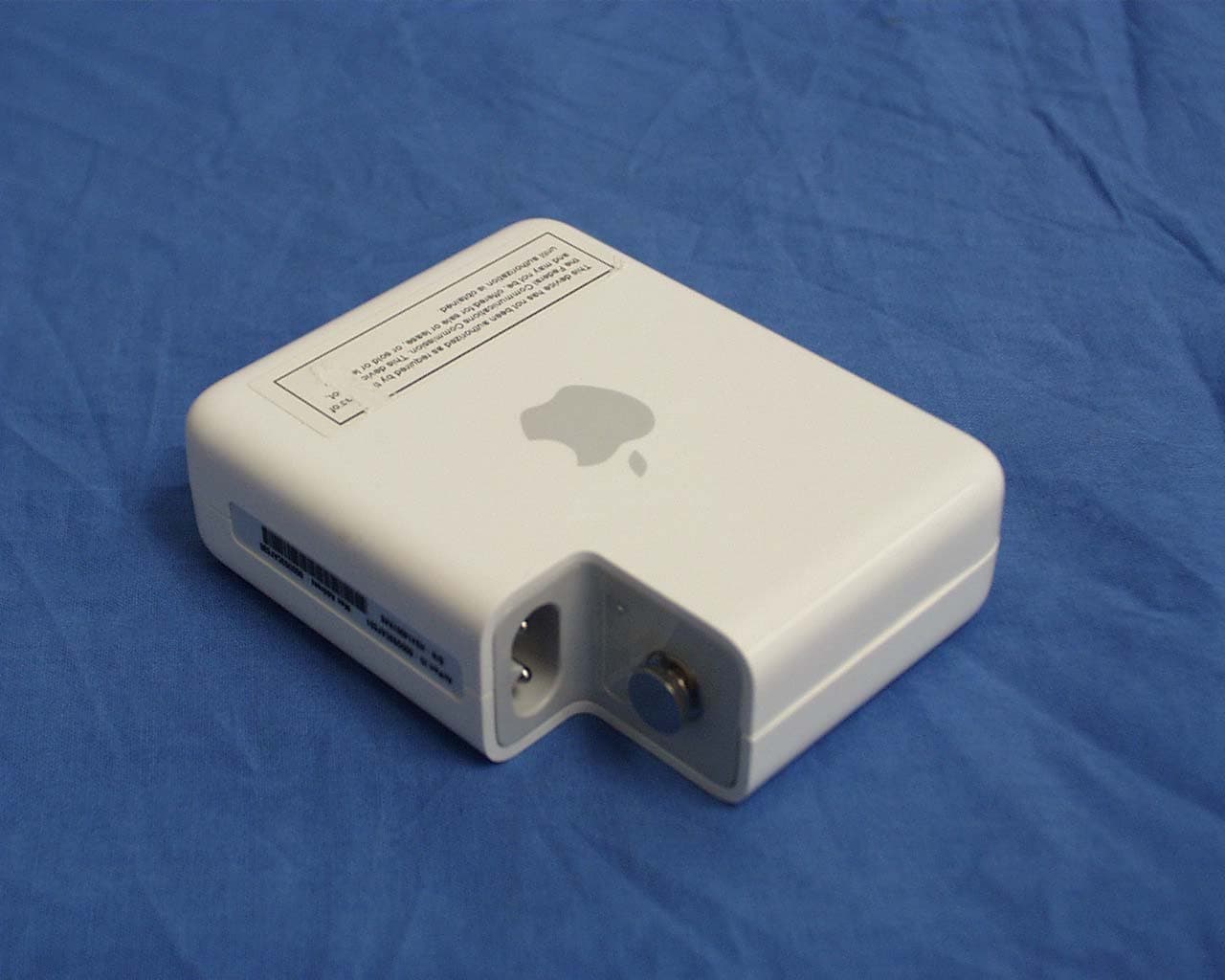
Click to zoom
Application Details
- Equipment Class
- DTS - Digital Transmission System
- Date of Grant
- Jun 06, 2004
- Application Purpose
- Original Equipment
- Date of Application
- Jun 06, 2004
- Equipment Note
- Apple Airport Express Base Station
- Frequency Range
- 2412.00000000 - 2462.00000000
- Company
- Apple Inc.
- Country
- United States
Documents & Files
Document Text
Text extracted from the exhibit documents filed with the FCC. Open a document above to read the original.
Users Manual
AirPort Express Setup Guide LL2513_Q61SU.book Page 1 Thursday, May 20, 2004 5:44 PM LL2513_Q61SU.book Page 2 Thursday, May 20, 2004 5:44 PM 3 Contents 4 Getting Started 9 Plugging In AirPort Express 11 Using AirPort Express 12 Using AirPort Express With Your Broadband Internet Service 14 Using AirPort Express With AirTunes to Play iTunes Music on Your Stereo 20 Using AirPort Express to Share a USB Printer 22 Extending the Range of an Existing AirPort Extreme or AirPort Express Network 25 Using the AirPort Express Assistant 31 Setting Advanced Options 32 AirPort Express on the Road 34 Tips and Troubleshooting 42 Learning More, Service, and Support 44 AirPort Express Specifications LL2513_Q61SU.book Page 3 Thursday, May 20, 2004 5:44 PM 4 1 Getting Started Congratulations on purchasing AirPort Express. Read this guide to get started using it. You can use AirPort Express to share your broadband Internet access with wireless computers on your network, play iTunes music on your home stereo, and much more. Your AirPort Express comes with AirTunes, a way play iTunes music through remote speakers. With AirPort Express, you can: • Create a wireless network in your home, then connect to the Internet and share the connection with up to ten computers simultaneously. An entire family can be connected to the Internet at the same time. • Connect AirPort Express to your home stereo or powered speakers and use AirTunes to play your iTunes music on your home stereo from a Macintosh with an AirPort or AirPort Extreme Card, or a compatible Windows XP or 2000 wireless computer. LL2513_Q61SU.book Page 4 Thursday, May 20, 2004 5:44 PM Getting Started 5 • Set up a wireless connection to your Ethernet network. AirPort and AirPort Extreme- equipped Macintosh computers or Windows XP or 2000 computers can then have access to an entire network without being connected with a cable. • Extend the range of your network by adding AirPort Express to your existing AirPort Extreme or AirPort Express wireless network (this is called a Wireless Distribution System, or WDS). • Connect a USB printer to your AirPort Express. All of the computers on the AirPort network, both wireless and wired, can print to it. • Create custom profiles so you can store settings for up to five different locations. LL2513_Q61SU.book Page 5 Thursday, May 20, 2004 5:44 PM 6 Getting Started About AirPort Express AirPort Express has three ports, located on the bottom side: • Ethernet port ( G ) for connecting a DSL or cable modem, or for connecting to an existing Ethernet network • Analog and optical digital audio stereo mini-jack ( - ) for connecting AirPort Express to a home stereo or powered speakers • USB port ( ) for connecting a compatible printer to AirPort Express Next to the ports is a reset button, which is used for troubleshooting your AirPort Express. The status light on the side of AirPort Express shows the current status. Status light Reset button Line Out port (Analog and optical digital audio mini-jack) Ethernet port USB port AC plug adapter LL2513_Q61SU.book Page 6 Thursday, May 20, 2004 5:44 PM Getting Started 7 About the AirPort Software AirPort Express works with the AirPort software included on the AirPort Express CD. AirPort Express Assistant Use the AirPort Express Assistant to set up your AirPort Express to connect to the Internet, play iTunes music on your home stereo or powered speakers, and share a printer. You can also bridge your AirPort Express to your existing AirPort Extreme or AirPort Express wireless network to extend the range of your network (WDS). AirPort status menu in the menu bar Use the AirPort status menu to switch quickly between AirPort networks, monitor the signal quality of the current network, create a Computer-to-Computer network, and turn AirPort on and off. The status menu is available on computers using Mac OS X. AirPort Admin Utility AirPort Admin Utility is an advanced tool for setting up and managing AirPort Extreme and AirPort Express base stations. Use AirPort Admin Utility to adjust network, routing, and security settings and other advanced options. LL2513_Q61SU.book Page 7 Thursday, May 20, 2004 5:44 PM 8 Getting Started What You Need to Get Started To set up AirPort Express using a Macintosh, you must have the following: • A Macintosh computer with an AirPort or AirPort Extreme Card installed • Mac OS X v10.3 or later • iTunes 4.6 (included on the AirPort Express CD) or later To set up AirPort Express using a Windows PC, you must have the following: • A Windows PC with 300 MHz or higher processor speed • Windows XP Home or Professional • iTunes 4.6 for Windows (included on the AirPort Express CD) or later You need iTunes 4.6 or later to play audio from your computer to a stereo connected to AirPort Express. To be sure you have the latest version of iTunes, go to www.apple.com/itunes. You can use AirPort Express with any wireless-enabled computer that is compliant with the IEEE 802.11b or 802.11g standards. To set up AirPort Express, your computer must meet the requirements listed above. Note: If you are using Windows 2000, use AirPort Admin Utility for Windows to set up your AirPort Express. The AirPort Express Assistant is not compatible with Windows 2000. LL2513_Q61SU.book Page 8 Thursday, May 20, 2004 5:44 PM Getting Started 9 Plugging In AirPort Express Before you plug in your AirPort Express, first connect the appropriate cables to the ports you want to use, including the Ethernet cable connected to your DSL or cable modem (if you will connect to the Internet), the audio cable connected to your stereo (if you will use AirTunes to play music from iTunes) and a USB cable connected to a compatible USB printer (if you will print to a USB printer). Once you have connected the cables for all the devices you plan to use, connect the AC plug adapter if necessary. Plug AirPort Express into the wall. There is no on switch. AC plug adapter LL2513_Q61SU.book Page 9 Thursday, May 20, 2004 5:44 PM 10 Ge…
Text truncated - open the document above for the full version.
ID Label/Location Info
FCC ID: BCGA1084 will go on top half of this face. FCC Warning Statement will go on the bottom half of this face
Parts List/Tune Up Info
Bottom Side of PCB Main Antenna 20 cm 5cm Q61; Top Antenna; Azimuth -25 -20 -15 -10 -5 0 5 0 5 10 15 20 25 30 35 40 45 50 55 60 65 70 75 80 85 90 95 100 105 110 115 120 125 130 135 140 145 150 155 160 165 170 175 180 185 190 195 200 205 210 215 220 225 230 235 240 245 250 255 260 265 270 275 280 285 290 295 300 305 310 315 320 325 330 335 340 345 350 355 2.40 GHz 2.45 GHz 2.5 GHz dBi 180 Deg = Front Unit Orientation AC Plug Q61; Top Antenna; Elevation 1 -25 -20 -15 -10 -5 0 5 0 5 10 15 20 25 30 35 40 45 50 55 60 65 70 75 80 85 90 95 100 105 110 115 120 125 130 135 140 145 150 155 160 165 170 175 180 185 190 195 200 205 210 215 220 225 230 235 240 245 250 255 260 265 270 275 280 285 290 295 300 305 310 315 320 325 330 335 340 345 350 355 2.40 GHz 2.45 GHz 2.5 GHz dBi Unit Orientation AC Plug Q61; Top Antenna; Elevation 2 -25 -20 -15 -10 -5 0 5 0 5 10 15 20 25 30 35 40 45 50 55 60 65 70 75 80 85 90 95 100 105 110 115 120 125 130 135 140 145 150 155 160 165 170 175 180 185 190 195 200 205 210 215 220 225 230 235 240 245 250 255 260 265 270 275 280 285 290 295 300 305 310 315 320 325 330 335 340 345 350 355 2.40 GHz 2.45 GHz 2.5 GHz Zero Deg = Overhead dBi Unit Orientation AC Plug (on Back Side) Top Side of PCB Aux Antenna 19 cm 4 cm Q61; Front Antenna; Azimuth -25 -20 -15 -10 -5 0 5 0 5 10 15 20 25 30 35 40 45 50 55 60 65 70 75 80 85 90 95 100 105 110 115 120 125 130 135 140 145 150 155 160 165 170 175 180 185 190 195 200 205 210 215 220 225 230 235 240 245 250 255 260 265 270 275 280 285 290 295 300 305 310 315 320 325 330 335 340 345 350 355 2.40 GHz 2.45 GHz 2.5 GHz dBi Unit Orientation Elevation Pattern; Front Antenna -25 -20 -15 -10 -5 0 5 0 5 10 15 20 25 30 35 40 45 50 55 60 65 70 75 80 85 90 95 100 105 110 115 120 125 130 135 140 145 150 155 160 165 170 175 180 185 190 195 200 205 210 215 220 225 230 235 240 245 250 255 260 265 270 275 280 285 290 295 300 305 310 315 320 325 330 335 340 345 350 355 2.40 GHz 2.45 GHz 2.5 GHz dBi Zero Deg = Overhead 270 Deg = Front Front Antenna; Elevation Pattern -25 -20 -15 -10 -5 0 5 0 5 10 15 20 25 30 35 40 45 50 55 60 65 70 75 80 85 90 95 100 105 110 115 120 125 130 135 140 145 150 155 160 165 170 175 180 185 190 195 200 205 210 215 220 225 230 235 240 245 250 255 260 265 270 275 280 285 290 295 300 305 310 315 320 325 330 335 340 345 350 355 2.40 GHz 2.45 GHz 2.5 GHz Zero Deg = Overhead dBi 90/270 Deg = Right/Left Side
RF Exposure Info
in accordance with the requirements of FCC Report and Order: ET Docket 93-62, and OET Bulletin 65 Supplement C for Apple Airport Express Base Station Model: A1084 FCC ID: BCGA1084 April 23, 2004 REPORT NO: 04U2652-5 Prepared for APPLE COMPUTERS INC. 1 INFINITE LOOP CUPERTINO, CA 95014 Prepared by COMPLIANCE CERTIFICATION SERVICES 561F MONTEREY ROAD MORGAN HILL, CA 95037 USA TEL: (408) 463-0885 REPORT NO: 04U2652-5 DATE: April 23, 2004 FCC ID: BCGA1084 COMPLIANCE CERTIFICATION SERVICES Page: 2 of 27 This report shall not be reproduced except in full, without the written approval of CCS. This document may be altered or revised by Compliance Certification Services personnel only, and shall be noted in the revision section of the document. CERTIFICATE OF COMPLIANCE (SAR EVALUATION) Dates of Tests: April 23, 2004 APPLICANT: APPLE COMPUTERS INC. 1 INFINITE LOOP CUPERTINO, CA 95014 MODEL: A1084 FCC ID: BCGA1084 DEVICE CATEGORY: PORTABLE DEVICES EXPOSURE CATEGORY: GENERAL POPULATION/UNCONTROLLED EXPOSURE Test Sample is a: Production unit Modulation type: Direct Sequence Spread Spectrum (DSSS) for 802.11b Orthogonal Frequency Division Multiplexing (OFDM) for 802.11g Tx Frequency: 2412 to 2462 MHz Max. O/P Power: (Conducted/Average) 13.50 dBm for 802.11b 12.57 dBm for 802.11g Max. SAR (1g): 0.834 mW/g for 802.11b 0.451 mW/g for 802.11g FCC Rule Part(s): 15C This wireless portable device has been shown to be capable of compliance for localized specific absorption rate (SAR) for uncontrolled environment/general population exposure limits specified in ANSI/IEEE Std. C95.1-1992 and had been tested in accordance with the measurement procedures specified in FCC OET 65 Supplement C (released on 6/29/2001 see Test Report). I attest to the accuracy of data. All measurements reported herein were performed by me or were made under my supervision and are correct to the best of my knowledge and belief. I assume full responsibility for the completeness of these measurements and vouch for the qualifications of all persons taking them. Hsin-Fu Shih (Sunny Shih) Senior Engineer REPORT NO: 04U2652-5 DATE: April 23, 2004 FCC ID: BCGA1084 COMPLIANCE CERTIFICATION SERVICES Page: 3 of 27 This report shall not be reproduced except in full, without the written approval of CCS. This document may be altered or revised by Compliance Certification Services personnel only, and shall be noted in the revision section of the document. TABLE OF CONTENTS 1. EQUIPMENT UNDER TEST (EUT) DESCRIPTION........................................................... 4 2. REQUIREMENTS FOR COMPLIANCE TESTING DEFINED BY THE FCC............................... 4 3. DOSIMETRIC ASSESSMENT SYSTEM.......................................................................... 4 3.1. MEASUREMENT SYSTEM DIAGRAM......................................................................................................5 3.2. SYSTEM COMPONENTS.......................................................................................................................6 4. EVALUATION PROCEDURES..................................................................................... 8 5. MEASUREMENT UNCERTAINTY............................................................................... 12 6. EXPOSURE LIMIT................................................................................................. 13 7. PROCEDURES USED TO ESTABLISH TEST SIGNALS................................................... 13 8. MEASUREMENT RESULTS...................................................................................... 14 8.1. SIMULATING LIQUIDS PARAMETER CHECK..........................................................................................14 8.2. SYSTEM PERFORMANCE CHECK........................................................................................................17 8.3. SAR MEASUREMENT RESULTS.........................................................................................................18 9. PHOTOS............................................................................................................. 22 10. EQUIPMENT LIST & CALIBRATION STATUS............................................................... 25 11. REFERENCES...................................................................................................... 26 12. ATTACHMENTS.................................................................................................... 27 REPORT NO: 04U2652-5 DATE: April 23, 2004 FCC ID: BCGA1084 COMPLIANCE CERTIFICATION SERVICES Page: 4 of 27 This report shall not be reproduced except in full, without the written approval of CCS. This document may be altered or revised by Compliance Certification Services personnel only, and shall be noted in the revision section of the document. 1. EQUIPMENT UNDER TEST (EUT) DESCRIPTION Test Sample is a: Production unit Modulation type: Direct Sequence Spread Spectrum (DSSS) for 802.11b Orthogonal Frequency Division Multiplexing (OFDM) for 802.11g Tx Frequency: 2412 to 2462 MHz FCC Rule Part(s): 15C 2. REQUIREMENTS FOR COMPLIANCE TESTING DEFINED BY THE FCC The US Federal Communications Commission has released the report and order “Guidelines for Evaluating the Environmental Effects of RF Radiation", ET Docket No. 93-62 in August 1996 [1]. The order requires routine SAR evaluation prior to equipment authorization of portable transmitter devices, including portable telephones. For consumer products, the applicable limit is 1.6 mW/g for an uncontrolled environment and 8.0 mW/g for an occupational/controlled environment as recommended by the ANSI/IEEE standard C95.1-1992 [6]. According to the Supplement C of OET Bulletin 65 “Evaluating Compliance with FCC Guide-lines for Human Exposure to Radio frequency Electromagnetic Fields", released on Jun 29, 2001 by the FCC, the device should be evaluated at maximum output power (radiated from the antenna) under “worst-case” conditions for normal or intended use, incorporating norm…
Text truncated - open the document above for the full version.
RF Exposure Info
Date/Time: 04/23/04 09:02:51 Test Laboratory: The name of your organization D2450V2SN706_Probe 3021_042304 DUT: Dipole 2450 MHz; Type: D2450V2; Serial: D2450V2 - SN:706 Ambient temperature = 23.0 deg. C; Liquid temperature = 22.0 deg. C Communication System: CW - 2450 MHz; Frequency: 2450 MHz;Duty Cycle: 1:1 Medium parameters used: f = 2450 MHz; σ = 1.88 mho/m; ε r = 38.9; ρ = 1000 kg/m 3 Phantom section: Flat Section Measurement Standard: DASY4 (High Precision Assessment) DASY4 Configuration: z Probe: ES3DV2 - SN3021; ConvF(4.5, 4.5, 4.5); Calibrated: 7/29/2003 z Sensor-Surface: 4mm (Mechanical Surface Detection) z Electronics: DAE3 Sn500; Calibrated: 12/23/2003 z Phantom: SAM 1; Type: SAM 1; Serial: 1185 z Measurement SW: DASY4, V4.2 Build 44; Postprocessing SW: SEMCAD, V1.8 Build 112 d=10mm, Pin=250mW/Area Scan (7x7x1): Measurement grid: dx=15mm, dy=15mm Reference Value = 91.5 V/m; Power Drift = -0.003 dB Maximum value of SAR (measured) = 15.1 mW/g d=10mm, Pin=250mW/Zoom Scan (5x5x7)/Cube 0: Measurement grid: dx=7.5mm, dy=7.5mm, dz=5mm Reference Value = 91.5 V/m; Power Drift = -0.003 dB Maximum value of SAR (measured) = 14.7 mW/g Peak SAR (extrapolated) = 28.8 W/kg SAR(1 g) = 13.4 mW/g; SAR(10 g) = 6.15 mW/g 0 dB = 14.7mW/g Date/Time: 04/23/04 09:02:51 Test Laboratory: The name of your organization D2450V2SN706_Probe 3021_042304 DUT: Dipole 2450 MHz; Type: D2450V2; Serial: D2450V2 - SN:706 DASY4 Configuration: z Probe: ES3DV2 - SN3021; ConvF(4.5, 4.5, 4.5); Calibrated: 7/29/2003 z Sensor-Surface: 0mm (Fix Surface) z Electronics: DAE3 Sn500; Calibrated: 12/23/2003 z Phantom: SAM 1; Type: SAM 1; Serial: 1185 z Measurement SW: DASY4, V4.2 Build 44; Postprocessing SW: SEMCAD, V1.8 Build 112 d=10mm, Pin=250mW/Z Scan (1x1x51): Measurement grid: dx=20mm, dy=20mm, dz=2mm Reference Value = 91.5 V/m; Power Drift = 0.003 dB Maximum value of SAR (measured) = 15 mW/g
RF Exposure Info
Date/Time: 04/23/04 11:47:46 Test Laboratory: The name of your organization 1_EUT Setup Configuration 1_802.11b DUT: Apple; Type: A1084; Serial: N/A Ambient temperature = 23.0 deg. C; Liquid temperature = 22.0 deg. C Communication System: 802.11b; Frequency: 2412 MHz;Duty Cycle: 1:1.033 Medium parameters used (interpolated): f = 2412 MHz; σ = 1.94 mho/m; ε r = 52.7; ρ = 1000 kg/m 3 Phantom section: Flat Section Measurement Standard: DASY4 (High Precision Assessment) DASY4 Configuration: z Probe: ES3DV2 - SN3021; ConvF(4.1, 4.1, 4.1); Calibrated: 7/29/2003 z Sensor-Surface: 4mm (Mechanical Surface Detection) z Electronics: DAE3 Sn500; Calibrated: 12/23/2003 z Phantom: SAM 2; Type: SAM 2; Serial: 1050 z Measurement SW: DASY4, V4.2 Build 44; Postprocessing SW: SEMCAD, V1.8 Build 112 Low Ch./Area Scan (6x8x1): Measurement grid: dx=15mm, dy=15mm Reference Value = 7.74 V/m; Power Drift = 0.15 dB Maximum value of SAR (measured) = 0.798 mW/g Info: Interpolated medium parameters used for SAR evaluation! Low Ch./Zoom Scan (5x5x7)/Cube 0: Measurement grid: dx=7.5mm, dy=7.5mm, dz=5mm Reference Value = 7.74 V/m; Power Drift = 0.15 dB Maximum value of SAR (measured) = 0.884 mW/g Peak SAR (extrapolated) = 3.03 W/kg SAR(1 g) = 0.719 mW/g; SAR(10 g) = 0.215 mW/g Info: Interpolated medium parameters used for SAR evaluation! Date/Time: 04/23/04 11:17:58 Test Laboratory: The name of your organization 1_EUT Setup Configuration 1_802.11b DUT: Apple; Type: A1084; Serial: N/A Ambient temperature = 23.0 deg. C; Liquid temperature = 22.0 deg. C Communication System: 802.11b; Frequency: 2437 MHz;Duty Cycle: 1:1.033 Medium parameters used (interpolated): f = 2437 MHz; σ = 1.97 mho/m; ε r = 52.6; ρ = 1000 kg/m 3 Phantom section: Flat Section Measurement Standard: DASY4 (High Precision Assessment) DASY4 Configuration: z Probe: ES3DV2 - SN3021; ConvF(4.1, 4.1, 4.1); Calibrated: 7/29/2003 z Sensor-Surface: 4mm (Mechanical Surface Detection) z Electronics: DAE3 Sn500; Calibrated: 12/23/2003 z Phantom: SAM 2; Type: SAM 2; Serial: 1050 z Measurement SW: DASY4, V4.2 Build 44; Postprocessing SW: SEMCAD, V1.8 Build 112 Middle Ch./Area Scan (6x8x1): Measurement grid: dx=15mm, dy=15mm Reference Value = 9.74 V/m; Power Drift = -0.12 dB Maximum value of SAR (measured) = 0.741 mW/g Info: Interpolated medium parameters used for SAR evaluation! Middle Ch./Zoom Scan (5x5x7)/Cube 0: Measurement grid: dx=7.5mm, dy=7.5mm, dz=5mm Reference Value = 9.74 V/m; Power Drift = -0.12 dB Maximum value of SAR (measured) = 0.896 mW/g Peak SAR (extrapolated) = 1.76 W/kg SAR(1 g) = 0.73 mW/g; SAR(10 g) = 0.262 mW/g Info: Interpolated medium parameters used for SAR evaluation! Date/Time: 04/23/04 11:47:46 Test Laboratory: The name of your organization 1_EUT Setup Configuration 1_802.11b DUT: Apple; Type: A1084; Serial: N/A Ambient temperature = 23.0 deg. C; Liquid temperature = 22.0 deg. C Communication System: 802.11b; Frequency: 2462 MHz;Duty Cycle: 1:1.033 Medium parameters used (interpolated): f = 2462 MHz; σ = 2.01 mho/m; ε r = 52.5; ρ = 1000 kg/m 3 Phantom section: Flat Section Measurement Standard: DASY4 (High Precision Assessment) DASY4 Configuration: z Probe: ES3DV2 - SN3021; ConvF(4.1, 4.1, 4.1); Calibrated: 7/29/2003 z Sensor-Surface: 4mm (Mechanical Surface Detection) z Electronics: DAE3 Sn500; Calibrated: 12/23/2003 z Phantom: SAM 2; Type: SAM 2; Serial: 1050 z Measurement SW: DASY4, V4.2 Build 44; Postprocessing SW: SEMCAD, V1.8 Build 112 High Ch./Area Scan (6x7x1): Measurement grid: dx=15mm, dy=15mm Reference Value = 8.17 V/m; Power Drift = 0.14 dB Maximum value of SAR (measured) = 0.732 mW/g Info: Interpolated medium parameters used for SAR evaluation! High Ch./Zoom Scan (5x5x7)/Cube 0: Measurement grid: dx=7.5mm, dy=7.5mm, dz=5mm Reference Value = 8.17 V/m; Power Drift = 0.14 dB Maximum value of SAR (measured) = 1.07 mW/g Peak SAR (extrapolated) = 2.18 W/kg SAR(1 g) = 0.834 mW/g; SAR(10 g) = 0.288 mW/g Info: Interpolated medium parameters used for SAR evaluation! Date/Time: 04/23/04 11:47:46 Test Laboratory: The name of your organization 1_EUT Setup Configuration 1_802.11b DUT: Apple; Type: A1084; Serial: N/A DASY4 Configuration: z Probe: ES3DV2 - SN3021; ConvF(4.1, 4.1, 4.1); Calibrated: 7/29/2003 z Sensor-Surface: 0mm (Fix Surface) z Electronics: DAE3 Sn500; Calibrated: 12/23/2003 z Phantom: SAM 2; Type: SAM 2; Serial: 1050 z Measurement SW: DASY4, V4.2 Build 44; Postprocessing SW: SEMCAD, V1.8 Build 112 High Ch./Z Scan (1x1x51): Measurement grid: dx=20mm, dy=20mm, dz=2mm Reference Value = 8.17 V/m; Power Drift = 0.14 dB Maximum value of SAR (measured) = 1.04 mW/g Info: Interpolated medium parameters used for SAR evaluation! Date/Time: 04/23/04 11:48:16 Test Laboratory: The name of your organization 2_EUT Setup Configuration 2_802.11b DUT: Apple; Type: A1084; Serial: N/A Ambient temperature = 23.0 deg. C; Liquid temperature = 22.0 deg. C Communication System: 802.11b; Frequency: 2437 MHz;Duty Cycle: 1:1.033 Medium parameters used (interpolated): f = 2437 MHz; σ = 1.97 mho/m; ε r = 52.6; ρ = 1000 kg/m 3 Phantom section: Flat Section Measurement Standard: DASY4 (High Precision Assessment) DASY4 Configuration: z Probe: ES3DV2 - SN3021; ConvF(4.1, 4.1, 4.1); Calibrated: 7/29/2003 z Sensor-Surface: 4mm (Mechanical Surface Detection) z Electronics: DAE3 Sn500; Calibrated: 12/23/2003 z Phantom: SAM 2; Type: SAM 2; Serial: 1050 z Measurement SW: DASY4, V4.2 Build 44; Postprocessing SW: SEMCAD, V1.8 Build 112 Middle Ch./Area Scan (8x8x1): Measurement grid: dx=15mm, dy=15mm Reference Value = 6.39 V/m; Power Drift = -0.15 dB Maximum value of SAR (measured) = 0.403 mW/g Info: Interpolated medium parameters used for SAR evaluation! Middle Ch./Zoom Scan (5x5x7)/Cube 0: Measurement grid: dx=7.5mm, dy=7.5mm, dz=5mm Reference Value = 6.39 V/m; Power Drift = -0.15 dB Maximum value of SAR (measured) = 0.387 mW/g Peak SAR (extrapolated) = 0.798 W/kg SAR(1 g) = 0.377 mW/g; SAR(10 g) = 0.178 mW/g Info: Interpolated medium parameters used for SAR evalua…
Text truncated - open the document above for the full version.
RF Exposure Info
Date/Time: 04/23/04 15:21:56 Test Laboratory: The name of your organization 1_EUT Setup Configuration 1_802.11g DUT: Apple; Type: A1084; Serial: N/A Ambient temperature = 23.0 deg. C; Liquid temperature = 22.0 deg. C Communication System: 802.11g; Frequency: 2437 MHz;Duty Cycle: 1:1.033 Medium parameters used (interpolated): f = 2437 MHz; σ = 1.97 mho/m; ε r = 52.6; ρ = 1000 kg/m 3 Phantom section: Flat Section Measurement Standard: DASY4 (High Precision Assessment) DASY4 Configuration: z Probe: ES3DV2 - SN3021; ConvF(4.1, 4.1, 4.1); Calibrated: 7/29/2003 z Sensor-Surface: 4mm (Mechanical Surface Detection) z Electronics: DAE3 Sn500; Calibrated: 12/23/2003 z Phantom: SAM 2; Type: SAM 2; Serial: 1050 z Measurement SW: DASY4, V4.2 Build 44; Postprocessing SW: SEMCAD, V1.8 Build 112 Middle Ch./Area Scan (6x7x1): Measurement grid: dx=15mm, dy=15mm Reference Value = 7.28 V/m; Power Drift = -0.17 dB Maximum value of SAR (measured) = 0.369 mW/g Info: Interpolated medium parameters used for SAR evaluation! Middle Ch./Zoom Scan (5x5x7)/Cube 0: Measurement grid: dx=7.5mm, dy=7.5mm, dz=5mm Reference Value = 7.28 V/m; Power Drift = -0.17 dB Maximum value of SAR (measured) = 0.531 mW/g Peak SAR (extrapolated) = 6.42 W/kg SAR(1 g) = 0.434 mW/g; SAR(10 g) = 0.135 mW/g Info: Interpolated medium parameters used for SAR evaluation! Date/Time: 04/23/04 15:44:39 Test Laboratory: The name of your organization 2_EUT Setup Configuration 2_802.11g DUT: Apple; Type: A1084; Serial: N/A Ambient temperature = 23.0 deg. C; Liquid temperature = 22.0 deg. C Communication System: 802.11g; Frequency: 2437 MHz;Duty Cycle: 1:1.033 Medium parameters used (interpolated): f = 2437 MHz; σ = 1.97 mho/m; ε r = 52.6; ρ = 1000 kg/m 3 Phantom section: Flat Section Measurement Standard: DASY4 (High Precision Assessment) DASY4 Configuration: z Probe: ES3DV2 - SN3021; ConvF(4.1, 4.1, 4.1); Calibrated: 7/29/2003 z Sensor-Surface: 4mm (Mechanical Surface Detection) z Electronics: DAE3 Sn500; Calibrated: 12/23/2003 z Phantom: SAM 2; Type: SAM 2; Serial: 1050 z Measurement SW: DASY4, V4.2 Build 44; Postprocessing SW: SEMCAD, V1.8 Build 112 Middle Ch./Area Scan 2 (8x8x1): Measurement grid: dx=15mm, dy=15mm Reference Value = 5 V/m; Power Drift = -0.1 dB Maximum value of SAR (measured) = 0.241 mW/g Info: Interpolated medium parameters used for SAR evaluation! Middle Ch./Zoom Scan (5x5x7)/Cube 0: Measurement grid: dx=7.5mm, dy=7.5mm, dz=5mm Reference Value = 5 V/m; Power Drift = -0.1 dB Maximum value of SAR (measured) = 0.244 mW/g Peak SAR (extrapolated) = 1.66 W/kg SAR(1 g) = 0.272 mW/g; SAR(10 g) = 0.115 mW/g Info: Interpolated medium parameters used for SAR evaluation! Date/Time: 04/23/04 16:23:08 Test Laboratory: The name of your organization 3_EUT Setup Configuration 3_802.11g DUT: Apple; Type: A1084; Serial: N/A Ambient temperature = 23.0 deg. C; Liquid temperature = 22.0 deg. C Communication System: 802.11g; Frequency: 2437 MHz;Duty Cycle: 1:1.033 Medium parameters used (interpolated): f = 2437 MHz; σ = 1.97 mho/m; ε r = 52.6; ρ = 1000 kg/m 3 Phantom section: Flat Section Measurement Standard: DASY4 (High Precision Assessment) DASY4 Configuration: z Probe: ES3DV2 - SN3021; ConvF(4.1, 4.1, 4.1); Calibrated: 7/29/2003 z Sensor-Surface: 4mm (Mechanical Surface Detection) z Electronics: DAE3 Sn500; Calibrated: 12/23/2003 z Phantom: SAM 2; Type: SAM 2; Serial: 1050 z Measurement SW: DASY4, V4.2 Build 44; Postprocessing SW: SEMCAD, V1.8 Build 112 Middle Ch./Area Scan (6x7x1): Measurement grid: dx=15mm, dy=15mm Reference Value = 11.5 V/m; Power Drift = -0.12 dB Maximum value of SAR (measured) = 0.447 mW/g Info: Interpolated medium parameters used for SAR evaluation! Middle Ch./Zoom Scan (5x5x7)/Cube 0: Measurement grid: dx=7.5mm, dy=7.5mm, dz=5mm Reference Value = 11.5 V/m; Power Drift = -0.12 dB Maximum value of SAR (measured) = 0.442 mW/g Peak SAR (extrapolated) = 0.842 W/kg SAR(1 g) = 0.374 mW/g; SAR(10 g) = 0.162 mW/g Info: Interpolated medium parameters used for SAR evaluation! Date/Time: 04/23/04 16:26:36 Test Laboratory: The name of your organization 4_EUT Setup Configuration 4_802.11g DUT: Apple; Type: A1084; Serial: N/A Ambient temperature = 23.0 deg. C; Liquid temperature = 22.0 deg. C Communication System: 802.11g; Frequency: 2437 MHz;Duty Cycle: 1:1.033 Medium parameters used (interpolated): f = 2437 MHz; σ = 1.97 mho/m; ε r = 52.6; ρ = 1000 kg/m 3 Phantom section: Flat Section Measurement Standard: DASY4 (High Precision Assessment) DASY4 Configuration: z Probe: ES3DV2 - SN3021; ConvF(4.1, 4.1, 4.1); Calibrated: 7/29/2003 z Sensor-Surface: 4mm (Mechanical Surface Detection) z Electronics: DAE3 Sn500; Calibrated: 12/23/2003 z Phantom: SAM 2; Type: SAM 2; Serial: 1050 z Measurement SW: DASY4, V4.2 Build 44; Postprocessing SW: SEMCAD, V1.8 Build 112 Low Ch./Area Scan (7x7x1): Measurement grid: dx=15mm, dy=15mm Reference Value = 3.78 V/m; Power Drift = 0.13 dB Maximum value of SAR (measured) = 0.433 mW/g Info: Interpolated medium parameters used for SAR evaluation! Low Ch./Zoom Scan (5x5x7)/Cube 0: Measurement grid: dx=7.5mm, dy=7.5mm, dz=5mm Reference Value = 3.78 V/m; Power Drift = 0.13 dB Maximum value of SAR (measured) = 0.503 mW/g Peak SAR (extrapolated) = 4.62 W/kg SAR(1 g) = 0.451 mW/g; SAR(10 g) = 0.185 mW/g Info: Interpolated medium parameters used for SAR evaluation! Date/Time: 04/23/04 16:26:36 Test Laboratory: The name of your organization 4_EUT Setup Configuration 4_802.11g DUT: Apple; Type: A1084; Serial: N/A Ambient temperature = 23.0 deg. C; Liquid temperature = 22.0 deg. C Communication System: 802.11g; Frequency: 2437 MHz;Duty Cycle: 1:1.033 Medium parameters used (interpolated): f = 2437 MHz; σ = 1.97 mho/m; ε r = 52.6; ρ = 1000 kg/m 3 Phantom section: Flat Section Measurement Standard: DASY4 (High Precision Assessment) DASY4 Configuration: z Probe: ES3DV2 - SN3021; ConvF(4.1, 4.1, 4.1); Calibrated: 7/29/2003 z Sensor-Surface: 4mm (Mechanical Surface Detection) z Electronics: DAE3 Sn500; Calibrated: 12/23/2003 z Ph…
Text truncated - open the document above for the full version.
Test Report
Apple Airport Express Apple File No. 1943 EUT: 802.11b/g Wireless LAN Access PointFCC ID: BCGA1084 Page 2 of 55 TABLE OF CONTENTS 1 Test Report Summary3 2 EUT Description4 3 Test Methodology4 4 Facilities and Accreditation5 5 Calibration and Uncertainty6 6 Setup of Equipment Under Test7 7 Applicable Limits and Test Results11 7.1 6 dB Bandwidth11 7.2 99% Bandwidth15 7.3 Maximum Peak Output Power19 7.4 Average Power23 7.5 Peak Power Spectral Density24 7.6 -20 dBc Conducted Spurious Emissions28 7.7 Radiated Emissions35 7.8 AC Power Line Conducted Emissions52 Apple Airport Express Apple File No. 1943 EUT: 802.11b/g Wireless LAN Access PointFCC ID: BCGA1084 Page 3 of 55 1Test Report Summary SpecificationTest or RequirementResultComment CFR 15.247(a)(2)6 dB Bandwidth greater than 500 kHzPassSection 7.1 CFR 15.247(b)(3)Maximum Peak Output Power Requirement: Less then 1 Watt PassSection 7.3 CFR 15.247(d)Peak Power Spectral Density Requirement: Less then +8 dBm in any 3 kHz bandwidth PassSection 7.5 CFR 15.247(c)-20 dBc Spurious EmissionsPassSection 7.6 CFR 15.209(a)Radiated Emissions 30 MHz to 25 GHz PassSection 7.7 CFR 15.207(a)AC Power LinePassSection 7.8 Apple Airport Express Apple File No. 1943 EUT: 802.11b/g Wireless LAN Access PointFCC ID: BCGA1084 Page 4 of 55 2EUT Description The Apple Wireless LAN access point, code named Q61, operates in the 2.4 GHz unlicensed Industrial , Scientific and Medical band and uses Direct Sequence Spread Spectrum and OFDM communication techniques. This device uses the Broadcom BCM2050 radio and the Broadcom BCM4712 Integrated Network Process…
Text truncated - open the document above for the full version.
Contact Information
Applicant
Abhishek Rala(Regulatory Compliance Manager)
Test Firm
Apple Computer, Inc., EMC Compliance LabRobert Steinfeld
Technical Specifications
| # | Rule Parts | Frequency Range | Power Output |
|---|---|---|---|
| 1 | 15C | 2.41 GHz - 2.46 GHz | 64.00 mW |
Other Applications from Apple Inc.
BCG-E9204A
Sep 09, 2026Smartphone
Equipment Class
6VL - 15E 6 GHZ Very Low Power DeviceBCGA3277
Sep 09, 2026Magnetic Charging Cable
Equipment Class
DCD - Part 15 Low Power Transmitter Below 1705 kHzBCGA3641
Sep 09, 2026Magnetic Charger
Equipment Class
DCD - Part 15 Low Power Transmitter Below 1705 kHzBCGA3669
Sep 09, 2026Magnetic Charger
Equipment Class
DCD - Part 15 Low Power Transmitter Below 1705 kHzBCG-E9193A
Sep 09, 2026Smartphone
Equipment Class
PCE - PCS Licensed Transmitter held to ear