BCGA2337Laptop computer
Apple Inc.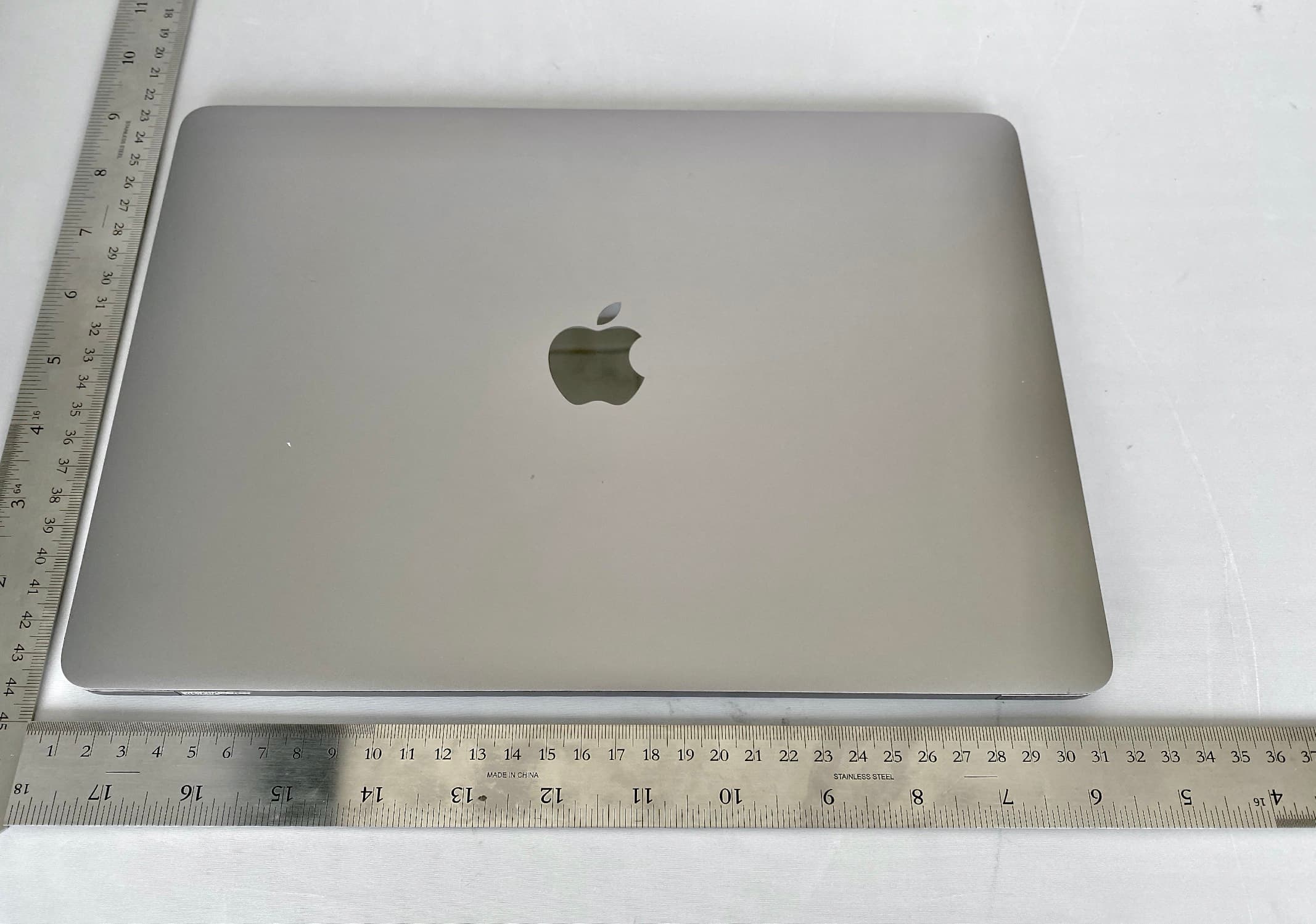
Click to zoom
Application Details
- Equipment Class
- NII - Unlicensed National Information Infrastructure TX
- Date of Grant
- Nov 09, 2020
- Application Purpose
- Original Equipment
- Date of Application
- Nov 04, 2020
- Equipment Note
- Laptop computer
- Frequency Range
- 5775.00000000 - 5775.00000000
- Company
- Apple Inc.
- Country
- United States
Documents & Files
Document Text
Text extracted from the exhibit documents filed with the FCC. Open a document above to read the original.
Users Manual
MacBook Air Essentials Look around your new Mac Get a quick intro to MacBook Air ports, connectors, accessories, and other features. Want to get started? Start your MacBook Air by lifting the lid or connecting it to power, or by pressing any key. Follow the Setup Assistant prompts, and you’re up and running. Ta k e a t o u r o f M a c B o o k Ai r Set up your MacBook Air Stay in sync Access your documents, photos, contacts, and more across all your devices with iCloud. And use your MacBook Air with your iOS and iPadOS devices to make phone calls, copy and paste across devices, or create an Instant Hotspot. Unleash your creativity Your MacBook Air comes with apps for everything you want to do. Edit and share your photos. Enjoy music, books, movies, and more. Create presentations. And discover new apps in the App Store, including iPadOS and iOS apps that now run on MacBook Air. Use your MacBook Air with iCloud and Continuity Learn about apps included with your Mac Discover new features Find out about new features in macOS, your included apps, and your MacBook Air. To e x pl o r e M a c B o ok Ai r E s s e n t i a l s , c l i c k Ta bl e o f C o n t e n t s a t t h e t o p o f the page, or enter a word or phrase in the search field. You can also from Apple Books (where available). If you need more help, visit the . Not all features and content are available in all countries or regions. Learn about new features on your MacBook Air download the guide MacBook Air Support website Welcome MacBook Air at a glance Get started New features on your MacBook Air Use MacBook Air with other devices Apps Find answers Safety, handling, and regulatory information Copyright Thunderbolt / USB 4 ports: Charge your computer, transfer data at Thunderbolt / USB 4 speeds (up to 40 Gbps), connect to a display or projector, and more. The ports can also charge devices, such as an iPad or a rechargeable trackpad or keyboard. 3.5 mm headphone jack: Plug in stereo headphones or external speakers to listen to your favorite music or movies. MacBook Air at a glance Take a tour of MacBook Air Note: This guide is for the current 13-inch MacBook Air. If you’re not sure which model you have or want to find information about other models, see the Apple Support article Identify your MacBook Air model. The MacBook Air has the following features: FaceTime HD camera: Make FaceTime video calls or take pictures and video. If the light is glowing, the camera is on. See . To u c h I D ( t h e p o w e r b u t t o n ) : Press to turn on your MacBook Air (or just lift the lid). When you first start up or restart, you need to log in by typing your password. After you set up Touch ID, you can authenticate with a touch instead of typing your password (after your first login), and use Touch ID for Apple Pay purchases. See . Microphones: Ta l k w i t h f r i e n d s o r r e c o r d a u d i o w i t h m u l t i p l e b u i l t- i n m i c r o p h o n e s . Force Touch trackpad: Control your MacBook Air with gestures. The entire trackpad surface acts as a button so you can easily click anywhere. For more about using gestures, see . What’s included To u s e yo u r M a c B o o k A i r, yo u n e e d t h e s e t wo a c c e s s o r i e s , i n c l u d e d i n t h e b ox : FaceTime MacBook Air Magic Keyboard with Touch ID MacBook Air trackpad AccessoryDescription USB-C Charge Cable (2 m): To charge your MacBook Air, connect one end of the USB-C Charge Cable to any Thunderbolt port on your MacBook Air and the other end to the USB-C Power Adapter. 30W USB-C Power Adapter: After the power adapter is connected, fully extend the electrical prongs on the AC plug, and plug the adapter into an AC power outlet. Other adapters and accessories are sold separately. Visit , your local Apple Store, or other resellers for more information and availability. Review the documentation or check with the manufacturer to make sure you choose the right product. MacBook Air Magic Keyboard with Touch ID The function keys on the top row of the Magic Keyboard provide shortcuts for common functions, such as increasing the volume or screen brightness. Touch ID (the power button) is located on the right side of the function keys. After you set up Touch ID, you can use your fingerprint to unlock MacBook Air, quickly lock your screen, or make purchases from the App Store, Apple TV app, and Book Store, and on websites using Apple Pay. You can set up Touch ID during setup, or later in the Touch ID pane of System Preferences. To set keyboard preferences (open System Preferences, click Keyboard, then click the buttons at the top to see the available options). apple.com Use Touch ID (the power button).Press to turn on your MacBook Air (or just lift the lid or press any key). When you first start up or restart the computer, you need to log in by typing your password. After setup and initial login, whenever you’re asked for your password, you can just place your finger lightly on the Touch ID sensor to authenticate. Press the Touch ID key to quickly lock your screen. You can also use Touch ID to make online purchases securely with Apple Pay. For more information about Touch ID, see . For more information about Apple Pay, see . Note: To t u r n o f f yo u r M a c B o o k A i r, c h o o s e A p p l e m e n u > Shut Down. To put your MacBook Air to sleep, choose Apple menu > Sleep. Many system functions can be accessed through the function keys. Brightness keys (F1, F2): Press or to decrease or increase the brightness of the screen. Mission Control key (F3): Press to view what’s running on your MacBook Air, including all your spaces and open windows. Spotlight Search (F4): Press to open Spotlight and easily search for something on your MacBook Air. Dictation/Siri (F5): Press to activate dictation—you can dictate text wherever you can type (for example, in Messages, Mail, Pages, and other apps). Press and hold to invoke Siri and immediately speak your request. Do Not Disturb key (F6): Press to …
Text truncated - open the document above for the full version.
Users Manual
Review the MacBook Air Essentials guide before using your MacBook Air. View the guide at support.apple.com/ guide/macbook-air or download it from Apple Books (where available). Retain documentation for future reference. Safety and Handling See “Safety, handling, and regulatory information” in the MacBook Air Essentials guide. Avoid Hearing Damage To prevent possible hearing damage, do not listen at high volume levels for long periods. More information about sound and hearing is available online at apple.com/sound. Medical Device Interference MacBook Air contains magnets that may interfere with medical devices. See “Important safety information” in the MacBook Air Essentials guide. Prolonged Heat Exposure Your MacBook Air may become very warm during normal use. It’s important to keep your MacBook Air on a hard, stable, and well-ventilated work surface when in use or charging. Use common sense to avoid situations where your body is in prolonged contact with a device or its power adapter when it’s operating or plugged into a power source, as sustained contact with warm surfaces may cause discomfort or injury. Take special care if you have a physical condition that affects your ability to detect heat against the body. Regulatory Information Regulatory certification information is available on-device. Choose Apple menu > About This Mac > Support > Regulatory Certification. Additional regulatory information is in “Safety, handling, and regulatory information” in the MacBook Air Essentials guide. FCC and ISED Canada Compliance This device complies with part 15 of the FCC Rules and ISED Canada licence- exempt RSS standard(s). Operation is subject to the following two conditions: (1) this device may not cause harmful interference, and (2) this device must accept any interference received, including interference that may cause undesired operation. EU Compliance Apple Inc. hereby declares that this wireless device is in compliance with Directive 2014/53/EU. A copy of the EU Declaration of Conformity is available at apple.com/euro/compliance. Apple’s EU representative is Apple Distribution International Ltd., Hollyhill Industrial Estate, Cork, Ireland. Use Restriction This device is restricted to indoor use when operating in the 5150 to 5350 MHz frequency range. This restriction applies in: AT, BE, BG, CH, CY, CZ, DE, DK, EE, EL, ES, FI, FR, HR, HU, IE, IS, IT, LI, LT, LU, LV, MT, NL, NO, PL, PT, RO, SE, SI, SK, TR, UK. ENERGY STAR® Compliance As an ENERGY STAR partner, Apple has determined that standard configurations of this product meet the ENERGY STAR guidelines for energy efficiency. The ENERGY STAR program is a partnership with electronic equipment manufacturers to promote energy-efficient products. Reducing energy consumption of products saves money and helps conserve valuable resources. This computer is shipped with power management enabled with the computer set to sleep after 10 minutes of user inactivity. To wake your computer, click the trackpad or press any key on the keyboard. For more information about ENERGY STAR, visit energystar.gov. Disposal and Recycling Information The symbol above indicates that this product and/or battery should not be disposed of with household waste. When you decide to dispose of this product and/or its battery, do so in accordance with local environmental laws and guidelines. For information about Apple’s recycling program, recycling collection points, restricted substances, and other environmental initiatives, visit apple .com/environment. European Union—Disposal Information The symbol above means that according to local laws and regulations your product and/or its battery shall be disposed of separately from household waste. When this product reaches its end of life, take it to a collection point designated by local authorities. The separate collection and recycling of your product and/or its battery at the time of disposal will help conserve natural resources and ensure that it is recycled in a manner that protects human health and the environment. Built-in Battery and Charging Don’t attempt to replace or remove the battery yourself—you may damage the battery, which could cause overheating, fire, and injury. The built-in battery should be replaced by Apple or an authorized service provider, and must be recycled or disposed of separately from household waste. Dispose of batteries according to your local environmental laws and guidelines. For information about battery recycling and replacement, go to apple. com/batteries/service-and-recycling. For information about charging, see “Important safety information” in the MacBook Air Essentials guide. Software License Agreement Use of MacBook Air constitutes acceptance of the Apple and third-party software license terms found at apple.com/legal/sla. Apple One-Year Limited Warranty Summary Apple warrants the included hardware product and accessories against defects in materials and workmanship for one year from the date of original retail purchase. Apple does not warrant against normal wear and tear, nor damage caused by accident or abuse. To obtain service, call Apple or visit an Apple Store or an Apple Authorized Service Provider—available service options are dependent on the country in which service is requested and may be restricted to the original country of sale. Call charges and international shipping charges may apply, depending on the location. Subject to the full terms and detailed information on obtaining service available at apple.com/legal/warranty and support.apple.com, if you submit a valid claim under this warranty, Apple will either repair, replace, or refund your computer at its own discretion. Warranty benefits are in addition to rights provided under local consumer laws. You may be required to furnish proof of purchase details when making a claim under this warranty. For Australian consumers: Our goods come with guarantees that cannot be excluded under the Australian Consumer Law. You are ent…
Text truncated - open the document above for the full version.
Attestation Statements
One Apple Park Way Cupertino, California 95014 USA v1.0 www.apple.com Date: 5 October 2020 Federal Communications Commission Office of Engineering and Technology Laboratory Division 7435 Oakland Mills Rd. Columbia MD 21046 Subject: Statement of Conformity for the Client in Non-Associated mode Ref: FCC numbers Model(s) FCC ID A2337 BCG A2337 To whom it may concern: Pursuant to the provisions of KDB 905462 D03, (c). Apple Inc. declares that the above-mentioned devices client software and associated drivers will not initiate any transmission on DFS frequencies without initiation by a master. This includes restriction on transmissions for beacons and support for ad-hoc peer-to- peer modes. Sincerely, ____________________ Stuart Thomas Apple Inc. EMEIA Engineering Manager [email protected]
Cover Letter(s)
One Apple Park Way Cupertino, California 95014 USA www.apple.com Date: 5 October 2020 Federal Communications Commission Equipment Authorization Branch 7435 Oakland Mills Rd. Columbia MD 21046 Attn: Equipment Authorization Branch Ref: FCC ID: BCGA2337, Model: A2337 To whom it may concern: I, the undersigned, hereby authorize TUV SUD BABT. to act on our behalf in all manners relating to application for equipment authorization, including signing of all documents relating to these matters. Any and all acts carried out by TUV SUD BABT. on our behalf shall have the same effect as acts of our own. I, the undersigned, hereby certify that we are not subject to a denial of federal benefits, that includes FCC benefits, pursuant to Section 5301 of the Anti-Drug Abuse Act of 1988, 21 U.S.C. 853(a). In authorizing TUV SUD BABT. as our representative, we still recognize that we are responsible to: a) comply with the relevant provisions of the certification program; b) make all necessary arrangements for the conduct of the evaluation, including provision for examining documentation and access to all areas, records (including internal audit reports) and personnel for the purposes of evaluation (e.g. testing, inspection, assessment, surveillance, reassessment) and resolution of complaints; c) make claims regarding certification only in respect of the scope for which certification has been granted; d) do not use our product certification in such a manner as to bring the Certification Division into disrepute and not make any statement regarding our product certification which the Certification Division may consider misleading or unauthorized; One Apple Park Way Cupertino, California 95014 USA www.apple.com e) upon suspension or cancellation of certification, discontinue use of all advertising matter that contains any reference thereto and return any certification documents as required by the Certification Division; f) use certification only to indicate the products are certified as being in conformity with specified standards; g) endeavor to ensure that no certificate or report nor any part thereof is used in a misleading manner; h) ensure that any reference to our product certification in communication media such as documents, brochures or advertising, complies with the requirements of the Certification Division; i) keep a record of all complaints made known to the us relating to the product’s compliance with requirements of the relevant standard and to make these records available to the when requested; j) take appropriate action with respect to such complaints and any deficiencies found in products or services that affect compliance with the requirements for certification; k) document the actions taken. This authorization is valid until further written notice from the applicant. Sincerely, ____________________ Stuart Thomas Apple Inc. EMEIA Engineering Manager [email protected]
Cover Letter(s)
One Apple Park Way Cupertino, California 95014 USA v1.0 www.apple.com Date: 5 October 2020 Federal Communications Commission Office of Engineering and Technology Laboratory Division 7435 Oakland Mills Rd. Columbia MD 21046 Subject: Request for Confidentiality FCC ID: BCGA2337, Model A2337 To whom it may concern: Pursuant to the provisions of Sections 0.457 and 0.459 of the Commission’s rules (47 CFR §§ 0.457, 0.459), Apple Inc. hereby requests confidential treatment for documents filed with the Commission in connection with the application for equipment authorization referenced above. Permanent Confidentiality Apple Inc. requests that the Commission withholds the following documents from public viewing indefinitely: • Block Diagrams • Schematics • Operational Description • Software Security Description • Tune Up Procedure These documents reveal detailed technical and design information that is protected by Apple Inc. as confidential and proprietary trade secrets. This information has been disclosed to those required to maintain its confidentiality, and is not customarily disclosed to the public even after commercial release of a device. As a result, disclosure of this information by the Commission would harm Apple Inc. by giving competitors an unfair advantage even after commercial release of the device. One Apple Park Way Cupertino, California 95014 USA v1.0 www.apple.com Short Term Confidentiality In addition to the above mentioned documents, pursuant to Public Notice DA 04-1705 of the Commission’s policy, in order to comply with the marketing regulations in 47 CFR §2.803 and the importation rules in 47 CFR §2.1204, while ensuring that business sensitive information remains confidential until the actual marketing of newly authorized devices, Apple Inc. requests that the Commission withholds the following documents from public viewing for one hundred eighty days after the date the grant of equipment authorization is issued: • External Photographs • Internal Photographs • Test Setup Photographs • User Manual These documents reveal technical and design information that has not been publicly disclosed in marketing materials and is protected by Apple Inc. as confidential and proprietary trade secrets. This information has been disclosed to those required to maintain its confidentiality, and is not customarily disclosed publicly prior to the commercial release of the device. As a result, disclosure of this information by the Commission prior to commercial release would harm Apple Inc. by giving competitors an unfair market advantage. Apple Inc. believes the period of confidentiality requested is necessary to protect the information until the commercial release of a device. It is our understanding that measurement test reports and FCC ID label format cannot be granted as confidential documents and this information will be available for public review once the grant of equipment authorization is issued. Sincerely, ____________________ Stuart Thomas Apple Inc. EMEIA Engineering Manager [email protected]
Cover Letter(s)
Apple Park, Cupertino, CA 95014 October 27, 2020 Federal Communications Commission 7435 Oakland Mills Road Columbia MD 21046 Re: Authorized Individual To whom it may concern: Pursuant to the provisions of KDB 852134 D01 Authorized Policy Form 731, I, grantee contact, hereby authorize Stuart Thomas to act on behalf of Apple Inc. for all matters relating to equipment authorization, including signing Form 731, attestations, and confidentiality request letters. This authorization is valid until further written notice from the applicant. Sincerely, ____________________ Abhishek Rala Apple Inc. Global Certification Manager [email protected]
Cover Letter(s)
One Apple Park Way Cupertino, California 95014 USA www.apple.com Date: 5 October 2020 TUV SUD Product Service Octagon House Concorde Way Segensworth North Fareham Hampshire PO15 5RL United Kingdom Subject: Certification Application, Cover Letter FCC ID: BCGA2337 To whom it may concern We, Apple Inc., are applying for an FCC grant for a Single Certification of the device: MacBook Air The MacBook Air, Model A2337 is a laptop computer, with built-in IEEE 802.11a/b/g/n/ac/ax radio and Bluetooth radio. The product has been tested against CFR 47 parts: • 15B • 15C • 15E The measurement facility is on file with FCC under the US-EU MRA, with designation number UK0010. Yours faithfully, Stuart Thomas EMEIA Engineering Manager [email protected]
External Photos
A2337 Top A2337 Bottom A2337 Left - 2 x USB-C port A2337 Right- Audio Port A2337 Front A2337 Back A2337 LCD Screen, Keyboard
ID Label/Location Info
Designed by Apple in California Assembled in China Rated 20.0V==1.5A or 20.3V==3.0A Model A2337 EMC 3598 FCC ID: BCGA2337 and IC: 579C-A2337 Serial PPPYWSSSCCCC I ' Note: Canada: The PMN is located at the bottom of the screen on the front of the device A2337- Regulatory Label Location Apple Proprietary and Confidential
Internal Photos
2 x USB C port WF1/BT antenna structure MLB Speaker structures Audio Port Multi-touch Trackpad WF2/BT antenna structure Speaker structures BatteryBattery A2337 Internal View A2337 WF1/BT and WF2/BT antennas- Front A2337 WF1/BT and WF2/BT antennas- Back A2337 Right speaker structure- Front A2337 Right speaker structure- Back A2337 Left speaker structure- Front A2337 Left speaker structure- Back A2337 Headphone jack assembly- Front A2337 Headphone jack assembly- Back A2337 MLB with shields- Front A2337 MLB with shields- Back WiFi/BT Module A2337 MLB without shields- Front A2337 RIO Board- Front A2337 RIO Board- Back A2337 Multi-touch Trackpad- Front A2337 Multi-touch Trackpad- Back A2337 Keyboard- Front A2337 Keyboard- Back A2337 Display assembly - Front A2337 Display assembly - Back
RF Exposure Info
Document 75949395 Report 17 Issue 1 October 2020 Report On Specific Absorption Rate Testing of the Apple Inc, A2337. Covering FCC 47CFR 2.1093, RSS 102 Issue 5 and related documents. FCC ID: BCGA2337 IC: 579C-A2337 COMMERCIAL-IN-CONFIDENCE TÜV SÜD, Octagon House, Concorde Way, Segensworth North, Fareham, Hampshire, United Kingdom, PO15 5RL Tel: +44 (0) 1489 558100. Website: www.tuv-sud.co.uk COMMERCIAL-IN-CONFIDENCE Page 1 of 60 COMMERCIAL-IN-CONFIDENCE Document 75949395 Report 17 Issue 1 REPORT ON Specific Absorption Rate Testing of the Apple Inc, A2337 Document 75949395 Report 17 Issue 1 October 2020 PREPARED FOR Apple Inc One Apple Park Way Cupertino California 95014 USA PREPARED BY Stephen Dodd Engineer (SAR and RF) APPROVED BY Jon Kenny Authorised Signatory DATED 23 October 2020 Document 75949395 Report 17 Issue 1 Page 2 of 60 COMMERCIAL-IN-CONFIDENCE COMMERCIAL-IN-CONFIDENCE CONTENTS Section Page No 1 REPORT SUMMARY .................................................................................................................... 3 1.1 Report Modification History ........................................................................................................... 4 1.2 Introduction .................................................................................................................................... 4 1.3 Brief Summary of Results .............................................................................................................. 5 1.4 Test Results Summary .................................................................................................................. 6 1.5 Power Tables (Tune up values) ................................................................................................... 17 1.6 Power Measurements .................................................................................................................. 24 2 TEST DETAILS ........................................................................................................................... 30 2.1 DASY5 Measurement System ..................................................................................................... 31 2.2 Bluetooth 2450 MHz Body SAR Test Results ............................................................................. 35 2.3 WLAN 2450 MHz Body SAR Test Results .................................................................................. 37 2.4 WLAN U-NII 2A Body SAR Test Results ..................................................................................... 40 2.5 WLAN U-NII 3 Body SAR Test Results ....................................................................................... 49 3 TEST EQUIPMENT USED .......................................................................................................... 52 3.1 Test Equipment Used .................................................................................................................. 53 3.2 Test Software ............................................................................................................................... 54 3.3 Dielectric Properties of Simulant Liquids ..................................................................................... 55 3.4 Test Conditions ............................................................................................................................ 56 3.5 Measurement Uncertainty............................................................................................................ 57 4 ACCREDITATION, DISCLAIMERS AND COPYRIGHT ............................................................. 59 4.1 Accreditation, Disclaimers and Copyright .................................................................................... 60 ANNEX A Probe Calibration Reports ........................................................................................................ A.2 ANNEX B Dipole Calibration Reports ........................................................................................................ B.2 ANNEX C Photographs ............................................................................................................................ C.2 Document 75949395 Report 17 Issue 1 Page 3 of 60 COMMERCIAL-IN-CONFIDENCE COMMERCIAL-IN-CONFIDENCE SECTION 1 REPORT SUMMARY Specific Absorption Rate Testing of the A2337 Document 75949395 Report 17 Issue 1 Page 4 of 60 COMMERCIAL-IN-CONFIDENCE COMMERCIAL-IN-CONFIDENCE 1.1 REPORT MODIFICATION HISTORY Alterations and additions to this report will be issued to the holders of each copy in the form of a complete document. Issue Description of Change Date of Issue 01 First Issue 23 October 2020 1.2 INTRODUCTION The information contained in this report is intended to show verification of the Specific Absorption Rate testing of the A2337 to the requirements of KDB 447498 D01 v06 General RF Exposure Guidance. Objective To perform Specific Absorption Rate Testing to determine the Equipment Under Test's (EUT’s) compliance with the requirements specified of KDB 447498 D01 v06 General RF Exposure Guidance, for the series of tests carried out. Applicant Apple Inc Manufacturer Apple Inc Manufacturing Description Laptop Computer Model Number A2337 Serial Numbers C02D200SQ9MQ (Radiated Sample) C02D200WQ9MQ (Conducted Sample) Number of Samples Tested 2 Hardware Version Rev 1.0 Software Version 20A523220f Battery Cell Manufacturer Not Supplied Battery Model Number Not Supplied Test Specification/Issue/Date KDB 447498 D01 v06 General RF Exposure Guidance Order Number 0540196335 Date of Receipt of EUT 27/07/2020 Start of Test 03/09/2020 Finish of Test 14/09/2020 Related Documents FCC 47CFR 2.1093: 2019 KDB 865664 – D01 v01r04 KDB 865664 – D02 v01r02 KDB 248227 – D01 v02r02 IEEE 1528-2013 Name of Engineers Mohamud Mohamud Stephen Dodd Document 75949395 Report 17 Issue 1 Page 5 of 60 COMMERCIAL-IN-CONFIDENCE COMMERCIAL-IN-CONFIDENCE 1.3 BRIEF SUMMARY OF RESULTS The measure…
Text truncated - open the document above for the full version.
RF Exposure Info
Document 75949395 Report 17 Issue 1 Page A.17 of A.23 COMMERCIAL-IN-CONFIDENCE COMMERCIAL-IN-CONFIDENCE Document 75949395 Report 17 Issue 1 Page A.18 of A.23 COMMERCIAL-IN-CONFIDENCE COMMERCIAL-IN-CONFIDENCE Document 75949395 Report 17 Issue 1 Page A.19 of A.23 COMMERCIAL-IN-CONFIDENCE COMMERCIAL-IN-CONFIDENCE Document 75949395 Report 17 Issue 1 Page A.20 of A.23 COMMERCIAL-IN-CONFIDENCE COMMERCIAL-IN-CONFIDENCE Document 75949395 Report 17 Issue 1 Page A.21 of A.23 COMMERCIAL-IN-CONFIDENCE COMMERCIAL-IN-CONFIDENCE Document 75949395 Report 17 Issue 1 Page A.22 of A.23 COMMERCIAL-IN-CONFIDENCE COMMERCIAL-IN-CONFIDENCE Document 75949395 Report 17 Issue 1 Page A.23 of A.23 COMMERCIAL-IN-CONFIDENCE COMMERCIAL-IN-CONFIDENCE Document 75949395 Report 17 Issue 1 Page B.1 of B.23 COMMERCIAL-IN-CONFIDENCE COMMERCIAL-IN-CONFIDENCE ANNEX B DIPOLE CALIBRATION REPORT Document 75949395 Report 17 Issue 1 Page B.2 of B.23 COMMERCIAL-IN-CONFIDENCE COMMERCIAL-IN-CONFIDENCE Document 75949395 Report 17 Issue 1 Page B.3 of B.23 COMMERCIAL-IN-CONFIDENCE COMMERCIAL-IN-CONFIDENCE Document 75949395 Report 17 Issue 1 Page B.4 of B.23 COMMERCIAL-IN-CONFIDENCE COMMERCIAL-IN-CONFIDENCE Document 75949395 Report 17 Issue 1 Page B.5 of B.23 COMMERCIAL-IN-CONFIDENCE COMMERCIAL-IN-CONFIDENCE Document 75949395 Report 17 Issue 1 Page B.6 of B.23 COMMERCIAL-IN-CONFIDENCE COMMERCIAL-IN-CONFIDENCE Document 75949395 Report 17 Issue 1 Page B.7 of B.23 COMMERCIAL-IN-CONFIDENCE COMMERCIAL-IN-CONFIDENCE Document 75949395 Report 17 Issue 1 Page B.8 of B.23 COMMERCIAL-IN-CONFIDENCE COMMERCIAL-IN-CONFIDENCE Document 75949395 Report 17 Issue 1 Page B.9 of B.23 COMMERCIAL-IN-CONFIDENCE COMMERCIAL-IN-CONFIDENCE Document 75949395 Report 17 Issue 1 Page B.10 of B.23 COMMERCIAL-IN-CONFIDENCE COMMERCIAL-IN-CONFIDENCE Document 75949395 Report 17 Issue 1 Page B.11 of B.23 COMMERCIAL-IN-CONFIDENCE COMMERCIAL-IN-CONFIDENCE Document 75949395 Report 17 Issue 1 Page B.12 of B.23 COMMERCIAL-IN-CONFIDENCE COMMERCIAL-IN-CONFIDENCE Document 75949395 Report 17 Issue 1 Page B.13 of B.23 COMMERCIAL-IN-CONFIDENCE COMMERCIAL-IN-CONFIDENCE Document 75949395 Report 17 Issue 1 Page B.14 of B.23 COMMERCIAL-IN-CONFIDENCE COMMERCIAL-IN-CONFIDENCE Document 75949395 Report 17 Issue 1 Page B.15 of B.23 COMMERCIAL-IN-CONFIDENCE COMMERCIAL-IN-CONFIDENCE Document 75949395 Report 17 Issue 1 Page B.16 of B.23 COMMERCIAL-IN-CONFIDENCE COMMERCIAL-IN-CONFIDENCE Document 75949395 Report 17 Issue 1 Page B.17 of B.23 COMMERCIAL-IN-CONFIDENCE COMMERCIAL-IN-CONFIDENCE Document 75949395 Report 17 Issue 1 Page B.18 of B.23 COMMERCIAL-IN-CONFIDENCE COMMER…
Text truncated - open the document above for the full version.
Contact Information
Applicant
Abhishek Rala(Regulatory Compliance Manager)
Test Firm
TUV SUD Product ServiceMark Jenkins
Technical Specifications
| # | Rule Parts | Frequency Range | Power Output | Tolerance |
|---|---|---|---|---|
| 15 | 15E | 5.78 GHz - 5.78 GHz | 55.00 mW | 20 ppm |
Other Applications from Apple Inc.
BCG-E9204A
Sep 09, 2026Smartphone
Equipment Class
6VL - 15E 6 GHZ Very Low Power DeviceBCGA3277
Sep 09, 2026Magnetic Charging Cable
Equipment Class
DCD - Part 15 Low Power Transmitter Below 1705 kHzBCGA3641
Sep 09, 2026Magnetic Charger
Equipment Class
DCD - Part 15 Low Power Transmitter Below 1705 kHzBCGA3669
Sep 09, 2026Magnetic Charger
Equipment Class
DCD - Part 15 Low Power Transmitter Below 1705 kHzBCG-E9193A
Sep 09, 2026Smartphone
Equipment Class
PCE - PCS Licensed Transmitter held to ear