BCGA2449Apple Magic Keyboard with Touch ID
Apple Inc.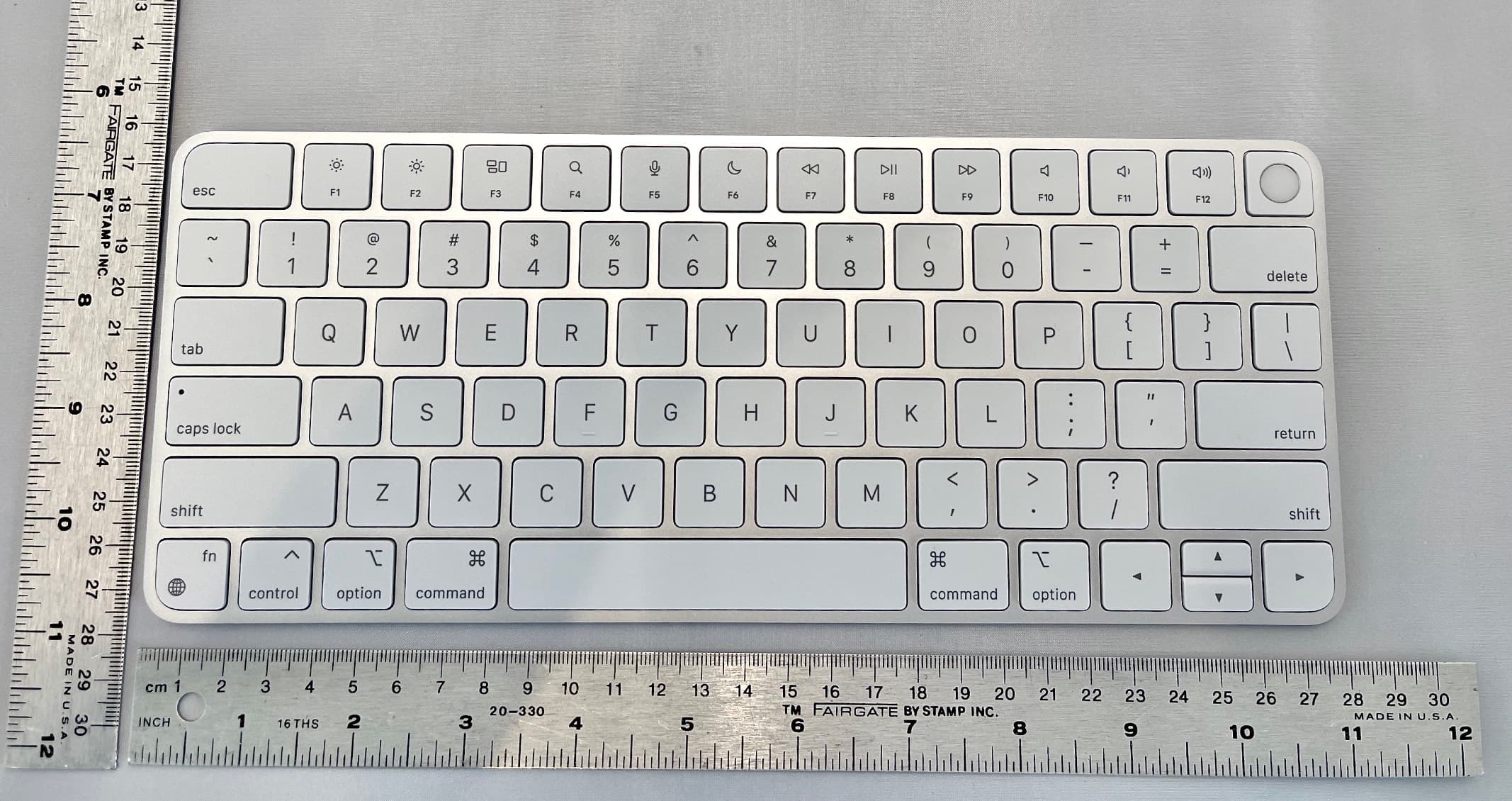
Click to zoom
Application Details
- Equipment Class
- DSS - Part 15 Spread Spectrum Transmitter
- Date of Grant
- Apr 19, 2021
- Application Purpose
- Original Equipment
- Date of Application
- Apr 18, 2021
- Equipment Note
- Apple Magic Keyboard with Touch ID
- Frequency Range
- 2402.00000000 - 2480.00000000
- Company
- Apple Inc.
- Country
- United States
Documents & Files
Document Text
Text extracted from the exhibit documents filed with the FCC. Open a document above to read the original.
Users Manual
English 1 Welcome to your Magic Keyboard Your Magic Keyboard has a rechargeable battery and uses Bluetooth® technology to connect wirelessly to your Mac. This guide shows you how to use your Magic Keyboard, including pairing, setting up Touch ID, customization, and recharging the battery. Update your software To use your Magic Keyboard and its full range of features, update your Mac to the latest version of macOS. To update to the latest version of macOS, choose Apple menu > System Preferences > Software Update to see if there are updates. Follow the onscreen instructions to update macOS. Set up your Magic Keyboard Lightning port USB-C to Lightning Cable Touch ID On/off switch To pair your Magic Keyboard with your Mac, use the USB-C to Lightning Cable that came 2 English with your keyboard. Plug the Lightning end into the Lightning port on your keyboard, and the USB-C end into a USB-C port on your Mac. Slide the keyboard on/off switch to on (so green is visible). Your keyboard will pair automatically with your Mac. After the keyboard is paired, you can disconnect the cable and use your keyboard wirelessly. Lock your Mac Quickly press Touch ID to lock your Mac. To unlock your Mac, lightly touch Touch ID, or press any key, then type your password. Set up Touch ID You can use Touch ID to unlock your Mac, or make purchases from the App Store, Apple TV app, Apple Books, and on websites using Apple Pay. To set up Touch ID: 1. Choose Apple menu > System Preferences, then click Touch ID. 2. Click Add Fingerprint, enter your password, then follow the onscreen instructions. 3. Click the checkboxes to customize how you want to use Touch ID. Customize your Magic Keyboard Change the modifier keys, assign keyboard shortcuts to menu commands in macOS applications and the Finder, and more. English 3 To customize your Magic Keyboard: 1. Choose Apple menu > System Preferences, then click Keyboard. 2. Click Keyboard, Text, Shortcuts, Input Sources, or Dictation to customize the keyboard. Use the function keys Use the function keys at the top of the keyboard to perform shortcuts for these common system functions. Decrease or increase the brightness of the Mac display. Open Mission Control to view what’s running on your Mac, including your spaces and open windows. Open Spotlight to easily search for something on your Mac. Activate dictation with a press. Invoke Siri with a press and hold. Turn Do Not Disturb on or off. Rewind or go to the previous song, movie, or slideshow. Play or pause songs, movies, or slideshows. Fast-forward or go to the next song, movie, or slideshow. 4 English Mute the sound coming from the speakers or headphone port on your Mac. Decrease or increase the volume of sound coming from the speakers or headphone port on your Mac. Switch to a different keyboard or show emoji options. Use with function keys with a press and hold. Rename your Magic Keyboard Your Mac gives your Magic Keyboard a default name the first time you pair it. You can rename it in Bluetooth preferences. To rename your keyboard: 1. Choose Apple menu > System Preferences, then click Bluetooth. 2. Control-click the keyboard, then choose Rename. 3. Enter a name and click Rename. Recharge the battery Use the USB-C to Lightning Cable that came with your keyboard. Plug the Lightning end into the Lightning port on your keyboard, and the USB-C end into a USB-C port on your Mac or a USB-C power adapter. To check the battery status, choose Apple menu > System Preferences, then English 5 click Keyboard. The battery level is shown in the lower-left corner. Note: When you aren’t using the Magic Keyboard, it goes to sleep to conserve battery power. If you won’t be using your keyboard for an extended period, turn it off to conserve even more power. Remove a pairing After you pair your Magic Keyboard with a Mac, you can pair it again with a different Mac. To do this, remove the existing pairing and then pair the keyboard again. To remove a pairing: 1. Choose Apple menu > System Preferences, then click Bluetooth. 2. Select the keyboard, then click the Delete button next to the keyboard name. Clean your Magic Keyboard To clean the outside of your keyboard, use a lint-free cloth. Don’t get moisture in any openings or use aerosol sprays, solvents, or abrasives. Ergonomics When using your Magic Keyboard, it’s important to find a comfortable posture, change your position often, and take frequent breaks. For information about ergonomics, health, and safety, visit the ergonomics website at apple.com/about/ergonomics. 6 English Battery Your Magic Keyboard contains no user- serviceable parts. Don’t attempt to open or disassemble your Magic Keyboard or remove, crush, or puncture the battery in your Magic Keyboard, or expose it to high temperatures or liquids. Disassembling your Magic Keyboard may damage it or may cause injury to you. The lithium-ion battery in your Magic Keyboard should be serviced or recycled by Apple or an authorized service provider, and disposed of separately from household waste. For information about Apple lithium-ion batteries, go to apple.com/batteries. More information For more information about using your keyboard, search for “keyboard” in the macOS User Guide at support.apple.com/ guide/mac-help. For support, go to apple.com/support. French 7 Welcome to your Magic Keyboard Your Magic Keyboard has a rechargeable battery and uses Bluetooth® technology to connect wirelessly to your Mac. This guide shows you how to use your Magic Keyboard, including pairing, setting up Touch ID, customization, and recharging the battery. Update your software To use your Magic Keyboard and its full range of features, update your Mac to the latest version of macOS. To update to the latest version of macOS, choose Apple menu > System Preferences > Software Update to see if there are updates. Follow the onscreen instructions to update macOS. Set up your Magic Keyboard Lightning port USB-C to Lightning Cable Touch ID On/off switch…
Text truncated - open the document above for the full version.
Users Manual
Regulatory Compliance Information FCC Compliance This device complies with part 15 of the FCC Rules. Operation is subject to the following two conditions: (1) this device may not cause harmful interference, and (2) this device must accept any interference received, including interference that may cause undesired operation. Note: This equipment has been tested and found to comply with the limits for a Class B digital device, pursuant to part 15 of the FCC Rules. These limits are designed to provide reasonable protection against harmful interference in a residential installation. This equipment generates, uses, and can radiate radio frequency energy and, if not installed and used in accordance with the instructions, may cause harmful interference to radio communications. However, there is no guarantee that interference will not occur in a particular installation. If this equipment does cause harmful interference to radio or television reception, which can be determined by turning the equipment off and on, the user is encouraged to try to correct the interference by one or more of the following measures: • Reorient or relocate the receiving antenna. • Increase the separation between the equipment and receiver. • Connect the equipment to an outlet on a circuit different from that to which the receiver is connected. • Consult the dealer or an experienced radio/TV technician for help. Changes or modifications to this product not authorized by Apple could void the electromagnetic compatibility (EMC) and wireless compliance and negate your authority to operate the product. This product has demonstrated EMC compliance under conditions that included the use of compliant peripheral devices and shielded cables between system components. It is important that you use compliant peripheral devices and shielded cables between system components to reduce the possibility of causing interference to radios, televisions, and other electronic devices. Responsible party (contact for FCC matters only): Apple Inc. One Apple Park Way, MS 911-AHW Cupertino, CA 95014 USA apple.com/contact • • • • Apple Inc. One Apple Park Way, MS 911-AHW Cupertino, CA 95014 USA apple.com/hk/contact ISED Canada Compliance This device complies with ISED Canada licence- exempt RSS standard(s). Operation is subject to the following two conditions: (1) this device may not cause interference, and (2) this device must accept any interference, including interference that may cause undesired operation of the device. Le présent appareil est conforme aux CNR d’ISDE Canada applicables aux appareils radio exempts de licence. L’exploitation est autorisée aux deux conditions suivantes : (1) l’appareil ne doit pas produire de brouillage, et (2) l’appareil doit accepter tout brouillage radioélectrique subi, même si le brouillage est susceptible d’en compromettre le fonctionnement. EU Compliance Statement Apple Inc. hereby declares that this wireless device is in compliance with Directive 2014/53/EU. A copy of the EU Declaration of Conformity is available at apple.com/euro/compliance. Apple’s EU representative is Apple Distribution International Ltd., Hollyhill Industrial Estate, Cork, Ireland. Japan VCCI Class B Statement Australia/New Zealand México Declaración de Conformidad La operación de este equipo está sujeta a las siguientes dos condiciones: 1) es posible que este equipo o dispositivo no cause interferencia perjudicial y 2) este equipo o dispositivo debe aceptar cualquier interferencia, incluyendo la que pueda causar su operación no deseada. Modelos A2449, A2450 y A2520 Características eléctricas: 5 Vcc 1 A Max MR China Mainland Battery Statement Taiwan Battery Statement Malaysia CIDF15000007 Singapore Apple and the Environment At Apple, we recognize our responsibility to minimize the environmental impacts of our operations and products. For more information, go to apple.com/ environment. Disposal and Recycling Information The symbol above indicates that this product and/ or battery should not be disposed of with household waste. When you decide to dispose of this product and/or its battery, do so in accordance with local environmental laws and guidelines. For information about Apple’s recycling program, recycling collection points, restricted substances, and other environmental initiatives, visit apple.com/environment. Información sobre eliminación de residuos y reciclaje El símbolo de arriba indica que este producto y/o su batería no deben desecharse con los residuos domésticos. Cuando quieras desechar este producto y/o su batería, hazlo de conformidad con las leyes y directrices medioambientales locales. Para obtener más información sobre el programa de reciclaje de Apple, los puntos de recolección para reciclaje, las sustancias restringidas y otras iniciativas medioambientales, visita apple.com/mx/environment o apple.com/la/environment. Brasil – Informações sobre descarte e reciclagem O símbolo acima indica que este produto e/ou sua bateria não devem ser descartados no lixo doméstico. Quando decidir descartar este produto e/ou sua bateria, faça-o de acordo com as leis e diretrizes ambientais locais. Para informações sobre substâncias de uso restrito, o programa de reciclagem da Apple, pontos de coleta e telefone de informações, visite apple.com/br/environment. European Union—Disposal Information The symbol above means that according to local laws and regulations your product and/or its battery shall be disposed of separately from household waste. When this product reaches its end of life, take it to a collection point designated by local authorities. The separate collection and recycling of your product and/or its battery at the time of disposal will help conserve natural resources and ensure that it is recycled in a manner that protects human health and the environment. Union européenne : instructions concernant la mise au rebut Le symbole ci-dessus signifie que, conformément aux lois et réglementations locales, vous devez mettre au reb…
Text truncated - open the document above for the full version.
Cover Letter(s)
One Apple Park Way Cupertino, California 95014 USA www.apple.com Date: 18 March 2021 Federal Communications Commission Equipment Authorization Branch 7435 Oakland Mills Rd. Columbia MD 21046 Attn: Equipment Authorization Branch Ref: FCC ID: BCGA2449, Model: A2449 To whom it may concern: I, the undersigned, hereby authorize UL International (UK) Ltd. to act on our behalf in all manners relating to application for equipment authorization, including signing of all documents relating to these matters. Any and all acts carried out by UL International (UK) Ltd. on our behalf shall have the same effect as acts of our own. I, the undersigned, hereby certify that we are not subject to a denial of federal benefits, that includes FCC benefits, pursuant to Section 5301 of the Anti-Drug Abuse Act of 1988, 21 U.S.C. 853(a). In authorizing UL International (UK) Ltd. as our representative, we still recognize that we are responsible to: a) comply with the relevant provisions of the certification program; b) make all necessary arrangements for the conduct of the evaluation, including provision for examining documentation and access to all areas, records (including internal audit reports) and personnel for the purposes of evaluation (e.g. testing, inspection, assessment, surveillance, reassessment) and resolution of complaints; c) make claims regarding certification only in respect of the scope for which certification has been granted; d) do not use our product certification in such a manner as to bring the Certification Division into disrepute and not make any statement regarding our product certification which the Certification Division may consider misleading or unauthorized; One Apple Park Way Cupertino, California 95014 USA www.apple.com e) upon suspension or cancellation of certification, discontinue use of all advertising matter that contains any reference thereto and return any certification documents as required by the Certification Division; f) use certification only to indicate the products are certified as being in conformity with specified standards; g) endeavor to ensure that no certificate or report nor any part thereof is used in a misleading manner; h) ensure that any reference to our product certification in communication media such as documents, brochures or advertising, complies with the requirements of the Certification Division; i) keep a record of all complaints made known to the us relating to the product’s compliance with requirements of the relevant standard and to make these records available to the when requested; j) take appropriate action with respect to such complaints and any deficiencies found in products or services that affect compliance with the requirements for certification; k) document the actions taken. This authorization is valid until further written notice from the applicant. Sincerely, ____________________ Stuart Thomas Apple Inc. EMEIA Engineering Manager [email protected]
Cover Letter(s)
One Apple Park Way Cupertino, California 95014 USA v1.1 www.apple.com Date: 12 March 2021 Federal Communications Commission Office of Engineering and Technology Laboratory Division 7435 Oakland Mills Rd. Columbia MD 21046 Subject: Request for Confidentiality FCC ID: BCGA2449, Model A2449 To whom it may concern: Pursuant to the provisions of Sections 0.457 and 0.459 of the Commission’s rules (47 CFR §§ 0.457, 0.459), Apple Inc. hereby requests confidential treatment for documents filed with the Commission in connection with the application for equipment authorization referenced above. Permanent Confidentiality Apple Inc. requests that the Commission withholds the following documents from public viewing indefinitely: • Block Diagrams • Schematics • Operational Description • Tune Up Procedure • Parts list These documents reveal detailed technical and design information that is protected by Apple Inc. as confidential and proprietary trade secrets. This information has been disclosed to those required to maintain its confidentiality and is not customarily disclosed to the public even after commercial release of a device. As a result, disclosure of this information by the Commission would harm Apple Inc. by giving competitors an unfair advantage even after commercial release of the device. One Apple Park Way Cupertino, California 95014 USA v1.1 www.apple.com Short Term Confidentiality In addition to the above mentioned documents, pursuant to Public Notice DA 04-1705 of the Commission’s policy, in order to comply with the marketing regulations in 47 CFR §2.803 and the importation rules in 47 CFR §2.1204, while ensuring that business sensitive information remains confidential until the actual marketing of newly authorized devices, Apple Inc. requests that the Commission withholds the following documents from public viewing for one hundred eighty days after the date the grant of equipment authorization is issued: • External Photographs • Internal Photographs • Test Setup Photographs • User Manual These documents reveal technical and design information that has not been publicly disclosed in marketing materials and is protected by Apple Inc. as confidential and proprietary trade secrets. This information has been disclosed to those required to maintain its confidentiality and is not customarily disclosed publicly prior to the commercial release of the device. As a result, disclosure of this information by the Commission prior to commercial release would harm Apple Inc. by giving competitors an unfair market advantage. Apple Inc. believes the period of confidentiality requested is necessary to protect the information until the commercial release of a device. It is our understanding that measurement test reports and FCC ID label format cannot be granted as confidential documents and this information will be available for public review once the grant of equipment authorization is issued. Sincerely, ____________________ Stuart Thomas Apple Inc. EMEIA Engineering Manager [email protected]
Cover Letter(s)
One Apple Park Way Cupertino, California 95014 USA www.apple.com Date: 12 March 2021 Telecommunication Certification Body UL International (UK) Ltd Units 1-3, Horizon Wade Road Kingsland Business Park Basingstoke Hampshire RG24 8AH United Kingdom Subject: Certification Application, Cover Letter FCC ID: BCGA2449 To whom it may concern We, Apple Inc., are applying for an FCC grant for a Single Certification of the device: Apple Magic Keyboard with Touch ID Model A2449 is a wireless keyboard with Touch ID and built-in Bluetooth radio. The product has been tested against CFR 47 parts: • 15B • 15C The measurement facility is on file with FCC under the US-UK MRA, with designation number 621311. Yours faithfully, Stuart Thomas EMEIA Engineering Manager [email protected]
External Photos
Front: Keyboard, Fingerprint Scanner A2449 Back Side A2449 Left side A2449 Right Side A2449 Top Edge - power on/off button, Lightning connector A2449 Bottom Edge A2449
ID Label/Location Info
PMN can be found on the User Guide Apple Proprietary and Confidential A2449 - Regulatory Label and Location Designed by Apple in California Assembled in China Model A2449 EMC 3579 5V==1A FCC ID: BCGA2449 IC:579C-A2449 CAN ICES-3 (Bl/NMB-3(Bl ®003-200296 PPPYW'NDSSSSEEEERX
Internal Photos
With back cover removed A2449 Bluetooth Antenna Battery - Front A2449 MLB Front - with shields A2449 MLB - Back A2449 MLB Front - without shield A2449 Keyboard assembly - Back A2449
RF Exposure Info
KDB 865664 D01 SAR Measurement 100MHz to 6GHz FCC 47 CFR part 2 (2.1093) SAR EVALUATION REPORT For Apple Magic Keyboard with Touch ID Model: A2449 FCC ID: BCGA2449 REPORT NUMBER UL-SAR-RP13559945JD41A V2.0 ISSUE DATE: 06 APRIL 2021 Prepared for APPLE INC. ONE APPLE PARK WAY CUPERTINO CA 95014-2084, USA Prepared by UL INTERNATIONAL (UK) LTD UNIT 1-3 HORIZON, WADE ROAD, KINGSLAND BUSINESS PARK, BASINGSTOKE, HAMPSHIRE, RG24 8AH, UK TEL: +44 (0) 1256 312 100 FAX: +44 (0) 1256 312 001 REPORT NO: UL-SAR-RP13559945JD41A V2.0 Issue Date: 06 April 2021 Page 2 of 40 UL International (UK) Ltd. Report. No.: 2.0 This report shall not be reproduced except in full, without the written approval of UL International (UK) Ltd. REVISION HISTORY Ver. Issue Date Revisions Revised By 1.0 01 April 2021 Initial Issue -- 2.0 06 April 2021 Updated in accordance with TCB feedback -- REPORT NO: UL-SAR-RP13559945JD41A V2.0 Issue Date: 06 April 2021 Page 3 of 40 UL International (UK) Ltd. Report. No.: 2.0 This report shall not be reproduced except in full, without the written approval of UL International (UK) Ltd. 1. Attestation of Test Results ........................................................................................................... 4 2. Test Specification, Methods and Procedures ............................................................................. 5 2.1. Test Specification 5 2.2. Methods and Procedures Reference Documentation 5 2.3. Definition of Measurement Equipment 5 3. Facilities and Accreditation .......................................................................................................... 6 4. SAR Measurement System & Test Equipment ............................................................................ 7 4.1. SAR Measurement System 7 4.2. SAR Measurement Procedure 8 4.3. Test Equipment 10 5. Measurement Uncertainty .......................................................................................................... 12 5.1. Uncertainty – Freq. < 3 GHz Head & Body Configuration 1g 13 5.2. Uncertainty – Freq. < 3 GHz Head & Body Configuration 10g 14 6. Equipment Under Test (EUT) ..................................................................................................... 15 6.1. Description of Equipment Under Test (EUT) 15 6.2. Wireless Technologies 16 7. RF Exposure Conditions (Test Configurations) ........................................................................ 18 7.1. Configuration Consideration 18 7.2. SAR Test Exclusion Consideration 18 8. Conducted output power measurements .................................................................................. 19 8.1. RF Output Average Power Measurement: Bluetooth 19 9. Dielectric Property Measurements & System Check ................................................................ 20 9.1. Tissue Dielectric Parameters 20 9.2. System Check 21 9.3. Numerical SAR Target Values 21 9.4. Dielectric Property Measurements & System Check Results 22 10. Measurements, Examinations and Derived Result ................................................................. 23 10.1. Specific Absorption Rate - Test Results – Bluetooth 23 10.2. SAR Measurement Variability 24 11. Highest Standalone SAR and Simultaneous Transmission ................................................... 25 11.1. Highest Standalone Reported SAR 25 11.2. Simultaneous Transmission analysis 25 12. Appendixes ............................................................................................................................... 26 12.1. Photos and Ports Location 26 12.2. System Check Plots 36 12.3. SAR Distribution Plots 37 12.4. Calibration Certificate for E-Field Probe 38 12.5. Calibration Certificate for Dipole 39 12.6. Tissues-Equivalent Media Recipes 40 TABLE OF CONTENTS REPORT NO: UL-SAR-RP13559945JD41A V2.0 Issue Date: 06 April 2021 Page 4 of 40 UL International (UK) Ltd. Report. No.: 2.0 This report shall not be reproduced except in full, without the written approval of UL International (UK) Ltd. 1. Attestation of Test Results Applicant Name: Apple Inc. Model: A2449 Test Device is A representative test sample Device category Portable Date Tested 26 March 2021 to 26 March 2021 FCC 47 CFR (2.1093) Guidelines Limits for SAR Exposure Characteristics General Population – Localised SAR (Body) – 1g-SAR limit 1.6 W/kg General Population – Localised SAR (Limbs) –10g SAR limit 4.0 W/kg The highest reported SAR values for Localized SAR RF Exposure Conditions Equipment Class Licensed DTS U-NII DSS Standalone Body N/A N/A N/A 0.026 W/kg Standalone Limbs N/A N/A N/A 0.014 W/kg Applicable Standards FCC 47 CFR part 2 (2.1093) IEEE Std 1528:2013 KDB publications Test Results Pass UL International (UK) Ltd. tested the above equipment in accordance with the requirements set forth in the above standards. All indications of Pass/Fail in this report are opinions expressed by UL International (UK) Ltd. based on interpretations and/or observations of test results. Measurement Uncertainties are in accordance with the above standard and are published for informational purposes only. The test results show that the equipment tested is capable of demonstrating compliance with the requirements as documented in this report. Note: The results documented in this report apply only to the tested sample(s), under the conditions and modes of operation as described herein. This document may not be altered or revised in any way unless done so by UL International (UK) Ltd. and all revisions are duly noted in the revisions section. Any alteration of this document not carried out by UL International (UK) Ltd. will constitute fraud and shall nullify the document. This report must not be used by the client to claim product certification, approval, or endorsement by UKAS. This report is written to support regulatory compliance of the applicable standards stated above. Issued By: Prepared By: Naseer Mirza Lead Project Engineer UL Masood Khan Test Engineer UL REPORT NO: UL-SAR-RP1…
Text truncated - open the document above for the full version.
RF Exposure Info
REPORT NO: UL-SAR-RP13559945JD41A V2.0 Issue Date: 06 April 2021 Page 36 of 40 UL International (UK) Ltd. Report. No.: 2.0 This report shall not be reproduced except in full, without the written approval of UL International (UK) Ltd. 12.2. System Check Plots This appendix contains the following system performance distributions plot Scan Reference Number Title SYS/001 Site61_24Mar21_2450_HSL SYS/001: Site61_24Mar21_2450_HSL Date: 24 Mar 2021 DUT: D2450V2; Type: Dipole; Serial: SN725; Communication System: CW UID: 0; Frequency: 2450.0 MHz; Duty Cycle: 1; Medium: HSL; Site61_24Mar2021_110352_Head - 2450 5%; Medium parameters used: f = 2450.0 MHz; σ = 1.75 S/m; ε r = 39.6; ρ = 1000 kg/m3; Δε r = 0.95 %; Δσ = -2.60 %; No correction Phantom section: Flat; DASY 6 Configuration: - Probe: EX3DV4 - SN7497; ConvF(7.74, 7.74, 7.74); Calibrated: 17 Mar 2021 - Sensor-Surface: 1.4 mm; VMS + 6p - Electronics: DAE4 - SN1543; Calibrated: 10 Mar 2021 - Phantom: ELI V8.0 (20deg probe tilt); Serial: 2121 - Measurement SW: cDASY6.14.0.959 Area Scan (40x80):Interpolated grid: dx=10 mm, dy=10 mm Zoom Scan1(30x30x30):Measurement grid: dx=5 mm, dy=5 mm, dz=1.5 mm; Grading Ratio: 1.5; Reference Value = 3.230 V/m; Power Drift = -0.02 dB Minimum horizontal 3dB distance: 8.9 mm; Vertical M2/M1 Ratio: 78.6 %; SAR(1 g) = 2.480 W/kg; SAR(10 g) = 1.170 W/kg REPORT NO: UL-SAR-RP13559945JD41A V2.0 Issue Date: 06 April 2021 Page 37 of 40 UL International (UK) Ltd. Report. No.: 2.0 This report shall not be reproduced except in full, without the written approval of UL International (UK) Ltd. 12.3. SAR Distribution Plots 12.3.1. Bluetooth This sub-section contains SAR Distribution Plots for Wi-Fi and Bluetooth: Scan Reference Number Title WPAN//001 Back 0mm BT CH39 WPAN//001: Back 0mm BT CH39 Date: 26 Mar 2021 DUT: Apple Inc; Type: Keyboard; Model: A2449; Communication System: IEEE 802.15.1 Bluetooth (GFSK, DH1) UID: 10030; Frequency: 2441.0 MHz; Duty Cycle: 0.31; Medium: HSL; Site61_24Mar2021_110352_Head - 2450 5%; Medium parameters used: f = 2441.0 MHz; σ = 1.75 S/m; ε r = 39.6; ρ = 1000 kg/m3; Δε r = 0.95 %; Δσ = -2.60 %; No correction Phantom section: Flat; DASY 6 Configuration: - Laboratory Name: Site61; - Probe: EX3DV4 - SN7497; ConvF(7.74, 7.74, 7.74); Calibrated: 17 Mar 2021 - Sensor-Surface: 1.4 mm; VMS + 6p - Electronics: DAE4 - SN1543; Calibrated: 10 Mar 2021 - Phantom: ELI V8.0 (20deg probe tilt); Serial: 2121 - Measurement SW: cDASY6.14.0.959 Area Scan (160x140):Interpolated grid: dx=10 mm, dy=10 mm Zoom Scan1(30x30x30):Measurement grid: dx=5 mm, dy=5 mm, dz=1.5 mm; Grading Ratio: 1.5; Reference Value = 0.030 V/m; Power Drift = -0.01 dB Minimum horizontal 3dB distance: > 15.0 mm; Vertical M2/M1 Ratio: 78.8 %; SAR(1 g) = 0.024 W/kg; SAR(10 g) = 0.013 W/kg REPORT NO: UL-SAR-RP13559945JD41A V2.0 Issue Date: 06 April 2021 Page 38 of 40 UL International (UK) Ltd. Report. No.: 2.0 This report shall not be reproduced except in full, without the written approval of UL International (UK) Ltd. 12.4. Calibration Certificate for E-Field Probe This sub-section contains Cal Certificates for E-Field Probes, and is not included in the total number of pages for this report. REPORT NO: UL-SAR-RP13559945JD41A V2.0 Issue Date: 06 April 2021 Page 39 of 40 UL International (UK) Ltd. Report. No.: 2.0 This report shall not be reproduced except in full, without the written approval of UL International (UK) Ltd. 12.5. Calibration Certificate for Dipole This sub-section contains Cal Certificates for Dipoles, and is not included in the total number of pages for this report. REPORT NO: UL-SAR-RP13559945JD41A V2.0 Issue Date: 06 April 2021 Page 40 of 40 UL International (UK) Ltd. Report. No.: 2.0 This report shall not be reproduced except in full, without the written approval of UL International (UK) Ltd. 12.6. Tissues-Equivalent Media Recipes The SPEAG Broadband Tissue Simulation Liquid HBBL600-6000V6 has been used for Head and Body testing. The composition of this fluid is undisclosed and proprietary to SPEAG. Visual inspection is made to ensure air bubbles are not trapped during the mixing process. The mixture is calibrated to obtain proper dielectric constant (permittivity) and conductivity of the tissue.
Test Report
UL International (UK) Ltd Unit 1-3 Horizon, Kingsland Business Park, Wade Road, Basingstoke, Hampshire, RG24 8AH, UK Telephone: +44 (0)1256 312000 Facsimile: +44 (0)1256 312001 TEST REPORT Test Report No. : UL-RPT-RP13559945JD06A V3.0 Customer : Apple Inc. Model No. / HVIN : A2449 PMN : Apple Magic Keyboard with Touch ID FCC ID : BCGA2449 ISED Certification No. : IC: 579C-A2449 Tec…
Text truncated - open the document above for the full version.
Contact Information
Applicant
Abhishek Rala(Regulatory Compliance Manager)
Technical Contact
Apple IncAbhishek - Rala
[email protected]+1 408 8029448
One Apple Park Way · Cupertino · United States
Test Firm
UL International (UK) LtdScott D'Adamo
Technical Specifications
| # | Rule Parts | Frequency Range | Power Output |
|---|---|---|---|
| 1 | 15C | 2.40 GHz - 2.48 GHz | 5.30 mW |
Other Applications from Apple Inc.
BCG-E9204A
Sep 09, 2026Smartphone
Equipment Class
6VL - 15E 6 GHZ Very Low Power DeviceBCGA3277
Sep 09, 2026Magnetic Charging Cable
Equipment Class
DCD - Part 15 Low Power Transmitter Below 1705 kHzBCGA3641
Sep 09, 2026Magnetic Charger
Equipment Class
DCD - Part 15 Low Power Transmitter Below 1705 kHzBCGA3669
Sep 09, 2026Magnetic Charger
Equipment Class
DCD - Part 15 Low Power Transmitter Below 1705 kHzBCG-E9193A
Sep 09, 2026Smartphone
Equipment Class
PCE - PCS Licensed Transmitter held to ear