BCGA2453Totally wireless high-performance earphones
Apple Inc.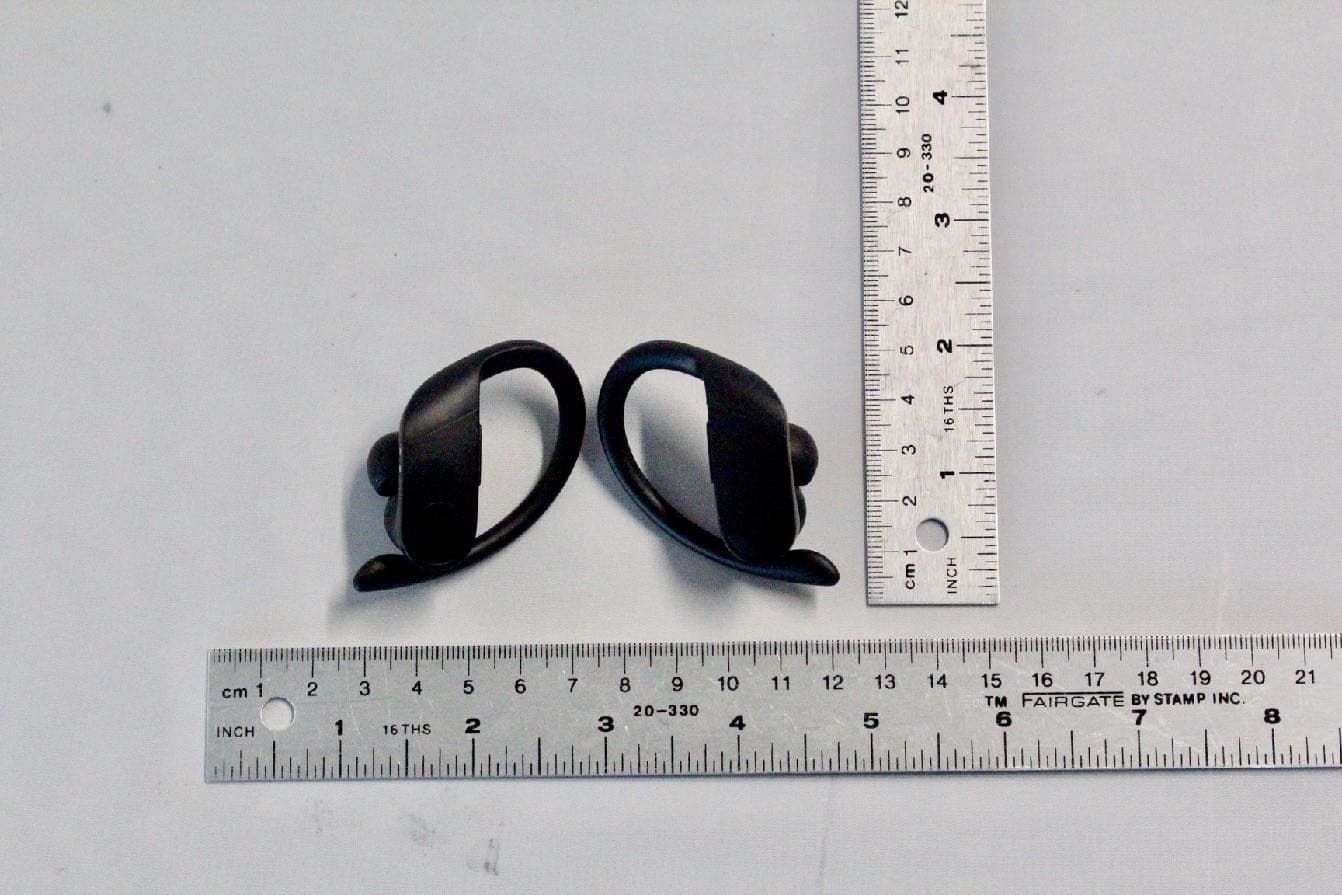
Click to zoom
Application Details
- Equipment Class
- DTS - Digital Transmission System
- Date of Grant
- Apr 14, 2020
- Application Purpose
- Original Equipment
- Date of Application
- Mar 29, 2020
- Equipment Note
- Totally wireless high-performance earphones
- Frequency Range
- 2402.00000000 - 2480.00000000
- Company
- Apple Inc.
- Country
- United States
Documents & Files
Document Text
Text extracted from the exhibit documents filed with the FCC. Open a document above to read the original.
Users Manual
SAFETY AND HANDLING Important safety information Handle Powerbeats Pro and case with care. They contain sensitive electronic components, including batteries, and can be damaged, impair functionality, or cause injury if dropped, burned, punctured, crushed, disassembled, or if exposed to excessive heat or liquid or to environments having high concentrations of industrial chemicals, including near evaporating liquified gasses such as helium. Don’t use damaged Powerbeats Pro or case. Bluetooth ® To turn off Bluetooth on Powerbeats Pro, put them in the case, close the lid, and unplug the Lightning to USB Cable from the case. Batteries Don’t attempt to replace Powerbeats Pro or case batteries yourself—you may damage the batteries, which could cause overheating and injury. Charging Charge the case with the charging cable and a power adapter or computer. Only charge with an adapter that is compliant with applicable country regulations and international and regional safety standards, including the International Standard for Safety of Information Technology Equipment (IEC 60950-1). Other adapters may not meet applicable safety standards, and charging with such adapters could pose a risk of death or injury. Using damaged cables or chargers, or charging when moisture is present, can cause fire, electric shock, injury, or damage to the case or other property. Prolonged heat exposure Avoid prolonged skin contact with a device, its power adapter, and the charging cable and connector when plugged into a power source, because it may cause discomfort or injury. For example, while the case is charging using the charging cable and a power adapter, don’t sit or sleep on the case, charging cable, connector, or power adapter, or place them under a blanket, pillow, or your body. Take special care if you have a physical condition that affects your ability to detect heat against your body. Hearing loss Listening to sound at high volumes may permanently damage your hearing. Background noise, as well as continued exposure to high volume levels, can make sounds seem quieter than they actually are. Check the volume after inserting Powerbeats Pro in your ear and before playing audio. For more information about hearing loss and how to set a maximum volume limit, see www.apple.com/sound. WARNING: To prevent possible hearing damage, do not listen at high volume levels for long periods. English 1 © 2019 Apple Inc. All rights reserved. The b logo, beats and powerbeats pro are trademarks of Beats Electronics, LLC. The Bluetooth ® word mark and logos are registered trademarks owned by Bluetooth SIG, Inc. and any use of such marks by Apple Inc. is under license. Page 1 Page 16 S&C(24P) Material: 64gsm UPM Binding method: saddle stitch Panel 1 96.5 193 96.5 Panel 2 96.5 96.5 193 96.5 Panel 3 96.5 96.596.5 193 96.5 Panel 5 96.5 96.5 193 96.5 Panel 6 96.5 193 96.5 Panel 4 96.5 Model: A2453, A2454, A2078 EE034-03854-A Driving hazard Use of Powerbeats Pro while operating a vehicle is not recommended and is illegal in some areas. Check and obey the applicable laws and regulations on the use of earphones while operating a vehicle. Be careful and attentive while driving. Stop listening to your audio device if you find it disruptive or distracting while operating any type of vehicle or performing any activity that requires your full attention. Choking hazard The small parts included with Powerbeats Pro may present a choking hazard or cause other injury to small children. Keep them away from small children. Medical device interference Powerbeats Pro and case contain components and radios that emit electromagnetic fields. Powerbeats Pro and case also contain magnets. These electromagnetic fields and magnets may interfere with pacemakers, defibrillators, or other medical devices. Maintain a safe distance of separation between your medical device and Powerbeats Pro and case. Consult your physician and medical device manufacturer for information specific to your medical device. Stop using Powerbeats Pro and case if you suspect they are interfering with your pacemaker, defibrillator, or any other medical device. Skin irritation Earphones can lead to ear infections if not properly cleaned. Clean Powerbeats Pro regularly with a soft lint-free cloth. Don’t get moisture in any openings, or use aerosol sprays, solvents, or abrasives. If a skin problem develops, discontinue use. If the problem persists, consult a physician. Electrostatic shock When using Powerbeats Pro in areas where the air is very dry, it is easy to build up static electricity and possible for your ears to receive a small electrostatic discharge from Powerbeats Pro. To minimize the risk of electrostatic discharge, avoid using Powerbeats Pro in extremely dry environments, or touch a grounded unpainted metal object before inserting Powerbeats Pro. Important handling information Discoloration of the Lightning connector and/or of the charging contacts on your Powerbeats Pro and case after regular use is normal. Dirt, debris, and exposure to moisture may cause discoloration. For information about exposure to liquid and cleaning Powerbeats Pro, the case, and the Lightning connector, see www.beatsbydre.com/support. Support For support and troubleshooting information and the latest software downloads, go to www.beatsbydre.com/support. Disposal and Recycling Information The symbol above indicates that this product and/or battery should not be disposed of with household waste. When you decide to dispose of this product and/or its battery, do so in accordance with local environmental laws and guidelines. For information about Apple’s recycling program, recycling collection points, restricted substances and other environmental initiatives, visit www.apple.com/environment/. Battery Disposal Information Dispose of batteries according to your local environmental laws and guidelines. The lithium-ion batteries in your Powerbeats Pro and battery in the case should be serviced or recycled by Appl…
Text truncated - open the document above for the full version.
Users Manual
Initial pairing to all other devices. With earphones seated in the case and lid open, go to the Bluetooth menu on your device and choose Powerbeats Pro. Jumelage initial à tous les autres appareils. Avec les écouteurs bien insérés dans l’étui et le couvercle ouvert, allez au menu Bluetooth sur votre apparreil et choisissez Powerbeats Pro. Emparelhamento inicial a todos os outros dispositivos. Com os fones de ouvido colocados no estojo e a tampa aberta, acesse o menu Bluetooth no seu dispositivo e escolha Powerbeats Pro. Conexión inicial con todos los demás dispositivos. Con la tapa abierta y los audífonos colocados en el estuche, vaya al menú Bluetooth de su dispositivo y elija Powerbeats Pro. Start listening. Place Powerbeats Pro in ears and adjust for a secure and comfortable fit. Powerbeats Pro are ready to play. Commencer à écouter. Placez les Powerbeats Pro dans vos oreilles et ajustez-les pour qu’ils soient confortables. Les Powerbeats Pro sont prêts à utiliser. Iniciar reprodução. Coloque o Powerbeats Pro nos ouvidos e ajuste para um ajuste seguro e confortável. O Powerbeats Pro está pronto para reproduzir. Empiece a escuchar. Coloque Powerbeats Pro en las orejas y ajústelo para un ajuste seguro y cómodo. Powerbeats Pro está listo para usar. Find your fit with adjustable earhooks. For a more secure fit, hold the stem and firmly push the earhook down. Change eartips if necessary for improved comfort and sound quality. Trouvez votre ajustement avec des crochets auriculaires ajustables. Pour trouver le bon ajustement, tenez la tige et poussez le crochet auriculaire fermement vers le bas. Changez les embouts au besoin pour un confort et une qualité de son améliorés. Encontre seu ajuste com os ganchos de ouvido ajustáveis. Para um encaixe mais seguro, segure a haste e empurre firmemente para baixo o gancho. Troque os protetores se necessário para melhorar o conforto e a qualidade do som. Los codos son ajustables. Para un ajuste más seguro, sujete el vástago y presione firmemente el codo hacia abajo. Si fuera necesario, cambie las puntas para mejorar la comodidad y la calidad del sonido. Each earphone has full, mirrored controls. Use the multi-function button (MFB) on the b logo for call and track controls. The volume rocker is located on the top bridge. Chaque écouteur contient des commandes identiques. Utilisez le bouton multi-fonction (MFB) sur le logo b pour les commandes d’appel et de suivi. Le bouton à bascule du volume est situé sur le pont supérieur. Cada fone de ouvido tem controles completos e espelhados. Use o botão multifuncional (BMF) no logotipo b para os controles de chamada e faixa. O controle de volume está localizado na ponte superior. Cada auricular tiene controles completos y duplicados. Use el botón multifunción (MFB) en el logotipo b para los controles de voz y llamada. El control de volumen se encuentra en el puente superior. Initial pairing to iPhone with latest iOS. With earphones seated in the case and lid open, hold near unlocked iPhone with Bluetooth on and follow onscreen instructions. Jumelage initial avec le iPhone comportant la version iOS la plus récente. Avec les écouteurs bien insérés dans l’étui et le couvercle ouvert, tenez-les près d’un iPhone non verrouillé avec Bluetooth activé et suivez les instructions à l’écran. Emparelhamento inicial ao iPhone com o último iOS. Com os fones de ouvido colocados no estojo e a tampa aberta, segure perto do iPhone desbloqueado com o Bluetooth ligado e siga as instruções na tela. Conexión inicial con el iPhone con la última versión de iOS. Con la tapa abierta y los audífonos colocados en el estuche, sostenga cerca del iPhone desbloqueado con Bluetooth y siga las instrucciones en pantalla. ~ 2 in ~ 5 cm ~ 2 in ~ 5 cm EARHOOK STEM MFB Page 2Page 3Page 4Page 5Page 6 Draft POWERBEATS PRO Wireless setup for additional devices. With earphones seated in the case and lid open, press the system button until LED blinks white. Then choose Powerbeats Pro in the Bluetooth menu. Configuration sans fil pour des appareils supplémentaire s. Avec les écouteurs insérés dans l’étui et le couvercle ouvert, appuyez sur le bouton de système jusqu’à ce que le voyant DEL clignote en blanc. Ensuite, choisissez Powerbeats Pro depuis le menu Bluetooth. Con figuração sem fios para dispositivos adicionais. Com os fones de ouvido colocados no estojo e a tampa aberta, pressione o botão do sistema até que o LED pisque em branco. Em seguida, selecione Powerbeats Pro no menu Bluetooth. Con figuración inalámbrica para dispositivos adicionales. Con los audífonos colocados en el estuche y la tapa abierta, presione el botón del sistema hasta que el LED parpadee de color blanco. Luego, elija Powerbeats Pro en el menú Bluetooth. SYSTEM BUTTON LED To charge. Powerbeats Pro are charging while seated in the case with the lid closed. Charge the case using the Lightning cable. Pour charger. Les Powerbeats Pro sont en cours de chargement lorsqu’ils sont insérés dans l’étui avec le couvercle fermé. Chargez l’étui à l’aide du câble Lightning. Para carregar. O Powerbeats Pro está carregando enquanto está colocado no estojo com a tampa fechada. Carregue o estojo usando o cabo Lightning. Para cargar. Powerbeats Pro se está cargando mientras está colocado en el estuche con la tapa cerrada. Cargue el estuche con el cable Lightning. Check charge status on iPhone with latest iOS. Open the lid on the case to check remaining charge on Powerbeats Pro. Vérifiez l’état de la charge sur un iPhone comportant le plus récent iOS. Ouvrez le couvercle de l’étui pour vérifier la charge restante des Powerbeats Pro. Verifique o status do carregamento no iPhone com o iOS mais recente. Abra a tampa do estojo para verificar a carga restante no Powerbeats Pro. Compruebe el estado de carga del iPhone con la última versión de iOS. Abra la tapa del estuche para verificar la carga restante en Powerbeats Pro. Charging / En cours de chargement / Carregamento / Cargando Charged / Chargé / Carre…
Text truncated - open the document above for the full version.
Cover Letter(s)
Federal Communications Commission 7435 Oakland Mills Road Columbia MD 21046 Date: February 25, 2015 Subject: Authorized Individual To Whom It May Concern: Pursuant to the provisions of KDB 852134 D01 Authorized Policy Form 731, I, grantee contact, hereby authorize Abhishek Rala to act on behalf of Apple Inc. for all matters relating to equipment authorization, including signing Form 731, attestations, and confidentiality request letters. This authorized individual may also assign another party to act as an authorized agent. This authorization is valid until further written notice from the grantee contact. Marc Douat Apple Inc. 1 Infinite Loop Cupertino, CA 95014
Cover Letter(s)
UL Verification Services Inc. Date: March 27 th , 2020 Federal Communications Commission Equipment Authorization Branch 7435 Oakland Mills Rd. Columbia MD 21046 Attn: Equipment Authorization Branch Ref: FCC ID numbers Model(s) FCC ID A2453 BCGA2453 A2454 BCGA2454 To whom it may concern: I, the undersigned, hereby authorize UL Verification Services Inc. to act on our behalf in all manners relating to application for equipment authorization, including signing of all documents relating to these matters. Any and all acts carried out by UL Verification Services Inc. on our behalf shall have the same effect as acts of our own. I, the undersigned, hereby certify that we are not subject to a denial of federal benefits, that includes FCC benefits, pursuant to Section 5301 of the Anti-Drug Abuse Act of 1988, 21 U.S.C. 853(a). In authorizing UL Verification Services Inc. as our representative, we still recognize that we are responsible to: a) comply with the relevant provisions of the certification program; b) make all necessary arrangements for the conduct of the evaluation, including provision for examining documentation and access to all areas, records (including internal audit reports) and personnel for the purposes of evaluation (e.g. testing, inspection, assessment, surveillance, reassessment) and resolution of complaints; c) make claims regarding certification only in respect of the scope for which certification has been granted; UL Verification Services Inc. d) do not use our product certification in such a manner as to bring the Certification Division into disrepute and not make any statement regarding our product certification which the Certification Division may consider misleading or unauthorized; e) upon suspension or cancellation of certification, discontinue use of all advertising matter that contains any reference thereto and return any certification documents as required by the Certification Division; f) use certification only to indicate the products are certified as being in conformity with specified standards; g) endeavor to ensure that no certificate or report nor any part thereof is used in a misleading manner; h) ensure that any reference to our product certification in communication media such as documents, brochures or advertising, complies with the requirements of the Certification Division; i) keep a record of all complaints made known to the us relating to the product’s compliance with requirements of the relevant standard and to make these records available to the when requested; j) take appropriate action with respect to such complaints and any deficiencies found in products or services that affect compliance with the requirements for certification; k) document the actions taken. This authorization is valid until further written notice from the applicant. Sincerely, ____________________ Abhishek Rala Apple Inc. Global Certification Manager [email protected]
Cover Letter(s)
Apple Inc. One Apple Park Way Cupertino, CA v1.0 www.apple.com Date: March 27 th , 2020 Federal Communications Commission Office of Engineering and Technology Laboratory Division 7435 Oakland Mills Rd. Columbia MD 21046 Subject: Request for Confidentiality Ref: FCC ID numbers Model(s) FCC ID A2453 BCGA2453 A2454 BCGA2454 To whom it may concern: Pursuant to the provisions of Sections 0.457 and 0.459 of the Commission’s rules (47 CFR §§ 0.457, 0.459), Apple Inc. hereby requests confidential treatment for documents filed with the Commission in connection with the application for equipment authorization referenced above. Permanent Confidentiality Apple Inc. requests that the Commission withholds the following documents from public viewing indefinitely: • Block Diagrams • Electrical Schematic Diagrams • Technical Descriptions, Product Specifications • Antenna Gain, Antenna Locations These documents reveal detailed technical and design information that is protected by Apple Inc. as confidential and proprietary trade secrets. This information has been disclosed to those required to maintain its confidentiality and is not customarily disclosed to the public even after commercial release of a device. As a result, disclosure of this information by the Commission would harm Apple Inc. by giving competitors an unfair advantage even after commercial release of the device. Short Term Confidentiality Apple Inc. One Apple Park Way Cupertino, CA v1.0 www.apple.com In addition to the above mentioned documents, pursuant to Public Notice DA 04-1705 of the Commission’s policy, in order to comply with the marketing regulations in 47 CFR §2.803 and the importation rules in 47 CFR §2.1204, while ensuring that business sensitive information remains confidential until the actual marketing of newly authorized devices, Apple Inc. requests that the Commission withholds the following documents from public viewing for one hundred eighty days after the date the grant of equipment authorization is issued: • External Photographs • Internal Photographs • Test Setup Photographs • User Manual These documents reveal technical and design information that has not been publicly disclosed in marketing materials and is protected by Apple Inc. as confidential and proprietary trade secrets. This information has been disclosed to those required to maintain its confidentiality and is not customarily disclosed publicly prior to the commercial release of the device. As a result, disclosure of this information by the Commission prior to commercial release would harm Apple Inc. by giving competitors an unfair market advantage. Apple Inc. believes the period of confidentiality requested is necessary to protect the information until the commercial release of a device. It is our understanding that measurement test reports and FCC ID label format cannot be granted as confidential documents and this information will be available for public review once the grant of equipment authorization is issued. Sincerely, ____________________ Abhishek Rala Apple Inc. Global Certification Manager [email protected]
External Photos
Front View A2453- Left A2454-Right Apple Proprietary and Confidential Back View A2453- Left A2454 - Right Apple Proprietary and Confidential Top View A2453- Left A2454-Right Apple Proprietary and Confidential Bottom Side A2453- Left A2454- Right Apple Proprietary and Confidential Outwards View A2453- Left A2454-Right Apple Proprietary and Confidential Inwards View A2453- Left A2454-Right Apple Proprietary and Confidential
ID Label/Location Info
back L+R Indications and Compliance Markings Placement Center Center Beats A2 454 Ch ina EMC 3 239 PPPYWSSSEEEEFCC ID: B CGA2 454 IC: 579C-A2 454 Beat s A2 453 Ch ina EMC 3239 PPPYWSSSEEEE FCC ID: B CGA2 453 IC: 579 C-A2 453 A2453 A2454 Label Exhibit Apple Proprietary and Confidential
Internal Photos
Front View of Antenna/MLB Open A2453- Left A2454-Right Apple Proprietary and Confidential Front View of MLB Closed A2453- Left A2454- Right Apple Proprietary and Confidential A2453- Left MLB- Front Apple Proprietary and Confidential A2453- Left MLB- Back Apple Proprietary and Confidential A2454- Right MLB- Front Apple Proprietary and Confidential A2454- Right MLB- Back Apple Proprietary and Confidential
RF Exposure Info
KDB 865664 D01 SAR Measurement 100MHz to 6GHz FCC 47 CFR part 2 (2.1093) SAR EVALUATION REPORT For PowerBeats Pro Wireless with Bluetooth Radio Model (Left Earbud): A2453 FCC ID (Left Earbud): BCGA2453 Model (Right Earbud): A2454 FCC ID (Right Earbud): BCGA2454 REPORT NUMBER UL-SAR-RP13292249JD06A V4.0 ISSUE DATE: 03 APRIL 2020 Prepared for APPLE INC. ONE APPLE PARK WAY CUPERTINO CA 95014-2084, USA Prepared by UL VS LTD UNIT 1-3 HORIZON, KINGSLAND BUSINESS PARK WADE ROAD, BASINGSTOKE, HAMPSHIRE, RG24 8AH, UK TEL: +44 (0) 1256 312000 FAX: +44 (0) 1256 312001 REPORT NO: UL-SAR-RP13292249JD06A V4.0 Issue Date: 03 April 2020 Page 2 of 50 UL VS Ltd. Report. No.: 4.0 This report shall not be reproduced except in full, without the written approval of UL Verification Services Ltd. REVISION HISTORY Version Issue Date Revisions Revised By 1.0 01 April 2020 Initial Issue -- 2.0 02 April 2020 Updated in accordance with TCB feedback Naseer Mirza 3.0 03 April 2020 Updated in accordance with TCB feedback Naseer Mirza 4.0 03 April 2020 Updated in accordance with TCB feedback Naseer Mirza REPORT NO: UL-SAR-RP13292249JD06A V4.0 Issue Date: 03 April 2020 Page 3 of 50 UL VS Ltd. Report. No.: 4.0 This report shall not be reproduced except in full, without the written approval of UL Verification Services Ltd. 1. Attestation of Test Results ................................................................................................ 4 2. Test Specification, Methods and Procedures .................................................................. 5 2.1. Test Specification 5 2.2. Methods and Procedures Reference Documentation 5 2.3. Definition of Measurement Equipment 5 3. Facilities and Accreditation ............................................................................................... 6 4. SAR Measurement System & Test Equipment ................................................................. 7 4.1. SAR Measurement System 7 4.2. SAR Measurement Procedure 8 4.3. Test Equipment 10 5. Measurement Uncertainty ............................................................................................... 12 6. Device Under Test (DUT) Information ............................................................................. 13 6.1. DUT Description 13 6.2. Wireless Technologies 14 6.3. Nominal and Maximum Output power: Bluetooth 15 7. RF Exposure Conditions (Test Configurations) ............................................................. 16 7.1. Configuration Consideration: A2453 (Left Earbud) 16 7.2. Configuration Consideration: A2454 (Right Earbud) 16 7.3. SAR Test Exclusion Consideration 16 8. Conducted Output Power Measurements ...................................................................... 17 8.1. RF Output Average Power Measurement: Bluetooth 17 9. Dielectric Property Measurements & System Check ..................................................... 18 9.1. Tissue Dielectric Parameters 18 9.2. System Check 19 9.3. Reference Target SAR Values 19 9.4. Dielectric Property Measurements & System Check Results 20 10. Measurements, Examinations and Derived Results .................................................... 21 10.1. Specific Absorption Rate - Test Results - Model: A2453 (Left Earbud) 21 10.2. Specific Absorption Rate - Test Results - Model: A2454 (Right Earbud) 22 10.3. SAR Measurement Variability 23 10.4. Highest Standalone Reported SAR 24 11. Simultaneous Transmission Analysis .......................................................................... 25 12. Appendixes .................................................................................................................... 26 12.1. Photos and Ports Location 26 12.2. System Check Plots 40 12.3. SAR Test Plots 43 12.4. Calibration Certificate for E-Field Probes 48 12.5. Calibration Certificate for Dipoles 49 12.6. Tissues-Equivalent Media Recipes 50 TABLE OF CONTENTS REPORT NO: UL-SAR-RP13292249JD06A V4.0 Issue Date: 03 April 2020 Page 4 of 50 UL VS Ltd. Report. No.: 4.0 This report shall not be reproduced except in full, without the written approval of UL Verification Services Ltd. 1. Attestation of Test Results Applicant Name Apple Inc. Model (Left Earbud) A2453 Model (Right Earbud) A2454 Test Device is A representative test sample Device category Portable Date Tested 26 March 2020 to 31 March 2020 ICNIRP Guidelines Limits for SAR Exposure Characteristics General Population/Localised SAR (Head and trunk) – SAR limit 1.6 W/kg The highest reported SAR values RF Exposure Conditions Equipment Class Licensed DTS U-NII DSS Standalone Model: A2453 (Left Earbud) Head N/A N/A N/A 0.02 W/kg Body N/A N/A N/A 0.25 W/kg Standalone Model: A2454 (Right Earbud) Head N/A N/A N/A 0.02 W/kg Body N/A N/A N/A 0.32 W/kg Applicable Standards FCC 47 CFR part 2 (2.1093) KDB publication IEEE Std 1528: 2013 Test Results Pass UL Verification Services Ltd. tested the above equipment in accordance with the requirements set forth in the above standards. All indications of Pass/Fail in this report are opinions expressed by UL Verification Services Ltd. based on interpretations and/or observations of test results. Measurement Uncertainties are in accordance with the above standard and are published for informational purposes only. The test results show that the equipment tested is capable of demonstrating compliance with the requirements as documented in this report. Note: The results documented in this report apply only to the tested sample(s), under the conditions and modes of operation as described herein. This document may not be altered or revised in any way unless done so by UL Verification Services Ltd. and all revisions are duly noted in the revisions section. Any alteration of this document not carried out by UL Verification Services Ltd. will constitute fraud and shall nullify the document. This report must not be used by the client to claim product certification, approval, or endorsement by UKAS. This report is written to support regulatory complian…
Text truncated - open the document above for the full version.
Test Report
NVLAP Lab code: 200065-0 CERTIFICATION TEST REPORT Report Number. : 13280103-E1V2 Applicant : APPLE, INC. 1 APPLE PARK WAY CUPERTINO, CA 95014, U.S.A. Model : A2453 FCC ID : BCGA2453 IC : 579C-A2453 EUT Description : Totally Wireless High-Performance Earphones Test Standard(s) : FCC 47 CFR PART 15 SUBPART C ISED RSS-247 ISSUE 2 ISED RSS-GEN ISSUE 5 Date Of Issue: March 31, 2020 Prepared by: UL Verification Services Inc. 47173 Benicia Street Fremont, CA 94538 U.S.A. TEL: (510) 319-4000 FAX: (510) 661-0888 REPORT NO: 13280103-E1V2 DATE: 3/31/2020 FCC ID: BCGA2453 IC: 579C-A2453 Page 2 of 65 UL VERIFICATION SERVICES INC. 47173 Benicia Street, Fremont, CA 94538; USA TEL:(510) 319-4000 FAX:(510) 661-0888 This report shall not be reproduced except in full, without the written approval of UL Verification Services Inc. REPORT REVISION HISTORY Rev. Issue Date Revisions Revised By V1 3/27/2020 Initial Issue Francisco Guarnero V2 3/31/2020 Address TCB’s Questions Chin Pang REPORT NO: 13280103-E1V2 DATE: 3/31/2020 FCC ID: BCGA2453 IC: 579C-A2453 Page 3 of 65 UL VERIFICATION SERVICES INC. 47173 Benicia Street, Fremont, CA 94538; USA TEL:(510) 319-4000 FAX:(510) 661-0888 This report shall not be reproduced except in full, without the written approval of UL Verification Services Inc. TABLE OF CONTENTS REPORT REVISION HISTORY ................................................................................................. 2 TABLE OF CONTENTS ............................................................................................................ 3 1. ATTESTATION OF TEST RESULTS ................................................................................. 5 2. TEST RESULTS SUMMARY .............................................................................................. 6 3. TEST METHODOLOGY ..................................................................................................... 7 4. FACILITIES AND ACCREDITATION ................................................................................. 7 5. DECISION RULES AND MEASUREMENT UNCERTAINTY .............................................. 8 5.1. METROLOGICAL TRACEABILITY .............................................................................. 8 5.2. DECISION RULES ....................................................................................................... 8 5.3. MEASUREMENT UNCERTAINTY ............................................................................... 8 5.4. SAMPLE CALCULATION ............................................................................................ 8 6. EQUIPMENT UNDER TEST ............................................................................................... 9 6.1. EUT DESCRIPTION .................................................................................................... 9 6.2. MAXIMUM OUTPUT POWER...................................................................................... 9 6.3. DESCRIPTION OF AVAILABLE ANTENNAS .............................................................. 9 6.4. SOFTWARE AND FIRMWARE .................................................................................... 9 6.5. WORST-CASE CONFIGURATION AND MODE .......................................................... 9 6.6. DESCRIPTION OF TEST SETUP ...............................................................................10 7. MEASUREMENT METHOD...............................................................................................17 8. TEST AND MEASUREMENT EQUIPMENT ......................................................................18 9. ANTENNA PORT TEST RESULTS ...................................................................................19 9.1. ON TIME AND DUTY CYCLE .....................................................................................19 9.2. 99% BANDWIDTH ......................................................................................................21 9.2.1. BLE (1Mbps) ........................................................................................................21 9.2.2. BLE (2Mbps) ................................................................…
Text truncated - open the document above for the full version.
Contact Information
Applicant
Abhishek Rala(Regulatory Compliance Manager)
Test Firm
UL Verification Services Inc. (formerly UL CCS)Jay Kogoma
Technical Specifications
| # | Rule Parts | Frequency Range | Power Output |
|---|---|---|---|
| 1 | 15C | 2.40 GHz - 2.48 GHz | 3.10 mW |
Other Applications from Apple Inc.
BCG-E9204A
Sep 09, 2026Smartphone
Equipment Class
6VL - 15E 6 GHZ Very Low Power DeviceBCGA3277
Sep 09, 2026Magnetic Charging Cable
Equipment Class
DCD - Part 15 Low Power Transmitter Below 1705 kHzBCGA3641
Sep 09, 2026Magnetic Charger
Equipment Class
DCD - Part 15 Low Power Transmitter Below 1705 kHzBCGA3669
Sep 09, 2026Magnetic Charger
Equipment Class
DCD - Part 15 Low Power Transmitter Below 1705 kHzBCG-E9193A
Sep 09, 2026Smartphone
Equipment Class
PCE - PCS Licensed Transmitter held to ear