BEJGU297Cellular/PCS GSM/EDGE and Cellular/AWS WCDMA Phone with Bluetooth
LG Electronics USA, Inc.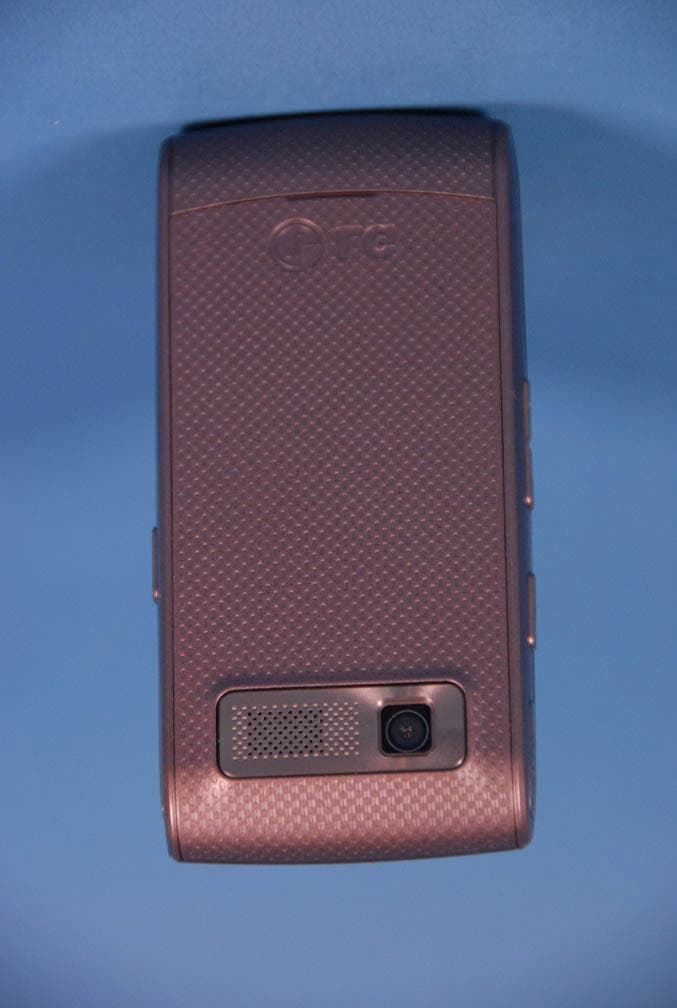
Click to zoom
Application Details
- Equipment Class
- JBP - Part 15 Class B Computing Device Peripheral
- Date of Grant
- Sep 13, 2010
- Application Purpose
- Original Equipment
- Date of Application
- Sep 13, 2010
- Equipment Note
- Cellular/PCS GSM/EDGE and Cellular/AWS WCDMA Phone with Bluetooth
- Company
- LG Electronics USA, Inc.
- Country
- United States
Documents & Files
Document Text
Text extracted from the exhibit documents filed with the FCC. Open a document above to read the original.
Users Manual
GU297 User Guide Some of the contents in this manual may differ from your phone depending on the software of the phone or your service provider. ENGLISH Part 15.21 statement " Change or Modifications that are not expressly approved by the manufacturer could void the user's authority to operate the equipment. “ Part 15.105 statement This equipment has been tested and found to comply with the limits for a class B digital device, pursuant to Part 15 of the FCC Rules. These limits are designed to provide reasonable protection against harmful interference in a residential installation. This equipment generates uses and can radiate radio frequency energy and, if not installed and used in accordance with the instructions, may cause harmful interference to radio communications. However, there is no guarantee that interference will not occur in a particular installation. If this equipment does cause harmful interference or television reception, which can be determined by turning the equipment off and on, the user is encouraged to try to correct the interference by one or more of the following measures: - Reorient or relocate the receiving antenna. - Increase the separation between the equipment and receiver. - Connect the equipment into an outlet on a circuit different from that to which the receiver is connected. - Consult the dealer or an experienced radio/TV technician for help. Part 15 Class B Compliance This device and its accessories comply with part15 of FCC rules and ICES-003 Class B digital apparatus requirements for Industry Canada. Operation is subject to the following two conditions: (1) This device & its accessories may not cause harmful interference. (2) This device & its accessories must accept any interference received, including interference that may cause undesired operation. Body-worn Operation This device has been tested for typical body-worn operations with the distance of 0.79inches (2.0cm) from the user’s body. To comply with FCC RF exposure requirements, a minimum separation distance of 0.79inches(2.0cm) must be maintained from the user's body. For example, this device must be maintained from the user's body with an appropriatebelt-clip accessory.[More than 0.79inches(2.0cm)] Additionally, Belt clips, holsters & other body-worn accessories may not contain metallic components. Congratulations on your purchase of the advanced and compact GU297 phone by LG, designed to operate with the latest digital mobile communication technology. 15 Getting to know your phone Call key Dials a phone number and answers incoming calls. End/Power key Ends or rejects a call. Turns the phone on/off. Returns to the Home screen when you use the menu. Main screen Navigation keys • In menu: Navigates between menus. OK key Right soft key Goes to Contacts directly/ go back to a previous screen. [Vodacom phones] Connects to the Live! Homepage. Left soft key Goes to My stuff directly. Clear Key Deletes a character with each press. LG GU297 | User Guide 16 Open view The Charger Port/USB connector Charger, cable, handsfree connector Battery cover Battery Camera lens SIM card socket Opens the multitasking menu Push-To-Talk(PTT) key Volume keys 17 Installing the USIM and battery 1 Remove the battery cover Press the battery cover release latch. The battery cover should slide and lift off easily. 2 Remove the battery Lever the bottom edge of the battery and remove it carefully from the battery compartment. WARNING: Do not remove the battery when the phone is switched on, as this may damage the phone. LG GU297 | User Guide 18 Installing the USIM and battery 3 Install the USIM card Slide the USIM card into the USIM card holder. Make sure that the gold contact area on the card is facing downwards. To remove the USIM card, push it out of the holder from the top. WARNING: Do not insert the USIM card when the slide is open, as this may damage your phone and USIM card. 4 Install the battery Insert the top of the battery fi rst into the top edge of the battery compartment. Ensure the battery contacts align with the terminals on the phone. Press the bottom of the battery down until it clips into place. 19 5 Replace the battery cover Insert the top of the battery cover and push down and slide until it clicks into place. 6 Charging your phone Pull open the cover of the charger socket on the side of your GU297. Insert the charger and plug into a mains electricity socket. Your GU297 will need to be charged until a message reading Battery full, Please unplug power supply to save energy appears on screen. WARNING: Do not charge the phone when it is on soft furnishings. The phone should be charged in a well ventilated area. LG GU297 | User Guide 20 Installing a memory card You can expand the memory space available on your phone using a memory card. NOTE: A memory card is an optional accessory. Open the memory card cover. Slide the memory card into the slot until it clicks into place. Make sure that the gold contact area is facing downwards. Removing a memory card Open the cover and carefully remove the memory card by gently pushing it in to the phone and quickly releasing it, as shown in the following diagram: Formatting a memory card Your memory card may already be formatted. If not you will need to do so before you can begin using it. 1 From the Home screen press and select Settings. 2 Choose Memory info and select External memory. 3 Press Format and enter security, which is set to 0000 as default. Your card will be formatted and ready to use. WARNING: When you format your memory card, all the content will be wiped. If you do not want to lose the data on your memory card, back it up fi rst. Memory card 21 Your Home screen The status bar The status bar uses various icons to indicate things like signal strength, new messages and battery life, as well as telling you whether your Bluetooth connection is active. The table below explains the meaning of icons you’re likely to see in the status bar. Icon Description Network signal…
Text truncated - open the document above for the full version.
Cover Letter(s)
LG Electronics USA 1000 Sylvan Avenue Englewood Cliffs, NJ 07632 Date: September 13, 2010 Fed eral Communications Commission Authorization and Evaluation Division 7435 Oakla nd Mills Road, Columbia, MD 21046 RE: Request of C onfidentiality for FCC ID: BEJ GU297 Equipm ent Class: JBP: Part 1 5 Class B Computing Device Peripheral To Whom It May Concern: Pursuan t to Sections 0.457 and 0.459 of the Commission’s Rules (CFR 47), and Section 552 (b) (4) of the Freedom of Information Act, LG Electronics USA hereby requests confidentiality and treatment of certain information accompanying this application. The materials contain trade secrets and proprietary information not customarily released to the public. The public disclosure of these matters might be harmful to the Applicant and provide unjustified benefits to its competitors. We are also hereby request Short-Term Confidentiality for 180 days after the grant as outlined in Public Notice DA 04-1705. This provision will give LG Electronics USA temporary confidentiality of commercially sensitive information prior to product release. The requested Permanent and Temporary Confidential exhibits are listed as follows: PERMANENT AND SHORT-TERM CONFIDENTIAL LIST Exhibit Description 1 Block Diagram PERMANENT 2 Operational Descriptions 3 External Photos 4 Internal Photos 5 Test-Setup Photos SHORT-TERM 6 User’s Manual The Applicant understands that pursuant to Rule 0.457, disclosure of this application and all accompanying documentations, where applicable, will not be made public before the date of the Grant for this application. Sincerely, Jae Cheon(J.C.) Lee General Manager LG Electronics USA LG Electronics USA 1000 Sylvan Avenue Englewood Cliffs, NJ 07632
External Photos
LG Electronics USA FCC ID: BEJGU297 Model: GU297 External Photos EUT Type: 850/1900 GSM/GPRS/EDGE and Cellular/AWS WCDMA Phone with BT Page 1 of 5 © 2010 PCTEST Engineering Laboratory Inc. EXTERNAL PHOTOGRAPHS LG Electronics USA FCC ID: BEJGU297 Model: GU297 External Photos EUT Type: 850/1900 GSM/GPRS/EDGE and Cellular/AWS WCDMA Phone with BT Page 2 of 5 © 2010 PCTEST Engineering Laboratory Inc. LG Electronics USA FCC ID: BEJGU297 Model: GU297 External Photos EUT Type: 850/1900 GSM/GPRS/EDGE and Cellular/AWS WCDMA Phone with BT Page 3 of 5 © 2010 PCTEST Engineering Laboratory Inc. LG Electronics USA FCC ID: BEJGU297 Model: GU297 External Photos EUT Type: 850/1900 GSM/GPRS/EDGE and Cellular/AWS WCDMA Phone with BT Page 4 of 5 © 2010 PCTEST Engineering Laboratory Inc. LG Electronics USA FCC ID: BEJGU297 Model: GU297 External Photos EUT Type: 850/1900 GSM/GPRS/EDGE and Cellular/AWS WCDMA Phone with BT Page 5 of 5 © 2010 PCTEST Engineering Laboratory Inc.
ID Label/Location Info
Model No: LG-GU297 FCC ID : BEJGU297 S/N : Made in Korea LG Electronics Inc. LGE
Internal Photos
LG Electronics USA FCC ID: BEJGU297 Model: GU297 Internal Photos EUT Type: 850/1900 GSM/GPRS/EDGE and Cellular/AWS WCDMA Phone with BT Page 1 of 14 © 2010 PCTEST Engineering Laboratory Inc. INTERNAL PHOTOGRAPHS LG Electronics USA FCC ID: BEJGU297 Model: GU297 Internal Photos EUT Type: 850/1900 GSM/GPRS/EDGE and Cellular/AWS WCDMA Phone with BT Page 2 of 14 © 2010 PCTEST Engineering Laboratory Inc. LG Electronics USA FCC ID: BEJGU297 Model: GU297 Internal Photos EUT Type: 850/1900 GSM/GPRS/EDGE and Cellular/AWS WCDMA Phone with BT Page 3 of 14 © 2010 PCTEST Engineering Laboratory Inc. LG Electronics USA FCC ID: BEJGU297 Model: GU297 Internal Photos EUT Type: 850/1900 GSM/GPRS/EDGE and Cellular/AWS WCDMA Phone with BT Page 4 of 14 © 2010 PCTEST Engineering Laboratory Inc. LG Electronics USA FCC ID: BEJGU297 Model: GU297 Internal Photos EUT Type: 850/1900 GSM/GPRS/EDGE and Cellular/AWS WCDMA Phone with BT Page 5 of 14 © 2010 PCTEST Engineering Laboratory Inc. LG Electronics USA FCC ID: BEJGU297 Model: GU297 Internal Photos EUT Type: 850/1900 GSM/GPRS/EDGE and Cellular/AWS WCDMA Phone with BT Page 6 of 14 © 2010 PCTEST Engineering Laboratory Inc. LG Electronics USA FCC ID: BEJGU297 Model: GU297 Internal Photos EUT Type: 850/1900 GSM/GPRS/EDGE and Cellular/AWS WCDMA Phone with BT Page 7 of 14 © 2010 PCTEST Engineering Laboratory Inc. LG Electronics USA FCC ID: BEJGU297 Model: GU297 Internal Photos EUT Type: 850/1900 GSM/GPRS/EDGE and Cellular/AWS WCDMA Phone with BT Page 8 of 14 © 2010 PCTEST Engineering Laboratory Inc. LG Electronics USA FCC ID: BEJGU297 Model: GU297 Internal Photos EUT Type: 850/1900 GSM/GPRS/EDGE and Cellular/AWS WCDMA Phone with BT Page 9 of 14 © 2010 PCTEST Engineering Laboratory Inc. LG Electronics USA FCC ID: BEJGU297 Model: GU297 Internal Photos EUT Type: 850/1900 GSM/GPRS/EDGE and Cellular/AWS WCDMA Phone with BT Page 10 of 14 © 2010 PCTEST Engineering Laboratory Inc. LG Electronics USA FCC ID: BEJGU297 Model: GU297 Internal Photos EUT Type: 850/1900 GSM/GPRS/EDGE and Cellular/AWS WCDMA Phone with BT Page 11 of 14 © 2010 PCTEST Engineering Laboratory Inc. LG Electronics USA FCC ID: BEJGU297 Model: GU297 Internal Photos EUT Type: 850/1900 GSM/GPRS/EDGE and Cellular/AWS WCDMA Phone with BT Page 12 of 14 © 2010 PCTEST Engineering Laboratory Inc. LG Electronics USA FCC ID: BEJGU297 Model: GU297 Internal Photos EUT Type: 850/1900 GSM/GPRS/EDGE and Cellular/AWS WCDMA Phone with BT Page 13 of 14 © 2010 PCTEST Engineering Laboratory Inc. LG Electronics USA FCC ID: BEJGU297 Model: GU297 Internal Photos EUT Type: 850/1900 GSM/GPRS/EDGE and Cellular/AWS WCDMA Phone with BT Page 14 of 14 © 2010 PCTEST Engineering Laboratory Inc.
Test Report
Test Report No. : F690501/RF-EMG003507-1 Page : 2 of 9 Contents 1. General Information...................................................................................................3 1.1 Client Information................................................................................................3 1.2 Test Laboratory...................................................................................................3 1.3 General Information of E.U.T. .............................................................................3 1.4 Operating Modes and Conditions........................................................................3 1.5 Peripheral Equipments........................................................................................3 1.6 Cable List ............................................................................................................4 1.7 System Configurations ........................................................................................4 1.8 Test System Layout ............................................................................................4 1.9 Applicable Standards for Testing ........................................................................5 1.10 Summary of Test Results..................................................................................5 2. Emission Test............................................................................................................6 2.1 Test Results ........................................................................................................6 2.2 Test Equipments .................................................................................................6 2.3 Test Site..............................................................................................................6 2.4 Conducted Emission Test Data...........................................................................6 2.5 Radiated Emission Test Data..............................................................................7 2.6 Modifications.......................................................................................................8 Appendix A : Conducted Emission ................................................................................9 Test Report No. : F690501/RF-EMG003507-1 Page : 3 of 9 1. General Information 1.1 Client Information Applicant : LG Electronics Inc. Address of Applicant : 60-39, Gasan-dong, Gumchon-gu, Seoul, 153-023, Korea Manufacturer : LG Electronics Inc. Address of Manufacturer : 60-39, Gasan-dong, Gumchon-gu, Seoul, 153-023, Korea 1.2 Test Laboratory Name and Address : SGS Testing Korea Co., Ltd. 18-34, Sanbon-dong, Gunpo, Gyeonggi-do, Korea 435-041 1.3 General Information of E.U.T. Product Name : Cellular/PCS GSM/EDGE & AWS WCDMA Phone with Bluetooth Model Name : LG-GU297 Alt. Model Name : GU297, LG-GU297a, GU297a Model Difference : Only model name is different. FCC ID : BEJGU297 IC Number : 2703C-GU297 Serial No. : N/A Highest Internal Frequency : Max. 184 MHz Test Voltage : AC 120V, 60Hz(Notebook Computer) Battery DC 3.7V, 900 mAh Inside 1.4 Operating Modes and Conditions Operating mode Operating condition USB Mode USB Data Communication Note: EUT was exercised through Software(Dell Program) during testing. 1.5 Peripheral Equipments Description Model Serial No. Manufacturer Notebook Computer PCG-3AHP 28272287 7000053Sony Corporation LCD Monitor CR22KS N843H1KP902165L Samsung Electronics USB KeyboardKU-0459 7691402003981 Microsoft USB MOUSE M-BJ58 N/A SUZHOU LOGITECH ELECTRONICS CO., LTD. Micro SD Card Mobile Ultra 2GBN/A SanDisk Note: Peripherals are DoC. Test Report No. : F690501/RF-EMG003507-1 Page : 4 of 9 1.6 Cable List Start END Cable Spec. Name I/O PortName I/O PortLength Shield USB Notebook Computer USB 1.2 Shielded Cellular/PCS GSM/EDGE & AWS WCDMA Phone with Bluetooth - Micro SD Card - - DC IN AC Adapter DC OUT 1.8 Unshielded RGB LCD Monitor RGB 1.8 Shielded USB USB Keyboard - 2.0 Shielded Notebook Computer USB USB Mouse - 1.8 Shielded AC Adapter AC IN AC Source- 1.0 Unshielded 1.7 System Configurations 1.8 Test System Layout Description Model Serial No. Manufacturer Battery LGIP-430N DC100529 LG LCD Panel N/A S0610-A1 N/A Main Board GU295 MAIN 1.0 SPFY0209901(4) N/A AC Adapter Notebook Computer Cellular/PCS GSM/EDGE & AWS WCDMA Phone with Bluetooth LCD Monitor USB Mouse USB Keyboard Micro SD Card Test Report No. : F690501/RF-EMG003507-1 Page : 5 of 9 1.9 Applicable Standards for Testing 1.10 Summary of Test Results Test Item Standards Results Conducted Emission FCC Part 15 : 2009, Subpart B ANSI C63.4 : 2003 CISPR 22 : 2006 ICES-003 Issue 4 : 2004 Complied Radiated Emission FCC Part 15 : 2009, Subpart B ANSI C63.4 : 2003 CISPR 22 : 2006 ICES-003 Issue 4 : 2004 Complied Standards Status Deviation FCC Part 15 : 2009, Subpart B ANSI C63.4 : 2003 CISPR 22 : 2006 ICES-003 Issue 4 : 2004 Applicable No Deviation Test Report No. : F690501/RF-EMG003507-1 Page : 6 of 9 EMISSION 2. Emission Test 2.1 Test Results Test Items Standards Test Results Conducted Emission FCC Part 15 : 2009, Subpart B ANSI C63.4 : 2003 CISPR 22 : 2006 ICES-003 Issue 4 : 2004 Complied Radiated Emission FCC Part 15 : 2009, Subpart B ANSI C63.4 : 2003 CISPR 22 : 2006 ICES-003 Issue 4 : 2004 Complied 2.2 Test Equipments Equipment Model Manufacturer Last Cal. Date Two-Line V-Network ENV216 R&S 2010.01.06 Test Receiver ESHS10 R&S 2010.07.12 LISN L3-25 PMM 2010.07.09 Test Receiver ESU26 R&S 2010.04.08 Amplifier 8447F HP 2010.07.05 Bi-Log Antenna VULB9163 SCHWARZBECK MESS- ELEKTRONIK 2009.07.22 Preamplifier 8449B Agilent 2010.03.31 Horn Antenna HF906 R&S 2009.10.08 Note : Only the calibration period of Antennas is 2 years but the period of every equipment is 1 year. 2.3 Test Site Conducted Emission: Shield Room in Gunpo Laboratory Radiated Emission: 3m Semi-Anechoic chamber in Gunpo Laboratory 2.4 Conducted Emission Test Data The initial preliminary exploratory scans were perform…
Text truncated - open the document above for the full version.
Test Setup Photos
CE Front CE Rear RE Front RE Rear RE Front(GHz) RE Rear(GHz)
Contact Information
Applicant
David Kim(Team leader, LGEUS NA Policy & Regulatory Affairs)
Technical Contact
PCTEST Engineering Laboratory, Inc.Randy Ortanez
[email protected]410-290-6652
6660-B Dobbin Road · Columbia, Maryland · United States
Test Firm
SGS Korea Co., Ltd.Forest Lee
Technical Specifications
| # | Rule Parts | Frequency Range | Power Output |
|---|---|---|---|
| 1 | 15B | - | - |
Other Applications from LG Electronics USA, Inc.

BEJTFHOBINI1F1
Jan 08, 2025Telematics
Equipment Class
DTS - Digital Transmission SystemBEJNT-16Z90TS
Oct 02, 2024Notebook Computer
Equipment Class
DSS - Part 15 Spread Spectrum TransmitterBEJSP-PEW8
Sep 26, 2024Stylus Pen
Equipment Class
DCD - Part 15 Low Power Transmitter Below 1705 kHzBEJ-RSMV2
Sep 24, 2024RF Module
Equipment Class
FDS - Part 15 Field Disturbance SensorBEJTFBMEIBN3EU
Sep 24, 2024Telematics
Equipment Class
NII - Unlicensed National Information Infrastructure TX