BEJL171N17" Lcd monitor
LG Electronics USA, Inc.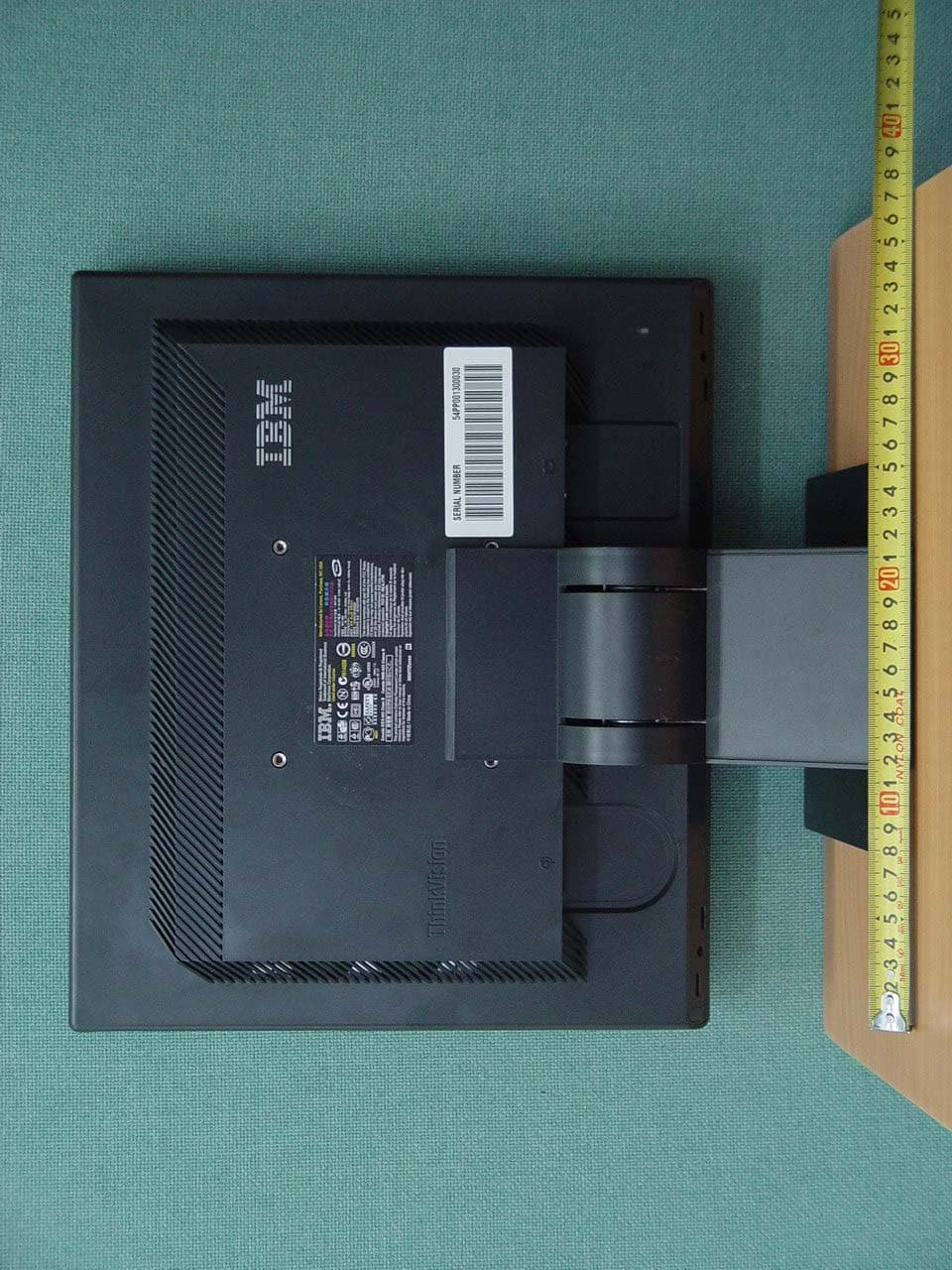
Click to zoom
Application Details
- Equipment Class
- JBP - Part 15 Class B Computing Device Peripheral
- Date of Grant
- Apr 28, 2005
- Application Purpose
- Original Equipment
- Date of Application
- Apr 28, 2005
- Equipment Note
- 17" Lcd monitor
- Company
- LG Electronics USA, Inc.
- Country
- United States
Documents & Files
Document Text
Text extracted from the exhibit documents filed with the FCC. Open a document above to read the original.
Users Manual
EUT Type: 17” LCD Monitor FCC ID: BEJL171N Test Report No.: GETEC-E3-05-034 FCC Class B Certification APPENDIX H : USER’S MANUAL L171Flat Panel Monitor User’s Guide Product numbers 9417-AB1 9417-AJ1 9417-AB7 9417-AB9 First Edition (April 2005) © Copyright International Business Machines Corporation 2005. All rights reserved. US Government Users Restricted Rights – Use, duplication or disclosure restricted by GSA ADP Schedule Contract with IBM Corp. Contents Safety information . . . . . . . . . . . . . . . . . . . . . . . . . . . . . . .v Chapter 1. Getting started . . . . . . . . . . . . . . . . . . . . . . . . . . . 1-1 Shipping contents . . . . . . . . . . . . . . . . . . . . . . . . . . . . . . . . . 1-1 Attaching the base and handling your monitor . . . . . . . . . . . . . . . . . . . . . . . 1-1 Product overview . . . . . . . . . . . . . . . . . . . . . . . . . . . . . . . . . 1-2 Types of adjustments . . . . . . . . . . . . . . . . . . . . . . . . . . . . . . . 1-2 User controls . . . . . . . . . . . . . . . . . . . . . . . . . . . . . . . . . 1-2 Cable lock slot . . . . . . . . . . . . . . . . . . . . . . . . . . . . . . . . . 1-3 Setting up your monitor . . . . . . . . . . . . . . . . . . . . . . . . . . . . . . . 1-3 Connecting and turning on your monitor . . . . . . . . . . . . . . . . . . . . . . . . 1-3 Registering your product . . . . . . . . . . . . . . . . . . . . . . . . . . . . . . 1-5 Chapter 2. Adjusting and using your monitor . . . . . . . . . . . . . . . . . . . 2-1 Comfort and accessibility . . . . . . . . . . . . . . . . . . . . . . . . . . . . . . 2-1 Arranging your work area . . . . . . . . . . . . . . . . . . . . . . . . . . . . . 2-1 Quick tips for healthy work habits . . . . . . . . . . . . . . . . . . . . . . . . . . 2-2 Accessibility information . . . . . . . . . . . . . . . . . . . . . . . . . . . . . . 2-2 Adjusting your monitor image . . . . . . . . . . . . . . . . . . . . . . . . . . . . . 2-3 Using the direct access controls . . . . . . . . . . . . . . . . . . . . . . . . . . . 2-3 Using the On-Screen Display (OSD) controls . . . . . . . . . . . . . . . . . . . . . . . 2-3 Selecting a supported display mode . . . . . . . . . . . . . . . . . . . . . . . . . . . 2-5 Understanding power management . . . . . . . . . . . . . . . . . . . . . . . . . . . 2-6 Caring for your monitor . . . . . . . . . . . . . . . . . . . . . . . . . . . . . . . 2-7 Detaching the monitor stand . . . . . . . . . . . . . . . . . . . . . . . . . . . . . 2-7 Chapter 3. Reference information . . . . . . . . . . . . . . . . . . . . . . . . 3-1 Monitor specifications . . . . . . . . . . . . . . . . . . . . . . . . . . . . . . . 3-1 Troubleshooting . . . . . . . . . . . . . . . . . . . . . . . . . . . . . . . . . . 3-2 Manual image setup . . . . . . . . . . . . . . . . . . . . . . . . . . . . . . . 3-3 Manually installing the monitor driver . . . . . . . . . . . . . . . . . . . . . . . . . 3-4 Service information . . . . . . . . . . . . . . . . . . . . . . . . . . . . . . . 3-6 Appendix A. Service and Support . . . . . . . . . . . . . . . . . . . . . . . . A-1 Online technical support . . . . . . . . . . . . . . . . . . . . . . . . . . . . . . A-1 Telephone technical support . . . . . . . . . . . . . . . . . . . . . . . . . . . . . A-1 Appendix B. Notices . . . . . . . . . . . . . . . . . . . . . . . . . . . . . B-1 Trademarks . . . . . . . . . . . . . . . . . . . . . . . . . . . . . . . . . . . B-2 © Copyright IBM Corp. 2005 iii Safety information Before installing this product, read the Safety Information. Antes de instalar este produto, leia as Informações de Segurança. Pred instalací tohoto produktu si prectete prírucku bezpecnostních instrukcí. Læs sikkerhedsforskrifterne, før du installerer dette produkt. Ennen kuin asennat tämän tuotteen, lue turvaohjeet kohdasta Safety Information. Avant d’installer ce produit, lisez les consignes de sécurité. Vor der Installation dieses Produkts die Sicherheitshinweise lesen. Prima di installare questo prodotto, leggere le Informazioni sulla Sicurezza. Lees voordat u dit product installeert eerst de veiligheidsvoorschriften. Les sikkerhetsinformasjonen (Safety Information) før du installerer dette produktet. Antes de instalar este produto, leia as Informações sobre Segurança. Antes de instalar este producto lea la información de seguridad. Läs säkerhetsinformationen innan du installerar den här produkten. © Copyright IBM Corp. 2005 v Chapter 1. Getting started This User’s Guide contains detailed information on the ThinkVision ™ L171 Flat Panel Monitor. For a quick overview, please see the Setup Poster that was shipped with your monitor. Shipping contents The product package should include the following items: v ThinkVision L171 Flat Panel Monitor Setup Poster v Monitor Safety, Troubleshooting, and Warranty Guide v Reference and Driver CD v ThinkVision L171 Flat Panel Monitor v Power Cord v Analog Interface Cable- Attached to monitor Attaching the base and handling your monitor To set up your monitor, please see the illustrations below. Note: Do not touch the monitor within the screen area. The screen area is glass and can be damaged by rough handling or excessive pressure. © Copyright IBM Corp. 2005 1-1 Note: To attach a VESA mount, please see “Detaching the monitor stand” on page 2-7. Product overview This section will provide information on adjusting monitor positions, setting user controls, and using the cable lock slot. Types of adjustments Please see the illustration below for an example of the tilt range. -4° 30° User controls Your monitor has controls on the front which are used to adjust the display. For information on how to use these controls, please see “Adjusting your monitor image” on page 2-3. 1-2 L171 Flat Panel Monitor User’s Guide Cable lock slot Your monitor is equipped with a cable lock slot located on the rear of your monitor (in the lower right corner). Please see the instructions that came with the cable lock to learn how t…
Text truncated - open the document above for the full version.
Block Diagram
EUT Type: 17” LCD Monitor FCC ID: BEJL171N Test Report No.: GETEC-E3-05-034 FCC Class B Certification APPENDIX D : BLOCK DIAGRAM Main Board Block Diagram 5V LIPS gmZan3SL BD ADC Scaling PLL OSD LVDS Transmit te r LVDS Transmit te r Panel MC U MC U EE PRO M (Sy s t e m ) LVDS An a l og (R / G /B) D-Sub To Ke y Control 5V 3.3V 1.8 V R e g u lato r R e g u lato r 3.3V1.8V 12V X501:12MH z D - C L K : 67.5MHz Power Board Block Diagram EMI COMP ON EN TS LINE 100 ~ 240V INPUT RECTIFIER AND FILTER ENERGY TRANSFE R OUTP UT RE CTIFIER AND FILTER 12V 5V GND SI GNAL COLLE NT- ION PHOTO- COU P LER IS OLATI O N PWM CONTR O L CIRCUIT HVDC 100 K H z PR IM ARY SEC ONDARY 50 ~ 60 H z LIPS BLOCK DIAGRAM
External Photos
EUT Type: 17” LCD Monitor FCC ID: BEJL171N Test Report No.: GETEC-E3-05-034 FCC Class B Certification APPENDIX F : EXTERNAL PHOTOGRAPHS EUT Type: 17” LCD Monitor FCC ID: BEJL171N Test Report No.: GETEC-E3-05-034 FCC Class B Certification EUT Type: 17” LCD Monitor FCC ID: BEJL171N Test Report No.: GETEC-E3-05-034 FCC Class B Certification EUT Type: 17” LCD Monitor FCC ID: BEJL171N Test Report No.: GETEC-E3-05-034 FCC Class B Certification
ID Label/Location Info
EUT Type: 17” LCD Monitor FCC ID: BEJL171N Test Report No.: GETEC-E3-05-034 FCC Class B Certification APPENDIX C : ID SAMPLE LABEL & LOCATION EUT Type: 17” LCD Monitor FCC ID: BEJL171N Test Report No.: GETEC-E3-05-034 FCC Class B Certification LABELLING REQUIREMENTS The label shown shall be permanently affixed at a conspicuous location on the device and be readily visible to the user at the time of purchase. ID Label ID Label Location of EUT I.D Label
Internal Photos
EUT Type: 17” LCD Monitor FCC ID: BEJL171N Test Report No.: GETEC-E3-05-034 FCC Class B Certification APPENDIX G : INTERNAL PHOTOGRAPHS EUT Type: 17” LCD Monitor FCC ID: BEJL171N Test Report No.: GETEC-E3-05-034 FCC Class B Certification EUT Type: 17” LCD Monitor FCC ID: BEJL171N Test Report No.: GETEC-E3-05-034 FCC Class B Certification EUT Type: 17” LCD Monitor FCC ID: BEJL171N Test Report No.: GETEC-E3-05-034 FCC Class B Certification EUT Type: 17” LCD Monitor FCC ID: BEJL171N Test Report No.: GETEC-E3-05-034 FCC Class B Certification EUT Type: 17” LCD Monitor FCC ID: BEJL171N Test Report No.: GETEC-E3-05-034 FCC Class B Certification EUT Type: 17” LCD Monitor FCC ID: BEJL171N Test Report No.: GETEC-E3-05-034 FCC Class B Certification EUT Type: 17” LCD Monitor FCC ID: BEJL171N Test Report No.: GETEC-E3-05-034 FCC Class B Certification
Test Report
EUT Type: 17” LCD Monitor FCC ID: BEJL171N Page 2 of 17 Test Report No.: GETEC-E3-05-034 FCC Class B Certification CONTENTS 1. SCOPE...........................................................................................................................................................................3 2. INTRODUCTION ........................................................................................................................................................4 3. TEST CONDITIONS & EUT INFORMATION........................................................................................................5 3.1 DESCRIPTION OF EUT..............................................................................................................................................5 3.2 SUPPORT EQUIPMENT USED.....................................................................................................................................6 4. DESCRIPTION OF TESTS.........................................................................................................................................7 4.1 CONDUCTED EMISSION............................................................................................................................................7 4.2 RADIATED EMISSION................................................................................................................................................8 5. CONDUCTED EMISSION..........................................................................................................................................9 5.1 OPERATING ENVIRONMENT.....................................................................................................................................9 5.2 TEST SET-UP..............................................................................................................................................................9 5.3 MEASUREMENT UNCERTAINTY................................................................................................................................9 5.4 LIMIT......................................................................................................................................................................10 5.5 TEST EQUIPMENT USED..........................................................................................................................................10 5.6 TEST DATA FOR POWER LINE CONDUCTED EMISSION............................................................................................ 11 6. RADIATED EMISSION ............................................................................................................................................13 6.1 OPERATING ENVIRONMENT...................................................................................................................................13 6.2 TEST SET-UP............................................................................................................................................................13 6.3 MEASUREMENT UNCERTAINTY..............................................................................................................................13 6.4 LIMIT......................................................................................................................................................................14 6.5 TEST EQUIPMENT USED..........................................................................................................................................14 6.6 TEST DATA FOR RADIATED EMISSION.....................................................................................................................15 7. SAMPLE CALCULATIONS.....................................................................................................................................17 7.1 EXAMPLE 1 : ...........................................................................................................................................................17 7.2 EXAMPLE 2 : ...........................................................................................................................................................17 8. RECOMMENDATION & CONCLUSION..............................................................................................................18 APPENDIX A – ATTESTATION STATEMENT APPENDIX B – PLOTS OF CONDUCTED EMISSIONS APPENDIX C – ID SAMPLE LABEL & LOCATION APPENDIX D – BLOCK DIAGRAM APPENDIX E – TEST SET-UP PHOTOGRAPHS APPENDIX F – EXTERNAL PHOTOGRAPHS APPENDIX G – INTERNAL PHOTOGRAPHS APPENDIX H – USER’S MANUAL EUT Type: 17” LCD Monitor FCC ID: BEJL171N Page 3 of 17 Test Report No.: GETEC-E3-05-034 FCC Class B Certification 1. Scope Measurement and determination of electromagnetic emissions (EME) of radio frequency devices including intentional and / or unintentional radiators for compliance with technical rules and regulations of the Federal Communications Commission . z FCC ID BEJL171N z EUT Type 17” LCD Monitor z Model No. 9417-AB9 z Tra de Na me IBM z Rule Part(s) FCC Part 15 Subpart B z Test Procedure(s) ANSI C63.4 (2003) z Dates of Test April 22 ~ 25, 2005 z Place of Test Gumi College EMC Center z Test Report No. GETEC-E3-05-034 Responsible Party: LG Electronics Inc. Contact Person: Mr. Woo-Hyun Oh, Chief research engineer P P r r o o d d u u c c t t T T e e s s t t i i n n g g & & C C o o m m p p l l i i a a n n c c e e C C e e n n t t e e r r Manufacturer: 642, Jinpyoung-dong, Gumi-city, Gyeongsangbuk-do, Korea Tel No.: +82-54-470-4530 EUT Type: 17” LCD Monitor FCC ID: BEJL171N Page 4 of 17 Test Report No.: GETEC-E3-05-034 FCC Class B Certification 2. Introduction The measurement procedure described in American National Standard for Methods of Measurement of Radio-Nose Emissions From Low-Voltage Electrical and Electronic Equipment in the Range of 9kHz to 40GHz (ASNI C63.4- 2003) was used in determining radiated and conducted em…
Text truncated - open the document above for the full version.
Test Setup Photos
EUT Type: 17” LCD Monitor FCC ID: BEJL171N Test Report No.: GETEC-E3-05-034 FCC Class B Certification APPENDIX E : TEST SET UP PHOTOGRAPHS EUT Type: 17” LCD Monitor FCC ID: BEJL171N Test Report No.: GETEC-E3-05-034 FCC Class B Certification The Conducted Test Picture and Radiated Test Picture show the worst-case configuration and cable placement. Conducted Test Picture (Front) Conducted Test Picture (Rear) EUT Type: 17” LCD Monitor FCC ID: BEJL171N Test Report No.: GETEC-E3-05-034 FCC Class B Certification Radiated Test Picture (Front) Radiated Test Picture (Rear)
Contact Information
Applicant
David Kim(Team leader, LGEUS NA Policy & Regulatory Affairs)
Test Firm
Gumi University EMC CenterTae-Sig Park
Technical Specifications
| # | Rule Parts | Frequency Range | Power Output |
|---|---|---|---|
| 1 | 15B | - | - |
Other Applications from LG Electronics USA, Inc.

BEJTFHOBINI1F1
Jan 08, 2025Telematics
Equipment Class
DTS - Digital Transmission SystemBEJNT-16Z90TS
Oct 02, 2024Notebook Computer
Equipment Class
DSS - Part 15 Spread Spectrum TransmitterBEJSP-PEW8
Sep 26, 2024Stylus Pen
Equipment Class
DCD - Part 15 Low Power Transmitter Below 1705 kHzBEJ-RSMV2
Sep 24, 2024RF Module
Equipment Class
FDS - Part 15 Field Disturbance SensorBEJTFBMEIBN3EU
Sep 24, 2024Telematics
Equipment Class
NII - Unlicensed National Information Infrastructure TX