BEJLW510Cellular/AWS/PCS CDMA Phone with Bluetooth
LG Electronics USA, Inc.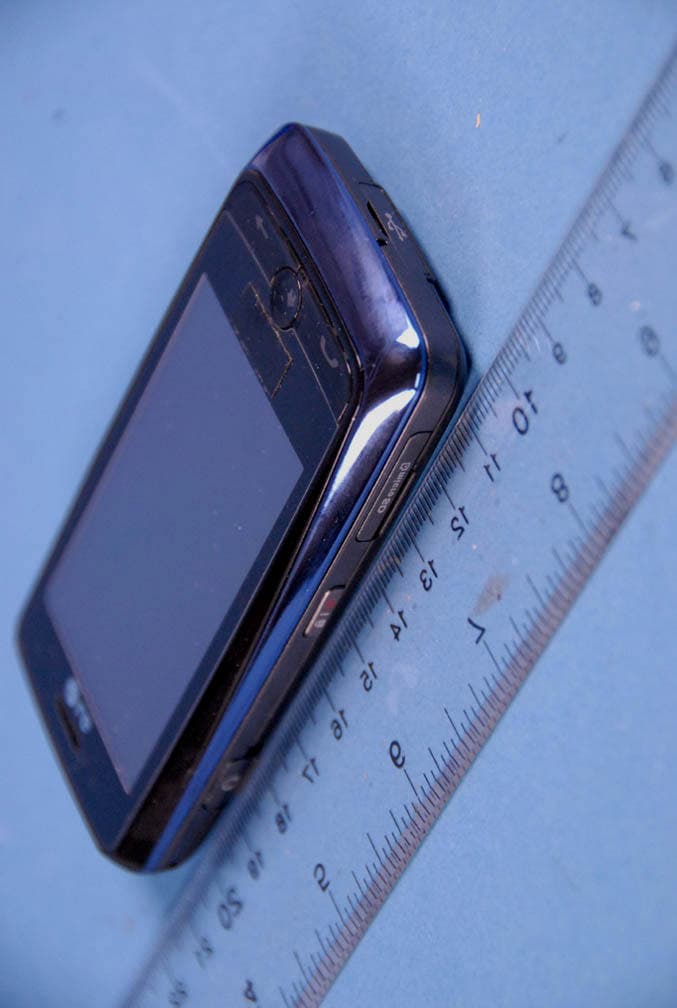
Click to zoom
Application Details
- Equipment Class
- JBP - Part 15 Class B Computing Device Peripheral
- Date of Grant
- Feb 08, 2010
- Application Purpose
- Original Equipment
- Date of Application
- Feb 08, 2010
- Equipment Note
- Cellular/AWS/PCS CDMA Phone with Bluetooth
- Company
- LG Electronics USA, Inc.
- Country
- United States
Documents & Files
Document Text
Text extracted from the exhibit documents filed with the FCC. Open a document above to read the original.
Users Manual
- 1 - User Manual LW510 Part 15.21 statement " Change or Modifications that are not expressly approved by the manufacturer could void the user's authority to operate the equipment. “ Part 15.105 statement This equipment has been tested and found to comply with the limits for a class B digital device, pursuant to Part 15 of the FCC Rules. These limits are designed to provide reasonable protection against harmful interference in a residential installation. This equipment generates uses and can radiate radio frequency energy and, if not installed and used in accordance with the instructions, may cause harmful interference to radio communications. However, there is no guarantee that interference will not occur in a particular installation. If this equipment does cause harmful interference or television reception, which can be determined by turning the equipment off and on, the user is encouraged to try to correct the interference by one or more of the following measures: - Reorient or relocate the receiving antenna. - Increase the separation between the equipment and receiver. - Connect the equipment into an outlet on a circuit different from that to which the receiver is connected. - Consult the dealer or an experienced radio/TV technician for help. Part 15 Class B Compliance This device and its accessories comply with part15 of FCC rules. Operation is subject to the following two conditions: (1) This device & its accessories may not cause harmful interference. (2) This device & its accessories must accept any interference received, including interference that may cause undesired operation. Body-worn Operation This device has been tested for typical body-worn operations with the distance of 0.79inches (2.0cm) from the user’s body. To comply with FCC RF exposure requirements, a minimum separation distance of 0.79inches(2.0cm) must be maintained from the user's body. Additionally, Belt clips, holsters & other body-worn accessories may not contain metallic components. - 10 - Getting Started Unlocking Your Phone If you received your LW510 in the mail, you may need to unlock it before making calls. 1. Press the END/PWR Switch for 2~3 seconds. 2. Press soft key Unlock. 3. Enter your four-digit lock code. For security purposes, the code will not be visible as you type. Note: If you can’t recall your lock code, try using the last four digits of your Social Security number, the last four digits of your Phone Number or 0000. View of Phone 1. END/PWR Switch: Lets you power the phone on or off. 2. Antenna: Retractable antenna provides optimum reception for 800 MHz & 1900 MHz frequencies. 3. Power On Indicator: Illuminates red when the phone powers on or when you receive incoming calls. Flashes red when you have messages of scheduled alarms. 4. Headset Jack: Provides connection for an optional headset. 5. Volume Control Keys: Adjust the Ring Volume in the Main Menu or the Voice Volume during a call. The keys also scroll through mouths in the Calendar or pages in the MiniBrowser. 6. CLR: Lets you clear an entry or back-up in the menu. Installing and Removing the Battery To install the battery, insert the bottom of the battery into the opening on the back of the phone. Then, push the battery down until the latch clicks. - 11 - To remove the battery, press down on the latch and remove the battery from the phone. Turning Your Phone On and Off To turn your phone on, move the On/Off Switch (near the antenna) to the ON position. Your phone performs a short self-test before letting you know it is operational. If your phone does not turn on, make sure the battery is installed correctly and is adequately charged or has external power (via the AC Adapter, Cigarette Lighter Adapter or Hands-Free Car Kit). To turn your phone off, move the On/Off Switch to the OFF position. Main Menu When your phone acquires Service, the Greeting (a banner of text), the current time and date and the Main Menu are displayed. If you are in authorized analog cellular provider’s service area, you are ready to send and receive calls. Power Save Mode When the phone is in an area without service for 15 minutes, it stops searching for service and enters into the power Save Mode. When your phone activates this feature, Power Save is displayed on your screen. The phone automatically checks for service periodically or you can check manually by pressing any key. - 12 - Entering Characters Using the Keypad(T9) To enter a letter, punctuation or number when creating Phone Book or Scheduler entries, press the corresponding key until the desired character appears. By default, the first letter of a word is capitalized and following letters are lowercase. Characters in the following order: 1 . ? , ‘ & - @ ( ) / ~ P Q R S 7 p q r s A B C 2 a b c 2 T U V 8 t u v 8 D E F 3 d e f 3 W X Y Z 9 w x y z 9 G H I 4 g h i 4 Next 0 J K L 5 j k l 5 Shift M N O 6 m n o 6 Space After a character is entered, the cursor automatically advances to the next space after two seconds. You can also advance the cursor by pressing or entering a character not on the same key. If you make a mistake, press to move the cursor left or [CLR] to erase a character. To clear the entire entry, press and hold [CLR] for two seconds. 1 7PQRS 9WXYZ 8TUV 6MNO 5J 4G 3DEF ABC 1 * 0Space - 13 - Display Icons Display icons are the symbols your phone uses to communicate important information. They are as follows: ICON DESCRIPTION 3G Icon DO Icon Alarm Battery Antenna No service Location On/Off Voice Privacy Ringer Roaming TTY - 14 - Antenna The antenna on your phone provides maximum reception by extending of retracting it. !!! WARNING – CHOKING HAZARD – ANTENNA MAY BECOME DISLODGED Attempting to remove or repeated twisting of the antenna will loosen the materials securing it into antenna. Once the antenna is loosened or removed, only an authorized service provider Representative can restore the antenna’s original integrity. Do not attempt to remove or twist the antenna. Signal Strength The quality…
Text truncated - open the document above for the full version.
Cover Letter(s)
LG Electronics USA 1000 Sylvan Avenue Englewood Cliffs, NJ 07632 Date: February 5, 2010 Federal Communications Commission Authorization and Evaluation Division 7435 Oakland Mills Road, Columbia, MD 21046 RE: Request of Confidentiality for FCC ID: BEJLW510 Equipment Class: J BP: Part 15 Class B Computing Device Peripheral To Whom It May Concern: Pursuant to Sections 0.457 and 0.459 of the Commission’s Rules (CFR 47), and Section 552 (b) (4) of the Freedom of Information Act, LG Electronics USA hereby requests confidentiality and treatment of certain information accompanying this application. The materials contain trade secrets and proprietary information not customarily released to the public. The public disclosure of these matters might be harmful to the Applicant and provide unjustified benefits to its competitors. We are also hereby request Short-Term Confidentiality for 180 days after the grant as outlined in Public Notice DA 04-1705. This provision will give LG Electronics USA temporary confidentiality of commercially sensitive information prior to product release. The requested Permanent and Temporary Confidential exhibits are listed as follows: PERMANENT AND SHORT-TERM CONFIDENTIAL LIST Exhibit Description 1 Block Diagram PERMANENT 2 Operational Descriptions 3 External Photos 4 Internal Photos 5 Test-Setup Photos SHORT-TERM 6 User’s Manual The Applicant understands that pursuant to Rule 0.457, disclosure of this application and all accompanying documentations, where applicable, will not be made public before the date of the Grant for this application. Sincerely, Jae Cheon(J.C.) Lee General Manager LG Elec tronics USA LG Electronics USA 1000 Sylvan Avenue Englewood Cliffs, NJ 07632
External Photos
LG FCC ID: BEJLW510 Model: LW510 External Photos EUT Type: Cellular/AWS/PCS CDMA/EvDO Phone with BT Page 1 of 5 © 2009 PCTEST Engineering Laboratory Inc. EXTERNAL PHOTOGRAPHS LG FCC ID: BEJLW510 Model: LW510 External Photos EUT Type: Cellular/AWS/PCS CDMA/EvDO Phone with BT Page 2 of 5 © 2009 PCTEST Engineering Laboratory Inc. LG FCC ID: BEJLW510 Model: LW510 External Photos EUT Type: Cellular/AWS/PCS CDMA/EvDO Phone with BT Page 3 of 5 © 2009 PCTEST Engineering Laboratory Inc. LG FCC ID: BEJLW510 Model: LW510 External Photos EUT Type: Cellular/AWS/PCS CDMA/EvDO Phone with BT Page 4 of 5 © 2009 PCTEST Engineering Laboratory Inc. LG FCC ID: BEJLW510 Model: LW510 External Photos EUT Type: Cellular/AWS/PCS CDMA/EvDO Phone with BT Page 5 of 5 © 2009 PCTEST Engineering Laboratory Inc.
ID Label/Location Info
Model No: LW510 FCC ID : BEJLW510 S/N : Made in Korea LG Electronics Inc. LGE
Internal Photos
LG FCC ID: BEJLW510 Model: LW510 Internal Photos EUT Type: Cellular/AWS/PCS CDMA/EvDO Phone with BT Page 1 of 12 © 2009 PCTEST Engineering Laboratory Inc. INTERNAL PHOTOGRAPHS LG FCC ID: BEJLW510 Model: LW510 Internal Photos EUT Type: Cellular/AWS/PCS CDMA/EvDO Phone with BT Page 2 of 12 © 2009 PCTEST Engineering Laboratory Inc. LG FCC ID: BEJLW510 Model: LW510 Internal Photos EUT Type: Cellular/AWS/PCS CDMA/EvDO Phone with BT Page 3 of 12 © 2009 PCTEST Engineering Laboratory Inc. LG FCC ID: BEJLW510 Model: LW510 Internal Photos EUT Type: Cellular/AWS/PCS CDMA/EvDO Phone with BT Page 4 of 12 © 2009 PCTEST Engineering Laboratory Inc. LG FCC ID: BEJLW510 Model: LW510 Internal Photos EUT Type: Cellular/AWS/PCS CDMA/EvDO Phone with BT Page 5 of 12 © 2009 PCTEST Engineering Laboratory Inc. LG FCC ID: BEJLW510 Model: LW510 Internal Photos EUT Type: Cellular/AWS/PCS CDMA/EvDO Phone with BT Page 6 of 12 © 2009 PCTEST Engineering Laboratory Inc. LG FCC ID: BEJLW510 Model: LW510 Internal Photos EUT Type: Cellular/AWS/PCS CDMA/EvDO Phone with BT Page 7 of 12 © 2009 PCTEST Engineering Laboratory Inc. LG FCC ID: BEJLW510 Model: LW510 Internal Photos EUT Type: Cellular/AWS/PCS CDMA/EvDO Phone with BT Page 8 of 12 © 2009 PCTEST Engineering Laboratory Inc. LG FCC ID: BEJLW510 Model: LW510 Internal Photos EUT Type: Cellular/AWS/PCS CDMA/EvDO Phone with BT Page 9 of 12 © 2009 PCTEST Engineering Laboratory Inc. LG FCC ID: BEJLW510 Model: LW510 Internal Photos EUT Type: Cellular/AWS/PCS CDMA/EvDO Phone with BT Page 10 of 12 © 2009 PCTEST Engineering Laboratory Inc. LG FCC ID: BEJLW510 Model: LW510 Internal Photos EUT Type: Cellular/AWS/PCS CDMA/EvDO Phone with BT Page 11 of 12 © 2009 PCTEST Engineering Laboratory Inc. LG FCC ID: BEJLW510 Model: LW510 Internal Photos EUT Type: Cellular/AWS/PCS CDMA/EvDO Phone with BT Page 12 of 12 © 2009 PCTEST Engineering Laboratory Inc.
Test Report
FCC ID: BEJLW510 Report No.: HCTE1001FE09 Date: January 14, 2010 HCT CO., LTD. SAN 136-1, AMI-RI, BUBAL-EUP, ICHEON-SI, KYOUNGKI-DO, 467-701, KOREA TEL: +82 31 639 8539 FAX: +82 31 639 8535 www.hct.co.kr Page 2 of 16 TABLE OF CONTENTS PAGE 1. GENERAL INFORMATION 1.1 Product description 3 1.2 Related submittal(s)/Grant(s) 3 1.3 Tested system details 4 1.4 Cable description 4 1.5 Noise suppression parts on cable. (I/O cable) 4 1.6 Test methodology 5 1.7 Test facility 5 2. SYSTEM TEST CONFIGURATION 2.1 Configuration of tested system 6 3. PRELIMINARY TEST 3.1 Conducted Emission test 7 3.2 Radiated Emission test 7 4. CONDUCTED AND RADIATED EMISSION TESTS SUMMARY 4.1 Conducted Emission test 8 4.2 Radiated Emission test 13 5. FIELD STRENGTH CALCULATION 14 6. TEST EQUIPMENT 15 7. CONCLUSION 16 ATTACHMENT : TEST SETUP PHOTOGRAPHS FCC ID: BEJLW510 Report No.: HCTE1001FE09 Date: January 14, 2010 HCT CO., LTD. SAN 136-1, AMI-RI, BUBAL-EUP, ICHEON-SI, KYOUNGKI-DO, 467-701, KOREA TEL: +82 31 639 8539 FAX: +82 31 639 8535 www.hct.co.kr Page 3 of 16 1. GENERAL INFORMATION 1.1 Product Description The LG Electronics Inc. Model: LW510, Cellular/AWS/PCS CDMA Phone with Bluetooth. Its basic purpose is used for communications. It transmits from CDMA 850 (824.70 ㎒ to 848.31 ㎒), CDMA 1 900 (1 850.00 ㎒ to 1 910. 20 ㎒) AWS CDMA (1 711.25 ㎒ to 1 753.75 ㎒) and receives from CDMA 850 (869.70 ㎒ to 893.31 ㎒) CDMA 1 900 (1 930.00 ㎒ to 1 990.00 ㎒), AWS CDMA (2 111.25 ㎒ to 2 153.75 ㎒). Model LW510 Additional Model MN510, UN510 FCC ID BEJLW510 E.U.T Type Cellular/AWS/PCS CDMA Phone with Bluetooth TX Frequency 824.70 ㎒ to 848.31 ㎒ (CDMA 850) 1 850.00 ㎒ to 1 910. 20 ㎒ (CDMA 1 900) 1 711.25 ㎒ to 1 753.75 ㎒ (AWS CDMA) RX Frequency 869.70 ㎒ to 893.31 ㎒ (CDMA 850) 1 930.00 ㎒ to 1 990.00 ㎒ (CDMA 1 900) 2 111.25 ㎒ to 2 153.75 ㎒ (AWS CDMA) 1.2 Related Submittal(s) / Grant(s) Original submittal only. FCC ID: BEJLW510 Report No.: HCTE1001FE09 Date: January 14, 2010 HCT CO., LTD. SAN 136-1, AMI-RI, BUBAL-EUP, ICHEON-SI, KYOUNGKI-DO, 467-701, KOREA TEL: +82 31 639 8539 FAX: +82 31 639 8535 www.hct.co.kr Page 4 of 16 1.3 Tested System Details All equipment descriptions used in the tested system (including inserted cards) are: Device Type Manufacturer Model Number/ Part Number FCC ID / DoC Connected To Cellular/AWS/PCS CDMA Phone with Bluetooth LG LW510 BEJLW510 Notebook PC Notebook PC Sam-Sung NT-R519 DoC E.U.T Notebook PC adaptor DELTA ADP-60ZH D AD-6019R - Notebook PC Mouse Microsoft Intellimouse optical USB and PS/2 compatible DoC Notebook PC USB cable - - - E.U.T Notebook PC Headset - - - E.U.T 1.4 Cable Description * The marked "(D)" means the data cable and "(P)" means the power cable. 1.5 Noise Suppression Parts on Cable. (I/O cable) Product Name Port Ferrite Bead (Y/N) Location Metal Hood (Y/N) Location Headset jack N - Y E.U.T End Cellular/AWS/PCS CDMA Phone with Bluetooth USB data N - Y Both End Notebook PC USB (Mouse) Y Notebook P C End Y Notebook P C End Product Name Port Power Cord Shielded (Y/N) I/O Cable Shielded (Y/N) Length (M) Headset jack - - (D)1.2 Cellular/AWS/PCS CDMA Phone with Bluetooth USB data Y Y (P,D)1.2 Notebook PC USB (Mouse) - Y (D)1.8 FCC ID: BEJLW510 Report No.: HCTE1001FE09 Date: January 14, 2010 HCT CO., LTD. SAN 136-1, AMI-RI, BUBAL-EUP, ICHEON-SI, KYOUNGKI-DO, 467-701, KOREA TEL: +82 31 639 8539 FAX: +82 31 639 8535 www.hct.co.kr Page 5 of 16 1.6 Test Methodology Both Conducted and Radiated testing was performed according to the procedures in ANSI C63.4/2003. Radiated testing was performed at an antenna to E.U.T distance of 3 m 1.7 Test Facility The open area test site and conducted measurement facility used to collect the radiated data are located at the 254-1, Maekok-ri, Hobup-myun, Ichon-si, Kyoungki-do, 467-701, KOREA. The site is constructed in conformance with the requirements of ANSI C63.4 and CISPR Publication 22. Detailed description of test facility was submitted to the Commission and accepted dated June 10, 2009. (Registration Number: 90661) 1.8 Frequency Range of Radiated Measurements An unintentional radiator, including a digital device, the spectrum shall be investigated from the lowest radio frequency signal generated or used in the device, without going below the lowest frequency for which a Radiated Emission limit is specified, up to the frequency shown in the following table Highest frequency generated or used in the device or on which the device operates or tunes (㎒) Upper frequency of measurement range (㎒) Below 1.705 30 1.705 to 108 1 000 108 to 500 2 000 500 to 1 000 5 000 Above 1 000 5 th harmonic of the highest frequency or 40 ㎓, whichever is lower FCC ID: BEJLW510 Report No.: HCTE1001FE09 Date: January 14, 2010 HCT CO., LTD. SAN 136-1, AMI-RI, BUBAL-EUP, ICHEON-SI, KYOUNGKI-DO, 467-701, KOREA TEL: +82 31 639 8539 FAX: +82 31 639 8535 www.hct.co.kr Page 6 of 16 2. SYSTEM TEST CONFIGURATION 2.1 Configuration of Test System Power Line Conducted test : E.U.T was connected to LISN, all other peripheral equipment were connected to another LISN. Preliminary Power Line Conducted Emission tests were performed by using the procedure in ANSI C63.4/2003 7.2.3 to determine the worst operating conditions. Radiated Emission test : Preliminary Radiated Emission tests were performed by using the procedure in ANSI C63.4/2003 8.3.1.1 to determine the worst operating condition. Final Radiated Emission tests were performed at 3 m open area test site. [Configuration of Tested System] Power Line: 110VAC Non-Conductive Table Notebook PC adaptor Mouse Notebook PC Headset E.U.T FCC ID: BEJLW510 Report No.: HCTE1001FE09 Date: January 14, 2010 HCT CO., LTD. SAN 136-1, AMI-RI, BUBAL-EUP, ICHEON-SI, KYOUNGKI-DO, 467-701, KOREA TEL: +82 31 639 8539 FAX: +82 31 639 8535 www.hct.co.kr Page 7 of 16 3. PRELIMINARY TEST 3.1 Conducted Emission Test During preliminary tests, the following operating mode was investigated: Operation Mode The Worst Operating Condition Data Communication ○ 3. 2 Radiated Emission Tes…
Text truncated - open the document above for the full version.
Test Setup Photos
FCC ID: BEJLW510 Report No. HCTE1001FE09 Date: January 14, 2010 HCT CO., LTD. SAN 136-1, AMI-RI, BUBAL-EUP, ICHEON-SI, KYOUNGKI-DO, 467-701, KOREA TEL: +82 31 639 8539 FAX: +82 31 639 8535 www.hct.co.kr Page 1 of 5 ATTACHMENT - TEST SETUP PHOTOS - FCC ID: BEJLW510 Report No. HCTE1001FE09 Date: January 14, 2010 HCT CO., LTD. SAN 136-1, AMI-RI, BUBAL-EUP, ICHEON-SI, KYOUNGKI-DO, 467-701, KOREA TEL: +82 31 639 8539 FAX: +82 31 639 8535 www.hct.co.kr Page 2 of 5 1. CONDUCTED MEASUREMENT PHOTOS FCC ID: BEJLW510 Report No. HCTE1001FE09 Date: January 14, 2010 HCT CO., LTD. SAN 136-1, AMI-RI, BUBAL-EUP, ICHEON-SI, KYOUNGKI-DO, 467-701, KOREA TEL: +82 31 639 8539 FAX: +82 31 639 8535 www.hct.co.kr Page 3 of 5 FCC ID: BEJLW510 Report No. HCTE1001FE09 Date: January 14, 2010 HCT CO., LTD. SAN 136-1, AMI-RI, BUBAL-EUP, ICHEON-SI, KYOUNGKI-DO, 467-701, KOREA TEL: +82 31 639 8539 FAX: +82 31 639 8535 www.hct.co.kr Page 4 of 5 2. RADIATED MEASUREMENT PHOTOS FCC ID: BEJLW510 Report No. HCTE1001FE09 Date: January 14, 2010 HCT CO., LTD. SAN 136-1, AMI-RI, BUBAL-EUP, ICHEON-SI, KYOUNGKI-DO, 467-701, KOREA TEL: +82 31 639 8539 FAX: +82 31 639 8535 www.hct.co.kr Page 5 of 5
Contact Information
Applicant
David Kim(Team leader, LGEUS NA Policy & Regulatory Affairs)
Technical Contact
PCTEST Engineering Laboratory, Inc.Randy Ortanez
[email protected]410-290-6652
6660-B Dobbin Road · Columbia, Maryland · United States
Test Firm
HCT Co., LTDSang Lee
Technical Specifications
| # | Rule Parts | Frequency Range | Power Output |
|---|---|---|---|
| 1 | 15B | - | - |
Other Applications from LG Electronics USA, Inc.

BEJTFHOBINI1F1
Jan 08, 2025Telematics
Equipment Class
DTS - Digital Transmission SystemBEJNT-16Z90TS
Oct 02, 2024Notebook Computer
Equipment Class
DSS - Part 15 Spread Spectrum TransmitterBEJSP-PEW8
Sep 26, 2024Stylus Pen
Equipment Class
DCD - Part 15 Low Power Transmitter Below 1705 kHzBEJ-RSMV2
Sep 24, 2024RF Module
Equipment Class
FDS - Part 15 Field Disturbance SensorBEJTFBMEIBN3EU
Sep 24, 2024Telematics
Equipment Class
NII - Unlicensed National Information Infrastructure TX