BEJP7200Single-Band PCS GSM Phone with Bluetooth
LG Electronics USA, Inc.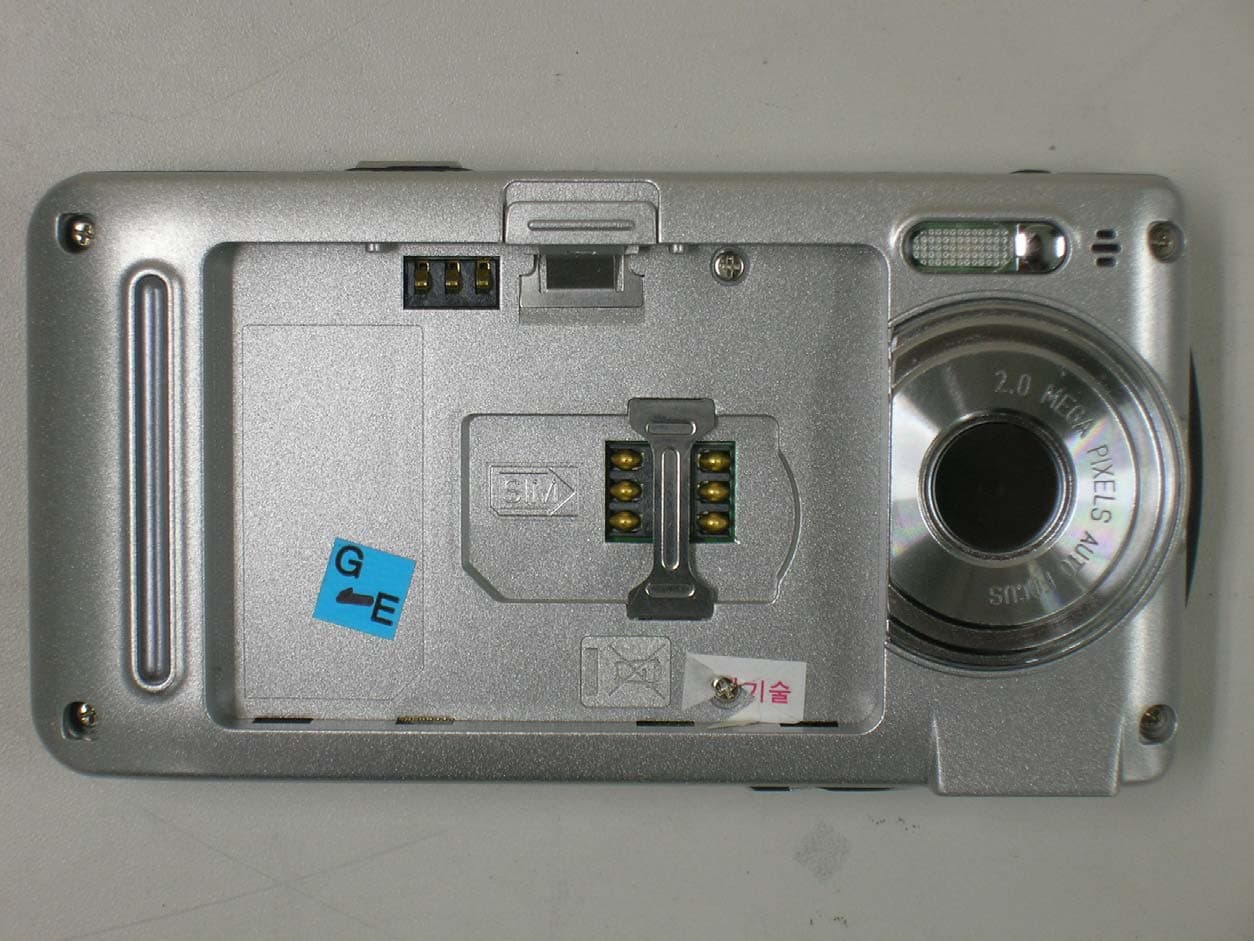
Click to zoom
Application Details
- Equipment Class
- PCE - PCS Licensed Transmitter held to ear
- Date of Grant
- Sep 21, 2005
- Application Purpose
- Original Equipment
- Date of Application
- Sep 21, 2005
- Equipment Note
- Single-Band PCS GSM Phone with Bluetooth
- Frequency Range
- 1850.20000000 - 1909.80000000
- Company
- LG Electronics USA, Inc.
- Country
- United States
Documents & Files
Document Text
Text extracted from the exhibit documents filed with the FCC. Open a document above to read the original.
Users Manual
ENGLISH P7200 User Guide English WE SHOULD INFORM USER THAT THIS MANUAL CAN HAVE SOME DIFFERENCES FROM PHONE DEPENDING ON PHONE S/W AND SERVICE PROVIDER. P7200_Eng_0728 2005.7.28 4:6 PM Page 1 P7200 features . . . . . . . . . . . . . . . . . . . . . . . . . . . . . . . . 11 Part of the phone . . . . . . . . . . . . . . . . . . . . . . . . . . . . . 11 Display Information . . . . . . . . . . . . . . . . . . . . . . . . . . . 14 On-Screen Icons . . . . . . . . . . . . . . . . . . . . . . . . . . . . . . 15 Installation . . . . . . . . . . . . . . . . . . . . . . . . . . . . . . . . . . 16 Installing the SIM card and the handset battery . . . . . . . . . . . . . . . . . . . . . . . . . . . . . . . 16 Charging the Battery . . . . . . . . . . . . . . . . . . . . . . . . . . 18 Disconnecting the charger . . . . . . . . . . . . . . . . . . . . . 18 Memory card . . . . . . . . . . . . . . . . . . . . . . . . . . . . . . . . . 19 Inserting the memory card . . . . . . . . . . . . . . . . . . . . . 19 Removing the memory card . . . . . . . . . . . . . . . . . . . . 19 General Functions . . . . . . . . . . . . . . . . . . . . . . . . . . . . 20 Making a Call . . . . . . . . . . . . . . . . . . . . . . . . . . . . . . . . 20 Adjusting the Volume . . . . . . . . . . . . . . . . . . . . . . . . . . 20 Answering a Call . . . . . . . . . . . . . . . . . . . . . . . . . . . . . 21 Entering Text . . . . . . . . . . . . . . . . . . . . . . . . . . . . . . . . . 21 Selecting Functions and Options . . . . . . . . . . . . . . . . . . . . . . . . . . . . . . . . . . . . . . 24 In-Call Menu . . . . . . . . . . . . . . . . . . . . . . . . . . . . . . . . . 25 During a Call . . . . . . . . . . . . . . . . . . . . . . . . . . . . . . . . . 25 Conference Calls . . . . . . . . . . . . . . . . . . . . . . . . . . . . . 26 Menu Tree . . . . . . . . . . . . . . . . . . . . . . . . . . . . . . . . . . . 27 Games & more . . . . . . . . . . . . . . . . . . . . . . . . . . . . . . . 29 Games & more . . . . . . . . . . . . . . . . . . . . . . . . . . . . . . . 29 Settings . . . . . . . . . . . . . . . . . . . . . . . . . . . . . . . . . . . . . 29 Contacts . . . . . . . . . . . . . . . . . . . . . . . . . . . . . . . . . . . . . 30 Add new . . . . . . . . . . . . . . . . . . . . . . . . . . . . . . . . . . . . . 30 Search . . . . . . . . . . . . . . . . . . . . . . . . . . . . . . . . . . . . . . 30 Speed dial . . . . . . . . . . . . . . . . . . . . . . . . . . . . . . . . . . . 31 Caller groups . . . . . . . . . . . . . . . . . . . . . . . . . . . . . . . . . 31 Own number . . . . . . . . . . . . . . . . . . . . . . . . . . . . . . . . . 31 Settings . . . . . . . . . . . . . . . . . . . . . . . . . . . . . . . . . . . . . 32 Organiser . . . . . . . . . . . . . . . . . . . . . . . . . . . . . . . . . . . . 34 Calendar . . . . . . . . . . . . . . . . . . . . . . . . . . . . . . . . . . . . 34 Add new . . . . . . . . . . . . . . . . . . . . . . . . . . . . . . . . . . . . . 34 View daily schedules . . . . . . . . . . . . . . . . . . . . . . . . . . 34 Delete past . . . . . . . . . . . . . . . . . . . . . . . . . . . . . . . . . . . 34 Delete all . . . . . . . . . . . . . . . . . . . . . . . . . . . . . . . . . . . . 34 Go to date . . . . . . . . . . . . . . . . . . . . . . . . . . . . . . . . . . . 34 Set alarm tone . . . . . . . . . . . . . . . . . . . . . . . . . . . . . . . . 35 Memo . . . . . . . . . . . . . . . . . . . . . . . . . . . . . . . . . . . . . . . 35 Multimedia . . . . . . . . . . . . . . . . . . . . . . . . . . . . . . . . . . 36 Take photo . . . . . . . . . . . . . . . . . . . . . . . . . . . . . . . . . . . 36 Fun frames . . . . . . . . . . . . . . . . . . . . . . . . . . . . . . . . . . . 37 Take silent movie . . . . . . . . . . . . . . . . . . . . . . . . . . . . . 37 Voice recorder . . . . . . . . . . . . . . . . . . . . . . . . . . . . . . . 37 Record . . . . . . . . . . . . . . . . . . . . . . . . . . . . . . . . . . . . . . 37 View list . . . . . . . . . . . . . . . . . . . . . . . . . . . . . . . . . . . . . 38 Karaoke . . . . . . . . . . . . . . . . . . . . . . . . . . . . . . . . . . . . . 38 MP3 . . . . . . . . . . . . . . . . . . . . . . . . . . . . . . . . . . . . . . . . . 39 MP3 player . . . . . . . . . . . . . . . . . . . . . . . . . . . . . . . . . . . 39 Play list . . . . . . . . . . . . . . . . . . . . . . . . . . . . . . . . . . . . . . 40 My photos . . . . . . . . . . . . . . . . . . . . . . . . . . . . . . . . . . . 40 All photos . . . . . . . . . . . . . . . . . . . . . . . . . . . . . . . . . . . . 40 General photos . . . . . . . . . . . . . . . . . . . . . . . . . . . . . . . 40 Mode photos . . . . . . . . . . . . . . . . . . . . . . . . . . . . . . . . . 40 Contacts photos . . . . . . . . . . . . . . . . . . . . . . . . . . . . . . 40 Silent movie . . . . . . . . . . . . . . . . . . . . . . . . . . . . . . . . . . 41 Settings . . . . . . . . . . . . . . . . . . . . . . . . . . . . . . . . . . . . . 41 Camera . . . . . . . . . . . . . . . . . . . . . . . . . . . . . . . . . . . . . . 41 2P7200 Contents P7200_Eng_0728 2005.7.28 4:6 PM Page 2 Voice recorder . . . . . . . . . . . . . . . . . . . . . . . . . . . . . . . 41 Memory in use . . . . . . . . . . . . . . . . . . . . . . . . . . . . . . . 41 Messages . . . . . . . . . . . . . . . . . . . . . . . . . . . . . . . . . . . 42 New message . . . . . . . . . . . . . . . . . . . . . . . . . . . . . . . . 42 Text message . . . . . . . . . . . . . . . . . . . . . . . . . . . . . . . . 42 Multimedia message . . . . . . . . . . . . . . . . . . . . . . . . . . 43 Inbox . . . . . . . . . . . . . . . . . . . . . . . . . . . . . . . . . . . . . . . . 44 Outbox . . . . . . . . . . . . . . . . . . . . . . . . . . . . . . . . . . . . . . 45 Sent . . . . . . . . . . . . . . . . . . . . . . . . . . . . . . . . . . . . . . . . . 45 Drafts . . . . . . . . . . . . . . . . . . . . . . . . . . . . . . . . . . . . . . . 45 Listen to voice mail . . . . . . …
Text truncated - open the document above for the full version.
Users Manual
You can enjoy your multimedia function such as camera, voice recorder, MP3 for your fun and convinience. Take photo[Menu 4-1] • To take a picture with Folder opened 1.Select Take photo, and then press. If you want to reach this menu directly, press for a long time. 2.Focus on the subject to capture the image, and then press thekey. 3.If you want to save it, press the left soft keyor thekey. nNoteYou can control the image size, brightness, colour and zooming by pressing the navigation key. ( or). ]Resolution []:Allows you to set the image size to one of Hi (1280X960), Med (640x480), Low (320x240) main screen, contact, and front screen. ]Picture quality []:Allows you to set the image quality from Standard, Fine and Superfine. ]Flash []:Allow you to set the flash when you take a photo in dark place. ]Multishot []:Allows to take a multishot photos successively. ]Zoom []:Allows you to set the zooming value from x1 to x2 depends on resolution. ]Brightness []:Use the right/left navigation keys to adjust lighting. 9 lighting levels are available: -2.0, -1.5, -1.0, -0.5, 0.0, +0.5, +1.0, +1.5, +2.0. ]Lighting settings []:Allows you to change the settins according to the enviroment. ]Night time []:Allows you to take a picture by using this menu at night. ]Autoshoot []:Allows you to select the delay time (None, 3 Seconds , 5 Seconds, 10 seconds). Then the phone takes a photo after the specified time. ]Colour []: 3 settings are available: Color, Sepia, Black/White. ]Memory status []:Check the available memory to take new pictures. • To take a picture with Folder closed You can see yourself by sub LCD, when you take your self-portrait. 1.Press [ ] for a long time. 2.Focus on the subject to capture the image, and then press [ ]. This time, the picture is saved automatically. • Take photo:Activate the Take photo mode. • Slide show:View the pictures in Album as slide show. • Torch:Activate the flash light. • Back:Go back to the previous menu. 36P7200 Multimedia [Menu 4] P7200_Eng_0728 2005.7.28 4:6 PM Page 36 P7200 37 Fun frames [Menu 4-2] You can take a picture on the various of backgrounds. Furthermore, you can select a frame by pressing the navigation keyor. nNoteIn this mode, you can’t change the settings of resolution. • Options ]Full view: You can view full photo. ]Multi view:You can view the maximum of 9 thumbnails in a screen. ]Set as wallpaper:You can set a picture as a wallpaper. ]Send via multimedia message:You can send a picture thru MMS. ]Send via bluetooth:You can send the photo by bluetooth. ]Copy / Move to external memory: You can copy or move between phone and the SD memory. ]Rename:You can edit the title of picture. ]Delete:You can delete a photo. ]Information:You can view the information about Title, Size, Date and Time you’ve taken. Take silent movie [Menu 4-3] You can record video streaming for 20 seconds. 1.Select Take silent moviemenu. 2.If you want to record the data, press the left soft key [Record]. 3.You can check the remained time by time bar. Voice recorder[Menu 4-4] The voice memo feature you to record up to 10 voice messages and each memo is up to 60 Seconds. nNoteThe default setting for recording time is 30 seconds, but you can select 30 secs or 1 min in settings menu. Record[Menu 4-4-1] You can record voice memo in Voice recorder menu. 1.Once recording is started, the message Recording and the remaining time is displayed. 2.If you want to finish recording, press the left soft key[Save]. 3.Key in Voice memo title, press the left soft key [OK]. After finishing all the setting, focus on the subject to capture and press the Camera key or OK key. With a click, the image is captured and the following menu bar appears. Save Delete MMS message P7200_Eng_0728 2005.7.28 4:6 PM Page 37 View list[Menu 4-4-2] The phone shows voice memo list. You can playback and delete the recorded voice memo. ]Play:Allows to listen to the recorded voice memo. ]Record new:Allows to record new voice memo. ]Send via message:Allows to send the multimedia message or bluetooth with voice memo. ]Delete:Allows to delete voice memo. ]Delete all:Allows to delete all voice memos. Karaoke[Menu 4-5] Karaoke is the sing-a-long functionality. You can download the song to the phone by using the WAP. These function come with synchronised lyrics to prompt you singing along. Start to Karaoke menu 1.Select Karaoke, press by the left soft key . The following menus are available. My song 1.Select the My songmenu by pressing the OK key. The song list, all of the downloaded and default songs, are displayed. 2.To scroll highlight the song you want, and then the OK key. The following options are available. ]Start song:You can play the current track to sing-a-long. ]Whole text:You can see the whole lyrics of the selected song. ]Delete:You can delete the selected song form the list. ]Back to list:Go back to the list. New song Select the New song by pressing the OK key. A new song can be downloaded using the network connection. nNoteIn order to use New songfunction You need to setup internet connection. Go to Downloads, and then select Games & more. In this menu, you can go to Profilesand select one of them. In Settings menu, you should connect Internet according to your network settings (For more information to connect internet, contact Your service provider). After finishing setup, don’t forget to activatethis profile by pressing Activate in menu. Help nNoteTo use Karaoke menu, please refer to Wow LG site http://www.wowlg.com. 38P7200 Multimedia [Menu 4] key Description To play the track ( ) To skip to the next track ( ) To skip to the next track ( ) To pause the track ( ) To stop playback ( ) To adjust the volume of the song. ( ) P7200_Eng_0728 2005.7.28 4:6 PM Page 38 P7200 39 MP3[Menu 4-6] The P7200 has an integrated MP3 player built-in. You can enjoy listening to MP3 music files on a memory in your phone using a compatible headset or via the internal loudspeaker. nNoteBecause of the small dimension of the speaker, in some…
Text truncated - open the document above for the full version.
Cover Letter(s)
September 5. 2005 Federal Communication Commission Equipment Authorization Branch 7435 Oakland Mills Road Columbia, MID 21046 In re : LG Electronics Inc.. FCC ID: BEJP7200 Tri -Mode GSM Phone (PCS) Part 24 Certification Request for Confidentiality Gentlemen: In accordance with 0.459 of CFR 47, LG Electronics, Inc. hereby requests confidentiality of the Block Diagram, Schematic Diagrams, Operational Description, Technical Specification, Parts List, and Tune-Up Procedure for the above-referenced certification application. These documents contain detailed system and equipment description and related information about the product which LG Electronics Inc. Considers to be proprietary, confidential, and a custom design and, otherwise, would not release to the general public. Since this design is a basis from which future technological products will evolve, LG Electronics Inc. considers this information to be of benefit to its competitors, such that the disclosure of the information in these documents would give competitors an unfair advantage in the market. Sincerely, E.S.Park Chief Research Engineer CDMA Handset Lab LG Electronics Inc. Tel : 82- 2- 850-3850 Fax : 82- 2- 850-3855 [email protected] 459- 9, Kasan-dong,Kemchun-ku Seoul 153- 023, Korea LG Electronics Inc. LGE
Cover Letter(s)
September 5, 2005 Federal Communications Commission Authorization and Evaluation Div. Equipment Authorization Branch 7435 Oakland Mills Road Columbia, MD 21046 In re: LG Electronics Inc. FCC ID: BEJP7200 Request for Short-Term Confidentiality To Whom It May Concern: In accordance with 0.457 and 0.459 of CFR 47, LG Electronics Inc. requests short-term confidentiality for the test setup photos, external photos, internal photos, and user’s manual of the attached test report. These documents contain detailed system and equipment descriptions and related information about the product, which LG Electronics Inc. considers to be proprietary, confidential, and a custom design and otherwise, would not release to the general public. Since this design is a basis from which future technological products will evolve, LG Electronics feels that this information would be of benefit to its competitors, and that the disclosure of the information in these documents would give our competitors an unfair advantage in the market. Sincerely, E.S.Park Chief Research Engineer LG Electronics Inc. LG Electronics Inc. LGE Tel : 82-2-850-3850 Fax : 82-2-850-3861 [email protected] 459-9, Kasan-dong, Kemchun-ku Seoul 153-023, Korea
Cover Letter(s)
American Telecommunications Certification Body Inc. 6731 Whittier Ave, McLean, VA 22101 September 6, 2005 RE: FCC ID: BEJP7200_ATCB002748 Attention: Jay Kim I have a few comments on this Application. Please note that further comments may arise in response to answers provided to the questions below. 1. Please provide the tune up procedure for this application. 2. Please note that the schematics and manual indicate that a Bluetooth transmitter exists in the device. Please note that if a BT device does exist in the device, you must also certify that portion under 15.247. If the BT device is not part of the transmitter, please explain why the schematics show the BT device and please provide a schematic that represents the actual device (i.e. if there is no BT please explain how this circuitry is disabled and made non functional). If the BT is part of the device please note that this will also have to be certified. In this case you will need to provide the necessary documentation to support the BT application. 3. If this device does contain a BT transmitter, please provide a 731 that adequately addresses this issue. 4. Please note that the FCC wants the separation distance for Body SAR listed in the manual along with the highest Body SAR level and the fact that body worn accessories must not contain metal. Please report minimum separation distance, the requirement for non-metallic body accessoriness and the highest recorded Body SAR in the manual. 5. Please note that if this device does contain a Part 15 BT transmitter the mandatory statement of 15.19 (two condition statement) must appear on the device or in the manual. As this is a cell phone, the device can be considered too small and as such the statement may be placed in the manual. 6. Please note that the exhibit labeled as an operational description does not appear to give an actual description of how the device operates. Please provide a description of how the device operates. Please include an operational description of the BT transmitter if this is part of the device. 7. Please note that most of the test data tables etc state CDMA. Please note that as this is a GSM phone this should be GSM. Please explain and please correct to reflect the type device tested. 8. Please note that the power drift shown in the table on page 20 of the SAR report far exceeds the allowed 5%. In some instances it appears that the drift exceeds 40%. Please also note that the power drifts listed in the data plots do not match the power drift listed in the table mentioned above. Please explain and if necessary, please retest the device keeping the power drift within the allowed 5% drift. 9. Please note that page 5 of the SAR report says the Duty Cycle (crest factor) for the device is 1. However, please note that GSM has a crest factor of 8 or 8.3. Please also note that the plotted data shows a crest factor / duty cycle of 8.3. Please correct the report to correctly show the appropriate crest factor for the device tested. 10. Please note that page 40 of the SAR report indicates that the flat phantom may have been damaged and subsequently repaired. However, the repair does not appear to meet the requirements/specifications of 1528 and OET65C (i.e the thickness of the phantom may not in specs in the area of repair and the area of repair appears to be in the radiation path between the antenna and the fluid). As the repaired section is an uneven and rough appearing surface, it is not possible to tell if the device antenna presents a uniform field to the phantom surface and fluid in this area. Please provide test data that is taken using a flat phantom that is in FULL compliance with the design and technical specs for a flat phantom. Alternately, please provide evidence as to exactly how this repair makes the flat phantom continue to meet the specifications for a flat phantom. I.e. what is the material used in the repair, how does this material affect SAR measurement (for example; what makes this a useable and reliable phantom for accurate z Page 2 September 6, 2005 measurement results. Has any analysis or calibration data from the manufacturer of the phantom been done showing acceptance of this modification to the flat phantom?). Dennis Ward mailto:[email protected] The items indicated above must be submitted before processing can continue on the above referenced application. Failure to provide the requested information may result in application termination. Correspondence should be considered part of the permanent submission and may be viewed from the Internet after a Grant of Equipment Authorization is issued. Please do not respond to this correspondence using the email reply button. In order for your response to be processed expeditiously, you must submit your documents through the AmericanTCB.com website. Also, please note that partial responses increase processing time and should not be submitted. Any questions about the content of this correspondence should be directed to the sender.
ID Label/Location Info
FCC ID: BEJP7200 Tri-band GSM Phone LG Electronics, Inc.
RF Exposure Info
Ͳͽ ͅʹͲͿ΅͑ͿͲ;Ͷ͑͗͑Ͳ͵͵Ͷ ́ ́͑ͫ ͵Ͳ΅Ͳ͑͗͑ͽʹͲ΅ ͅͿ͑ͷ͑΅Ͷ ́΅ ͅͿ ͽ͑ͶΝΖΔΥΣΠΟΚΔΤ͑ ͅΟΔ͟ ͵ΒΥΖΤ͑ΠΗ͑ΥΖΤΥΚΟΘ͑ͫ͑ͣͦ͑͑ͩͪ͑͢͡͡͠ί͑ͪͨ͠ ΅ΖΤΥ͑ ́ΚΥΖ͑ͫ͑Ͷ ́΅Ͷʹ͑ʹΠ͑͟͝ͽΥΕ͑͟ͼΠΣΖΒ ΅ΖΤΥ͑͵ΖΧΚΔΖ͑ͫ͑ ΅ΖΤΥ͑ΣΖΡΠΣΥ͑ΟΠ͑ͫͿΦΞΓΖΣ͑ΠΗ͑ΡΒΘΖ͑ͫ ʹΠΟΥΒΔΥ͑ΡΖΣΤΠΟ͑ͫΖΤΡΠΟΤΚΓΝΖ͑ΥΖΤΥ͑ͶΟΘΚΟΖΖΣ͑ͫ ͲΡΡΝΚΔΒΟΥ͑΅ΪΡΖ͑ͫ ͷʹʹ͑ʹͽͲ ́ ́ ͅͷ ͅʹͲ΅ ͅͿ͑ͫ ͷʹʹ͑ΦΝΖ͑ΒΣΥ͙Τ͚ ΅ΖΤΥ͑ΣΖΤΦΝΥΤ͑ͫ͑ ͵ΒΥΖ͑ΒΟΕ͑ ́ΚΘΟΒΥΦΣΖΤ͑ͫ͑ ͣͦͪͨ͡͡͠͠ ΖΡΠΣΥ͑ΣΖΡΒΣΖΕ͑ͳΪ͑ͫ͑ ͶΟΘΚΟΖΖΣ͑͠ͼ͟͟ͼΒΟΘ ͙ ́ΚΘΟΒΥΦΣΖ͚ ;ΒΟΒ ΘΖΣ͑ͶΟΘΚΟΖΖΣ͑͠ͻΒΪ͑ͼΚΞ ͙ ́ΚΘΟΒΥΦΣΖ͚ {GGGaGlz{zhyW\W`TWWY ͷʹʹ͑ ͅ͵͑ͫ͑ͳͶͻͨͣ͡͡ΈΖΓ͑ͫ͑ΨΨΨ͑͟ΖΤΥΖΔΙ͑͟ΔΠ͑͟ΜΣ͑͑͑͑͑͑͑ΒΘΖ͑͑͢ΠΗ͑ͣͧ ΅ΖΤΥΚΟΘ͑ΙΒΤ͑ΓΖΖΟ ʹΒΣΣΚΖΕ͑ΠΦΥ͑ΚΟ ͲΔΔΠΣΕΒΟΔΖ͑ΨΚΥΙ͑ͫ ͑͑΅ΙΖ͑΅ΖΤΥΖΕ͑ΕΖΧΚΔΖ͑ΔΠΞΡΝΚΖΤ͑ΨΚΥΙ͑ΥΙΖ͑ΣΖΦΚΣΖΞΖΟΥΤ͑ΚΟ͑ΣΖΤΡΖΔΥ͑ΠΗ͑ΒΝΝ ΡΒΣΒΞΖΥΖΣΤ͑ΤΦΓΛΖΔΥ͑ΥΠ͑ΥΙΖ͑ΥΖΤΥ͑͟΅ΙΖ͑ΥΖΤΥ͑ΣΖΤΦΝΥΤ͑ΒΟΕ͑ΤΥΒΥΖΞΖΟΥΤ͑ΣΖΝΒΥΖ͑ΠΟΝΪ ΥΠ͑ΥΙΖ͑ΚΥΖΞΤ͑ΥΖΤΥΖΕ͑͟΅ΙΖ͑ΥΖΤΥ͑ΣΖΡΠΣΥ͑ΤΙΒΝΝ͑ΟΠΥ͑ΓΖ͑ΣΖΡΣΠΕΦΔΖΕ͑ΣΖΔΖΡΥ͑ΚΟ͑ΗΦΝΝ͝ ΨΚΥΙΠΦΥ͑ΨΣΚΥΥΖΟ͑ΒΡΡΣΠΧΒΝ͑ΠΗ͑ΥΙΖ͑ΝΒΓΠΣΒΥΠΣΪ͟ ͅͶͶͶ͑ͦͣͩͣ͢͞͡͡Ή͑͵ΣΒΗΥ͑ͧͥ͟ ΖΔΠΞΞΖΟΕΖΕ͑ΣΒΔΥΚΔΖ͑ΗΠΣ͑͵ΖΥΖΣΞΚΟΚΟΘ͑ΥΙΖ͑ΖΒΜ͑ ́ΡΒΥΚΒΝ͞ͲΧΖΣΒΘΖ͑ ́ΡΖΔΚΗΚΔ ͲΓΤΠΣΡΥΚΠΟ͑ΒΥΖ͙ ́Ͳ͚͑ΚΟ͑ΥΙΖ͑ΦΞΒΟ͑ͳΠΕΪ͑͵ΦΖ͑ΥΠ͑ΈΚΣΖΝΖΤΤ͑ʹΠΞΞΦΟΚΔΒΥΚΠΟΤ ͵ΖΧΚΔΖ͑ͫ͑ͶΩΡΖΣΚΞΖΟΥΒΝ͑΅ΖΔΙΟΚΦΖΤ ͽΚΔΖΟΤΖΕ͑ΠΣΥΒΓΝΖ͑΅ΣΒΟΤΞΚΥΥΖΣ͑ΖΝΕ͑ΥΠ͑ͶΒΣ͙͑ʹͶ͚ ηͣͪͤͬ͑͟͢͡ͷʹʹ͠Ͷ΅͑ͳΦΝΝΖΥΚΟ͑ͧͦ͑ ́ΦΡΡΝΖΞΖΟΥ͑ʹ͙͑ͻΦΝΪ͚͑ͣ͢͡͡ ͼ͟͟ͼΒΟΘʹΙΖΠΝ͞ΠΠ͑ͽΖΖ ʹΖΣΥΚΗΚΔΒΥΚΠΟ ;ΠΕΖΝΤ͑ͫ͑ͨͣ͡͡͝ͽͪͣ͢͞͝;Ͷͦͥ͡Δ ͷʹʹ͑ ͅ͵͑ͫ͑ͳͶͻͨͣ͡͡ ΅ΊͶ͑ͫ͑ ́ΚΟΘΝΖ͞ͳΒΟΕ͑ʹ ́͑ ́;͑ΙΠΟΖ͙͑͑ ́;͚ ́Ͳ͑ʹΠΞΡΝΚΒΔΖ͑΅ΖΤΥ͑ΖΡΠΣΥ Ͷ ́΅ ́Ͳͦͪͣͣͧ͡͡͞͡͡ ͥͦͪͪ͑͞͝ͼΒΤΒΟ͞ΕΠΟΘ͑͝ͼΖΦΞΔΙΦΟ͞ΜΦ͝ ́ΖΠΦΝ͑ͦͤͣͤ͑͢͞͡͝ͼΠΣΖΒ 1. SUMMARY FOR SAR TET REPORT --------------------------------------------------------------------- ͤ 1.1 Head Configuration ----------------------------------------------------------------------------------------- - ͤ 1.2 Body Worn Configuration --------------------------------------------------------------------------------- - ͤ 1.3 Measurement Uncertainty -------------------------------------------------------------------------------- - ͤ 2. INTRODUCTION ----------------------------------------------------------------------------------------------- - ͥ 3. DESCRIPTION OF THE DEVICE UNDER TEST ------------------------------------------------------ ͦ 3.1 Antenna Description ---------------------------------------------------------------------------------------- ͦ 3.2 Device Description ------------------------------------------------------------------------------------------ - ͦ 3.3 Battery Option ------------------------------------------------------------------------------------------------ ͦ 4. TEST CONDITIONS ------------------------------------------------------------------------------------------- - ͧ 4.1 Ambient Conditions ----------------------------------------------------------------------------------------- ͧ 4.2 RF Characteristics of The Test Site -------------------------------------------------------------------- - ͧ 4.3 Test Signal, Frequencies, And Output Power -------------------------------------------------------- - ͧ 5. DESCRIPTION OF THE TEST EQUIPMENT ----------------------------------------------------------- - ͨ 5.1 Test System Specifications ------------------------------------------------------------------------------- ͨ 5.2 SAR Measurement Setup --------------------------------------------------------------------------------- ͨ 5.3 DASY 4 E-Field Probe System -------------------------------------------------------------------------- - ͩ 5.4 Phantom & Equivalent Tissues -------------------------------------------------------------------------- - ͢͡ 6. DESCRIPTION OF THE TEST PROCEDURE --------------------------------------------------------- - ͣ͢ 6.1 Definition of Reference Point ----------------------------------------------------------------------------- ͣ͢ 6.2 Test Configuration Positions ----------------------------------------------------------------------------- - ͤ͢ 6.3 Scan Procedures -------------------------------------------------------------------------------------------- - ͧ͢ 6.4 SAR Averaging Methods ---------------------------------------------------------------------------------- - ͧ͢ 7. MEASUREMENT UNCERTAINTY ------------------------------------------------------------------------- ͨ͢ 8. SYSTEM VERIFICATION ------------------------------------------------------------------------------------ - ͩ͢ 8.1 Tissue Verification ------------------------------------------------------------------------------------------ - ͩ͢ 8.2 Test System Validation ------------------------------------------------------------------------------------ - ͩ͢ 9. RESULTS -------------------------------------------------------------------------------------------------------- - ͪ͢ 10. REFERENCES ------------------------------------------------------------------------------------------------ - ͣͦ APPENDIX A : Validation Test Data of Tissue APPENDIX B : Validation Test Data APPENDIX C : SAR Test Setup Photographs APPENDIX D : SAR Test Data ͑ ͑͑ͲͶͿ͵ ͅΉ͑Ͷ͑ͫ͑ʹΒΝΚΓΣΒΥΚΠΟ͑ʹΖΣΥΚΗΚΔΒΥΖΤ {GGGaGlz{zhyW\W`TWWY ͷʹʹ͑ ͅ͵͑ͫ͑ͳͶͻͨͣ͡͡ΈΖΓ͑ͫ͑ΨΨΨ͑͟ΖΤΥΖΔΙ͑͟ΔΠ͑͟ΜΣ͑͑͑͑͑͑͑ΒΘΖ͑ͣ͑ΠΗ͑ͣͧ ΅ΒΓΝΖ͑ΠΗ͑ʹΠΟΥΖΟΥΤ ͑͑͑͑͑͑;ΒΩΚΞΦΞ͑ΖΤΦΝΥΤ͑ͷΠΦΟΕ͑͵ΦΣΚΟΘ͑ ́Ͳ͑ͶΧΒΝΦΒΥΚΠΟ ͑͢͟͢ΖΒΕ͑ʹΠΟΗΚΘΦΣΒΥΚΠΟ͑ ͑͑͑;ΒΩ͑͟ ́Ͳ͑;ΖΒΤΦΣΖΞΖΟΥ ;Ϋ ʹΙΕͳΞ ͳΒΥΥΖΣΪ ͪͪͩ͢͟͡ ͩ͢͡ ́; ͤ͡ ́ΥΒΟΕΒΣΕ ΚΘΙΥ͑΅ΚΝΥ ͤͦ͢͟͞ ͣ͑͢͟ͳΠΕΪ͑ΈΠΣΟ͑ʹΠΟΗΚΘΦΣΒΥΚΠΟ͑ ͑͑͑;ΒΩ͑͟ ́Ͳ͑;ΖΒΤΦΣΖΞΖΟΥ ;Ϋ ʹΙΕͳΞ ͳΒΥΥΖΣΪ ͤ͑͢͟;ΖΒΤΦΣΖΞΖΟΥ͑ΆΟΔΖΣΥΒΚΟΥΪ {GGGaGlz{zhyW\W`TWWY ͷʹʹ͑ ͅ͵͑ͫ͑ͳͶͻ ͨͣ͡͡ΈΖΓ͑ͫ͑ΨΨΨ͑͟ΖΤΥΖΔΙ͑͟ΔΠ͑͟ΜΣ͑͑͑͑͑͑͑ΒΘΖ͑ͤ͑ΠΗ͑ͣͧ ρ͙͑ͩ͑͢͟͢͡Μ͚ͮ͢ ρ͙͑ͣͧͣ͑͢͟Μ͖ͮͣ͑ͪͦ͑͝ʹͿͷ ͅ͵ͶͿʹͶ͑ͽͶ·Ͷͽ͚ ʹΠΞΓΚΟΖ͑ ́ΥΒΟΕΒΣΕ͑ΆΟΔΖΣΥΒΚΟΥΪ ͶΩΥΖΟΕΖΕ͑ ́ΥΒΟΕΒΣΕ͑ΆΟΔΖΣΥΒΚΟΥΪ ́;͙͑͑ͤ͑͡ΕͳΞ͚͑ ́Ͳ ͙Έ͠ΜΘ͚ ͷͶΆͶͿʹΊ ͷͶΆͶͿʹΊ ;ΠΕΦΝΒΥΚΠΟ ʹΠΟΕΦΔΥΖΕ͑ΠΨΖΣ͙ΕͳΞ͚ ́ΖΡΒΣΒΥΚΠΟ͑ΥΖΤΥ ΡΠΤΚΥΚΠΟ ͲΟΥΖΟΟΒ ΡΠΤΚΥΚΠΟ ́Ͳ ͙Έ͠ΜΘ͚ ͲΟΥΖΟΟΒ ΡΠΤΚΥΚΠΟ ͑ͶΆ΅͑΅ΪΡΖ ͑΅Ω͑ͷΣΖΦΖΟΔΪ ͵ΖΧΚΔΖ͑ΥΖΤΥ ΡΠΤΚΥΚΠΟ ;ΠΕΦΝΒΥΚΠΟ ʹΠΟΕΦΔΥΖΕ͑ΠΨΖΣ͙ΕͳΞ͚ ͑Ω͑ͷΣΖΦΖΟΔΪ ͑;ΒΩ͑͟ͷ͑ΦΥΡΦΥ͑ΠΨΖΣ ́ΚΟΘΝΖ͞ͳΒΟΕ͑ʹ ́͑ ́;͑ΙΠΟΖ͙͑͑ ́;͚͑ ͩͦͣ͑͢͟͡ί͑ͪͪͩ͑͢͟͡;Ϋ͙͑͑ ́;͚͑ ͪͤͣ͑͢͟͡ί͑ͪͩͪͩ͑͢͟;Ϋ͙͑͑ ́;͚͑ ͑͢͟ ́Ά;;ͲΊ͑ͷ͑΅Ͷ ́΅͑Ͷ΅ ͑͵ΒΥΖ͑ΠΗ͑ΥΖΤΥ ͑ͷʹʹ͑ ͅ͵ ͑;ΖΒΤΦΣΖΞΖΟΥ͑ΡΖΣΗΠΣΞΖΕ͑ΓΪ ͣͦͩͪ͑͢͡͡͠͠ί͑ͣͦͪͨ͡͡͠͠ ͳͶͻͨͣ͡͡ ͻΒΪ͑ͼΚΞ͑ΖΤΡΠΟΤΚΓΝΖ͑ΥΖΤΥ͑ΖΟΘΚΟΖΖΣ ͼ͟͟ͼΒΟΘ ͪͪͩ͢͟͡ ͩ͢͡ ́; ͤ͡ ́ΥΒΟΕΒΣΕ ͦ͢͟ΔΞ͑ΌΨ͠Π͑ΠΝΤΥΖΣΎ ͧͦ͟͢͞͡ SAR Defi…
Text truncated - open the document above for the full version.
RF Exposure Info
ͲͶͿ͵ ͅΉ͑Ͷ͑ͫ͑ʹΒΝΚΓΣΒΥΚΠΟ͑ʹΖΣΥΚΗΚΔΒΥΖΤ ΈΖΓ͑ͫ͑ΨΨΨ͑͟ΖΤΥΖΔΙ͑͟ΔΠ͑͟ΜΣ͑͑͑͑͑͑͑͑͑͑͑͑͑͑͑͑͑͑͑͑͑͑͑͑͑͑͑
Test Report
Company Name Address Telephone Product Name Model No.Manufacturer Serial No. Country of origin Date of IssueDate of Test Report Number : ESTR0509-004Date : 5. September. 2005 Page 1 of 20 FCC ID : BEJP7200 EUT Type : Single-Band PCS GSM Phone Testing Lab. ESTECH. Co., Ltd 82-2-850-3860 Single-Band PCS GSM Phone P7200, LG-G912, ME540c NONE LG Electronics Inc. Korea Test Report Report Number Applicant Product 2005-09-05 2005-08-19 ~ 2005-09-02 LG Electronics Inc. ESTR0509-004 459-9, Kasan-dong, Keumchun-ku, Seoul 153-023, Korea * Note - This test report is not permitted to copy partly without our permission - This test result is dependent on only equipment to be used - This test result based on a single evaluation of one sample of the above mentioned Standard FCC PART 24 Subpart E Tested by Approved b y S.R. Kim/ Engineer (Signature) Jay Kim/ Engineering Manager (Signature) ATTACHMENT: TEST RESULT CERTIFICATION-----------------------------------------------------------1 1. INTRODUCTION------------------------------------------------------------------------------------------------- -3 2. DESCRIPTION OF EUT----------------------------------------------------------------------------------------- -4 3. DESCRIPTION OF TEST---------------------------------------------------------------------------------------- -5 4. TEST DATA 4.1 EQUIVALENT ISOTROPIC RADIATED POWER (E.I.R.P.)----------------------------------------- -7 4.2 OCCUPIED BANDWIDTH---------------------------------------------------------------------------------- -9 4.3 FIELD STRENGTH OF SPURIOUS RADIATION------------------------------------------------------ -11 4.4 SPURIOUS EMISSION AT ANTENNA TERMINAL--------------------------------------------------- 14 4.5 FREQUENCY STABILITY---------------------------------------------------------------------------------- -16 5. TEST PLOTS 5.1 PLOTS OF EMISSIONS-------------------------------------------------------------------------------------- -17 5.1.1 PLOTS OF EMISSION (GSM): BAND EDGE--------------------------------------------------------- 19 5.1.2 PLOTS OF EMISSION (GSM): OUT OF BAND------------------------------------------------------ -20 Report Number : ESTR0509-004 Date : 5. September. 2005 Page 2 of 20 FCC ID : BEJP7200 EUT Type : Single-Band PCS GSM Phone Table of Contents 1.1 General 1.2 Test Lab. Corporation Name: ESTECH Co. Ltd. Head Office: Rm. 1015, World Venture Center II, 426-5, Gansan-dong, Geumcheon-gu, Seoul, 153-803, Korea (Safety & SAR & Telecom. Test Lab) EMC Test Lab.: 58-1, Osan-Ri, GaNam-Myon, YeoJoo-Gun, KyungKi-Do, Korea 97-1, Hoiuk-Ri Majang-Myon, Icheon-city, KyungKi-Do, Korea Report Number : ESTR0509-004Date : 5. September. 2005 Page 3 of 20 FCC ID : BEJP7200 EUT Type : Single-Band PCS GSM Phone This EUT (Equipment Under Test) has been shown to be capable of compliance with the applicable technical standards and tested in accordance with the measurement procedures as indicated in this report ESTECH Lab attests to accuracy of test data. All measurement reported herein were performed by ESTECH Co., Ltd. ESTECH Lab., assume full responsibility for the completeness of these measurements and vouch for the qualifications of all persons taking them. 1. INSTRUCTION • FCC ID : • Freq. Range : • Power Rating : • EUT Type : • Modulation(s) : Report Number : ESTR0509-004Date : 5. September. 2005 Page 4 of 20 FCC ID : BEJP7200 EUT Type : Single-Band PCS GSM Phone 2. INTRODUCATION 2.1 Summary of Equipment Under Test GSM BEJP7200 Tx : 1850.20 ~ 1909.80 MHz Rx : 1930.20 ~ 1989.80 MHz 3.7VDC(3.2 ~ 4.2VDC) Single-Band PCS GSM Phone 3.1 RF Power Output 3.5 Occupied Bandwidth 3.6 Spurious and Harmonic Emission at Antenna Terminal 3.7 Radiation Spurious and Harmonic Emissions Report Number : ESTR0509-004Date : 5. September. 2005 Page 5 of 20 FCC ID : BEJP7200 EUT Type : Single-Band PCS GSM Phone Radiation and harmonic emission are measured outdoors at our 3 meters test range. The equipment under test is placed on a wooden turntable 3 meters from the receive antenna. The receive antenna height and turntable rotations were adjusted for the highest reading on the receive spectrum analyzer (or receiver). A half wave dipole was substituted in place of the EUT. This dipole antenna was driven by a signal generator with the level of the signal generator being adjusted to…
Text truncated - open the document above for the full version.
Contact Information
Applicant
David Kim(Team leader, LGEUS NA Policy & Regulatory Affairs)
Technical Contact
Technical Specifications
| # | Rule Parts | Frequency Range | Power Output | Emission | Tolerance |
|---|---|---|---|---|---|
| 1 | 24E | 1.85 GHz - 1.91 GHz | 787.00 mW | 250KGXW | 2.5000000000 ppm |
Other Applications from LG Electronics USA, Inc.

BEJTFHOBINI1F1
Jan 08, 2025Telematics
Equipment Class
DTS - Digital Transmission SystemBEJNT-16Z90TS
Oct 02, 2024Notebook Computer
Equipment Class
DSS - Part 15 Spread Spectrum TransmitterBEJSP-PEW8
Sep 26, 2024Stylus Pen
Equipment Class
DCD - Part 15 Low Power Transmitter Below 1705 kHzBEJ-RSMV2
Sep 24, 2024RF Module
Equipment Class
FDS - Part 15 Field Disturbance SensorBEJTFBMEIBN3EU
Sep 24, 2024Telematics
Equipment Class
NII - Unlicensed National Information Infrastructure TX