BEJRLJA20LCD Projector
LG Electronics USA, Inc.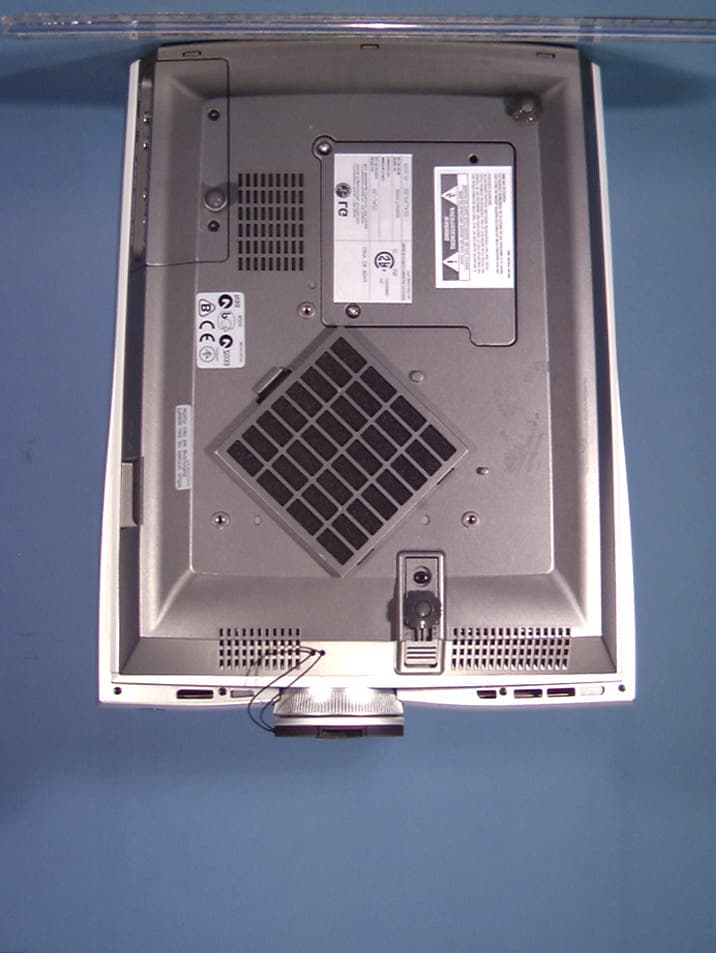
Click to zoom
Application Details
- Equipment Class
- JBP - Part 15 Class B Computing Device Peripheral
- Date of Grant
- Nov 25, 2002
- Application Purpose
- Original Equipment
- Date of Application
- Nov 25, 2002
- Equipment Note
- LCD Projector
- Company
- LG Electronics USA, Inc.
- Country
- United States
Documents & Files
Document Text
Text extracted from the exhibit documents filed with the FCC. Open a document above to read the original.
Users Manual
R P/NO : 3828VA0360B a (373-026H) RL-JA20 OWNER’S MANUAL LG LCD PROJECTORLG LCD PROJECTOR Please read this manual carefully before operatingyour set. Retain it for future reference.Record model number and serial number of the set. See the label attached on the bottom of the set andquote this information to your dealer when yourequire service.Model number : Serial number : LCD PROJECTOR LCD PROJECTOR FCC NOTICE • A Class B digital device This equipment has been tested and found to comply with the limits for a Class B digital device, pursuant to Part 15 of the FCC Rules. These limits are designed to provide reasonable protection against harmful interference in a residential installation. This equipment generates, uses and can radiate radio frequency energy and, if not installed and used in accordance with the instructions, may cause harmful interference to radio communications. However, there is no guarantee that interference will not occur in a particular installation. If this equipment does cause harmful interference to radio or television reception, which can be determined by turning the equipment off and on, the user is encouraged to try to correct the interference by one or more of the following measures: - Reorient or relocate the receiving antenna. - Increase the separation between the equipment and receiver. - Connect the equipment into an outlet on a circuit different from that to which the receiver is connected. - Consult the dealer or an experienced radio/TV technician for help. • Any changes or modifications not expressly approved by the party responsible for compliance could void the user’s authority to operate the equipment. R Warning This is a class B product. In a domestic environment this product may cause radio interference, in which case the user may be required to take adequate measures. Before operating the unit, please read this manual carefully. CONTENTS INTRODUCTION Safety Instructions..................................................................4 Names of parts.....................................................................12 INSTALLATION AND COMPOSITION Installation Instructions.........................................................18 Composition..........................................................................20 Turning on the Projector.......................................................22 Turning off the Projector.......................................................23 Operating the Projector........................................................24 Selecting source mode.........................................................25 CONNECTION Connecting to a Desktop PC................................................26 Connecting to a Notebook PC..............................................27 Connecting to a Macintosh Desktop PC..............................28 Connecting to a Macintosh PowerBook...............................31 Connecting to a wireless transmitter (option).......................32 Connecting to a wireless receiver (option)...........................33 Connecting to a Video Source..............................................34 Connecting to a DVD............................................................35 Connecting to a D-TV Set-Top Box......................................36 BASIC FUNCTIONS Function checking.................................................................37 Using Still function................................................................38 SPECIALFUNCTIONS Selecting language...............................................................39 Checking lamp time..............................................................40 Manual Color Temperature Control......................................41 Using Blank function.............................................................42 Using Flip Horizontal / Vertical function................................44 Twin Picture function............................................................46 POSITIONING Adjusting screen display.......................................................48 Using Keystone function.......................................................49 Using Zoom function.............................................................50 Using ARC function..............................................................51 VIDEO Adjusting Video.....................................................................52 TRACKING Using Tracking function........................................................54 RS-232C External control device setup...............................................56 INFORMATION Supported Monitor Display...................................................63 Maintenance.........................................................................64 Memo....................................................................................65 Specifications ......................................................................67 4 Safety Instructions GGPlease take note of the safety instructions to prevent any potential accident or misuse of the projector. GG After reading this manual, keep it in the place that the user always can contact easily. GGSafety Instructions are given in two forms as detailed below. WARNING The violation of this instruction may cause serious injuries and even death. NOTES The violation of this instruction may cause light injuries or damage to the projector. Indoor Installation-WARNING Indoor Installation-NOTES R R R Do not place the Projector in direct sunlight or near heat sources such as radiators, fires and stove etc. - This may cause a fire hazard ! Disconnect from the mains and remove all connections before moving. Do not place the projector close to sources of steam or oil such as a humidifier. - This may create a fire hazard or an electric shock hazard ! R Do not place inflammable materials beside the projector - This may cause a fire hazard ! R Do not make the children hang on or climb the installed projector. -It m…
Text truncated - open the document above for the full version.
Users Manual
31 CONNECTION Connecting to a Macintosh PowerBook < How to connect > a.Connect computer cable to A-RGB1of the projector. b. Set the adjusting number and letter of the Macintosh desktop adaptor in accordance with the resolution you want to use and connect the adaptor to the Macintosh. (Refer to page 29 ~ 30) c. Connect the computer cable to the Macintosh desktop adaptor. d. Connect the audio cable of PC (LINE OUTsound port) to Audio of the projector. K A-RGB1 RS-232C Audio A-RGB2/D-RGB 1 2 3 4 5 6 7 8 9 ON a b c d 32 Connecting to a wireless transmitter (option) •When connecting the wireless transmitter with external equipments, match the colors of connecting ports (Video - yellow, Audio(L) - white, Audio(R) -red). •If you have a mono VCR, connect the audio cable from the VCR to the AV input of the wireless AV transmitter. •See the wireless transmitter-receiver operating guide for installation and connection etc. S VIDEO (R) AUDIO (L) VIDEO OUT IN AV INPUT AV OUTPUT 12V DC INPUT CH1 CH2 CH3 CH S/W CH4 CH1 CH2 CH3 CH S/W CH4 AV INPUT a b c d < How to connect > a.Turn the power button of a transmitter on, and adjust desired channel with channel button and place the wireless AV transmitter toward the wireless receiver. b.Connect the output ports of the VCR to the AV OUTPUTport of the wireless AV transmitter. c.Connect the adaptor to the DC input of the wireless AV transmitter . d.Connect the power plug to the wall outlet socket after connecting the power cord to the adaptor. <Transmitter rear> <VCR rear> VCR CAMCORDER 33 CONNECTION Connecting to a wireless receiver (option) •When connecting the wireless receiver with external equipments, match the colors of connecting ports (Video - yellow, Audio(L) - white). 12V DC INPUT CH1 CH2 CH3 CH S/W CH4 CH1 CH2 CH3 CH S/W CH4 AV INPUT YPBPR Video S-Video Audio DC 12V OUT Component (DVD/DTV) R AC IN INPUT SELECT P A TTERN POWER MENU VOL VOL OK / a b c < How to connect > a.Turn the power button of a receiver on, and adjust channel number same to the channel num- ber of a transmitter with the channel button. Place the wireless AV receiver toward the wireless transmitter. b.Connect the AV input ports of the projector to the AV INPUTport of the receiver. c.Connect the DC output of the projector to DC input of the wireless receiver with DC cable. <Receiver rear> <Side panel of the Projector> 34 Connecting to a Video Source < How to connect 1 > a.Connect the AV input ports of the projector to the output ports of the A/V source with A/V cables. If you connect the Audio(R) of external equipment with projector, you can’t hear the sound. The video cable is yellow and the left audio is white and right audio is red. < How to connect 2 > b.Connect S-Video input port of the projector to S-Video output port of A/V source with S-Video cable. Connect the Audio input ports of the projector to the output ports of the A/V source with Audio cable. * You can get better picture quality when connecting S-Video source to the projector. * You can connect a VTR, a camcorder, a LDPor any other compatible video image source to the projector. R INPUT SELECT P A TTERN POWER MENU AC IN YPBPR Video S-Video Audio DC 12V OUT Component (DVD/DTV) S VIDEO (R) AUDIO (L) VIDEO OUT IN VOL VOL OK / a b 35 CONNECTION Connecting to a DVD * The outputs(Y, PB, PR) of the DVD might be labeled as Y, Pb, Pr / Y, B-Y, R-Y/ Y, Cb, Cr according to the equip- ments. PR PB Y (R) AUDIO (L) R INPUT SELECT P A TTERN POWER MENU AC IN YPBPR Video S-Video Audio DC 12V OUT Component (DVD/DTV) VOL VOL OK / a b < How to connect > a.Connect the Component (DVD/DTV) ports (Y, PB, PR) of the projector to the Video output ports (Y, PB, P R) of the DVD. b.Connect the Audio port of the projector to the Audio output port (L) of the DVD. c.Use a DVD with Component 480i(576i)/480p mode. <DVD rear> 36 Connecting to a D-TV Set-Top Box (R) AUDIO (L) DTV OUTPUT PR PB Y K A-RGB1 RS-232C Audio A-RGB2/D-RGB R INPUT SELECT P A TTERN POWER MENU AC IN YPBPR Video S-Video Audio DC 12V OUT Component (DVD/DTV) VOL VOL OK / < How to connect-In case of connecting RGB> a.Connect computer cable to A-RGB1of the projector. * If the Set-Top Box has DVI output, use DVI cable. b.Use a DTV receiver with DTV 720p/1080i mode. < How to connect-In case of connecting Component> a.Connect the Component (DVD/DTV) ports (Y, PB, PR) of the projector to the Video output ports (Y, PB, P R) of the D-TV Set-Top Box. b.Connect the Audio port of the projector to the Audio output port (L) of the D-TV Set-Top Box. c.Use a DTV receiver with DTV 480p/720p/1080i mode. *To receive D-TV programmes, it is necessary to purchase a D-TV receiver (Set-Top Box) and connect it to the projector. *Please refer to the owner's manual of the D-TV Set-Top Box for the connection between LCD projector and D-TV Set-Top Box. *Use a D-TV receiver with DTV 720p/1080i mode. <D-TV Set-Top Box rear> c (RGB) (Component) (Component) Function checking 3 Press the MENUbutton to show a menu on screen. 1 Press the D, E button to select a menu. lEach press will cycle through the different menus as shown below. Press the OK (A)button and then press the D, E or VOLUME (F, G) buttons to select a feature you want to use. lTo finish the menu display, press the MENUbutton. *In Video and S-Video mode and Component(480i(576i)), D-RGB mode menu is not displayed. *Only A-RGB1, A-RGB2, Component(480p, 720p, 1080i) mode displays [Horizontal], [Vertical] in menu *The sub menus of menu in Video and S-Video mode and Component mode are different from those in the RGB mode. (Refer to page 52). *[Color R], [Color G], [Color B] : Use only for the A-RGB1 and the A-RGB2 modes. [Color R], [Color G], [Color B] items are used to adjust the R/G/B color levels when the RGB analog input signal has improper R/G/B signal levels. 2 * If there is no input signal, Menu will not display on screen. * This operating guide explains operation of A-RGB1 mode mainly. 37 BASIC FUNCTIONS Contrast50 Brightness50 Color R50 Color G50 Colo…
Text truncated - open the document above for the full version.
Attestation Statements
@ LG Electronics Inc.& January 10, 2002 Federal Communications Commission Authorization and Evaluation Division Equipment Authorization Branch 7435 Oakland Mills Road Columbia, MD 21046 U.S.A. To whom it may concern: We, the undersigned, hereby authorize PCTEST Engineering Laboratory, Inc., to act on our behalf in all matters relating to applications for equipment authorization, including the signing of all documents relating to these matters. Any and all acts carried out by PCTEST Engineering Laboratory, Inc. on our behalf shall have the same effect as acts of our own. We also hereby certify that no party to the application is subject to a denial of benefits, including FCC benefits, pursuant to Section 5301 of the Anti-Drug Abuse Act of 1988, 21 U.S.C. 853(a). Sincerely, General Manager of New York Office LG Electronics Inc.
Block Diagram
RL-JA20 block diagram PW465 (Scaler) CXA2101 (Video Processor Sync Separator) AD9883 (A/D Converter) MSP3400 (Sound Processor) TPA3000D1 (Audio Amp) PC -Analog RGB1 Component- 480P,720P & 1080I Video 1S-VHS Speaker Video Sound Input DVI -Digital RGB DVI -Analog RGB2 VPC3230 (Video decoder) DVD & Component 480i TE28F800 (Flach ROM) AD9883 (ADC) SII 161 (DVI Rx) S2300 (De-Interlace Enhancer) PC Sound Input M52758FP (Switch) 13.5MHz 20.25MHz 18.432MHz 20.0MHz 18.432MHz E7050 (Driver processor) E1031 (Driver controller) E6070 (Driver DAC) E1031 (Driver DAC) E1031 (Driver controller) E6070 (Driver DAC) E1031 (Driver DAC) E1031 (Driver controller) E6070 (Driver DAC) E1031 (Driver DAC) HY57V643220 (memory) R L C D P AN EL G L C D P AN EL B L C D P AN EL
Cover Letter(s)
November 22, 2002 Federal Communications Commission Equipment Approval Services 7435 Oakland Mills Road Columbia, MD 21046 SUBJECT: LG ELECTRONICS INC. FCC ID: BEJRLJA20 Gentlemen: Transmitted herewith, on behalf of LG Electronics Inc. is an application for certification of the following LCD Projector: FCC ID: BEJRLJA20 MODEL: RL-JA20 TRADE NAMES: LG EUT TYPE: LCD Projector Attached are the applicant’s authorization letter, measurement report (test data and test plots), FCC ID label and location, test setup photographs, internal and external photographs, block diagram, and the user's manual. Should you have any questions or comments concerning the above, please contact the undersigned. cc: Mr. Jae-woo Nam LG Electronics Inc.
Cover Letter(s)
November 22, 2002 Federal Communications Commission Equipment Approval Services 7435 Oakland Mills Road Columbia, MD 21046 SUBJECT: LG ELECTRONICS INC. FCC ID: BEJRLJA20 Gentlemen: Transmitted herewith, on behalf of LG Electronics Inc. is an application for certification of the following LCD Projector: FCC ID: BEJRLJA20 MODEL: RL-JA20 TRADE NAMES: LG EUT TYPE: LCD Projector Attached are the applicant’s authorization letter, measurement report (test data and test plots), FCC ID label and location, test setup photographs, internal and external photographs, block diagram, and the user's manual. Should you have any questions or comments concerning the above, please contact the undersigned. cc: Mr. Jae-woo Nam LG Electronics Inc.
External Photos
© 2002 PCTEST Lab LCD Projector NVLAP Lab Code: 100431-0 LG Electronics Inc. FCC ID: BEJRLJA20 © 2002 PCTEST Lab LCD Projector NVLAP Lab Code: 100431-0 LG Electronics Inc. FCC ID: BEJRLJA20 © 2002 PCTEST Lab LCD Projector NVLAP Lab Code: 100431-0 LG Electronics Inc. FCC ID: BEJRLJA20 © 2002 PCTEST Lab LCD Projector NVLAP Lab Code: 100431-0 LG Electronics Inc. FCC ID: BEJRLJA20 © 2002 PCTEST Lab LCD Projector NVLAP Lab Code: 100431-0 LG Electronics Inc. FCC ID: BEJRLJA20
ID Label/Location Info
© 2002 PCTEST Lab FCC ID SAMPLE LABEL & LOCATION LABELLING REQUIREMENTS PER §§ 2.925 & 15.19 The Label shown shall be permanently affixed at a conspicuous location on the device and be readily visible to the user at the time of purchase. (SEE NEXT PAGE) RL-JA20 BEJRLJA20 2 RL-JA20 BEJRLJA20 2
Internal Photos
© 2002 PCTEST Lab LCD Projector NVLAP Lab Code: 100431-0 LG Electronics Inc. FCC ID: BEJRLJA20 © 2002 PCTEST Lab LCD Projector NVLAP Lab Code: 100431-0 LG Electronics Inc. FCC ID: BEJRLJA20
Test Report
© 2002 PCTEST Engineering Lab., Inc. PCTEST Engineering Laboratory, Inc. 6660-B Dobbin Road • Columbia, MD 21045 • U.S.A. TEL (410) 290-6652 • FAX (410) 290-6654 http://www.pctestlab.com CERTIFICATE OF COMPLIANCE LG Electronics Inc. — DNDD Dates of Tests: November 19-20, 2002 Digital Network Display Division Test Report S/N: B.221108579.BEJ 642, Jinpyung-dong, Kumi-city, Test Site: PCTEST Lab., MD U.S.A. Kyoungsangbuk-do, 730-360 KOREA Attn: Mr. Jae-woo Nam FCC ID BEJRLJA20 APPLICANT LG ELECTRONICS INC. Rule Part(s): FCC Part 15 Subpart B Equipment Class: Class B Peripheral Device (JBP) Standard(s): EN55022 w/ A1: May 2001 (CISPR 22) EUT Type: LCD Projector Max. Resolution(s): 1280 x 720 Trade Name(s): LG ® Model(s): RL-JA20 This equipment has been shown to be in compliance with the applicable technical standards as indicated in the measurement report and was tested in accordance with the measurement procedures specified in ANSI C63.4-1992. I attest to the accuracy of data. All measurements reported herein were performed by me or were made under my supervision and are correct to the best of my knowledge and belief. I assume full responsibility for the completeness of these measurements and vouch for the qualifications of all persons taking them. PCTEST certifies that no party to this application has been denied the FCC benefits pursuant to Section 5301 of the Anti-Drug Abuse Act of 1988, 21 U.S.C. 862. Lab Code 100431-0 © 2002 PCTEST Engineering Laboratory, Inc. FCC Class B TABLE OF CONTENTS ATTACHMENT A: COVER LETTER(S) ATTACHMENT B: ATTESTATION STATEMENT(S) ATTACHMENT C: TEST REPORT 1.1 SCOPE 1 2.1 INTRODUCTION (SITE DESCRIPTION) 2 3.1 PRODUCTION INFORMATION 3 4.1 DESCRIPTION OF TESTS (CONDUCTED) 4 4.3 DESCRIPTION OF TESTS (RADIATED) 5 5.1 LIST OF SUPPORT EQUIPMENT 6 6.1 TEST DATA (CONDUCTED) 7 7.1 TEST DATA (RADIATED) 8 8.1 SAMPLE CALCULATIONS 9 9.1 ACCURACY OF MEASUREMENT 10 10.1 LIST OF TEST EQUIPMENT 11 11.1 TEST SOFTWARE USED 12 12.1 CONCLUSION 13 ATTACHMENT D: TEST PLOTS ATTACHMENT E: FCC ID LABEL & LOCATION ATTACHMENT F: BLOCK DIAGRAM(S) ATTACHMENT G: TEST SETUP PHOTOGRAPHS ATTACHMENT H: EXTERNAL PHOTOGRAPHS ATTACHMENT I: INTERNAL PHOTOGRAPHS ATTACHMENT J: USER’S MANUAL Test Report S/N: B.221108579.BEJ FCC Class B Dates of Tests: November 19-20, 2002 Certification © 2002 PCTEST Lab LCD Projector 1 LG Electronics Inc. FCC ID: BEJRLJA20 MEASUREMENT REPORT 1.1 Scope Measurement and determination of electromagnetic emissions (EME) of radio frequency devices including intentional and/or unintentional radiators for compliance with the technical rules and regulations of the Federal Communications Commission. Applicant Name: LG ELECTRONICS INC. Address: 642, Jinpyung-dong, Kumi-city, Kyoungsangbuk-do, 730-360 KOREA Contact Person: Jae-woo Nam • FCC ID: BEJRLJA20 • Equipment Class: B Digital Device / Peripheral (JBP) • EUT Type: LCD Projector • Trade Name(s): LG ® • Model(s): RL-JA20 • Max. Resolution: 1280 x 720 • Frequency Range: H-Sync: 31.48kHz — 63.98kHz V-Sync: 56Hz — 85Hz • Cable(s): Shielded VGA & DVI cables (with ferrite on EUT end) • Power Cord: Unshielded • Rule Part(s): FCC Part 15 Subpart B • Test Procedure(s): ANSI C63.4 (1992) • Dates of Tests: November 19-20, 2002 • Place of Tests: PCTEST Lab, Columbia, MD U.S.A. • Test Report S/N: B.221108579.BEJ Test Report S/N: B.221108579.BEJ FCC Class B Dates of Tests: November 19-20, 2002 Certification © 2002 PCTEST Lab LCD Projector 2 LG Electronics Inc. FCC ID: BEJRLJA20 2.1 INTRODUCTION The measurement procedure described in American National Standard for Methods of Measurement of Radio-Noise Emissions from Low-Voltage Electrical and Electronic Equipment in the Range of 9kHz to 40GHz (ANSI C63.4-1992) was used in determining radiated and conducted emissions emanating from LG Electronics Inc. LCD Projector FCC ID: BEJRLJA20. These measurement tests were conducted at PCTEST Engineering Laboratory, Inc. facility in New Concept Business Park, Guilford Industrial Park, Columbia, Maryland. The site address is 6660-B Dobbin Road, Columbia, MD 21045. The test site is one of the highest points in the Columbia area with an elevation of 390 feet above mean sea level. The site coordinates are 39° 11'15" N latitude and 76° 49'38" W longitude. The facility is 1.5 miles North of the FCC laboratory, and the ambient signal and ambient signal strength are approximately equal to those of the FCC laboratory. There are no FM or TV transmitters within 15 miles of the site. The detailed description of the measurement facility was found to be in compliance with the requirements of § 2.948 according to ANSI C63.4 on October 19, 1992. 2.2 PCTEST Location The map at right shows the location of the PCTEST Lab, its proximity to the FCC Lab, the Columbia vicinity area, the Baltimore-Washington International (BWI) airport, and the city of Baltimore, and the Washington, D.C. area. (see Figure 1). Figure 1. Map of the Greater Baltimore and Metropolitan Washington, D.C. area. Test Report S/N: B.221108579.BEJ FCC Class B Dates of Tests: November 19-20, 2002 Certification © 2002 PCTEST Lab LCD Projector 3 LG Electronics Inc. FCC ID: BEJRLJA20 3.1 Product Information 3.2 Equipment Description The Equipment Under Test (EUT) is the LG Electronics Inc. (LG Model: RL-JA20) LCD Projector FCC ID:BEJRLJA20. Maximum Resolution(s): 1280 x 720 Frequency Range(s): H-Sync: 31.48kHz — 63.98kHz V-Sync: 56Hz — 85 Hz Power Supply: AC 100 - 240V ~50/ 60Hz Power Cord: Unshielded AC power cord Port(s)/Input Connector(s): Component Input, Composite Video Input, S-Video Input, ARGB1, ARGB2/D-RGB Cable(s): Shielded VGA & DVI cables (with ferrite on EUT end) Weight (Net): 4.2 kg Suppression Devices: No modifications were made to the device. Test Report S/N: B.221108579.BEJ FCC Class B Dates of Tests: November 19-20, 2002 Certification © 2002 PCTEST Lab LCD Projector 4 LG Electronics Inc. FCC ID: BEJRLJA20 4.1 Description of Tests 4.2 Powerline Conducted RFI (150kHz- 30MHz) The powerline c…
Text truncated - open the document above for the full version.
Test Setup Photos
© 2002 PCTEST Lab LCD Projector NVLAP Lab Code: 100431-0 LG Electronics Inc. FCC ID: BEJRLJA20 © 2002 PCTEST Lab LCD Projector NVLAP Lab Code: 100431-0 LG Electronics Inc. FCC ID: BEJRLJA20 © 2002 PCTEST Lab LCD Projector NVLAP Lab Code: 100431-0 LG Electronics Inc. FCC ID: BEJRLJA20
Contact Information
Applicant
David Kim(Team leader, LGEUS NA Policy & Regulatory Affairs)
Technical Contact
PCTEST Engineering Lab., Inc.Randy Ortanez
[email protected]410-290-6652
6660-B Dobbin Road · Columbia, Maryland · United States
Test Firm
PCTEST Engineering Laboratory, Inc.Randy Ortanez
Technical Specifications
| # | Rule Parts | Frequency Range | Power Output |
|---|---|---|---|
| 1 | 15B | - | - |
Other Applications from LG Electronics USA, Inc.

BEJTFHOBINI1F1
Jan 08, 2025Telematics
Equipment Class
DTS - Digital Transmission SystemBEJNT-16Z90TS
Oct 02, 2024Notebook Computer
Equipment Class
DSS - Part 15 Spread Spectrum TransmitterBEJSP-PEW8
Sep 26, 2024Stylus Pen
Equipment Class
DCD - Part 15 Low Power Transmitter Below 1705 kHzBEJ-RSMV2
Sep 24, 2024RF Module
Equipment Class
FDS - Part 15 Field Disturbance SensorBEJTFBMEIBN3EU
Sep 24, 2024Telematics
Equipment Class
NII - Unlicensed National Information Infrastructure TX