BEJRU50PY10Plasma Display Panel
LG Electronics USA, Inc.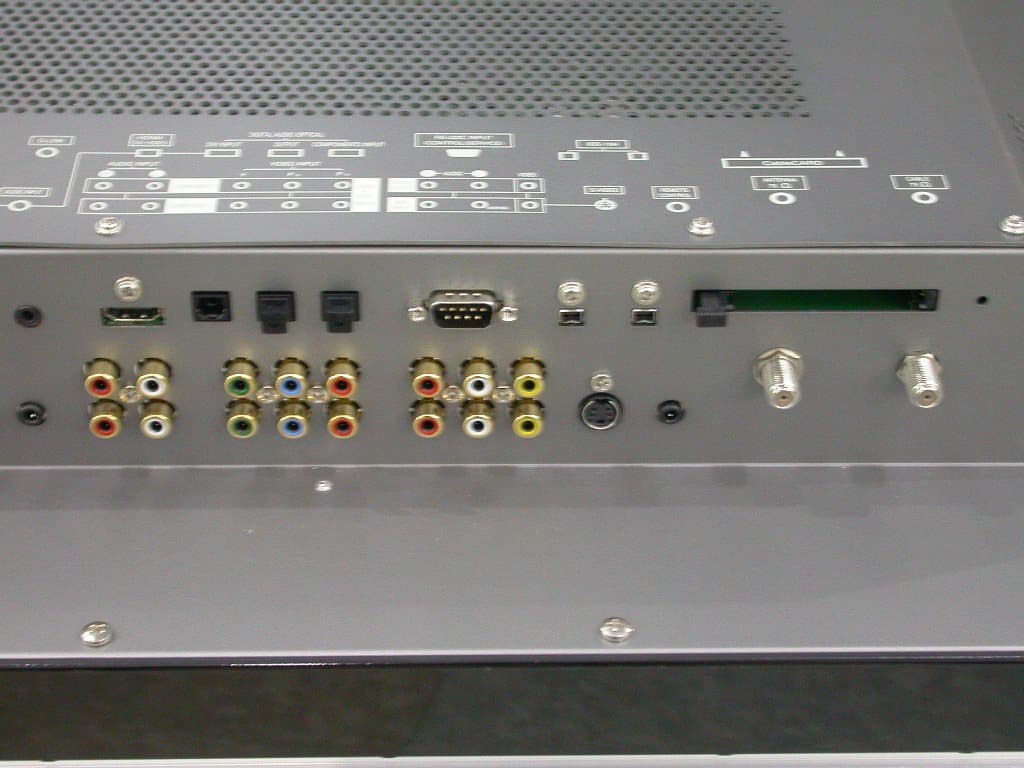
Click to zoom
Application Details
- Equipment Class
- JBP - Part 15 Class B Computing Device Peripheral
- Date of Grant
- Oct 04, 2004
- Application Purpose
- Original Equipment
- Date of Application
- Oct 04, 2004
- Equipment Note
- Plasma Display Panel
- Company
- LG Electronics USA, Inc.
- Country
- United States
Documents & Files
Document Text
Text extracted from the exhibit documents filed with the FCC. Open a document above to read the original.
Users Manual
Please read this manual carefully and completely before operating your TV. Retain this manual for future reference. Record model number and serial number of the TV in the spaces provided below. See the label attached on the back cover and relate this information to your dealer if you require service. Model Number : Serial Number : MODELS:DU-50PY10 DU-60PY10 LG Electronics U.S.A., Inc. TM R TruSurround XT PLASMA TV OWNER’S MANUAL 2 Plasma TV Warning WARNING: TO REDUCE THE RISK OF ELECTRIC SHOCK DO NOT REMOVE COVER (OR BACK). NO USER SERVICEABLE PARTS INSIDE. REFER TO QUALIFIED SERVICE PERSONNEL. The lightning flash with arrowhead symbol, within an equilateral triangle, is intended to alert the user to the presence of uninsulated “dangerous voltage” within the product’s enclosure that may be of sufficient magnitude to constitute a risk of electric shock to persons. The exclamation point within an equilateral triangle is intended to alert the user to the presence of impor- tant operating and maintenance (servicing) instructions in the literature accompanying the appliance. WARNING: TO PREVENT FIRE OR SHOCK HAZARDS, DO NOT EXPOSE THIS PRODUCT TO RAIN OR MOISTURE. POWER CORD POLARIZATION: CAUTION: TO PREVENT ELECTRIC SHOCK, MATCH WIDE BLADE OF PLUG TO WIDE SLOT, FULLY INSERT. NOTE TO CABLE/TV INSTALLER: This reminder is provided to call the CATV system installer’s attention to Article 820-40 of the National Electric Code (U.S.A.). The code provides guidelines for proper grounding and, in particular, specifies that the cable ground shall be connected to the grounding system of the building, as close to the point of the cable entry as practical. REGULATORY INFORMATION: This equipment has been tested and found to comply with the limits for a Class B digital device, pursuant to Part 15 of the FCC Rules. These limits are designed to provide reasonable protection against harmful interference when the equip- ment is operated in a residential installation. This equipment generates, uses and can radiate radio frequency energy and, if not installed and used in accordance with the instruction manual, may cause harmful interference to radio com- munications. However, there is no guarantee that interference will not occur in a particular installation. If this equipment does cause harmful interference to radio or television reception, which can be determined by turning the equipment off and on, the user is encouraged to try to correct the interference by one or more of the following measures: • Reorient or relocate the receiving antenna. • Increase the separation between the equipment and receiver. • Connect the equipment into an outlet on a circuit different from that to which the receiver is connected. • Consult the dealer or an experienced radio/TV technician for help. Any changes or modifications not expressly approved by the party responsible for compliance could void the user’s authority to operate the equipment. CAUTION: Do not attempt to modify this product in any way without written authorization from LG Electronics. Unauthorized mod- ification could void the user’s authority to operate this product. COMPLIANCE: The responsible party for this product’s compliance is: LG Electronics U.S.A., Inc 1000 Sylvan Avenue, Englewood Cliffs, NJ 07632 1-201-816-2000 http://www.lgusa.com WARNING RISK OF ELECTRIC SHOCK DO NOT OPEN W W arning arning Owner’s Manual 3 TV Guide On Screen Notices for U.S.A. TV Guide On Screen Notices for U.S.A. In the United States, the TV Guide On Screen system and other related marks are registered marks of Gemstar-TV Guide On Screen system International, Inc. and/or one of its affiliates. In Canada,TV Guide On Screen system is a registered mark of Transcontinental Inc., and is used under license by Gemstar-TV Guide On Screen system International, Inc. The TV Guide On Screen system is protected by one or more of the following issued United States patents 6,498,895, 6,418,556, 6,331,877; 6,239,794; 6,154,203; 5,940,073; 4,908,713; 4,751,578; 4,706,121. The TV Guide On Screen system is manufactured under license from Gemstar-TV Guide On Screen system International, Inc. and/or one of its affiliates. Digital Cable Compatibility Digital Cable Compatibility This digital television is capable of receiving basic analog, digital basic and digital premium cable television programming by direct connection to a cable system providing such programming. A security card provided by your cable operator is required to view encrypted digital programming. Certain advanced interactive digital cable services such as video-on-demand, cable operator enhanced program the TV Guide On Screen system, and data enhanced television service may require the use of a set top box. For more information contact your local cable operator. Use of the CableCARD TM TradeMark. “CableCARD TM is a trademark of Cable Television Laboratories, Inc.” 4 Plasma TV Safety Instructions Important safeguards for you and your new product Your product has been manufactured and tested with your safety in mind. However, improper use can result in electrical shock or fire hazards. To avoid defeating the safeguards that have been built into your new product, please read and observe the following safety points when installing and using your new product, and save them for future reference. Observing the simple precautions discussed in this manual can help you get many years of enjoyment and safe operation that are built into your new product. This product complies with all applicable U.S. Federal safety requirements, and those of the Canadian Standards Association. 1. Read Instructions All the safety and operating instructions should be read before the product is operated. 2. Follow Instructions All operating and use instructions should be followed. 3. Retain Instructions The safety and operating instructions should be retained for future reference. 4. Heed Warnings All warnings on the product and in the operating instructions should be ad…
Text truncated - open the document above for the full version.
Users Manual
48 Plasma TV TV Guide On Screen System General Default Options lets you set defaults for the following: •The initial Info Box size when the TV guide on screen system is entered. Choices are No, Small, Large, and Last Used (Default = Last Used). •The Info Box size rotation when the Info key is pressed while in the TV guide on screen system. Choices are No only, Small only, Large only, No & Small, No & Large, Small & Large, All (Default = All) •Automatic entry into the TV guide on screen system (Auto-Guide) when the TV is powered On. Choices are On and Off (Default = On). Highlight General Default Options, and press the Menu key to dis- play the General Default Options menu. Highlight Go to Service Bar to close the menu, change no infor- mation, and return to the Setup Service Bar. When finished, press ENTERto highlight Done. Press ENTER again to close the menu and accept the changes. Highlight Cancel to close the menu, change no information, and return to the highlighted option. • Change Default Options Change Default Options lets you change default settings in the following categories: •General Default Options •Record Defaults •Remind Defaults Highlight Change Default Options, and press ENTER. <General Default Options> TV Guide On Screen TV Guide On Screen ® System continued System continued Owner’s Manual 49 TV Guide On Screen System < Record Defaults> Record Default Options lets you set defaults for the following: • When to start the record event. Choices are 120 minutes early to 120 minutes late, to On time. (Default = On time) • When to end the record event. Choices are 120 minutes early to 120 minutes late, to On time. (Default = On time) • Recorder choice: Please choose the VCR only. This TV does not provide other devices with a recording feature. Highlight Record Defaults, and press the Menu key to display the Record Default Options menu. Highlight Go to Service Bar to close the menu, change no infor- mation, and return to the Setup Service Bar. TV Guide On Screen TV Guide On Screen ® System continued System continued < Remind Defaults> Remind Default Options lets you set defaults for the following: •Power On the TV, if Off, when a Reminder is scheduled. Choices are Yes and No. (Default = No) •Automatically tune the TV to the channel (TV must be On), when a Reminder is scheduled. Choices are Yes and No. (Default = No) •When to display the reminder screen. Choices are 30 seconds to 15 minutes early, to 30 seconds to 15 minutes late, to On time. (Default = 1 min early) Highlight Remind Defaults, and press the Menu key to display the Remind Default Options menu. Highlight Go to Service Bar to close the menu, change no infor- mation, and return to the Setup Service Bar. When finished, press ENTERto highlight Done. Press ENTER again to close the menu and accept the changes. Highlight Cancel to close the menu, change no information, and return to the highlighted option. 50 Plasma TV TV Guide On Screen System WOnce—records the show one time WRegularly—records the show every time the show airs on the same channel and starts at the same time WWeekly—records the show each time the show airs on the same day of the week, on the same channel and starts at the same time WOff (not cancel)—keeps the show in the list but will not record this show until the frequency is changed WCancel (no icon displayed)—does not record TV Guide On Screen TV Guide On Screen ® System continued System continued Record Record And Remind Features And Remind Features V< Record > You can set a show to Record in Listings, Search, and Schedule or change Record settings for a show in Schedule. There are 3 ways to set a show to Record: 1) Using the Record Button on the Remote • Press the Record button on the remote to record the show Once with current default settings (Start and End recording On Time). Each time you press the Record button, you change the record frequency (but not the default settings) among Once (default), Regularly, Daily, Weekly and then Cancel. Note: The proper Record icon appears on the show tile, as the Record button is pressed. 2) From a Panel Menu •Highlight a show, and press Menu to display the Episode Options menu. •Highlight Set Recording, and press ENTERto display the Record Options menu. •Highlight the Frequency option, and use the left and right arrows to choose among Once, Regularly, Weekly, and Off, as previously described. • Recorder choice: Please choose the VCR only. This TV does not provide other devices with a recording feature. •Note: Video Window Lock is operated to on or off using PIP button in Listings mode. Owner’s Manual 51 TV Guide On Screen System When finished, press ENTERto highlight Schedule Recording. PressENTERagain to close the menu. You see a Record icon for the selected frequency next to the show title. Highlight Cancel to close the menu, change no information, and return to the highlighted show. TV Guide On Screen TV Guide On Screen ® System continued System continued 3) Manual Recording •Highlight the Schedule Service label, and press Menu to display the Schedule Options menu. •Use the D/E /F/G buttons to move through the options. Use the number or Use the D/E /F/G buttons to change the infor- mation, as necessary. •Highlight New Manual Recording and press ENTERto display the Record Options menu. •Current information (i.e., date, start and end times, channel, input) is displayed. • Recorder choice: Please choose the VCR only. This TV does not provide other devices with a recording feature. 52 Plasma TV TV Guide On Screen System •Use the left and right arrows to choose between Once, Daily, Weekly, and Off, as follows. WOnce —records the time, channel, input, recorder combi- nation one time. WDaily —records the time, channel, input, recorder combi- nation Monday through Friday. WWeekly —records the time, channel, input, recorder com- bination once a week on this selected day of the week WOff (not cancel) —keeps the time, channel, input, recorder combination in the list w…
Text truncated - open the document above for the full version.
Cover Letter(s)
FCC ID : BEJRU50PY10 POWER OF ATTORNEY To whom it may concern: We the undersigned LG Electronics Inc. hereby authorize ESTECH Co., Ltd.(EST) of Korea to act on our behalf in all matters relating to all processes required in the FCC Part 15C approval and any communication needed with the national authority. Any and all acts carried out by EST on our behalf shall have the same effects as acts of our own. If you have any questions regarding the authorization, please don’t hesitate to contact us. Sincerely yours, Sign: Min-hwan OH/ Senior Engineer Tel:82-54-470-4537 Fax: 82-54-470-4534
Cover Letter(s)
LG Electronics Inc. 642 Jinpyoung-dong, Kumi-city, Kyoungsangbuk-do, 730-360,Korea TEL : +82-54-470-4537 FAX : 82-54-470-4534 Federal Communications Commission Authorization and Evaluation Division FCC ID : BEJRU50PY10 Confidentiality Request Pursuant to Sections 0.457 and 0.459 of the Commission’s Rules, the Applicant hereby requests confidential treatment of information accompanying this Application as outlined below: Schematics Block Diagram The above materials contain trade secrets and proprietary information not customarily released to the public. The public disclosure of these matters might be harmful to the Applicant and provide unjustified benefits to its competitors. The Applicant understands that pursuant to Rule 0.457, disclosure of this Application and all accompanying documentation will not be made before the data of the Grant for this application. Sincerely, Min-hwan OH / Senior Engineer LG Electronics Inc. TEL : +82-54-470-4537 FAX : 82-54-470-4534
External Photos
1. FRONT 2. REAR 3. PORT 4. INTERNAL
Internal Photos
INTERNAL PHOTO 1. MAIN 1.1 Front 1.2 Rear 2. POWER 2.1 Front 2.2 Rear 3. CTRL_LVDS 3.1 Front 3.2 Rear 4.PDP 4.1 Front 4.2 Rear 5. RGB 5.1 Front 5.2 Rear 6. YSUS 6.1 Front 6.2 Rear 7. Z SUS 7.1 Front 7.2 Rear
Internal Photos
TUNNER BOARD FRONT UNSHIELD TUNNER BOARD REAR UNSHIELD
Operational Description
LG Electronics Inc. FCC ID BEJRU50PY10 -Operational description- A plasma display panel is the latest display technology. It is currently the best way to achieve flat panel displays with excellent image quality and large screen sizes, that are easily viewable. The PDP can be thought of as a descendant of the neon lamp an dit can be also be viewed as a series of fluorescent lamps. PDP is an array of cells, known as pixels, which are comprised of 3 sub pixels, corresponding to the colors red, green, and blue. Gas in a plasma state is used to react with phosphors in each sub-pixel to produce colored light (red, green, or blue). These phos-phors are the same types used in Cathode Ray Tube (CRT) devices such as televisions and common computer monitors. You get the rich, dynamic colors that you expect. Each sub-pixel is individually controlled by advanced electronics to produce over16 million different colors. All of this means that you get perfect images that are easily viewable in a display that is less than 5inches thick.
Test Report
Compliance Test Report for FCC Company name Address Telephone Product name Model No. Serial No. Test date Testing location Standard □ Class A ■ Class B Test resultOK □ Class A ■ Class B Test resultOK Tested by Reviewed by Abbreviation * Note - This test report is not permitted to copy partly without our permission - This test result is dependent on only equipment to be used - This test result based on a single evaluation of one sample of the above mentioned OK, Pass = Passed, Fail = Failed, N/A = not applicable LG Electronics USA 2000 Millbrook Dr Lincolnshire, IL 60069 United states 847-941-8373 Measurement facility registration number Senior Engineer J.M. Yang Director T.K. Lee 94696 (Signature) (Signature) Date of issue ESTECH. Co., Ltd. 97-1 Hoiuk-Ri Majang-Myon, Icheon-city, KyungKi-Do, Korea Test item ■ Conducted Emission ■ Radiated Emission FCC PART 15 2002 , ANSI C 63.4 2001 2004-09-24~2004-10-05 DU-50PY10 NONE LG Electronics Inc. KOREA Report Number : ESTF150410-001 , Web : www. estech. co. kr Page 1 of 14 Report NumberESTF150410-001 Manufacturer Country of origin Applicant Product 2004-10-05 PLASMA MONITOR 3 4 5 6 8 8 8 9 10 10 10 11 12 14 Appendix 1. Spectral diagram Appendix 2. Phorographs of EUT in side PCB Appendix 3. Block diagram of EUT Appendix 4. Circuit Diagram 7. Photogra phs of test setup ........................................................................... 8. Photogra phs of EUT .................................................................................... 6. Measurement of conducted emission ............................................................ 6.1 Measurement e quipment ........................................................................... 6.2 Environmental conditions ........................................................................... 6.3 Test data ................................................................................................ Report Number : ESTF150410-001 , Web : www. estech. co. kr Page 2 of 14 5. Measurement of radiated emission ............................................................... 5.1 Measurement e quipment ........................................................................... Contents 1. Laboratory Information ................................................................................. 2. Description of EUT ....................................................................................... 3. Test Standards ............................................................................................. 4. Measurement condition ................................................................................. 5.2 Environmental conditions ........................................................................ 5.3 Test data ............................................................................................. ... 1. Laboratory Information 1.1 General 1.2 Test Lab. Corporation Name : ESTECH Co. Ltd Head Office : 3 rd Fl., Chungdam Bldg., 119-1 Chungdam-dong Kangnam-gu , Seoul, Korea (Safety & Telecom. Test Lab) EMC Test Lab : 58-1 Osan-Ri, GaNam-Myon, YeoJoo-Gun, KyungKi-Do, Korea 97-1 Hoiuk-Ri Majang-Myon, Icheon-city, KyungKi-Do, Korea 1.3 Official Qualification(s) MIC : Granted Accreditation from Ministry of Information & Communication for EMC, Safety and Telecommunication KOLAS : Accredited Lab By Korea Laboratory Accreditation Schema base on CENELEC requirements FCC : Filed Laboratory at Federal Communications Commission VCCI : Granted Accreditation from Voluntary Control Council for Interference from ITE This EUT (Equipment Under Test) has been shown to be capable of compliance with the applicable technical standards and is tested in accordance with the measurement procedures as indicated in this report. ESTECH Lab attests to accuracy of test data. All measurement reported herein were performed by ESTECH Co., Ltd. ESTECH Lab assume full responsibility for the completeness of these measurements and vouch for the qualifications of all persons taking them. Report Number : ESTF150410-001 , Web : www. estech. co. kr Page 3 of 14 2. Description of EUT 2.1 Summary of Equipment Under Test Product: Model Number : Serial Number : Manufacturer : Country of origin : Rating : Receipt Date : 2.2 General descriptions of EUT Using OSC :18.432Mhz/20.00Mhz/8.0Mhz/4.0Mhz/24.57Mhz/10.0Mhz/14.00Mhz/33.33Mhz 25.025Mhz/27.00Mhz/25.00Mhz/13.5Mhz Report Number : ESTF150410-001 , Web : www. estech. co. kr Page 4 of 14 PLASMA MONITOR DU-50PY10 NONE LG Electronics Inc. KOREA AC120V / 60Hz 2004-09-24 3. Test Standards Test Standard : FCC PART 15 (2002) Test Method : ANSI C 63.4 (2001) This standard sets forth uniform methods of measurement of radio-frequency (RF) signals and noise emitted from both unintentional and intentional emitters of RF energy in the frequency range 9 kHz to 40 GHz. Methods for the measurement of radiated and AC power-line conducted radio noise are covered and may be applied to any such equipment unless otherwise specified by individual equipment requirements. These methods cover measurement of certain decides that deliberately radiate energy, such as intentional emitters, but does not cover licensed transmitters. This standard is not intended for certification/approval of avionic equipment or for industrial, scientific, and medical (ISM) equipment These method apply to the measurement of individual units or systems comprised of multiple units This Standard sets out the regulations under which an intentional, unintentional, or incidental radiator may be operated without an individual license. It also contains the technical specifications, administrative requirements and other conditions relating to the marketing of Part 15 devices. Report Number : ESTF150410-001 , Web : www. estech. co. kr Page 5 of 14 4. Measurement Condition 4.1 EUT Operation. 4.2 Configuration and Peripherals * The EUT was in the following operation mode during all testing * The operational conditions of the EUT was …
Text truncated - open the document above for the full version.
Test Setup Photos
TEST SETUP PHOTO 1. Conducted Emission setup photo 1.1. Front 1.2. Rear 2. Radiated Emission setup photo 2.1 Front 2.2. Rear
Contact Information
Applicant
David Kim(Team leader, LGEUS NA Policy & Regulatory Affairs)
Technical Contact
ESTech Co., Ltd.Jin Mo Yang
[email protected]82-2-549-0485
97-1 Hoiuk-Ri-Majamg-Myon · Icheon-City, KyungKi-Do · South Korea
Test Firm
Estech Co., Ltd.Ike Chung
Technical Specifications
| # | Rule Parts | Frequency Range | Power Output |
|---|---|---|---|
| 1 | 15B | - | - |
Other Applications from LG Electronics USA, Inc.

BEJTFHOBINI1F1
Jan 08, 2025Telematics
Equipment Class
DTS - Digital Transmission SystemBEJNT-16Z90TS
Oct 02, 2024Notebook Computer
Equipment Class
DSS - Part 15 Spread Spectrum TransmitterBEJSP-PEW8
Sep 26, 2024Stylus Pen
Equipment Class
DCD - Part 15 Low Power Transmitter Below 1705 kHzBEJ-RSMV2
Sep 24, 2024RF Module
Equipment Class
FDS - Part 15 Field Disturbance SensorBEJTFBMEIBN3EU
Sep 24, 2024Telematics
Equipment Class
NII - Unlicensed National Information Infrastructure TX