BEJSPT860Speak USB/Hub
LG Electronics USA, Inc.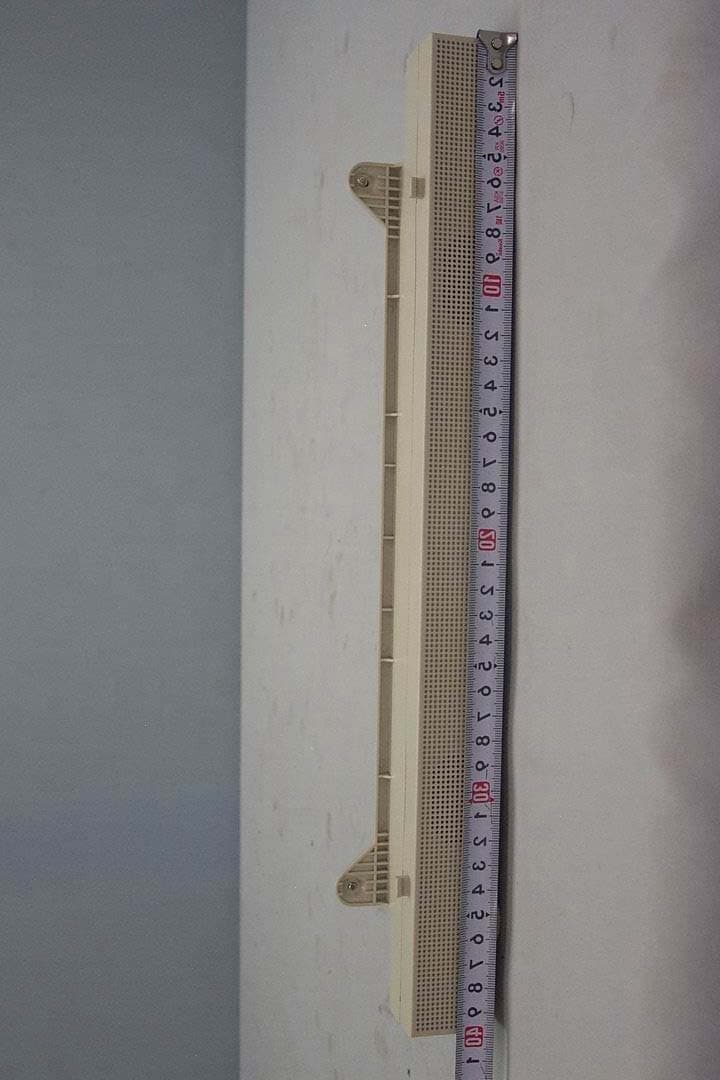
Click to zoom
Application Details
- Equipment Class
- JBP - Part 15 Class B Computing Device Peripheral
- Date of Grant
- Apr 28, 2002
- Application Purpose
- Original Equipment
- Date of Application
- Apr 28, 2002
- Equipment Note
- Speak USB/Hub
- Company
- LG Electronics USA, Inc.
- Country
- United States
Documents & Files
Document Text
Text extracted from the exhibit documents filed with the FCC. Open a document above to read the original.
Users Manual
Test Report No.: GETET-E3-02-013 FCC Class B Certification APPENDIX H : USER’S MANUAL EUT Type: Speaker / USB HUB FCC ID : BEJSPT860 IBM T860 Speaker/USB HUB User Guide ENGLISH First Edition (May / 2002) This publication could contain technical inaccuracies or typographical errors. Changes are made periodically to the information herein; these changes will be made in later editions. IBM may make improvements and/or changes in the product(s) and/or program(s) at any time. It is possible that this publication may contain reference to, or information about, IBM products (machines and programs), programming, or services that are not announced in your country. Requests for copies of this publication and for technical information about IBM products should be made to your IBM Authorized Dealer or IBM Retailer. No part of this publication may be reproduced or distributed in any form or by any means without prior permission in writing from the International Business Machines Corporation. © Copyright International Business Machines Corporation 2002. All rights reserved. Note to U.S. Government Users -- Documentation related to restricted rights -- Use, duplication or disclosure is subject to restrictions set forth in GSA ADP Schedule Contract with IBM Corp. Notices References in this publication to IBM products, programs, or services do not imply that IBM intends to make these available in all countries in which IBM operates. Any reference to an IBM product, program or service is not intended to state or imply that only IBM’s product, program, or service may be used. Any functionally equivalent product, program, or service that does not infringe any of IBM’s intellectual property rights or other legally protectable rights may be used instead of the IBM product, program, or service. Evaluation and verification of operation in conjunction with other products, programs, or services, except those expressly designated by IBM, are the user’s responsibility. IBM may have patents or pending patent applications covering subject matter in this document. The furnishing of this document does not give you any license to these patents. Trademarks The following terms, used in this publication, are trademarks or service marks of the IBM Corporation in the United States, other countries, or both: HelpCenter IBM ENERGYSTARis a U.S. Govt. registered trademark. Other company, product, and service names may be trademarks or service marks of others. Note : For important information, refer to the Monitor Safety and Warranty manual that comes with this monitor. Table of Contents Safety : Read First............................................................................A1 Connecting the Speaker..................................................................A2 Using the Audio Functions.......................................................A4 Side Jacks ......................................................................................A4 Rear Panel Jacks ............................................................................A4 Microphone Extension Operation..................................................A4 Audio Input ...................................................................................A4 Front Panel Controls......................................................................A5 Audio Specifications .....................................................................A5 Using the USB (Universal Serial Bus) HUB Features................A6 Side Jacks ......................................................................................A6 Rear Jack .......................................................................................A6 USB Connection ...........................................................................A7 USB Specifications ........................................................................A8 Service Information .................................................................A9 Service Information .......................................................................A9 A2 Before you connect the speaker to the monitor, be sure to turn off the monitor, computer and any devices attached to the computer. To connect the speaker, to the following: 1. Place the monitor in a convenient, well-ventilated location near your computer system. 2. Find the attachment points on the underside and the back of the monitor. Attach the speaker to the monitor as shown in the diagram. Using the hand screws provided. Connecting the Speaker 1 Figure 1. A 2 Attach the speaker to the monitor and tighten the screws. Power ON/OFF Switch Figure 2. Bottom Slot Hook Screw A3 Connecting the Speaker a b D C 1 2 V I N DC 12V IN Audio Cable Mic Cable Mic Out Jack Audio In Jack 4. Connect the Mic, Audio and USB cables as shown in the diagram. Figure 4. 5. After connecting the cables, Power on the computer monitor , then the speaker. Power ON/OFF/volume control. A USB Cable 3. Connect one end of the Power cable to the dc OUT jack on the rear panel of the monitor. Connect the other end to the dc IN jack on the rear panel of the speaker option. b a b D C 12V IN DC 12V IN Figure 3. dc IN Jack Power Cable Audio dc OUT Jack A4 Using the Audio Functions Side Jacks Rear Panel Jacks Headphone JackA headphone jack that automatically mutes the speaker volume when headphones plugged in. Microphone JackAn external microphone can be used instead of the preinstalled microphone. Mic Out - PinkConnects to the microphone jack of the computer sound card. Audio In -Lime Green Connects to the *LINE OUT jack of the computer sound card. Microphone Extension Operation The Microphone Jacks on the Speaker/USB HUB Option provide a convenient way to extend the microphone input connector to your desktop. In order to use the MIC jack on the side of the Speaker/USB HUB Option, use the provided Microphone extender cable (pink connectors) to plug into the rear of the Speaker/USB HUB Option (MIC OUT) and into the MIC input jack of your s…
Text truncated - open the document above for the full version.
Block Diagram
Test Report No.: GETET-E3-02-013 FCC Class B Certification APPENDIX D : BLOCK DIAGRAM EUT Type: Speaker / USB HUB FCC ID : BEJSPT860 1) Block Diagram U/ S USB HUB 5V Reg. V a ri ab l e R e s i st or D/ S*2 Bus-p o w e r USB 1 Up/4 Do w n From Main 12V Audi o Amp TDA7496L A u dio Input S i gna l R/L : 700mVrms DC Volum e Control P o wer On/Off LED Speaker R Out Speaker L Out Speaker R Speaker L Head Ph o n e R H ead Ph o n e L Mic In PC M i c Ja ck From PC 5V D/ S*2 From Main 12V
External Photos
Test Report No.: GETET-E3-02-013 FCC Class B Certification APPENDIX F : EXTERNAL PHOTOGRAPHS EUT Type: Speaker / USB HUB FCC ID : BEJSPT860 Test Report No.: GETET-E3-02-013 FCC Class B Certification EUT Type: Speaker / USB HUB FCC ID : BEJSPT860 Test Report No.: GETET-E3-02-013 FCC Class B Certification EUT Type: Speaker / USB HUB FCC ID : BEJSPT860 Test Report No.: GETET-E3-02-013 FCC Class B Certification EUT Type: Speaker / USB HUB FCC ID : BEJSPT860 Test Report No.: GETET-E3-02-013 FCC Class B Certification EUT Type: Speaker / USB HUB FCC ID : BEJSPT860
ID Label/Location Info
Test Report No.: GETET-E3-02-013 FCC Class B Certification APPENDIX C : ID SAMPLE LABEL & LOCATION EUT Type: Speaker / USB HUB FCC ID : BEJSPT860 Test Report No.: GETET-E3-02-013 FCC Class B Certification LABELLING REQUIREMENTS The label shown shall be permanently affixed at a conspicuous location on the device and be readily visible to the user at the time of purchase. ID Label ID Label Location of EUT I.D Label EUT Type: Speaker / USB HUB FCC ID : BEJSPT860
Internal Photos
Test Report No.: GETET-E3-02-013 FCC Class B Certification APPENDIX G : INTERNAL PHOTOGRAPHS EUT Type: Speaker / USB HUB FCC ID : BEJSPT860 Test Report No.: GETET-E3-02-013 FCC Class B Certification EUT Type: Speaker / USB HUB FCC ID : BEJSPT860 Test Report No.: GETET-E3-02-013 FCC Class B Certification EUT Type: Speaker / USB HUB FCC ID : BEJSPT860 Test Report No.: GETET-E3-02-013 FCC Class B Certification EUT Type: Speaker / USB HUB FCC ID : BEJSPT860 Test Report No.: GETET-E3-02-013 FCC Class B Certification EUT Type: Speaker / USB HUB FCC ID : BEJSPT860 Test Report No.: GETET-E3-02-013 FCC Class B Certification EUT Type: Speaker / USB HUB FCC ID : BEJSPT860 Test Report No.: GETET-E3-02-013 FCC Class B Certification EUT Type: Speaker / USB HUB FCC ID : BEJSPT860 Test Report No.: GETET-E3-02-013 FCC Class B Certification EUT Type: Speaker / USB HUB FCC ID : BEJSPT860 Test Report No.: GETET-E3-02-013 FCC Class B Certification EUT Type: Speaker / USB HUB FCC ID : BEJSPT860 Test Report No.: GETET-E3-02-013 FCC Class B Certification EUT Type: Speaker / USB HUB FCC ID : BEJSPT860 Test Report No.: GETET-E3-02-013 FCC Class B Certification EUT Type: Speaker / USB HUB FCC ID : BEJSPT860 Test Report No.: GETET-E3-02-013 FCC Class B Certification EUT Type: Speaker / USB HUB FCC ID : BEJSPT860 Test Report No.: GETET-E3-02-013 FCC Class B Certification EUT Type: Speaker / USB HUB FCC ID : BEJSPT860 Test Report No.: GETET-E3-02-013 FCC Class B Certification EUT Type: Speaker / USB HUB FCC ID : BEJSPT860
Test Report
Test Report No.: GETEC-E3-02-013 FCC Class B Certification CONTENTS 1. SCOPE .........................................................................................................................................................................3 2. INTRODUCTION .....................................................................................................................................................4 3. TEST CONDITIONS & EUT INFORMATION ...............................................................................................5 3.1 D ESCRIPTION OF EUT.............................................................................................................................................5 3.2 S UPPORT E QUIPMENT USED.....................................................................................................................................6 4 . DESCRIPTION OF TESTS ....................................................................................................................................7 4.1 C ONDUCTED E MISSION............................................................................................................................................7 4.2 R ADIATED E MISSIONS..............................................................................................................................................8 5. CONDUCTED DISTURBANCE VOLTAGE....................................................................................................9 5.1 O PERATING ENVIRONMENT .....................................................................................................................................9 5.2 T EST SET - UP.............................................................................................................................................................9 5.3 M EASUREMENT UNCERTAINTY................................................................................................................................9 5.4 L IMIT ......................................................................................................................................................................10 5.5 T EST EQUIPMENT USED ..........................................................................................................................................10 5.6 T EST DATA FOR POWER LINE CONDUCTED EMISSION ...........................................................................................11 6. RADIATED ELECTROMAGNETIC FIELD .................................................................................................13 6.1 O PERATING ENVIRONMENT ...................................................................................................................................13 6.2 T EST SET - UP...........................................................................................................................................................13 6.3 M EASUREMENT UNCERTAINTY..............................................................................................................................13 6.4 L IMIT......................................................................................................................................................................14 6.5 T EST EQUIPMENT USED..........................................................................................................................................14 6.5 T EST DATA FOR RADIATED EMISSION ....................................................................................................................15 7. SAMPLE CALCULATIONS ...............................................................................................................................16 7.1 E XAMPLE 1 :...........................................................................................................................................................16 7.2 E XAMPLE 2 :...........................................................................................................................................................16 8. RECOMMENDATION & CONCLUSION......................................................................................................17 APPENDIX A – ATTESTATION STATEMENT APPENDIX B – PLOTS OF CONDUCTED EMISSIONS APPENDIX C – ID SAMPLE LABEL & LOCATION APPENDIX D – BLOCK DIAGRAM APPENDIX E – TEST SET-UP PHOTOGRAPHS APPENDIX F – EXTERNAL PHOTOGRAPHS APPENDIX G –INTERNAL PHOTOGRAPHS APPENDIX H – USER’S MANUAL EUT Type: Speaker / USB HUB FCC ID : BEJSPT860 P age 2 of 2 Test Report No.: GETEC-E3-02-013 FCC Class B Certification 1. Scope Measurement and determination of electromagnetic emissions (EME) of radio frequency devices including intentional and / or unintentional radiators for compliance with technical rules and regulations of the Federal Communications Commission . Responsible Party: LG Electronics Inc. Contact Person: Mr. Yeong Hur, EMC Manager Product Engineering Dept., Safety & EMC Team Digital Information Display Division Manufacturer: 642, Jinpyoung-Dong, Gumi-Si, Gyeongsangbuk-Do, Korea Tel No.: +82-54-470-2933 z FCC ID BEJSPT860 z Equipment Class Class B Computing Device Peripheral z EUT Type Speaker / USB HUB z Model No. 19K1902 z Trade Name IBM z Rule Part(s) FCC Part 15 Subparts B z Test Procedure(s) ANSI C63.4 (1992) z Standard(s) EN55022: 1998 (CISPR22: 1997) z Dates of Test 25, April 2002 z Place of Test Gumi College EMC Center z Test Report No. GETEC-E3-02-013 EUT Type: Speaker / USB HUB FCC ID : BEJSPT860 P age 3 of 3 Test Report No.: GETEC-E3-02-013 FCC Class B Certification 2. Introduction The measurement procedure described in American National Standard for Methods of Measurement of Radio-Nose Emissions From Low-Voltage Electrical and Electronic Equipment in the Range of 9kHz to 40GHz (ASNI C63.4- 1992) was used in determining radiated and conducted emissions emanating from LG Electronics Inc. Speaker / USB HUB (Model No.: 19K…
Text truncated - open the document above for the full version.
Test Report
Test Report No.: GETET-E3-02-013 FCC Class B Certification APPENDIX B : PLOTS OF CONDUCTED EMISSIONS EUT Type: Speaker / USB HUB FCC ID : BEJSPT860 Test Report No.: GETET-E3-02-013 FCC Class B Certification Monitor power port <Hot line> EUT Type: Speaker / USB HUB FCC ID : BEJSPT860 Test Report No.: GETET-E3-02-013 FCC Class B Certification <Neutral line> EUT Type: Speaker / USB HUB FCC ID : BEJSPT860 Test Report No.: GETET-E3-02-013 FCC Class B Certification PC power port <Hot line> EUT Type: Speaker / USB HUB FCC ID : BEJSPT860 Test Report No.: GETET-E3-02-013 FCC Class B Certification <Neutral line> EUT Type: Speaker / USB HUB FCC ID : BEJSPT860
Test Setup Photos
Test Report No.: GETET-E3-02-013 FCC Class B Certification APPENDIX E : TEST SET UP PHOTOGRAPHS EUT Type: Speaker / USB HUB FCC ID : BEJSPT860 Test Report No.: GETET-E3-02-013 FCC Class B Certification The Conducted Test Picture and Radiated Test Picture show the worst-case configuration and cable placement. Conducted Test Picture (Front) Conducted Test Picture (Rear) EUT Type: Speaker / USB HUB FCC ID : BEJSPT860 Test Report No.: GETET-E3-02-013 FCC Class B Certification Radiated Test Picture (Front ) Radiated Test Picture (Rear ) EUT Type: Speaker / USB HUB FCC ID : BEJSPT860
Contact Information
Applicant
David Kim(Team leader, LGEUS NA Policy & Regulatory Affairs)
Test Firm
Bay Area Compliance LaboratoryJohn Chan
Technical Specifications
| # | Rule Parts | Frequency Range | Power Output |
|---|---|---|---|
| 1 | 15B | - | - |
Other Applications from LG Electronics USA, Inc.

BEJTFHOBINI1F1
Jan 08, 2025Telematics
Equipment Class
DTS - Digital Transmission SystemBEJNT-16Z90TS
Oct 02, 2024Notebook Computer
Equipment Class
DSS - Part 15 Spread Spectrum TransmitterBEJSP-PEW8
Sep 26, 2024Stylus Pen
Equipment Class
DCD - Part 15 Low Power Transmitter Below 1705 kHzBEJ-RSMV2
Sep 24, 2024RF Module
Equipment Class
FDS - Part 15 Field Disturbance SensorBEJTFBMEIBN3EU
Sep 24, 2024Telematics
Equipment Class
NII - Unlicensed National Information Infrastructure TX