BOU-WAS7500Wireless Music Station
Philips Consumer Lifestyle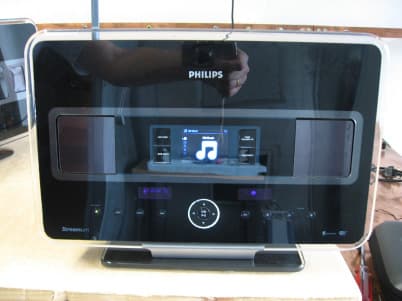
Click to zoom
Application Details
- Equipment Class
- DTS - Digital Transmission System
- Date of Grant
- Feb 25, 2008
- Application Purpose
- Original Equipment
- Date of Application
- Feb 25, 2008
- Equipment Note
- Wireless Music Station
- Frequency Range
- 2412.00000000 - 2462.00000000
- Company
- Philips Consumer Lifestyle
- Country
- Hong Kong
Documents & Files
Document Text
Text extracted from the exhibit documents filed with the FCC. Open a document above to read the original.
Users Manual
WACS7500 WAS7500 Thank you for choosing Philips. Need help fast? Read your Quick Start Guide and/or User Manual first for quick tips that make using your Philips product more enjoyable. If you have read your instructions and still need assistance, you may access our online help at www.philips.com/welcome or call 1-888-PHILIPS (744-5477) while with your product (and Model / Serial number) STOP Congratulations on your purchase and welcome to Philips! To fully benefit from the support that Philips offers, register your product at www.philips.com/welcome For support call 1-888-744-5477 Wireless Music Center + Station ENWireless Music Center + Station1 FRCentre + Station Audio Sans Fil95 ESWireless Music Estación central + Satélite 191 Important notes for users in the U.K. Mains plug This apparatus is fitted with an approved 13- Amp plug. To change a fuse in this type of plug, proceed as follows: 1Remove fuse cover and fuse. 2 Fix the new fuse which should be a BS1362 5- Amp, A.S.T.A. or BSI approved type. 3Refit the fuse cover. If the fitted plug is not suitable for your socket outlets, it should be cut off and an appropriate plug should be fitted in its place. If the mains plug contains a fuse, it should have a value of 5 Amp. If a plug without a fuse is used, the fuse at the distribution board should not be greater than 5 Amp. Note: The severed plug must be disposed, so as to avoid a possible shock hazard due to it being inserted into another 13-Amp socket. How to connect a plug The wires in the mains lead are colored using the fol- lowing codes: blue = neutral (N), brown = live (L). •As these colors may not correspond with the color markings identifying the terminals in your plug, proceed as follows: – Connect the blue wire to the terminal marked N or colored black. – Connect the brown wire to the terminal marked L or colored red. – Do not connect either wire to the earth terminal in the plug, marked E (or e) or col- ored green (or green and yellow). Before replacing the plug cover, make sure that the cord grip is clamped over the sheath of the lead and not simply over the two wires. Copyright in the U.K. Recording and playback of any materials may require consent. See Copyright Act 1956 and The Performerb’s Protection Acts 1958 to 1972. Norge Typeskilt finnes på apparatens bakside. Observer: Nettbryteren er sekundert innkoplet. Den innebygde netdelen er der- for ikke frakoplet nettet så lenge appa- ratet er tilsluttet nettkontakten. For å redusere faren for brann eller elektrisk støt, skal apparatet ikke utsettes for regn eller fuktighet. CLASS 1 LASER PRODUCT Table of contents 1 ENGLISH Table of contents 1Important3 1.1Safety3 1.2GPL Package written offer4 1.3LGPL Library written offer4 1.4Environmental information4 1.4.1 Disposal of product & packing material5 1.4.2 Battery disposal information5 1.5Maintenance6 1.6Hearing Safety7 1.7Legal-USA and Canada-Notice of compliance with radio interference requirements8 1.8EU-Notice of compliance with radio interference requirements8 1.9Legal-Class 2 Label8 1.10Know these safety symbols9 1.11Important safety instructions9 1.12Register your product11 2Your Wireless Music Center & Station12 2.1What’s in the box12 2.2Overview Wireless Music Center & Station14 2.2.1 Controls on Center and Station 14 2.3Overview remote controls16 2.3.1 2-way remote control16 2.3.2 1-way remote control18 2.4Overview display20 3Installation21 3.1Install Center and Station21 3.2Connect AC power22 3.3Set up Wi-Fi connection between Center and Station22 3.4Rear connections22 3.4.1 Connect antennas23 3.4.2 Connect a portable (USB) device23 3.4.3 Connect your iPod (optional)24 3.4.4 Connect additional appliances25 3.4.5 Connect an additional device with external speakers25 4Prepare26 4.1Set the clock26 4.1.1 View the clock28 4.2Remote control29 4.2.1 Remote control battery installation29 4.2.2 Remote control, 2-way31 4.3Navigation controls32 4.4Alphanumeric keys32 5Basic functions33 5.1Power modes and functions33 5.2Eco Standby (power-saving mode)35 5.3Auto-Standby35 5.4Volume control35 5.5MUTE36 5.6Sound control36 5.6.1 Smart equalizer36 5.6.2 Equalizer36 5.6.3 DBB (Dynamic Bass Boost)37 5.6.4 Incredible surround37 5.7Display adjustment37 5.8Selecting languages38 5.9Sleep38 5.10Alarm39 5.10.1 Set alarm / alarm time / repeat mode39 6HD (Hard Disk)40 6.1Play HD Music40 6.2Search40 6.2.1 Search by keywords40 6.2.2 Select track of same artist41 6.2.3 Select track of same genre41 6.2.4 Find track in current album (during playback)42 6.2.5 Find passage in current track (during playback)42 6.3Play modes REPEAT, SHUFFLE42 6.4Build music library on Center43 6.4.1 Rip music from CDs43 6.4.2 Import from your PC45 6.4.3 Record from radio or external source 46 6.5Create a playlist46 6.6Delete a playlist, album or track47 6.7View track information47 6.8Backup to PC48 6.9Move music playback between Center and Station48 6.9.1 MUSIC FOLLOWS ME48 6.9.2 MUSIC BROADCAST49 6.10View system information50 6.11Edit track information51 7CD (Center only)52 7.1Supported discs52 7.2Play discs53 7.2.1 Search by keywords54 7.2.2 Find track in current album (during playback)55 7.2.3 Find passage in current track (during playback)55 7.3Play modes REPEAT, SHUFFLE55 8FM radio56 8.1Tune radio stations56 8.2Store preset radio stations56 8.2.1 Autostore: Automatic preset program 57 8.2.2 Manual store: Manual preset program57 8.2.3 Listen to preset station57 8.3RDS58 8.4NEWS58 8.5Internet radio*59 8.5.1 First time use59 8.5.2 Regular use60 8.5.3 Add internet radio stations and bookmark your favorites61 9UPnP62 9.1UPnP (Universal Plug and Play)62 9.1.1 About UPnP*62 9.1.2 About UPnP* enabled devices62 9.2Connect to the UPnP device63 9.3UPnP playback63 9.3.1 Play music from UPnP device63 9.3.2 Play music from Center64 10External sources65 10.1Play or record to USB mass storage device65 10.1.1 About USB device65 10.1.2 Play music from USB device66 10.1.3 Transfer music to USB device67 10.2Play your iPod music69 1…
Text truncated - open the document above for the full version.
External Photos
SRD-Testreport CETECOM ICT Services GmbH Saarbruecken, Germany Test report No.: 4-2855-01-03/07 Date: 2007-12-02 Page 82 of 86 6 Photographs of equipment under test
Internal Photos
SRD-Testreport CETECOM ICT Services GmbH Saarbruecken, Germany Test report No.: 4-2855-01-03/07 Date: 2007-12-02 Page 83 of 86 SRD-Testreport CETECOM ICT Services GmbH Saarbruecken, Germany Test report No.: 4-2855-01-03/07 Date: 2007-12-02 Page 84 of 86 internal antenna external antenna SRD-Testreport CETECOM ICT Services GmbH Saarbruecken, Germany Test report No.: 4-2855-01-03/07 Date: 2007-12-02 Page 85 of 86 SRD-Testreport CETECOM ICT Services GmbH Saarbruecken, Germany Test report No.: 4-2855-01-03/07 Date: 2007-12-02 Page 86 of 86
RF Exposure Info
SRD-Testreport CETECOM ICT Services GmbH Saarbruecken, Germany Test report No.: 4-2855-01-03/07 Date: 2007-12-02 Page 37 of 86 MPE calculation These equations are generally accurate in the far field of an antenna but will over predict power density in the near field, where they could be used for making a “worst case” prediction. S = PG/4πR 2 where S = power density ( in appropriate units, e.g. mW/cm 2 ) P = power input to the antenna (in appropriate units e.g. mW) G = power gain of the antenna in the direction of interest relative to the isotropic radiator R = distance to the center of radiation of the antenna (appropriate units e.g. cm) Or S = EIRP/4πR 2 where EIRP = equivalent isotropically radiated power Calculation: (Calculated for max. EIRP) EIRP: 23.5 dBm = 223.9 mW calculated at distance of 20 cm: power density = 223.9 /4π20 2 = 0.045 mW/ cm 2 Limit: 1mW/ cm 2 is the reference level for general public exposure according to the OET Bulletin 65, Edition 97-01 Table 1.
Test Report
SRD-Testreport CETECOM ICT Services GmbH Saarbruecken, Germany Test report No.: 4-2855-01-03/07 Date: 2007-12-02 Page 1 of 86 Recognized by the Federal Communications Commission Anechoic chamber registration no.: 90462 (FCC) Anechoic chamber registration no.: IC 3463A-1 TCB ID: DE 0001 Accredited by the German Accreditation Council DAR–Registration Number DAT-P-176/94-D1 Accredited Bluetooth ® Test Facility (BQTF) Test report no. : 4-2855-01-03/07 Applicant : Philips Electronics HongKong Ltd Model : WAS7500/37 Test Standard : FCC Part 15.247 RSS 210 Issue 7 FCC ID : BOU-WAS7500 IC Certification No. : 135M-WAS7500 The Bluetooth word mark and logos are owned by the Bluetooth SIG, Inc. and any use of such marks by Cetecom ICT is under license SRD-Testreport CETECOM ICT Services GmbH Saarbruecken, Germany Test report No.: 4-2855-01-03/07 Date: 2007-12-02 Page 2 of 86 Table of contents 1. ADMINISTRATIVE DATA ......................................................................................................................................3 1.1. ADMINISTRATIVE DATA OF THE TEST FACILITY..................................................................................................... 3 1.1.1 Identification of the testing laboratory ......................................................................................................... 3 1.1.2 Organizational items.....................................................................................................................................3 1.1.3 Applicant ́s details ........................................................................................................................................ 4 1.2 ADMINISTRATIVE DATA OF MANUFACTURER / MEMBER........................................................................................ 4 1.3 DESCRIPTION OF THE EQUIPMENT UNDER TEST (EUT) .......................................................................................... 5 1.3.1 EUT: Type, S/N etc. ......................................................................................................................................5 1.3.2 If RF component testing only, description of additional used HW/SW ......................................................... 5 1.3.3 Additional EUT information ......................................................................................................................... 6 1.3.4 Additional EUT information For IC Canada (appendix 2)........................................................................... 7 RF Technical Brief Cover Sheet acc. to RSS-102 ......................................................................................................... 8 1.3.5 EUT operating modes ................................................................................................................................... 9 1.3.6 Extreme conditions testing values................................................................................................................. 9 2 TEST STANDARD & SUMMARY LIST OF ALL PERFORMED TEST CASES ........................................... 10 3 RF MEASUREMENT TESTING ........................................................................................................................... 11 3.1 DESCRIPTION OF TEST SET-UP.............................................................................................................................. 11 3.1.1 Radiated measurements .............................................................................................................................. 11 3.1.2 Conducted measurements ........................................................................................................................... 11 3.1.3 AC-conducted measurements...................................................................................................................... 11 3.2 REFERENCED DOCUMENTS.................................................................................................................................. 12 3.3 ADDITIONAL COMMENTS..................................................................................................................................... 12 3.4 ANTENNA GAIN................................................................................................................................................... 12 3.5 PEAK POWER SPECTRAL DENSITY (DSSS) §15.247(E) ..................................................................................... 13 3.6 SPECTRUM BANDWIDTH OF A DSSS SYSTEM / 6 DB BANDWITH §15.247(A)(2).................................................. 19 3.7 SPECTRUM BANDWIDTH OF A OFDM SYSTEM §15.247(A2)........................................................................... 24 3.8 MAXIMUM OUTPUT POWER (CONDUCTED) §15.247 (B)(3) ................................................................................... 29 3.9 MAX. PEAK OUTPUT POWER (RADIATED) §15.247 (B)(3) ..................................................................................... 38 3.10 BAND –EDGE COMPLIANCE OF CONDUCTED EMISSIONS 15.247 (D) .................................................................. 39 3.11 BAND-EDGE COMPLIANCE OF RADIATED EMISSIONS (DSSS) §15.205 ............................................................ 47 3.12 BAND-EDGE COMPLIANCE OF RADIATED EMISSIONS (OFDM) §15.205........................................................... 52 3.13 SPURIOUS EMISSIONS - CONDUCTED (TRANSMITTER) §15.247 (D) ................................................................... 57 3.14 SPURIOUS EMISSIONS - RADIATED (TRANSMITTER) DSSS §15.209 ............................................................... 61 3.15 SPURIOUS EMISSIONS - RADIATED (TRANSMITTER) OFDM §15.209 ............................................................ 66 3.16 SPURIOUS EMISSIONS - RADIATED RECEIVER §15.109 / 209 ....................................................................... 72 3.17 SPURIOUS EMISSIONS - RA…
Text truncated - open the document above for the full version.
Test Setup Photos
SRD-Testreport CETECOM ICT Services GmbH Saarbruecken, Germany Test report No.: 4-2855-01-03/07 Date: 2007-12-02 Page 80 of 86 5 Photographs ot test site Test site Radiated Emisssions: Test site Radiated Emisssions: SRD-Testreport CETECOM ICT Services GmbH Saarbruecken, Germany Test report No.: 4-2855-01-03/07 Date: 2007-12-02 Page 81 of 86 AC-conducted:
Contact Information
Applicant
Tee Wee Jaw(Director, Project Management)
Test Firm
Cetecom ICT Services GmbHRalf Hoehn
Technical Specifications
| # | Rule Parts | Frequency Range | Power Output |
|---|---|---|---|
| 1 | 15C | 2.41 GHz - 2.46 GHz | 178.00 mW |
Other Applications from Philips Consumer Lifestyle
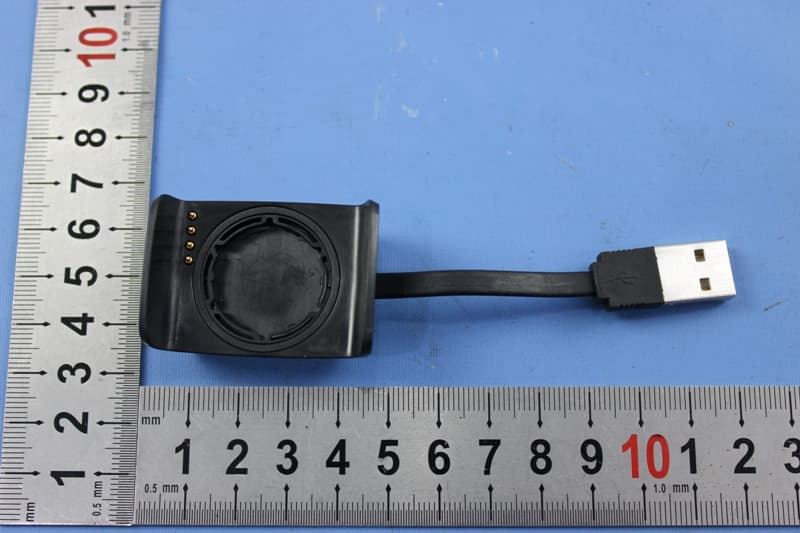
BOUDL8775
May 21, 2015BLE Activity Monitor with OHR
Equipment Class
DTS - Digital Transmission System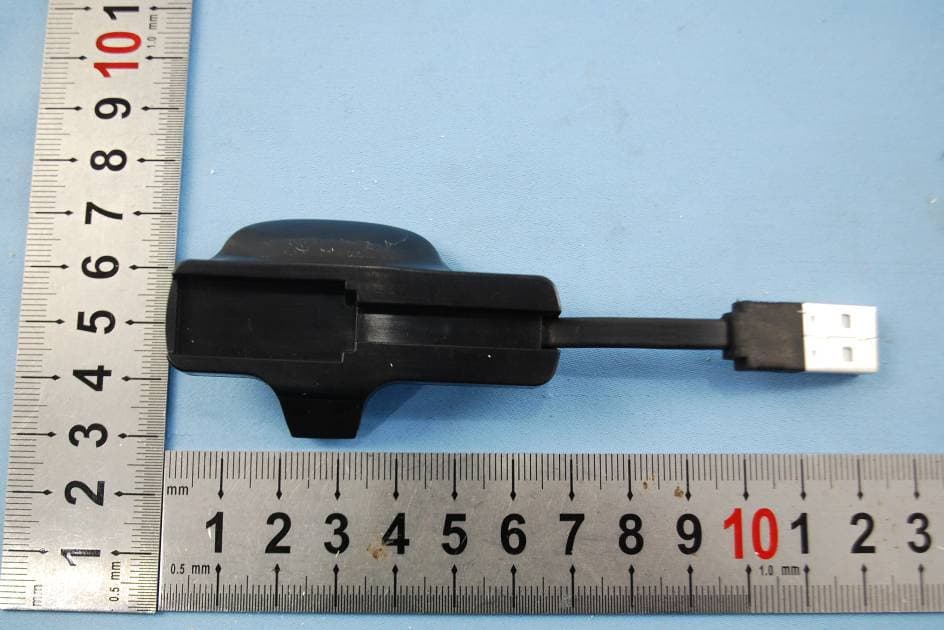
BOUDL8770
Sep 17, 2014Activity Monitor with OHR
Equipment Class
JBP - Part 15 Class B Computing Device Peripheral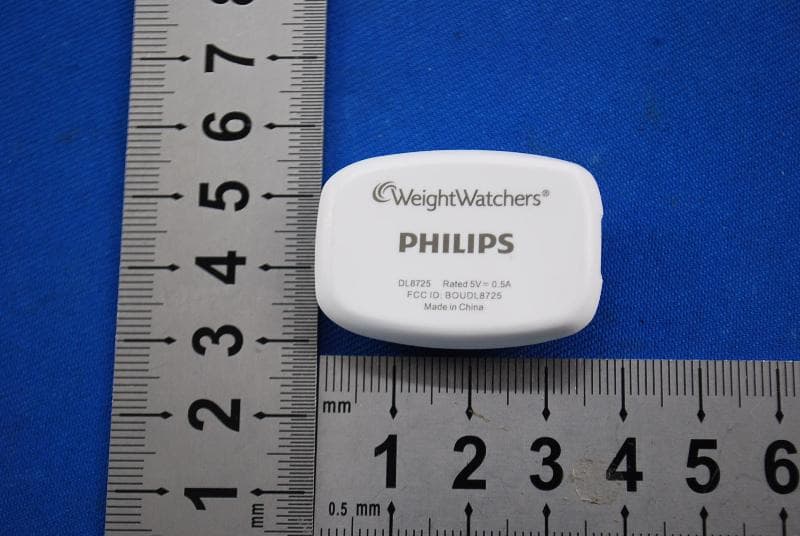
BOUDL8725
Jul 10, 2014Personal Activity Monitor with Bluetooth Function
Equipment Class
JBP - Part 15 Class B Computing Device Peripheral
BOUSCD501
May 28, 20141.9GHz DECT Baby Monitor - Baby Unit
Equipment Class
PUB - Part 15 Unlicensed PCS Base Station
BOUSCD501H
May 28, 20141.9GHz DECT Baby Monitor - Parent Unit
Equipment Class
PUT - Part 15 Unlicensed PCS portable Tx worn on body