BOUPSA260MP3 Player with Bluetooth Transceiver
Philips Consumer Lifestyle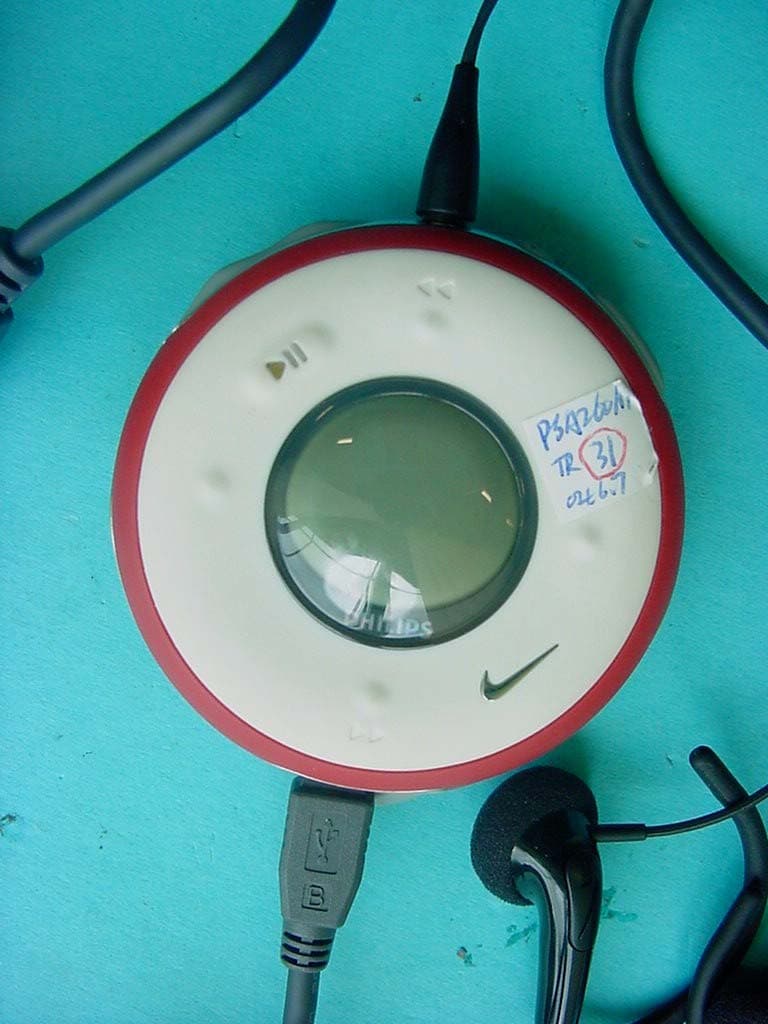
Click to zoom
Application Details
- Equipment Class
- DSS - Part 15 Spread Spectrum Transmitter
- Date of Grant
- Aug 04, 2004
- Application Purpose
- Original Equipment
- Date of Application
- Aug 04, 2004
- Equipment Note
- MP3 Player with Bluetooth Transceiver
- Frequency Range
- 2402.00000000 - 2480.00000000
- Company
- Philips Consumer Lifestyle
- Country
- Hong Kong
Documents & Files
Document Text
Text extracted from the exhibit documents filed with the FCC. Open a document above to read the original.
Users Manual
Registering your model with PHILIPS makes you eligible for all of the valuable benefits listed below, sodon't miss out. Complete and return your Product Registration Card at once to ensure: Return your Product Registration Card today to get the very most from your purchase. For Customer Use Enter below the Serial No. which islocated on the rear of the cabinet.Retain this information for future reference.Model No. ____________________Serial No. ____________________ Know these safety symbols This “bolt of lightning” indicatesuninsulated material within yourunit may cause an electrical shock. For the safety of everyone in your house-hold, please do not remove product covering. The “exclamation point” calls atten-tion to features for which you should read the enclosed literature closely to pre-vent operating and maintenance problems.WARNING: To reduce the risk of fire or electric shock, this apparatus should not beexposed to rain or moisture, and objectsfilled with liquids, such as vases, should notbe placed on this apparatus.CAUTION: To prevent electric shock, match wide blade of plug to wide slot, fullyinsert.ATTENTION : Pour éviter les choc élec- triques, introduire la lame la plus large dela fiche dans la borne correspondante de laprise et pousser jusqu’au fond. *Proof of Purchase Returning the enclosed card guaran-tees that your date of purchase willbe on file, so no additional paper-work will be required from you toobtain warranty service. *Product Safety Notification By registering your product, you'llreceive notification - directly fromthe manufacturer - in the rare caseof a product recall or safety defect. *Additional Benefits of ProductOwnershipRegistering your product guaranteesthat you'll receive all of the privilegesto which you're entitled, includingspecial money-saving offers. Congratulations on your purchase,and welcome to the PSA family!Dear product owner:Thank you for your confidence in PSA products.You’veselected one of the best-built, best-backed products avail-able today.We’ll do everything in our power to keep youhappy with your purchase for many years to come.As a member of the PSA product family, you’re entitledto protection by one of the most comprehensive war-ranties and outstanding service networks in the industry.What’s more, your purchase guarantees you’ll receive allthe information and special offers for which you qualify,plus easy access to accessories from our convenienthome shopping network.Most importantly, you can count on our uncompromisingcommitment to your total satisfaction.All of this is our way of saying welcome - and thanks forinvesting in our PSA product.P.S. To get the most from your purchase, besure to complete and return your ProductRegistration Card at once. CAUTION RISK OF ELECTRIC SHOCK DO NOT OPEN CAUTION: TO REDUCE THE RISK OF ELECTRIC SHOCK, DO NOT REMOVE COVER (OR BACK). NO USER-SERVICEABLE PARTS INSIDE. REFER SERVICING TO QUALIFIED SERVICE PERSONNEL. PSA220 MP3 Portable Sport Audio by Philips PSA250 MP3 MAX PSA260 MP3 RUN Note : This equipment has been tested and found to comply with the limits for a Class B digital device, pursuant topart 15 of the FCC Rules. These limits are designed to providereasonable protection against harmful interference in a residential installation. This equipment generates, uses, and canradiate radio frequency energy and, if not installed and used inaccordance with the instruction manual, may cause harmfulinterference to radio communications. However, there is no guarantee that interference will not occur in a particular installation. If this equipment does cause harmful interferenceto radio or television reception, which can be determined byturning the equipment off and on, the user is encouraged to tryto correct the interference by one or more of the followingmeasures : – Relocate the receiving antenna. – Increase the separation between the equipment and receiver. – Connect the equipment into an outlet on a circuit different from that to which the receiver is connected. – Consult the dealer or an experienced radio/TV technician for help. The set complies with the FCC-Rules, Part 15. Operation is subject to the following two conditions:1. This device may not cause harmful interference, and2. This device must accept any interference received, including interference that may cause undesired operation. Remarque : Cet équipement a été testé et a été certifié conforme aux limites imposées pour un appareil numérique deClasse B, conformément à la partie 15 des réglements FCC. Ceslimites sont définies aux fins d'assurer une protection raisonnable contre les interférences nuisibles dans une installation résidentielle. Cet équipement génère, utilise et émetdes fréquences radio qui, en cas d'une mauvaise installation oud'une utilisation non-conforme aux instructions de ce manueld'utilisation peuvent causer des interférences nuisibles aux communications radio. Il n'y a toutefois aucune garantie que desinterférences nuisibles ne se produiront pas dans une installationdonnée. Si cet équipement cause des interférences nuisibles avecvotre poste radio ou de télévision, ce que vous pouvez détermineren éteignant et en rallumant votre équipement, il est conseillé àl'utilisateur d'essayer de pallier à ces interférences nuisibles enprenant l'une ou l'autre des mesures suivantes: – Changez la position de l'antenne de réception. – Augmentez la séparation entre l'équipement et le récepteur. – Branchez l'équipement sur une source d'alimentation différente de celle sur laquelle le récepteur est branché. – Consultez votre distributeur ou un technicien qualifié en la matière pour assistance. L’appareil répond aux normes FCC, Part 15. Fonctionnement soumis aux deux conditions suivantes :1. Cet appareil ne doit pas provoquer d’interférences nuisibles, et2. Cet appareil doit accepter toute interférence reçue, y compris les interférences susceptibles de provoquer un fonctionement peu satisfaisant. Nota : Este aparato ha sido probado y cumple …
Text truncated - open the document above for the full version.
Users Manual
UUnnpplluugg ssaaffeellyy To avoid loss of data, disconnect your player safely. Exit any active application working with your player. Click on the task tray. Remove the USB cable. 5 AATTTTEENNTTIIOONN!! WINDOWS 98SE USERS: To avoid installation problems, DDOO NNOOTT CCOONNNNEECCTT your player to your computer until AAFFTTEERR installation completes. PPrreeppaarraattiioonnss CCoonnnneecctt ppllaayyeerr ttoo ccoommppuutteerr Open the USB cover. Connect your player to your computer using the supplied USB cable. 3 IInnssttaallll Insert the supplied CD into your computer’s CD-ROM drive. Follow screen instructions to complete installation. 1 OOrrggaanniizzee aanndd ttrraannssffeerr mmuussiicc vviiaa DDMMMM // MMuussiiccmmaattcchh®® Launch DMM/ Musicmatch® on your PC from Windows desktop or SSttaarrtt menu. Organize and transfer music files from your computer to your player. 4 TIP Please refer to your computer’s manual for the exact position of your USB port. Look for the USB symbol on the processing unit of your computer. ✔ CChhaarrggee Open the USB cover. Connect the supplied charger to the USB port and the main power supply. For extended battery power, please charge for at least 4 hours for first time use. 2 TIP This indicator shows your battery information during charging. ✔ PPoowweerr oonn aanndd eennjjooyy!! Press and hold 22;;for 2 seconds to power on if the player does not power on automatically. Enjoy your new running / music experience! 6 1 PSA260°ƒeng.qxd 23/6/04 13:46 Page 1 NNaammee ooff PPaarrttss 1 −−// ++ Volume control, press −− to decrease; press ++ to increase 222;;Press and hold to power on / off; press briefly to play / pause 311Left 4 LLCCDD ddiissppllaayy Dynamically displays menu, options and track information 5 HHeeaaddpphhoonneess jjaacckk Connects headphones 6 VVooiiccee ffeeeeddbbaacckk Activates running feedback 7 RRuunn Starts / stops recording running activities 833 , 55Up / Previous / Fast rewind 922Right 044 , 66Down / Next / Fast forward ! UUSSBB ppoorrtt // Open cover to connect to computer / charge your player CChhaarrggiinngg ssoocckkeett @ SSDDMM Power ON / OFF speed and distance monitor 2 PSA260°ƒeng.qxd 23/6/04 13:46 Page 2 MMeennuu NNaavviiggaattiioonn MMuussiicc PPllaayylliissttss AArrttiissttss AAllbbuummss GGeennrreess AAllll TTrraacckkss RRaaddiioo SSeettttiinnggssSSttrroobbee lliigghhtt SShhuuffffllee && RReeppeeaatt DDBBBB EEqquuaalliizzeerr BBaacckklliigghhtt CCoonnttrraasstt LLaanngguuaaggee SSyynncchhrroonniizzee Press and hold 22;;to power on. See specific chapters for details of each setting. 2 e.g. Playlist001... PlaylistXXX e.g. A ... Z Preset 1 Preset 10 Autosearch ... 33 11 22 44 Up Down Left Right 1 44 e.g. A ... Z e.g. A ... Z e.g. A ... Z RRuunnnniinngg HHiissttoorryy List of Freerun logs by date CCaalliibbrraattiioonn MMaannuuaall AAuuttoommaattiicc FFaaccttoorryy sseettttiinnggss VVooiiccee ffeeeeddbbaacckk DDiissttaannccee uunniittss 3 PSA260°ƒeng.qxd 23/6/04 13:46 Page 3 Press and hold 22;;to power on. From the root menu, press 22to enter the music mode. Any radio playback will stop as you enter the music mode. 1 Press 33to scroll up or 44to scroll down for your option. Press 22for next or 11for previous levels of library. Press 22;;to play. 2 MMuussiicc MMooddee:: BBaassiicc OOppeerraattiioonn Library optionsArtists list Playscreen Press 33 ,33for the previous or 44, for the next track. Press 33 to play the same track again. Press and hold 44to fast forward or 33 to rewind in a track during playback. 4 Press and hold 22;;to power off. Your player will save your current music playback status and resume next time you power on. 5 Press 22;;to pause during playback. 3 *Actual display varies with use 4 TIP > To display library options during playback, press 11. > To display the root menu, press and hold 11. ✔ PSA260°ƒeng.qxd 23/6/04 13:46 Page 4 MMuussiicc MMooddee:: LLiibbrraarryy OOppttiioonnss aanndd FFaasstt SSccrroolllliinngg Press 33 to scroll up or 44 to scroll down for your library option. Press 22 on AArrttiisstt to display the artist library Press 22for the next or 11for the previous level of library. 2 Artists list in alphabetical order Press and hold 44for 2 seconds to scroll down quickly. Press and hold 33for 2 seconds to scroll up quickly. Release button to stop scrolling. 3 Browsing tracks quickly. 1 *Actual display varies with use 5 PSA260°ƒeng.qxd 23/6/04 13:46 Page 5 6 IInnssttaalllliinngg tthhee ssppeeeedd aanndd ddiissttaannccee mmoonniittoorr Use an appropriately-sized coin to twist aannttii--cclloocckkwwiissee to open the speed monitor battery door. Remove the plastic insert (first time users only). Insert an AAA alkaline battery (with positive in first). Replace the battery door, pressing fully in and twist cclloocckkwwiissee to secure the closing. 1 Press and hold 22;;for 2 seconds to power on your player. Press SSDDMM for 2 seconds to power on the monitor. Your monitor will blink. The monitor is now ready to record your running activities. 3 Unhook the rubber strap and detach the clip. Loosen shoelaces and slide monitor clip under laces. Securely the monitor to your running shoe. The monitor should rest just below where laces tie and be secure enough to stay in place during running. 2 TBD TBD After running is completed, terminate the logging (see page 11). Press and hold SSDDMM for 2 seconds to power off your monitor after use. 4 TIP Batteries contain chemical substances, so they should be disposed of properly. Incorrect use of batteries can cause the electrolyte leakage and will corrode the compartment or cuase the batteries to burst. Remove the batteries if the set is not to be used for a long time. ✔ AATTTTEENNTTIIOONN : Anyone beginning an exercise regimen for the first time (especially users of pacemakers or other implanted devices) should consult a physician or health professional before using the MMPP33 RUN. TIP > Your SDM automatically shutdown when there is no connection with your player for 10 minutes …
Text truncated - open the document above for the full version.
Cover Letter(s)
CONFIDENTIALITY REQUEST Federal Communication Commission Equipment Authorization Division, Application Processing Branch 7435 Oakland Mills Road Columbia, MD 21048 August 03, 2004 TO WHOM IT MAY CONCERN Pursuant to Paragraphs §0.457 and 0.459 of the Commission's Rules (47 C.F.R.) and Section §552(b)(4) of the Freedom of Information Act, Company requests confidentiality for the following products: FCC ID Number-Product Title/Model BOUPSA260 Digital Audio Player/SDM/FM Radio PSA260 For the product stated above, we request that the following information be held confidential : 1. Circuit diagrams, BOM, and PCBs submitted as Equipment Authorization Electronic Filing attachment: "schematics " . 2. Block diagram submitted as Equipment Authorization Electronic Filing attachment: "blockdiagram". 3. Operational description submitted as Equipment Authorization Electronic Filing attachment: " operational description" The above exhibits contain Company trade secrets and proprietary information that could be of benefit to our competitors regarding the design of our mobile handset. This material is not customarily available to the general public and we request that it be withheld from public inspection. If you have any questions, please feel free to contact me at the address shown below. Sincerely, (signed) Name: François Dupont Company: Philips Innovative Technology Solutions NV Address: Interleuvenlaan 80 B-3001 Leuven, Belgium Phone: +32 16 390 683 Email: [email protected]
External Photos
SRD-Testreport CETECOM ICT Services GmbH Saarbruecken, Germany Test report No.: 2-3649-01-03/04Date:2004-07-15Page 52 of 59 Photographs of the testsamples: (rad./cond.) SRD-Testreport CETECOM ICT Services GmbH Saarbruecken, Germany Test report No.: 2-3649-01-03/04Date:2004-07-15Page 53 of 59 SRD-Testreport CETECOM ICT Services GmbH Saarbruecken, Germany Test report No.: 2-3649-01-03/04Date:2004-07-15Page 54 of 59 SRD-Testreport CETECOM ICT Services GmbH Saarbruecken, Germany Test report No.: 2-3649-01-03/04Date:2004-07-15Page 55 of 59
Internal Photos
SRD-Testreport CETECOM ICT Services GmbH Saarbruecken, Germany Test report No.: 2-3649-01-03/04Date:2004-07-15Page 56 of 59 the yellow cables are only for testing SRD-Testreport CETECOM ICT Services GmbH Saarbruecken, Germany Test report No.: 2-3649-01-03/04Date:2004-07-15Page 57 of 59 SRD-Testreport CETECOM ICT Services GmbH Saarbruecken, Germany Test report No.: 2-3649-01-03/04Date:2004-07-15Page 58 of 59 SRD-Testreport CETECOM ICT Services GmbH Saarbruecken, Germany Test report No.: 2-3649-01-03/04Date:2004-07-15Page 59 of 59
Test Report
G:\2_RSC\PROJEKTE\04\3649_1 Philips\Task3\2_3649-01-03_04 Part 15a.doc Recognized by the Federal Communications Commission Anechoic chamber registration no.: 90462 (FCC) Anechoic chamber registration no.: 3463 (IC) TCB ID: DE 0001 Accredited by the German Accreditation Council DAR–Registration Number TTI–P–G 081/94-DO Independent ETSI compliance test house ETSI Accredited Bluetooth™ Test Facility (BQTF) Test report no.: 2-3649-01-03/04 FCC Part 15.247 / CANADA RSS-210 FCC ID: BOUPSA260 psa260 CETECOM – ICT Services GmbH Untertürkheimerstr. 6-10 D-66117 Saarbrücken, Germany Telephone: + 49 (0) 681 / 598-0 Fax: + 49 (0) 681 / 598-9075 BLUETOOTH is a trademark owned by Bluetooth SIG, Inc. and licensed to Cetecom SRD-Testreport CETECOM ICT Services GmbH Saarbruecken, Germany Test report No.: 2-3649-01-03/04Date:2004-07-15Page 2 of 59 Table of contents 1.ADMINISTRATIVE DATA ...................................................................................................................................... 3 1.1.A DMINISTRATIVE DATA OF THE TEST FACILITY..................................................................................................... 3 1.1.1Identification of the testing laboratory ......................................................................................................... 3 1.1.2Organizational items .................................................................................................................................... 3 1.1.3Applicant ́s details ........................................................................................................................................ 4 1.2A DMINISTRATIVE DATA OF MANUFACTURER / MEMBER........................................................................................ 4 1.3D ESCRIPTION OF THE EQUIPMENT UNDER TEST (EUT) .......................................................................................... 5 1.3.1EUT: Type, S/N etc. ...................................................................................................................................... 5 1.3.2If RF component testing only, describtion of additional used HW/SW .........................................................5 1.3.3Additional EUT information For IC Canada (appendix 2)........................................................................... 6 1.3.4EUT operating modes ................................................................................................................................... 7 1.3.5Extreme conditions testing values................................................................................................................. 7 2.TESTSTANDARD & SUMMARY LIST OF ALL PERFORMED TEST CASES .............................................. 8 3.RF MEASUREMENT TESTING ............................................................................................................................. 9 3.1D ESCRIPTION OF TEST SET-UP................................................................................................................................9 3.1.1Radiated measurements ................................................................................................................................ 9 3.1.2Conducted measurements ............................................................................................................................. 9 3.2R EFERENCED DOCUMENTS................................................................................................................................... 10 3.3 A DDITIONAL COMMENTS..................................................................................................................................... 10 3.4A NTENNA GAIN................................................................................................................................................... 10 3.5C ARRIER FREQUENCY SEPARATION §15.247(A1)................................................................................................. 11 3.6 N UMBER OF HOPPING CHANNELS §15.247(A1) .................................................................................................... 12 3.7T IME OF OCCUPANCY (DWELL TIME) §15.247(A1 III).......................................................................................... 14 3.8 P OWER SPECTRAL DENSITY (HYBRID SYSTEM IN INQUIRY MODE/PAGE SCAN) §15.247(D) ................................. 15 3.9S PECTRUM BANDWIDTH OF A FHSS SYSTEM / 20DB BANDWITH §15.247(A1)................................................... 16 3.10M AXIMUM OUTPUT POWER (CONDUCTED) § 15.247 (B) (1) ................................................................................ 19 3.11M AX. PEAK OUTPUT POWER (RADIATED) § 15.247 (B) (1)................................................................................... 22 3.12B AND-EDGE COMPLIANCE OF CONDUCTED EMISSIONS §15.247 (C) ..................................................................... 23 3.13B AND-EDGE COMPLIANCE OF RADIATED EMISSIONS §15.205 .............................................................................. 27 3.14S PURIOUS EMISSIONS - CONDUCTED (TRANSMITTER) § 15.247 (C) (1) ............................................................... 32 3.15S PURIOUS EMISSIONS - RADIATED (TRANSMITTER) § 15.247 (C) (1) .................................................................. 34 3.16S PURIOUS EMISSIONS - RADIATED (RECEIVER) § 15.109..................................................................................... 41 3.17S PURIOUS EMISSIONS - RADIATED <30 MHZ § 15.109 ........................................................................................ 43 3.18C ONDUCTED EMISSIONS <30 MHZ § 15.107/207 ................................................................................................ 44 4PHOTOGRAPHS ..................................................................................................................................................... 48 ANNEX 1:…
Text truncated - open the document above for the full version.
Test Setup Photos
SRD-Testreport CETECOM ICT Services GmbH Saarbruecken, Germany Test report No.: 2-3649-01-03/04Date:2004-07-15Page 48 of 59 4 Photographs Radiated test site SRD-Testreport CETECOM ICT Services GmbH Saarbruecken, Germany Test report No.: 2-3649-01-03/04Date:2004-07-15Page 49 of 59 Radiated test site SRD-Testreport CETECOM ICT Services GmbH Saarbruecken, Germany Test report No.: 2-3649-01-03/04Date:2004-07-15Page 50 of 59 Radiated test site SRD-Testreport CETECOM ICT Services GmbH Saarbruecken, Germany Test report No.: 2-3649-01-03/04Date:2004-07-15Page 51 of 59 AC conducted test
Contact Information
Applicant
Tee Wee Jaw(Director, Project Management)
Test Firm
Cetecom ICT Services GmbHRalf Hoehn
Technical Specifications
| # | Rule Parts | Frequency Range | Power Output |
|---|---|---|---|
| 1 | 15C | 2.40 GHz - 2.48 GHz | 690.00 µW |
Other Applications from Philips Consumer Lifestyle
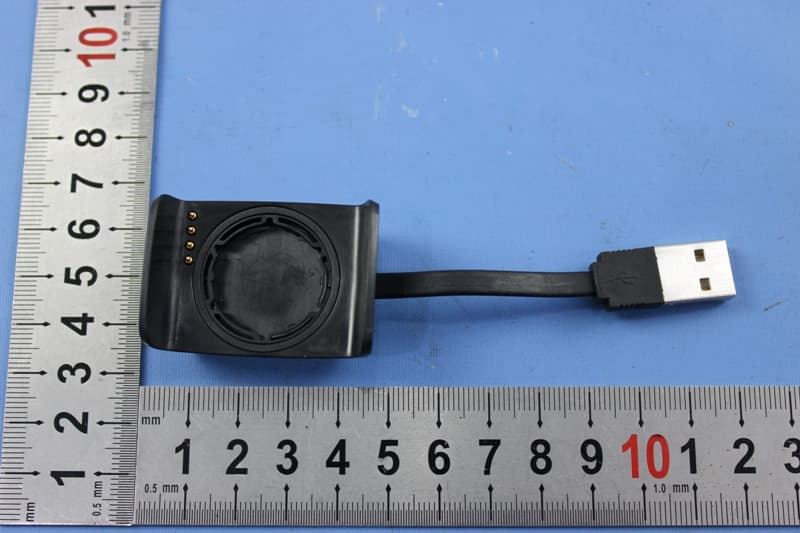
BOUDL8775
May 21, 2015BLE Activity Monitor with OHR
Equipment Class
DTS - Digital Transmission System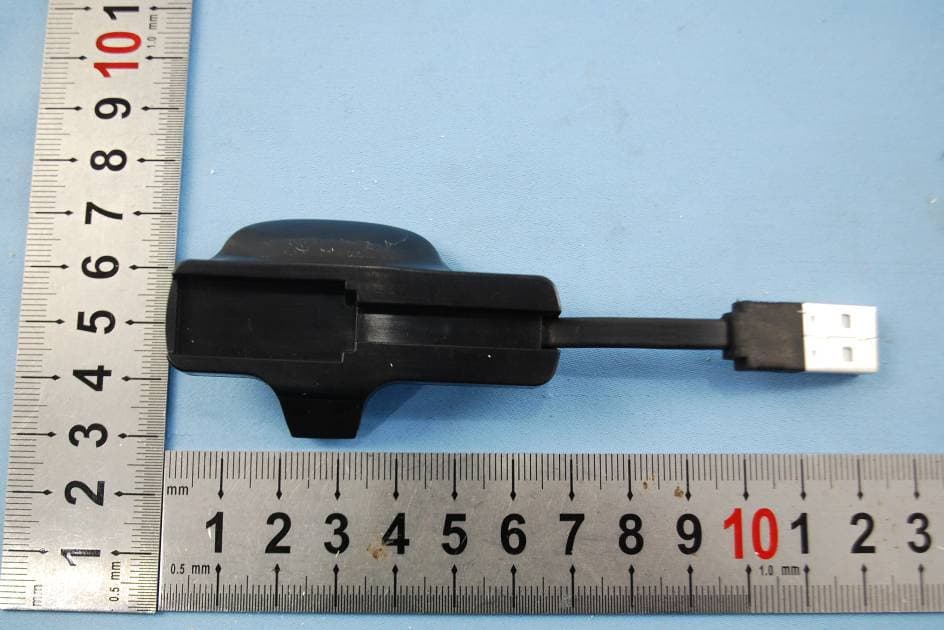
BOUDL8770
Sep 17, 2014Activity Monitor with OHR
Equipment Class
JBP - Part 15 Class B Computing Device Peripheral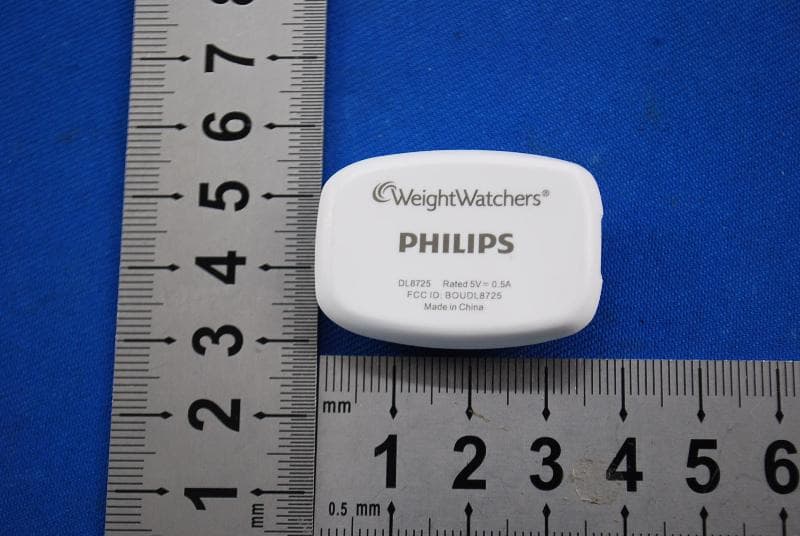
BOUDL8725
Jul 10, 2014Personal Activity Monitor with Bluetooth Function
Equipment Class
JBP - Part 15 Class B Computing Device Peripheral
BOUSCD501
May 28, 20141.9GHz DECT Baby Monitor - Baby Unit
Equipment Class
PUB - Part 15 Unlicensed PCS Base Station
BOUSCD501H
May 28, 20141.9GHz DECT Baby Monitor - Parent Unit
Equipment Class
PUT - Part 15 Unlicensed PCS portable Tx worn on body