BRCBK1001Bluetooth Keyboard
Kintech Co. Ltd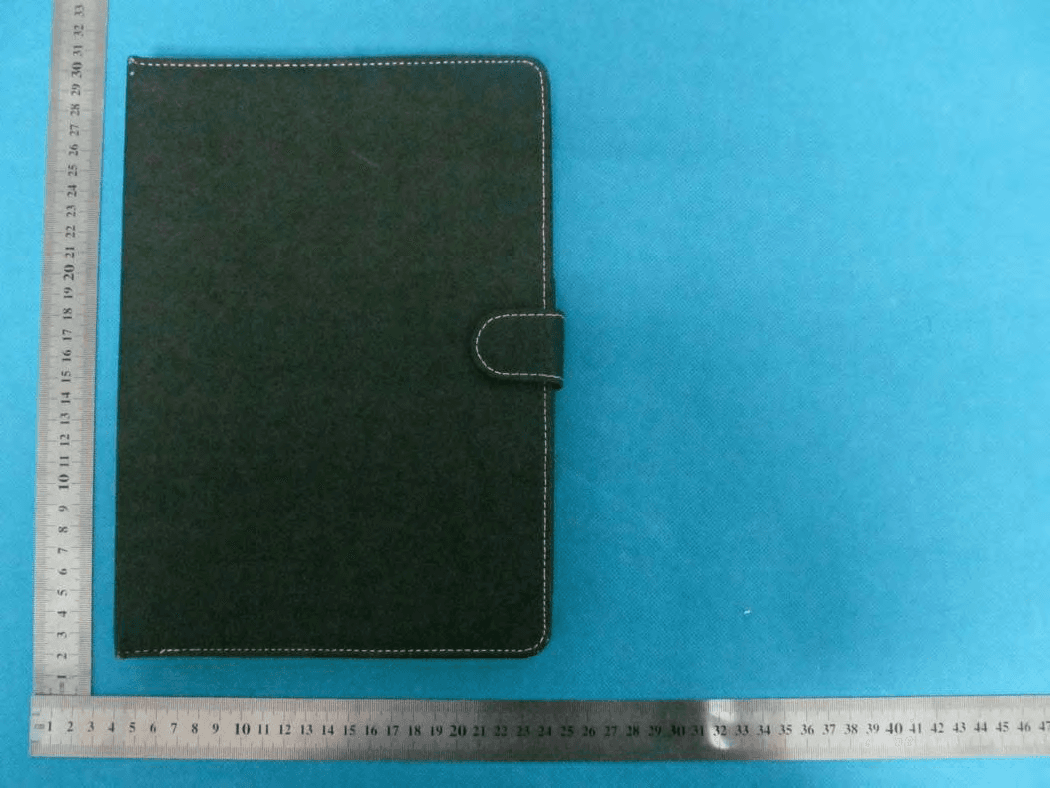
Click to zoom
Application Details
- Equipment Class
- DSS - Part 15 Spread Spectrum Transmitter
- Date of Grant
- May 15, 2013
- Application Purpose
- Original Equipment
- Date of Application
- May 15, 2013
- Equipment Note
- Bluetooth Keyboard
- Frequency Range
- 2402.00000000 - 2480.00000000
- Company
- Kintech Co. Ltd
- Country
- China
Documents & Files
Document Text
Text extracted from the exhibit documents filed with the FCC. Open a document above to read the original.
Users Manual
User Manual of Bluetooth Keyboard Brand Name: Titan Model Name: BK1001 FCC ID: BRCBK1001 Product Features: It adopts customized PU leather design, and ensures compatibility (with tablet PC), and makes it more convenient for your carrying-out of tablet PC and standing it up in either a horizontal or vertical position. It adopts rechargeable lithium polymer battery which is of extremely high safety. Standby time around 20 days per charge in normal using condition. Home screen key on keyboard to return home screen by light pressing at any time. :Lightly trigger, silent key taps, dust-proof and easy for clean. :Power-saving with sleep mode. It will enter into sleep mode automatically if it is not used for several minutes, and it can be woken up immediately to use by pressing any key. Keyboard specification: :Chip used comply with Bluetooth 3.0 version interface standard. :Distance of Bluetooth wireless operation is 10M. :System mode Android system. :Channel number 79. :Channel spacing 1MHz. :Frequency range 2402MHz-2480MHz. :Modulation mode GFSK :Antenna type PIFA :Antenna gain: 0dBm :Max. transmit power +4dBm :Operation voltage 1.6V-3.6V :Work voltage 3.7-4.2V :Work currency 2MA :Sleep mode current lower than 35Ua :Recharging current 260MA :Normal standby time 20 days after charging. :Continuous working time 50 hours. :3 years lifetime of lithium battery. :3-4 hours charging time. :2 million times key lifetime. :Ambient temperature -10°C- +55°C This keyboard has been tested to comply with international certification USA (FCC standard) EU (CE standard) Recharge instruction: :When the battery power inside Bluetooth keyboard is low, power light will blink, which means it need to be recharged. :Plug USB charging wire into mini USB jack on the keyboard, and another end to your PC or charger’s USB port, then the charging light will blink, which means the keyboard is being charged and the light will go out automatically when it is fully charged. Power-saving Sleep Mode The keyboard will automatically enter into sleep mode if it is not used for 15 minutes. Meanwhile, the power light of keyboard will go out. Whenever you need to use it, you just press any key on it, and it will be back to work after 3 seconds. Using of keyboard: :Step 1: Turn on the Bluetooth keyboard power switch. Power light and code light will blink for 5 seconds, then go out automatically. :Step 2: Then turn on Bluetooth switch. Press shortly (CONNECT) key, then Bluetooth indicator will keep blinking, and wait for pairing with Bluetooth device. :Step 3: Turn on tablet PC, click setting icon to open setting menu. (as shown in Figure 1) Figure 1 :Step 4: Switch on Bluetooth. (as shown in Figure 2) Figure 2 :Step 5: After switching on Bluetooth, tablet PC will automatically search for Bluetooth device. If it don’t find, you can click the top right corner (SEARCH FOR DEVICE) of dialog box for manual search. Figure 3 :Step 6: Click Bluetooth device name (Bluetooth 3.0 Keyboard) to connect. (as shown in Figure 4) Figure 4 :Step 7: Bluetooth indicator will automatically go out when connection between tablet PC and Bluetooth keyboard is successfully established, then you can realize wireless input on keyboard. Use keyboard correctly :Do not use sharp tool to poke keyboard. :Do not put overweight things on keyboard. :Do not put keyboard inside microwave oven. :Do not use keyboard to hit other things. :Do not touch oil, corrosive chemicals. :Do not soak in water but can be cleaned with wet cloth and a little water. Cleaning :You can use a little water, cleaner to clean keyboard. Problem-shooting {Cannot be connected with} :Make sure power switch to NO position. :Make sure keyboard and job object are within effective distance. :Make sure the battery have enough power. :Make sure job objective can be connected and is activated. :Make sure that keyboard has connected with the job object instead of others. {Cannot be charged} :Before charging, please note the keyboard use 5V DC power to charge. You can charge it with 5V DC charger with USB or PC USB port. :Make sure that power supply or PC has been connected well with USB charging wire. :Make sure USB charging wire has been connected well with keyboard charging port. :Charging indicator will be always on during normal charging. This device complies with part 15 of the FCC rules. Operation is subject to the following two conditions: (1) this device may not cause harmful interference, and (2) this device must accept any interference received, including interference that may cause undesired operation. Changes or modifications to this unit not expressly approved by the party responsible for compliance could void the user’s authority to operate the equipment.
Cover Letter(s)
April 24, 2013 Federal Communication Commission Authorization and Evaluation Division FCC ID: BRCBK1001 Re: Confidentiality Request Pursuant to Sections 0.457 and 0.459 of the Commission’s Rules, the applicant hereby requests confidential treatment of information applied this application as outlined below: 1: Block Diagram 2: Circuit Diagram 3: Operational Description 4: Parts List The above materials contain trade secrets and proprietary information not customarily released to the public. The public disclosure of these matters might be harmful to the applicant and provide unjustified benefits to its competitors. The Applicant understands that pursuant to Rules 0.457, disclosure of this Application and all accompanying documentation will not be made before the date of the Grant for this application. Sincerely, Company: Kintech Co. Ltd Contact Person: Zhi Quan Title: General Manager
Cover Letter(s)
Kintech Co. Ltd 1F-5F, Bldg 22, Chen TianIndustral Zone, Xi Xiang Bao An District, Shenzhen, Guang Dong, China Date: Apr. 24, 2013 Statement We, Kintech Co. Ltd. states that our device, FCC ID: BRCBK1001, has no space to put the label except the back of the keyboard. It is also visible to the users on the packing box as they purchase the products. Regards , Company: Kintech Co. Ltd Contact Person: ZhiQuan Title: Manager
External Photos
External Photos TOP VIEW OF EUT BOTTOM VIEW OF EUT FRONT VIEW OF EUT BACK VIEW OF EUT LEFT VIEW OF EUT RIGHT VIEW OF EUT OPEN VIEW OF EUT-1
ID Label/Location Info
Lable&Lable Location Bluetooth Keyboard Model: BK1001 FCC ID:BRCBK1001 Label on Back of the keyboard
Internal Photos
Internal Photos OPEN VIEW OF EUT-2 INTERNAL VIEW OF EUT-1 BT Antenna INTERNAL VIEW OF EUT-2 INTERNAL VIEW OF EUT-3 INTERNAL VIEW OF EUT-4
Test Report
Report No.: AGC00119130303FE03 Page 1 of 53 FCC Test Report Report No.: AGC00119130303FE03 FCC ID : BRCBK1001 APPLICATION PURPOSE : Original Equipment PRODUCT DESIGNATION : Bluetooth Keyboard BRAND NAME : Titan, Kinwei MODEL NAME : BK1001, BK10XX (xx represents 00~99) KW‐BK1001, KW‐BK10XX (xx represents 00~99) CLIENT : Kintech Co., Ltd DATE OF ISSUE : Apr.25,2013 STANDARD(S) : FCC Part 15 Rules REPORT VERSION : V1.0 Attestation of Global Compliance (Shenzhen) Co., Ltd CAUTION: This report shall not be reproduced except in full without the written permission of the test laboratory and shall not be quoted out of context. Report No.: AGC00119130303FE03 Page 2 of 53 Report Revise Record Report Version Revise Time Issued Date Valid VersionNotes V1.0 / Apr.25,2013 Valid Original Report Report No.: AGC00119130303FE03 Page 3 of 53 TABLE OF CONTENTS 1. VERIFICATION OF CONFORMITY ...................................................................................... 5 2. GENERAL INFORMATION .................................................................................................. 6 2.1. PRODUCT DESCRIPTION ........................................................................................................... 6 2.2. TABLE OF CARRIER FREQUENCYS .......................................................................................... 6 2.3. RECEIVER INPUT BANDWIDTH ................................................................................................. 7 2.4. EXAMPLE OF A HOPPING SEQUENCY IN DATA MODE ........................................................... 7 2.5. EQUALLY AVERAGE USE OF FREQUENCIES AND BEHAVIOUR ............................................ 7 2.6. RELATED SUBMITTAL(S) / GRANT (S) ....................................................................................... 8 2.7. TEST METHODOLOGY................................................................................................................ 8 2.8. SPECIAL ACCESSORIES ............................................................................................................ 8 2.9. EQUIPMENT MODIFICATIONS ................................................................................................... 8 3. MEASUREMENT UNCERTAINTY........................................................................................ 9 4. DESCRIPTION OF TEST MODES ........................................................................................ 9 5. SYSTEM TEST CONFIGURATION .................................................................................... 10 5.1. CONFIGURATION OF EUT SYSTEM ........................................................................................ 10 5.2. EQUIPMENT USED IN EUT SYSTEM ....................................................................................... 10 5.3. SUMMARY OF TEST RESULTS ................................................................................................ 10 6. TEST FACILITY .................................................................................................................. 11 7. PEAK OUTPUT POWER .................................................................................................... 12 7.1. MEASUREMENT PROCEDURE ................................................................................................ 12 7.2. TEST SET-UP (BLOCK DIAGRAM OF CONFIGURATION) ....................................................... 12 7.3. LIMITS AND MEASUREMENT RESULT .................................................................................... 12 8. 20DB BANDWIDTH ............................................................................................................ 14 8.1. MEASUREMENT PROCEDURE ................................................................................................ 14 8.2. TEST SET-UP (BLOCK DIAGRAM OF CONFIGURATION) ....................................................... 14 8.3. LIMITS AND MEASUREMENT RESULTS .................................................................................. 14 9. CONDUCTED SPURIOUS EMISSION ............................................................................... 21 9.1. MEASUREMENT PROCEDURE ................................................................................................ 21 9.2. TEST SET-UP (BLOCK DIAGRAM OF CONFIGURATION) ....................................................... 21 9.3. MEASUREMENT EQUIPMENT USED ....................................................................................... 21 9.4. LIMITS AND MEASUREMENT RESULT .................................................................................... 21 10. RADIATED EMISSION ..................................................................................................... 25 10.1. MEASUREMENT PROCEDURE .............................................................................................. 25 10.2. TEST SETUP ............................................................................................................................ 27 Report No.: AGC00119130303FE03 Page 4 of 53 10.3. TEST RESULT .......................................................................................................................... 28 11. BAND EDGE EMISSION .................................................................................................. 32 11.1. MEASUREMENT PROCEDURE .............................................................................................. 32 11.2. TEST SET-UP ........................................................................................................................... 32 11.3. TEST RESULT .......................................................................................................................... 33 12. NUMBER OF HOPPING FREQUENCY ............................................................................ 37 12.1. MEASUREMENT PROCEDURE .....................................................................…
Text truncated - open the document above for the full version.
Test Setup Photos
Test Setup Photos FCC LINE CONDUCTED EMISSION TEST SETUP FCC RADIATED EMISSION TEST SETUP
Contact Information
Applicant
Zhi Quan
Test Firm
Attestation of Global Compliance Shenzhen Co. Ltd.Forrest Lei
Technical Specifications
| # | Rule Parts | Frequency Range | Power Output |
|---|---|---|---|
| 1 | 15C | 2.40 GHz - 2.48 GHz | 2.60 mW |
Other Applications from Kintech Co. Ltd
BRCPC1018
Jun 17, 2015tablet pc
Equipment Class
DXX - Part 15 Low Power Communication Device Transmitter
BRCPC7095ME
Jun 03, 2015Tablet PC
Equipment Class
DTS - Digital Transmission System
BRCPC8901
Apr 28, 2015Tablet PC
Equipment Class
JBP - Part 15 Class B Computing Device Peripheral
BRCPC7089
Apr 28, 2015Tablet PC
Equipment Class
DTS - Digital Transmission System
BRCPC6901
Apr 27, 2015Tablet PC
Equipment Class
PCE - PCS Licensed Transmitter held to ear