BRCPC7028tablet pc
Kintech Co. LtdApplication Details
- Equipment Class
- DTS - Digital Transmission System
- Date of Grant
- Nov 08, 2013
- Application Purpose
- Original Equipment
- Date of Application
- Nov 07, 2013
- Equipment Note
- tablet pc
- Frequency Range
- 2412.00000000 - 2462.00000000
- Company
- Kintech Co. Ltd
- Country
- China
Documents & Files
Document Text
Text extracted from the exhibit documents filed with the FCC. Open a document above to read the original.
Users Manual
MID User Manual User Manual 1 PC7028L User Manual MID User Manual User Manual 2 Content 1. Preface 2. Safety Notices 3. Ready to Use 3.1 Packing List 3.2 Product Appearance 3.3 Instructions on Keys 3.4 Features Overview 4. Quick Guides 4.1 Switch On/Off 4.2 Battery Management and Charging 4.3 Operation of the Function Icons 5. Operation Details 5.1.1 Music Player 5.1.2 Video Player 5.1.3 Picture Player 5.1.4 Sound Recorder 5.1.5 File Manager 5.1.6 Web Browser 5.1.7 Calculator 5.1.8 Clock 5.1.9 Camera 5.2.0 External Storage 5.2.1 APK install & uninstall 5.2.2 External mouse/keyboard 6. Device setting 6.1.1 WIFI 6.1.2 External 3G USB Dongle: 6.1.3 External RJ45 USB Dongle 6.1.4 Sound 6.1.5 Display 6.1.6 Storage 6.1.7 Battery 6.1.8 Apps 6.1.9 Personal settings 6.2.0 Language & input 6.2.1 Backup & reset 6.2.2 Date & time 6.2.3 Accessibility 6.2.4 Developer options 6.2.5 About tablet MID User Manual User Manual 3 6.3 Add, Move or Delete Desktop Icon 7. Firmware Upgrade 8. Troubleshooting 1. Preface Dear Customers, Thanks very much for purchasing our product! This Tablet PC is a built-in high performance Wi-Fi receiver module, supporting an external 3G USB-DONGLE wireless network card, using broadband wireless networks, breaking through the restraint of network cables; it will bring you into the portable media player world and fulfill your entertainment needs. It also supports picture browsing, e-book reading, games, online chat and other functions; various settings will fully show your individuality. To operate this player easily, first, please read this User Manual included with the player. Then you will have a better understanding of the operations. Before operating this player, please carefully read all data we provide about the player, so that you will have a better understanding of the product and its operations. The Company will not be responsible for any loss of personal data and damage caused by incorrect operation of the Software/Hardware, artificial damages, replacement of batteries or any other accident. To avoid loss of your data, please backup your data to your computer at all times. Also, since we can not control any dispute from users’ misunderstanding or incorrect operation against the manual, the Company will not take any relevant responsibility for any accidental loss potentially occurring in the process of using this manual. Due to constant product development, the information in this manual is subject to change without any prior notice. This manual is protected by copyright and no part is permitted to be copied or reproduced in any way without prior written permission of the Company. The Company reserves the final explanation right of this manual, warranty as well as its related information. (Note: When compiling this manual, we are very careful to provide you completely reliable information. However, there is inevitably some error and oversight, please understand, and we welcome your suggestions. If any problem occurs during your use of this product, please immediately contact your local seller) Thanks for your support and please pay attention to our other products 2. Safety Notices 1) Please keep the Tablet PC away from strong magnetic fields in order to avoid damage to the product. 2) Please do not let the Tablet PC fall onto, rub against or knock against hard objects during use, because this may cause surface scratches on the Tablet PC, battery damage, data loss or other damage to the hardware. 3) Never let this product be exposed to a humid environment or rain as the water leaking into the Tablet PC could disable it to the extent of being beyond repair. 4) Never clean the Tablet PC with any chemicals or detergent, these will damage the product surface and corrode the finish. 5) You are recommended not to use the headset with the volume at its highest settings, please adjust the volume to an appropriate safe level and limit the amount of time you spend using headphones to avoid possible damage to your hearing. Excessive volume will cause permanent hearing damage. 6) Please do not cut off the power abruptly during software updates or downloading, because this may cause data loss or system errors. 7) Over-voltage, power cable strain and bending or squeezing of the power cable by heavy objects must be avoided to prevent the possibility of overheating or fire. 8) In order to eliminate the risk of electric shock, do not touch the cable power plug with wet hands. 9) Some movies, music and pictures are under the protection of copyright, unauthorized usage is deemed as an infringement to the laws of copyright. MID User Manual User Manual 4 10) Please don’t turn on the Tablet PC on in locations where wireless equipment is forbidden or when the usage of the Tablet PC will cause interference and possible danger. 11) All the wireless equipment is subject to external interference and this can affect its performance. 12) Please comply with any related restrictions and rules, wireless equipment can influence the flight of the plane; please consult the relevant airline company if you intend to use the Tablet PC on a plane. 13) Please don’t use the Tablet PC in a petrol station, or near to fuel or chemicals. 14) Please comply with any related restrictions and rules; do not use the Tablet PC where blasting operations are in progress. 15) Only qualified maintenance personnel can install or repair the Tablet PC. Opening the Tablet PC in any way will invalidate the warranty. 16) Please use the original accessories and battery provided with the Tablet PC, do not use the incompatible products. 17) The Tablet PC is not waterproof, please keep it dry. 18) For the sake of data safety, please back up any important information on the Tablet PC, or keep a handwritten record. 19) When the Tablet PC is connecting with other devices, please read the user manual for detailed safety instructions. Don’t connect the Tablet PC to incompatible products. 20) Please upgrade device with enclosed optical disk…
Text truncated - open the document above for the full version.
Cover Letter(s)
Kintech Co. Ltd Date: (2013-10-18) To: Federal Communications Commission 7435 Oakland Mills Road Columbia, MD FCC ID: BRCPC7028 To Whom It May Concern: This letter is to ascertain that Kintech Co. Ltd Product tablet pc has been the units used for conducting FCC compliance testing, the DoC part will be tested by FCC recognized test lab. This tablet pc has below model No.: PC7028, PC7028ME, PC7028B, PC70XX(xx represents 00~99), PC70XXME(xx represents 00~99),PC70XXB(xx represents 00~99),KW-PC7028L, KW-PC7028,KW-PC70XXL(xx represents 00~99), KW-PC70XX(xx represents 00~99) If you have any question or concerns, pls. contact us. Sincerely, Client’s signature Client’s name / title :Zhi Quan/manager Tel:075529972268
External Photos
Report No: CCIS13090038901 Shenzhen Zhongjian Nanfang Testing Co., Ltd. Project No.: CCIS130900389RF No.B-C, 1/F., Building 2, Laodong No.2 Industrial Park, Xixiang Road, Bao’an District, Shenzhen, Guangdong, China Telephone: +86 (0) 755 23118282 Fax: +86 (0) 755 23116366 Page 90 of 100 8 EUT Constructional Details Report No: CCIS13090038901 Shenzhen Zhongjian Nanfang Testing Co., Ltd. Project No.: CCIS130900389RF No.B-C, 1/F., Building 2, Laodong No.2 Industrial Park, Xixiang Road, Bao’an District, Shenzhen, Guangdong, China Telephone: +86 (0) 755 23118282 Fax: +86 (0) 755 23116366 Page 91 of 100 Report No: CCIS13090038901 Shenzhen Zhongjian Nanfang Testing Co., Ltd. Project No.: CCIS130900389RF No.B-C, 1/F., Building 2, Laodong No.2 Industrial Park, Xixiang Road, Bao’an District, Shenzhen, Guangdong, China Telephone: +86 (0) 755 23118282 Fax: +86 (0) 755 23116366 Page 92 of 100 Report No: CCIS13090038901 Shenzhen Zhongjian Nanfang Testing Co., Ltd. Project No.: CCIS130900389RF No.B-C, 1/F., Building 2, Laodong No.2 Industrial Park, Xixiang Road, Bao’an District, Shenzhen, Guangdong, China Telephone: +86 (0) 755 23118282 Fax: +86 (0) 755 23116366 Page 93 of 100
ID Label/Location Info
Label location
Internal Photos
Report No: CCIS13090038901 Shenzhen Zhongjian Nanfang Testing Co., Ltd. Project No.: CCIS130900389RF No.B-C, 1/F., Building 2, Laodong No.2 Industrial Park, Xixiang Road, Bao’an District, Shenzhen, Guangdong, China Telephone: +86 (0) 755 23118282 Fax: +86 (0) 755 23116366 Page 94 of 100 Report No: CCIS13090038901 Shenzhen Zhongjian Nanfang Testing Co., Ltd. Project No.: CCIS130900389RF No.B-C, 1/F., Building 2, Laodong No.2 Industrial Park, Xixiang Road, Bao’an District, Shenzhen, Guangdong, China Telephone: +86 (0) 755 23118282 Fax: +86 (0) 755 23116366 Page 95 of 100 Report No: CCIS13090038901 Shenzhen Zhongjian Nanfang Testing Co., Ltd. Project No.: CCIS130900389RF No.B-C, 1/F., Building 2, Laodong No.2 Industrial Park, Xixiang Road, Bao’an District, Shenzhen, Guangdong, China Telephone: +86 (0) 755 23118282 Fax: +86 (0) 755 23116366 Page 96 of 100 Report No: CCIS13090038901 Shenzhen Zhongjian Nanfang Testing Co., Ltd. Project No.: CCIS130900389RF No.B-C, 1/F., Building 2, Laodong No.2 Industrial Park, Xixiang Road, Bao’an District, Shenzhen, Guangdong, China Telephone: +86 (0) 755 23118282 Fax: +86 (0) 755 23116366 Page 97 of 100 Report No: CCIS13090038901 Shenzhen Zhongjian Nanfang Testing Co., Ltd. Project No.: CCIS130900389RF No.B-C, 1/F., Building 2, Laodong No.2 Industrial Park, Xixiang Road, Bao’an District, Shenzhen, Guangdong, China Telephone: +86 (0) 755 23118282 Fax: +86 (0) 755 23116366 Page 98 of 100 Report No: CCIS13090038901 Shenzhen Zhongjian Nanfang Testing Co., Ltd. Project No.: CCIS130900389RF No.B-C, 1/F., Building 2, Laodong No.2 Industrial Park, Xixiang Road, Bao’an District, Shenzhen, Guangdong, China Telephone: +86 (0) 755 23118282 Fax: +86 (0) 755 23116366 Page 99 of 100 Report No: CCIS13090038901 Shenzhen Zhongjian Nanfang Testing Co., Ltd. Project No.: CCIS130900389RF No.B-C, 1/F., Building 2, Laodong No.2 Industrial Park, Xixiang Road, Bao’an District, Shenzhen, Guangdong, China Telephone: +86 (0) 755 23118282 Fax: +86 (0) 755 23116366 Page 100 of 100 ------End of report------
RF Exposure Info
RF Exposure evaluation According to 447498 1 D01 General RF Exposure Guidance v05 The 1-g and 10-g SAR test exclusion thresholds for 100 MHz to 6 GHz at test separation distances ≤ 50 mm are determined by: [(max. power of channel, including tune-up tolerance, mW)/(min. test separation distance, mm)] ·[√f(GHz)] ≤ 3.0 for 1-g SAR and ≤ 7.5 for 10-g extremity SAR, where f(GHz) is the RF channel transmit frequency in GHz Power and distance are rounded to the nearest mW and mm before calculation The result is rounded to one decimal place for comparison (8.18/5)X [√2.412]=2.54< 3.0 for 1-g SAR So SAR evaluation is not applicable.
Test Report
Shenzhen Zhongjian Nanfang Testing Co., Ltd. Report No: CCIS13090038901 Authorized Signature: Bruce Zhang Laboratory Manager This report details the results of the testing carried out on one sample. The results contained in this test report do not relate to other samples of the same product and does not permit the use of the CCIS product certification mark. The manufacturer should ensure that all products in series production are in conformity with the product sample detailed in this report. This report may only be reproduced and distributed in full. If the product in this report is used in any configuration other than that detailed in the report, the manufacturer must ensure the new system complies with all relevant standards. This document cannot be reproduced except in full, without prior written approval of the Company. Any unauthorized alteration, forgery or falsification of the content or appearance of this document is unlawful and offenders may be prosecuted to the fullest extent of the law. Unless otherwise stated the results shown in this test report refer only to the sample(s) tested and such sample(s) are retained for 90 days only. 1 Cover Page FCC REPORT (WIFI) Applicant: Kintech Co., Ltd Address of Applicant: Bldg.22,Chentian Industrial Zone, Baomin 2nd Road, Xixiang, Bao'an ˈDistrict, Shenzhen, China Equipment Under Test (EUT) Product Name: tablet pc Model No.: PC7028,PC7028ME,PC7028B,PC70XX(xx represents 00 ̚99), PC70XXME(xx represents 00̚99), PC70XXB(xx represents 00̚99),KW-PC7028L, KW-PC7028,KW-PC70XXL(xx represents 00̚99), KW-PC70XX(xx represents 00̚99) Trade mark˖ Titan/Kinwei FCC ID: BRCPC7028 Applicable standards: FCC CFR Title 47 Part 15 Subpart C Section 15.247 Date of sample receipt: 30 Sep., 2013 Date of Test: 08 Oct., to 29 Oct., 2013 Date of report issued: 29 Oct., 2013 Test Result : PASS * Report No: CCIS13090038901 * In the configuration tested, the EUT complied with the standards specified above. 2 Version Version No. Date Description 00 29 Oct., 2013 Original Prepared by: Date: 29 Oct., 2013 Report Clerk Reviewed by: Date: 29 Oct., 2013 Project Engineer Report No: CCIS13090038901 Shenzhen Zhongjian Nanfang Testing Co., Ltd. Project No.: CCIS130900389RF No.B-C, 1/F., Building 2, Laodong No.2 Industrial Park, Xixiang Road, Bao’an District, Shenzhen, Guangdong, China Telephone: +86 (0) 755 23118282 Fax: +86 (0) 755 23116366 Page 3 of 100 3 Contents Page 1 COVER PAGE ..................................................................................................................................................... 1 2 VERSION .............................................................................................................................................................. 2 3 CONTENTS .......................................................................................................................................................... 3 4 TEST SUMMARY ................................................................................................................................................ 4 5 GENERAL INFORMATION ............................................................................................................................... 5 5.1 CLIENT INFORMATION ................................................................................................................................... 5 5.2 GENERAL DESCRIPTION OF E.U.T. .............................................................................................................. 5 5.3 TEST ENVIRONMENT AND MODE .................................................................................................................... 7 5.4 LABORATORY FACILITY ................................................................................................................................. 8 5.5 LABORATORY LOCATION ............................................................................................................................... 8 5.6 TEST INSTRUMENTS LIST .............................................................................................................................. 9 6 TEST RESULTS AND MEASUREMENT DATA .......................................................................................... 10 6.1 ANTENNA REQUIREMENT: ........................................................................................................................... 10 6.2 CONDUCTED EMISSION ............................................................................................................................... 11 6.3 CONDUCTED OUTPUT POWER .................................................................................................................... 14 6.4 OCCUPY BANDWIDTH .................................................................................................................................. 19 6.5 POWER SPECTRAL DENSITY ....................................................................................................................... 28 6.6 BAND EDGE ................................................................................................................................................. 33 6.6.1 Conducted Emission Method ............................................................................................................. 33 6.6.2 Radiated Emission Method ................................................................................................................ 36 6.7 SPURIOUS EMISSION .................................................................................................................................. 53 6.7.1 Conducted Emission Method ............................................................................................................. 53 6.7.2 Radiated Emission Method ................................................................................................................ 60 7 TEST SETUP PHOTO ..............................…
Text truncated - open the document above for the full version.
Test Setup Photos
Report No: CCIS13090038901 Shenzhen Zhongjian Nanfang Testing Co., Ltd. Project No.: CCIS130900389RF No.B-C, 1/F., Building 2, Laodong No.2 Industrial Park, Xixiang Road, Bao’an District, Shenzhen, Guangdong, China Telephone: +86 (0) 755 23118282 Fax: +86 (0) 755 23116366 Page 88 of 100 7 Test Setup Photo Radiated Spurious Emission Report No: CCIS13090038901 Shenzhen Zhongjian Nanfang Testing Co., Ltd. Project No.: CCIS130900389RF No.B-C, 1/F., Building 2, Laodong No.2 Industrial Park, Xixiang Road, Bao’an District, Shenzhen, Guangdong, China Telephone: +86 (0) 755 23118282 Fax: +86 (0) 755 23116366 Page 89 of 100 Conducted Emission
Contact Information
Applicant
Zhi Quan
Test Firm
Shenzhen Zhongjian Nanfang Testing Co.,LtdBruce Zhang
Technical Specifications
| # | Rule Parts | Frequency Range | Power Output |
|---|---|---|---|
| 1 | 15C | 2.41 GHz - 2.46 GHz | 8.18 mW |
Other Applications from Kintech Co. Ltd
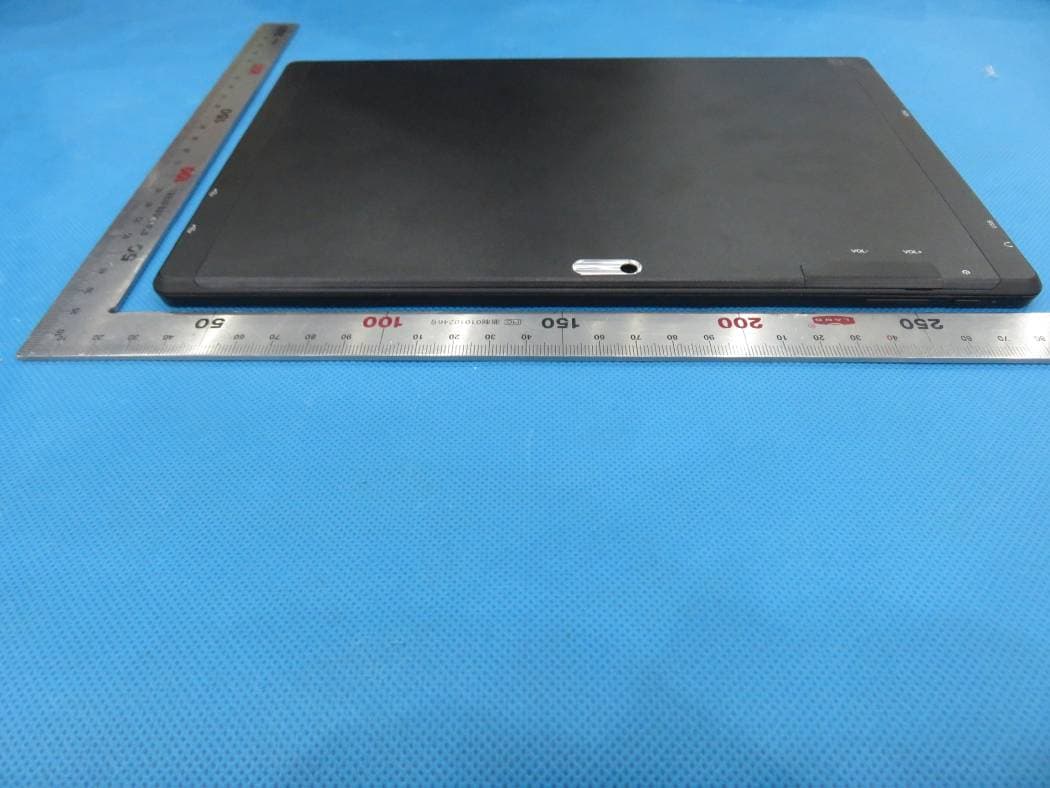
BRCPC1018
Jun 17, 2015tablet pc
Equipment Class
DXX - Part 15 Low Power Communication Device Transmitter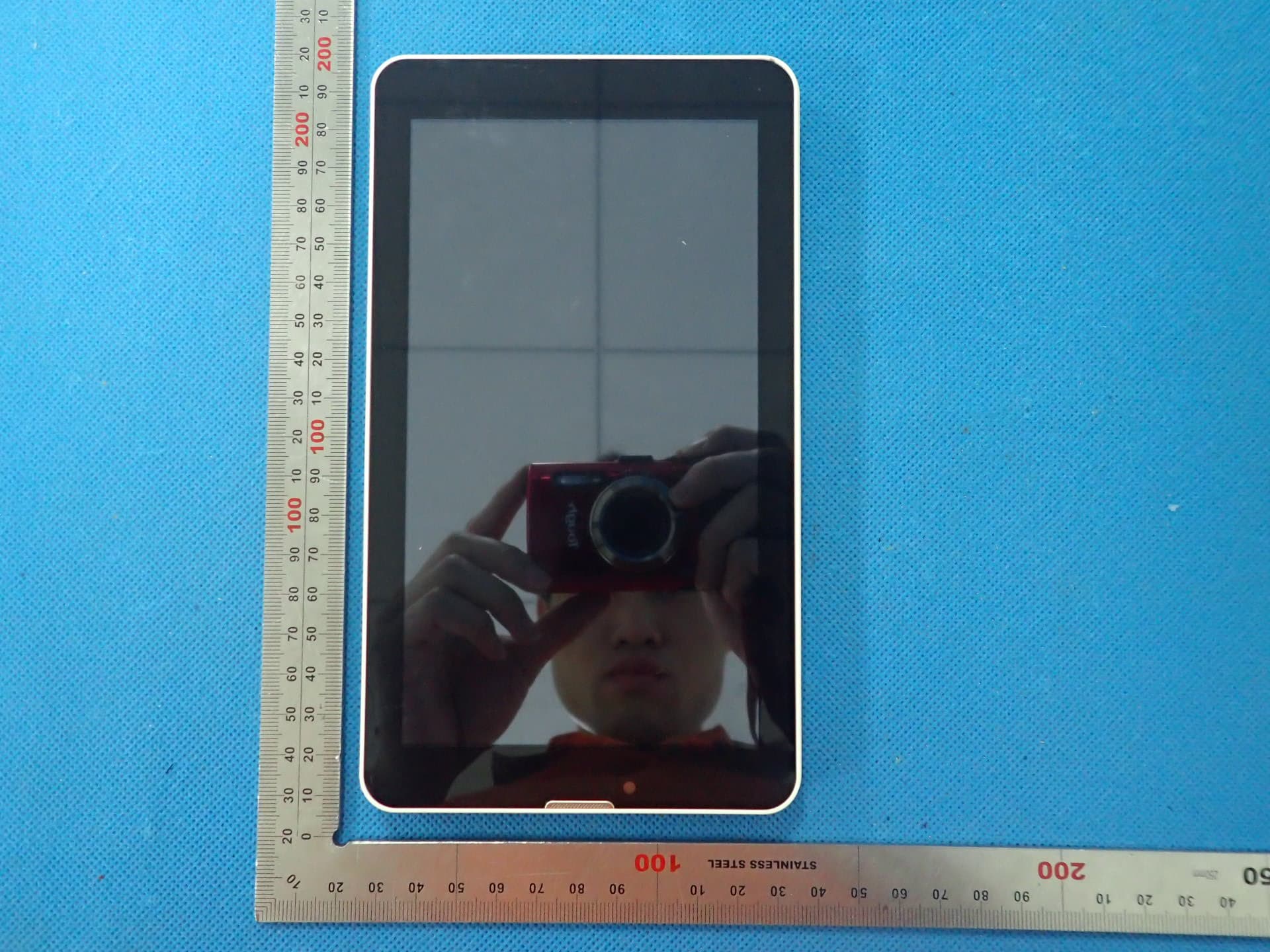
BRCPC7095ME
Jun 03, 2015Tablet PC
Equipment Class
DTS - Digital Transmission System
BRCPC8901
Apr 28, 2015Tablet PC
Equipment Class
JBP - Part 15 Class B Computing Device Peripheral
BRCPC7089
Apr 28, 2015Tablet PC
Equipment Class
DTS - Digital Transmission System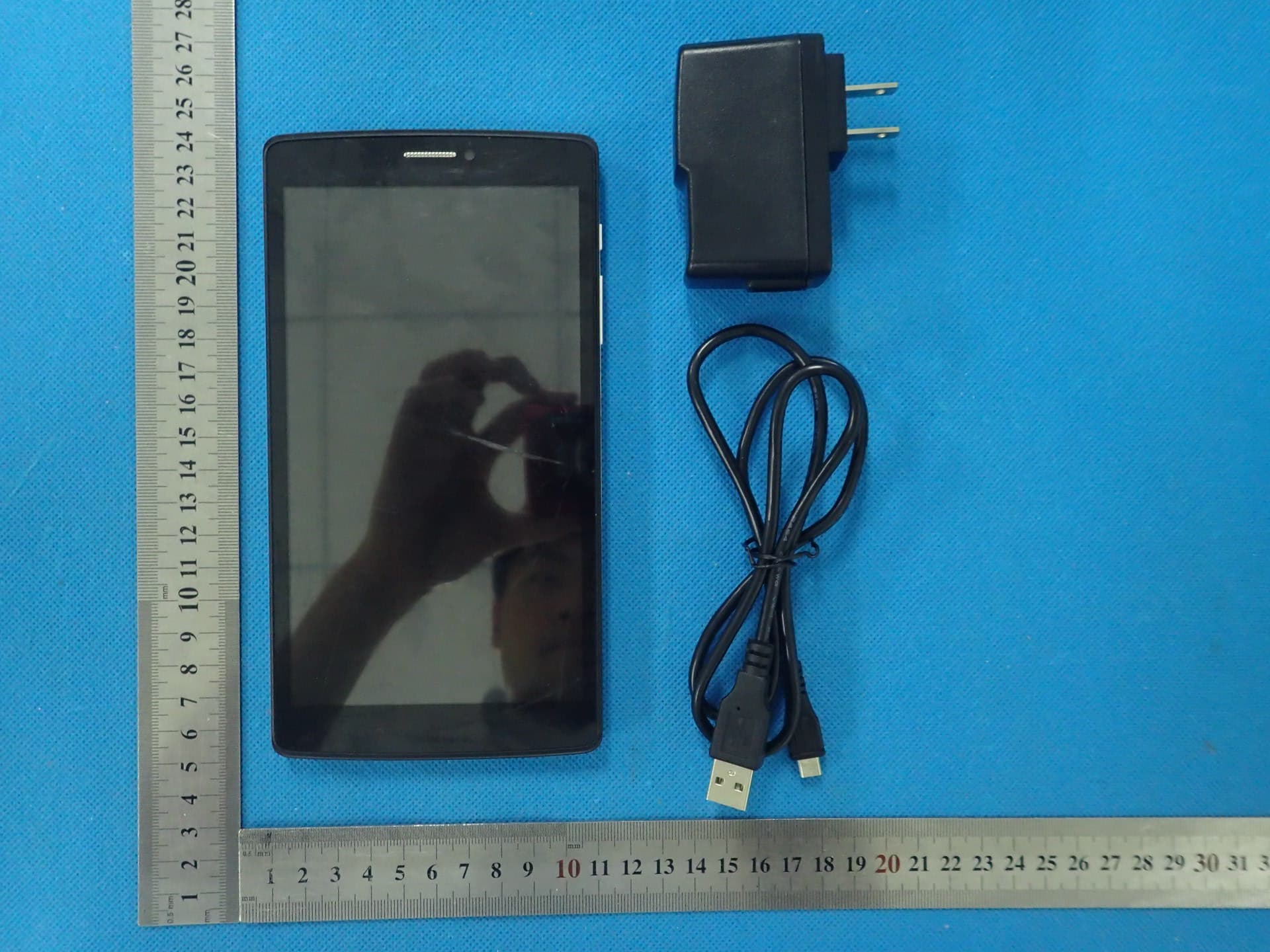
BRCPC6901
Apr 27, 2015Tablet PC
Equipment Class
PCE - PCS Licensed Transmitter held to ear