BXZKATY802.11b/g WLAN Cordless Phone
Ascom (Sweden) AB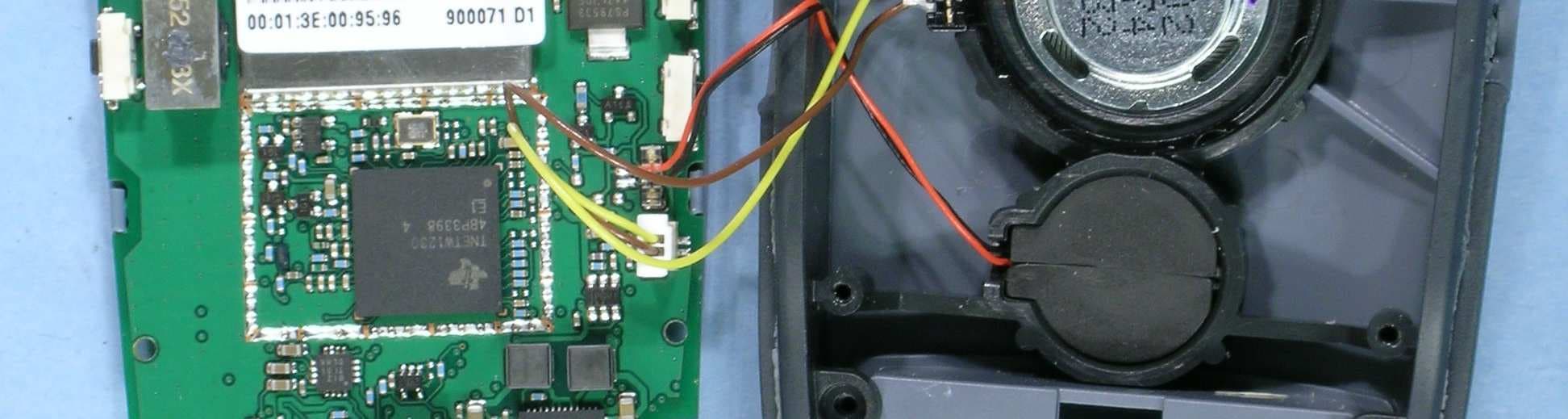
Click to zoom
Application Details
- Equipment Class
- DTS - Digital Transmission System
- Date of Grant
- Feb 09, 2006
- Application Purpose
- Original Equipment
- Date of Application
- Feb 09, 2006
- Equipment Note
- 802.11b/g WLAN Cordless Phone
- Frequency Range
- 2412.00000000 - 2462.00000000
- Company
- Ascom (Sweden) AB
- Country
- Sweden
Documents & Files
Document Text
Text extracted from the exhibit documents filed with the FCC. Open a document above to read the original.
Users Manual
PRELIMINARY TD 92319GB 2005-10-20/ Ver. PA11 User Manual i75 Cordless IP Handset PRELIMINARY TD 92319GB 2005-10-20/ Ver. PA11 User Manual i75 Cordless IP Handset 1 Introduction............................................................................................................. 1 1.1 Abbreviations and Glossary ................................................................................ 1 1.2 Ascom VoWLAN System ..................................................................................... 1 1.3 Versions ............................................................................................................. 1 1.4 Functions ........................................................................................................... 1 1.5 Accessories ........................................................................................................ 2 2 Descriptions ............................................................................................................. 3 2.1 The i75 Cordless IP Handset ............................................................................... 3 2.2 Chargers ............................................................................................................ 4 2.2.1 Desktop Charger for i75 ............................................................................ 4 2.2.2 USB Programming Device ........................................................................... 4 2.2.3 CR24 Charging Rack .................................................................................. 4 2.3 Icons and Text in the Display .............................................................................. 5 2.4 Keys and Buttons ............................................................................................... 7 2.4.1 Navigation Key ........................................................................................... 8 2.4.2 Off-hook Key ............................................................................................. 8 2.4.3 On/Off and On-hook Key ........................................................................... 8 2.4.4 Soft keys .................................................................................................... 8 2.4.5 Hot keys .................................................................................................... 8 2.4.6 Volume Button .......................................................................................... 8 2.4.7 Mute Button .............................................................................................. 9 2.4.8 Alarm Button ............................................................................................. 9 2.4.9 Alpha Numeric Keys ................................................................................... 9 2.5 Accessories ........................................................................................................ 9 2.5.1 Belt Clip, Swivel-type ................................................................................. 9 2.5.2 Leather Casing ......................................................................................... 10 2.5.3 Headset ................................................................................................... 10 2.5.4 Security String .......................................................................................... 10 3 Basic Operation ..................................................................................................... 11 3.1 Switch the Handset On/Off .............................................................................. 11 3.2 The Call List ..................................................................................................... 11 3.3 Calling ............................................................................................................. 11 3.3.1 Answer a Call .......................................................................................... 11 3.3.2 End a Call ................................................................................................ 11 3.3.3 Pre-dial .................................................................................................... 11 3.3.4 Post-dial .................................................................................................. 11 3.3.5 Dial Using a Pre-programmed Hot key or Soft key .................................... 12 3.3.6 Dial a Number from the Call list ............................................................... 12 3.3.7 Dial a Number from a Message ................................................................ 12 3.3.8 Dial a Number from the Local Phonebook ................................................ 12 PRELIMINARY TD 92319GB 2005-10-20/ Ver. PA11 User Manual i75 Cordless IP Handset 3.3.9 Dial a Number from the Central Phonebook ............................................. 12 3.4 Start a New Call during Conversation ............................................................... 12 3.5 Transfer a Call/Retrieve the Call ........................................................................ 12 3.6 “Blind” Transfer ............................................................................................... 12 3.7 Turn Off Alert Signals at an Incoming Call ........................................................ 12 3.8 Put a Call on Hold/Retrieve the Call .................................................................. 13 3.9 Turn the Mute Mode Off/On during a Call ........................................................ 13 3.10 Loudspeaking Function .................................................................................. 13 3.11 Increase/Decrease the Speaker Volume during a Call ...................................... 13 3.12 Turn Audible Signals On/Off ........................................................................... 13 3.13 Lock/Unlock the Keypad ...................................…
Text truncated - open the document above for the full version.
Users Manual
PRELIMINARY The Ascom i75 WiFi Handset is a robust unit designed to function in tough environments. The handset is suitable for users dependent on being reachable and/or having a need for mobile advanced messaging functions. The telephone is available in two versions, the Protector and the Medic Protector model. For detailed information, see User Manual, i75 WiFi Handset. * Option Make a call Dialling can be made in the following ways: • Dial the number and press . • Press and dial the number. • Press a pre-programmed Hot key* or Soft key. • Open the call list by pressing the Navigation key , select the number you want and press . * The alpha-numeric keys can be programmed with a telephone number. • Dial a number from the local phonebook. See heading; Use the local phonebook. • Dial a number included in a message. See heading; Dial a number included in a message • Dial a number from the central phonebook. See heading; Search in the central phonebook. Answer/End a call When the ring signal sounds, press to answer. To end the call, press . The total call time is shown in the display. Reject a call When the ring signal sounds, press to reject the call. Call information will be stored in the “Call list”. Turn loudspeaking function on/off During a call, press the middle Soft key to turn the loudspeaking function on/off. Turn audio signals on/off In stand-by mode, a long press on the Mute button switches audible signals on/off. The “Audio signals off” icon indicates a completely silenced handset. A short press on the Mute button before answering a call silences the ring signal. Mute the microphone during a call A press on the Mute button during a call switches the microphone on/off. The text “Muted” is shown in the display when the microphone is off. Change the volume during a call Press the Volume button upwards to increase the volume, downwards to decrease the volume. Lock/Unlock the keypad manually Press the *-key and then press “Lock” or “Unlock” to lock/ unlock the handset. Charge the battery Charging the battery is done in a desktop charger or in a wall mounted charging rack. A filled “Battery” icon indicates a fully charged battery. While in a desktop charger, the handset is fully operational. Receive a message When a text message is received, the LED starts flashing accompanied with a ring signal and/or vibrating. If the message is received during a call, the user is notified by a beep. Read/Delete a stored message To read, open the message list either from the menu, or by pressing the Navigation key . Select the message from the list and press “Open”. To delete, open the message and press “Delete”; the question “Delete message?” is shown. Press “Yes”. Dial a number included in a message Open the message and press to dial the first number in the message. If the message contains a scrollable list, select an item and press . Send message From the menu, select “Messages”. Mark and select “Send Message”. Enter the number and press “OK”. Enter the message and press “Send”. Personal alarm* Press the red Alarm button twice within 2 seconds. “Personal alarm” is displayed. Test alarm* Press and hold the red Alarm button until “Test alarm” is displayed. *The alarm text is configurable and can differ from default. Activate/Deactivate alarms From the menu, select “Settings”. Mark and select “Alarm settings”. Select “No-movement” or “Man-down” and press “Change”; the checkbox is selected/cleared. Hot keys/Soft keys can also be reserved for activation/ deactivation of alarms. Icons in the display Off-hook (shows a call in progress) Audio signals off Battery icon Signal strength Loudspeaking function off/on Headset connected /Text input mode; upper case/lower case Digit input mode Phonebook /Locked keypad/Locked handset Not answered call Incoming/Outgoing call Unread/Read message Unread/Read interactive message Action required No-movement/Man-down alarm on LED 1 3 6 5 4 7 8 9 0 2 D E F M N O J K L G H I P Q R S T U V W X Y Z A B C Alarm button Shows the Soft key function Shows time and date Display Volume button Soft keys Off hook key Shows icons Keypad On hook key On/Off key Active alarms, current mode, etc. Name defined in standby mode Mute button Icon row Time and date User name/No. Status info Soft key row Microphone Navigation key Product presentation Functions Phonebook Up to five rows in display 20 messages/20 000 characters Vibrator Headset connector Loudspeaking Push-to-talk Acknowledge Interactive messaging Text messaging between handsets Data send Personal alarm Alarm with data Location detection via Access Points Man-down & No-movement alarm* Basic operation Messages Alarm functions PRELIMINARY M0274030 Ver. PA5, November 2005 Ascom Tateco AB Distributed by: Ascom Tateco AB, Sweden For descriptions of all functions, see User Manual, i75 WiFi Handset. Menu icons Navigate the menu In stand-by mode, press “Menu” to enter the menu. Use the Navigation key to move around in the menu structure. The three Soft keys below the display are used for choices in the menu. The function of each Soft key is explained by text in the Soft key field in the display. Press the key to return to stand-by mode. Use the local phonebook Find a name: Select “Contacts” and mark “Local phonebook”. Then either press “Select” and scroll the list by pressing the Navigation key to find the entry, or press “Search” and enter the first letter(s) or the whole name. Press “Search” again; name and number in the first matching entry is shown. You can step to the next entry by pressing the Navigation key . Press to make the call. Add an entry: Enter the local phonebook, and press “Options”. Mark “Add” and press “Select”. Enter name and number, and press “Save”. Edit an entry: Enter the local phonebook and mark the entry. Press “Details” and then press “Edit”. Make your changes and press “Save”. Delete an entry: Mark the name and press “Options”. Mark the “Delete” option and press “Select”; the question “Delete entry?” is shown. …
Text truncated - open the document above for the full version.
Users Manual
Guideline for safety and efficiency i75 and i75 Medic Please observe all necessary safety precautions when using the i75 VoWiFi telephone. Save this manual. It includes important safety information and operating instructions. Save all instructions for future reference. Before using the telephone, please follow the operating instructions and adhere to all warnings and safety precautions located on the product and in the user guide. The user must be aware that privacy of communications may not be ensured when using this VoWiFi telephone. Do not expose the telephone to open flame. Do not expose the telephone to and charger to direct sunlight for long periods. Keep the telephone and charger away from excessive heat and moisture. Do not allow heavy objects to fall on the telephone. Do not use auxiliary equipment with the telephone which is not exclusively recommended by the manufacturer, see section “Spare parts and accessories” on page xx. The use of any auxiliary equipment not recommended by the manufacturer may result in fire, electric shock, or injury, and will void the warranty. Connect AC (power supply) to the desktop battery charger only to designated power sources as marked on the product. Remove the electrical cord from an outlet by pulling gently on the AC adapter, not by pulling the cord. Position the electrical cord to the AC power supply where it is least likely to be subjected to damage or stress. Unplug the battery charger from a power source before cleaning the telephone to reduce risk of electric shock. Danger Never alter the AC cord or plug. If the plug will not fit into the outlet, have a proper outlet installed by a qualified electrician. Improper connection increases the risk of electric shock. Do not attempt to disassemble the telephone. Doing so will void the warranty. Service should be performed only by authorized service centres. The i75 VoWiFi telephone does not contain consumer serviceable components Do not allow children to play with the product packaging material. Product packaging material is often small and may present a choking hazard. Do not allow children to play with your telephone. It is not a toy. Children could hurt themselves or others. Children could also damage the telephone. Chemical resistance The alpha and numeric characters printed on the exterior of the i75 VoWiFi telephone have been tested and found resistant to chipping, fading or wearing off when the telephone is treated with common cleaners and disinfectants or perspiration. The following chemicals have shown no harmful effect: •3% Hydrochloric Acid •M-alcohol (70% Methylated Ethanol) •60% Chlorhexidin 0.5mg/ml Important: Read this information before using your i75 VoWiFi telephone. The cordless telephone is one of the most innovative products ever developed. With it, you can maintain connectivity to traditional telephone services while remaining mobile around the work environment. For the safe and efficient operation of your telephone, observe the guidelines in this manual. Your cordless telephone is a radio transmitter and receiver. When it is on it receives and sends out radio frequency (RF) energy. The telephone operates in the frequency range of 2412 – 2462 MHz for Canada and USA and 2412 – 2472 MHz for Europe and employs commonly used modulation techniques. Note: Acetone can be damaging to the plastic casing of the cordless telephone and should not be used. Potentially explosive atmospheres Turn the cordless telephone off when in an area with a potentially explosive atmosphere. It is rare, but the telephone or its accessories could generate sparks. Sparks in such areas could cause an explosion or fire resulting in bodily injury or even death. Areas with a potentially explosive atmosphere are often, but not always, clearly marked. They include fuelling areas, (such as gas stations), below deck on boats, fuel or chemical transfer or storage facilities, and areas where the air contains chemicals or particles (such as grain, dust, or metal powders). Do not transport or store flammable gas, liquid, or explosives in any compartment of a vehicle which also contains the telephone and accessories. In the U.S., vehicles powered by liquid petroleum gas (such as propane or butane) must comply with the National Fire Protection Standard (NFPA-58). For a copy of this standard, contact the National Fire Protection Association, One Battery march Park, Quince, Massachusetts 02269, Attention: Publication Sales Division. Operation procedures In the U.S, cordless telephones are subject to the rules and regulations of the FCC. Following these rules will help to eliminate confusion, ensure the most efficient use of the existing frequencies, and result in a smoothly functioning radio network. The following offences are punishable by fine, imprisonment, or both: •Use of profane, indecent, or obscene language. •Transmission of a false distress signaller call. •Wilful or malicious interference with any other radio communications. •Refusal to yield a channel or radio frequency when informed that it is needed for an emergency call. Emergency calls have priority over all messages. •Adjustment of the equipment by anyone other than a qualified licensed technician. Exposure to radio frequency signals The i75 VoWiFi telephone is a radio transmitter and receiver. It is designed and manufactured not to exceed the emission limit for exposure to radio frequency (RF) energy set by the Federal Communications Commission (FCC) of the U.S. Government and Canada. These limits are part of comprehensive guidelines and established permitted levels of RF energy for the general population. These guidelines are based on the safety standards previously set by both U.S. and international standards bodies. These standards include a substantial safety margin designed to assure the safety of all persons, regardless of age and health. The exposure standards for wireless mobile telephones employs a unit of measure known as the Specific Absorpt…
Text truncated - open the document above for the full version.
Cover Letter(s)
19th October, 2005 Federal Communications Commission Equipment Authorization Branch 7435 Oakland MilIs Road Columbia, MD 21046 Request for Confidentiality Ascom Tateco AB FCC Registration Number (FRN): 0013904214 FCC ID: BXZKA TY FCC Part 15 Certification Madam/Gentlemen, In accordance with 0.459 of CFR 47, Ascom Tateco AB hereby requests confidentiality of all: Qperational Descrip.!!.9-!!- Block dia alnS Schematics Parts List attachments for the subject application. These docurnents contain detailed system and equipment description and related information about the product which Ascom Tateco AB considers to be proprietary, confidential and a custom design and otherwise would not release to the general public. Since the design is a basis from which future technological products will evolve, Ascom Tateco AB considers that this information would be of benefit to its competitors and that the disclosure of the information in the se docurnents would give competitors an unfair advantage in the market. Sincerely, J SignatureName Title Company o~ 1 ania Ottebrink Approval & Certification Engineer Ascom Tateco AB Ascom, Wireless Solutions PO Box 8783, SE402 76 Gothenburg, Sweden T +46 31 55 93 00, F +46 31 55 20 31 www.ascom.com/ws Org.nr./F-skatt 556336-6292, V AT No. SE556336629201, REG. Office: GÖTEBORG
External Photos
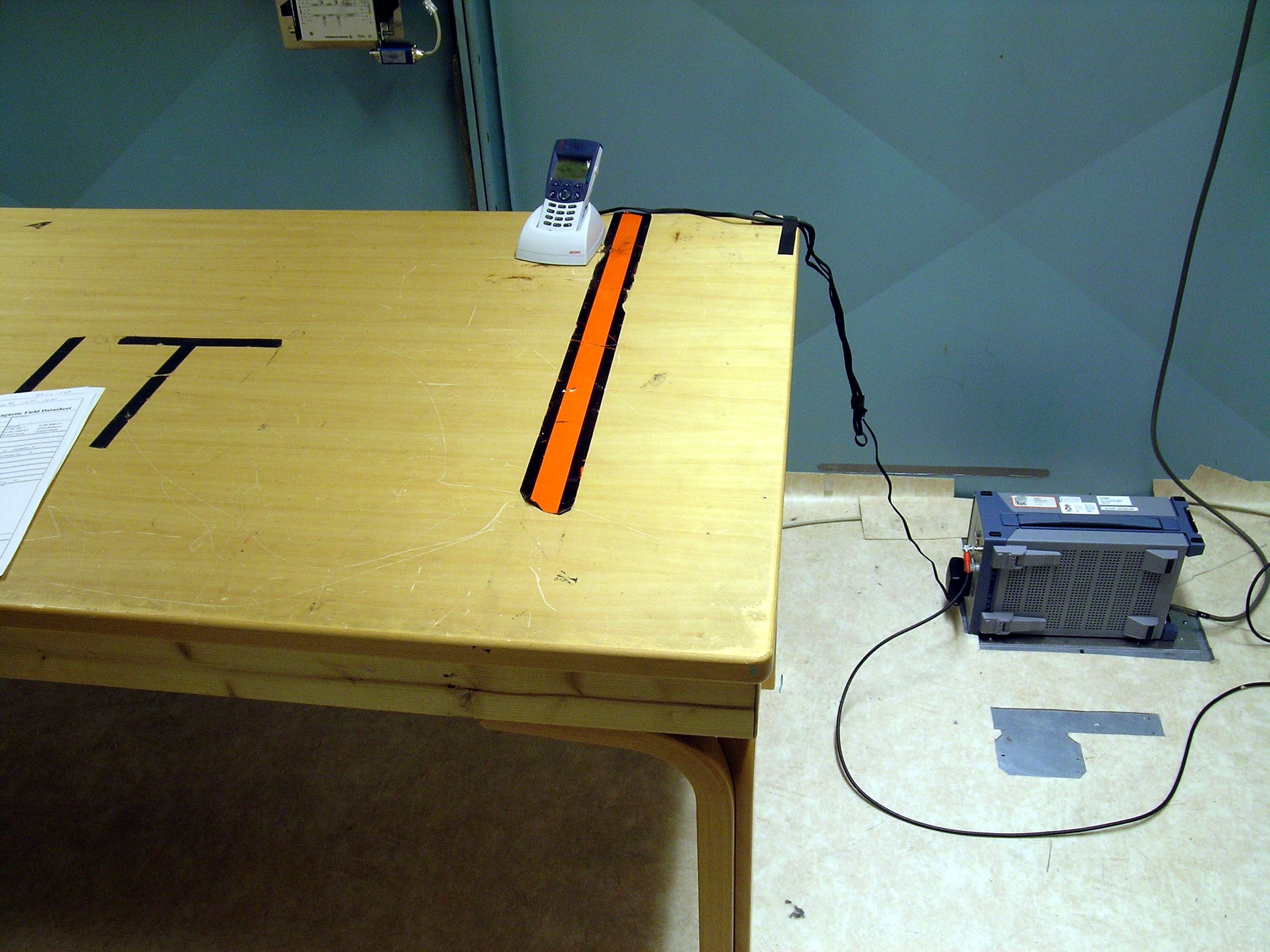
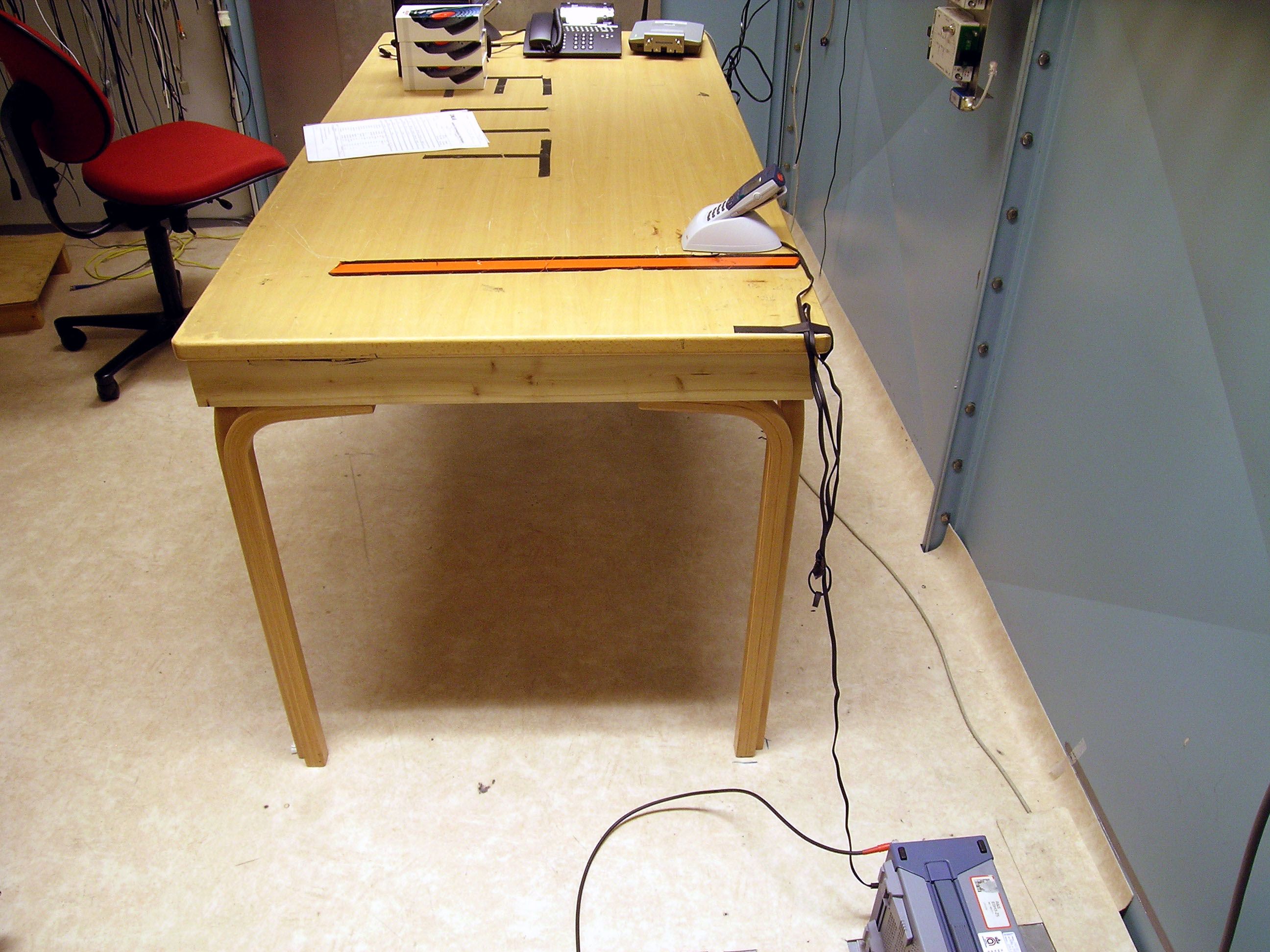
FCC ID: BXZKATY Test report: 51314-5 Page 1 of 6 Nemko Comlab AS N-2027 Kjeller Ascom KATY WLAN Handset, Radiated sample FCC ID: BXZKATY Test report: 51314-5 Page 2 of 6 Nemko Comlab AS N-2027 Kjeller Ascom KATY WLAN Handset, Radiated sample FCC ID: BXZKATY Test report: 51314-5 Page 3 of 6 Nemko Comlab AS N-2027 Kjeller Ascom KATY WLAN Handset, Radiated sample FCC ID: BXZKATY Test report: 51314-5 Page 4 of 6 Nemko Comlab AS N-2027 Kjeller Ascom KATY WLAN Handset, Conducted sample FCC ID: BXZKATY Test report: 51314-5 Page 5 of 6 Nemko Comlab AS N-2027 Kjeller Ascom KATY WLAN Handset, Conducted sample FCC ID: BXZKATY Test report: 51314-5 Page 6 of 6 Nemko Comlab AS N-2027 Kjeller Ascom KATY, Battery
Internal Photos
FCC ID: BXZKATY Test report: 51314-5 Page 1 of 6 Nemko Comlab AS N-2027 Kjeller Ascom KATY WLAN Handset, Radiated sample FCC ID: BXZKATY Test report: 51314-5 Page 2 of 6 Nemko Comlab AS N-2027 Kjeller Ascom KATY WLAN Handset, Radiated sample FCC ID: BXZKATY Test report: 51314-5 Page 3 of 6 Nemko Comlab AS N-2027 Kjeller Ascom KATY WLAN Handset, Radiated sample FCC ID: BXZKATY Test report: 51314-5 Page 4 of 6 Nemko Comlab AS N-2027 Kjeller Ascom KATY WLAN Handset, Conducted sample FCC ID: BXZKATY Test report: 51314-5 Page 5 of 6 Nemko Comlab AS N-2027 Kjeller Ascom KATY WLAN Handset, Conducted sample FCC ID: BXZKATY Test report: 51314-5 Page 6 of 6 Nemko Comlab AS N-2027 Kjeller Ascom KATY, Battery
RF Exposure Info
DAT-P-152/98-01 SAR Report, Nemko_6620_551_FCC_WLAN_Handset_Katy Page 1 of 32 Report Dosimetric Assessment of the Portable Device Ascom KATY-ACAAA/AGAAA (FCC ID: BXZKATY) According to the FCC Requirements November 30, 2005 IMST GmbH Carl-Friedrich-Gauß-Str. 2 D-47475 Kamp-Lintfort Customer dasy_report_fcc_ 1900_4.4.doc/14 . 09.2005/ABo Nemko Comlab AS Gasevikveien 8 N-22027 Kjeller The test results only relate to the items tested. This report shall not be reproduced except in full without the written approval of the testing laboratory. SAR Report, Nemko_6620_551_FCC_WLAN_Handset_Katy Page 2 of 32 dasy_report_fcc_ 1900_4.4.doc/14 . 09.2005/ABo Executive Summary The KATY-ACAAA/AGAAA is a cordless telephone phone (Portable Device) from Ascom operating in the 2450 MHz frequency range. The device has an integrated antenna and the system concepts used is the 2.45 GHz WLAN standard. The objective of the measurements done by IMST was the dosimetric assessment of one device in the 2.45 GHz range in CW mode. The examinations have been carried out with the dosimetric assessment system „DASY4“. The measurements were made according to the Supplement C to OET Bulletin 65 of the Federal Communications Commission (FCC) Guidelines [OET 65] for evaluating compliance of mobile and portable devices with FCC limits for human exposure (general population) to radiofrequency emissions. All measurements have been performed in accordance to the recommendations given by SPEAG. The Ascom KATY-ACAAA/AGAAA cordless telephone phone (FCC ID: BXZKATY) is in compliance with the Federal Communications Commission (FCC) Guidelines [OET 65] for uncontrolled exposure. The phone was tested in addition to the head positions in the following configurations: Body worn with the following accessories: • With and without headset prepared by: ........................................... reviewed by: ..................................... Alexander Rahn André van den Bosch test engineer quality assurance engineer IMST GmbH Carl-Friedrich-Gauß-Straße 2 D-47475 Kamp-Lintfort Tel. +49- 2842-981 378 Fax +49- 2842-981 399 email: [email protected] SAR Report, Nemko_6620_551_FCC_WLAN_Handset_Katy Page 3 of 32 dasy_report_fcc_1900_4.4.doc/14.09.2005/ABo Table of Contents 1 SUBJECT OF INVESTIGATION.................................................................................................................... 4 2 THE IEEE STANDARD C95.1 AND THE FCC EXPOSURE CRITERIA................................................. 4 2.1 DISTINCTION BETWEEN EXPOSED POPULATION, DURATION OF EXPOSURE AND FREQUENCIES........... 4 2.2 DISTINCTION BETWEEN MAXIMUM PERMISSIBLE EXPOSURE AND SAR LIMITS....................................... 5 2.3 SAR LIMIT.................................................................................................................................................. 5 3 THE FCC MEASUREMENT PROCEDURE................................................................................................. 6 3.1 GENERAL REQUIREMENTS......................................................................................................................... 6 3.2 DEVICE OPERATING NEXT TO A PERSON’S EAR....................................................................................... 6 4 BODY-WORN CONFIGURATIONS.............................................................................................................. 9 4.1 POC (PTT) POSITION...............................................................................................................................9 4.2 PHANTOM REQUIREMENTS...................................................................................................................... 10 4.3 TEST TO BE PERFORMED......................................................................................................................... 10 5 THE MEASUREMENT SYSTEM................................................................................................................. 10 5.1 PHANTOM................................................................................................................................................. 12 5.2 PROBE...................................................................................................................................................... 12 5.3 MEASUREMENT PROCEDURE.................................................................................................................. 13 5.4 UNCERTAINTY ASSESSMENT................................................................................................................... 14 6 SAR RESULTS............................................................................................................................................... 15 7 EVALUATION................................................................................................................................................. 17 8 APPENDIX....................................................................................................................................................... 18 8.1 ADMINISTRATIVE DATA............................................................................................................................ 18 8.2 DEVICE UNDER TEST AND TEST CONDITIONS......................................................................................... 18 8.3 TISSUE RECIPES...................................................................................................................................... 18 8.4 MATERIAL PARAMETERS......................................................................................................................... 19 8.5 SIMPLIFIED PERFORMANCE CHECKING................................................................................................... 19 8.6 ENVIRONMENT......................................................................................................................................... 24 8.7 TEST …
Text truncated - open the document above for the full version.
RF Exposure Info
DAT-P-152/98-01 SAR Report, Nemko_6620_551_FCC_WLAN_SAR Plots_KATY Page 1 of 11 Appendix for the Report Dosimetric Assessment of the Ascom KATY-ACAAA/AGAAA (FCC ID: BXZKATY) According to the FCC Requirements SAR Distribution Plots December 01, 2005 IMST GmbH Carl-Friedrich-Gauß-Str. 2 D-47475 Kamp-Lintfort Customer Nemko Comlab AS Gasevikveien 8 N-22027 Kjeller The test results only relate to the items tested. This report shall not be reproduced except in full without the written approval of the testing laboratory. dasy_report_fcc_1900_plots_1.1.doc/08.07.2005/CH SAR Report, Nemko_6620_551_FCC_WLAN_SAR Plots_KATY Page 2 of 11 dasy_report_fcc_1900_plots_1.1.doc/08.07.2005/CH Table of Contents 1 SAR DISTRIBUTION PLOTS, WLAN 2450 MHZ, HEAD.......................................................................... 3 2 SAR DISTRIBUTION PLOTS, WLAN 2450 MHZ, BODY WITH HEADSET.......................................... 7 3 SAR DISTRIBUTION PLOTS, WLAN 2450 MHZ, BODY WITHOUT HEADSET.................................. 9 4 SAR Z-AXIS SCANS (VALIDATION)......................................................................................................... 10 5 SAR Z-AXIS SCANS (MEASUREMENTS)................................................................................................ 11 SAR Report, Nemko_6620_551_FCC_WLAN_SAR Plots_KATY Page 3 of 11 dasy_report_fcc_1900_plots_1.1.doc/08.07.2005/CH 1 SAR Distribution Plots, WLAN 2450 MHz, Head Test Laboratory: Imst GmbH; File Name: AAAywlm_1.da4 DUT: KATY; Type: ACAAA/AGAAA; Serial: T26000003J Program Name: Cheek Left Communication System: WLAN 2450; Frequency: 2437 MHz;Duty Cycle: 1:1 Medium parameters used (interpolated): f = 2437 MHz; σ = 1.82 mho/m; ε r = 38.9; ρ = 1000 kg/m 3 Phantom section: Left Section DASY4 Configuration: - Probe: EX3DV4 - SN3536; ConvF(7.63, 7.63, 7.63); Calibrated: 23.09.2005 - Sensor-Surface: 4mm (Mechanical Surface Detection) - Electronics: DAE4 Sn631; Calibrated: 07.07.2005 - Phantom: SAM Glycol 1340; Type: QD 000 P40 CB; Serial: TP-1340 - Measurement SW: DASY4, V4.6 Build 19; Postprocessing SW: SEMCAD, V1.8 Build 159 Cheek Left/Area Scan (7x14x1): Measurement grid: dx=15mm, dy=15mm Maximum value of SAR (measured) = 0.039 mW/g Cheek Left/Zoom Scan (7x7x7)/Cube 0: Measurement grid: dx=5mm, dy=5mm, dz=5mm Reference Value = 4.18 V/m; Power Drift = -0.2 dB Peak SAR (extrapolated) = 0.074 W/kg SAR(1 g) = 0.036 mW/g; SAR(10 g) = 0.018 mW/g Cheek Left/Zoom Scan (7x7x7)/Cube 1: Measurement grid: dx=5mm, dy=5mm, dz=5mm Reference Value = 4.18 V/m; Power Drift = -0.2 dB Peak SAR (extrapolated) = 0.036 W/kg SAR(1 g) = 0.020 mW/g; SAR(10 g) = 0.00982 mW/g Maximum value of SAR (measured) = 0.023 mW/g Fig. 1: SAR distribution for Ascom WLAN handset, channel 006, cheek position, left side of head (November 22, 2005; Ambient Temperature: 22.3∞C; Liquid Temperature: 21.5∞C). SAR Report, Nemko_6620_551_FCC_WLAN_SAR Plots_KATY Page 4 of 11 dasy_report_fcc_1900_plots_1.1.doc/08.07.2005/CH Test Laboratory: Imst GmbH; File Name: AAAywlm_2.da4 DUT: KATY; Type: ACAAA/AGAAA; Serial: T26000003J Program Name: Tilted Left Communication System: WLAN 2450; Frequency: 2437 MHz;Duty Cycle: 1:1 Medium parameters used (interpolated): f = 2437 MHz; σ = 1.82 mho/m; ε r = 38.9; ρ…
Text truncated - open the document above for the full version.
Contact Information
Applicant
Peter Soderberg
Technical Contact
Non-Technical Contact
Nemko ComlabFrode Sveinsen
[email protected]47 6484 5700
Test Firm
Nemko ASFrode Sveinsen
Technical Specifications
| # | Rule Parts | Frequency Range | Power Output |
|---|---|---|---|
| 1 | 15C | 2.41 GHz - 2.46 GHz | 40.00 mW |
Other Applications from Ascom (Sweden) AB

BXZCHAT2
Sep 27, 2023Narrow band alarm transceiver
Equipment Class
TNB - Licensed Non-Broadcast Station Transmitter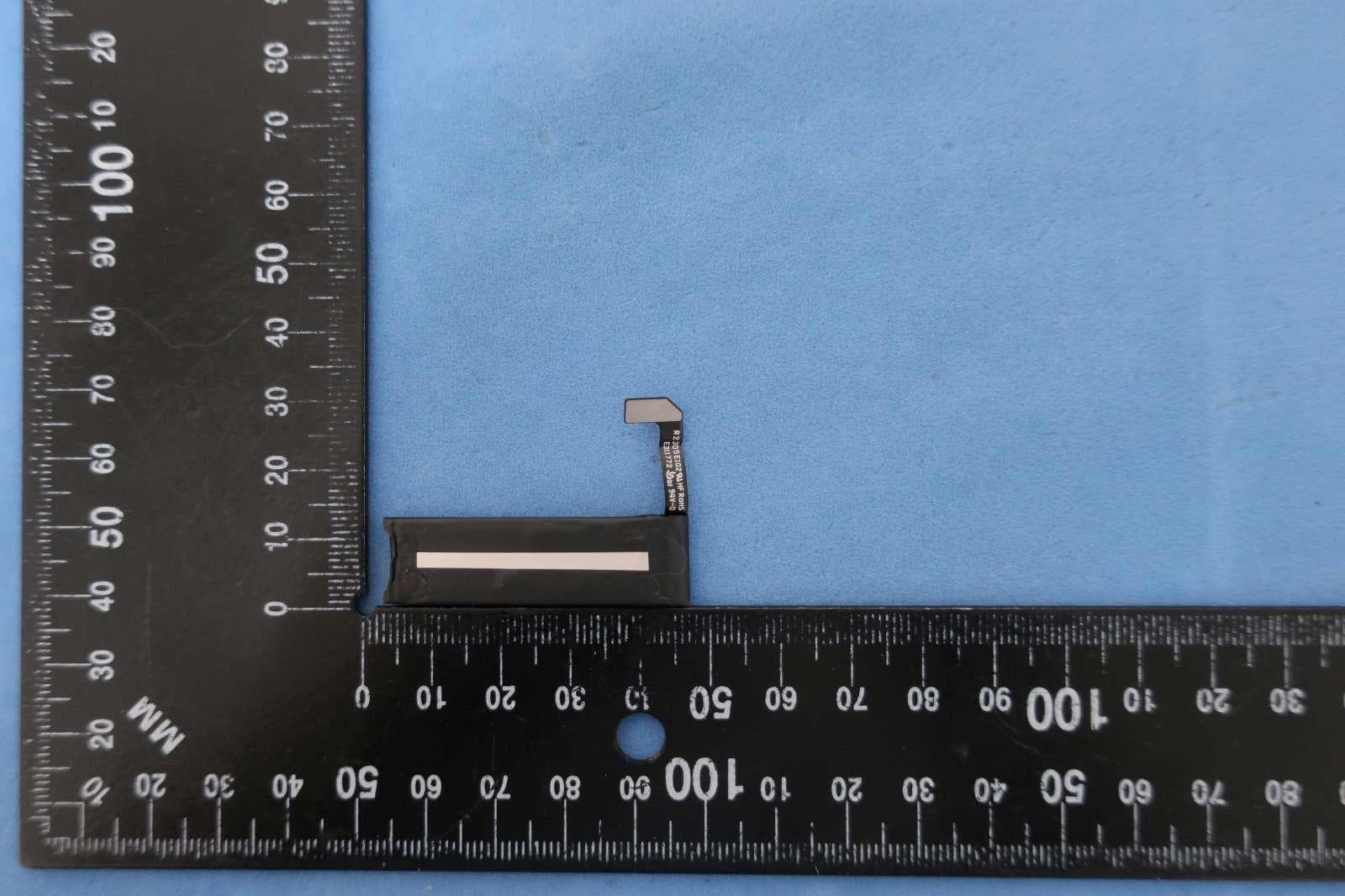
BXZSH4
Aug 02, 2023Myco 4 WiFi, Myco 4 Slim
Equipment Class
JBP - Part 15 Class B Computing Device Peripheral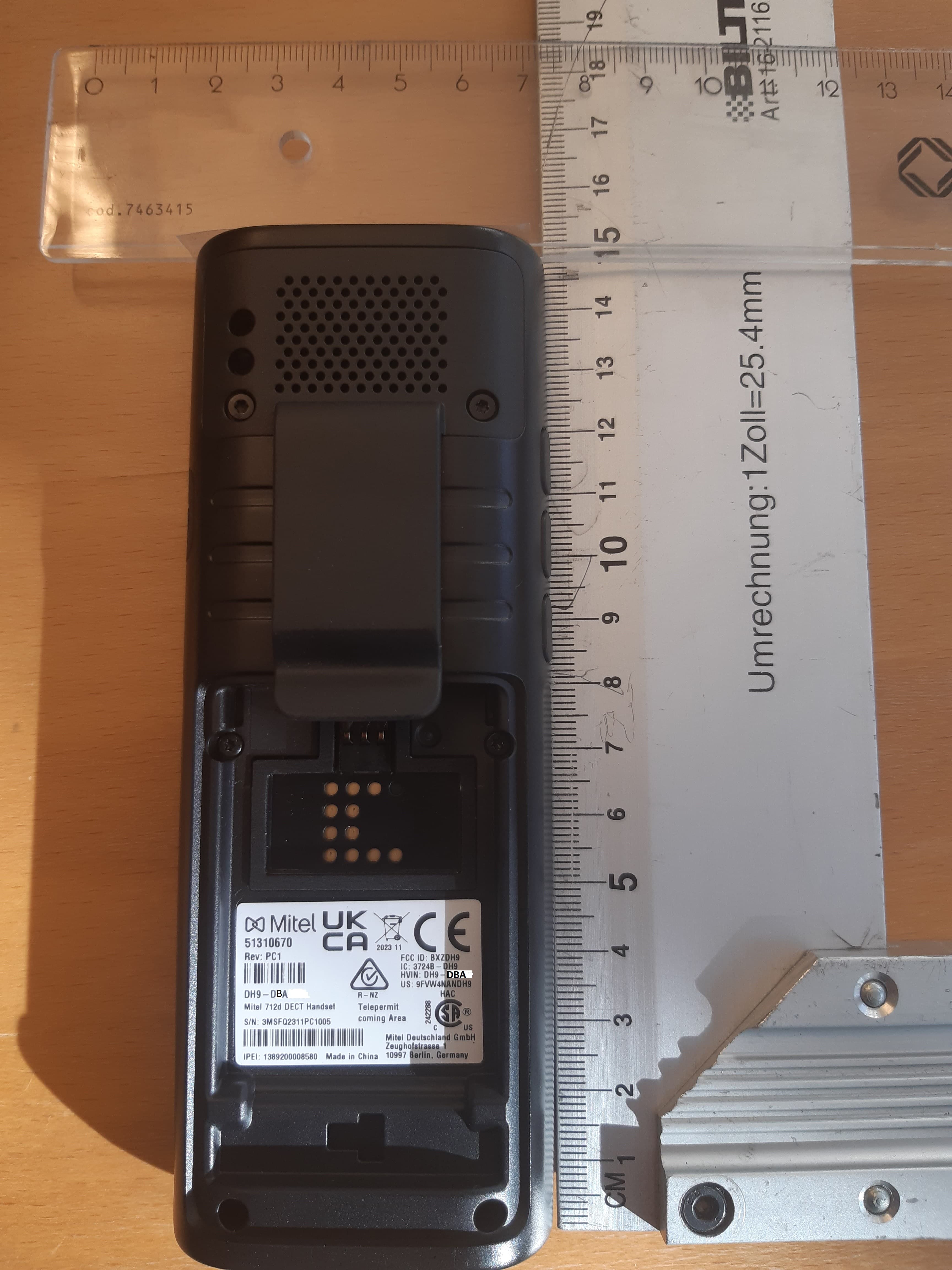
BXZDH9
Apr 16, 2023DECT Handset with Bluetooth
Equipment Class
PUE - Part 15 Unlicensed PCS portable Tx held to ear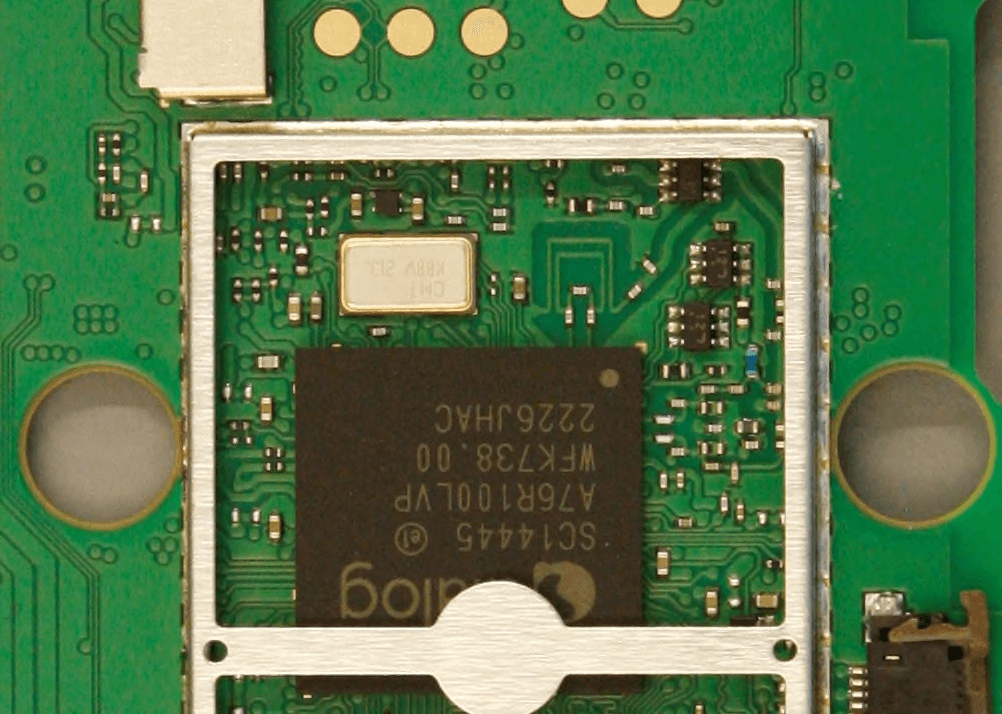
BXZDH10
Apr 16, 2023DECT Handset with Bluetooth
Equipment Class
DSS - Part 15 Spread Spectrum Transmitter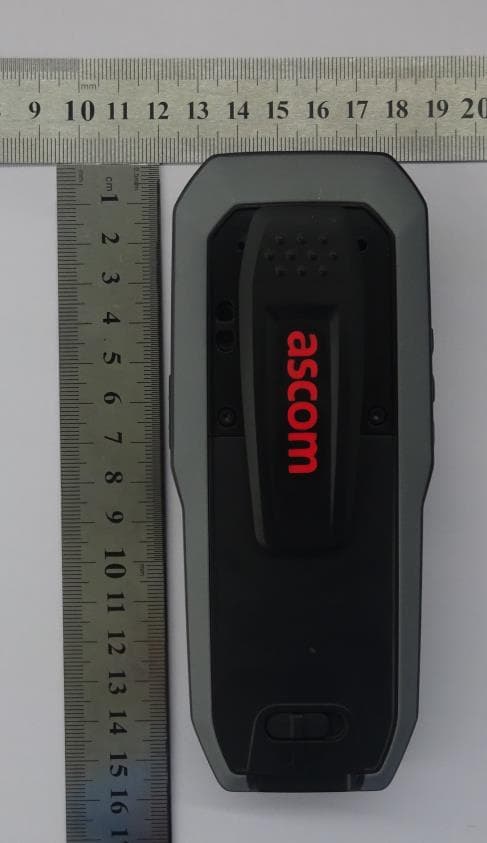
BXZDH8
Aug 09, 2021DECT Handset with Bluetooth and BLE
Equipment Class
JAB - Part 15 Class B Digital Device