BXZRAID2Cordless Telephone
Ascom (Sweden) AB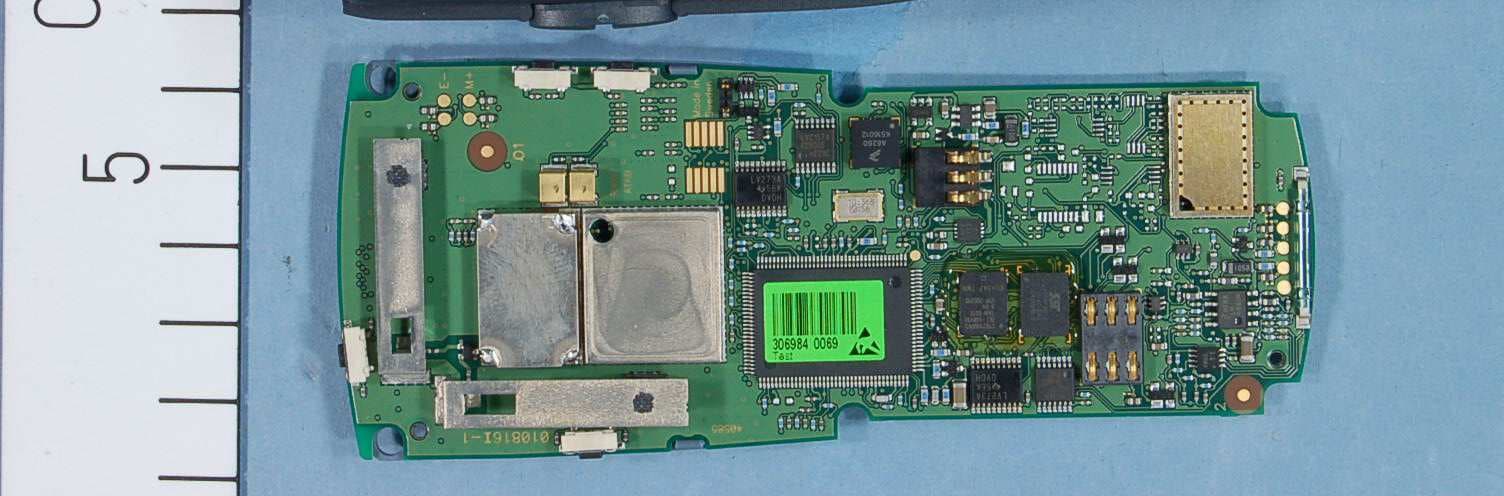
Click to zoom
Application Details
- Equipment Class
- PUE - Part 15 Unlicensed PCS portable Tx held to ear
- Date of Grant
- Apr 05, 2006
- Application Purpose
- Original Equipment
- Date of Application
- Apr 05, 2006
- Equipment Note
- Cordless Telephone
- Frequency Range
- 1921.53600000 - 1928.44800000
- Company
- Ascom (Sweden) AB
- Country
- Sweden
Documents & Files
Document Text
Text extracted from the exhibit documents filed with the FCC. Open a document above to read the original.
Users Manual
PRELIMINARY The Ascom 9d24 Mkll cordless telephone is a robust unit designed to function in tough environments. The telephone is suitable for users dependent on being reachable and/or having a need for mobile advanced messaging functions. The telephone is available as 9d24 Mkll Protector equipped with additional alarm functions. * Option Note: Your unit may have more functions than described here; see User Manual, 9d24 Mkll Cordless Telephone. Make a call Dialling can be made in the following ways: • Dial the number and press the Call key. • Press the Call key and dial the number. • Press a pre-programmed Hot key* or Soft key. • Open the call list by pressing the Navigation key ( ), select the number you want and press the Call key. • Dial a number from the local phonebook. When the name is shown; press the Call key. • Dial a number included in a message, see Dial a number included in a message. • Dial a number from the Central phonebook. * The alpha-numeric keys can be programmed with a telephone number. Answer/End a call When the ring signal sounds; press the Call key to answer. To end the call, just press the Call key again. The total call time is shown in the display. Turn loudspeaking function on/off During a call, press the middle soft key to turn on/off the loudspeaking function. Turn audio signals on/off In stand-by mode a long press on the Mute button changes between audio signals on/off. The “Audio signals off” icon indicates a completely silenced telephone. A short press on the Mute button before answering a call, silences the ring signal. Mute the microphone during a call A press on the Mute button disconnects/connects the microphone. The text “Muted” is shown in the display when the microphone is off. Lock/Unlock the keypad manually Press the Menu key and then the -key to lock/unlock. The “Locked keypad” icon indicates a locked keypad. Change the volume during a call Press the Volume button upwards to increase the volume, downwards to decrease the volume. Charge the battery Charging is done in a desktop charger or in a wall mounted charging rack. A filled “Battery icon”indicates a fully charged battery. While in a desktop charger the telephone is fully operational. Remove the battery Switch of the telephone before removing the battery. Make sure the display goes blank (telephone is switched off) before removing the battery. Receive a text message When a text message is received, the LED starts flashing and a message tone sounds. If the message is received during a call, the user is notified by a beep. The text message is displayed and then stored in the message list. The “New message“ icon is shown in the display and a number next to the icon indicates the total number of unread messages. To accept messages with request for answer; see User Manual, 9d24 Mkll Cordless Telephone. Read/Delete a stored message Open the Message list, either from the menu or by pressing the Navigation key ( ). Use the Navigation key ( ) to navigate in the Message list. Press key ( ) to read. To delete a message, select it and press “Delete”; the question “Delete message?” is shown. Press “Yes”. Dial a number included in a message When viewing a message, press the Call key to dial the first number in the message. If the message contains a scrollable list, select an item and press the Call key. Send SMS Use the Navigation key and select “Send SMS” from the Messages tab and press “Ok”. Enter a number and press “Ok”. Enter a message and press “Send”. For descriptions of all functions; see User Manual, 9d24 Mkll Cordless Telephone. Menu tabs Navigate in the menu Use the Navigation key to move around in the menu structure. The three Soft keys below the display are used for choices in the menu. The function of each Soft key is explained by text in the soft key field in the display. In menu mode press the Menu key to return to standby mode. Use the -key to switch between capital and small letters when entering text, and move to the next row by pressing the Navigation key ( ). Alternate Modes Enter “Modes”, step to desired mode and press “Select”. Use the Local phonebook To find and edit a name: Enter “Contacts”, step to “Local phonebook” and press “Find”. Enter the first letter in the name or the whole name. Press “OK”; name and number in the first matching entry is shown. You can step to the next entry in alphabetic order by pressing the Navigation key ( ). Press “Edit”, make your changes and press “Save”. To add an entry when viewing the phonebook, press “Add”, enter name and number and press “Save”. To delete an entry when viewing the phonebook, select the desired entry, press ”Delete”; the question “Delete entry?” is shown. Press “Yes”. Display Icons Hook off (shows a call in progress) Audio signals off Battery icon Loudspeaking function on/off Headset connected New message Text input mode; capital letters Text input mode; small letters Digit input mode Phonebook Locked keypad Not answered call Incoming/Outgoing call Unread/Read message Unread/Read interactive message No-movement/Man-down alarm on Pull-cord alarm on Active alarms, Current mode etc. Mute button Volume button Call key Soft keys Display LED Menu key Microphone Navigation key Shows the Soft key function Alarm button Shows time and icons User defined in stand-by mode Status Field User Data Status Info. Soft key Field key Alpha-numeric keys Product presentation FunctionsProtector SIM card with phonebookX Up to six lines in displayX Adjustable character size in messagesX 20 messages/20 000 charactersX VibratorX Headset connectorX Loudspeaking functionX AcknowledgeX Interactive messagingX SMS - messaging between handsetsX Data sendX Personal alarmX Alarm with dataX Pull-cord alarm X* Location X* No-movement alarm & Man-down X* Basic functions Messaging Menu ContactsServices MessagesModesSettings PRELIMINARY M0274730 Ver. PA5, April 2006 Ascom Tateco AB Distributed by: Manufactured by: Ascom Tateco AB, Sweden Use the Central phonebook Enter “C…
Text truncated - open the document above for the full version.
Users Manual
PRELIMINARY TD 92333GB 2006-03-20/ Ver. PA8 User Manual 9d24 Mkll Cordless Telephone PRELIMINARY TD 92333GB 2006-03-20/ Ver. PA8 User Manual 9d24 Mkll Cordless Telephone Contents 1 Introduction............................................................................................................. 4 1.1 System 9d .......................................................................................................... 4 1.2 Versions ............................................................................................................. 4 2 Descriptions ............................................................................................................. 5 2.1 The 9d24 Mkll Cordless Telephone ..................................................................... 6 2.2 Chargers ............................................................................................................ 6 2.3 Desktop Charger for 9d24 Mkll .......................................................................... 6 2.3.1 Charging Rack ........................................................................................... 7 2.4 Icons and Text in the Display .............................................................................. 7 2.5 Keys and Buttons ............................................................................................... 9 2.5.1 Navigation Key ........................................................................................... 9 2.5.2 Menu key ................................................................................................ 10 2.5.3 Call Key ................................................................................................... 10 2.5.4 Soft keys .................................................................................................. 10 2.5.5 Hot keys .................................................................................................. 10 2.5.6 Volume Button ........................................................................................ 10 2.5.7 Mute Button ............................................................................................ 10 2.5.8 Alarm Button ........................................................................................... 10 2.5.9 Alpha Numeric Keys ................................................................................. 11 2.6 Accessories ...................................................................................................... 11 2.6.1 Belt Clip, Swivel-type ............................................................................... 11 2.6.2 Leather Casing ......................................................................................... 11 2.6.3 Headset ................................................................................................... 11 2.6.4 Security String .......................................................................................... 12 3 Operation............................................................................................................... 13 3.1 Basic Operation ................................................................................................ 13 3.1.1 Call List .................................................................................................... 13 3.1.2 Make a Call ............................................................................................. 13 3.1.3 Answer a Call .......................................................................................... 14 3.1.4 End a Call ................................................................................................ 14 3.1.5 Transfer a Call .......................................................................................... 14 3.1.6 Turn Off Alert Signals at an incoming Call ................................................ 14 3.1.7 Turn the Mute Mode during a Call Off/On ............................................... 14 3.1.8 Loudspeaking Function ............................................................................ 14 3.1.9 Increase/Decrease the Speaker Volume during a Call ................................ 15 3.1.10 Turn Audible Signals On/Off ................................................................... 15 3.1.11 Lock/Unlock the Keypad ......................................................................... 15 3.1.12 Lock/Unlock the Handset ....................................................................... 15 PRELIMINARY TD 92333GB 2006-03-20/ Ver. PA8 User Manual 9d24 Mkll Cordless Telephone 3.1.13 Switch the Handset On .......................................................................... 15 3.2 Messaging ....................................................................................................... 15 3.2.1 Message List ............................................................................................ 16 3.2.2 Receive a Text Message ............................................................................ 16 3.2.3 Receive a Text Message during a Call ....................................................... 16 3.2.4 Read a Stored Text Message ..................................................................... 16 3.2.5 Delete a Stored Text Message ................................................................... 16 3.2.6 Receive a Message with Request for Answer ............................................ 16 3.3 SMS (Short Message Service) ............................................................................ 17 3.3.1 Send an SMS ........................................................................................... 17 3.3.2 Send an SMS to a predefined Destination Address ................................... 17 3.3.3 Display and Scroll between SMS Messages ............................................... 17 3.4 Interactive Messaging ................................................................................…
Text truncated - open the document above for the full version.
Attestation Statements
SECTION 15.3071b) AFFIDAVIT , Michael Stirna, Managing Director of UTAM, Inc., hereby swear and affirm that: ASCOM WIRELESS SOLUTIONS, [NC. is a participating member of UTAM, Inc. in good standing for purposes of Section 15.307(b) of the FCC rules. Subscribed to and sworn this 30th day of August, 2005 &L&oL ichael Stima, Managing Director UTAM, lnc. 1170 U.S. Hwy 22 P.O. Box 8126 Bridgewater, New Jersey 08807 Tel: (508) 526-3636 Affidavit #: ASCOO92005
Cover Letter(s)
2nd March, 2006 Federal Communications Commission Equipment Authorization Branch 7435 Oakland Mills Road Columbia, MD 2 1 046 Request for Confidentiality Ascom Tateco AB FCC Registration Number (FRN): 0013904214 FCC ID: BXZRAIDZ FCC Part 15 Certification In accordance with 0.459 of CFR 47, Ascom Tateco AB hereby requests confidentiality of all: 1 Parts List attachments for the subject application. These documents contain detailed system and equipment description and related information about the product which Ascom Tateco AE3 considers to be proprietary, confidential and a custom design and otherwise would not release to the general public. Since the design is a basis fiom which future technological products will evolve, Ascom Tateco AE3 considers that this information would be of benefit to its competitors and that the disclosure of the information in these documents would give competitors an unfair advantage in the market. Sincerely, Li2w% \ Signature Name Tania Ottebrink Title Approval & CertiJication Engineer Company Ascom Tateco AB Ascom, Wireless Solutions PO Box 8783, SE402 76 Gothenburg, Sweden T +46 31 55 93 00, F +46 31 55 20 31 www.ascom.com/ws 0rg.nr.F-skatt 556336-6292, VAT No. SE556336629201, REG. Office: G~TEBORG
External Photos
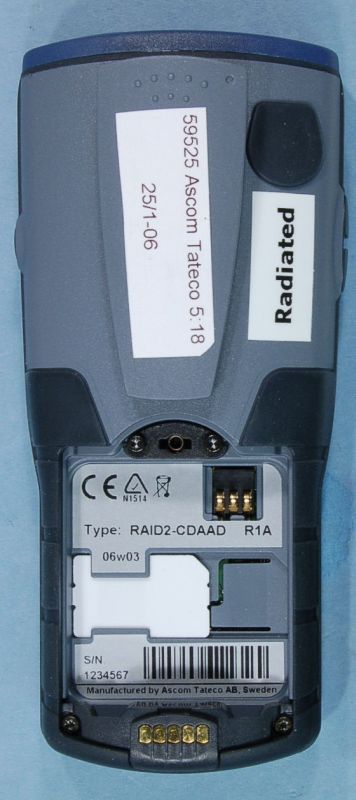
FCC ID: BXZRAID2 Project no.: 59525 Page 1 of 4 Nemko Comlab AS, N-2027 Kjeller PHOTOS OF THE EUT - ASCOM RAID2 DECT HANDSET ASCOM RAID2 ASCOM RAID2 FCC ID: BXZRAID2 Project no.: 59525 Page 2 of 4 Nemko Comlab AS, N-2027 Kjeller ASCOM RAID2 ASCOM RAID2 FCC ID: BXZRAID2 Project no.: 59525 Page 3 of 4 Nemko Comlab AS, N-2027 Kjeller ASCOM RAID2 FCC ID: BXZRAID2 Project no.: 59525 Page 4 of 4 Nemko Comlab AS, N-2027 Kjeller PHOTOS OF ACCESSORIES Desktop Charger
Internal Photos
FCC ID: BXZRAID2 Project no.: 59525 Page 1 of 5 Nemko Comlab AS, N-2027 Kjeller PHOTOS OF THE EUT - ASCOM RAID2 DECT HANDSET ASCOM RAID2 FCC ID: BXZRAID2 Project no.: 59525 Page 2 of 5 Nemko Comlab AS, N-2027 Kjeller ASCOM RAID2 FCC ID: BXZRAID2 Project no.: 59525 Page 3 of 5 Nemko Comlab AS, N-2027 Kjeller ASCOM RAID2 FCC ID: BXZRAID2 Project no.: 59525 Page 4 of 5 Nemko Comlab AS, N-2027 Kjeller FCC ID: BXZRAID2 Project no.: 59525 Page 5 of 5 Nemko Comlab AS, N-2027 Kjeller PHOTOS OF ACCESSORIES Desktop Charger
RF Exposure Info
DAT-P-152/98-01 SAR Report, Nemko_6620_571_FCC_CalData_RAID2 dasy_report_fcc_1900_cal_data_2.0.doc/08.01.2005/CH Appendix for the Report Dosimetric Assessment of the Ascom RAID2 (FCC-ID BXZ-RAID2) According to the FCC Requirements Calibration Data February 10, 2006 IMST GmbH Carl-Friedrich-Gauß-Str. 2 D-47475 Kamp-Lintfort Customer Nemko Comlab AS Gasevikveien 8 N-22027 Kjeller This report shall not be reproduced except in full without the written approval of the testing laboratory.
RF Exposure Info
DAT-P-152/98-01 SAR Report, Nemko_6620_571_FCC_DECT_SAR Plots_RAID2 Page 1 of 14 Appendix for the Report Dosimetric Assessment of the Ascom RAID2 (FCC ID: BXZ-RAID2) According to the FCC Requirements SAR Distribution Plots February 10, 2006 IMST GmbH Carl-Friedrich-Gauß-Str. 2 D-47475 Kamp-Lintfort Customer Nemko Comlab AS Gasevikveien 8 N-22027 Kjeller The test results only relate to the items tested. This report shall not be reproduced except in full without the written approval of the testing laboratory. dasy_report_fcc_1900_plots_1.1.doc/08.07.2005/CH SAR Report, Nemko_6620_571_FCC_DECT_SAR Plots_RAID2 Page 2 of 14 dasy_report_fcc_1900_plots_1.1.doc/08.07.2005/CH Table of Contents 1 SAR DISTRIBUTION PLOTS, HEAD MEASUREMENTS, ANTENNA 1................................................ 3 2 SAR DISTRIBUTION PLOTS, HEAD MEASUREMENTS, ANTENNA 2................................................ 7 3 SAR DISTRIBUTION PLOTS, BODY MEASUREMENTS, ANTENNA 1............................................. 11 4 SAR DISTRIBUTION PLOTS, BODY MEASUREMENTS, ANTENNA 2............................................. 12 5 SAR Z-AXIS SCANS (VALIDATION)......................................................................................................... 13 6 SAR Z-AXIS SCANS (MEASUREMENTS)................................................................................................ 14 SAR Report, Nemko_6620_571_FCC_DECT_SAR Plots_RAID2 Page 3 of 14 dasy_report_fcc_1900_plots_1.1.doc/08.07.2005/CH 1 SAR Distribution Plots, Head Measurements, Antenna 1 Test Laboratory: Imst GmbH; File Name: Protector_ant1_yplm_1.da4 DUT: Ascom; Type: Protector MKII; Program Name: Cheek Left Communication System: DECT US; Frequency: 1924.99 MHz;Duty Cycle: 1:24 Medium parameters used (extrapolated): f = 1924.99 MHz; σ = 1.46 mho/m; ε r = 38.1; ρ = 1000 kg/m 3 Phantom section: Left Section DASY4 Configuration: - Probe: ET3DV6R - SN1579; ConvF(5.18, 5.18, 5.18); Calibrated: 18.01.2006 - Sensor-Surface: 4mm (Mechanical Surface Detection) - Electronics: DAE3 Sn335; Calibrated: 17.03.2005 - Phantom: SAM Glycol 1340; Type: QD 000 P40 CB; Serial: TP-1340 - Measurement SW: DASY4, V4.6 Build 19; Postprocessing SW: SEMCAD, V1.8 Build 159 Cheek Left/Area Scan (7x12x1): Measurement grid: dx=15mm, dy=15mm Maximum value of SAR (measured) = 0.004 mW/g Cheek Left/Zoom Scan (7x7x7)/Cube 0: Measurement grid: dx=5mm, dy=5mm, dz=5mm Reference Value = 1.56 V/m; Power Drift = -0.140 dB Peak SAR (extrapolated) = 0.006 W/kg SAR(1 g) = 0.0040 mW/g; SAR(10 g) = 0.00235 mW/g Fig. 1: SAR distribution for DECT US, channel 2, cheek position, left side of head (February 06, 2006; Ambient Temperature: 22.0∞C; Liquid Temperature: 21.5∞C). SAR Report, Nemko_6620_571_FCC_DECT_SAR Plots_RAID2 Page 4 of 14 dasy_report_fcc_1900_plots_1.1.doc/08.07.2005/CH Test Laboratory: Imst GmbH; File Name: Protector_ant1_yplm_2.da4 DUT: Ascom; Type: Protector MKII; Program Name: Tilted Left Communication System: DECT US; Frequency: 1924.99 MHz;Duty Cycle: 1:24 Medium parameters used (extrapolated): f = 1924.99 MHz; σ = 1.46 mho/m; ε r = 38.1; ρ = 1000 kg/m 3 Phantom section: Left Section DASY4 Configuration: - Probe: ET3DV6R - SN1579; ConvF(5.18, 5.18, 5.18); Calibrated: 18.01.2006 - Sensor-Surface: 4mm (Mechanical Surface Detection) - Electronics: DAE3 Sn335; Calibrated: 17.03.2005 - Phantom: SAM Glycol 1340; Type: QD 000 P40 CB; Serial: TP-1340 - Measurement SW: DASY4, V4.6 Build 19; Postprocessing SW: SEMCAD, V1.8 Build 159 Tilted Left/Area Scan (6x11x1): Measurement grid: dx=15mm, dy=15mm Maximum value of SAR (measured) = 0.004 mW/g Tilted Left/Zoom Scan (7x7x7)/Cube 0: Measurement grid: dx=5mm, dy=5mm, dz=5mm Reference Value = 1.73 V/m; Power Drift = -0.094 dB Peak SAR (extrapolated) = 0.014 W/kg SAR(1 g) = 0.0043 mW/g; SAR(10 g) = 0.00224 mW/g Maximum value of SAR (measured) = 0.005 mW/g Fig. 2: SAR distribution for DECT US, channel 2, tilted position, left side of head (February 06, 2006; Ambient Temperature: 22.0∞C; Liquid Temperature: 21.5∞C). SAR Report, Nemko_6620_571_FCC_DECT_SAR Plots_RAID2 Page 5 of 14 dasy_report_fcc_1900_plots_1.1.doc/08.07.2005/CH Test Laboratory: Imst GmbH; File Name: Protector_ant1_yprm_1.da4 DUT: Ascom; Type: Protector MKII; Program Name: Cheek Right Communication System: DECT US; Frequency: 1924.99 MHz;Duty Cycle: 1:24 Medium parameters used (extrapolated): f = 1924.99 MHz; σ = 1.46 mho/m; ε r = 38.1; ρ = 1000 kg/m 3 Phantom section: Right Section DASY4 Configuration: - Probe: ET3DV6R - SN1579; ConvF(5.18, 5.18, 5.18); Calibrated: 18.01.2006 - Sensor-Surface: 4mm (Mechanical Surface Detection) - Electronics: DAE3 Sn335; Calibrated: 17.03.2005 - Phantom: SAM Glycol 1340; Type: QD 000 P40 CB; Serial: TP-1340 - Measurement SW: DASY4, V4.6 Build 19; Postprocessing SW: SEMCAD, V1.8 Build 159 Cheek Right/Area Scan (7x12x1): Measurement grid: dx=15mm, dy=15mm Maximum value of SAR (measured) = 0.006 mW/g Cheek Right/Zoom Scan (7x7x7)/Cube 0: Measurement grid: dx=5mm, dy=5mm, dz=5mm Reference Value = 1.63 V/m; Power Drift = -0.029 dB Peak SAR (extrapolated) = 0.009 W/kg SAR(1 g) = 0.0056 mW/g; SAR(10 g) = 0.00339 mW/g Fig. 3: SAR distribution for DECT US, channel 2, cheek position, right side of head (February 06, 2006; Ambient Temperature: 22.0∞ C; Liquid Temperature : 21.5∞ C). SAR Report, Nemko_6620_571_FCC_DECT_SAR Plots_RAID2 Page 6 of 14 dasy_report_fcc_1900_plots_1.1.doc/08.07.2005/CH Test Laboratory: Imst GmbH; File Name: Protector_ant1_yprm_2.da4 DUT: Ascom; Type: Protector MKII; Program Name: Tilted Right Communication System: DECT US; Frequency: 1924.99 MHz;Duty Cycle: 1:24 Medium parameters used (extrapolated): f = 1924.99 MHz; σ = 1.46 mho/m; ε r = 38.1; ρ = 1000 kg/m 3 Phantom section: Right Section DASY4 Configuration: - Probe: ET3DV6R - SN1579; ConvF(5.18, 5.18, 5.18); Calibrated: 18.01.2006 - Sensor-Surface: 4mm (Mechanical Surface Detection) - Electronics: DAE3 Sn335; Calibrated: 17.03.2005 - Phantom: SAM Glycol 1340; Type: QD 000 P40 …
Text truncated - open the document above for the full version.
RF Exposure Info
DAT-P-152/98-01 SAR Report, Nemko_6620_571_FCC_DECT_RAID2_2 Page 1 of 33 Report Dosimetric Assessment of the Portable Device Ascom RAID2 (FCC ID: BXZ-RAID2) According to the FCC Requirements February 10, 2006 IMST GmbH Carl-Friedrich-Gauß-Str. 2 D-47475 Kamp-Lintfort Customer Nemko Comlab AS Gasevikveien 8 N-22027 Kjeller The test results only relate to the items tested. This report shall not be reproduced except in full without the written approval of the testing laboratory. dasy_report_fcc _ 1900_4.5.doc/10.01.2006/AR SAR Report, Nemko_6620_571_FCC_DECT_RAID2_2 Page 2 of 33 dasy_report_fcc_1900_4.5.doc/10.01.2006/AR Executive Summary The RAID2 is a cordless telephone (Portable Device) from Ascom operating in the 1920 MHz frequency range (US DECT Standard). The device has two integrated antennas which are working as a diversity system. The objective of the measurements done by IMST was the dosimetric assessment of one device in, the handset was set to use one specific antenna and frequency during the measurement. The examinations have been carried out with the dosimetric assessment system „DASY4“. The measurements were made according to the Supplement C to OET Bulletin 65 of the Federal Communications Commission (FCC) Guidelines [OET 65] for evaluating compliance of mobile and portable devices with FCC limits for human exposure (general population) to radiofrequency emissions. All measurements have been performed in accordance to the recommendations given by SPEAG. The Ascom RAID2 cordless telephone (FCC ID: BXZ-RAID2) is in compliance with the Federal Communications Commission (FCC) Guidelines [OET 65] for uncontrolled exposure. The phone was tested in addition to the head positions in the following configurations: Body worn with the following accessories: • with headset (display towards the ground, distance 0 mm) prepared by: ........................................... reviewed by: ..................................... Alexander Rahn André van den Bosch test engineer quality assurance engineer IMST GmbH Carl-Friedrich-Gauß-Straße 2 D-47475 Kamp-Lintfort Tel. +49- 2842-981 378 Fax +49- 2842-981 399 email: [email protected] SAR Report, Nemko_6620_571_FCC_DECT_RAID2_2 Page 3 of 33 dasy_report_fcc_1900_4.5.doc/10.01.2006/AR Table of Contents 1 SUBJECT OF INVESTIGATION.................................................................................................................... 4 2 THE IEEE STANDARD C95.1 AND THE FCC EXPOSURE CRITERIA................................................. 4 2.1 DISTINCTION BETWEEN EXPOSED POPULATION, DURATION OF EXPOSURE AND FREQUENCIES........... 4 2.2 DISTINCTION BETWEEN MAXIMUM PERMISSIBLE EXPOSURE AND SAR LIMITS....................................... 5 2.3 SAR LIMIT.................................................................................................................................................. 5 3 THE FCC MEASUREMENT PROCEDURE................................................................................................. 6 3.1 GENERAL REQUIREMENTS......................................................................................................................... 6 3.2 DEVICE OPERATING NEXT TO A PERSON’S EAR....................................................................................... 6 4 BODY-WORN CONFIGURATIONS.............................................................................................................. 9 4.1 POC (PTT) POSITION...............................................................................................................................9 4.2 PHANTOM REQUIREMENTS...................................................................................................................... 10 4.3 TEST TO BE PERFORMED......................................................................................................................... 10 5 THE MEASUREMENT SYSTEM................................................................................................................. 10 5.1 PHANTOM................................................................................................................................................. 12 5.2 PROBE...................................................................................................................................................... 12 5.3 MEASUREMENT PROCEDURE.................................................................................................................. 13 5.4 UNCERTAINTY ASSESSMENT................................................................................................................... 14 6 SAR RESULTS............................................................................................................................................... 15 7 EVALUATION................................................................................................................................................. 17 8 APPENDIX....................................................................................................................................................... 19 8.1 ADMINISTRATIVE DATA............................................................................................................................ 19 8.2 DEVICE UNDER TEST AND TEST CONDITIONS......................................................................................... 19 8.3 TISSUE RECIPES...................................................................................................................................... 19 8.4 MATERIAL PARAMETERS......................................................................................................................... 20 8.5 SIMPLIFIED PERFORMANCE CHECKING................................................................................................... 20 8.6 ENVIRONMENT...........................................................................................................................…
Text truncated - open the document above for the full version.
Test Report
Nemko AS, Gaustadalléen 30, P.O.Box 73 Blindern, NO-0314 Oslo Norway T +47 22 96 03 30 F +47 22 96 05 50 Enterprise number NO974404532 Visiting address: Nemko Comlab, Gåsevikveien 8, P.O.Box 96, NO-2027 Kjeller Norway T +47 64 84 57 00 F +47 64 84 57 05 Test report no. : 59525-6 Item tested : RAID2 Type of equipment : Isochronous UPCS Device FCC ID : BXZRAID2 Client : Ascom Tateco AB FCC Part 15, subpart D Isochronous UPCS Device 1920 - 1930 MHz Industry Canada RSS-213, Issue 2 2 GHz Licence-exempt Personal Communications Service Devices (LE-PCS) 28 March 2006 Authorized by : .............................................. Egil Hauger Technical Verificator TEST REPORT FCC part 15D Project no.: 59525 FCC ID: BXZRAID2 Nemko Comlab, N-2027 Kjeller Page 2 (49) CONTENTS 1 GENERAL INFORMATION..........................................................................................3 1.1 Tested by .....................................................................................................................3 1.2 Client Information .........................................................................................................3 1.3 Manufacturer ( if other than client) ...............................................................................3 2 Test Information ...........................................................................................................4 2.1 Tested Item ..................................................................................................................4 2.2 Test Environment .........................................................................................................5 2.3 Test Period ...................................................................................................................5 2.4 Test Engineer ...............................................................................................................5 2.5 Test Equipment ............................................................................................................5 2.6 Other Comments..........................................................................................................5 3 TEST REPORT SUMMARY ........................................................................................6 3.1 General ........................................................................................................................6 3.2 Test Summary ..............................................................................................................7 4 TEST RESULTS ..........................................................................................................8 4.1 Powerline Conducted Emissions .................................................................................8 4.2 Coordination with fixed microwa…
Text truncated - open the document above for the full version.
Contact Information
Applicant
Peter Soderberg
Technical Contact
Non-Technical Contact
Nemko ComlabFrode Sveinsen
[email protected]+47 6484 5700
Test Firm
Nemko ASFrode Sveinsen
Technical Specifications
| # | Rule Parts | Frequency Range | Power Output |
|---|---|---|---|
| 1 | 15D | 1.92 GHz - 1.93 GHz | 90.00 mW |
Other Applications from Ascom (Sweden) AB

BXZCHAT2
Sep 27, 2023Narrow band alarm transceiver
Equipment Class
TNB - Licensed Non-Broadcast Station Transmitter
BXZSH4
Aug 02, 2023Myco 4 WiFi, Myco 4 Slim
Equipment Class
JBP - Part 15 Class B Computing Device Peripheral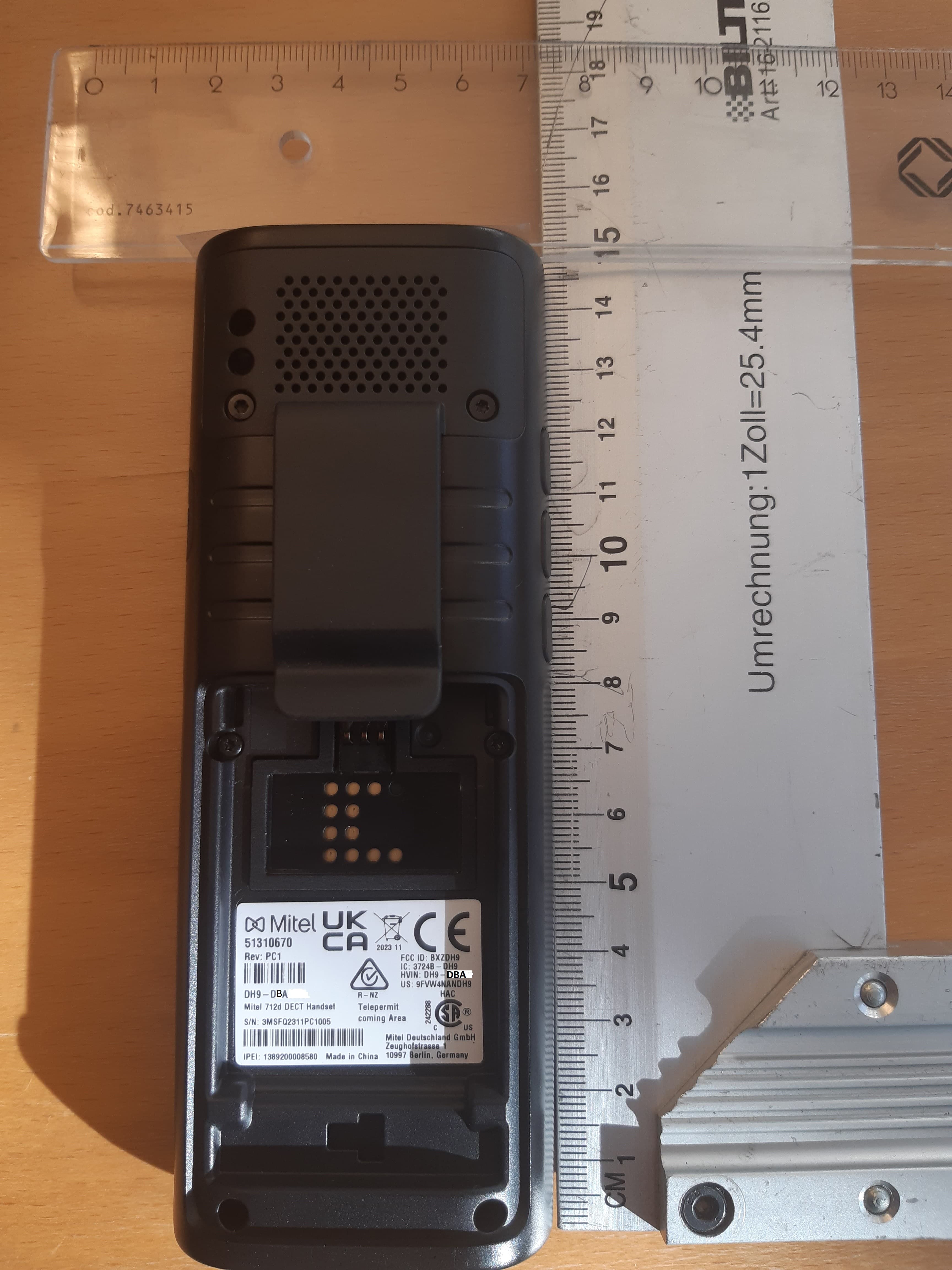
BXZDH9
Apr 16, 2023DECT Handset with Bluetooth
Equipment Class
PUE - Part 15 Unlicensed PCS portable Tx held to ear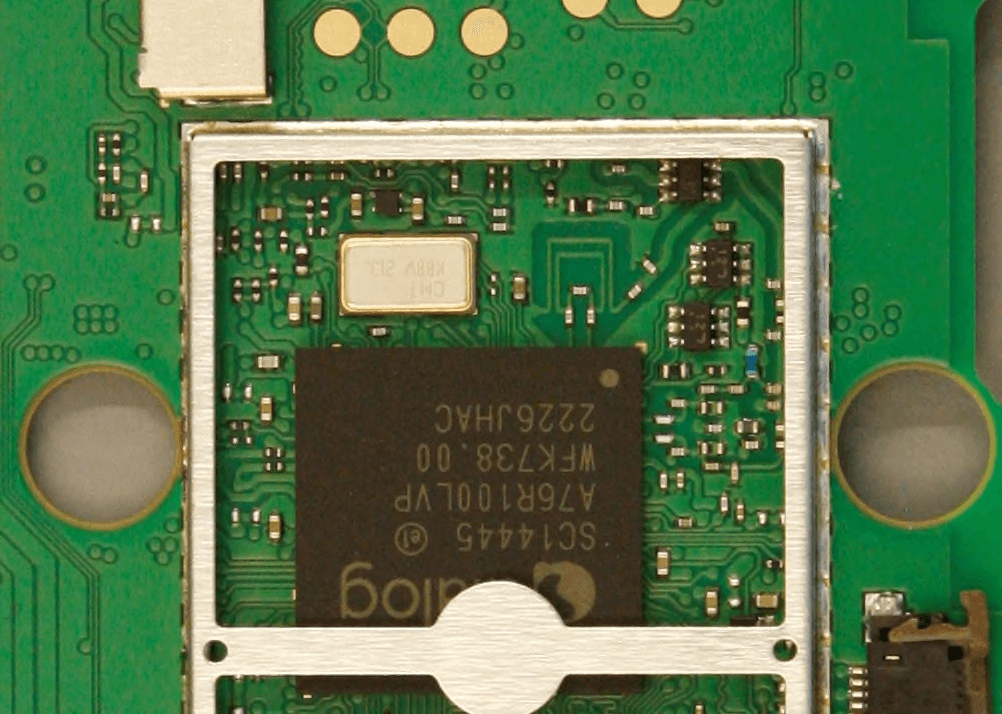
BXZDH10
Apr 16, 2023DECT Handset with Bluetooth
Equipment Class
DSS - Part 15 Spread Spectrum Transmitter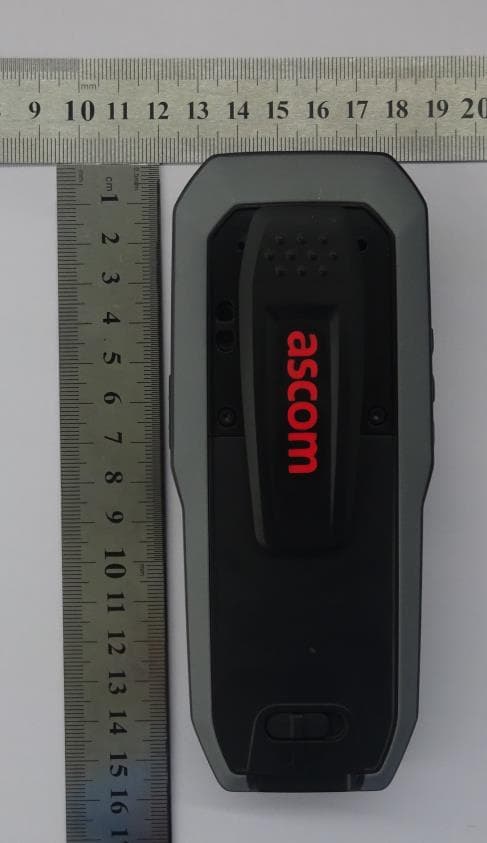
BXZDH8
Aug 09, 2021DECT Handset with Bluetooth and BLE
Equipment Class
JAB - Part 15 Class B Digital Device