CWTBTC-1Socket Bluetooth CF Card
ALPS ALPINE CO., LTD.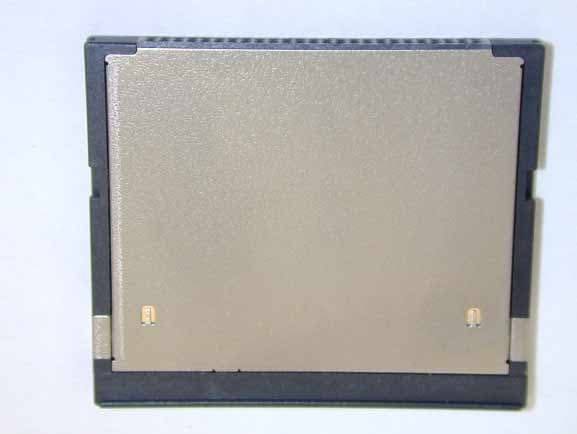
Click to zoom
Application Details
- Equipment Class
- DSS - Part 15 Spread Spectrum Transmitter
- Date of Grant
- Nov 10, 2002
- Application Purpose
- Original Equipment
- Date of Application
- Nov 10, 2002
- Equipment Note
- Socket Bluetooth CF Card
- Frequency Range
- 2402.00000000 - 2480.00000000
- Company
- ALPS ALPINE CO., LTD.
- Country
- Japan
Documents & Files
Document Text
Text extracted from the exhibit documents filed with the FCC. Open a document above to read the original.
Users Manual
Bluetooth™ Connection Kit Featuring the Socket Bluetooth Card™ and Windows CE software for adding Bluetooth wireless connectivity to the following mobile computers: • Pocket PC 2000s • Pocket PC 2002s • Handheld PC 2000s User’s Guide 2 Table of Contents CHAPTER 1 INTRODUCTION 4 Overview 4 Contents of the Connection Kit 5 Installation Steps Summary 6 CHAPTER 2 BASIC SETUP 7 STEP 1: Register the Card 7 STEP 2: Prepare Network Information 7 STEP 3: Install the Software 7 STEP 4: Complete the Bluetooth Setup Wizard 8 STEP 5: Insert the Card 10 STEP 6: Get Connected! 11 STEP 7: Dial-up to Your Network 15 CHAPTER 3 FEATURES 20 Turn Radio Transmitter ON/OFF 20 Bluetooth ActiveSync 21 Bluetooth LAN Access 24 Bluetooth Faxing 27 CHAPTER 4 ADVANCED FEATURES 30 Set up Your Bluetooth Card 31 Assign COM Ports 32 Discover Bluetooth Device(s) 33 Bond with Discovered Device(s) 34 View Device Properties 36 Set up Your Favorite Device 37 Change Views 38 Delete a Device from the Folder 39 CHAPTER 5 SOCKET OBEX 40 Exchange Business Cards 41 Send a Contact 43 Send a File 45 Browse Remote Device 47 Receive Contact or File 53 Enable File Sharing 53 CHAPTER 6 THE SOCKET DIALER 54 CHAPTER 7 BLUETOOTH PRINTING 57 APPENDIX A SPECIFICATIONS 61 CompactFlash Card 61 3 SDIO Card 62 APPENDIX B SAFETY AND USAGE TIPS 63 APPENDIX C TROUBLESHOOTING 67 APPENDIX D SUPPORT RESOURCES 70 Users’ Forum 70 Technical Support 70 LIMITED WARRANTY 71 COPYRIGHT NOTICE 73 REGULATORY COMPLIANCE 74 CompactFlash Card 74 SDIO Card 77 4 | CHAPTER 1: INTRODUCTION Chapter 1 Introduction Overview The Socket Bluetooth Connection Kit makes it easy to add Bluetooth wireless connectivity to a Windows Powered Pocket PC 2000 or Pocket PC 2002 or a Windows CE-based HPC 2000. It’s perfect for connecting any of these mobile computers wirelessly to your favorite Bluetooth phone, LAN access point, computer or printer. The Bluetooth Card is the only plug-in card to incorporate all Bluetooth components within the CompactFlash Type I or SDIO form factor. With a Windows Upgrade Kit, the CompactFlash Bluetooth Card also works in the PC Card (PCMCIA) slot of a notebook computer running Windows 98SE, Me, 2000 or XP. You can purchase the upgrade kit separately online at: www.esend.com/socket/product.asp?sku=BL4518% 2D387&mscssid=4MM2VU1BLJGS9LMAT74D3 C3SJXGEF1C7 The Bluetooth Connection Kit includes a Bluetooth Card and Bluetooth software, including drivers, the Bluetooth Setup Wizard, the Get Connected! Wizard, the Bluetooth Devices folder, Socket OBEX and the Socket Dialer. For quickly connecting your mobile computer to a Bluetooth phone, use the Get Connected! Wizard. Afterwards, you can use the Socket Dialer to directly dial a number from your Contacts list. In addition to phones, Socket’s Bluetooth software also makes it easy to connect to devices like computers, access points, and printers. The Bluetooth ActiveSync option guides you through connecting and synchronizing with a computer. Similarly, the Bluetooth LAN Access option helps you connect to a LAN access point. To connect to a printer or other type of device, use the advanced features found in the Bluetooth Devices folder. The Transfer via Bluetooth option enables you to exchange business cards and files with another Bluetooth device that supports OBEX. You can even use one mobile computer to browse the contents of another. This User’s Guide explains how to install and use the Bluetooth Card. This guide shows Pocket PC 2000 and Pocket PC 2002 screens. Except where otherwise noted, other types of mobile computers will have CHAPTER 1: INTRODUCTION | 5 functionally equivalent screens. The term “Pocket PCs ” refers to both Pocket PC 2000s and Pocket PC 2002s. Software updates: www.socketcom.com/support/support_bluetooth.asp Contents of the Connection Kit The Socket Bluetooth Connection Kit includes these items: • A Socket Bluetooth Card (CompactFlash card Type I or SDIO) • The Socket Bluetooth Connection Kit Installation CD • To register the kit online, visit: www.socketcom.com/product/prodreg.asp 6 | CHAPTER 1: INTRODUCTION Installation Steps Summary Basic installation and operation of the Bluetooth Card for use with a Bluetooth phone can be completed in seven steps. BASIC SETUP AND USE WITH A BLUETOOTH PHONE STEP 1: Register the card. STEP 2: Prepare network information. STEP 3: Install the software. STEP 4: Complete the Socket Bluetooth Setup Wizard. STEP 5: Insert the Bluetooth Card into your mobile computer. STEP 6: Get Connected! STEP 7: Dial-up to your network. FEATURES • Turn transmitter ON/OFF • Bluetooth ActiveSync • Bluetooth LAN Access ADVANCED FEATURES • Set up your Bluetooth Card. • Use the Bluetooth Devices folder. - View device properties. - Set up your favorite devices. - View/modify Bluetooth COM ports. - Discover other Bluetooth device(s). - Bond with another Bluetooth device. - Change views. - Delete a device from your folder. OBEX Exchange business cards Send a contact Send a file Browse remote device Receive contact or file Enable file sharing SOCKET DIALER BLUETOOTH PRINTING Note: There are some important safety and usage guidelines you should read before operating the Bluetooth Card. Please refer to Appendix B, “Safety and Usage Tips.” CHAPTER 2: BASIC SETUP | 7 Chapter 2 Basic Setup This chapter covers the minimum steps you must complete to install and use the Bluetooth Card. STEP 1: Register the Card Register the card online at: www.socketcom.com/product/prodreg.asp STEP 2: Prepare Network Information Consult with your network administrator/MIS technician to obtain any necessary settings for your network (e.g. IP addresses, dial-up number, user name, password, etc.). STEP 3: Install the Software Follow these steps to install the software BEFORE inserting the Bluetooth Card. 1. Make an active connection between the mobile computer and a host PC. An active connection exists if data can move between the host PC and mobile computer via a serial/USB/Ethernet connection cable or cradl…
Text truncated - open the document above for the full version.
External Photos
External Photographs - Top View – - Bottom View -
Internal Photos
Internal Photographs - Component Side - - Foil Side -
RF Exposure Info
JAPAN QUALITY ASSURANCE ORGANIZATION 21-25, KINUTA 1-CHOME, SETAGAYA-KU, TOKYO 157-8573 JAPAN PHONE +81-3-3416-0111, FAX +81-3-3416-9691 Issue Date : September 25, 2002 Page 1 of 1 Declaration of compliance Exposure of Humans to RF Fields Requirements Applicant : Alps Electric Co., Ltd. Type of Equipment : Socket Bluetooth CF Card Model No. : Socket Bluetooth Card FCC ID : CWTBTC-1 Regulations Applied : CFR 47 FCC 15.247(b)(5) References Documents : CFR 47 FCC 1.1307(b), 1.1310, 2.1093 and OET65 Supplement C RF Exposure Calculations : The following minimum separation distance between the EUT’s antenna and the human body was calculated in accordance with FCC OET65 Appendix B Table(B) “Limit for General Population / Uncontrolled Exposure”. The maximum permissible exposure level is defined with 1mW/cm 2 . The minimum separation distance where the exposure level reaches the permitted level can be calculated as bellow: Where: R = minimum separation distance in cm P = 1.14 mW (Max. conducted output power at antenna terminal) G = 1.26(numeric gain) = 1.00 dBi(Max. antenna Gain) S = 1.0 mW/cm 2 for 2.4 GHz (Max. permissible exposure level) Then minimum separation distance is 0.338 cm. Summary: The EUT complies with the RF exposure requirement of the above regulation. Masaaki Takahashi Senior Manager JQA EMC Engineering Dept. 2 4/*RGPS π = SGPRπ 4/*=Q C O P Y
Test Report
JAPAN QUALITY ASSURANCE ORGANIZATION 21-25, KINUTA 1-CHOME, SETAGAYA-KU, TOKYO 157-8573 JAPAN PHONE +81-3-3416-0111, FAX +81-3-3416-9691 JQA APPLICATION NO.: 400-20436 Issue Date : September 25, 2002 Page 1 of 70 EMI TEST REPORT JQA APPLICATION NO. : 400-20436 Model No. : Socket Bluetooth Card Type of Equipment : Socket Bluetooth CF Card Regulations Applied : CFR 47 FCC Rules and Regulations Part 15 FCC ID : CWTBTC-1 Applicant : Alps Electric Co., Ltd. Address : 1-2-1, Okinouchi, Soma-city,, Fukushima pref. 976-8501, Japan Manufacturer : Alps Electric Co., Ltd. Address : 1-2-1, Okinouchi, Soma-city,, Fukushima pref. 976-8501, Japan Received date of EUT : September 17, 2002 Final Judgment : Passed Test results in this report are obtained in use of equipment that is traceable to National Institute of Advanced Industrial Science and Technology (AIST) of Japan and Communication Research Laboratory (CRL) of Japan. The test results only respond to the tested sample. This report should not be reproduced except in full, without the written approval of JQA EMC Engineering Dept. Testing Div. C O P Y JQA Application No. : 400-20436 FCC ID : CWTBTC-1 Model No. : Socket Bluetooth Card Issue Date : September 25, 2002 Standard : CFR 47 FCC Rules Part 15 Page 2 of 70 JAPAN QUALITY ASSURANCE ORGANIZATION TABLE OF CONTENTS Page 1 Documentation 1.1 Test Regulation 4 1.2 General Information 4 1.3 Test Condition 5 – 11 1.4 EUT Modifications / Deviation from Standard 12 1.5 Test results 13 - 14 1.6 Summary 15 1.7 Test Configuration / Operation of EUT 16 1.8 EUT Arrangement (Drawing) 17 1.9 Preliminary Test and Test-setup (Drawings) 18 – 26 1.10 EUT Arrangement (Photographs) 27 - 29 C O P Y JQA Application No. : 400-20436 FCC ID : CWTBTC-1 Model No. : Socket Bluetooth Card Issue Date : September 25, 2002 Standard : CFR 47 FCC Rules Part 15 Page 3 of 70 JAPAN QUALITY ASSURANCE ORGANIZATION 2 Test Data 2.1 Channel Separation 30 2.2 Minimum Hopping Channel 31 – 32 2.3 Occupied Bandwidth 33 – 37 2.4 Dwell Time 38 – 43 2.5 Peak Output Power (Conduction) 44 2.6 Peak Output Power (Radiation) 45 2.7 Peak Power Density (Conduction) 46 - 47 2.8 Peak Power Density (Radiation) N/A 2.9 Spurious Emissions (Conduction) 48 - 53 2.10 Spurious Emissions (Radiation) 54 - 59 2.11 AC Power Line Conducted Emissions 60 - 61 2.12 RF Exposure Compliance 62 2.13 Spurious Emissions for Receiver (Radiation) 63 – 64 2.14 AC Power Line Conducted Emissions for Receiver 65 - 66 3 Appendix Test instruments List C O P Y JQA Application No. : 400-20436 FCC ID : CWTBTC-1 Model No. : Socket Bluetooth Card Issue Date : September 25, 2002 Standard : CFR 47 FCC Rules Part 15 Page 4 of 70 JAPAN QUALITY ASSURANCE ORGANIZATION 1 DOCUMENTATION 1.1 TEST REGULATION FCC Rules and Regulations Part 15 Subpart B and Subpart C Test procedure: The tests were performed with reference to the FCC Public Notice DA 00-705, released March 30, 2000. The test set-up was made in accordance to the general provisions of ANSIC63.4-1992. 1.2 GENERAL INFORMATION 1.2.1 Test facility: 1) Test Facility located at EMC Engineering Dept. Testing Div.: - No.2 and 3 Anechoic Chambers (3 meters Site). - Shielded Enclosure. Expiration date of FCC test facility filing: May 27, 2005 2) EMC Engineering Dept. Testing Div. is recognized under the National Voluntary Laboratory accreditation Program for satisfactory compliance established in title 15, Part 285 Code of Federal Regulations. NVLAP Lab Code: 200189-0 (Effective through : June 30, 2003) 1.2.2 Description of the Equipment Under Test (EUT) : 1) Type of Equipment : Socket Bluetooth CF Card 2) Product Type : Prototype 3) Category : Spread Spectrum Transmitter 4) EUT Authorization : Certification 5) FCC ID : CWTBTC-1 6) Trade Name : Socket 7) Model No. : Socket Bluetooth Card 8) Operating Frequency Range : 2402 MHz - 2480 MHz 9) Highest Frequency Used in the EUT : 2480 MHz 10) RF Output Power : 1 mW(Rated) 11) Serial No. : - 12) Date of Manufacture : - 13) Power Rating : DC 3.3V or 5.0V from Host PC 14) EUT Grounding : None 1.2.3 Definitions for symbols used in this test report : x - indicates that the listed condition, standard or equipment is applicable for this report. - indicates that the listed condition, standard or equipment is not applicable for this report. C O P Y JQA Application No. : 400-20436 FCC ID : CWTBTC-1 Model No. : Socket Bluetooth Card Issue Date : September 25, 2002 Standard : CFR 47 FCC Rules Part 15 Page 5 of 70 JAPAN QUALITY ASSURANCE ORGANIZATION 1.3 TEST CONDITION 1.3.1 The measurement of Channel Separation x - was performed. - was not applicable. Used test instruments: Type Number of test instruments (Refer to Appendix) Test Receiver TR07 Spectrum Analyzer N/A Cable CA11 Attenuator AU18 Antenna N/A 1.3.2 The measurement of Minimum Hopping Channel x - was performed. - was not applicable. Used test instruments: Type Number of test instruments (Refer to Appendix) Test Receiver TR07 Spectrum Analyzer N/A Cable CA11 Attenuator AU18 Antenna N/A 1.3.3 The measurement of Occupied Bandwidth x - was performed. - was not applicable. Used test instruments: Type Number of test instruments (Refer to Appendix) Test Receiver TR07 Spectrum Analyzer N/A Cable CA11 Attenuator AU18 Antenna N/A C O P Y JQA Application No. : 400-20436 FCC ID : CWTBTC-1 Model No. : Socket Bluetooth Card Issue Date : September 25, 2002 Standard : CFR 47 FCC Rules Part 15 Page 6 of 70 JAPAN QUALITY ASSURANCE ORGANIZATION 1.3.4 The measurement of Dwell Time x - was performed. - was not applicable. Used test instruments: Type Number of test instruments (Refer to Appendix) Test Receiver TR07 Spectrum Analyzer N/A Cable CA11 Attenuator AU18 Antenna N/A 1.3.5 The measurement of Peak Output Power and Density (Conduction) x - was performed. - was not applicable. Used test instruments: Type Number of test instruments (Refer to Appendix) Test Receiver TR07 Spectrum Analyzer N/A Cable CA11 Attenuator AU18 Antenna N/A Power Meter AU03 Power Sensor AU04 Signal…
Text truncated - open the document above for the full version.
Test Setup Photos
JQA Application No. : 400-20436 FCC ID : CWTBTC-1 Model No. : Socket Bluetooth Card Issue Date : September 25, 2002 Standard : CFR 47 FCC Rules Part 15 Page 27 of 70 JAPAN QUALITY ASSURANCE ORGANIZATION 1.10 TEST ARRANGEMENT (PHOTOGRAPHS) PHOTOGRAPHS OF EUT CONFIGURATION FOR RADIATED EMISSIONS MEASUREMENT Photograph present configuration with maximum emission C O P Y JQA Application No. : 400-20436 FCC ID : CWTBTC-1 Model No. : Socket Bluetooth Card Issue Date : September 25, 2002 Standard : CFR 47 FCC Rules Part 15 Page 28 of 70 JAPAN QUALITY ASSURANCE ORGANIZATION C O P Y JQA Application No. : 400-20436 FCC ID : CWTBTC-1 Model No. : Socket Bluetooth Card Issue Date : September 25, 2002 Standard : CFR 47 FCC Rules Part 15 Page 29 of 70 JAPAN QUALITY ASSURANCE ORGANIZATION PHOTOGRAPHS OF EUT CONFIGURATION FOR AC POWER LINE CONDUCTED EMISSIONS MEASUREMENT Photograph present configuration with maximum emission - Front View – - Side View – C O P Y
Contact Information
Applicant
Yuji Ouchi
Test Firm
Japan Quality Assurance Org.Tetsuo Kato
Technical Specifications
| # | Rule Parts | Frequency Range | Power Output |
|---|---|---|---|
| 1 | 15C | 2.40 GHz - 2.48 GHz | 1.00 mW |
Other Applications from ALPS ALPINE CO., LTD.
CWTUMNZ1A2
Oct 06, 20245G Communication Module
Equipment Class
PCB - PCS Licensed TransmitterCWTB2311
Apr 09, 2024Automatic access gesture control
Equipment Class
DXX - Part 15 Low Power Communication Device Transmitter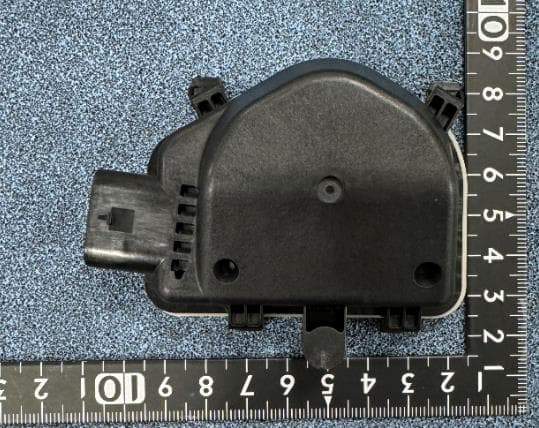
CWTB230X
Feb 07, 2024Sensor for opening and closing doors in cars
Equipment Class
FDS - Part 15 Field Disturbance Sensor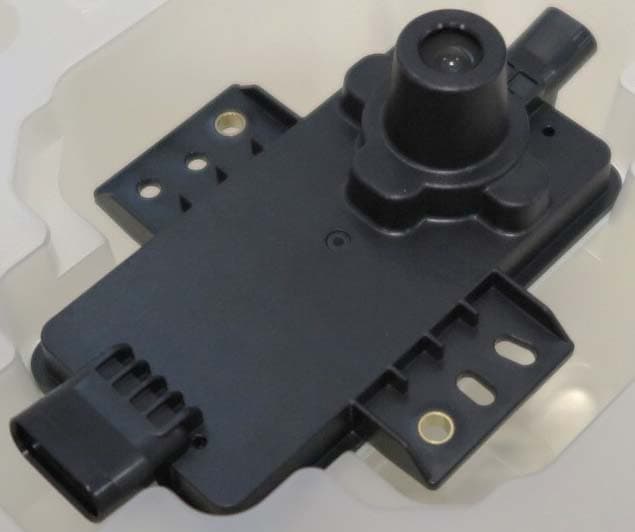
CWTB2211
Dec 26, 2023Automatic access gesture control
Equipment Class
DXX - Part 15 Low Power Communication Device Transmitter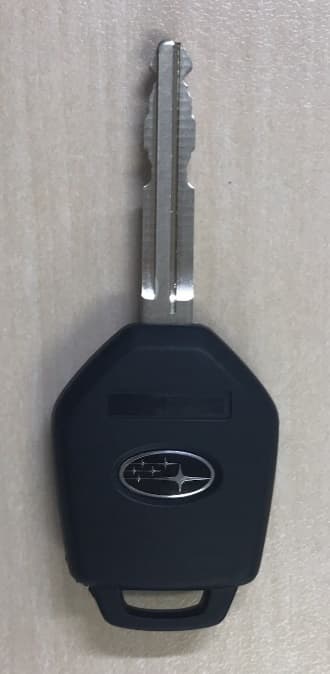
CWTB1G496
Aug 01, 2021KEYLESS ENTRY SYSTEM
Equipment Class
DSC - Part 15 Security/Remote Control Transmitter