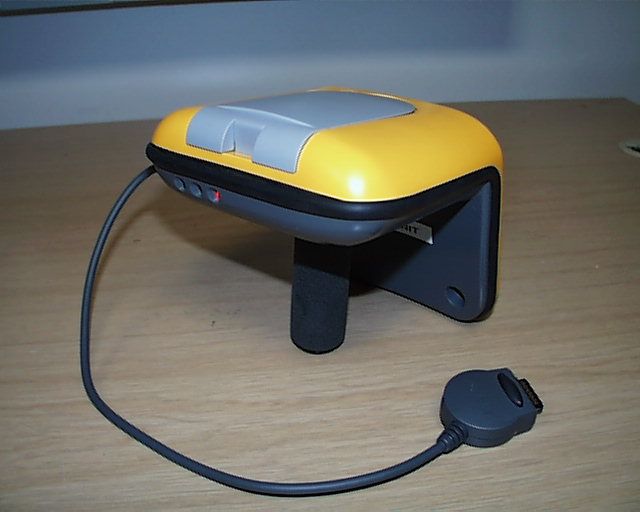
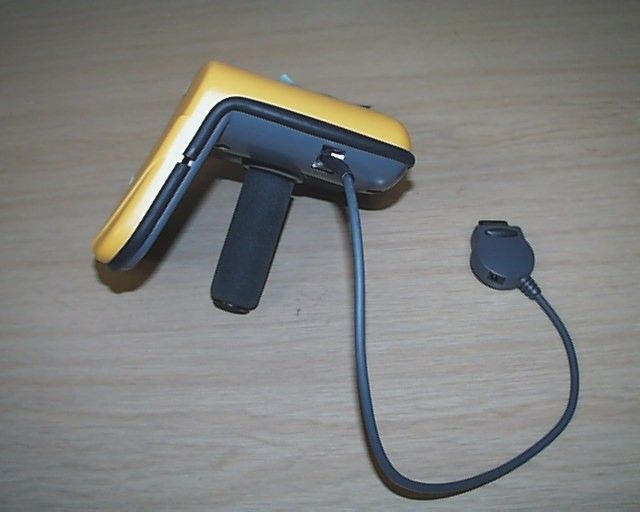
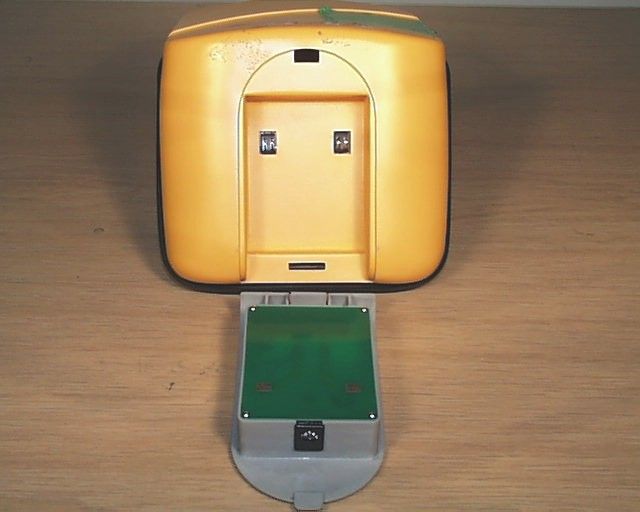
DO4PRRO7100Performa Portable Reader
Checkpoint Systems Inc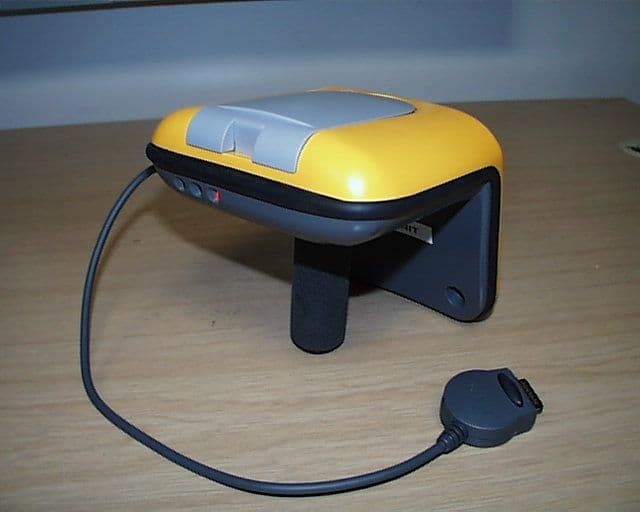
Click to zoom
Application Details
- Equipment Class
- FAP - Part 15 Anti-Pilferage Device
- Date of Grant
- Jan 31, 2002
- Application Purpose
- Original Equipment
- Date of Application
- Jan 15, 2002
- Equipment Note
- Performa Portable Reader
- Frequency Range
- 13.56000000 - 13.56000000
- Company
- Checkpoint Systems Inc
- Country
- United States
Documents & Files
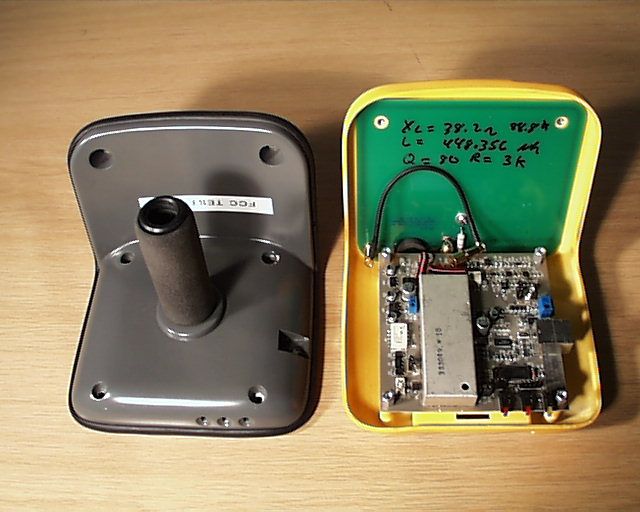
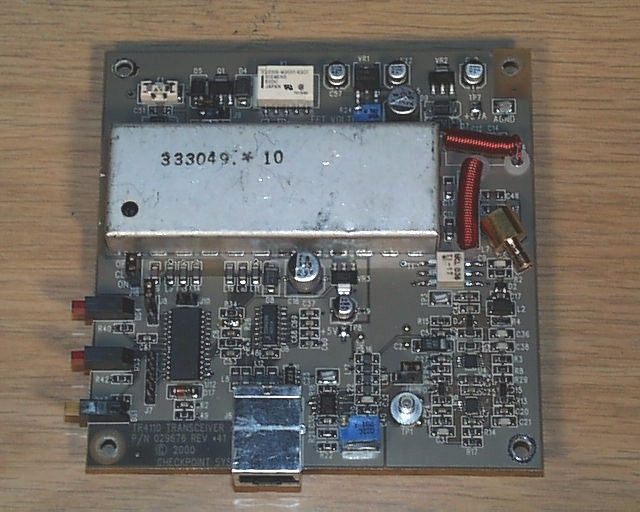
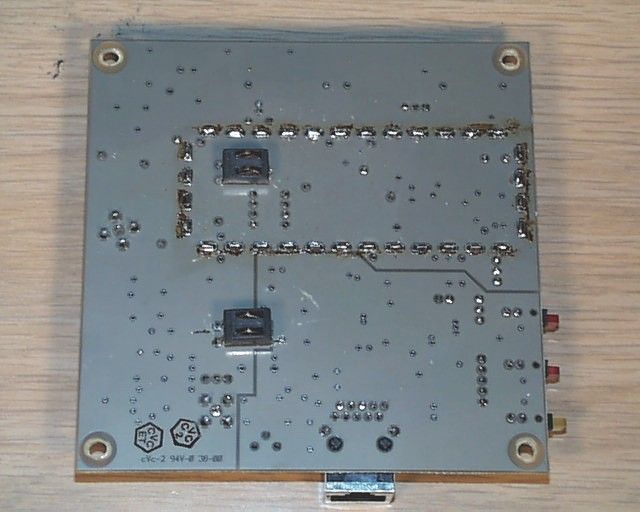
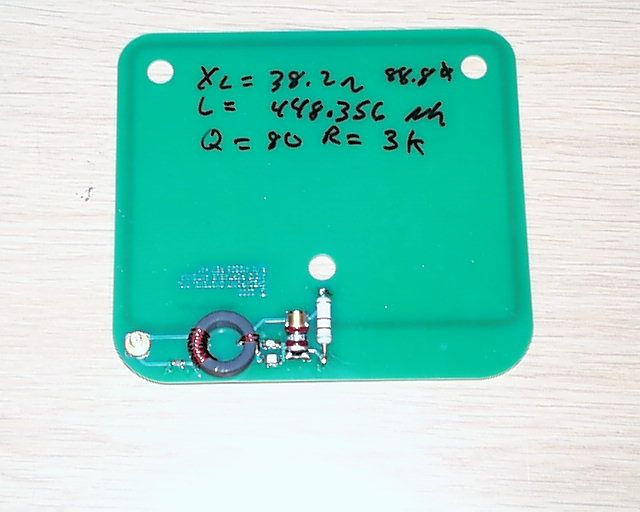
Document Text
Text extracted from the exhibit documents filed with the FCC. Open a document above to read the original.
Users Manual
Version: 1.3.1 Modified: 10/25/2001 T T h h e e P P o o r r t t a a b b l l e e I I n n v v e e n n t t o o r r y y W W a a n n d d U U s s e e r r M M a a n n u u a a l l The ILS Inventory Wand Page 2 of 23 Table of Contents 1.THE ILS INVENTORY WAND.............................................................................................................................. 4 1.1.O VERVIEW ........................................................................................................................................................... 4 1.2.P OWERING U P TH E I NVENTORY W AND ................................................................................................................ 4 1.3.P OWERING U P AND C HARGING THE PPT 2700 .................................................................................................... 5 1.3.1.Powering Up ............................................................................................................................................... 5 1.3.2.Charging the Device................................................................................................................................... 5 1.3.3.Charging the Spare Battery........................................................................................................................ 6 1.3.4.Using the PPT 2700.................................................................................................................................... 7 1.3.5.Check on the Status of the Batteries ........................................................................................................... 7 1.4.C OLLECTING I NVENTORY D ATA AND S CANNING L I BRARY M ATERIALS ............................................................. 8 1.5.T RANSF ERRING THE I NVENTORY D ATA C OLLECTED ......................................................................................... 11 1.6.S EA RCH IN G TH E I N VEN TO RY ............................................................................................................................. 12 1.6.1.Preparing a Search List File .................................................................................................................... 12 1.6.2.Search Mode Screen ................................................................................................................................. 13 1.7.S HELF O RDER S EARCH ...................................................................................................................................... 15 1.7.1.Selecting a Shelf Order Search File ......................................................................................................... 16 1.7.2.Shelf Order Search Screen ....................................................................................................................... 16 1.7.3.Shelf Order Alert ...................................................................................................................................... 17 1.7.4.Shelf Order Results................................................................................................................................... 19 1.8.W I RELESS O PERATIONS ..................................................................................................................................... 21 1.9.H INTS ON U SIN G TH E PPT 2700 ........................................................................................................................22 The ILS Inventory Wand Page 3 of 23 Table of Figures F IGURE 1-1: I NVENTORY W AND .......................................................................................................................................... 4 F IGURE 1-2: P OWERING U P THE PPT 2700.......................................................................................................................... 5 F IGURE 1-3: C HARGING THE PPT 2700 ............................................................................................................................... 6 F IGURE 1-4: D OCKING THE PPT 2700 ................................................................................................................................. 6 F IGURE 1-5: C HARGING THE S PARE B ATTERY ..................................................................................................................... 7 F IGURE 1-6: S ETTINGS P ANEL ............................................................................................................................................. 7 F IGURE 1-7: B ATTERY S TA TUS ............................................................................................................................................ 8 F IGURE 1-8: C ONNECTING C A BLE TO PPT 2700 ................................................................................................................. 8 F IGURE 1-9: T URNING PPT 2700 O N .................................................................................................................................. 9 F IGURE 1-10: ILS I NVENTORY M AIN S CREEN ..................................................................................................................... 9 F IGURE 1-11: I NVENTORY C O LLEC TIO N ............................................................................................................................ 10 F IGURE 1-12: I NVENTORY C O LLEC TIO N I N P ROGRESS ...................................................................................................... 11 F IGURE 1-13: I NVENTORY W AND O PERATIONS ................................................................................................................ 12 F IGURE 1-14: S ELECT THE S EARCH L IS T F ILE S CREEN ...................................................................................................... 13 F IGURE 1-15: I TEM S EA RCH S C REEN ............................................................................…
Text truncated - open the document above for the full version.
Cover Letter(s)
Page 1 of 1 PCTC Product Compliance Test Center 2476 Swedesford Road, Malvern, PA 19355 January 15, 200220011210C Federal Communications Commission EQUIPMENT APPROVAL SERVICES P.O Box 358315 Pittsburgh, PA 15251-5315 Subject: Confidentiality Statement for Checkpoint Performa Portable Reader Dear Sir/Madam: The Diamond Checkpoint Performa Portable Reader (AC-125M), FCC ID D04PPRO7100, (Operating Frequency is 13.56 MHz) was tested for EMI compliance for operating according to the FCC Part 15.209 and 15.225 requirements. Based on the compliance results of this test, please register The Diamond Checkpoint Performa Portable (942014), FCC ID D04PPRO7100, with the Federal Communications Commission. Please note that Diamond Checkpoint requests confidentiality on the block diagram, theory of operation and schematics of The Diamond Checkpoint Performa Portable Reader (942014). The documents contain proprietary information regarding the Reader’s design and the manufacturer desires that competitors not have access to them. Sincerely, _____________________ Paul Banker Staff Engineer Unisys - PCTC
Parts List/Tune Up Info
155940 NOTICE TO PERSONS RECEIVING THIS DRAWING AND/OR TECHNICAL INFORM ATION: Title: TEST PROCEDURE PORTABLE R/O READER PRRO7100 Checkp oint Sy st ems claims p rop riet ary right s t o t he mat erial disclosed hereon. This drawing and/or technical information is issued in confidence for engineering information only and may not be rep roduced or used to manufacture any thing shown or referred to hereon without direct written p ermission from Checkp oint Sy stems to the user. This drawing and/or technical information is the p rop erty of Checkp oint Sy st ems and is loaned for mut ual assist ance, t o be ret urned when it s p urp ose has been served. THIS DRAWING AND/OR TECHNICAL INFORMATION IS THE PROPERTY OF CHECKPOINT S YS TEMS , INC. RevisionsRevisions RevDescriptionDateEngineerRevDescriptionDateApproved *60CR2478R. BARBER Doc Spec: J. HUGDate:11/29/00 Dwn: R. BARBERDate: 11/29/00 Chk:Date : 942014146439 Eng: R. BARBERDate: 11/29/00 Size A 155940 Used On Appd: R . SALESKYD ate : 11/29/00 Scale: N/A 2000 Checkpoint Systems, Inc.Page 1 of 4 TEST PROCEDURE, PORTABLE R/O READER PRRO7100 ____________________________________________________________________________________________________________________________ CHECK PO IN T SYSTEMS, IN C. CO N FIDEN TIAL AN D PRO PRIETARY IN FO RMATIO N , FO R IN TERN AL USE O N LY. Dwg. No. 155940 Rev. *60Page 2 Table of Contents 1.0 INTRODUCTION................................................................................................................................. 3 2.0 REQUIRED EQUIPMENT .................................................................................................................. 3 3.0 COMPUTER PREPARATION ............................................................................................................ 3 4.0 SYSTEM TEST..................................................................................................................................... 3 5.0 TEST DATA SHEET............................................................................................................................ 4 TEST PROCEDURE, PORTABLE R/O READER PRRO7100 ____________________________________________________________________________________________________________________________ CHECK PO IN T SYSTEMS, IN C. CO N FIDEN TIAL AN D PRO PRIETARY IN FO RMATIO N , FO R IN TERN AL USE O N LY. Dwg. No. 155940 Rev. *60Page 3 1.0 INTRODUCTION The purpose of this document is to provide the information necessary to perform a system-level test of the PRRO 7100 Reader. 2.0 REQUIRED EQUIPMENT • RFID test tag • Computer with Microsoft hyperterminal • DB9 to RJ 41 cable (Checkpoint Part # 281876) • Fully charged PRRO7100 test battery* 3.0 COMPUTER PREPARATION 3.1 Connect the serial DB9 to RJ 41 cable to the UUT and computer 3.2 Run Microsoft Hyperterminal 3.3 Click on File, Properties 3.4 Click on “Connect Using” and select Com 2 3.5 Click on Configure 3.6 Select 9600 8,N,1 3.7 Click on OK 3.8 Click on Settings 3.9 Click on ASCII Setup 3.10 Select “Send line ends with linefeeds” 3.11 Click on “OK” 3.12 Click on “OK” 4.0 SYSTEM TEST 4.1 Insert a fully charged PRRO battery into the UUT 4.2 Hit enter on the keyboard 4.3 Verify that the PRRO7100 Ready light is active (Green LED on) 4.4 Record as pass or fail 4.5 Place a calibrated test tag at 12 inches parallel carry from the antenna 4.6 Verify that the red Tag led is blinking 4.7 Verify that tag data is seen scrolling across the screen 4.8 Record Maximum Detection distance 4.9 Enter “B1” followed by enter on the keyboard 4.10 Verify that the reader returns the current baud rate 4.11 Record as pass or fail 4.12 Click on Call and select “Disconnect” 4.13 Verify that the reader shuts off (No LEDs lit) * Do not use the unit battery. This is to be charged at the customer site only. TEST PROCEDURE, PORTABLE R/O READER PRRO7100 ____________________________________________________________________________________________________________________________ CHECK PO IN T SYSTEMS, IN C. CO N FIDEN TIAL AN D PRO PRIETARY IN FO RMATIO N , FO R IN TERN AL USE O N LY. Dwg. No. 155940 Rev. *60Page 4 5.0 TEST DATA SHEET Line 4.4Ready light __________ Pass/Fail Line 4.6 Red LED blinking__________ Pass/Fail Line 4.7Tag Data scrolling__________ Pass/Fail Line 4.8Maximum detection distance __________ >12 inches Line 4.11Baud rate message __________ Pass/Fail Line 4.13DTR Power Off __________ Pass/Fail
Test Report
VOJTZT! ! PCTC Product Compliance Test Center 2476 Swedesford Road, Malvern, PA 19355 ELECTROMAGNETIC INTERFERENCE TEST REPORT Doc. 20011210R Project No. 606 TEST STANDARD: 47 CFR PART 15C, INTENTIONAL RADIATORS PERFORMA PORTABLE READER FCC ID: DO4PRRO7100 CHECKPOINT SYSTEMS THOROFARE, NEW JERSEY TEST DATES: 12/3/01 – 12/7/01 ISSUE: 12/12/01 Prepared by: Paul Banker Technical Staff Engineer Approved by: John Baumeister Group Manager, PCTC/ICC The results described in this report relate only to the item(s) tested. This document shall not be reproduced except in full without written permission of Unisys - PCTC. AMERICAN ASSOCIATION FOR LABORATORY ACCREDITATION Certificate No: 1028.01 ! VOJTZT! PCTC Page 2 of 14, 12/4/01 Product Compliance Test Center Doc. 20011210R Project No. 606 FCC ID: DO4PRRO7100 Unisys Confidential PREFACE This report documents product testing conducted to verify compliance of the specified EUT with applicable standards and requirements as identified herein. EUT, test instrument configurations, test procedures and recorded data are generally described in this report. The reader is referred to the applicable test standards for detailed procedures. The following table summarizes the test results obtained during this evaluation. SUMMARY The Performa Portable Reader was tested to the standards listed below, and found to have the following characteristics: Emission Tests TEST STANDARD REQUIREMENT RESULT Radiated Emissions 47 CFR Part 15 C 10 kHz – 1 GHz Below Max. Permissible limit Frequency Stability 47 CFR Part 15 C Carrier Frequency tolerance of .±01 % at –20 o C and +50 o C. Below Max. Permissible limit EUT Modifications The Symbol 18” I/O cable was modified. A 6.8-μH choke was added in series with the ground connection between the RJ41 connector and the reader end of the PPT cable. This modification was necessary to comply with the radiated emissions limits of 47 CFR Part 15C. VOJTZT! PCTC Page 3 of 14, 12/4/01 Product Compliance Test Center Doc. 20011210R Project No. 606 FCC ID: DO4PRRO7100 Unisys Confidential TABLE OF CONTENTS 1.0 Description of The Equipment Under Test (EUT).................................................................4 1.1 General Description .......................................................................................................................................4 1.2 Test Configurations........................................................................................................................................5 1.3 Rationale for The Chosen Configuration .......................................................................................................5 1.4 Block Diagram and Cable Listing..................................................................................................................5 1.5 EUT Details ...................................................................................................................................................6 2.0 Operation Of The EUT During Testing .................................................................................6 2.1 General...........................................................................................................................................................6 2.2 Operating Modes ...........................................................................................................................................6 2.3 Rationale for The Chosen Mode of Operation ...............................................................................................6 3.0 Applicable Requirements.......................................................................................................7 3.1 Basic Test Methods and Procedures ..............................................................................................................7 3.2 Summary of Equivalent Test Standards .........................................................................................................7 3.3 Deviations Or Exclusions From The Requirements And Standards...............................................................7 4.0 Test Results ............................................................................................................................7 4.1 Radiated Emissions Test Results ...................................................................................................................8 4.2 Fundamental Spectral Plot (12/7/01) ...........................................................................................................10 4.3 Frequency Stability Test Results (12/3/01) ..................................................................................................11 Appendix A – Test Procedures ......................................................................................................11 Appendix B – Test Equipment List ...............................................................................................14 VOJTZT! PCTC Page 4 of 14, 12/4/01 Product Compliance Test Center Doc. 20011210R Project No. 606 FCC ID: DO4PRRO7100 Unisys Confidential 1.0 Description of The Equipment Under Test (EUT) Equipment Identification RFID Portable Reader Model / Part Number Performa Portable / 942014 Serial Number none Manufacturer Checkpoint Systems, Inc., 101 Wolf Drive, Thorofare, NJ 08086 Technical Contact Anthony Mignogna Condition Received Acceptable for Test Date Received 11/30/01 Sample Type Pre-production Unit Equipment Classification Professional Use Information technology Equipment (ITE) Unisys Test Personnel Paul Banker Unless otherwise noted in the individual test results sections, testing was performed on the EUT configured as follows. 1.1 General Description The Performa Portable Reader or the Intelligent Library System (ILS) Inventory Wand is a key component in Checkpoint's family of ILS products. Consisting of a lightweight, handheld sensing unit, the Inventory Wand combines convenience wi…
Text truncated - open the document above for the full version.
Contact Information
Applicant
Nimesh Shah(R&D Director of Operations)
Technical Contact
Unisys CorporationPaul M Banker
[email protected]610-648-3723
Unisys Corporation - PCTC Building · Malvern, Pennsylvania · United States
Non-Technical Contact
Unisys CorporationPaul M Banker
[email protected]610-648-3723
Test Firm
Unisys CorporationJohn Baumeister
Technical Specifications
| # | Rule Parts | Frequency Range | Power Output | Tolerance |
|---|---|---|---|---|
| 1 | 15C | 13.56 MHz - 13.56 MHz | - | % |
Other Applications from Checkpoint Systems Inc
DO4NS20
Sep 11, 2026EAS RF System
Equipment Class
DXX - Part 15 Low Power Communication Device TransmitterDO4WRTZ1550
Aug 19, 2026UHF-RFID Reader WRTZ-1550
Equipment Class
DSS - Part 15 Spread Spectrum TransmitterDO4EG35
Aug 06, 2026EAS RF Detection System
Equipment Class
DXX - Part 15 Low Power Communication Device TransmitterDO4EP30
Aug 05, 2026EAS RFDetection System
Equipment Class
DXX - Part 15 Low Power Communication Device TransmitterDO4NEO3NP
Mar 23, 2026Antenna Pedestal
Equipment Class
DXX - Part 15 Low Power Communication Device Transmitter