E2XSM30PWIRELESS PRESENTER MOUSE
Samsung Electro Mechanics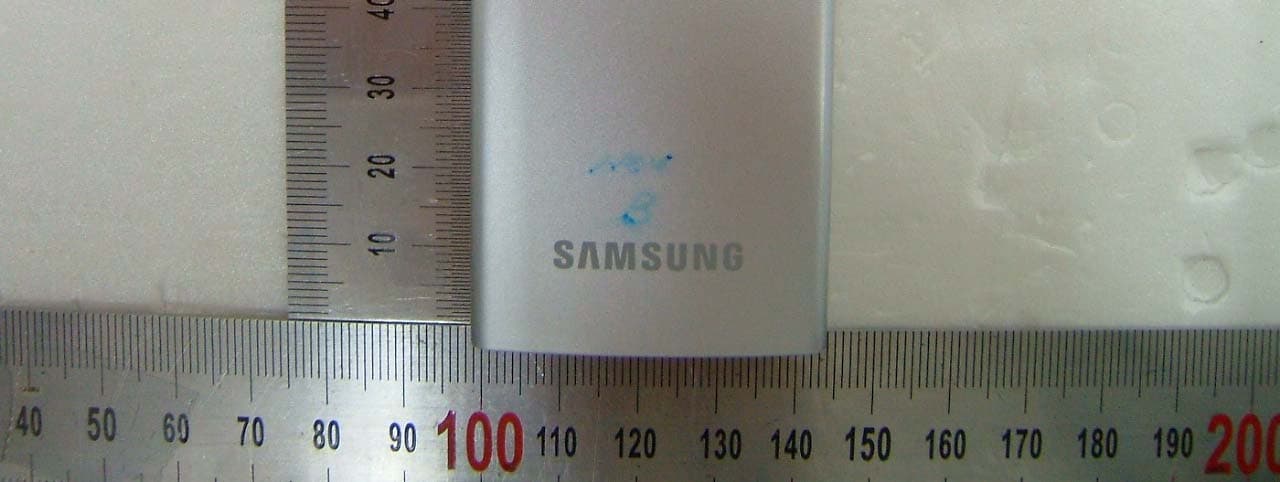
Click to zoom
Application Details
- Equipment Class
- DXX - Part 15 Low Power Communication Device Transmitter
- Date of Grant
- Nov 19, 2007
- Application Purpose
- Original Equipment
- Date of Application
- Nov 18, 2007
- Equipment Note
- WIRELESS PRESENTER MOUSE
- Frequency Range
- 2402.80000000 - 2478.00000000
- Company
- Samsung Electro Mechanics
- Country
- South Korea
Documents & Files
Document Text
Text extracted from the exhibit documents filed with the FCC. Open a document above to read the original.
Users Manual
1 Wireless Mouse SM30 User Manual SM30 그림 삽입 2 Contents in the Box 제품구성 z RF 2.4G Wireless Mouse z USB Dongle z 사용설명서 z 충전케이블 Contents in the Box z RF 2.4G Wireless Mouse z USB Dongle z User manual z Charging cable 包装内提供的物品 z RF 2.4G 无线鼠标 z USB 适配器 z 用户手册 z 充电电缆 梱包内容 z RF 2.4G ワイヤレス マウス z USB ドングル z ユーザ マニュアル z 充電用ケーブル Lieferumfang z RF 2.4G Wireless Mouse z USB-Dongle z Bedienungsanleitung z Ladekabel Contenu de la boîte z Souris sans fil 2,4 GHz RF z Dongle USB z Manuel d’utilisation z Câble de chargement Contenuto della confezione z RF 2.4G Mouse senza fili z Dongle USB z Manuale dell'utente z Cavo di ricarica Contenido de la caja z RF 2.4G Ratón inalámbrico z Llave USB z Manual del usuario z Cable de carga Conteúdo da caixa z Rato sem fios RF 2.4G z Dongle USB z Manual do utilizador z Cabo do carregador Zawartoœæ opakowania z Mysz bezprzewodowa RF 2.4G z urz¹dzenie dongle USB z instrukcja obs³ugi z kabel ³adowania Содержимое упаковки z Беспроводная мышь RF 2.4G z Защитный USB-ключ z Руководство пользователя z Кабель для зарядки аккумулятора Kutunun Ýçindekiler z RF 2.4G Kablosuz Fare z USB Donaným anahtarý (dongle) z Kullaným kýlavuzu z Þarj kablosu Inhoud van de doos z RF 2,4 GHz draadloze muis z USB-dongle z Gebruikershandleiding z Oplaadkabel 3 Specifications Size 93(L) X 43(W) X 13(H) mm / 3.7(L) X 1.7(W) X 0.5(H) inch Interface USB Resolution 800dpi Operating power 5V Wireless Range up to 10 meters / 32.8 ft Automatic pairing RF 2.4G wireless technology Weight mouse (including dongle): 44.06g / 1.55oz Battery life 24 hours of continuous use at full charge How To Use the USB Dongle Insert the USB Dongle on the side of the mouse and close the rubber top. Dongle 삽입 방법 그림 삽입 4 Korean 저희 삼성 무선슬림마우스 SM30를 구입하여 주셔서 감사합니다. 사용설명서를 읽어보시고 사용하시기 바랍니다. 하드웨어설치 별도의 하드웨어설치 없이 자동으로 설치되지만, 문제 발생시 아래 방법을 따르기 바랍니다. 1. USB Dongle을 컴퓨터 USB 포트에 연결합니다. 2. USB Dongle LED가 깜빡 거리기 시작합니다. 3. 마우스의 Connect 버튼을 누릅니다. USB Dongle LED가 연속적으로 불이 들어옵니다. (불이 들어오면 연결이 완료된 상태입니다.) 단, 위의 작업이 15초 이내에 완료되지 않으면 LED 불이 꺼지며, 이때 1번부터 다시 시작합니다. 충전방법 충전케이블을 컴퓨터 USB포트에 연결하고 무선마우스 앞쪽 충전부에 연결 후 최소 1시간 최대 3시간 충전하신 후 사용바랍니다. 충전 시에도 사용 가능합니다. 안전 및 주의사항 z 본 설명서 이외의 제어 또는 조정방법을 수행하면 유해한 전자파가 발생할 수 있습니다. z 제품을 분해하거나 액체, 습기 또는 0°C~ 40°C의 작동온도 범위를 벗어난 비정상적인 온도에 노출하지 마십시오. z 동글 리시버는 전파를 방해하는 물건(모니터, 스피커 등 금속류)으로부터 최소한 20cm 떨어진 위치에 두는 것이 좋습니다. z 1주일 이상 마우스 사용하지 않을 때에는 마우스의 전원 스위치를 꺼놓기 바랍니다. z 부적절한 설치, 부정확한 자세 및 바람직하지 못한 작업 습관 등으로 인한 반복적인 움직임이 장기화될 경우 육체적 불편함과 신경, 힘줄 및 근육에 부상이 초래될 수 있습니다. z 손, 손목, 팔, 어깨, 목 등에 통증, 마비, 약화, 부어 오름, 경련 또는 경직이 느껴지면 전문의와 상담하십시오. 무선 장치 비행기 탑승 시나 공항 검사대를 거치는 화물에 제품을 넣기 전에 배터리를 빼놓거나 전원을 끕니다. 배터리가 있는 상태에서 스위치가 잘못 눌러져 제품의 전원이 켜지면 휴대폰과 마찬가지로 라디오 주파수 (RF) 신호를 보내게 됩니다. 국제 폐기물 규정이 있는 국가에서의 제품 폐기 정보 제품 또는 패키지에 이 표시가 있으면 해당 제품을 생활 쓰레기와 함께 배출하지 마십시오. 그 대신 해당 지역의 전자 및 전기 제품 재활용 수거 장소에 가져다 두어야 합니다. 이러한 분리수거 및 재활용을 통해 자원을 절약하고, 부적절하게 폐기할 경우 전기 및 전자 장치에 남아 있을 수 있는 유해 물질로부터 건강과 환경을 보호하는 데 도움을 줄 수 있습니다. 서비스 의뢰 전 확인사항 사용 중 고장으로 판단하기 전에 아래내용을 점검해 주시기 바랍니다. 동작이 되지 않을 때 z PC에 USB Dongle 잘 연결되어 있는지 확인합니다. z 하드웨어 설치 절차를 반복해 보거나, USB Dongle을 마우스 근처에 놓고 마우스를 연속적으로 움직인다. z 배터리 충전상태를 확인합니다. 5 English Thank you for purchasing the Samsung Wireless Mouse SM30. Please read the user manual before using the product. Installing Hardware Although the installation is automatic without a separate hardware installation, please follow the following instructions in case of trouble. 1. Connect the USB dongle into the USB port of your computer. 2. The USB dongle LED will blink. 3. Press the connect button on the mouse. The USB dongle LED will stay lit. (Solid light shows that the connection is complete.) However, the LED indicator will turn off if the above process is not completed in 15 seconds. Start again from step 1. How To Charge Your Mouse Connect the cable to the USB port on your computer and the charging cable slot on the front side of the mouse. Charge from one to three hours before using it. You can also use the mouse while it is charging. Safety Notice z Performing a control or adjustment methods that are not in this manual may cause harmful electromagnetic radiation. z Do not disassemble. Do not expose the product to liquids, humidity, or abnormal temperature outside of the normal operational temperature (0 to 40 degrees Celsius). z Please place your dongle receiver minimum 20 cm away from any items such as monitors, speakers, and other metallic objects that interfere with the radio signal. z Please turn off the mouse if it is unused for 1 week or longer. z Repetitive movement for an extended period of time with improper installation, posture, and work habits may cause physical discomfort or damage the nerves, tendons, or muscles. z Please consult your physician in case of pain, paralysis, weakening, swelling, seizure or stiffness in the hands, wrists, arms, shoulders, neck, and others. Wireless Device Before boarding an airplane or putting the product into a luggage that undergoes a security check, please remove the battery or turn off the power. If the switch is accidentally pressed while the battery is in, the mouse will be turned on and transmit radio frequency like a cellular phone. Disposing Product in a Country with International Waste Removal Regulation If this mark is present on the product or the packaging, please do not dispose the product along with other household waste. Take the product to a local electronics recycling center. Electronics recycling will conserve resources and help protect the environment and health from any harmful material that is potentially remaining on electronic and electrical devices. Checklist Before Calling the Service Dept. Please confirm the following before assuming product failure. When the mouse is not responding: z Check the connection status of the USB dongle to your PC. z Try repeating the hardware installation process or moving the mouse back and forth near the USB dongle. z Check the battery charge. 6 Chinese 谢谢您购买三星无线鼠标 SM30 + 。 使用产品之前请阅读用户手册。 安装硬件 虽然安装是自动的,无需单独的硬件安装,但万一出现差错,请遵循以下指示: 1. 将 USB 适…
Text truncated - open the document above for the full version.
External Photos
FCCID: E2XSM30P Copyright Ⓒ 2007, DIGITAL EMC Co., Ltd. View 1 FCCID: E2XSM30P Copyright Ⓒ 2007, DIGITAL EMC Co., Ltd. View 2 FCCID: E2XSM30P Copyright Ⓒ 2007, DIGITAL EMC Co., Ltd. View 3
ID Label/Location Info
FCC ID: E2XSM30P FCC ID SAMPLE LABEL & LOCATION LABELLING REQUIREMENTS PER §2.925 The Label shown shall be permanently affixed at a conspicuous location on the device and be readily visible to the user at the time of purchase
Internal Photos
FCC ID: E2XSM30P Copyright Ⓒ 2007, DIGITAL EMC Co., Ltd. View 1 FCC ID: E2XSM30P Copyright Ⓒ 2007, DIGITAL EMC Co., Ltd. View 2 FCC ID: E2XSM30P Copyright Ⓒ 2007, DIGITAL EMC Co., Ltd. View 3 FCC ID: E2XSM30P Copyright Ⓒ 2007, DIGITAL EMC Co., Ltd. View 4 FCC ID: E2XSM30P Copyright Ⓒ 2007, DIGITAL EMC Co., Ltd. View 5
Test Report
DEMC#DR50110711G FCC ID: E2XSM30P Copyright ○ c 2007, DIGITAL EMC Co., Ltd. Page 1 of 18 DIGITAL EMC CO., LTD. 683-3, Yubang-Dong, Yongin-Si, Kyunggi-Do, Korea. 449-080 Tel: +82-31-321-2664 Fax: +82-31-321-1664 http://www.digitalemc.com CERTIFICATION OF COMPLIANCE SAMSUNG ELECTRO-MECHANICS CO.,LTD 314, Maetan3-Dong YoungTong-Gu, Suwon, Gyunggido, Korea 442-734 Dates of Tests: October 23 ~ November 16, 2007 Test Report S/N: DR50110711G Test Site : DIGITAL EMC CO., LTD. FCC ID APPLICANT FCC Classification : Part 15 Low Power Communication Device Transmitter Device name : Wireless Presenter Mouse Manufacturer : Dongguan Komi Electronics CO., LTD FCC ID : E2XSM30P Model name : SM30P Test Device Serial number : Identical prototype FCC Rule Part(s) : FCC Part 15.249; ANSI C-63.4-2003 Frequency Range : 2402.8 ~ 2478.0 MHz Data of issue : November 16, 2007 I attest to the accuracy of data. All measurements reported herein were performed by me or were made under my supervision and are correct to the best of my knowledge and belief. I assume full responsibility for the completeness of these measurements and vouch for the qualifications of all persons taking them. E2XSM30P SAMSUNG ELECTRO-MECHANICS CO., LTD. DEMC#DR50110711G FCC ID: E2XSM30P Copyright ○ c 2007, DIGITAL EMC Co., Ltd. Page 2 of 18 TABLE OF CONTENTS 1. GENERAL INFORMATION ---------------------------------------------------------------------------- 2. INFORMATION ABOUT TEST ITEM --------------------------------------------------------------- 3. TEST REPORT --------------------------------------------------------------------------------------------- 3.1 SUMMARY OF TESTS ------------------------------------------------------------------------------ 3.2 TRANSMITTER REQUIREMENTS --------------------------------------------------------------- 3.2.1 AC CONDUCTED EMISSIONS -------------------------------------------------------------- 3.2.2 RADIATED EMISSION -------------------------------------------------------------------------- ANNEX TEST EQUIPMENT USED FOR TESTS ---------------------------------------------------- 3 4 5 5 6 6 9 16 DEMC#DR50110711G FCC ID: E2XSM30P Copyright ○ c 2007, DIGITAL EMC Co., Ltd. Page 3 of 18 1. General information This report contains the result of tests performed by: DIGITAL EMC CO., LTD. Address : 683-3, Yubang-Dong, Yongin-Si, Kyunggi-Do, Korea. 449-080 http://www.digitalemc.com E-mail : [email protected] Tel: +82-31-321-2664 Fax: +82-31-321-1664 Quality control in the testing laboratory is implemented as per ISO/IEC 17025 which is the “General requirements for the competent of calibration and testing laboratory”. This laboratory is accredited by NVLAP for NVLAP Lab. Code : 200559-0. Test operator: engineer November 16, 2007 Won-Jung LEE Data Name Signature Report Reviewed By: manager November 16, 2007 Harvey Sung Data Name Signature Ordering party: Company name : SAMSUNG ELECTRO-MECHANICS CO.,LTD Address : 314, Maetan3-Dong YoungTong-Gu, Suwon, Zip code : 442-734 City/town : Gyunggido Country : KOREA Date of order : September 13, 2007 DEMC#DR50110711G FCC ID: E2XSM30P Copyright ○ c 2007, DIGITAL EMC Co., Ltd. Page 4 of 18 2. Information about test item E2XSM30P 2.1 Equipment information Equipment model name SM30P Type of equipment 2.4GHz Wireless Presenter Mouse Frequency band 2402.8MHz ~ 2478.0MHz Type of Modulation GFSK Channel Spacing 1.6MHz Type of antenna Pattern Antenna Power Supply(Battery) DC 3.7V 2.2 Tested frequency Frequency TX Low frequency 2402.8MHz Middle frequency 2439.6MHz High frequency 2478.0MHz 2.3 Tested environment Temperature : 15 ~ 35 ( o C) Relative humidity content : 20 ~ 75 % Air pressure : 86 ~ 103 kPa Details of power supply : Battery 3.7V 2.4 Ancillary Equipment Equipment Model No. Serial No. Manufacturer Laptop PC PP02X 37552857229 DELL Printer SRP-770 SRP77008060035 SAMSUNG ELECTRONICS 2.5 EMI Suppression Device(s)/Modifications EMI suppression device(s) added and/or modifications made during testing -> none DEMC#DR50110711G FCC ID: E2XSM30P Copyright ○ c 2007, DIGITAL EMC Co., Ltd. Page 5 of 18 3. Test Report 3.1 Summary of tests FCC Part Section(s) Parameter Limit Test Condition Status (note 1) I. Transmit mode(Tx) 15.249 (a) Field Strength Limits Refer to the FCC 15.249(a) Radiated C 15.205 / 15.209 General Field Strength Limits (Restricted Bands and Radiated Emission Limits) < FCC 15.209 limits Radiated C 15.207 AC Conducted Emissions < FCC 15.207 limits Line Conducted C Note 1: C=Complies NC=Not Complies NT=Not Tested NA=Not Applicable The sample was tested according to the following specification: FCC Parts 15.249; ANSI C-63.4-2003 DEMC#DR50110711G FCC ID: E2XSM30P Copyright ○ c 2007, DIGITAL EMC Co., Ltd. Page 6 of 18 3.2 Transmitter requirements 3.2.1 AC Conducted Emissions Procedure: The conducted emissions are measured in the shielded room with a spectrum analyzer in peak hold. While the measurement, EUT operated at the middle channels in line with Section 15.31(m). Emissions closest to the limit are measured in the quasi-peak detector mode and average detector mode with the tuned receiver using a bandwidth of 9 kHz. The emissions are maximized further by cable manipulation and Exerciser operation. The highest emissions relative to the limit are listed. Measurement Data: Complies Minimum Standard: FCC Part 15.207(a)/EN 55022 Conducted Limit (dBuV) Frequency Range (MHz) Quasi-Peak Average 0.15 ~ 0.5 66 to 56 * 56 to 46 * 0.5 ~ 5 56 46 5 ~ 30 60 50 * Decreases with the logarithm of the frequency Measurement Setup 3m Coax GPIB Figure 2: Measurement setup for AC Conducted Emission LISN Receiver Spectrum Analyzer Control PC DEMC#DR50110711G FCC ID: E2XSM30P Copyright ○ c 2007, DIGITAL EMC Co., Ltd. Page 7 of 18 AC Conducted Emissions DEMC#DR50110711G FCC ID: E2XSM30P Copyright ○ c 2007, DIGITAL EMC Co., Ltd. Page 8 of 18 AC Conducted Emissions -DATA DEMC#DR50110711G FCC ID: E2XSM30P Copyright ○ c 2007, DIGITAL EMC Co., Ltd. Page 9 of 18 3.2.2 Radiated Emission Procedure: …
Text truncated - open the document above for the full version.
Test Setup Photos
FCC ID: E2XSM30P Copyright Ⓒ 2007, DIGITAL EMC Co., Ltd. View 1 FCC ID: E2XSM30P Copyright Ⓒ 2007, DIGITAL EMC Co., Ltd. View 2
Contact Information
Applicant
Jinhwan Lim(Assistant Manager)
Test Firm
DT&C Co.,Changho Lee
Technical Specifications
| # | Rule Parts | Frequency Range | Power Output |
|---|---|---|---|
| 1 | 15C | 2.40 GHz - 2.48 GHz | - |
Other Applications from Samsung Electro Mechanics

E2X-ST-GR2900N
Oct 01, 2015ESL Graphic TAG
Equipment Class
DTS - Digital Transmission System
E2X-ST-GM29XXF
Sep 23, 2015ESL Graphic TAG
Equipment Class
DTS - Digital Transmission System
E2X-ST-GM22XXF
Sep 16, 2015ESL Graphic TAG
Equipment Class
DTS - Digital Transmission System
E2X-ST-GM42003N
Sep 10, 2015ESL Graphic TAG
Equipment Class
DTS - Digital Transmission System
E2X-ST-GM6000N
Aug 26, 2015ESL Graphic TAG
Equipment Class
DTS - Digital Transmission System