G95-CGA437ADOCSIS 3.1 Residential Voice Gateway
Vantiva USA LLC
Click to zoom
Application Details
- Equipment Class
- NII - Unlicensed National Information Infrastructure TX
- Date of Grant
- Dec 07, 2022
- Application Purpose
- Original Equipment
- Date of Application
- Nov 21, 2022
- Equipment Note
- DOCSIS 3.1 Residential Voice Gateway
- Frequency Range
- 5745.00000000 - 5825.00000000
- Company
- Vantiva USA LLC
- Country
- United States
Documents & Files
Document Text
Text extracted from the exhibit documents filed with the FCC. Open a document above to read the original.
Users Manual
Technicolor Delivery Technologies 8-10 rue du Renard, 75004 Paris, France technicolor.com Copyright 2022 Technicolor. All rights reserved. All tradenames referenced are service marks, trademarks, or registered trademarks of their respective companies. Specifications subject to change without notice. DMS3-SAF-25-735 v1.0. SAFETY INSTRUCTIONS AND REGULATORY NOTICES BEFORE YOU START INSTALLATION OR USE OF THIS PRODUCT, CAREFULLY READ ALL SAFETY INSTRUCTIONS Applicability These Safety Instructions and Regulatory Notices apply to: • Technicolor xDSL Modems & Gateways • Technicolor Fiber Modems & Gateways • Technicolor LTE Mobile Modems & Gateways • Technicolor Hybrid Gateways • Technicolor Ethernet Routers & Gateways • Technicolor Wi-Fi Extenders Using equipment safely Used symbols Following symbols may be found in this and accompanying documentation as well as on the product or accompanying accessories: Directives Product use You must install and use this product in strict accordance with the manufacturer's instructions as described in the user documentation that is included with your product. Before you start installation or use of this product, carefully read the contents of this document for device specific constraints or rules that may apply in the country where you want to use this product. If you have any doubts about the installation, operation or safety of this product, please contact your supplier. Any change or modification made to this product that is not expressly approved by Technicolor will result in the loss o f product warranty and may void the user's authority to operate this equipment. Technicolor disclaims all responsibility in the event of use that does not comply with the present instructions. Software and firmware use The firmware in this equipment is protected by copyright law. You may only use the firmwar e in the equipment in which it is provided. Any reproduction or distribution of this firmware, or any portion of it, without express written consent from Technicolor is prohibited. Software described in this document is protected by copyright law and furnished to you under a ! When using this product, always follow the basic safety precautions to reduce the risk of fire, electric shock and injury to persons, including the following: • Always install the product as described in the documentation that is included with your product. • Do not use this product to report a gas leak in the vicinity of the leak. • Avoid using this product during an electrical storm. There may be a remote risk of electric shock from lightning. SymbolIndication This symbol is intended to alert you that uninsulated voltage within this product may have su cient magnitude to cause electric shock. Therefore, it is dangerous to make any kind of contact with any inside part of this product. This symbol is intended to alert you of the presence of important operating and maintenance (servicing) instructions in the documentation that is included with your product. ! This symbol indicates for indoor use only (IEC 60417-5957). This symbol indicates Double insulated Class II equipment (IEC 60417-5172). Does not require an earth connection. This symbol indicates Alternating Current (AC). This symbol indicates Direct Current (DC). This symbol indicates Electrical polarity. This symbol indicates Fuse. SymbolIndication *6323832A* 6323832A 1 license agreement. You may only use or copy this software in accordance with the terms of your license agreement. Open Source Software notification The software of this product may contain certain open source software modules which are subject to Open Source Software license terms (see https://opensource.org/osd for definition). Such Open Source Software components and/or versions may change in the future versions of the software product. A list of the Open Source Software used or provided as embedded into the current software of the product and their corresponding licenses and version number are, to the extent required by applicable terms, available on Technicolor's website at the following address: www.technicolor.com/opensource or at another address as Technicolor may provide from time to time. If and where applicable, depending on the terms of the applicable Open Source Software licenses, the source code of the Open Source Software is available for free upon request. For avoidance of doubt, Open Source Software is only licensed by the original owner of the Open Source Software under the terms set forth in the designated Open Source License. Environmental information Batteries (if applicable) Energy efficiency Energy savings The user documentation that is included with your product not only provides useful information on all the features of your product, but also on its energy consumption. We strongly encourage you to carefully read this documentation before putting your equipment in service in order to get the best service it can offer you. Safety instructions Climatic conditions This product: • Is intended for in-house stationary use; the maximum ambient temperature must not exceed 40 °C (104 °F); the relative humidity must be between 20 and 80 %. • Must not be mounted in a location exposed to direct or excessive solar and/or heat radiation. • Must not be exposed to heat trap conditions and must not be subjected to water or condensation. • Must be installed in a Pollution Degree 2 environment (an environment where there is no pollution or only dry, non-conductive pollution). If applicable, batteries (battery pack or batteries installed) must not be exposed to excessive heat such as sunshine, fire or the like. Ventilation and positioning This product is intended to be used indoors in a residential or office environment. • Remove all packaging material before applying power to the product. • Place and use the product only in positions as described in the user documentation that is included with your product. • Never push objects through the openings in this product. • D…
Text truncated - open the document above for the full version.
Users Manual
Technicolor Delivery Technologies – www.technicolor.comCopyright © 2019 Technicolor. All rights reserved.All tradenames referenced are service marks, trademarks, or registered trademarks of their respective companies. Specifications subject to change without notice.DMS3-QIG-25-635 v1.0 *6254664A* 6254664A EN: Quick Start Guide 1 Technicolor Cable Modems and GatewaysDA: Kvik Start Guide 2 Technicolor Kabelmodemer og GatewaysDE: Schnellstartanleitung 3 Technicolor Kabemodems und GatewaysES: Guía Rápida 4 Technicolor Cable Módems y GatewaysFI: Pikaopas 5 Technicolor Kaapelimodeemin ja GatewaysFR: Guide d’installation rapide 6 Technicolor Modems et Passerelles de CâbleHU: Gyors Üzembe Helyezési Útmutató 7 Technicolor Kábel Modemek és ÁtjárókNL: Snelstartgids 8 Technicolor Cable Modems and GatewaysPL: Przewodnik Szybkiej Instalacji 9 Technicolor Cable Modems and GatewaysPT: Guia Rápido 10 Technicolor Cable Modems and Gateways 1 EN: Quick Start GuideFollow the instructions in this Quick Start Guide to connect your cable modem or gateway.Before you start : Carefully read the Safety Instructions and Regulatory Notices document included in your package before continuing with the installation of your cable modem or gateway.Important : Before you connect your device, establish an Internet service account with your preferred Internet service provider. When establishing an account, your Internet service provider may ask you to provide information listed on the device label, such as the device serial number (S/N) or MAC address.1 CABLE ( ): Connect the RF coaxial cable from the wall outlet to the CABLE connector on the back of the device. 2 ETHERNET ( ): Connect your computer to the Ethernet port on the back of the device. If your device has more than one Ethernet port, you may connect additional computers or other networking devices to the extra Ethernet ports. 3 TELEPHONE ( ) (optional): If your device supports digital telephone service (VoIP), connect one end of a telephone cable to a telephone outlet in your home or to a telephone or fax machine. Connect the other end of the cable to the first TELEPHONE port on the back of the device. The first port is labeled 1 or 1/2 depending on the device model. 4 POWER ( / ): Connect the barrel end ( ) of the power adapter (included) to the POWER input on the back of the device. Then, plug the adapter into a wall outlet. If your device has a power switch ( / ) on the back of the device, make sure that the switch is in the ON position. 5 Wait for the POWER ( / ) and (if applicable) WIRELESS ( ), DS ( / ), US ( / ), ONLINE ( / ) LEDs on the front panel to stop blinking and remain on continuously. It may take up to 10 minutes for all LEDs to stop blinking. You are now ready to surf the Internet and use other networked devices.Problems? If you encounter problems, make sure that all connections are secure. For further assistance, contact your service provider. 10 PT: Guia RápidoSiga as instruções incluídas neste Guia para ligar o seu modem de cabo ou dispositivo de gateway.Antes de começar : Leia atentamente o documento Instruções de Segurança e Avisos Regulamentares incluído no pacote antes de continuar com a instalação do seu modem a cabo ou dispositivo de gateway.Importante : Antes de fazer a ligação do dispositivo, crie uma conta de serviços de Internet junto de um fornecedor de serviços de Internet à sua escolha. Quando criar uma conta, o fornecedor de serviços de Internet poderá pedir-lhe que disponibilize as informações indicadas na etiqueta do dispositivo, tais como o número de série (S/N) ou o endereço MAC.1 CABLE ( ): Ligue o cabo coaxial RF desde a tomada de parede até ao conector CABLE na parte de trás do dispositivo. 2 ETHERNET ( ): Ligue o computador à porta Ethernet na parte de trás do dispositivo. Se o dispositivo tiver mais de uma porta Ethernet, pode ligar mais computadores ou outros dispositivos de rede às portas Ethernet adicionais. 3 TELEPHONE ( ) (opcional): Se o dispositivo suportar o serviço telefónico digital (VoIP), ligue uma extremidade de um cabo telefónico a uma tomada telefónica em sua casa ou a um telefone ou aparelho de fax. Ligue a outra extremidade do cabo à primeira porta TELEPHONE na parte de trás do dispositivo. A primeira porta encontra-se identificada como 1 ou 1/2 , consoante o modelo do dispositivo. 4 POWER ( / ): Ligue a extremidade cilíndrica ( ) do transformador (incluído) à entrada POWER na parte de trás do dispositivo. Em seguida, ligue o transformador a uma tomada de parede. Se o dispositivo tiver um interruptor de alimentação ( / ) na parte de trás, certifique-se de que o interruptor está na posição ON. 5 Aguarde até os indicadores LED POWER ( / ) e (se aplicável) WIRELESS ( ), DS ( / ), US ( / ), ONLINE ( / ) no painel frontal pararem de piscar e permanecerem acesos continuamente. Os indicadores LED poderão demorar até 10 minutos a pararem de piscar. Pode agora navegar na Internet e utilizar outros dispositivos ligados em rede. Problemas? Se tiver algum problema, certifique-se de que todas as ligações estão bem feitas. Para obter assistência adicional, contacte o fornecedor de serviços. 9 PL: Przewodnik Szybkiej InstalacjiAby podłączyć modem kablowy lub bramę, należy postępować zgodnie z instrukcjami zawartymi w niniejszym skróconym przewodniku.Zanim zaczniesz : Przed kontynuowaniem instalacji modemu kablowego lub bramy zapoznaj się uważnie z dokumentem Instrukcje bezpieczeństwa i uwagi dotyczące przepisów dołączonym do pakietu.Ważne : Przed podłączeniem urządzenia należy założyć konto usługi internetowej u wybranego dostawcy usług internetowych. Podczas zakładania konta, usługodawca internetowy może poprosić o podanie informacji znajdujących się na etykiecie urządzenia, takich jak numer seryjny (S/N) lub adres MAC.1 CABLE ( ): Jeden koniec kabla koncentrycznego RF podłącz do gniazda naściennego, a drugi do złącza CABLE z tyłu urządzenia. 2 ETHERNET ( ): Podłącz komputer do portu Ethernet z tyłu urządzenia. Jeśli pr…
Text truncated - open the document above for the full version.
External Photos
Photographs of EUT Report No. : EP232914-01 SPORTON International Inc. Page No. : 1 of 25 EP Report Version : Rev. 01 Issued Date : Nov. 22, 2022 Photographs of EUT Report No. : EP232914-01 SPORTON International Inc. Page No. : 2 of 25 EP Report Version : Rev. 01 Issued Date : Nov. 22, 2022 Photographs of EUT Report No. : EP232914-01 SPORTON International Inc. Page No. : 23 of 25 EP Report Version : Rev. 01 Issued Date : Nov. 22, 2022 Photographs of EUT Report No. : EP232914-01 SPORTON International Inc. Page No. : 24 of 25 EP Report Version : Rev. 01 Issued Date : Nov. 22, 2022
ID Label/Location Info
Label Location Information EUT (Bottom View) Label Location
Internal Photos
Photographs of EUT Report No. : EP232914-01 SPORTON International Inc. Page No. : 3 of 25 EP Report Version : Rev. 01 Issued Date : Nov. 22, 2022 Photographs of EUT Report No. : EP232914-01 SPORTON International Inc. Page No. : 4 of 25 EP Report Version : Rev. 01 Issued Date : Nov. 22, 2022 Photographs of EUT Report No. : EP232914-01 SPORTON International Inc. Page No. : 5 of 25 EP Report Version : Rev. 01 Issued Date : Nov. 22, 2022 Photographs of EUT Report No. : EP232914-01 SPORTON International Inc. Page No. : 6 of 25 EP Report Version : Rev. 01 Issued Date : Nov. 22, 2022 Photographs of EUT Report No. : EP232914-01 SPORTON International Inc. Page No. : 7 of 25 EP Report Version : Rev. 01 Issued Date : Nov. 22, 2022 Photographs of EUT Report No. : EP232914-01 SPORTON International Inc. Page No. : 8 of 25 EP Report Version : Rev. 01 Issued Date : Nov. 22, 2022 Photographs of EUT Report No. : EP232914-01 SPORTON International Inc. Page No. : 9 of 25 EP Report Version : Rev. 01 Issued Date : Nov. 22, 2022 Photographs of EUT Report No. : EP232914-01 SPORTON International Inc. Page No. : 10 of 25 EP Report Version : Rev. 01 Issued Date : Nov. 22, 2022 Photographs of EUT Report No. : EP232914-01 SPORTON International Inc. Page No. : 11 of 25 EP Report Version : Rev. 01 Issued Date : Nov. 22, 2022 Photographs of EUT Report No. : EP232914-01 SPORTON International Inc. Page No. : 12 of 25 EP Report Version : Rev. 01 Issued Date : Nov. 22, 2022 Photographs of EUT Report No. : EP232914-01 SPORTON International Inc. Page No. : 13 of 25 EP Report Version : Rev. 01 Issued Date : Nov. 22, 2022 Photographs of EUT Report No. : EP232914-01 SPORTON International Inc. Page No. : 14 of 25 EP Report Version : Rev. 01 Issued Date : Nov. 22, 2022 Photographs of EUT Report No. : EP232914-01 SPORTON International Inc. Page No. : 15 of 25 EP Report Version : Rev. 01 Issued Date : Nov. 22, 2022 Photographs of EUT Report No. : EP232914-01 SPORTON International Inc. Page No. : 16 of 25 EP Report Version : Rev. 01 Issued Date : Nov. 22, 2022 Photographs of EUT Report No. : EP232914-01 SPORTON International Inc. Page No. : 17 of 25 EP Report Version : Rev. 01 Issued Date : Nov. 22, 2022 Photographs of EUT Report No. : EP232914-01 SPORTON International Inc. Page No. : 18 of 25 EP Report Version : Rev. 01 Issued Date : Nov. 22, 2022 Photographs of EUT Report No. : EP232914-01 SPORTON International Inc. Page No. : 19 of 25 EP Report Version : Rev. 01 Issued Date : Nov. 22, 2022 Photographs of EUT Report No. : EP232914-01 SPORTON International Inc. Page No. : 20 of 25 EP Report Version : Rev. 01 Issued Date : Nov. 22, 2022 Photographs of EUT Report No. : EP232914-01 SPORTON International Inc. Page No. : 21 of 25 EP Report Version : Rev. 01 Issued Date : Nov. 22, 2022 Photographs of EUT Report No. : EP232914-01 SPORTON International Inc. Page No. : 22 of 25 EP Report Version : Rev. 01 Issued Date : Nov. 22, 2022 Photographs of EUT Report No. : EP232914-01 SPORTON International Inc. Page No. : 25 of 25 EP Report Version : Rev. 01 Issued Date : Nov. 22, 2022 ─────THE END────
RF Exposure Info
Radio Exposure Evaluation Report Report No. : FA232914-01 TEL : 886-3-327-3456 Page Number : 1 of 13 FAX : 886-3-327-0973 Issued Date : Nov. 16, 2022 Report Template No.: HE1-A1 Ver5.0 Report Version : 01 FCC ID: G95-CGA437A Radio Exposure Evaluation Report FCC ID : G95-CGA437A Equipment : DOCSIS 3.1 Residential Voice Gateway Brand Name : Technicolor Model Name : CGA437ATCH5 ; CGA437AXXXXX (where X can be alphanumeric, -, or blank) Applicant : Technicolor Connected Home USA LLC 4855 Peachtree Industrial Blvd. Suite 200 Norcross, Georgia 30092 Manufacturer : Technicolor Connected Home USA LLC 4855 Peachtree Industrial Blvd. Suite 200 Norcross, Georgia 30092 Standard : 47 CFR FCC Part 2 Subpart J, section 2.1091 The product was received on Mar. 30, 2022, and testing was started from Apr. 12, 2022 and completed on Jun. 30, 2022. We, SPORTON INTERNATIONAL INC. Hsinhua Laboratory, would like to declare that the tested sample has been evaluated in accordance with the procedures given in 47 CFR FCC Part 2 Subpart J, section 2.1091 and shown compliance with the applicable technical standards. The test results in this report apply exclusively to the tested model / sample. Without written approval of SPORTON INTERNATIONAL INC. Hsinhua Laboratory, the test report shall not be reproduced except in full. ___________________________________________ Approved by: Jackson Tsai __________________________________________ SDoC by: XXXXX SPORTON INTERNATIONAL INC. Hsinhua Laboratory No.52, Huaya 1st Rd., Guishan Dist., Taoyuan City 333411, Taiwan (R.O.C.) Radio Exposure Evaluation Report Report No. : FA232914-01 TEL : 886-3-327-3456 Page Number : 2 of 13 FAX : 886-3-327-0973 Issued Date : Nov. 16, 2022 Report Template No.: HE1-A1 Ver5.0 Report Version : 01 FCC ID: G95-CGA437A Table of Contents HISTORY OF THIS TEST REPORT .................................................................................................................. 3 1 GENERAL DESCRIPTION .................................................................................................................... 5 1.1 Information .............................................................................................................................................. 5 1.2 Applicable Standards ............................................................................................................................. 7 1.3 Testing Location ..................................................................................................................................... 7 2 MAXIMUM PERMISSIBLE EXPOSURE ............................................................................................... 8 2.1 Limit of Maximum Permissible Exposure ............................................................................................... 8 2.2 RF Exposure Exempt Measurement ...................................................................................................... 9 2.3 Multiple RF Sources Exposure ............................................................................................................. 10 2.4 MPE Calculation Method ...................................................................................................................... 11 2.5 Calculated Result and Limit .................................................................................................................. 12 Photographs of EUT V01 Radio Exposure Evaluation Report Report No. : FA232914-01 TEL : 886-3-327-3456 Page Number : 3 of 13 FAX : 886-3-327-0973 Issued Date : Nov. 16, 2022 Report Template No.: HE1-A1 Ver5.0 Report Version : 01 FCC ID: G95-CGA437A History of this test report Report No. Version Description Issued Date FA232914-01 01 Initial issue of report Nov. 16, 2022 Radio Exposure Evaluation Report Report No. : FA232914-01 TEL : 886-3-327-3456 Page Number : 4 of 13 FAX : 886-3-327-0973 Issued Date : Nov. 16, 2022 Report Template No.: HE1-A1 Ver5.0 Report Version : 01 FCC ID: G95-CGA437A Summary of Test Result Report Clause Ref Std. Clause Test Items Result (PASS/FAIL) Remark 2 - Exposure evaluation PASS - Declaration of Conformity: The test results with all measurement uncertainty excluded are presented in accordance with the regulation limits or requirements declared by manufacturers. Comments and Explanations: None Reviewed by: Ben Tseng Report Producer: Debby Hung Radio Exposure Evaluation Report Report No. : FA232914-01 TEL : 886-3-327-3456 Page Number : 5 of 13 FAX : 886-3-327-0973 Issued Date : Nov. 16, 2022 Report Template No.: HE1-A1 Ver5.0 Report Version : 01 FCC ID: G95-CGA437A 1 General Description 1.1 Information 1.1.1 EUT General Information RF General Information Evaluation Mode Frequency Range (MHz) Operating Frequency (MHz) Modulation Type 2.4GHz WLAN 2400-2483.5 2412-2462 802.11b: DSSS (DBPSK, DQPSK, CCK) 802.11g/n: OFDM (BPSK, QPSK, 16QAM, 64QAM) VHT: OFDM (BPSK, QPSK, 16QAM, 64QAM, 256QAM) 802.11ax: OFDMA (BPSK, QPSK, 16QAM, 64QAM, 256QAM, 1024QAM) 5GHz WLAN 5150-5250 5250-5350 5470-5725 5725-5850 5180-5240 5260-5320 5500-5700 5745-5825 802.11a/n: OFDM (BPSK, QPSK, 16QAM, 64QAM) 802.11ac: OFDM (BPSK, QPSK, 16QAM, 64QAM, 256QAM, 1024QAM) 802.11ax: OFDMA (BPSK, QPSK, 16QAM, 64QAM, 256QAM, 1024QAM) 1.1.2 Antenna Information Ant. Brand Model Name Antenna Type Connector 1 Technicolor 2G1 - PerpTall Murphy N/A 2 Technicolor 2G2 - Dumbo2 Murphy N/A 3 Technicolor 2G3 - PerpFold Murphy N/A 4 Technicolor 5G1 - Para2 Murphy N/A 5 Technicolor 5G2 - Perp2 Murphy N/A 6 Technicolor 5G3 - Para2 Murphy N/A 7 Technicolor 5G4 - Perp2 Murphy N/A Radio Exposure Evaluation Report Report No. : FA232914-01 TEL : 886-3-327-3456 Page Number : 6 of 13 FAX : 886-3-327-0973 Issued Date : Nov. 16, 2022 Report Template No.: HE1-A1 Ver5.0 Report Version : 01 FCC ID: G95-CGA437A Ant. Port Gain (dBi) 2.4G U-NII-1 U-NII-2A U-NII-2C U-NII-3 1 1 3.61 - - - - 2 2 4.70 - - - - 3 3 2.81 - - - - 4 1 - 2.52 2.34 2.20 2.37 5 2 - 2.87 2.38 2.89 2.43 6 3 - 2.08 …
Text truncated - open the document above for the full version.
Test Report
FCC DFS Test Report Report No. : FZ232914-01 TEL : 886-3-327-3456 Page Number : 1 of 173 FAX : 886-3-327-0973 Issued Date : Nov. 16, 2022 Report Template No.: HE1-D2 Ver3.2 Report Version : 01 FCC ID : G95-CGA437A FCC DFS Test Report FCC ID : G95-CGA437A Equipment : DOCSIS 3.1 Residential Voice Gateway Brand Name : Technicolor Model Name : CGA437ATCH5 ; CGA437AXXXXX (where X can be alphanumeric, -, or blank) Applicant : Technicolor Connected Home USA LLC 4855 Peachtree Industrial Blvd. Suite 200 Norcross, Georgia 30092 Manufacturer : Technicolor Connected Home USA LLC 4855 Peachtree Industrial Blvd. Suite 200 Norcross, Georgia 30092 Standard : 47 CFR FCC Part 15.407 The product was received on Mar. 30, 2022, and testing was started from Jul. 19, 2022 and completed on Jul. 20, 2022. We, SPORTON INTERNATIONAL INC. Hsinhua Laboratory, would like to declare that the tested sample has been evaluated in accordance with the procedures given in KDB 905462 D02 UNII DFS Compliance Procedures New Rules v02 and shown compliance with the applicable technical standards. The test results in this report apply exclusively to the tested model / sample. Without written approval of SPORTON INTERNATIONAL INC. Hsinhua Laboratory, the test report shall not be reproduced except in full. ___________________________________________ Approved by: Jackson Tsai __________________________________________ SDoC by: XXXXX SPORTON INTERNATIONAL INC. Hsinhua Laboratory No.52, Huaya 1st Rd., Guishan Dist., Taoyuan City 333411, Taiwan (R.O.C.) FCC DFS Test Report Report No. : FZ232914-01 TEL : 886-3-327-3456 Page Number : 2 of 173 FAX : 886-3-327-0973 Issued Date : Nov. 16, 2022 Report Template No.: HE1-D2 Ver3.2 Report Version : 01 FCC ID : G95-CGA437A Table of Contents HISTORY OF THIS TEST REPORT .................................................................................................................. 3 SUMMARY OF TEST RESULT ......................................................................................................................... 4 1 GENERAL DESCRIPTION .................................................................................................................... 5 1.1 Information .............................................................................................................................................. 5 1.2 Testing Applied Standards ..................................................................................................................... 9 1.3 Testing Location Information .................................................................................................................. 9 2 TEST CONFIGURATION OF EUT....................................................................................................... 10 2.1 Test Channel Frequencies Configuration ............................................................................................. 10 2.2 The Worst Case Measurement Configuration ...................................................................................... 10 2.3 Accessories .......................................................................................................................................... 11 2.4 Support Equipment ............................................................................................................................... 11 3 DYNAMIC FREQUENCY SELECTION (DFS) TEST RESULT ........................................................... 12 3.1 General DFS Information ..................................................................................................................... 12 3.2 Radar Test Waveform Calibration ........................................................................................................ 15 3.3 UNII Detection Bandwidth .................................................................................................................... 25 3.4 Channel Availability Check (CAC) ........................................................................................................ 30 3.5 In-service Monitoring ............................................................................................................................ 34 3.6 Statistical Performance Check ............................................................................................................. 39 4 TEST EQUIPMENT AND CALIBRATION DATA .............................................................................. 172 5 MEASUREMENT UNCERTAINTY .................................................................................................... 173 Appendix A. Test Photos Photographs of EUT V01 FCC DFS Test Report Report No. : FZ232914-01 TEL : 886-3-327-3456 Page Number : 3 of 173 FAX : 886-3-327-0973 Issued Date : Nov. 16, 2022 Report Template No.: HE1-D2 Ver3.2 Report Version : 01 FCC ID : G95-CGA437A History of this test report Report No. Version Description Issued Date FZ232914-01 01 Initial issue of report Nov. 16, 2022 FCC DFS Test Report Report No. : FZ232914-01 TEL : 886-3-327-3456 Page Number : 4 of 173 FAX : 886-3-327-0973 Issued Date : Nov. 16, 2022 Report Template No.: HE1-D2 Ver3.2 Report Version : 01 FCC ID : G95-CGA437A Summary of Test Result Report Clause Ref. Std. Clause Test Items Result (PASS/FAIL) Remark 3.3 KDB 905462 7.8.1 DFS: UNII Detection Bandwidth Measurement PASS 100% of the 99% BW 3.4 KDB 905462 7.8.2.1 DFS: Initial Channel Availability Check Time PASS CAC ≥ 60 sec 3.4 KDB 905462 7.8.2.2 DFS: Radar Burst at the Beginning of the Channel Availability Check Time PASS Detection Threshold: -63 dBm 3.4 KDB 905462 7.8.2.3 DFS: Radar Burst at the End of the Channel Availability Check Time PASS Detection Threshold: -63 dBm 3.5 KDB 905462 7.8.3 DFS: In-Service Monitoring for Channel Move Time (CMT) PASS CMT ≤ 10sec 3.5 KDB 905462 7.8.3 DFS: In-Service Monitoring for Channel Closing Transmission Time (CCTT) PASS CCTT ≤ 60 ms starting at CMT 200ms 3.5 KDB 905462 7.8.3 DFS: In…
Text truncated - open the document above for the full version.
Test Report
Report No. : AP232914-01 Antenna Composite Gain Test Report TEL : 886-3-327-3456 Page No. : 1 of 14 FAX : 886-3-327-0973 Issued Date : Nov. 22, 2022 Report Template No.: HE1-U3 Ver1.0 Report Version : 02 Antenna Composite Gain Test Report Equipment DOCSIS 3.1 Residential Voice Gateway Brand Name Technicolor Model Name CGA437ATCH5 ; CGA437AXXXXX (where X can be alphanumeric, -, or blank) Applicant Technicolor Connected Home USA LLC 4855 Peachtree Industrial Blvd. Suite 200 Norcross, Georgia 30092 Manufacturer Technicolor Connected Home USA LLC 4855 Peachtree Industrial Blvd. Suite 200 Norcross, Georgia 30092 Sample Received Mar. 30, 2022 Start Test Date Apr. 06, 2022 Final Test Date Apr. 07, 2022 ___________________________________________ Approved by: Jackson Tsai SPORTON INTERNATIONAL INC. Hsinhua Laboratory No.52, Huaya 1st Rd., Guishan Dist., Taoyuan City 333411, Taiwan (R.O.C.) Report No. : AP232914-01 Antenna Composite Gain Test Report TEL : 886-3-327-3456 Page No. : 2 of 14 FAX : 886-3-327-0973 Issued Date : Nov. 22, 2022 Report Template No.: HE1-U3 Ver1.0 Report Version : 02 Table of Contents History of this test report ................................................................................................................................. 3 1. Operation Mode and Antenna Information ........................................................................................ 4 2. Test Frequency ..................................................................................................................................... 5 3. Testing Location ................................................................................................................................... 5 4. Test Facility and Configuration .......................................................................................................... 6 5. Reference Calibration .......................................................................................................................... 7 6. Test Method .......................................................................................................................................... 8 7. Measured Values and Calculation of Maximum Gain Positions ...............................…
Text truncated - open the document above for the full version.
Contact Information
Applicant
Robert Lyall(Principal Certification Engineer)
Test Firm
Sporton International Inc. Hsinhua LaboratoryAlex Chen
Technical Specifications
| # | Rule Parts | Frequency Range | Power Output |
|---|---|---|---|
| 4 | 15E | 5.75 GHz - 5.83 GHz | 492.00 mW |
Other Applications from Vantiva USA LLC
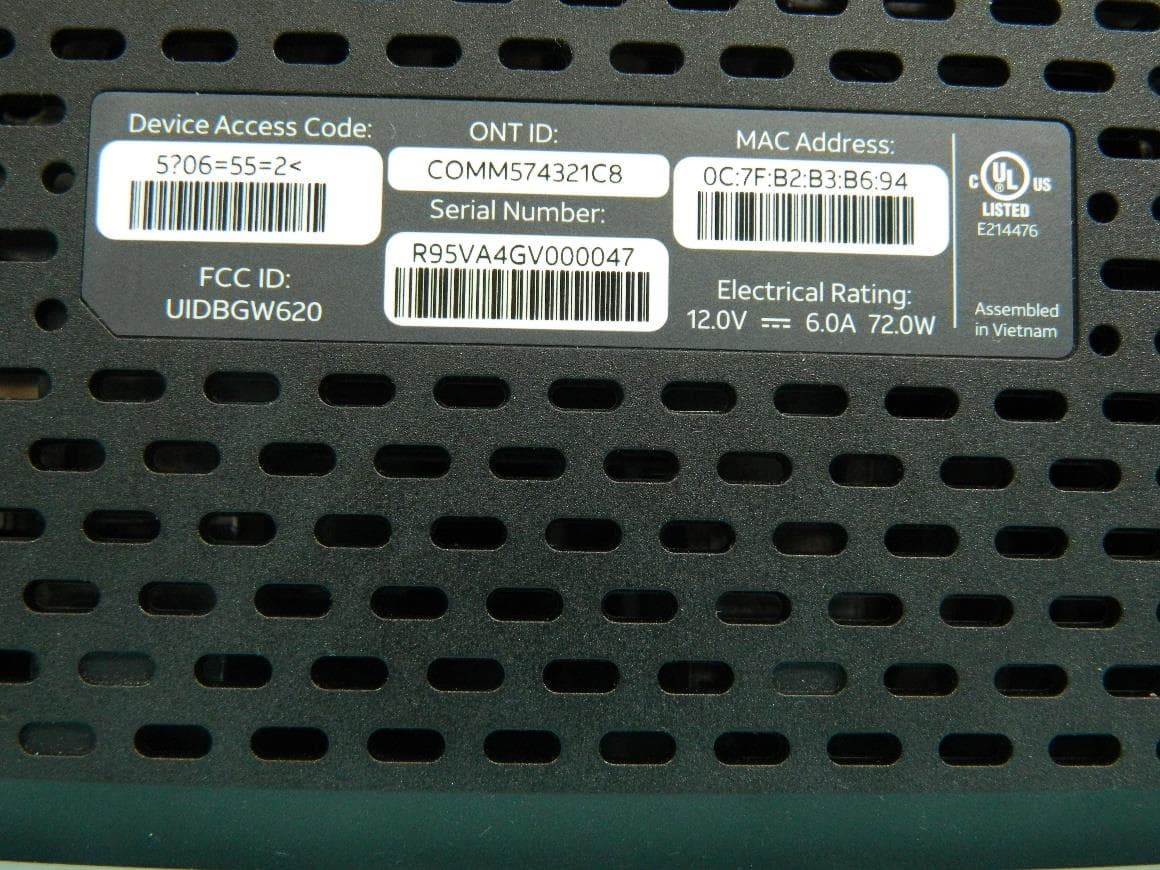
G95BGW620
Aug 26, 2024Wi-Fi 7 XGS-PON Gateway
Equipment Class
NII - Unlicensed National Information Infrastructure TX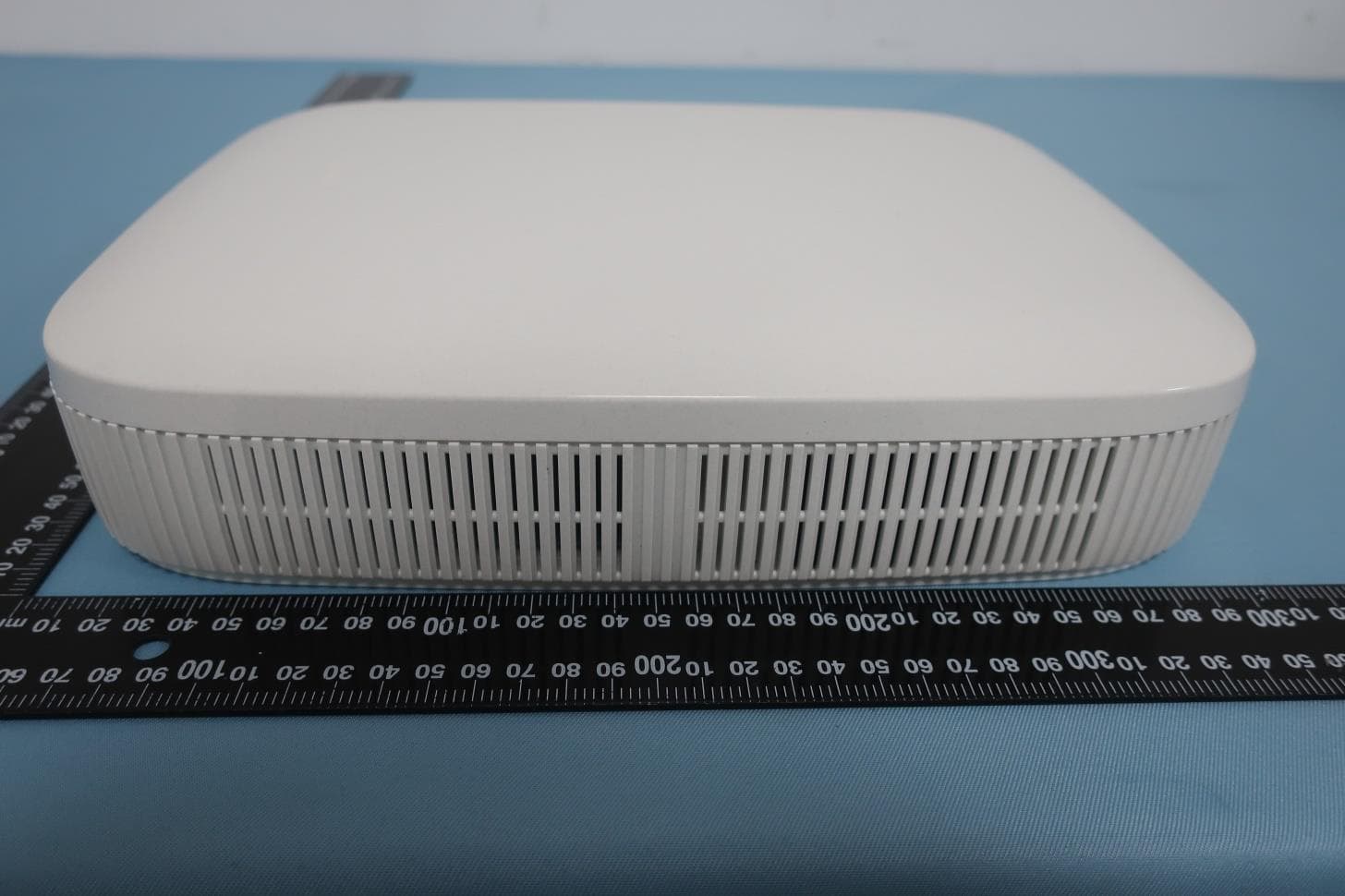
G954981X2
Jan 10, 2024DOCSIS 3.1
Equipment Class
NII - Unlicensed National Information Infrastructure TXG95OWA7111
Jul 20, 2023Wi-Fi 6E Extender
Equipment Class
6PP - 15E 6 GHz Subordinate Indoor Device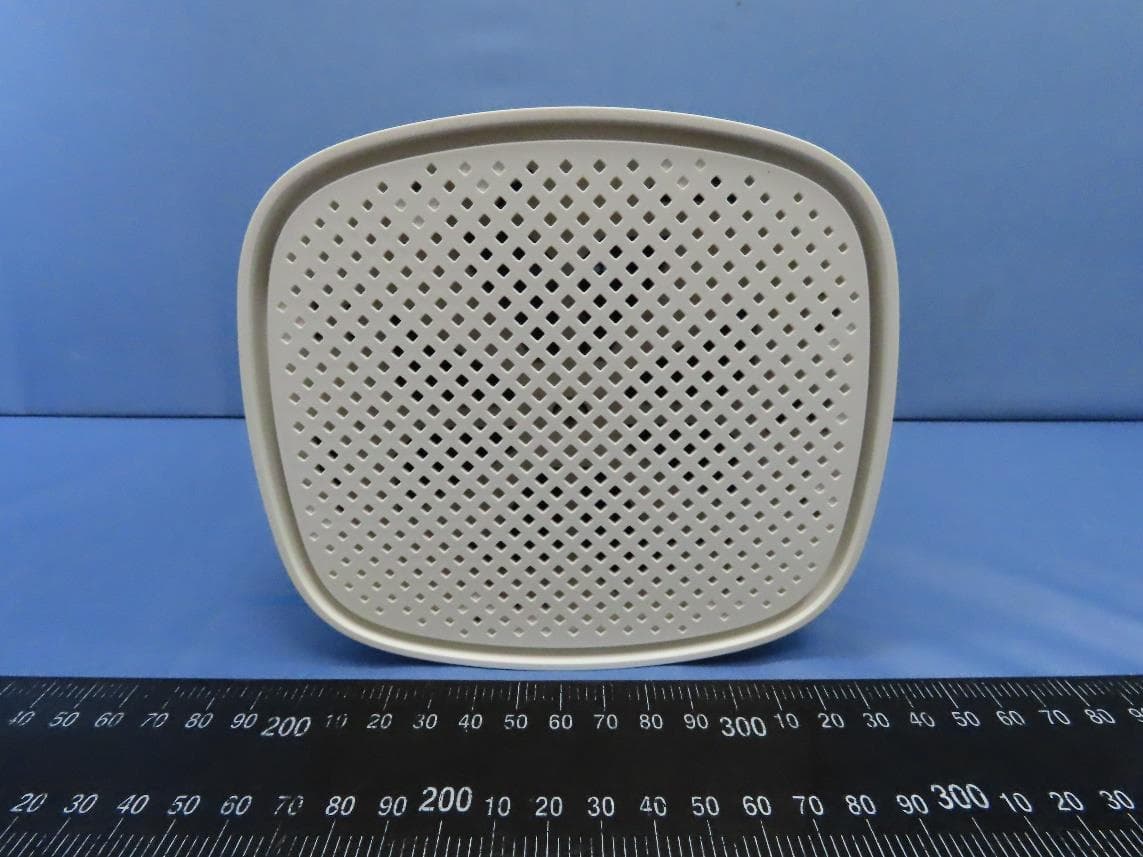
G95EWM322T
Jul 17, 2023Wireless Access Point
Equipment Class
DTS - Digital Transmission System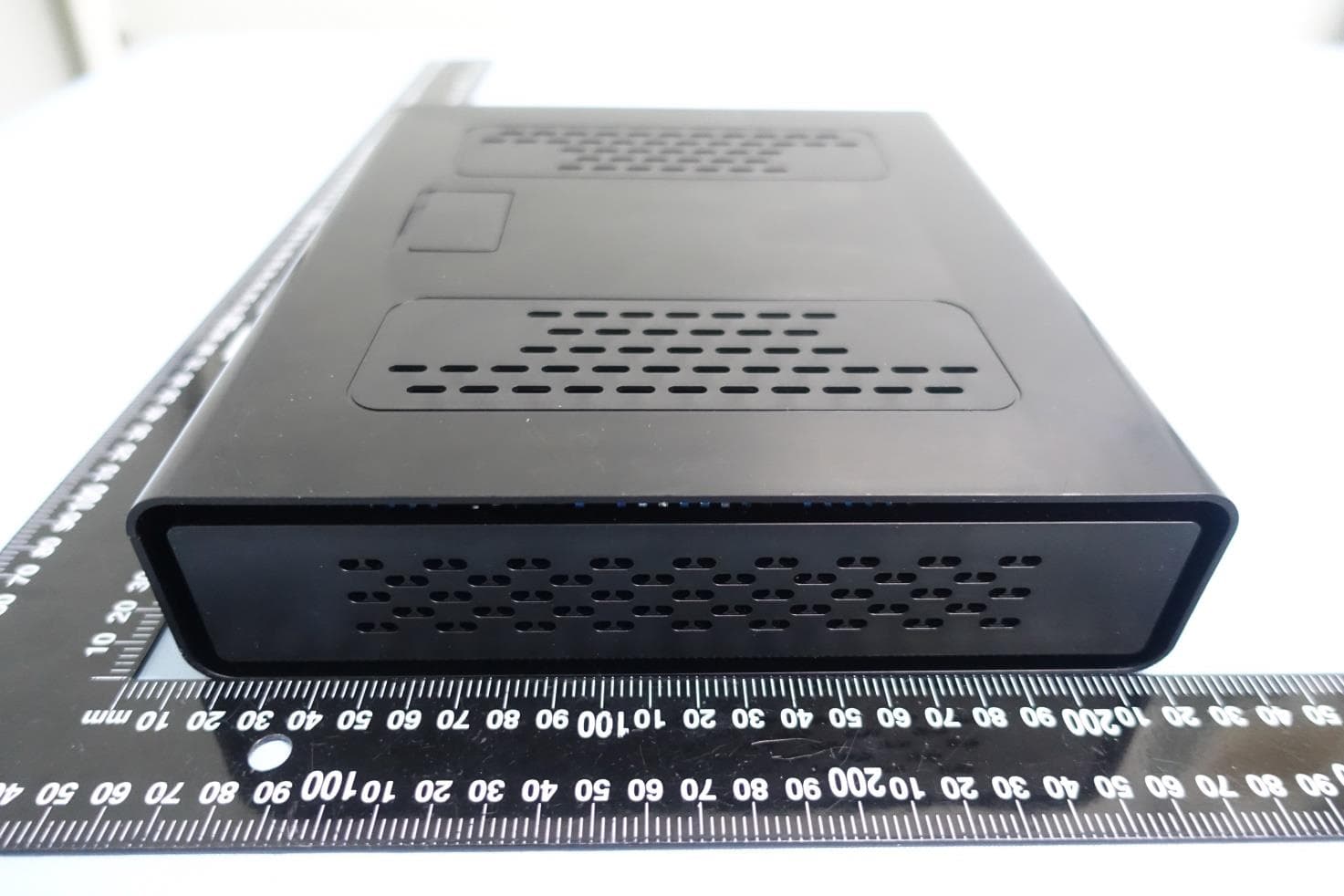
G95-CGA437T
Jan 14, 2023DOCSIS 3.1 Residential Voice Gateway
Equipment Class
NII - Unlicensed National Information Infrastructure TX