GU6-WT41Product Description: BlueGiga BlueTooth module used in Pathfinder 6052 or 6057 with 1D or 2D Laser Scanner
Avery Dennison Retail Information Services, LLC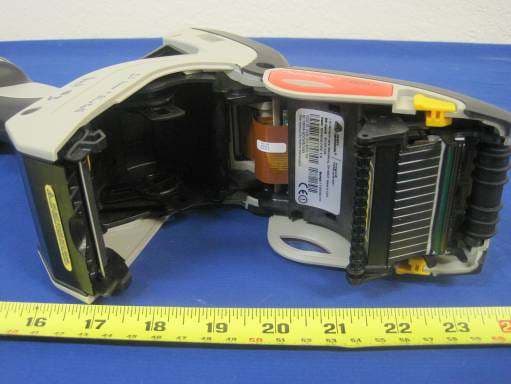
Click to zoom
Application Details
- Equipment Class
- DSS - Part 15 Spread Spectrum Transmitter
- Date of Grant
- Dec 01, 2011
- Application Purpose
- Original Equipment
- Date of Application
- Dec 01, 2011
- Equipment Note
- Product Description: BlueGiga BlueTooth module used in Pathfinder 6052 or 6057 with 1D or 2D Laser Scanner
- Frequency Range
- 2402.00000000 - 2480.00000000
- Country
- United States
Documents & Files
Document Text
Text extracted from the exhibit documents filed with the FCC. Open a document above to read the original.
Users Manual
Avery Dennison® and Pathfinder® are registered trademarks of Avery Dennison Corporation. TC6057NAQR Rev. AA 6/11 ©2011 Avery Dennison Corp. All Rights Reserved. QUICK REFERENCE This Quick Reference contains supply loading information and general care and maintenance procedures for the Pathfinder® 6057 printer. For more detailed information, refer to the Operator’s Handbook available on our Web site ( www.monarch.com ). Review the printer safety information in the Regulatory Compliance document provided with your printer. Information in this document supercedes information in previous versions. Check our Web site for the latest documentation and release information. Charging the Battery 1. Charge the main battery using a Monarch® battery charger. Refer to the 6057 Accessories List for battery charger models. Refer to the documentation with your charger for additional instruction. Important: You must charge the main battery when you receive the printer. Refer to the Operator’s Handbook for important battery safety information. 2. Insert the main battery into the printer. The internal backup battery charges from the main battery. The internal backup battery is not user-replaceable. Replacing the Main Battery Always remove the main battery from the printer when storing the printer for a month or longer. 1. Hold the printer upright with one hand and press the battery release button on the handle with your other hand. 2. Th e battery compartment door opens slightly. Use your finger to open the door. 3. Remove the battery. 4. Insert a new battery (label side up) into the compartment (connector end last). 5. Close th e compartment door until it clicks into place. 2-EN Loading Supplies 1. Turn on the printer. You may need to wait a few seconds for the desktop to load. Power Button 2. Press the latch buttons and open the supply cover. 3. Spread the supply holder tabs apart with one hand so it adjusts to the size of your supply roll. 4. Adjust the supply lock tab to lock the supply holder in place. The supply lock tab has three positions to adjust for 1.2”, 1.5”, and 2.0” supply. Supply Holder Supply Lock Tab EN-3 5. Place a roll of supply in the supply holder so it unrolls from the bottom. 6. Lo ad the supplies for the pr inting mode you want: Peel or Non-Peel. Loading for Non-Peel Mode 1. Feed the supply over the platen roller, peel bar, and label deflector. Platen Roller (black rubber) 4-EN 2. Close the supply cover. 3. Touch the Home key on the display, then select Load Supply , Calibrate Stock . Peel Bar (metal) Label Deflector Loading for Peel Mode 1. Peel and discard the first four inches of labels from the backing paper. 2. Hold the printer upright and gently press down on the label deflector. 3. Feed the supply over the platen roller, over the peel bar , and through the opening at the base of the label deflector. EN-5 4. Push the label deflector up until it snaps into place. 5. Close the cover completely. 6. Touch the Home key on the display, then select Load Supply , Calibrate Stock . Label Deflector Backing Paper Opening Peel Bar (metal) Platen Roller (black rubber) Using the Input Panel To open the printer’s Start Menu, touch the Emerald key. To open the printer’s input panel, touch the Diamond key. Emerald key Diamond ke y Key(s) Description Accepts data or menu selection. Closes any open windows. or Displays upper case or lower-case alphabetic input panel. Displays numeric input panel. Displays special character & symbol input panel. Changing the Display Settings To change the backlight, sound (beep) and other standard Windows options, touch the Emerald key to open the Start Menu, select Settings , Control Panel . 6-EN Cleaning the Printer When cleaning the printer, do not use sharp objects, do not use household cleaners, use isopropyl alcohol on the interior areas only (except where specified), never on the exterior. The printer should be turned off and supplies removed when cleaning. Cleaning the Printhead, Black Mark Sensor, and Platen Roller 1. Check the supply holder for adhesive buildup; clean it if necessary. 2. Ground yourself by touching a metal object, other than the printer, to prevent electrostatic discharge, which may damage the printer. 3. Clean the printhead area using a Monarch Cleaning Pen (#114226) or a soft cloth moistened with isopropyl alcohol. Allow the printer to dry before reloading supplies. Black Mark Sensor Platen Roller Label Deflector Printhead 4. Clean the black mark sensor with a dry cotton swab. 5. Clean the platen roller with a dry, soft-bristle brush (such as a toothbrush) when you see significant adhesive build-up or when a label is wrapped around the platen roller. 6. Reload supplies, close the label deflector and supply cover. EN-7 8-EN Cleaning the Scanner Window and Display 1. Turn off the printer. 2. Moisten a soft cloth with distilled water. 3. Wipe the scanner window and the display screen until they are clean. Clearing Supply Jams 1. Turn off the printer. 2. Open the supply cover and remove the supplies. 3. Hold the printer upright and gently press down on the label deflector. 4. Carefully remove any jammed supply and close the deflector. Do not pull the jammed supply out through the front of the label deflector. Do not use sharp objects to remove jammed supplies. 5. Reload the supplies and cl ose the label deflector. EN-9 Troubleshooting This section lists some common problems and their solutions. Problem Solution Printer does not print. Switch to a fully-charged battery. Load the supply correctly. Clean the printhead. Printer does not feed. Switch to a fully-charged battery. Load the supply correctly. Check the platen roller for jammed labels. Close the supply cover completely. Print has voids or is too light. Load the supply correctly / Check for damage. Close the supply cover completely. Switch to a fully-charged battery. Clean the printhead. Printer partially prints and fails to respond to the keypad or trigger. Re-load the suppl…
Text truncated - open the document above for the full version.
Users Manual
TC6057APRCD Rev AB 11/11 ©2011 Avery Dennison Corp. All Rights Reserved. REGULATORY COMPLIANCE INFORMATION Avery Dennison products are designed to be compliant with the rules and regulations in the locations into which they are sold and will be labeled as required. Any changes or modifications to Avery Dennison equipment not expressly approved by Avery Dennison could void the user authority to operate the equipment. Follow all cautions and instructions marked on the product. Do not operate Avery Dennison products without the covers in place. It may damage the product or cause personal injury. Never push objects of any kind through openings in the equipment. Dangerous energy might be present and cause fire, electric shock, or damage to the printer. Do not block or cover the openings of the equipment. Do not place the product near a radiator or heat register, this could cause the product to overheat. Avery Dennison products are designed to work with power systems that have a grounded neutral (grounded return for DC-powered products). Do not plug an Avery Dennison product into any other type of power system; this could cause electric shock. Contact your facilities manager or qualified electrician if you are not sure what power supply you have. The power cord serves as the primary disconnect for the product. Plug the power cord into a nearby grounded power outlet. Do not connect the power cord when the power supply has been removed from the product. Copyright Information Each product and program carries a respective written warranty, the only warranty on which the customer can rely. Avery Dennison Corp. reserves the right to make changes in the product, the programs, and their availability at any time and without notice. Although Avery Dennison Corp. has made every effort to provide complete and accurate information in this manual, Avery Dennison Corp. shall not DRAFT be liable for any omissions or inaccuracies. Any update will be incorporated in a later edition of this manual. No part of this publication may be reproduced, transmitted, stored in a retrieval system, or translated into any language in any form by any means, without the prior written permission of Avery Dennison Corp. Information in this document supercedes information in previous versions. Covered Models This document is intended to cover the Pathfinder® 6057. Specified trademarks are that of Avery Dennison Retail Information Services, LLC. Avery Dennison® is a trademark of Avery Dennison Corporation. Avery Dennison Printer Systems Division 170 Monarch Lane Miamisburg, OH 45342 Waste Electrical and Electronic Equipment (WEEE) for European Union (EU) Customers WEEE Symbol Avery Dennison is fully committed to achieving the EU mandated WEEE directives. This product, its components, and accessories must be sent to a designated collection facility for the proper disassembly and disposal in accordance with the WEEE directives. Any product or accessory marked with the WEEE symbol must be returned to a designated collection facility. For proper disposal of the printer outside of the U.S., send the printer and its accessories to: EMEA, 4 Awberry Court Croxley Business Park, Hatters Lane, Watford, WD18 8PD 2-EN DRAFT U.S. Battery Recycling Information Do not throw batteries in trash; recycle them based on local regulations. The Rechargeable Battery Recycling Corporation (RBRC) is a non-profit organization created to promote recycling of rechargeable batteries. For more information about how to recycle batteries in your area, visit www.rbrc.org. Batteries can also be returned postage-paid to: ERC, 200 Monarch Lane, Door #39, Miamisburg, OH 45342 Warning - California Only Perchlorate Material-special handling may apply. See www.dtsc.ca.gov/hazardouswaste/perchlorate Warning applies only to primary CR (Manganese Dioxide) Lithium coin cell batteries sold or distributed in California, USA. FCC Regulations – Class B This device has been tested and found to comply with the limits for a Class B digital device pursuant to Part 15 of the Federal Communications Commissions Rules and Regulation. These limits are designed to provide reasonable protection against harmful interference when the equipment is operated in a commercial environment. This equipment generates, uses, and can radiate radio frequency energy and, if not installed and used in accordance with the instruction manual, may cause harmful interference to radio communications. Operation of this equipment in a residential area is likely to cause harmful interference in which case the user will be responsible for correction. However, there is no guarantee that interference will not occur in a particular installation. If the equipment does cause harmful interference to radio or television reception, which can be determined by turning the equipment off and on, the user is encouraged to try to EN-3 DRAFT 4-EN correct the interference by one or more of the following measures: Re-orient or relocate the receiving antenna. Increase the separation between the equipment and receiver. Connect the equipment into an outlet on a circuit different from that which the receiver is connected. This Class B digital apparatus meets the requirements of the Canadian Interference-Causing Equipment Regulations. Cet appareil numérique de la Classe B respecte toutes les exigences du Règlement sur le Matériel Brouilleur du Canada. 802.11b/g Regulatory Compliance Information (if installed) This section details the regulatory compliance information specific to the wireless components in your printer. It may not apply to other RF devices in the printer. Refer to the documentation provided with those RF devices for regulatory information. Avery Dennison RF products are designed to be compliant with the rules and regulations in the locations into which they are sold and will be labeled as required. The majority of Avery Dennison RF devices are type approved and do not require the user to obtain a license or autho…
Text truncated - open the document above for the full version.
Attestation Statements
Avery Dennison Retail Information Services, LLC, a Subsidiary of Avery Dennison Corporation 170 Monarch Lane Miamisburg, OH 45342 Phone 1.937.865.2123 Fax 1.937.865.2048 November 28, 2011 To: Federal Communications Commission Authorization and Evaluation Division 7435 Oakland Mills Road Columbia, MD FCC ID: GU6-WT41 To Whom It May Concern: This letter is to ascertain that Avery Dennison RIS LLC Product 129514 has been the units used for conducting FCC compliance testing, the DoC part will be tested by FCC recognized test lab. If you have any questions or concerns, please contact me by email at [email protected]; phone at 1-937-865-2020; or by fax at 1-937-865-2048. Sincerely, James A Bacher Senior Engineer Avery Dennison RIS LLC 170 Monarch Lane Miamisburg, Ohio 45342 1-937-865-2020 (voice) 1-937-865-2048 (fax) [email protected] cc: Dave Best
Attestation Statements
Avery Dennison Retail Information Services, LLC, a Subsidiary of Avery Dennison Corporation 170 Monarch Lane Miamisburg, OH 45342 Phone 1.937.865.2123 Fax 1.937.865.2048 December 1, 2011 Federal Communications Commission 445 12th Street, SW Washington, DC 20554 Company: Avery Dennison Retail Information Services, LLC FCC ID: GU6-WT41 We are submitting this application with out an OEM integration manual as we will not be selling this unit to anyone else. This is intended for use in our own products only. If you have any questions in regards to the above subject, please give me a call at 1.937.865.2123. Sincerely, James A Bacher Senior Engineer Avery Dennison RIS LLC dba Avery Dennison Retail Branding & Information Solutions 170 Monarch Lane Miamisburg, Ohio 45342 1-937-865-2020 (voice) 1-937-865-2048 (fax) [email protected]
Cover Letter(s)
Avery Dennison Retail Information Services, LLC, a Subsidiary of Avery Dennison Corporation 170 Monarch Lane Miamisburg, OH 45342 Phone 1.937.865.2123 Fax 1.937.865.2048 Nov 11, 2011 To: SIEMIC, INC. 2206 Ringwood Avenue, San Jose, CA 95131 USA Dear Sir/Madam, Re: Project and Product Certification Representative Authorization Letter We, Avery Dennison hereby authorize SIEMIC, INC. to act as a Certification Body for certifying for the following project(s): Product description: BT module 129514 for use in Pathfinder 6052 or 6052 with 1D or 2D Laser Scanner FCC ID : GU6-WT41 We affirm that between SIEMIC and Avery Dennison, any difference in understanding, including test plan, measurement methods, applicable standards and relevant procedures and processes have been resolved prior to commencement of testing activities. Sincerely, James A Bacher Senior Engineer Avery Dennison RIS LLC 170 Monarch Lane Miamisburg, Ohio 45342 1-937-865-2020 (voice) 1-937-865-2048 (fax)
Cover Letter(s)
Avery Dennison Retail Information Services, LLC, a Subsidiary of Avery Dennison Corporation 170 Monarch Lane Miamisburg, OH 45342 Phone 1.937.865.2123 Fax 1.937.865.2048 November 16, 2011 To: Federal Communications Commission Authorization and Evaluation Division 7435 Oakland Mills Road Columbia, MD Subject: Permanent Confidentiality Request for FCC ID: GU6-WT41 We hereby request confidential treatment of information accompanying this application as outlined below: • Operational Description • Module Schematics • Module Block Diagram The above materials contain trade secrets and proprietary information not customarily released to the public. The public disclosure of these materials may be harmful to the applicant and provide unjustified benefits to its competitors. The applicant understands that pursuant to Section 0.457 & 0.459 of the Rules, disclosure of this application and all accompanying documentation will not be made before the date of the Grant for this application. If you have any questions or concerns, please contact me by email at [email protected]; phone at 1-937-865-2020; or by fax at 1-937-865-2048. Sincerely, James A Bacher Senior Engineer Avery Dennison RIS LLC 170 Monarch Lane Miamisburg, Ohio 45342 1-937-865-2020 (voice) 1-937-865-2048 (fax) [email protected] cc: Dave Best
External Photos
Host Model: 6057 1D Scanner HOST – Top View 1 HOST – Top View 2 HOST – Right Side View HOST – Left Side View HOST – Port View HOST – Rear View HOST – Battery Compartment View HOST – Loading Supply view Host Model: 6057 2D Scanner HOST – Top View 1 HOST – Top View 2 HOST – Right Side View HOST – Left Side View HOST – Port View HOST – Rear View HOST – Battery Compartment View HOST – Loading Supply View
ID Label/Location Info
Label Location
Internal Photos
129154 Internal Photos EUT – RF Bluetooth Module with shield plate EUT – RF Bluetooth Module without shield plate component view BT Antenna EUT – RF Bluetooth Module without shield plate Component View EUT – RF Bluetooth Module Solder View
RF Exposure Info
According to §15.247(e)(i) and §1.1307(b)(1), systems operating under the provisions of this section shall be operated in a manner that ensures that the public is not exposed to radio frequency energy level in excess of the Commission’s guidelines. According to KDB 447498, no SAR required if power is lower than the flowing threshold: Bluetooth Frequency Range Center frequency (MHz) 60/f SAR Limitation (mW) Low Frequency (MHz) High Frequency(MHz) 2402 2480 2441 25 Maximum measured transmitter power: 1 Mbps Rate mode Average Source Based Calculated Power (mW) 0.247 Threshold at which no SAR required is 25 mW. Average Source Based Calculated Power is 0.247 mW Conclusion: No SAR is required. Maximum measured transmitter power: 2 Mbps Rate mode Average Source Based Calculated Power (mW) 0.292 Threshold at which no SAR required is 25 mW. Average Source Based Calculated Power is 0.292 mW Conclusion: No SAR is required. Maximum measured transmitter power: 3 Mbps Rate mode Average Source Based Calculated Power (mW) 0.311 Threshold at which no SAR required is 25 mW. Average Source Based Calculated Power is 0.311 mW Conclusion: No SAR is required. No Simultaneous transmission occurs. Calculation: 1 Mbps Rate mode Power = 22.54 mW (13.53 dBm) Duty cycle = 3.250 ms / 296.67 ms (multiply by Power = 22.54 mW) Average Power = 0.247 mW 2 Mbps Rate mode Power = 27.35 mW (14.37 dBm) Duty cycle = 3.167 ms / 296.67 ms (multiply by Power = 27.35 mW) Average Power = 0.292 mW 3 Mbps Rate mode Power = 28.38 mW (14.53 dBm) Duty cycle = 3.250 ms / 296.67 ms (multiply by Power = 28.38 mW) Average Power = 0.311 mW
Test Report
AVERY DENNISON RETAIL INFORMATION SERVICES LLC BLUETOOTH RADIO MODULE Model: 129514 HOST Model: Pathfinder 6057 1D Scanner, Pathfinder 6057 2D Scanner November 03 2011 Report No.: SL110818022AVE2017201_(6057BT)_FCC&IC (This report supersedes NONE) This Test Report is Issued Under the Authority of: Dan Coronia Compliance Engineer Leslie Bai Director of Certification Modifications made to the product : None This test report may be reproduced in full only. All Test Data Presented in this report is only applicable to presented Test sample. Title: RF Test Report of Avery Dennison Retail Information Services LLC Model : 129514 To FCC 15.247: 2011 & RSS'210 Issue 8: 2010 Serial# SL11081802'AVE'017'01_(6057BT)_FCC&IC Issue Date November 03 2011 Page 2 of 104 www.siemic.com Laboratory Introduction SIEMIC, headquartered in the heart of Silicon Valley, with superior facilities in US and Asia, is one of the leading independent testing and certification facilities providing customers with one'stop shop services for Compliance Testing and Global Certifications. In addition to testing and certification, SIEMIC provides initial design reviews and compliance management through out a project. Our extensive experience with China, Asia Pacific, North America, European, and international compliance requirements, assures the fastest, most cost effective way to attain regulatory compliance for the global markets. Accreditations for Conformity Assessment Country/Region Accreditation Body Scope USA FCC, A2LA EMC , RF/Wireless , Telecom , SAR Canada IC, A2LA, NIST EMC, RF/Wireless , Telecom , SAR Taiwan BSMI , NCC , NIST EMC, RF, Telecom , Safety Hong Kong OFTA , NIST RF/Wireless ,Telecom Australia NATA, NIST EMC, RF, Telecom , Safety Korea KCC/RRA, NIST EMI, EMS, RF , Telecom, Safety , SAR Japan VCCI, JATE, TELEC, RFT EMI, RF/Wireless, Telecom Mexico NOM, COFETEL, Caniety Safety, EMC , RF/Wireless, Telecom Europe A2LA, NIST EMC, RF, Telecom , Safety, SAR Accreditations for Product Certifications Country Accreditation Body Scope USA FCC TCB, NIST EMC , RF , Telecom Canada IC FCB , NIST EMC , RF , Telecom Singapore iDA, NIST EMC , RF , Telecom EU NB EMC & R&TTE Directive Japan MIC (RCB 208) RF , Telecom HongKong OFTA (US002) RF , Telecom Title: RF Test Report of Avery Dennison Retail Information Services LLC Model : 129514 To FCC 15.247: 2011 & RSS'210 Issue 8: 2010 Serial# SL11081802'AVE'017'01_(6057BT)_FCC&IC Issue Date November 03 2011 Page 3 of 104 www.siemic.com This page has been left blank intentionally. Title: RF Test Report of Avery Dennison Retail Information Services LLC Model : 129514 To FCC 15.247: 2011 & RSS'210 Issue 8: 2010 Serial# SL11081802'AVE'017'01_(6057BT)_FCC&IC Issue Date November 03 2011 Page 4 of 104 www.siemic.com CONTENTS 1 EXECUTIVE SUMMARY & EUT INFORMATION ............................................................................................................ 6 2 TECHNICAL DETAILS ................................................................................................................................................. 7 3 MODIFICATION ........................................................................................................................................................... 8 4 TEST SUMMARY......................................................................................................................................................... 9 5 MEASUREMENTS, EXAMINATION AND DERIVED RESULTS ..................................................................................... 10 ANNEX A. TEST INSTRUMENT & METHOD ........................................................................................................................ 67 ANNEX B EUT AND TEST SETUP PHOTOGRAPHS ........................................................................................................... 71 ANNEX C. TEST SETUP AND SUPPORTING EQUIPMENT ................................................................................................... 71 ANNEX D USER MANUAL, BLOCK & CIRCUIT DIAGRAM .................................................................................................. 75 ANNEX E SIEMIC ACCREDITATION ................................................................................................................................... 76 Title: RF Test Report of Avery Dennison Retail Information Services LLC Model : 129514 To FCC 15.247: 2011 & RSS'210 Issue 8: 2010 Serial# SL11081802'AVE'017'01_(6057BT)_FCC&IC Issue Date November 03 2011 Page 5 of 104 www.siemic.com This page has been left blank intentionally. Title: RF Test Report of Avery Dennison Retail Information Services LLC Model : 129514 To FCC 15.247: 2011 & RSS'210 Issue 8: 2010 Serial# SL11081802'AVE'017'01_(6057BT)_FCC&IC Issue Date November 03 2011 Page 6 of 104 www.siemic.com 1 Executive Summary & EUT information The purpose of this test programmed was to demonstrate compliance of the Avery Dennison Retail Information Services LLC Radio Module, Model: 129514 against the current Stipulated Standards. The complete system Pathfinder 6057 has demonstrated compliance with the FCC 15.247: 2011 & RSS'210 Issue 8: 2010. The test has demonstrated that this unit complies with stipulated standards. EUT Information EUT Description : Bluetooth module (Model: 129514) with host model Pathfinder 6057 prints, scans bar codes, collects data, and communicates with other devices. Model No : 129514 Serial No : N/A HW version : N/A Input Power : Battery type: 7.4 V Lithium'Ion 3.6 V Lithium'Ion (Internal) Classification Per Stipulated Test Standard : Spread Spectrum System / Device Title: RF Test Report of Avery Dennison Retail Information Services LLC Model : 129514 To FCC 15.247: 2011 & RSS'210 Issue 8: 2010 Serial# SL11081802'AVE'017'01_(6057BT)_FCC&IC Issue Date November 03 2011 Page 7 of 104 www.siemic.com 2 TECHNICAL DETAILS Purpose Compliance testing of 129514 with stipulated standard Applicant / Client Avery Dennison …
Text truncated - open the document above for the full version.
Test Setup Photos
Radiated Emission, Host 6057 1D Scanner (30 MHz-1 GHz) – Front View Radiated Emission, Host 6057 1D Scanner (30 MHz-1 GHz) – Rear View Radiated Emission, Host 6057 2D Scanner (30 MHz-1 GHz) – Front View Radiated Emission, Host 6057 2D Scanner (30 MHz-1 GHz) – Rear View Radiated Emission, Host 2D Scanner (Above 1 GHz) – Front View Radiated Emission, Host 2D Scanner (Above 1 GHz) – Rear View
Contact Information
Applicant
Michael Ouziel(Regulatory Engineer)
Test Firm
Bureau Veritas Consumer Products Services, Inc.Sarb Shelopal
[email protected]+1 925 963 4420
Technical Specifications
| # | Rule Parts | Frequency Range | Power Output |
|---|---|---|---|
| 1 | 15C | 2.40 GHz - 2.48 GHz | 28.40 mW |
Other Applications from Avery Dennison Retail Information Services, LLC
GU6WTB4010
Aug 25, 2021ZippyYum Thermometer
Equipment Class
DTS - Digital Transmission System
GU6-QUATECH1
Oct 04, 2015Mobile PrinterModel name - 9485NP
Equipment Class
DTS - Digital Transmission System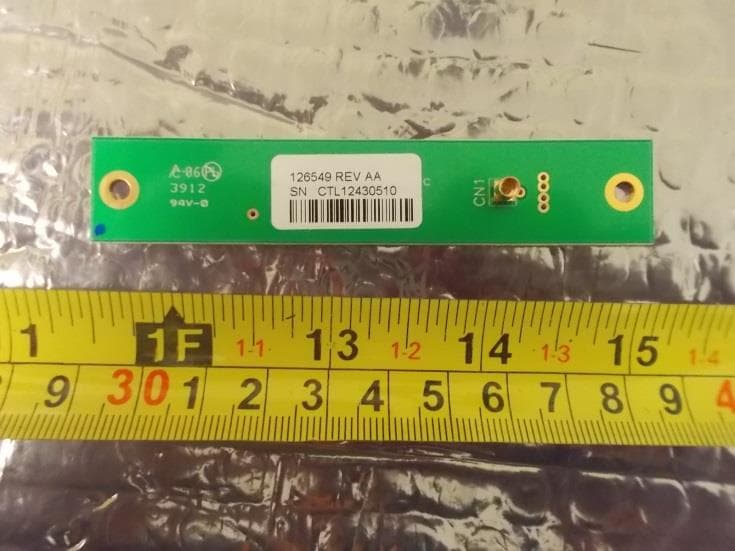
GU6-RS500GX
Aug 13, 2014UHF RFID Module
Equipment Class
DSS - Part 15 Spread Spectrum Transmitter
GU6-QUATECH
Oct 04, 2012MOBILE PRINTER
Equipment Class
JBP - Part 15 Class B Computing Device Peripheral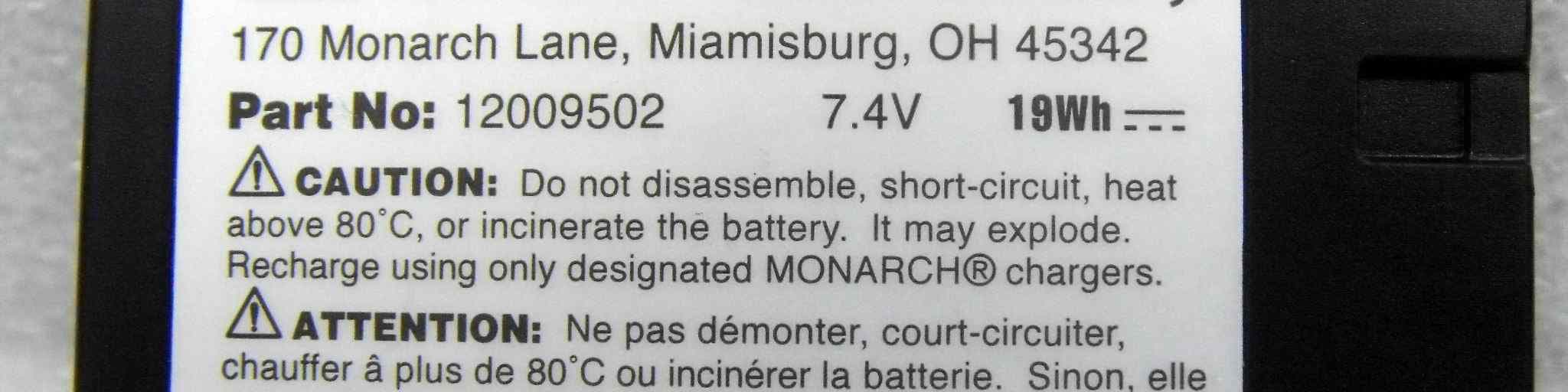
GU6-MTT
Oct 04, 2012MOBILE PRINTER
Equipment Class
JBP - Part 15 Class B Computing Device Peripheral