HDOWM218BT2 PACK INDOOR OUTDOOR BLUETOOTH SPEAKERS
Gemlink Ltd.
Click to zoom
Application Details
- Equipment Class
- DSS - Part 15 Spread Spectrum Transmitter
- Date of Grant
- Jan 07, 2015
- Application Purpose
- Original Equipment
- Date of Application
- Jan 07, 2015
- Equipment Note
- 2 PACK INDOOR OUTDOOR BLUETOOTH SPEAKERS
- Frequency Range
- 2402.00000000 - 2480.00000000
- Company
- Gemlink Ltd.
- Country
- Hong Kong
Documents & Files
Document Text
Text extracted from the exhibit documents filed with the FCC. Open a document above to read the original.
Users Manual
2 PACK INDOOR/OUTDOOR BLUETOOTH® SPEAKER Model: BWA15AV 107 PRODUCT GUIDE TM Power Slide the power switch to turn FEATURES AND CONTROLS Volume Press to adjust the volume. Battery LED RearSideFront Speaker Connection LED Bluetooth Pairing LED DC Power Input Pair Press to begin pairing the speakers. Connect Speakers Press to connect the speakers. DC IN 5V ON/OFF PAIR VOLUME CONNECT SPEAKERS Battery LED Indicators (RED) Speaker Pairing LED Indicators (WHITE) Bluetooth Connection LED Indicators (BLUE) StatusIndicator No Light Charging BatterySolid Red Light Low BatteryFlashing Red Light Charging CompleteNo Light StatusIndicator Speakers PairingFlashing White Light Speakers PairedSolid White Light StatusIndicator Pairing to DeviceFlashing Blue Light Devices PairedSolid Blue Light Pairing the Speakers This process should be done FIRST before pairing to a Bluetooth device. This should only need to be done upon beginning the pairing process. 1. Power on the speakers by sliding the power switch to the ON position on both units. 2. The Bluetooth Indicator and Speaker Connection IndicatorIf the Speaker both speakers your speakers are already paired. You can skip to the Pairing a Bluetooth Device section. 3. Press the Connect Speakers button on both speakers simultaneously. 4. 5. Wait until both Speaker Connection Indicators are solid white. This indicates that the speakers have successfully paired. Please note that this process can take up to 1 minute. For all future uses please turn on both speakers and wait for them to connect. Note that it may take up to 1 minute for them to pair automatically even after initial use, but here should be no need to press Connect Speaker button again. If any pairing issues should occur, repeat the above steps. Pairing to a Bluetooth Device Pairing the Speakers. When pairing, the device should remain within 3 feet of the speakers. 1. Press the Pair button on ONLY ONE of the speakers. 2. Using the native controls on your Bluetooth device, select BWA15AV107 in your Bluetooth settings to pair. If your device requests a password, enter the default password 0 0 0 0 . instructions on pairing and connecting Bluetooth devices. 3. When successfully paired, the pairing indicator will 4. After initial pairing, the unit will stay paired unless unpaired manually by the user or erased due to a reset of the device. If your device should become unpaired for any reason, repeat the above steps. If any pairing issues should occur, un-pair the unit on your Bluetooth device and repeat the above steps. Note : If two speakers with the BWA15AV107 name appear on the pairing list of your device, please erase one of BWA15AV107 listed in your Bluetooth device and repeat the above steps. DC Power Input Requires an AC/DC power adapter (included). Each speaker must be charged independently. Battery life when not in use is roughly 6 months. The battery must then be fully recharged. Charge each speaker for at least 2.5 hours before use. 1. Connect one end of the included AC/DC power adaptor to the unit and one end to an AC power outlet to recharge the battery. POWER & CHARGING WIRELESS CONNECTIONS Playing Audio Wirelessly Follow the instructions for Pairing a Bluetooth Device. 1. Use the native controls on the connected Bluetooth Device to select and play, pause or skip media. 2. Any audio played through the connected Bluetooth device will now be heard through the speakers. DC IN 5V ON/OFF For Warranty Information and the most of this User’s Guide, go to: www.iliveelectronics.com Customer service: 1-888-999-4215 | email support: [email protected] | email Parts: [email protected] Copyright © 2013 Digital Products International (DPI, Inc.) All other trademarks appearing herein are the property of their respective owners. Specifications are subject to change without notice. To download this User’s Guide in English, Spanish, or French, or to get answers to frequently asked questions, visit the support section at: www.iliveelectronics.com Para descargar este Manual del Usuario en inglés, español y francés, o para obtener respuestas a preguntas frecuentes, visite la sección de apoyo en: www.iliveelectronics.com Pour télécharger ce guide de l’utilisateur en anglais, espagnol ou français, ou pour obtenir des réponses à des questions fréquemment posées, consultez la rubrique d’assistance sur: www.iliveelectronics.com Protect for Today Sustain for Tomorrow Made Green fire or the like. Les piles ne doivent pas être exposées à de forte chaleur, tel qu’à la lumière du soleil, au feu ou autres choses de semblable. • Keep new and used batteries away from children. If the battery compartment does not close securely, stop using the product and keep it away from children. Gardez les piles neuves et d’occasion à partir des enfants. Si le compartiment de la batterie ne • pas fermer correctement, cesser d’utiliser le produit et garder loin des enfants. • If you think batteries might have been swallowed or placed inside any part of the body, seek immediate medical attention. Si vous pensez que les batteries peuvent avoir été avalé ou placé à l’intérieur d’une partie du corps, consulter immédiatement un médecin. • Do not mix old and new batteries. Ne pas mélanger vieilles et nouvelles batteries. • Completely replace all old batteries with new ones. Remplacer complètement toutes les piles par des neuves. • Do not mix alkaline, standard (carbon-zinc), or rechargeable (ni-cad, ni-mh, etc) batteries. Ne mélangez pas des piles alcalines, standard (carbone-zinc) ou rechargeables (Ni-Cd, Ni-MH, etc) batteries. • Batteries should be recycled or disposed of as per state and local guidelines. Piles doivent être recyclées ou éliminées selon les directives étatiques et locales. Important Safety Instructions • Read these Instructions. • Keep these Instructions. • Heed all Warnings. • Follow all instructions. • Do not use this apparatus near water. • Clean only with a dry cloth. • Do not block any ventilation openings. Install in…
Text truncated - open the document above for the full version.
External Photos
Dongguan Testing Center Co., Ltd. Report No.: NTC1412743F FCC ID: HDOWM218BT Dongguan Testing Center Co., Ltd. Report No.: NTC1412743F FCC ID: HDOWM218BT Dongguan Testing Center Co., Ltd. Report No.: NTC1412743F FCC ID: HDOWM218BT Dongguan Testing Center Co., Ltd. Report No.: NTC1412743F FCC ID: HDOWM218BT Dongguan Testing Center Co., Ltd. Report No.: NTC1412743F FCC ID: HDOWM218BT
ID Label/Location Info
DC IN 5V ON/OFF
Test Report
Dongguan Nore Testing Center Co., Ltd. Report No.: NTC1412743F FCC ID: HDOWM218BT Page 2 of 53 Table of Contents 1. GENERAL INFORMATION ................................................................................................ 4 1.1 PRODUCT DESCRIPTION FOR EQUIPMENT UNDER TEST.................................................................... 4 1.2 RELATED SUBMITTAL(S) / GRANT (S)................................................................................................ 5 1.3 TEST METHODOLOGY...................................................................................................................... 5 1.4 EQUIPMENT MODIFICATIONS............................................................................................................ 5 1.5 SUPPORT DEVICE............................................................................................................................ 5 1.6 TEST FACILITY AND LOCATION.......................................................................................................... 6 1.7 SUMMARY OF TEST RESULTS........................................................................................................... 6 2. SYSTEM TEST CONFIGURATION .................................................................................... 7 2.1 EUT CONFIGURATION...................................................................................................................... 7 2.2 SPECIAL ACCESSORIES.................................................................................................................... 7 2.3 DESCRIPTION OF TEST MODES......................................................................................................... 7 2.4 EUT EXERCISE................................................................................................................................7 3. CONDUCTED EMISSIONS TEST ...................................................................................... 8 3.1 TEST SET-UP (BLOCK DIAGRAM OF CONFIGURATION)..................................................................... 8 3.2 TEST CONDITION............................................................................................................................. 8 3.3 MEASUREMENT RESULTS................................................................................................................. 8 4. RADIATED EMISSION TEST........................................................................................... 11 4.1 TEST SET-UP (BLOCK DIAGRAM OF CONFIGURATION)................................................................... 11 4.2 MEASUREMENT PROCEDURE......................................................................................................... 12 4.3 LIMIT.............................................................................................................................................. 12 4.4 MEASUREMENT RESULTS ..................................................................................................... 14 5. CHANNEL SEPARATION TEST ...................................................................................... 16 5.1 MEASUREMENT PROCEDURE......................................................................................................... 16 5.2 TEST SET-UP (BLOCK DIAGRAM OF CONFIGURATION)................................................................... 16 5.3 MEASUREMENT RESULTS............................................................................................................... 16 6. 20DB BANDWIDTH.......................................................................................................... 22 6.1 MEASUREMENT PROCEDURE......................................................................................................... 22 6.2 TEST SET-UP (BLOCK DIAGRAM OF CONFIGURATION)................................................................... 22 6.3 MEASUREMENT RESULTS............................................................................................................... 22 7. HOPPING CHANNEL NUMBER ...................................................................................... 23 7.1 MEASUREMENT PROCEDURE......................................................................................................... 28 7.2 TEST SET-UP (BLOCK DIAGRAM OF CONFIGURATION)................................................................... 28 7.3 MEASUREMENT RESULTS............................................................................................................... 28 Dongguan Nore Testing Center Co., Ltd. Report No.: NTC1412743F FCC ID: HDOWM218BT Page 3 of 53 8. TIME OF OCCUPANCY (DWELL TIME).......................................................................... 30 8.1 MEASUREMENT PROCEDURE......................................................................................................... 30 8.2 MEASUREMENT RESULTS............................................................................................................... 30 9. MAXIMUM PEAK OUTPUT POWER ............................................................................... 30 9.1 MEASUREMENT PROCEDURE......................................................................................................... 36 9.2 MEASUREMENT RESULTS............................................................................................................... 36 10. BAND EDGE ..................................................................................................................36 10.1 MEASUREMENT PROCEDURE....................................................................................................... 42 10.2 LIMIT............................................................................................................................................ 42 10.3 MEASUREMENT RESULTS............................................................................................................. 42…
Text truncated - open the document above for the full version.
Test Setup Photos
Dongguan Testing Center Co., Ltd. Report No.: NTC1412743F FCC ID: HDOWM218BT Conducted Emission Radiated Emission Dongguan Testing Center Co., Ltd. Report No.: NTC1412743F FCC ID: HDOWM218BT
Contact Information
Applicant
Keen Kwok
Test Firm
Dongguan NTC Co.,Ltd.,sunm lv sunm lv
[email protected]86-769-22022444
Technical Specifications
| # | Rule Parts | Frequency Range | Power Output |
|---|---|---|---|
| 1 | 15C | 2.40 GHz - 2.48 GHz | 400.00 µW |
Other Applications from Gemlink Ltd.
HDOW189PBT
Feb 08, 2015HD Sound Bar with Bluetooth Wireless
Equipment Class
DSS - Part 15 Spread Spectrum Transmitter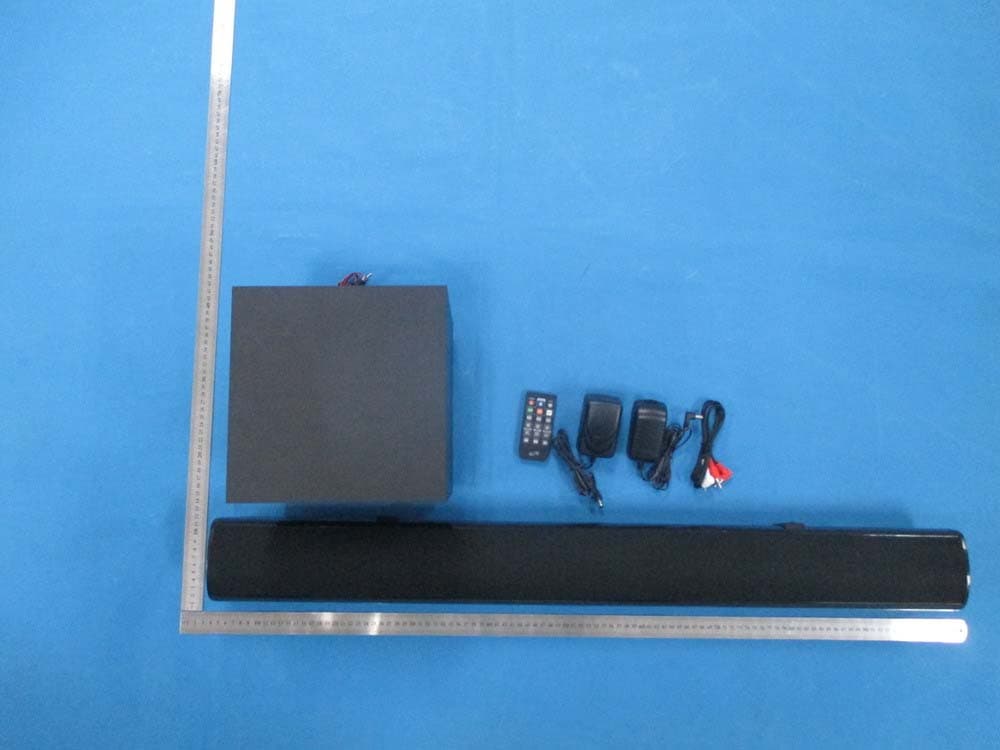
HDO2812SWBT
Jul 22, 2014Bluetooth 37 inch Sound bar with Subwoofer
Equipment Class
DSS - Part 15 Spread Spectrum Transmitter
HDOS619BT
Jun 22, 2014BLUETOOTH SPEAKER
Equipment Class
DSS - Part 15 Spread Spectrum Transmitter
HDO134HMBT
May 05, 2014Bluetooth Tower Speaker
Equipment Class
DSS - Part 15 Spread Spectrum Transmitter
HDO298IBT
Jan 16, 2014Dual Portable Bluetooth Speakers
Equipment Class
DSS - Part 15 Spread Spectrum Transmitter