HV4CTE660Digitizer
Wacom Co Ltd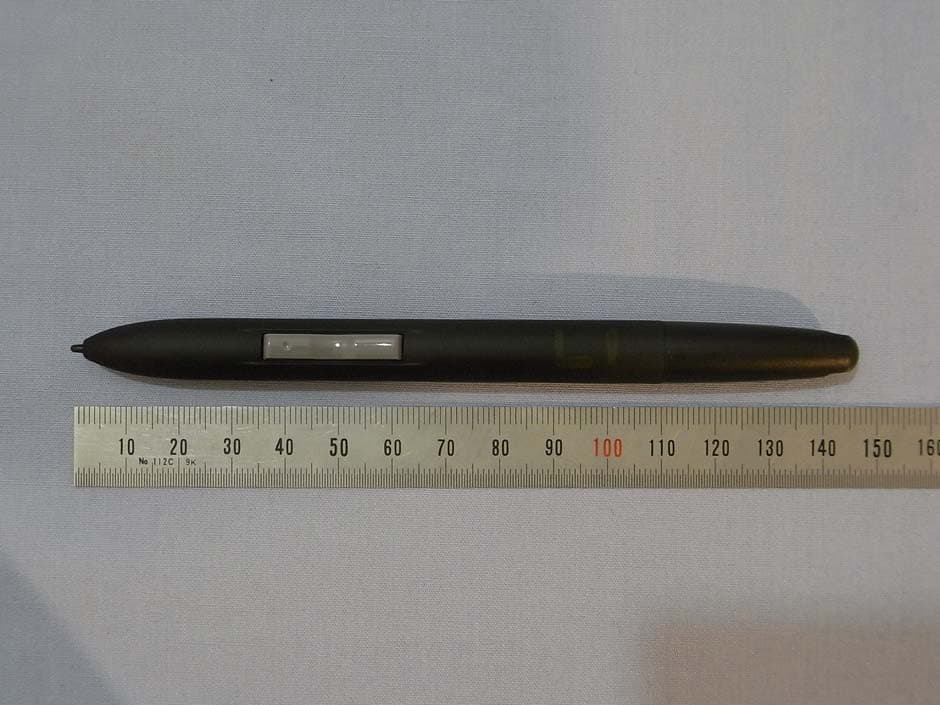
Click to zoom
Application Details
- Equipment Class
- DCD - Part 15 Low Power Transmitter Below 1705 kHz
- Date of Grant
- Oct 25, 2010
- Application Purpose
- Original Equipment
- Date of Application
- Oct 25, 2010
- Equipment Note
- Digitizer
- Frequency Range
- 0.75000000 - 0.75000000
- Company
- Wacom Co Ltd
- Country
- Japan
Documents & Files
Document Text
Text extracted from the exhibit documents filed with the FCC. Open a document above to read the original.
Users Manual
User’s manual for Windows & Macintosh ®® Bamboo One (CTE-460, CTE-660) Using a pen Customizing your pen Troubleshooting Using a tablet Digital Inking ContentsIndex Contents 1 Index 1 ContentsIndex Contents 2 Index 2 Bamboo™ One User’s Manual for Windows ® & Macintosh ® Version 1.0, Rev H2310 Copyright © Wacom Co., Ltd., 2010 All rights reserved. No part of this manual may be reproduced except for your express personal use. Wacom reserves the right to revise this publication without obligation to provide notification of such changes. Wacom does its best to provide current and accurate information in this manual. However, Wacom reserves the right to change any specifications and product configurations at its discretion, without prior notice and without obligation to include such changes in this manual. The above year indicates when this manual was prepared. However, the date of release to the users of the “manual” is simultaneous with the introduction into the market of the applicable Wacom product. Reuse, recycling, and recovery. You are urged to recycle this product when replacing it with a newer product or when it has outlived its useful life by bringing it to an appropriate collection point for recyclable materials in your community or region. By doing this, you can help improve the environment of your community as well as minimize the potential negative effects created should any hazardous substance that may possibly be present within waste material reach the environment during the disposal process. Within the European Union, users are required not to dispose of Waste Electrical and Electronic Equipment (WEEE) as unsorted municipal waste, according to the Directive 2002/96/EC of the European Parliament and of the Council of 27 January 2003, or the corresponding local laws of the Member States. Products for which this is applicable will be marked with the WEEE symbol shown at the beginning of this note unless this is not feasible because of the size or the function of the product. Wacom products are subject to the Directive 2002/96/EC and therefore you should always collect them separately and bring them to the appropriate collection point in your community or region. Wacom pen tablet products comply with the European Union RoHS Directive 2002/95/EC (RoHS Directive). Bamboo is a trademark and Wacom is a registered trademark of Wacom Co., Ltd. Adobe and Reader are either registered trademarks or trademarks of Adobe Systems Incorporated in the United States and/or other countries. Microsoft, Windows, and Vista are either registered trademarks or trademarks of Microsoft Corporation in the United States and/or other countries. Apple, the Apple logo, and Macintosh are registered trademarks of Apple Computer, Inc., registered in the U.S. and other countries. Any additional company and product names mentioned in this documentation may be trademarked and/or registered as trademarks. Mention of third-party products is for information purposes only and constitutes neither an endorsement nor a recommendation. Wacom assumes no responsibility with regard to the performance or use of these products. ContentsIndex Contents 3 Index 3 TABLE OF CONTENTS About the manual 4 Navigating the manual 5 WORKING WITH BAMBOO ONE 6 Tablet features 6 Bamboo One pen 7 Setting up your work area 8 Using the cordless pen 9 Holding the pen 9 About the active area 10 Pointing 11 Clicking 12 Dragging 12 Using the pen buttons 13 Writing and Inking with pressure sensitivity 14 Eye-hand coordination exercise 14 Working with the tablet 15 CUSTOMIZING 16 Opening the control panel 16 Control panel overview 17 Control panel settings 17 Customizing the pen 18 Adjusting tip feel and double-click 19 Customizing the pen buttons 20 Button functions 21 Tablet tracking 24 Mapping to multiple monitors 26 Portion of screen area 26 Portion of tablet area 27 Setting mouse speed 27 TROUBLESHOOTING 28 Testing your tablet and pen 29 Troubleshooting tables 30 General problems 30 Windows-specific problems 32 Macintosh-specific problems 33 Technical support options 35 Obtaining driver downloads 36 APPENDIX 37 Pen and digital ink capabilities in Windows 38 About the Windows Tablet PC Input Panel 39 Caring for your tablet and pen 40 Replacing the pen tip 40 Bamboo Dock 41 Uninstalling the tablet software 41 Managing your tablet preferences 42 Product specifications 43 General specifications 43 Bamboo One, small tablet (model CTE-460) 43 Bamboo One, medium tablet (model CTE-660) 43 Bamboo One pen (model EP-150) 43 Product information 44 Ordering parts and accessories 44 Radio and television interference 45 FCC notice 45 Industry Canada (Canada only) 45 CE declaration 45 License and Warranties (Worldwide, except for Europe, Africa and Middle East) 46 Software License 46 Limited Warranty 46 Warranty Service in the U.S.A. and Canada 47 Warranty on Sales outside of the U.S.A. and Canada 48 Licence warranty conditions (Europe, Africa and Middle East) 49 Software Licence Agreement 49 Limited Warranty 50 GLOSSARY 52 INDEX 54 ContentsIndex Contents 4 Index 4 ABOUT THE MANUAL This user’s manual provides quick access to information about Bamboo One. Just click on a navigation button or highlighted word to move through the document. The information is common to Windows and Macintosh computers and Windows screen captures are shown, unless otherwise noted. •In the table of contents you can go directly to a topic by clicking on it. •Working with Bamboo One is the learning chapter, and introduces you to the many capabilities of your Bamboo One pen tablet. It describes the pen tablet, the features and functions of the Bamboo One pen, and includes exercises for new users. If you are not familiar with a pen tablet, this chapter gives you the basics. •Customizing describes how you can change the control panel settings to optimize your Bamboo One pen and tablet for the way you like to work. •Want to test your tablet and pen? Need troubleshooting guidelines? Troublesho…
Text truncated - open the document above for the full version.
External Photos
Wacom Co., Ltd. FCC ID: HV4CTE660 [CTE-460] Page 1 of 5 Wacom Co., Ltd. FCC ID: HV4CTE660 [CTE-460] Page 2 of 5 Wacom Co., Ltd. FCC ID: HV4CTE660 [CTE-460] Page 3 of 5 Wacom Co., Ltd. FCC ID: HV4CTE660 [CTE-460] Page 4 of 5 Wacom Co., Ltd. FCC ID: HV4CTE660 [CTE-460] Page 5 of 5
External Photos
Wacom Co., Ltd. FCC ID: HV4CTE660 [CTE-660] Page 1 of 6 Wacom Co., Ltd. FCC ID: HV4CTE660 [CTE-660] Page 2 of 6 Wacom Co., Ltd. FCC ID: HV4CTE660 [CTE-660] Page 3 of 6 Wacom Co., Ltd. FCC ID: HV4CTE660 [CTE-660] Page 4 of 6 Wacom Co., Ltd. FCC ID: HV4CTE660 [CTE-660] Page 5 of 6 Wacom Co., Ltd. FCC ID: HV4CTE660 [CTE-660] Page 6 of 6
Internal Photos
Wacom Co., Ltd. FCC ID: HV4CTE660 [CTE-460] Page 1 of 11 Wacom Co., Ltd. FCC ID: HV4CTE660 [CTE-460] Page 2 of 11 Wacom Co., Ltd. FCC ID: HV4CTE660 [CTE-460] Page 3 of 11 Wacom Co., Ltd. FCC ID: HV4CTE660 [CTE-460] Page 4 of 11 Wacom Co., Ltd. FCC ID: HV4CTE660 [CTE-460] Page 5 of 11 Wacom Co., Ltd. FCC ID: HV4CTE660 [CTE-460] Page 6 of 11 Wacom Co., Ltd. FCC ID: HV4CTE660 [CTE-460] Page 7 of 11 Wacom Co., Ltd. FCC ID: HV4CTE660 [CTE-460] Page 8 of 11 Wacom Co., Ltd. FCC ID: HV4CTE660 [CTE-460] Page 9 of 11 Wacom Co., Ltd. FCC ID: HV4CTE660 [CTE-460] Page 10 of 11 Wacom Co., Ltd. FCC ID: HV4CTE660 [CTE-460] Page 11 of 11
Internal Photos
Wacom Co., Ltd. FCC ID: HV4CTE660 [CTE-660] Page 1 of 9 Wacom Co., Ltd. FCC ID: HV4CTE660 [CTE-660] Page 2 of 9 Wacom Co., Ltd. FCC ID: HV4CTE660 [CTE-660] Page 3 of 9 Wacom Co., Ltd. FCC ID: HV4CTE660 [CTE-660] Page 4 of 9 Wacom Co., Ltd. FCC ID: HV4CTE660 [CTE-660] Page 5 of 9 Wacom Co., Ltd. FCC ID: HV4CTE660 [CTE-660] Page 6 of 9 Wacom Co., Ltd. FCC ID: HV4CTE660 [CTE-660] Page 7 of 9 Wacom Co., Ltd. FCC ID: HV4CTE660 [CTE-660] Page 8 of 9 Wacom Co., Ltd. FCC ID: HV4CTE660 [CTE-660] Page 9 of 9
Test Report
Report number: Z071C-10292 Page 2 of 25 ZACTA Technology Corp. FCC ID: HV4CTE660 FCC 15C Rev.3.0 Table of contents Page 1. Summary of Test.................................................................................................................................................................. 4 1.1 Purpose of test..........................................................................................................................................................................4 1.2 Standards ..................................................................................................................................................................................4 1.3 Summary of test results ...........................................................................................................................................................4 1.4 Deviation from the standard....................................................................................................................................................4 1.5 Modification to the EUT by laboratory ..................................................................................................................................4 2. Equipment description......................................................................................................................................................... 5 2.1 General Description of equipment..........................................................................................................................................5 2.2 EUT information......................................................................................................................................................................5 2.3 Operating mode .......................................................................................................................................................................5 3. Configuration information................................................................................................................................................... 6 3.1 EUT and Peripheral(s) used ....................................................................................................................................................6 3.2 Cable(s) information................................................................................................................................................................6 3.3 System configuration...............................................................................................................................................................7 4. Test Type and Results .......................................................................................................................................................... 9 4.1 99% Occupied Bandwidth ......................................................................................................................................................9 4.1.1 Test Procedure [ IC RSS-210 A8.1(a) ]..........................................................................................................................9 4.1.2 Measurement Setup ...........................................................................................................................................................9 4.1.3 Limit of Bandwidth at 99% Occupied Bandwidth ...........................................................................................................9 4.1.4 Measurement Result ........................................................................................................................................................10 4.1.5 Trace Data........................................................................................................................................................................11 4.2 Radiated Emissions (9kHz to 30MHz)................................................................................................................................ 12 4.2.1 Test Procedure [ FCC 15.209, IC RSS-210 2.2, RSS-Gen 4.9, 4.10, 4.11 ]................................................................12 4.2.2 Measurement Setup .........................................................................................................................................................12 4.2.3 Limit of Spurious Emission Measurement .....................................................................................................................13 4.2.4 Calculation Method .........................................................................................................................................................13 4.2.5 Measurement Results ......................................................................................................................................................13 4.3 Radiated Emissions (30MHz to 1000MHz)........................................................................................................................ 15 4.3.1 Test Procedure [ FCC 15.209, IC RSS-210 2.2, RSS-Gen 4.9, 4.10, 4.11 ]................................................................15 4.3.2 Measurement Setup .........................................................................................................................................................15 4.3.3 Limit of Spurious Emission Measurement .....................................................................................................................16 4.3.4 Calculation Method .........................................................................................................................................................16 4.3.5 Measurement Results ......................................................................................................................................................17 4.4 AC power line Conducted Emissions ......…
Text truncated - open the document above for the full version.
Test Setup Photos
Wacom Co., Ltd. FCC ID: HV4CTE660 [CTE-660] Radiated Emission below 30MHz The photographs show maximized emission configuration. Wacom Co., Ltd. FCC ID: HV4CTE660 [CTE-660] Radiated Emission above 30MHz The photographs show maximized emission configuration. Wacom Co., Ltd. FCC ID: HV4CTE660 [CTE-660] Conducted Emission at mains port The photographs show maximized emission configuration. Wacom Co., Ltd. FCC ID: HV4CTE660 [CTE-460] Radiated Emission below 30MHz The photographs show maximized emission configuration. Wacom Co., Ltd. FCC ID: HV4CTE660 [CTE-460] Radiated Emission above 30MHz The photographs show maximized emission configuration. Wacom Co., Ltd. FCC ID: HV4CTE660 [CTE-460] Conducted Emission at mains port The photographs show maximized emission configuration.
Contact Information
Applicant
Koichi Yokoyama(Senior Director, Quality Assurance)
Test Firm
TUV SUD Zacta Ltd.Katsumi Sumiyoshi
Technical Specifications
| # | Rule Parts | Frequency Range | Power Output |
|---|---|---|---|
| 1 | 15C | 0.75 MHz - 0.75 MHz | - |
Other Applications from Wacom Co Ltd
HV4CTK6120
Aug 19, 2026Pen Tablet
Equipment Class
DCD - Part 15 Low Power Transmitter Below 1705 kHzHV4STU540A
May 12, 2026LCD SIGNATURE PAD
Equipment Class
DCD - Part 15 Low Power Transmitter Below 1705 kHzHV4DTHA140
Sep 16, 2025Portable Pad
Equipment Class
DTS - Digital Transmission SystemHV4PTK470
Oct 10, 2024Creative Pen Tablet
Equipment Class
DTS - Digital Transmission SystemHV4PTK870
Oct 10, 2024Creative Pen Tablet
Equipment Class
DCD - Part 15 Low Power Transmitter Below 1705 kHz