HV4CTH680Pen and Touch Tablet
Wacom Co Ltd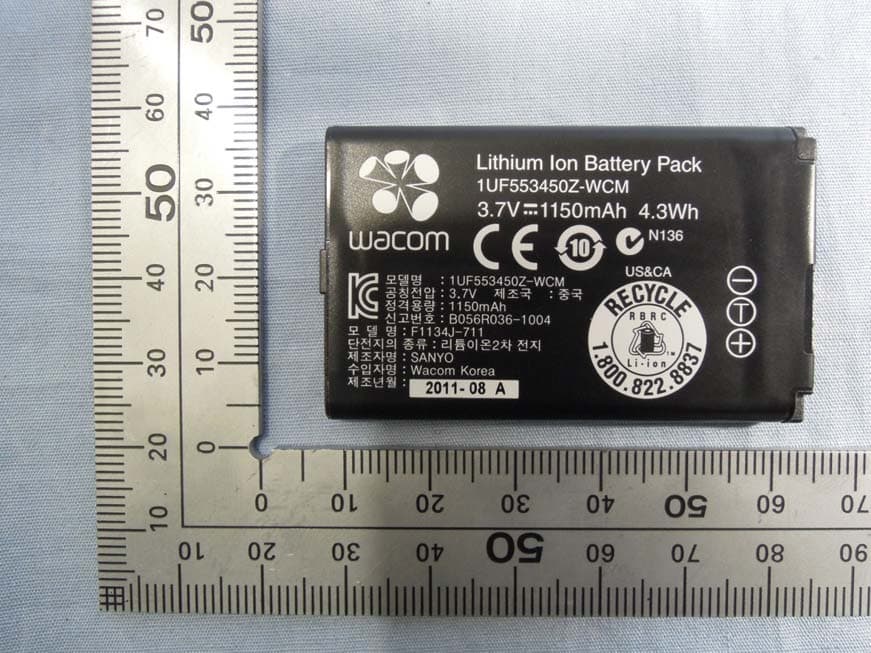
Click to zoom
Application Details
- Equipment Class
- DCD - Part 15 Low Power Transmitter Below 1705 kHz
- Date of Grant
- May 13, 2013
- Application Purpose
- Original Equipment
- Date of Application
- May 13, 2013
- Equipment Note
- Pen and Touch Tablet
- Frequency Range
- 0.66700000 - 0.66700000
- Company
- Wacom Co Ltd
- Country
- Japan
Documents & Files
Document Text
Text extracted from the exhibit documents filed with the FCC. Open a document above to read the original.
Users Manual
1 1 Important Product Information Intuos (CTL-480), Intuos touch Small (CTH-480), Intuos touch Medium (CTH-680) Precautions Product Specifications Disposal and Recycling Information Regulatory Statement License and Warranties PRECAUTIONS WARNING Improperly setting up, using, or caring for this product can increase the risk of an accident or human injury. Keep small parts away from children and pets. They could remove and accidentally swallow parts such as the pen nibs, nib refills, or pen buttons. Do not use the tablet in a facility control system that requires extremely high reliability. It may cause other electronic devices to malfunction, or other devices may cause the tablet to malfunction. Turn off your tablet in locations where electronic devices are not allowed. For example, turn it off during flights by unplugging it from your computer. Do not disassemble or otherwise modify the tablet or pen. Such actions may cause heat generation, ignition, electrical shock, or other damage, including human injury. Disassembly of the product will void your warranty. Avoid damaging the cables. Do not place heavy objects on them, repeatedly bend them sharply, or apply heavy stress to the cable connectors. Torn or otherwise damaged cables may increase the risk of product malfunction, electrical shock, or fire. If they are damaged, stop using the product and contact your local distributor or the Wacom customer support center for your region. Do not expose this product to water or other liquids. Do not spill on the tablet or pen. It may cause product malfunction or electrical shock. If the product is exposed to water or other liquids: unplug the tablet USB cable from the computer, turn off your computer and unplug the power cord from the wall outlet. Stop using the product and contact your local distributor or the Wacom customer support center for your region. Do not insert foreign material into the USB plug end or any other opening of this product. If a metal object or foreign material is inserted into the USB plug or other opening of this product, it may cause the product to malfunction or burn out, or cause electrical shock. Do not use any organic solvent (e.g. alcohol) or even mild detergent to clean the product and the pen. Use of these cleaners can damage the product. Damage of this kind is not covered by the manufacturer's warranty. Do not use or store this product under the following conditions: •Places where temperature changes are severe or exceed specifications (e.g. outdoors or inside a vehicle). •Dusty areas. Refrain from using this product during thunder or electrical storms. Such use may cause product malfunction, fire, or electrical shock. CAUTION Do not place or use this product on an unstable surface or workspace, for example, a shaky, inclined or vibrating surface. When cleaning your tablet, turn it off by unplugging the tablet USB cable from the computer. Electrical shock may occur if you attempt to clean this product when it is connected to your computer. Other precautions: •Do not place metal objects on the tablet when it is in use. They may cause interference, improper operation, or product malfunction. •Avoid damaging your tablet. Replace your pen nib when it becomes worn or sharp. •Do not use a distorted or bent pen nib with the pen; a pen in this condition may cause the pen to operate improperly and scratch your tablet. Therefore, avoid pressing too hard when using the pen and bending or distorting the nib. •Do not push hard on the pen tip, eraser, or buttons. This may shorten the pen tip life or cause the pen to malfunction. •Use pen nibs designed by Wacom. Using a pen nib from another manufacturer may cause the pen to malfunction. •Do not use excessive force when inserting or removing the pen from the pen stand. •Do not store the pen so that the pen tip, buttons, or eraser are continually depressed. 2 2 PRODUCT SPECIFICATIONS GENERAL SPECIFICATIONS,TABLET GENERAL SPECIFICATIONS, PEN GENERAL SPECIFICATIONS, MULTI-FINGER TOUCH INTUOS SMALL (CTL-480) INTUOS TOUCH SMALL (CTH-480) Communication interfaceUSB ConnectorUSB Type A (PC) to Micro B (Tablet) Cable length1.0 m (3.3 ft) Power requirementsDC 5V from USB Port with 500 mA capacity. (Self-powered USB hub or PC USB port) Operating temperature5 to 40 degrees C (41 to 104 degrees F) Storage temperature-20 to + 60 degrees C (-4 to 140 degrees F) Operating relative humidity30% to 80% non-condensing Storage relative humidity30% to 90% non-condensing Pen TechnologyWacom feel IT technology Pen Active Area Aspect Ratio16:10 Coordinate Resolution100 lines per mm (2540 lines per inch) Coordinate Accuracy+/-0.5 mm (0.02 in) Readable Height7 mm (0.28 in) Maximum Number of Fingers Detected10 fingers Gesture Support2 to 5 finger gestures Touch TechnologyWacom Multi-finger TouchNot supported ExpressKeys4 keys Wacom wireless kit supportSupported. RF technology, separately available Physical size (W x D x H)209.9 x 177.5 x 10.0 mm Weight300 g, approximately Active Area (W x D)152.0 x 95.0 mm (6.0 x 3.7 in) Power ConsumptionNormal use: 35 mA, approximately Charging: 500 mA (With Wacom Wireless Accessory Kit) Multi-finger TouchSupported ExpressKeys4 keys Wacom wireless kit supportSupported. RF technology, separately available Physical size (W x D x H)209.9 x 177.5 x 10.0 mm Weight310 g, approximately Active Area (W x D)152.0 x 95.0 mm (6.0 x 3.7 in) Power ConsumptionNormal use: 50 mA, approximately Charging: 500 mA (With Wacom Wireless Accessory Kit) 3 3 INTUOS TOUCH MEDIUM (CTH-680) PEN (LP-180) PEN (LP-180E) Multi-finger Touch SurfaceSupported ExpressKeys4 keys Wacom wireless kit supportSupported. RF technology, Wireless accessory kit is separately available. Physical size (W x D x H)275 x 221.5 x 10.1 mm Weight520 g, approximately Active Area (W x D)216.0 x 135.0 mm (8.5 x 5.3 in) Power ConsumptionNormal use: 55 mA, approximately Charging: 500 mA (With Wacom Wireless Accessory Kit) Pressure levels1024 levels Physical size (L x D)144.4 × 11…
Text truncated - open the document above for the full version.
External Photos
Wacom Co., Ltd. FCC ID: HV4CTH680 IC: 6888A-CTH680 Page 1 of 8 [CTH-680] Wacom Co., Ltd. FCC ID: HV4CTH680 IC: 6888A-CTH680 Page 2 of 8 Wacom Co., Ltd. FCC ID: HV4CTH680 IC: 6888A-CTH680 Page 3 of 8 Wacom Co., Ltd. FCC ID: HV4CTH680 IC: 6888A-CTH680 Page 4 of 8 USB I/F for INF-A068 Space for storage for INF-A069 *not connected with CTH-680 USB I/F for cable Wacom Co., Ltd. FCC ID: HV4CTH680 IC: 6888A-CTH680 Page 5 of 8 Note: INF-A068 (Wireless Module, FCC ID: HV4INFA068) and INF-A069 (Wireless Receiver for PC, FCC ID: HV4INFA069) are Wireless Accessory Kit for CTH-680. Option Li-ion Battery (Wireless mode) Option: INF-A068 (Wireless mode) Spacer for INF-A069 Wacom Co., Ltd. FCC ID: HV4CTH680 IC: 6888A-CTH680 Page 6 of 8 [USB cable] *Accessory Wacom Co., Ltd. FCC ID: HV4CTH680 IC: 6888A-CTH680 Page 7 of 8 [LP-180E] *Accessory for CTH-680 [Li-ion Battery] *Option Wacom Co., Ltd. FCC ID: HV4CTH680 IC: 6888A-CTH680 Page 8 of 8
ID Label/Location Info
Label Location Label Bottom side
Internal Photos
Wacom Co., Ltd. FCC ID: HV4CTH680 IC: 6888A-CTH680 Page 1 of 7 [CTH-680] Wacom Co., Ltd. FCC ID: HV4CTH680 IC: 6888A-CTH680 Page 2 of 7 Wacom Co., Ltd. FCC ID: HV4CTH680 IC: 6888A-CTH680 Page 3 of 7 Wacom Co., Ltd. FCC ID: HV4CTH680 IC: 6888A-CTH680 Page 4 of 7 Wacom Co., Ltd. FCC ID: HV4CTH680 IC: 6888A-CTH680 Page 5 of 7 Wacom Co., Ltd. FCC ID: HV4CTH680 IC: 6888A-CTH680 Page 6 of 7 Wacom Co., Ltd. FCC ID: HV4CTH680 IC: 6888A-CTH680 Page 7 of 7
Test Report
Page 2 of 19 TÜV SÜD Zacta Ltd. Report number: Z071C-13101 Test Report Rev.FCC-C1.0 FCC ID: HV4CTH680 IC Certification number: 6888A-CTH680 Table of contents Page 1. Summary of Test ................................................................................................................... 3 1.1 Purpose of test ....................................................................................................................................... 3 1.2 Standards ............................................................................................................................................... 3 1.3 List of applied test to the EUT .............................................................................................................. 3 1.4 Modification to the EUT by laboratory ................................................................................................. 3 2. Equipment Under Test .......................................................................................................... 4 2.1 General Description of equipment ....................................................................................................... 4 2.2 EUT information ..................................................................................................................................... 4 2.3 Variation of the family model(s) ............................................................................................................ 4 2.4 Operating mode ..................................................................................................................................... 4 3. Configuration of equipment ................................................................................................. 5 3.1 Equipment(s) used ................................................................................................................................ 5 3.2 Cable(s) used ......................................................................................................................................... 5 3.3 System configuration ............................................................................................................................ 6 4. Occupied Bandwidth ............................................................................................................ 7 4.1 Measurement procedure ....................................................................................................................... 7 4.2 Limit ......................................................................................................................................................... 7 4.3 Measurement result ............................................................................................................................... 7 4.4 Trace data ............................................................................................................................................... 8 5. Radiated Emissions .............................................................................................................. 9 5.1 Measurement procedure ....................................................................................................................... 9 5.2 Calculation method.............................................................................................................................. 10 5.3 Limit ........................................................................................................................................................ 11 5.3 Test data ................................................................................................................................................ 12 6. AC Power Line Conducted Emissions .............................................................................. 14 6.1 Measurement procedure ..................................................................................................................... 14 6.2 Calculation method.............................................................................................................................. 14 6.3 Limit ....................................................................................................................................................... 14 6.3 Test data ................................................................................................................................................ 15 7. Uncertainty of measurement .............................................................................................. 17 8. Laboratory description ....................................................................................................... 18 Appendix A. Test equipment .................................................................................................. 19 Page 3 of 19 TÜV SÜD Zacta Ltd. Report number: Z071C-13101 Test Report Rev.FCC-C1.0 FCC ID: HV4CTH680 IC Certification number: 6888A-CTH680 1. Summary of Test 1.1 Purpose of test It is the original test in order to verify conformance to FCC Part 15 Subpart C. 1.2 Standards CFR47 FCC Part 15 Subpart C, RSS-210, RSS-Gen 1.2.1 Test Methods ANSI C63.4-2003 1.2.2 Deviation from standards None 1.3 List of applied test to the EUT Test items Section Classification of EUT Condition Result RSS-Gen 4.6.1 Occupied Bandwidth Radiated PASS 15.209 Rss-210 2.2 RSS-Gen 4.9, 4.10, 4.11 Radiated Emissions Radiated PASS 15.207 RSS-Gen 7.2.2 AC Power Line Conducted Emissions Conducted PASS 1.3.1 Test set up Table-Top 1.4 Modification to the EUT by laboratory None Page 4 of 19 TÜV SÜD Zacta Ltd. Report number: Z071C-13101 Test Report Rev.FCC-C1.0 FCC ID: HV4CTH680 IC Certification number: 6888A-CTH680 2. Equipment Under Test 2.1 General Description of equipment The EUT is Pen & Touch Tablet, which is transceiver. 2.2 EUT information Applicant : Wacom Co., Ltd. 2-510-1, Toyonodai, Kazo-shi, Saitama, 349-1148 J…
Text truncated - open the document above for the full version.
Test Setup Photos
Wacom Co., Ltd. FCC ID: HV4CTH680 IC: 6888A-CTH680 Page 1 of 3 Radiated Emission below 30MHz The photographs show maximized emission configuration Wacom Co., Ltd. FCC ID: HV4CTH680 IC: 6888A-CTH680 Page 2 of 3 Radiated Emission above 30MHz The photographs show maximized emission configuration Wacom Co., Ltd. FCC ID: HV4CTH680 IC: 6888A-CTH680 Page 3 of 3 Conducted Emission at mains port The photographs show maximized emission configuration.
Contact Information
Applicant
Koichi Yokoyama(Senior Director, Quality Assurance)
Test Firm
TUV SUD Zacta Ltd.Shin-ichi Abe
Technical Specifications
| # | Rule Parts | Frequency Range | Power Output |
|---|---|---|---|
| 1 | 15C | 0.667 MHz - 0.667 MHz | - |
Other Applications from Wacom Co Ltd
HV4CTK6120
Aug 19, 2026Pen Tablet
Equipment Class
DCD - Part 15 Low Power Transmitter Below 1705 kHzHV4STU540A
May 12, 2026LCD SIGNATURE PAD
Equipment Class
DCD - Part 15 Low Power Transmitter Below 1705 kHzHV4DTHA140
Sep 16, 2025Portable Pad
Equipment Class
DTS - Digital Transmission SystemHV4PTK470
Oct 10, 2024Creative Pen Tablet
Equipment Class
DTS - Digital Transmission SystemHV4PTK870
Oct 10, 2024Creative Pen Tablet
Equipment Class
DCD - Part 15 Low Power Transmitter Below 1705 kHz