HV4EKR100-1Wireless Controller
Wacom Co Ltd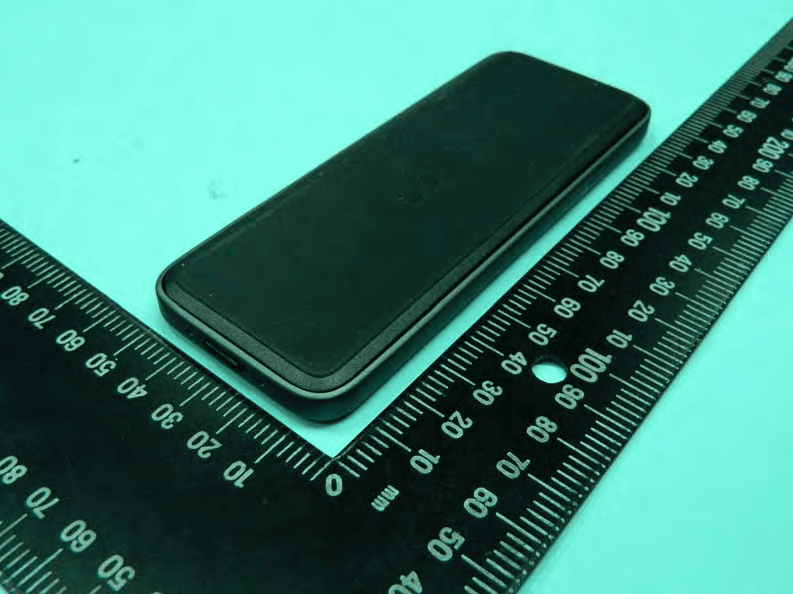
Click to zoom
Application Details
- Equipment Class
- DXX - Part 15 Low Power Communication Device Transmitter
- Date of Grant
- Mar 09, 2015
- Application Purpose
- Original Equipment
- Date of Application
- Mar 08, 2015
- Equipment Note
- Wireless Controller
- Frequency Range
- 2402.00000000 - 2478.00000000
- Company
- Wacom Co Ltd
- Country
- Japan
Documents & Files
Document Text
Text extracted from the exhibit documents filed with the FCC. Open a document above to read the original.
Users Manual
ExpressKey ™ Remote EKR-100 INF-A091 1 EN FR ES PT-BR Supplied accessories ExpressKey Remote Micro USB cable Wireless receiver 2 Getting to know your ExpressKey Remote 4 5 1 1 3 2 1. ExpressKey 2. Touch Ring 3. Mode button 4. Mode LED 5. Micro USB port (For charging battery) 3 EN FR ES PT-BR 6. Power Slide button 7. Battery status LED Low battery : fl ashing red Charging : solid amber Fully charged : off 8. Status LED Pairing mode : fl ashing blue Connected/Sleep : off 6 8 7 4 Insert the wireless receiver into the device’s USB port See ExpressKey Remote Help topics for details. 5 EN FR ES PT-BR Software Installation 1. Connect to the Internet. 2. Windows 8, Windows 7 and Mac OS X: Download the Wacom driver from Wacom’s website, and install it on your computer. Follow the on-screen instructions. The Wacom driver is required in order to use all the functionality of the product. Wacom recommends always using up to date drivers and software. 6 Using the ExpressKey Remote 1. To start using the ExpressKey Remote, slide the Power Slide button to the left. The ExpressKey Remote goes into Sleep mode if not used for a certain length of time. To wake it up, slide the Power Slide button and release. The ExpressKey Remote is already paired with the wireless receiver. If it is not paired, slide and hold the Power Slide button for 5 seconds. When the Status LED fl ashes blue, the pairing process is fi nished and the LED is turned off automatically. Slide the Power Slide button to the left 7 EN FR ES PT-BR Charging the ExpressKey Remote 1. Recharge using micro USB cable plugged into the device’s USB port. For further information, see ExpressKey Remote Help topics. 2. The ExpressKey Remote buttons have defaults for popular software applications. Button assignments can be changed in the control panel. See ExpressKey Remote Help topics for details. 8 Support options For USA, Canada, Central, and South America Visit our web site at http://us.wacom.com/en/support Call the Wacom Customer Support Center. Available in English and Spanish, from 7:30 am to 5:00 pm Monday through Friday (Pacifi c Time) at 1-855-MY-WACOM (1-855-699-2266) toll-free from the US and Canada. 9 EN FR ES PT-BR For Europe Technical Support is available from Monday - Friday 9:00 to 18:00 (Central European Time). Contact form: http://www.wacom.eu/contact For Asia Pacifi c Visit our web site at http://www.wacom.asia/customer-care 10 Precautions Warning Parts of the product can present a choking hazard. Keep away from children. Small parts may accidentally be swallowed. Do not put the product close to fi re or use in high temperature conditions. Do not place on slanted areas, unstable areas, or areas where vibration is present. Physical damage or personal injury may result if this product falls from an unsuitable surface. This product has parts made of metal. If you show symptoms of metallic allergy during use, stop using the product, and consult a doctor immediately. 11 EN FR ES PT-BR Be sure to dispose of this product properly, and to manage the disposal in accordance with your local ordinances and laws. Usage notes Avoid damaging the cables. Do not place heavy objects on them, repeatedly bend them sharply, or apply heavy stress to the cable connectors. Torn or otherwise damaged cables may increase the risk of product malfunction, electrical shock, or fi re. If they are damaged, stop using the product and contact your local distributor or the Wacom customer support center for your region. Do not expose this product to water or other liquids. Do not insert foreign material into the USB plug end or any other opening of this product. If a metal object 12 or foreign material is inserted into the USB plug or other opening of this product, it may cause the product to malfunction or burn out, or cause electrical shock. Do not use any organic solvent (e.g. alcohol) or even mild detergent to clean the product and the pen. Use of these cleaners can damage the product. Damage of this kind is not covered by the manufacturer’s warranty. Do not use or store this product under the following conditions: • Places where temperature changes are severe or exceed specifi cations (e.g. outdoors or inside a vehicle). • Dusty areas. Refrain from using this product during thunder or electrical storms. If it is being charged, stop the charging. Such use may cause product malfunction, fi re, or electrical shock. 13 EN FR ES PT-BR Please recycle batteries in accordance with the manufacturer recommendation, following all local laws and regulations. Wacom makes no warranty with respect to any damage or loss of data from the use of this product. To avoid possible damage or malfunction, do not apply excessive force to the button of this product. Do not drop this product or use it to strike any object. It might cause damage to it. Please do not disassemble or modify as it can lead to breakage. Charge the product. To charge the product, use only the attached USB cable. Unplug the USB cable if any of the following conditions exist: • The USB cable has become frayed or damaged. 14 • The USB cable is exposed to rain, liquid, or excessive moisture. • You suspect the USB cable needs service or repair. Do not place heavy articles on the product and the cables, repeatedly bend the cables sharply, or apply heavy stress to the cable connectors; this may damage the unit or cabling. Product Specifi cation Dimensions (W x H x D): 135 x 52 x 10 mm, 1.3 x 2.0 x 0.4 inch Weight: 110 g approx, 3.8 oz Transmission type: 2.4GHz RF 15 EN FR ES PT-BR Battery type: Rechargeable Li-ion battery Charging time: 2 hour to 80% capacity Continuous operation time: 160 hours (Condition: Key pressed every 30 seconds) LIMITED WARRANTY (U.S.A. AND CANADA) Wacom warrants the product, to the original consumer purchaser, except for the Software and consumable items to be free from defects in materials and workmanship under normal use and service for a period of one (1) year, from the date of original retail p…
Text truncated - open the document above for the full version.
External Photos
Report No. : EP4O0730-01 SPORTON International Inc. Page Number : B1 of B9 TEL : 886-3-327-3456 Report Version : Rev. 01 FAX : 886-3-327-0973 APPENDIX B. Photographs of EUT Report No. : EP4O0730-01 SPORTON International Inc. Page Number : B2 of B9 TEL : 886-3-327-3456 Report Version : Rev. 01 FAX : 886-3-327-0973 Report No. : EP4O0730-01 SPORTON International Inc. Page Number : B9 of B9 TEL : 886-3-327-3456 Report Version : Rev. 01 FAX : 886-3-327-0973
ID Label/Location Info
1 F E D 324 C B A 13 24 56 F E D 567 C B 8 A ␒ྕ ኚ᭦ᣦ♧᭩ᖺ.᭶.᪥☜ㄆᢸᙜኚ᭦ෆᐜ ᮦ(休) ☜ㄆ ᳨ᅗ タィ ฎ⌮ 〇ᅗ ಶᩘ ᑻᗘ ရ✀ ᆺ␒ ഛ⪃ ᅗ㠃␒ྕ 㡫 11 11 11 ୕ゅἲ Off-set Printing 㻌㻌㻺㼛㼠㼑㻘 㻌㻌㻝䠅ᑍἲබᕪ䛿㼼㻜㻚㻡㼙㼙䛸䛩䜛䚹 㻌㻌㻌㻌㻌㻳㼑㼚㼑㼞㼍㼘㻌㼠㼛㼘㼑㼞㼍㼚㼏㼑㻌㼕㼟㻌㼼㻜㻚㻡㼙㼙㻚㻌㻌 㻌㻌㻞㻕㻌ᮦᩱ䞉䜲䞁䜽୰䛻䛿䚸㻾㼛㻴㻿ᣦ௧䛻‽䛨䛶᭷ᐖ≀(休) 㻌㻌㻌㻌㻌㻔䡲䢀䢚䢌䡯䢍㻘㖄㻘Ỉ㖟㻘භ౯䡴䢗䢍➼㻕䜢ྵ᭷䛧䛺䛔䛣䛸䚹 㻌㻌㻌㻌㻌㻰㼛㻌㼚㼛㼠㻌㼏㼛㼚㼠㼍㼕㼚㻌㼠㼔㼑㻌㼜㼛㼕㼟㼛㼚㼛㼡㼟㻌㼟㼡㼎㼟㼠㼍㼚㼏㼑 㻌㻌㻌㻌㻌㻔㼏㼍㼐㼙㼕㼡㼙㻘㼘㼑㼍㼐㻘㼙㼑㼞㼏㼡㼞㼥㻘㼔㼑㼤㼍㼢㼍㼘㼑㼚㼠㻌㼏㼔㼞㼛㼙㼕㼡㼙㻌㼑㼠㼏㻚㻕 㻌㻌㻌㻌㻌㼕㼚㻌㼠㼔㼑㻌㼙㼍㼠㼑㼞㼕㼍㼘㻌㼍㼚㼐㻌㼕㼚㼗㻌㼎㼍㼟㼑㼐㻌㼛㼚㻌㼠㼔㼑㻌㻾㼛㻴㻿㻌㻰㼕㼞㼑㼏㼠㼕㼢㼑㻚㻌 㻌㻌㻟㻕㻌እほ㠃䛾യ䞉䝂䝭䞉␗≀䞉ở䜜䞉ᡴ䛿䚸 㻌㻌㻌㻌㻌እほḞLᇶ‽㻟⣭㻔㻭㻠㻰㻙㻜㻝㻞㻭㻜㻜㻟㻕䛻ᇶ䛵䛟䛣䛸䚹 㻌㻌㻌㻌㻌䛯䛰䛧䚸ᩥᏐ䛜ุㄞྍ⬟䛷䛒䜛䛣䛸䚹 㻌㻌㻌㻌㻌㼀㼔㼑㻌㼏㼞㼍㼏㼗㻘㼍㻌㼒㼛㼞㼑㼕㼓㼚㻌㼟㼡㼎㼟㼠㼍㼚㼏㼑㻘㼍㼚㼐㻌㼍㻌㼐㼕㼞㼠㻌㼛㼒㻌㼍㼚㻌㼍㼜㼜㼑㼍㼞㼍㼚㼏㼑 㻌㻌㻌㻌㻌㼟㼕㼐㼑㻌㼍㼞㼑㻌㼎㼍㼟㼑㼐㻌㼕㼚㼟㼜㼑㼏㼠㼕㼛㼚㻌㼟㼠㼍㼚㼐㼍㼞㼐㻌㼐㼛㼏㼡㼙㼑㼚㼠㻔㻭㻠㻰㻙㻜㻝㻞㻭㻜㻜㻟㻕 㻌㻌㻌㻌㻌㻟㼞㼐㻌㼓㼞㼍㼐㼑㻚㻌㻴㼛㼣㼑㼢㼑㼞㻘㻌㼠㼔㼑㻌㼘㼑㼠㼠㼑㼞㼟㻌㼔㼍㼢㼑㻌㼠㼛㻌㼎㼑㻌㼞㼑㼍㼐㼍㼎㼘㼑㻚 㻌㻌㻠㻕㻌༳ๅ䛾⨨䝈䝺䞉ഴ䛝䛿㻝㼙㼙௨ෆ䛷⟶⌮䛩䜛䛣䛸䚹㻌㻌 㻌㻌㻌㻌㻌㻹㼍㼚㼍㼓㼑㻌㼠㼔㼑㻌㼐㼕㼒㼒㼑㼞㼑㼚㼏㼑㻌㼍㼚㼐㻌㼠㼔㼑㻌㼘㼑㼍㼚㻌㼛㼒㻌㼠㼔㼑㻌㼜㼞㼕㼚㼠㻌㼣㼕㼠㼔㼕㼚㻌㻝㼙㼙㻚 㻌㻌㻡㻕㻌⢶䛾䛿䜏ฟ䛧䛜䛺䛔䛣䛸䚹 䚷䚷㻌㼀㼔㼑㻌㼜㼍㼟㼠㼑㻌㼙㼡㼟㼠㻌㼚㼛㼠㻌㼛㼢㼑㼞㼒㼘㼛㼣㻚㻌 1 2015.02.172015.02.17 2015.02.172015.02.17 2015.02.172015.02.17 2015.02.172015.02.17 Material : Metalized polyester T=0.05mm Material Color : Pantone Metallic 877c Ink Color : Pantone Black 7c Coating : Polyester film T=0.025mm EKC LabelEKC Label OguraOguraOguraOguraSekiSekiNagaseNagase A3K-730A429-AA3K-730A429-A SLA-SLA-A429(B)A429(B) 37 110 3 - R3 R3 Spec. Label located here Top Bottom Back of EKR-100 Rear Cover You have to take off the rear cover to see spec. label
Internal Photos
Report No. : EP4O0730-01 SPORTON International Inc. Page Number : B3 of B9 TEL : 886-3-327-3456 Report Version : Rev. 01 FAX : 886-3-327-0973 Report No. : EP4O0730-01 SPORTON International Inc. Page Number : B4 of B9 TEL : 886-3-327-3456 Report Version : Rev. 01 FAX : 886-3-327-0973 Report No. : EP4O0730-01 SPORTON International Inc. Page Number : B5 of B9 TEL : 886-3-327-3456 Report Version : Rev. 01 FAX : 886-3-327-0973 Report No. : EP4O0730-01 SPORTON International Inc. Page Number : B6 of B9 TEL : 886-3-327-3456 Report Version : Rev. 01 FAX : 886-3-327-0973 Report No. : EP4O0730-01 SPORTON International Inc. Page Number : B7 of B9 TEL : 886-3-327-3456 Report Version : Rev. 01 FAX : 886-3-327-0973 Report No. : EP4O0730-01 SPORTON International Inc. Page Number : B8 of B9 TEL : 886-3-327-3456 Report Version : Rev. 01 FAX : 886-3-327-0973 Report No. : EP4O0730-01 SPORTON International Inc. Page Number : B9 of B9 TEL : 886-3-327-3456 Report Version : Rev. 01 FAX : 886-3-327-0973
Test Report
FCC Test Report Report No. : FR4O0730-01 SPORTON INTERNATIONAL INC. Page No. : 1 of 29 TEL : 886-3-327-3456 Report Version : Rev. 01 FAX : 886-3-327-0973 FCC Test Report Equipment : Wireless Controller Brand Name : Wacom Model No. : EKR-100 FCC ID : HV4EKR100-1 Standard : 47 CFR FCC Part 15.249 Operating Band : 2400 MHz – 2483.5 MHz FCC Classification : DXX Applicant Manufacturer : Wacom Co., Ltd. 2-510-1 Toyonodai, Kazo-shi, Saitama 349-1148, Japan The product sample received on Oct. 16, 2014 and completely tested on Feb. 06, 2015. We, SPORTON, would like to declare that the tested sample has been evaluated in accordance with the procedures given in ANSI C63.10-2013 and shown compliance with the applicable technical standards. The test results in this report apply exclusively to the tested model / sample. Without written approval of SPORTON INTERNATIONAL INC., the test report shall not be reproduced except in full. Reviewed by: Vic Hsiao / Supervisor FCC Test Report Report No. : FR4O0730-01 SPORTON INTERNATIONAL INC. Page No. : 2 of 29 TEL : 886-3-327-3456 Report Version : Rev. 01 FAX : 886-3-327-0973 Table of Contents 1 GENERAL DESCRIPTION .................................................................................................................... 5 1.1 Information.............................................................................................................................................. 5 1.2 Accessories and Support Equipment ..................................................................................................... 7 1.3 Testing Applied Standards ..................................................................................................................... 7 1.4 Testing Location Information .................................................................................................................. 7 1.5 Measurement Uncertainty ...................................................................................................................... 8 2 TEST CONFIGURATION OF EUT ........................................................................................................ 9 2.1 The Worst Case Modulation Configuration ............................................................................................ 9 2.2 Test Channel Frequencies Configuration ............................................................................................... 9 2.3 The Worst Case Measurement Configuration ........................................................................................ 9 2.4 Test Setup Diagram ............................................................................................................................. 10 3 TRANSMITTER TEST RESULT .......................................................................................................... 12 3.1 AC Power-line Conducted Emissions .................................................................................................. 12 3.2 Emission Bandwidth ............................................................................................................................. 15 3.3 Fundamental Emissions ....................................................................................................................... 17 3.4 Transmitter Radiated Unwanted Emissions ......................................................................................... 19 4 TEST EQUIPMENT AND CALIBRATION DATA ................................................................................ 29 APPENDIX A. TEST PHOTOS APPENDIX B. PHOTOGRAPHS OF EUT FCC Test Report Report No. : FR4O0730-01 SPORTON INTERNATIONAL INC. Page No. : 3 of 29 TEL : 886-3-327-3456 Report Version : Rev. 01 FAX : 886-3-327-0973 Summary of Test Result Conformance Test Specifications Report Clause Ref. Std. Clause Description Measured Limit Result 1.1.2 15.203 Antenna Requirement Antenna connector mechanism complied FCC 15.203 Complied 3.1 15.207 AC Power-line Conducted Emissions [dBuV]: 17.290MHz 42.46 (Margin 17.54dB) - QP 36.99 (Margin 13.01dB) - AV FCC 15.207 Complied 3.2 15.215(c) Emission Bandwidth 2.1708 MHz; fall in band Information only Complied 3.3 15.249(a) Fundamental Emissions [dBuV/m at 3m]: 77.62 (Margin 16.38dB) average [dBuV/m at 3m]: average: 94 Complied 3.4 15.249(a)/(d) Transmitter Radiated Unwanted Emissions [dBuV/m at 3m]:134.760 MHz 39.77 (Margin 3.73 dB) - PK Harmonics: 54 dBuV/m@3m Other band: 50 dB or FCC 15.209, whichever is the lesser attenuation. Complied FCC Test Report Report No. : FR4O0730-01 SPORTON INTERNATIONAL INC. Page No. : 4 of 29 TEL : 886-3-327-3456 Report Version : Rev. 01 FAX : 886-3-327-0973 Revision History Report No. Version Description Issued Date FR4O0730 Rev. 01 Initial issue of report Dec. 16, 2014 FR4O0730-01 Rev. 01 Product modification Refer to 1.1.4 Feb. 26, 2015 902 MHz – 928 MHz FCC Test Report Report No. : FR4O0730-01 SPORTON INTERNATIONAL INC. Page No. : 5 of 29 TEL : 886-3-327-3456 Report Version : Rev. 01 FAX : 886-3-327-0973 1 General Description 1.1 Information 1.1.1 RF General Information RF General Information Frequency Range (MHz) Modulation Ch. Frequency (MHz) Channel Number Fundamental Field Stren gth (dBuV/m) 2400-2483.5 GFSK 2402~24787777.62 Note 1: Field strength performed average level at 3m. 1.1.2 Antenna Information Antenna Category Integral antenna (antenna permanently attached) External antenna (dedicated antennas) ; Unique antenna connector 1.1.3 Type of EUT Identify EUT EUT Serial Number N/A Presentation of Equipment Production ;Pre-Production ;Prototype Type of EUT Stand-alone Combined (EUT where the radio part is fully integrated within another device) Combined Equipment - Brand Name / Model No.: Plug-in radio (EUT intended for a variety of host systems) Host System - Brand Name / Model No.: Other: FCC Test Report Report No. : FR4O0730-01 SPORTON INTERNATIONAL INC. Page No. : 6 of 29 TEL : 886-3-327-3456 Report Version : Rev. 01 FA…
Text truncated - open the document above for the full version.
Test Setup Photos
FCC Test Report Report No. : FR4O0730-01 SPORTON INTERNATIONAL INC. Page No. : A1 of A6 TEL : 886-3-327-3456 Report Version : Rev. 01 FAX : 886-3-327-0973 Appendix A. Test Photos FCC Test Report Report No. : FR4O0730-01 SPORTON INTERNATIONAL INC. Page No. : A2 of A6 TEL : 886-3-327-3456 Report Version : Rev. 01 FAX : 886-3-327-0973 1 Photographs of Conducted Emissions Test Configuration FRONT VIEW REAR VIEW FCC Test Report Report No. : FR4O0730-01 SPORTON INTERNATIONAL INC. Page No. : A3 of A6 TEL : 886-3-327-3456 Report Version : Rev. 01 FAX : 886-3-327-0973 SIDE VIEW FCC Test Report Report No. : FR4O0730-01 SPORTON INTERNATIONAL INC. Page No. : A4 of A6 TEL : 886-3-327-3456 Report Version : Rev. 01 FAX : 886-3-327-0973 2 Photographs of Radiated Emissions Test Configuration For radiated emissions 9kHz~30MHz FRONT VIEW REAR VIEW FCC Test Report Report No. : FR4O0730-01 SPORTON INTERNATIONAL INC. Page No. : A5 of A6 TEL : 886-3-327-3456 Report Version : Rev. 01 FAX : 886-3-327-0973 For radiated emissions 30MHz~1GHz FRONT VIEW REAR VIEW FCC Test Report Report No. : FR4O0730-01 SPORTON INTERNATIONAL INC. Page No. : A6 of A6 TEL : 886-3-327-3456 Report Version : Rev. 01 FAX : 886-3-327-0973 For radiated emissions above 1GHz FRONT VIEW REAR VIEW
Contact Information
Applicant
Koichi Yokoyama(Senior Director, Quality Assurance)
Technical Contact
Sporton International Inc.Elaine Tsai
[email protected]886-3-327-3456
No. 52, Hwa Ya 1st Rd., HwaYa Technology Park, · Taiwan
Non-Technical Contact
Sporton International Inc.Elaine Tsai
[email protected]886-3-327-3456
Test Firm
Sporton International Inc.Alex Chen
Technical Specifications
| # | Rule Parts | Frequency Range | Power Output |
|---|---|---|---|
| 1 | 15C | 2.40 GHz - 2.48 GHz | - |
Other Applications from Wacom Co Ltd
HV4CTK6120
Aug 19, 2026Pen Tablet
Equipment Class
DCD - Part 15 Low Power Transmitter Below 1705 kHzHV4STU540A
May 12, 2026LCD SIGNATURE PAD
Equipment Class
DCD - Part 15 Low Power Transmitter Below 1705 kHzHV4DTHA140
Sep 16, 2025Portable Pad
Equipment Class
DTS - Digital Transmission SystemHV4PTK470
Oct 10, 2024Creative Pen Tablet
Equipment Class
DTS - Digital Transmission SystemHV4PTK870
Oct 10, 2024Creative Pen Tablet
Equipment Class
DCD - Part 15 Low Power Transmitter Below 1705 kHz