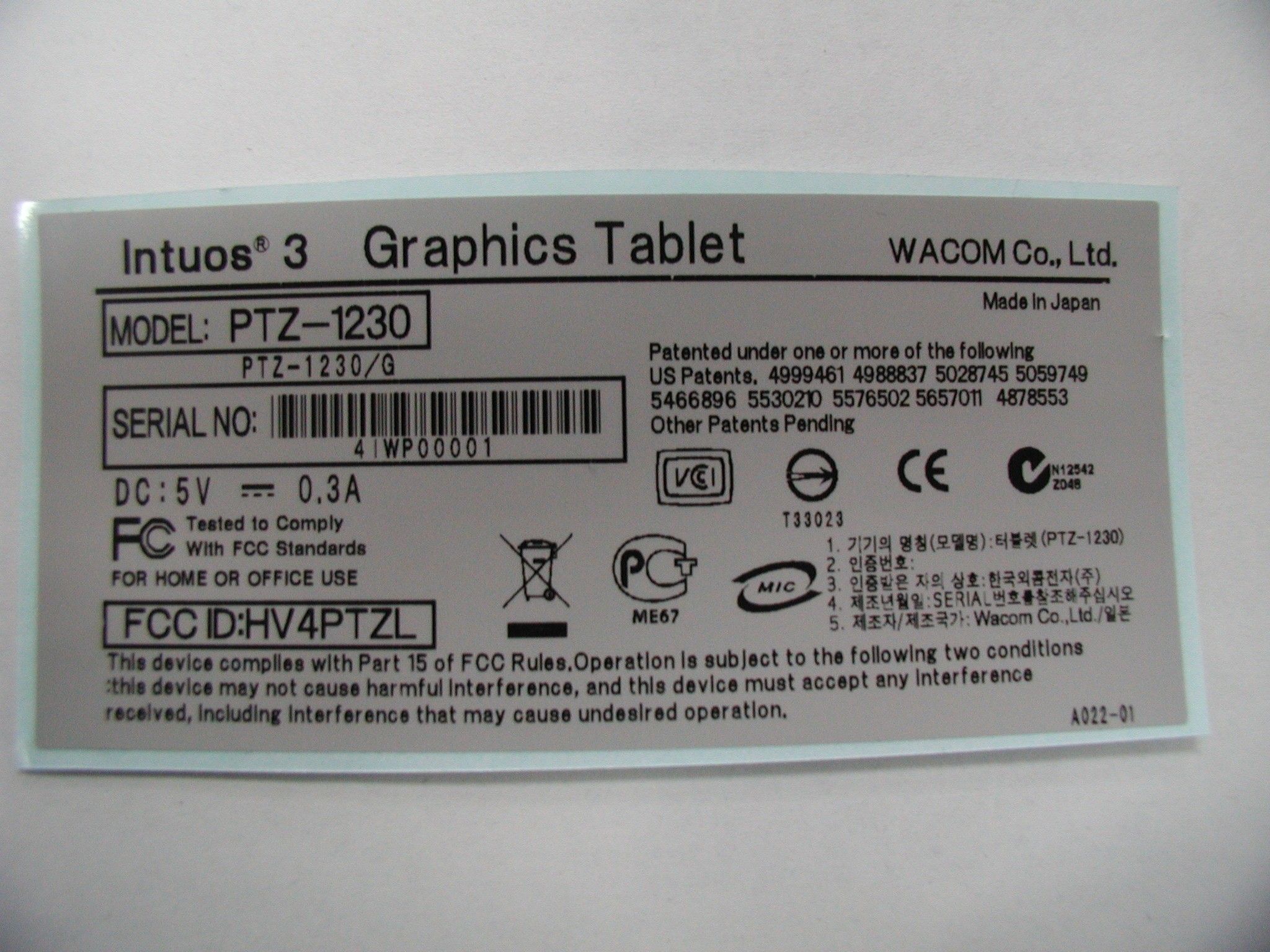
HV4PTZLDigitizer
Wacom Co Ltd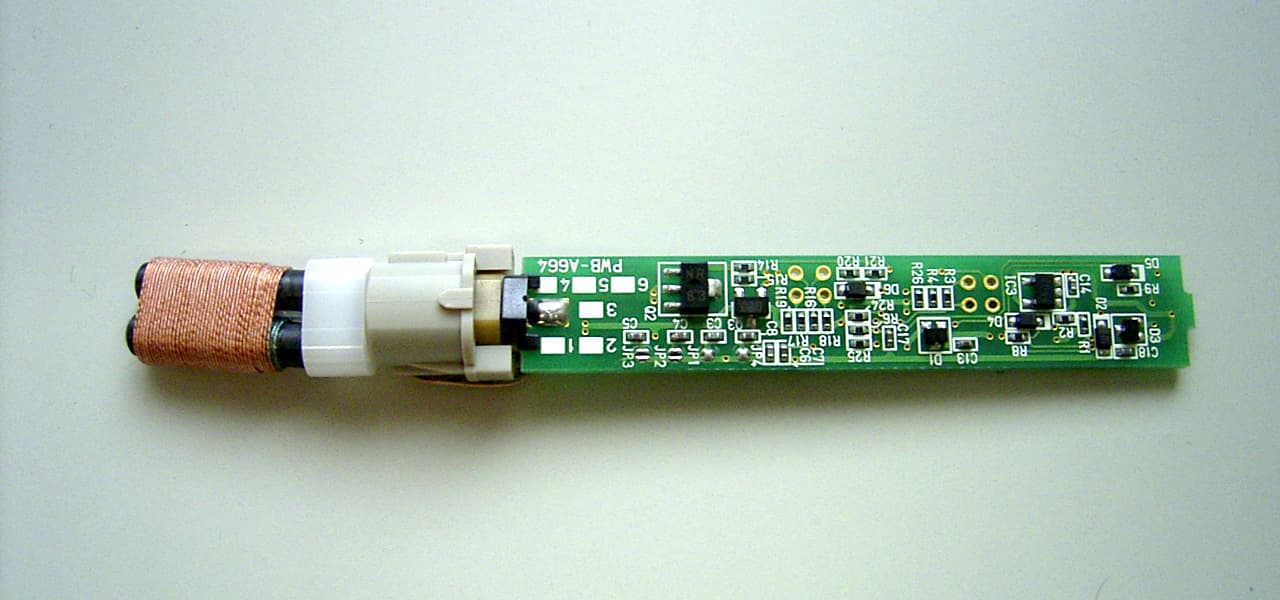
Click to zoom
Application Details
- Equipment Class
- DCD - Part 15 Low Power Transmitter Below 1705 kHz
- Date of Grant
- Dec 14, 2005
- Application Purpose
- Original Equipment
- Date of Application
- Dec 14, 2005
- Equipment Note
- Digitizer
- Frequency Range
- 0.66600000 - 0.66600000
- Company
- Wacom Co Ltd
- Country
- Japan
Documents & Files
Document Text
Text extracted from the exhibit documents filed with the FCC. Open a document above to read the original.
Users Manual
T ROUBLESHOOTING C U STOMIZING P EN T A BLET P O P - U P M E NU M OUSE U S ING T A BLET M OUSE P E N A P PLICATION -S P ECIFIC S E TTINGS I NDEX C O NTENTS I N DEX C O NTENTS 1 1 A P PENDIX User’s Manual for Windows & Macintosh ®® I N DEX C ONTENTS I N DEX C O NTENTS 2 2 Wacom Intuos ® 3 User’s Manual for Windows ® & Macintosh ® English version 2.0, August 26, 2005 Copyright © WACOM Company, Limited, 2005 All rights reserved. No part of this manual may be reproduced except for your express personal use. Wacom reserves the right to revise this publication without obligation to provide notification of such changes. Wacom does its best to provide current and accurate information in this manual. However, Wacom reserves the right to change any specifications and product configurations at its discretion, without prior notice and without obligation to include such changes in this manual. Reuse, recycling, and recovery. You are urged to recycle this product when replacing it with a newer product or when it has outlived its useful life by bringing it to an appropriate collection point for recyclable materials in your community or region. By doing this, you can help improve the environment of your community as well as minimize the potential negative effects created should any hazardous substance that may possibly be present within waste material reach the environment during the disposal process. Within the European Union, users are required not to dispose of Waste Electrical and Electronic Equipment (WEEE) as unsorted municipal waste, according to the Directive 2002/96/EC of the European Parliament and of the Council of 27 January 2003, or the corresponding local laws of the Member States. Products for which this is applicable will be marked with the WEEE symbol shown at the beginning of this note unless this is not feasible because of the size or the function of the product. Wacom products are subject to the Directive 2002/96/EC and therefore you should always collect them separately and bring them to the appropriate collection point in your community or region. Tool ID, QuickPoint, and DuoSwitch are trademarks, and Intuos, Penabled, and Wacom are registered trademarks of WACOM Company, Limited. Adobe, Reader, and Photoshop are either registered trademarks or trademarks of Adobe Systems Incorporated in the United States and/or other countries. Microsoft and Windows are either registered trademarks or trademarks of Microsoft Corporation in the United States and/or other countries. Apple, the Apple logo, and Macintosh are registered trademarks of Apple Computer, Inc., registered in the U.S. and other countries. Any additional company and product names mentioned in this documentation may be trademarked and/or registered as trademarks. Mention of third-party products is for information purposes only and constitutes neither an endorsement nor a recommendation. Wacom assumes no responsibility with regard to the performance or use of these products. ExpressKey is a registered trademark of Ginsan Industries, Inc., and is used with permission. Watch for the Penabled logo to ensure you are getting the natural feel and superior performance of Wacom’s patented cordless and battery-free pen technology. I NDEX C O NTENTS I N DEX C O NTENTS 3 3 CONTENTS About the manual 5 Navigating the manual 6 WORKING WITH INTUOS3 7 Intuos3 tablet features 8 Intuos3 input tools 9 Intuos3 optional tools 10 Setting up your work area 11 Using the Grip Pen 12 Holding the pen 12 P ointing 13 Clicking 14 Dragging 14 Using the side switch 15 Drawing with pressure-sensitivity 16 Drawing with tilt 16 Erasing 17 Eye-hand coordination exercise 18 Using the mouse 19 Using the Airbrush and Art Pen 20 Working with the tablet 21 Using ExpressKeys 22 Using the Touch Strips 23 CUSTOMIZING 24 Opening the control panel 24 Control panel overview 25 Control panel settings 26 Customizing the pen 27 Adjusting tip feel and double-click 28 Adjusting eraser feel 29 Advanced tip and eraser pressure settings 30 Customizing tool buttons 31 Button functions 32 Customizing tilt sensitivity 35 Customizing the mouse 36 Customizing mouse buttons 36 Customizing the mouse fingerwheel 37 Tablet to screen mapping 38 Pen mode 38 Mouse mode 39 Orientation 39 Screen area 40 Force proportions 41 T ablet area 42 Mapping to multiple monitors 43 Customizing the tablet functions 44 Customizing ExpressKeys 45 Customizing tablet Touch Strips 46 Advanced Touch Strip settings 49 Customizing the Pop-up Menu 50 Working with multiple tools 51 Working with application-specific settings 52 Creating an application-specific setting 53 Changing settings for a specific tool and application 54 Removing application-specific settings 54 TROUBLESHOOTING 55 Testing your tablet 56 Testing your tools 57 Testing the ExpressKeys 58 Testing the tablet Touch Strips 58 Testing a pen 59 Testing a mouse 60 Troubleshooting tables 61 General problems 61 Windows-specific problems 64 Macintosh-specific problems 64 C ONTENTS I NDEX C O NTENTS I N DEX C O NTENTS 4 4 Technical support options 65 Obtaining driver downloads 66 APPENDIX 67 Caring for your tablet and tools 67 Replacing the pen tip 68 Uninstalling the softw are 68 Changing the tab let mode 69 Installing multiple tablets 69 Intuos3 lens cursor 70 Customizing the lens cursor 71 Testing the lens cursor 71 Working with AutoCAD 72 Configuring AutoCAD for a Wintab compatible digitizer 72 Configuring tablet menus and screen pointing areas in AutoCAD 73 Calibr ating Intuos3 for AutoCAD 74 Product specifications 75 General specifications for all Intuos3 tablets 75 Intuos3 4x5 / A6 tablet (model PTZ-430) 75 Intuos3 6x8 / A5 tablet (model PTZ-630) 75 Intuos3 6x11 / A5 Wide tablet (model PTZ-631W) 75 Intuos3 9x12 / A4-regular tablet (model PTZ-930) 76 Intuos3 12x12 / A4 Oversize tablet (model PTZ-1230) 76 Intuos3 12x19 / A3 Wide tablet (model PTZ-1231W) 76 Intuos3 Grip Pen (model ZP-501E) 76 Intuos3 mouse (model ZC-100) 76 Intuos3 Airbrush (model ZP-400E…
Text truncated - open the document above for the full version.
Block Diagram
CIRCUIT BLOCK DIAGRAM - PTZ-1230 - PTZ-1231W 5V Pen or Mouse tool CONNECTOR CPU 16MHz Gate array 16MHz Analog circuit & I/F DC power supply to analog circuit USB A-Plug Touch Pad (x2) 8MHz Sensor coil ↑to PC USB Cable Digitizer Control board Radiated frequency 667kHz DC power supply to CPU & Touch Pad 3.3V DC-DC converter Digitizer Sensor board CIRCUIT BLOCK DIAGRAM - ZP-130 - ZP-400E - ZP-501E - ZP-300E - ZP-600 - ZC-100 - ZC-210 - Switch - Pressure sensor - Wheel senser (only ZP-400E) Micro computer Detection circuit Resonance circuit Electromagnetic signal (From Digitizer) 667KHz Power 2.0 – 3.5V To supply of every circuits 667KHz 667KHz Control signal
Cover Letter(s)
株式会社ワコム (本社) 〒349-1148 埼玉県北埼玉郡大利根町豊野台2-510-1 代表 TEL: 03-5309-1500 FAX: 03-5309-1503 Federal Communications Commission Authorization and Evaluation Division Confidentiality Request regarding application for certification of FCC ID: HV4PTZL Pursuant to Sections 0.457 and 0.459 of the Commission’s Rules, we hereby request confidential treatment of information accompanying this application as outlined below: - Circuit diagram (Schematics) The above materials contain trade secrets and proprietary information not customarily released to the public. The public disclosure of these materials may be harmful to the applicant and provide unjustified benefits to its competitors. The applicant understands that pursuant to Section 0.457 of the Rules, disclosure of this application and all accompanying documentation will not be made before the date of the Grant for this application. Sincerely, Hiromichi Kanzaki Wacom Co., Ltd. 2-510-1, Toyonodai, Otone-machi, Kitasaitama-gun, Saitama 349-1148, Japan
External Photos
<Optional devices> Photo A-1 Ink Pen (model: ZP-130) Photo A-2 Internal view _ Ink Pen (model: ZP-130) Photo A-3 Internal view _ Ink Pen (model: ZP-130) Photo A-4 Classic Pen (model: ZP-300E) Photo A-5 Internal view _ Classic Pen (model: ZP-300E) Photo A-6 Internal view _ Classic Pen (model: ZP-300E) Photo A-7 Airbrush (model:ZP-400E) Photo A-8 Internal view _ Airbrush (model:ZP-400E) Photo A-9 Internal view _ Airbrush (model:ZP-400E) Photo A-10 Grip Pen (model: ZP-501E) Photo A-11 Internal view _ Grip Pen (model: ZP-501E) Photo A-12 Internal view _ Grip Pen (model: ZP-501E) Photo A-13 Maker Pen (model: ZP-600) Photo A-14 Internal view _ Maker Pen (model: ZP-600) Photo A-15 Internal view _ Maker Pen (model: ZP-600) Photo A-16 2D Mouse (model: ZC-100) Photo A-17 Internal view _ 2D Mouse (model: ZC-100) Photo A-18 Surface of internal board _ 2D Mouse (model: ZC-100) Photo A-19 Reverse of internal board _ 2D Mouse (model: ZC-100) Photo A-20 Lens Cursor (model: ZC-210) Photo A-21 Internal view _ Lens Cursor (model: ZC-210) Photo A-22 Surface of internal board _ Lens Cursor (model: ZC-210) Photo A-23 Reverse of internal board _ Lens Cursor (model: ZC-210)
External Photos
<Model: PTZ-1230> Photo-1 Top view of PTZ-1230 Photo-2 Bottom view of PTZ-1230 Photo-3 Bottom cover removed (PTZ-1230) Photo-4 Surface of Control board (PTZ-1230) Photo-5 Reverse of Control board (PTZ-1230) Photo-6 Surface of Sensor board (PTZ-1230) Photo-7 Reverse of Top cover (PTZ-1230) Photo-8 Surface of Touch Pad (PTZ-1230)
External Photos
<Model: PTZ-1231W> Photo-9 Top view of PTZ-1231W Photo-10 Bottom view of PTZ-1231W Photo-11 Bottom cover removed (PTZ-1231W) Photo-12 Surface of Control board (PTZ-1231W) Photo-13 Reverse of Control board (PTZ-1231W) Photo-14 Surface of Sensor board (PTZ-1231W) Photo-15 Reverse of Top cover (PTZ-1231W) Photo-16 Surface of Touch Pad (PTZ-1231W) Photo-17 Surface of Touch Pad (PTZ-1231W) Photo-18 Surface of Touch Pad (PTZ-1231W)
External Photos
Aluminum film Aluminum film
Internal Photos
<Optional devices> Photo A-1 Ink Pen (model: ZP-130) Photo A-2 Internal view _ Ink Pen (model: ZP-130) Photo A-3 Internal view _ Ink Pen (model: ZP-130) Photo A-4 Classic Pen (model: ZP-300E) Photo A-5 Internal view _ Classic Pen (model: ZP-300E) Photo A-6 Internal view _ Classic Pen (model: ZP-300E) Photo A-7 Airbrush (model:ZP-400E) Photo A-8 Internal view _ Airbrush (model:ZP-400E) Photo A-9 Internal view _ Airbrush (model:ZP-400E) Photo A-10 Grip Pen (model: ZP-501E) Photo A-11 Internal view _ Grip Pen (model: ZP-501E) Photo A-12 Internal view _ Grip Pen (model: ZP-501E) Photo A-13 Maker Pen (model: ZP-600) Photo A-14 Internal view _ Maker Pen (model: ZP-600) Photo A-15 Internal view _ Maker Pen (model: ZP-600) Photo A-16 2D Mouse (model: ZC-100) Photo A-17 Internal view _ 2D Mouse (model: ZC-100) Photo A-18 Surface of internal board _ 2D Mouse (model: ZC-100) Photo A-19 Reverse of internal board _ 2D Mouse (model: ZC-100) Photo A-20 Lens Cursor (model: ZC-210) Photo A-21 Internal view _ Lens Cursor (model: ZC-210) Photo A-22 Surface of internal board _ Lens Cursor (model: ZC-210) Photo A-23 Reverse of internal board _ Lens Cursor (model: ZC-210)
Internal Photos
<Model: PTZ-1230> Photo-1 Top view of PTZ-1230 Photo-2 Bottom view of PTZ-1230 Photo-3 Bottom cover removed (PTZ-1230) Photo-4 Surface of Control board (PTZ-1230) Photo-5 Reverse of Control board (PTZ-1230) Photo-6 Surface of Sensor board (PTZ-1230) Photo-7 Reverse of Top cover (PTZ-1230) Photo-8 Surface of Touch Pad (PTZ-1230)
Internal Photos
<Model: PTZ-1231W> Photo-9 Top view of PTZ-1231W Photo-10 Bottom view of PTZ-1231W Photo-11 Bottom cover removed (PTZ-1231W) Photo-12 Surface of Control board (PTZ-1231W) Photo-13 Reverse of Control board (PTZ-1231W) Photo-14 Surface of Sensor board (PTZ-1231W) Photo-15 Reverse of Top cover (PTZ-1231W) Photo-16 Surface of Touch Pad (PTZ-1231W) Photo-17 Surface of Touch Pad (PTZ-1231W) Photo-18 Surface of Touch Pad (PTZ-1231W)
Operational Description
Operational description for Digitizer Model PZT-1230/PZT-1231W The intentional radiated frequencies are 667kHz. All the other frequencies are unintentional radiated. A. Antenna The tablet has two groups of multiple loop coils there are X(horizontal)-coordinates receiving coil, and Y(vertical)-coordinates coil. Y-coil has both the receiving coil and the transmitting coil functions. Radio frequency energy is emitted while Y-coil is functioning as a transmitting coil by the command of CPU. X-coil and Y-coil is approximately 26mm wide and as long as the height, for the X-axis, and width, for the Y-axis, of the effective area of the tablet. X-coil and Y-coil consists of 8 turn(loops) wired on the sensor board. B. Original oscillation frequency and intentional radiated frequency We make the 666.7kHz intentional radiated frequencies from the original oscillation frequency of 16.0MHz by G/A(Gate Array W4027F). C.Operation The tablet looks for a pointing device, such as a stylus, by feeding electrical current of above-mentioned frequencies through the Y-coil which is functioning as a transmitting coil. The coil prepared in the pointing device is excited with a transmitting coil, produces an induced current, and operates as a pointing device. Y-coil is changed to receiving coil for reception by the command of CPU, and changes to the receiving state for the signal from the pointing device. The tablet is able to detect the position of the pointing device because of the induction caused between the coil of the pointing device and two coils, one from X-axis and the other Y-axis, of the sensor board. D. Comment on pointing device The pointing device does not have battery and oscillator.
Contact Information
Applicant
Koichi Yokoyama(Senior Director, Quality Assurance)
Test Firm
Tokin EMC Eng Co., Ltd. Osaka Test Lab Nagoya SiteKanau Shioyama
Technical Specifications
| # | Rule Parts | Frequency Range | Power Output |
|---|---|---|---|
| 1 | 15C | 0.666 MHz - 0.666 MHz | - |
Other Applications from Wacom Co Ltd
HV4CTK6120
Aug 19, 2026Pen Tablet
Equipment Class
DCD - Part 15 Low Power Transmitter Below 1705 kHzHV4STU540A
May 12, 2026LCD SIGNATURE PAD
Equipment Class
DCD - Part 15 Low Power Transmitter Below 1705 kHzHV4DTHA140
Sep 16, 2025Portable Pad
Equipment Class
DTS - Digital Transmission SystemHV4PTK470
Oct 10, 2024Creative Pen Tablet
Equipment Class
DTS - Digital Transmission SystemHV4PTK870
Oct 10, 2024Creative Pen Tablet
Equipment Class
DCD - Part 15 Low Power Transmitter Below 1705 kHz