HV4STU430VLCD Signature Pad
Wacom Co Ltd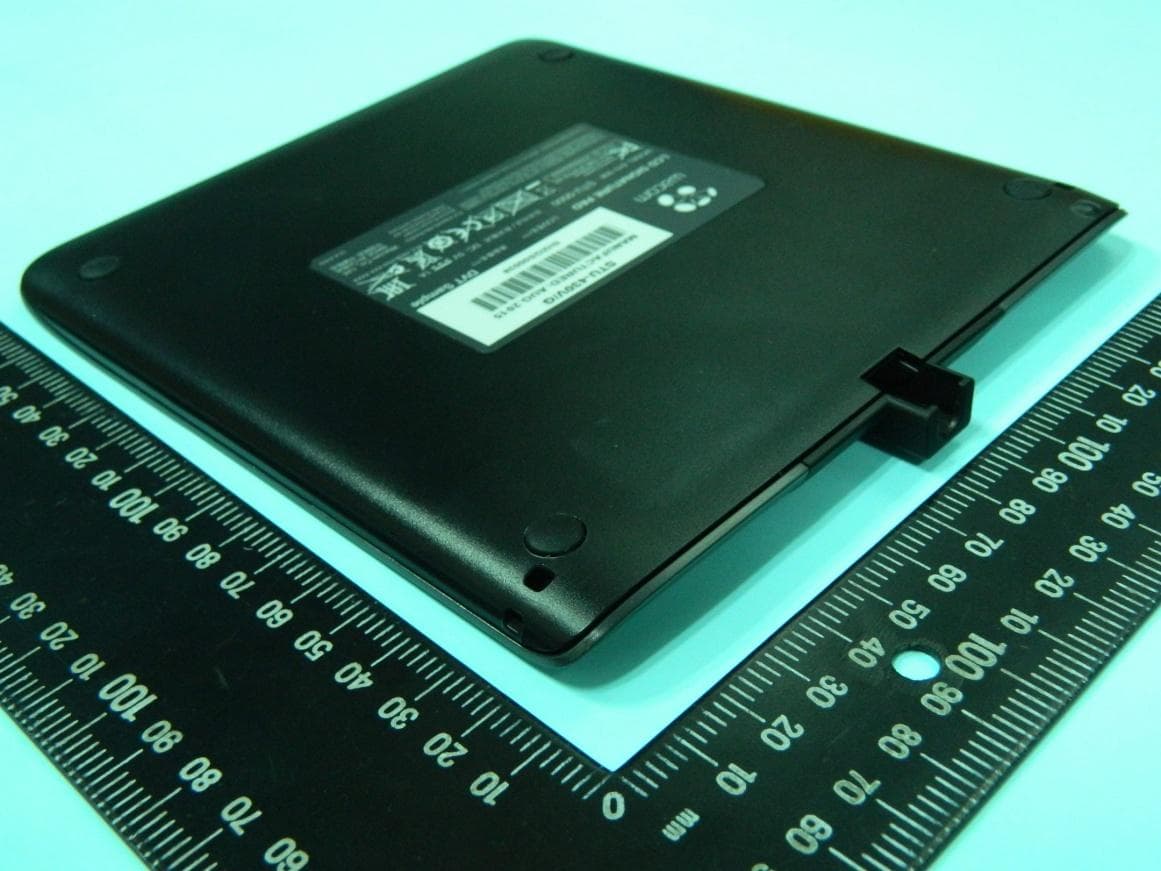
Click to zoom
Application Details
- Equipment Class
- DCD - Part 15 Low Power Transmitter Below 1705 kHz
- Date of Grant
- Nov 03, 2015
- Application Purpose
- Original Equipment
- Date of Application
- Nov 02, 2015
- Equipment Note
- LCD Signature Pad
- Frequency Range
- 0.53125000 - 0.59375000
- Company
- Wacom Co Ltd
- Country
- Japan
Documents & Files
Document Text
Text extracted from the exhibit documents filed with the FCC. Open a document above to read the original.
Users Manual
EN Quick start guide DE Schnellstartanleitung NL Snelgids FR Guide de mise en route IT Guida rapida ES Guía de arranque rápido PT Guia de inicialização rápida PL Podręcznik szybkiej instalacji RU Руководство по быстрому запуску JP クイックスタートガイド KR 퀵 스타트 가이드 TC SC 快速入门指南 STU - 430V STU - 530V EN Important information The following item provides help and support information for the product. Help and support informationDescription Quick Start Guide (This guide) Provides a general overview of the STU-430V and STU-530V. It includes information about connecting and using the product. Also, it contains precautions, product specifications, and other important information. Read this information carefully before use. EN 1 Supplied accessories Pen tetherUSB cable (3 m)Pen Quick start guidePen holder EN Quick start guide DE Schnellstartanleitung NL Snelgids FR Guide de mise en route IT Guida rapida ES Guía de arranque rápido PT Guia de inicialização rápida PL Podręcznik szybkiej instalacji RU Руководство по быстрому запуску JP クイ ックスタートガイ ド KR 퀵 스타트 가이드 TC 快速入門指南 SC 快速入门指南 STU - 430V STU - 530V EN 2 Getting to know the product 1. Front housing 2. Signing area 3. LED 4. Pen holder 5. Security lock slot 6. Back housing 7. Feet 8. Pen tether hole 1 6 8 7 8 2 3 4 5 EN 3 Connecting the product to your computer 1. Turn off your computer. 2. Insert the mini-USB plug into the USB connector located at the rear edge of the signature pad. Once the USB plug is properly inserted, attach the pen holder to the signature pad by first inserting it into the notches, then moving into the direction of the device until it clicks into place. The pen holder will lock the USB cable in place and prevent it from being accidentally detached. 3. Plug the USB connector into a free USB port on your computer to use the signature pad. Status LED Lamp • USB connected: dim light • USB connected, pen touching the display: blue light 2 1 3 EN 4 Pen holder and pen tether Pen tether hole EN 5 Wacom Support / Wacom Customer Service For support and to register your product, go to wacom.com and click on Support. EN 6 Precautions Be sure to follow all instructions, cautions, and warnings found within this guide. Failure to do so could cause the loss of data or damage to your com- puter. Failure to do so could also void your warranty, in which case Wacom shall have no responsibility to repair or replace the product. Warning Do not use the product in a facility control system that requires extremely high re- liability; it may cause other electronic devices to malfunction, or other devices may cause the product to malfunction. Where use is prohibited, power off the product to prevent the possibility of it causing other electronic devices to malfunction. Wacom does not accept any liability for direct or consequential damages. High Voltage. Do not open or disassemble the product. There is a risk of electrical shock when the casing is open. This will also void your warranty and Wacom shall have no responsibility to repair or replace the product. If the LCD screen has been damaged, DO NOT touch any liquid that may be leaking from it; this liquid is an irritant. In case of contact with skin, eyes, or mouth, rinse immediately with running water for at least 15 minutes or more. If contact is made with the eyes or mouth, also consult a physician. Prevent children from swallowing the pen tip. The pen tip may accidentally be pulled out if children are biting on them. Caution Do not use or store the product where: • Temperature changes are severe or exceed specifi cations (e.g., outdoors or inside a vehicle). • The product and pen are exposed to direct sunlight or heat from an appli- ance, or are exposed to water or any other kind of liquid. Do not use the product in a dusty environment; this may damage the unit. Do not disassemble the pen. This may cause the device to malfunction. In this case, Wacom shall have no responsibility to repair or replace the product. Do not scratch the display screen. Avoid placing sharp objects on the display screen surface. Avoid intensive shock or vibration to the product or the pen. Hitting or drop- ping the product may damage the display screen or other components. Do not put heavy articles on the product or push against it with a strong force; This may damage the display screen. Do not place heavy articles on the product cabling, repeatedly bend the ca- bles sharply, or apply heavy stress to the cable connectors; this may damage the unit or cabling. If the pen tip becomes sharp or angular, it may damage the coating on the display screen. Please replace the pen tip if necessary. Do not expose the product to high voltage electrostatic discharges or to a buildup of an electrostatic charge on the LCD screen. This may result in a temporary blotching of the LCD monitor. If blotching occurs, leave the prod- uct’s display on and the blotching should disappear within a few hours. Note on using this product Replacing the pen tip For replacement of the pen tips please contact your Wacom Signature Solu- tion Partner. Note on use When LCD panel is operated continuously for long period, a trace of electric charge remains near the electrode inside the LCD, and residual or “ghost” image of the previous image may be observed (Image persistence). To avoid image persistence, Wacom recommends the use of a moving screen saver when the screen is turned on but idle. Caring for your LCD signature pad Keep the pen and LCD screen surface clean. Dust and dirt particles can stick to the pen and cause wear to the display screen surface. Regular cleaning will help prolong the life of your LCD screen surface and pen. Keep the tablet and pen in a clean, dry place and avoid extremes in temperature. Room temper- ature is best. The product and pen are not made to come apart. Taking apart the product will void your warranty. Cleaning To clean the product casing or the pen, use a soft, damp cloth; you can also dampen the cloth using a very mild soap diluted…
Text truncated - open the document above for the full version.
External Photos
Report No. : EP591825 SPORTON International Inc. Page Number : B1 of B7 TEL : 886-3-327-3456 Report Version : Rev. 01 FAX : 886-3-327-0973 APPENDIX B. Photographs of EUT Report No. : EP591825 SPORTON International Inc. Page Number : B7 of B7 TEL : 886-3-327-3456 Report Version : Rev. 01 FAX : 886-3-327-0973
Internal Photos
Report No. : EP591825 SPORTON International Inc. Page Number : B2 of B7 TEL : 886-3-327-3456 Report Version : Rev. 01 FAX : 886-3-327-0973 Report No. : EP591825 SPORTON International Inc. Page Number : B3 of B7 TEL : 886-3-327-3456 Report Version : Rev. 01 FAX : 886-3-327-0973 Report No. : EP591825 SPORTON International Inc. Page Number : B4 of B7 TEL : 886-3-327-3456 Report Version : Rev. 01 FAX : 886-3-327-0973 Report No. : EP591825 SPORTON International Inc. Page Number : B5 of B7 TEL : 886-3-327-3456 Report Version : Rev. 01 FAX : 886-3-327-0973 Report No. : EP591825 SPORTON International Inc. Page Number : B6 of B7 TEL : 886-3-327-3456 Report Version : Rev. 01 FAX : 886-3-327-0973
Test Report
FCC Test Report Report No. : FR591825 SPORTON INTERNATIONAL INC. Page No. : 1 of 25 TEL : 886-3-327-3456 Report Version : Rev. 01 FAX : 886-3-327-0973 FCC Test Report Equipment : LCD Signature Pad Brand Name : Wacom Model No. : STU-430V FCC ID : HV4STU430V Standard : 47 CFR FCC Part 15.209 Operating Band : 531.25kHz~593.75kHz FCC Classification : DCD Applicant : Wacom Co., Ltd. 2-510-1, Toyonodai, Kazo-shi, Saitama, 349-1148 Japan Manufacturer : Please refer to section 1.1 The product sample received on Sep. 18, 2015 and completely tested on Oct. 16, 2015. We, SPORTON, would like to declare that the tested sample has been evaluated in accordance with the procedures given in ANSI C63.10-2013 and shown compliance with the applicable technical standards. The test results in this report apply exclusively to the tested model / sample. Without written approval of SPORTON INTERNATIONAL INC., the test report shall not be reproduced except in full. Reviewed by: Kevin Liang / Assistant Manager FCC Test Report Report No. : FR591825 SPORTON INTERNATIONAL INC. Page No. : 2 of 25 TEL : 886-3-327-3456 Report Version : Rev. 01 FAX : 886-3-327-0973 Table of Contents 1 GENERAL DESCRIPTION .................................................................................................................... 5 1.1 Information .............................................................................................................................................. 5 1.2 Accessory and Support Equipment ........................................................................................................ 7 1.3 Testing Applied Standards ..................................................................................................................... 7 1.4 Testing Location Information .................................................................................................................. 7 1.5 Measurement Uncertainty ...................................................................................................................... 8 2 TEST CONFIGURATION OF EUT......................................................................................................... 9 2.1 The Worst Case Modulation Configuration ............................................................................................ 9 2.2 Test Channel Frequencies Configuration ............................................................................................... 9 2.3 The Worst Case Measurement Configuration ........................................................................................ 9 2.4 Test Setup Diagram ............................................................................................................................. 10 3 TRANSMITTER TEST RESULT .......................................................................................................... 12 3.1 AC Power-line Conducted Emissions .................................................................................................. 12 3.2 Transmitter Radiated Emissions .......................................................................................................... 16 3.3 Emission Bandwidth ............................................................................................................................. 23 4 TEST EQUIPMENT AND CALIBRATION DATA ................................................................................ 25 APPENDIX A. TEST PHOTOS APPENDIX B. PHOTOGRAPHS OF EUT FCC Test Report Report No. : FR591825 SPORTON INTERNATIONAL INC. Page No. : 3 of 25 TEL : 886-3-327-3456 Report Version : Rev. 01 FAX : 886-3-327-0973 Summary of Test Result Conformance Test Specifications Report Clause Ref. Std. Clause Description Measured Limit Result 1.1.3 15.203 Antenna Requirement Antenna connector mechanism complied FCC 15.203 Complied 3.1 15.207 AC Power-line Conducted Emissions [dBuV]:0.1500000MHz 52.27 (Margin 13.73dB) - QP 27.60 (Margin 28.40dB) - AV FCC 15.207 Complied 3.2 15.209 Transmitter Radiated Emissions [dBuV/m at 3m]:47.460MHz 29.08(Margin 10.92dB) - QP FCC 15.209 Complied 3.3 15.215(c) Emission Bandwidth 99% Bandwidth: 193.05 [kHz] N/A Complied FCC Test Report Report No. : FR591825 SPORTON INTERNATIONAL INC. Page No. : 4 of 25 TEL : 886-3-327-3456 Report Version : Rev. 01 FAX : 886-3-327-0973 Revision History Report No. Version Description Issued Date FR591825 Rev. 01 Initial issue of report Oct. 29, 2015 FCC Test Report Report No. : FR591825 SPORTON INTERNATIONAL INC. Page No. : 5 of 25 TEL : 886-3-327-3456 Report Version : Rev. 01 FAX : 886-3-327-0973 1 General Description 1.1 Information 1.1.1 Manufacturer Information Manufacturer 1 Qisda Corporation 157 & 159, Shan-Ying Road, Gueishan, Taoyuan 333, Taiwan Manufacturer 2 Qisda (Suzhou) Co., Ltd. 169, Zhujiang Road, New District, Suzhou, Jiangsu Province, P.R. China Manufacturer 3 Qisda Optronics (Suzhou) Co., Ltd. 169, Zhujiang Road, New District, Suzhou, Jiangsu 215129, P.R. China Manufacturer 4 Qisda Mexicana S.A. De C.V. Calzada Venustiano Carranza, No. 88 Col. Plutarco Elias Calles, Mexocali B.C. Mexico C.P 21376 Mexico 1.1.2 RF General Information RF General Information Frequency Range 531.25kHz~593.75kHz Modulation Ch. Frequency (kHz) Channel Number Field Strength (dBuV/m) Array Coil Pointing 531.25 / 562.5 / 593.75kHz 3 48.42 Note 1: Field strength performed peak level at 1m. 1.1.3 Antenna Information Antenna Category Equipment placed on the market without antennas Integral antenna (antenna permanently attached) External antenna (dedicated antennas) FCC Test Report Report No. : FR591825 SPORTON INTERNATIONAL INC. Page No. : 6 of 25 TEL : 886-3-327-3456 Report Version : Rev. 01 FAX : 886-3-327-0973 1.1.4 Type of EUT Identify EUT EUT Serial Number N/A Presentation of Equipment Production ; Pre-Production ; Prototype Type of EUT Stand-alone Combined (EUT where the radio part is fully integrated within another device) Combined Equipment - Brand Name…
Text truncated - open the document above for the full version.
Test Setup Photos
FCC Test Report Report No. : FR591825 SPORTON INTERNATIONAL INC. Page No. : A1 of A4 TEL : 886-3-327-3456 Report Version : Rev. 01 FAX : 886-3-327-0973 Appendix A. Test Photos 1. Photographs of Conducted Emissions Test Configuration Front view Rear view FCC Test Report Report No. : FR591825 SPORTON INTERNATIONAL INC. Page No. : A2 of A4 TEL : 886-3-327-3456 Report Version : Rev. 01 FAX : 886-3-327-0973 Side view FCC Test Report Report No. : FR591825 SPORTON INTERNATIONAL INC. Page No. : A3 of A4 TEL : 886-3-327-3456 Report Version : Rev. 01 FAX : 886-3-327-0973 2. Photographs of Radiated Emissions Test Configuration For radiated emissions 9kHz~30MHz Front view Rear view FCC Test Report Report No. : FR591825 SPORTON INTERNATIONAL INC. Page No. : A4 of A4 TEL : 886-3-327-3456 Report Version : Rev. 01 FAX : 886-3-327-0973 For radiated emissions 30MHz~1GHz Front view Rear view
Contact Information
Applicant
Koichi Yokoyama(Senior Director, Quality Assurance)
Test Firm
Sporton International Inc.Alex Chen
Technical Specifications
| # | Rule Parts | Frequency Range | Power Output |
|---|---|---|---|
| 1 | 15C | 0.53125 MHz - 0.59375 MHz | - |
Other Applications from Wacom Co Ltd
HV4CTK6120
Aug 19, 2026Pen Tablet
Equipment Class
DCD - Part 15 Low Power Transmitter Below 1705 kHzHV4STU540A
May 12, 2026LCD SIGNATURE PAD
Equipment Class
DCD - Part 15 Low Power Transmitter Below 1705 kHzHV4DTHA140
Sep 16, 2025Portable Pad
Equipment Class
DTS - Digital Transmission SystemHV4PTK470
Oct 10, 2024Creative Pen Tablet
Equipment Class
DTS - Digital Transmission SystemHV4PTK870
Oct 10, 2024Creative Pen Tablet
Equipment Class
DCD - Part 15 Low Power Transmitter Below 1705 kHz