I88AMG1312T10BWireless N ADSL2+ 4-port Gateway with USB
ZyXEL Communications Corporation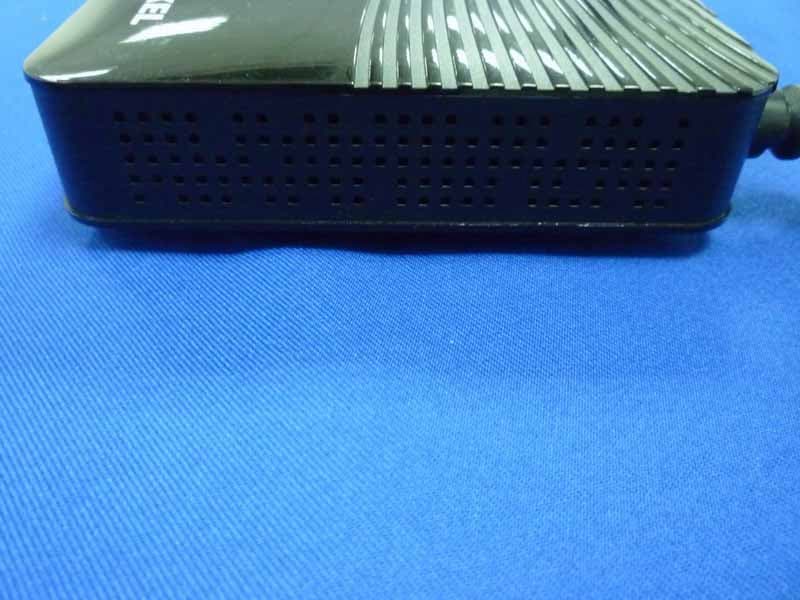
Click to zoom
Application Details
- Equipment Class
- DTS - Digital Transmission System
- Date of Grant
- Jan 24, 2014
- Application Purpose
- Original Equipment
- Date of Application
- Jan 23, 2014
- Equipment Note
- Wireless N ADSL2+ 4-port Gateway with USB
- Frequency Range
- 2412.00000000 - 2462.00000000
- Country
- Taiwan
Documents & Files
Document Text
Text extracted from the exhibit documents filed with the FCC. Open a document above to read the original.
Users Manual
Quick Start Guide www.zyxel.com AMG1312-T Series Wireless N ADSL2+ 4-port Gateway with USB Version 2.00 Edition 1, 8/2013 Copyright © 2013 ZyXEL Communications Corporation User’s Guide Default Login Details LAN IP Addresshttp://192.168.1.1 User Nameadmin Password1234 AMG1312-T Series User’s Guide2 IMPORTANT! READ CAREFULLY BEFORE USE. KEEP THIS GUIDE FOR FUTURE REFERENCE. Note: This guide is a reference for a series of products. Therefore some features or options in this guide may not be available in your product. Graphics in this book may differ slightly from the product due to differences in operating systems, operating system versions, or if you installed updated firmware/software for your device. Every effort has been made to ensure that the information in this manual is accurate. Related Documentation •Quick Start Guide The Quick Start Guide shows how to connect the AMG1312-T Series and access the Web Configurator. It contains information on setting up your wireless network. Contents Overview AMG1312-T Series User’s Guide 3 Contents Overview User’s Guide ....................................................................................................................................... 12 Introduction .............................................................................................................................................14 Introducing the Web Configurator ...........................................................................................................19 Internet / Wireless Setup Wizard............................................................................................................. 27 Tutorials ..................................................................................................................................................34 Technical Reference .......................................................................................................................... 61 Connection Status and System Info Screens ..........................................................................................63 Broadband ...............................................................................................................................................68 Wireless LAN ..........................................................................................................................................87 Home Networking .................................................................................................................................. 115 Static Route ...........................................................................................................................................132 Quality of Service (QoS) .......................................................................................................................136 Network Address Translation (NAT) ......................................................................................................147 Port Binding ...........................................................................................................................................157 Dynamic DNS Setup .............................................................................................................................161 Filters ....................................................................................................................................................163 Firewall ..................................................................................................................................................168 Parental Control ....................................................................................................................................186 Certificate ..............................................................................................................................................189 Logs .....................................................................................................................................................194 Traffic Status .........................................................................................................................................196 User Account .........................................................................................................................................199 TR-069 Client ........................................................................................................................................200 System Settings ....................................................................................................................................202 Firmware Upgrade ................................................................................................................................205 Backup/Restore .....................................................................................................................................207 Remote Management ............................................................................................................................210 Diagnostic .............................................................................................................................................221 Troubleshooting ....................................................................................................................................224 Table of Contents AMG1312-T Series User’s Guide 4 Table of Contents Contents Overview .............................................................................................................................. 3 Table of Contents ................................................................................................................................. 4 Part I: User’s Guide ......................................................................................... 12 Chapter 1 Introduction ...............................…
Text truncated - open the document above for the full version.
Users Manual
AMG1312-T Series User’s Guide161 CHAPTER 13 Dynamic DNS Setup 13.1 Overview Dynamic DNS allows you to update your current dynamic IP address with one or many dynamic DNS services so that anyone can contact you (in NetMeeting, CU-SeeMe, etc.). You can also access your FTP server or Web site on your own computer using a domain name (for instance myhost.dhs.org, where myhost is a name of your choice) that will never change instead of using an IP address that changes each time you reconnect. Your friends or relatives will always be able to call you even if they don't know your IP address. First of all, you need to have registered a dynamic DNS account with www.dyndns.org. This is for people with a dynamic IP from their ISP or DHCP server that would still like to have a domain name. The Dynamic DNS service provider will give you a password or key. 13.1.1 What You Can Do in the DDNS Screen Use the Dynamic DNS screen (Section 13.2 on page 161) to enable DDNS and configure the DDNS settings on the AMG1312-T Series. 13.1.2 What You Need To Know About DDNS DYNDNS Wildcard Enabling the wildcard feature for your host causes *.yourhost.dyndns.org to be aliased to the same IP address as yourhost.dyndns.org. This feature is useful if you want to be able to use, for example, www.yourhost.dyndns.org and still reach your hostname. If you have a private WAN IP address, then you cannot use Dynamic DNS. 13.2 The Dynamic DNS Screen Use this screen to change your AMG1312-T Series’s DDNS. Click Network Setting > Dynamic DNS. The screen appears as shown. Chapter 13 Dynamic DNS Setup AMG1312-T Series User’s Guide 162 Figure 81 Network Setting > Dynamic DNS The following table describes the fields in this screen. Table 61 Network Setting > Dynamic DNS LABELDESCRIPTION Dynamic DNS Setup Active Dynamic DNS Select this check box to use dynamic DNS. Service ProviderThis is the website of your Dynamic DNS service provider. Host NameType the domain name assigned to your AMG1312-T Series by your Dynamic DNS provider. You can specify up to two host names in the field separated by a comma (","). UsernameType your user name. PasswordType the password assigned to you. Enable Wildcard Option Select the check box to enable DynDNS Wildcard. ApplyClick this to save your changes. CancelClick this to restore your previously saved settings. AMG1312-T Series User’s Guide163 CHAPTER 14 Filters 14.1 Overview This chapter introduces three types of filters supported by the AMG1312-T Series. You can configure rules to restrict traffic by IP addresses, MAC addresses, IPv6 addresses and/or URLs. 14.1.1 What You Can Do in the Filter Screens •Use the IP/MAC Filter screen (Section 14.2 on page 163) to create IP and MAC filter rules. •Use the IPv6/MAC Filter screen (Section 14.3 on page 166) to create IPv6 and MAC filter rules. 14.1.2 What You Need to Know About Filtering URL The URL (Uniform Resource Locator) identifies and helps locates resources on a network. On the Internet the URL is the web address that you type in the address bar of your Internet browser, for example “http://www.zyxel.com”. URL and IP Filter Structure The URL, IP and IPv6 filters have individual rule indexes. The AMG1312-T Series allows you to configure each type of filter with its own respective set of rules. 14.2 The IP/MAC Filter Screen Use this screen to create and apply IP and MAC filters. Click Security > Filter > IP/MAC Filter. The screen appears as shown. Chapter 14 Filters AMG1312-T Series User’s Guide 164 Figure 82 Security > Filter > IP/MAC Filter The following table describes the labels in this screen. Table 62 Security > Filter > IP/MAC Filter LABELDESCRIPTION Rule Type Rule Type selectionSelect White List to specify traffic to allow and Black List to specify traffic to disallow. IP / MAC Filter Rule Editing IP / MAC Filter Rule IndexSelect the index number of the filter rule. ActiveUse this field to enable or disable the filter rule. InterfaceSelect the PVC to which to apply the filter. DirectionApply the filter to Incoming or Outgoing traffic direction. Rule TypeSelect IP or MAC type to configure the rule. Use the IP Filter to block or allow traffic by IP addresses. Use the MAC Filter to block or allow traffic by MAC address. Source IP AddressEnter the source IP address of the packets you wish to filter. This field is ignored if it is 0.0.0.0. Subnet MaskEnter the IP subnet mask for the source IP address Port NumberEnter the source port of the packets that you wish to filter. The range of this field is 0 to 65535. This field is ignored if it is 0. Destination IP AddressEnter the destination IP address of the packets you wish to filter. This field is ignored if it is 0.0.0.0. Chapter 14 Filters AMG1312-T Series User’s Guide 165 Subnet MaskEnter the IP subnet mask for the destination IP address. Port NumberEnter the destination port of the packets that you wish to filter. The range of this field is 0 to 65535. This field is ignored if it is 0. ProtocolSelect ICMP, TCP or UDP for the upper layer protocol. IP / MAC Filter Listing IP / MAC Filter Rule IndexSelect the index number of the filter set from the drop-down list box. #This is the index number of the rule in a filter set. ActiveThis field shows whether the rule is activated. InterfaceThis is the interface that the filter set applies to. DirectionThe filter set applies to this traffic direction. Src IP/MaskThis is the source IP address and subnet mask when you select IP as the rule type. Dest IP/MaskThis is the destination IP address and subnet mask. Mac AddressThis is the MAC address of the packets being filtered. Src PortThis is the source port number. Dest PortThis is the destination port number. ProtocolThis is the upper layer protocol. ApplyClick this to apply your changes. DeleteClick this to remove the filter rule. CancelClick this to restore your previously saved settings. Table 62 Security > Filter > IP/MAC Filter (continued) LABELDESCRIPTION Chapter 14 Filters AMG1312-T Series User’s Guide 166…
Text truncated - open the document above for the full version.
External Photos
R AUDIX Technology (Shenzhen) Co., Ltd. FCC ID:I88AMG1312T10B page Audix Technology (Shenzhen) Co., Ltd. Report No. ACS-F14013 14-1 14. PHOTOS OF THE EUT Figure 1 General Appearance of the EUT Figure 2 General Appearance of the EUT R AUDIX Technology (Shenzhen) Co., Ltd. FCC ID:I88AMG1312T10B page Audix Technology (Shenzhen) Co., Ltd. Report No. ACS-F14013 14-2 Figure 3 General Appearance of the EUT Figure 4 General Appearance of the EUT R AUDIX Technology (Shenzhen) Co., Ltd. FCC ID:I88AMG1312T10B page Audix Technology (Shenzhen) Co., Ltd. Report No. ACS-F14013 14-3 Figure 5 General Appearance of the EUT Figure 6 General Appearance of the EUT
ID Label/Location Info
C B A 12 C 345678 B E D D A 9 料号: 12345 与上一版的区别 E 6789 颜 色 名 称 版 本 材 质 模 具 机型版本号 logo 底色 文字 其它 结构工程师 硬件工程师 产品工程师 平面负责人 记 录 完成日期 设 计 Power Rating : 12V ,1A Power Consumption : 10.7 Watt max. AMG1312 - T10B Wi - Fi key:meuoiveloxwifi SSID:ZyXEL_xxxx MAC:404A03254124 SN:S132E23000001 This device complies with part 15 of the FCC Rules. Operation is subject to the following two conditions:(1) This device may not cause harmful interference, and (2) this device must accept any interference received, including interference that may cause undesired operation. FCC ID: I88AMG1312T10B 3mm 3mm 3mm 文字方向 文字方向 10.7 Watt max
Internal Photos
R AUDIX Technology (Shenzhen) Co., Ltd. FCC ID:I88AMG1312T10B page Audix Technology (Shenzhen) Co., Ltd. Report No. ACS-F14013 14-4 Figure 7 Inside of the EUT Figure 8 Inside of the EUT R AUDIX Technology (Shenzhen) Co., Ltd. FCC ID:I88AMG1312T10B page Audix Technology (Shenzhen) Co., Ltd. Report No. ACS-F14013 14-5 Figure 9 Frontside of the PCB Figure 10 Backside of the PCB R AUDIX Technology (Shenzhen) Co., Ltd. FCC ID:I88AMG1312T10B page Audix Technology (Shenzhen) Co., Ltd. Report No. ACS-F14013 14-6 Figure 11 Power Adapter Figure 12 Power Adapter R AUDIX Technology (Shenzhen) Co., Ltd. FCC ID:I88AMG1312T10B page Audix Technology (Shenzhen) Co., Ltd. Report No. ACS-F14013 14-7 Figure 13 Power Adapter
Test Report
R AUDIX Technology (Shenzhen) Co., Ltd. FCC ID:I88AMG1312T10B Audix Technology (Shenzhen) Co., Ltd. Report No. ACS-F14013 FCC PART 15C TEST REPORT FOR CERTIFICATION On Behalf of ZyXEL Communications Corporation Product Wireless N ADSL2+ 4-port Gateway with USB Model Number AMG1312-T10B; AMG1312-T30B; AMG1312-TxB(x=10 to 80) FCC ID: I88AMG1312T10B Prepared for : ZyXEL Communications Corporation No. 2, Gongye E. 9th Road Hsinchu Science Park, Hsinchu, Taiwan Prepared By : Audix Technology (Shenzhen) Co., Ltd. No. 6, Ke Feng Rd., 52 Block, Shenzhen Science & Industrial Park, Nantou, Shenzhen, Guangdong, China Tel: (0755) 26639496 Report Number : ACS-F14013 Date of Test : Dec.02~30, 2013 Date of Report : Jan.17, 2014 R AUDIX Technology (Shenzhen) Co., Ltd. FCC ID:I88AMG1312T10B Audix Technology (Shenzhen) Co., Ltd. Report No. ACS-F14013 TABLE OF CONTENTS Description Page 1. SUMMARY OF STANDARDS AND RESULTS ......................................................... 1-1 1.1. Description of Standards and Results ...................................................................................1-1 2. GENERAL INFORMATION ......................................................................................... 2-1 2.1. Description of Device (EUT) ...............................................................................................2-1 2.2. Test Information ...................................................................................................................2-2 2.3. Tested Supporting System Details........................................................................................2-2 2.4. Block Diagram of Test Setup ...............................................................................................2-2 2.5. Test Facility ..........................................................................................................................2-3 2.6. Measurement Uncertainty (95% confidence levels, k=2).....................................................2-3 3. POWER LINE CONDUCTED EMISSION TEST....................................................... 3-1 3.1. Test Equipments ...................................................................................................................3-1 3.2. Block Diagram of Test Setup ...............................................................................................3-1 3.3. Power Line Conducted Emission Test Limits ......................................................................3-1 3.4. Configuration of EUT on Test..............................................................................................3-1 3.5. Operating Condition of EUT ................................................................................................3-2 3.6. Test Procedure ......................................................................................................................3-2 3.7. Power Line Conducted Emission Test Results .....................................................................3-2 4. RADIATED EMISSION TEST ...................................................................................... 4-1 4.1. Test Equipment.....................................................................................................................4-1 4.2. Block Diagram of Test Setup ...............................................................................................4-1 4.3. Radiated Emission Limit ......................................................................................................4-2 4.4. EUT Configuration on Test ..................................................................................................4-3 4.5. Operating Condition of EUT ................................................................................................4-3 4.6. Test Procedure ......................................................................................................................4-3 4.7. Radiated Emission Test Results ...........................................................................................4-4 5. CONDUCTED SPURIOUS EMISSIONS ..................................................................... 5-1 5.1. Test Equipment.....................................................................................................................5-1 5.2. Limit .....................................................................................................................................5-1 5.3. Test Procedure ......................................................................................................................5-1 5.4. Test result .............................................................................................................................5-1 6. BAND EDGE COMPLIANCE TEST............................................................................ 6-1 6.1. Test Equipment.....................................................................................................................6-1 6.2. Limit .....................................................................................................................................6-1 6.3. Test Produce .........................................................................................................................6-1 6.4. Test Results ..........................................................................................................................6-1 7. 6dB Bandwidth Test ........................................................................................................ 7-1 7.1. Test Equipment.....................................................................................................................7-1 7.2. Limit .....................................................................................................................................7-1 7.3. Test Procedure ....................................................................................................…
Text truncated - open the document above for the full version.
Test Report
R AUDIX Technology (Shenzhen) Co., Ltd. FCC ID:I88AMG1312T10B page Audix Technology (Shenzhen) Co., Ltd. Report No. ACS-F14013 6-7 R AUDIX Technology (Shenzhen) Co., Ltd. FCC ID:I88AMG1312T10B page Audix Technology (Shenzhen) Co., Ltd. Report No. ACS-F14013 6-8 R AUDIX Technology (Shenzhen) Co., Ltd. FCC ID:I88AMG1312T10B page Audix Technology (Shenzhen) Co., Ltd. Report No. ACS-F14013 6-9 R AUDIX Technology (Shenzhen) Co., Ltd. FCC ID:I88AMG1312T10B page Audix Technology (Shenzhen) Co., Ltd. Report No. ACS-F14013 6-10 R AUDIX Technology (Shenzhen) Co., Ltd. FCC ID:I88AMG1312T10B page Audix Technology (Shenzhen) Co., Ltd. Report No. ACS-F14013 6-11 R AUDIX Technology (Shenzhen) Co., Ltd. FCC ID:I88AMG1312T10B page Audix Technology (Shenzhen) Co., Ltd. Report No. ACS-F14013 6-12 R AUDIX Technology (Shenzhen) Co., Ltd. FCC ID:I88AMG1312T10B page Audix Technology (Shenzhen) Co., Ltd. Report No. ACS-F14013 6-13 R AUDIX Technology (Shenzhen) Co., Ltd. FCC ID:I88AMG1312T10B page Audix Technology (Shenzhen) Co., Ltd. Report No. ACS-F14013 6-14 R AUDIX Technology (Shenzhen) Co., Ltd. FCC ID:I88AMG1312T10B page Audix Technology (Shenzhen) Co., Ltd. Report No. ACS-F14013 6-15 R AUDIX Technology (Shenzhen) Co., Ltd. FCC ID:I88AMG1312T10B page Audix Technology (Shenzhen) Co., Ltd. Report No. ACS-F14013 6-16 R AUDIX Technology (Shenzhen) Co., Ltd. FCC ID:I88AMG1312T10B page Audix Technology (Shenzhen) Co., Ltd. Report No. ACS-F14013 6-17 R AUDIX Technology (Shenzhen) Co., Ltd. FCC ID:I88AMG1312T10B page Audix Technology (Shenzhen) Co., Ltd. Report No. ACS-F14013 6-18 R AUDIX Technology (Shenzhen) Co., Ltd. FCC ID:I88AMG1312T10B page Audix Technology (Shenzhen) Co., Ltd. Report No. ACS-F14013 6-19 R AUDIX Technology (Shenzhen) Co., Ltd. FCC ID:I88AMG1312T10B page Audix Technology (Shenzhen) Co., Ltd. Report No. ACS-F14013 6-20 R AUDIX Technology (Shenzhen) Co., Ltd. FCC ID:I88AMG1312T10B page Audix Technology (Shenzhen) Co., Ltd. Report No. ACS-F14013 6-21 R AUDIX Technology (Shenzhen) Co., Ltd. FCC ID:I88AMG1312T10B page Audix Technology (Shenzhen) Co., Ltd. Report No. ACS-F14013 6-22 R AUDIX Technology (Shenzhen) Co., Ltd. FCC ID:I88AMG1312T10B page Audix Technology (Shenzhen) Co., Ltd. Report No. ACS-F14013 6-23 R AUDIX Technology (Shenzhen) Co., Ltd. FCC ID:I88AMG1312T10B page Audix Technology (Shenzhen) Co., Ltd. Report No. ACS-F14013 6-24 R AUDIX Technology (Shenzhen) Co., Ltd. FCC ID:I88AMG1312T10B page Audix Technology (Shenzhen) Co., Ltd. Report No. ACS-F14013 6-25 R AUDIX Technology (Shenzhen) Co., Ltd. FCC ID:I88AMG1312T10B page Audix Technology (Shenzhen) Co., Ltd. Report No. ACS-F14013 6-26 R AUDIX Technology (Shenzhen) Co., Ltd. FCC ID:I88AMG1312T10B page Audix Technology (Shenzhen) Co., Ltd. Report No. ACS-F14013 6-27 R AUDIX Technology (Shenzhen) Co., Ltd. FCC ID:I88AMG1312T10B page Audix Technology (Shenzhen) Co., Ltd. Report No. ACS-F14013 6-28 R AUDIX Technology (Shenzhen) Co., Ltd. FCC ID:I88AMG1312T10B page Audix Technology (Shenzhen) Co., Ltd. Report No. ACS-F14013 6-29 R AUDIX Technology (Shenzhen) Co., Ltd. FCC ID:I88AMG1312T10B page Audix Technology (Shenzhen) Co., Ltd. Report No. ACS-F14013 6-30 R AUDIX Technology (Shenzhen) Co., Ltd. FCC ID:I88AMG1312T10B page Audix Technology (Shenzhen) Co., Ltd. Report No. ACS-F14013 6-31 R AUDIX Technology (Shenzhen) Co., Ltd. FCC ID:I88AMG1312T10B page Audix Technology (Shenzhen) Co., Ltd. Report No. ACS-F14013 6-32 R AUDIX Technology (Shenzhen) Co., Ltd. FCC ID:I88AMG1312T10B page Audix Technology (Shenzhen) Co., Ltd. Report No. ACS-F14013 6-33 R AUDIX Technology (Shenzhen) Co., Ltd. FCC ID:I88AMG1312T10B page Audix Technology (Shenzhen) Co., Ltd. Report No. ACS-F14013 7-1 7. 6dB Bandwidth Test 7.1. Test Equipment Item Equipment Manufacturer Model No.Serial No. Last Cal. Cal. Interval 1. Spectrum Analyzer Agilent N9030A MY51380221 Oct.31, 13 1Year 2. Amp HP 8449B 3008A08495 May.08, 13 1 Year 3. Antenna EMCO 3115 9510-4580 May.08, 13 1Year 4. HF Cable Hubersuhner Sucoflex104- May.08, 13 1 Year 7.2. Limit For direct sequence systems, the minimum 6dB bandwidth shall be at least 500kHz 7.3. Test Procedure The transmitter output was connected to a spectrum analyzer, The bandwidth of the fundamental frequency was measured by spectrum analyzer with 300KHz RBW and 1MHz VBW. The 6dB bandwidth is defined as the total spectrum the power of which is higher than peak power minus 6dB. 7.4. Test Results EUT: Wireless N ADSL2+ 4-port Gateway with USB M/N: AMG1312-T10B Test date: 2013-12-28 Pressure: 101.3±1.0 kpa Humidity: 51.2±3.0% Tested by: Leo-Li Test site: RF site Temperature:20.7±0.6 °C Cable loss: 1 dB Attenuator loss: 20 dB 6dB bandwidth (MHz) Test Mode CH Chain0 Chain1 Limit (KHz) CH1 11.10 N/A >500 CH6 10.19 N/A >500 11b CH11 11.08 N/A >500 CH1 16.33 N/A >500 CH6 16.33 N/A >500 11g CH11 16.33 N/A >500 CH1 16.99 17.07 >500 CH6 17.09 16.81 >500 11n HT20 CH11 17.07 16.91 >500 CH1 35.99 36.04 >500 CH4 35.92 35.94 >500 11n HT40 CH7 36.01 35.94 >500 Conclusion:PASS R AUDIX Technology (Shenzhen) Co., Ltd. FCC ID:I88AMG1312T10B page Audix Technology (Shenzhen) Co., Ltd. Report No. ACS-F14013 7-2 ANT 0 Test Mode: IEEE 802.11b TX Test CH1: 2412MHz Test CH6: 2437MHz R AUDIX Technology (Shenzhen) Co., Ltd. FCC ID:I88AMG1312T10B page Audix Technology (Shenzhen) Co., Ltd. Report No. ACS-F14013 7-3 Test CH11: 2462MHz Test Mode: IEEE 802.11g TX Test CH1: 2412MHz R AUDIX Technology (Shenzhen) Co., Ltd. FCC ID:I88AMG1312T10B page Audix Technology (Shenzhen) Co., Ltd. Report No. ACS-F14013 7-4 Test CH6: 2437MHz Test CH11: 2462MHz R AUDIX Technology (Shenzhen) Co., Ltd. FCC ID:I88AMG1312T10B page Audix Technology (Shenzhen) Co., Ltd. Report No. ACS-F14013 7-5 Test Mode: IEEE 11nHT20 Test CH1: 2412MHz Test CH6: 2437MHz R AUDIX Technology (Shenzhen) Co., Ltd. FCC ID:I88AMG1312T10B page Audix Technology (Shenzhen) Co., Ltd. Report No. ACS-F14013 7-6 Test CH11: 2462MHz Test Mode: IEEE 11nHT40 Test CH1: 2422MHz R AUDIX Technology (Shenzhen) Co., Ltd. FCC ID:I88AMG131…
Text truncated - open the document above for the full version.
Test Setup Photos
R AUDIX Technology (Shenzhen) Co., Ltd. FCC ID:I88AMG1312T10B page Audix Technology (Shenzhen) Co., Ltd. Report No. ACS-F14013 13-1 13. PHOTOGRAPH OF TEST 13.1.Photos of Power Line Conducted Emission Test R AUDIX Technology (Shenzhen) Co., Ltd. FCC ID:I88AMG1312T10B page Audix Technology (Shenzhen) Co., Ltd. Report No. ACS-F14013 13-2 13.2.Photos of Radiated Emission Test R AUDIX Technology (Shenzhen) Co., Ltd. FCC ID:I88AMG1312T10B page Audix Technology (Shenzhen) Co., Ltd. Report No. ACS-F14013 13-3 (Above 1000MHz)
Contact Information
Applicant
Emma Bao(Section Manager)
Technical Contact
AUDIX Technology (Shenzhen) Co., Ltd.Sunny Lu
[email protected]86-755-26639497
52 Block Shenzhen Science&Industry · Shenzhen · China
Non-Technical Contact
AUDIX Technology (Shenzhen) Co., Ltd.Kris Zhen
[email protected]86-755-26639497
Test Firm
Audix Technology (Shenzhen) Co., Ltd.Smart Tsai
Technical Specifications
| # | Rule Parts | Frequency Range | Power Output |
|---|---|---|---|
| 1 | 15C | 2.41 GHz - 2.46 GHz | 671.40 mW |
Other Applications from ZyXEL Communications Corporation
I88EE6601-00
Jul 18, 2024Tri-Band Wireless BE19000 10G Ethernet VoIP Gateway with SFP+ / Tri-Band Wireless BE19000 10G Ethernet VoIP Gateway / Tri-Band Wireless BE19000 10G Ethernet Gateway with SFP+ / Tri-Band Wireless BE19000 10G Ethernet Gateway
Equipment Class
6ID - 15E 6 GHz Low Power Indoor Access Point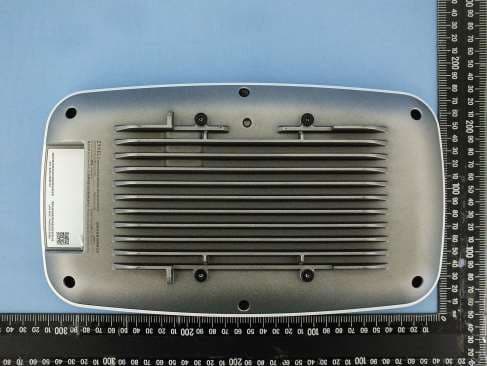
I8803935
Oct 17, 2023802.11be (WiFi 7) Triple-Radio Unified Pro Access Point
Equipment Class
DTS - Digital Transmission System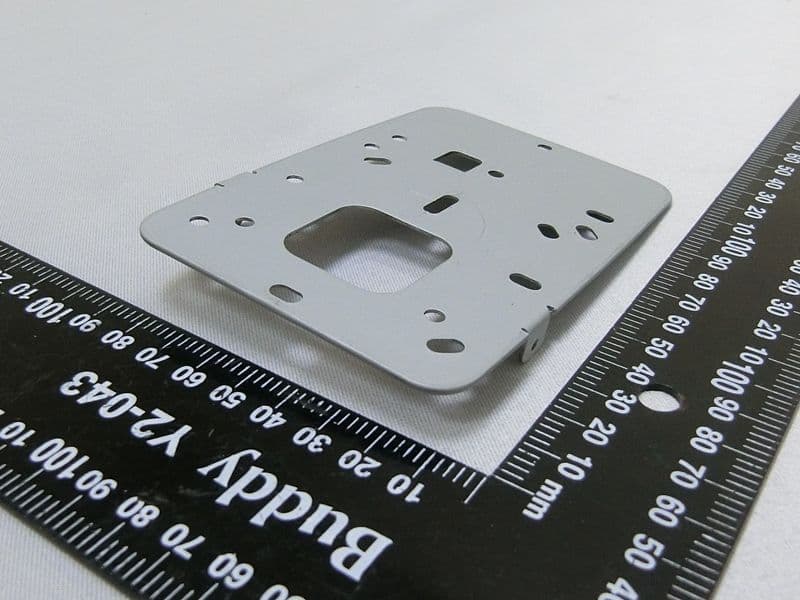
I8803973
Aug 01, 2023802.11ax (WiFi 6) Dual-Radio Wall-Plate Unified Access Point
Equipment Class
NII - Unlicensed National Information Infrastructure TX
I88WX5610-B0
Apr 25, 2023AX7800 WiFi 6E Tri-Band Gigabit Wireless Extender
Equipment Class
DTS - Digital Transmission System
I88EX7710-B0
Apr 16, 2023AX11000 WiFi 6E 10G Ethernet Gateway
Equipment Class
NII - Unlicensed National Information Infrastructure TX