I88EMG3425Q10ASimultaneous Dual-Band Wireless AC2200 Gigabit Ethernet Gateway
ZyXEL Communications Corporation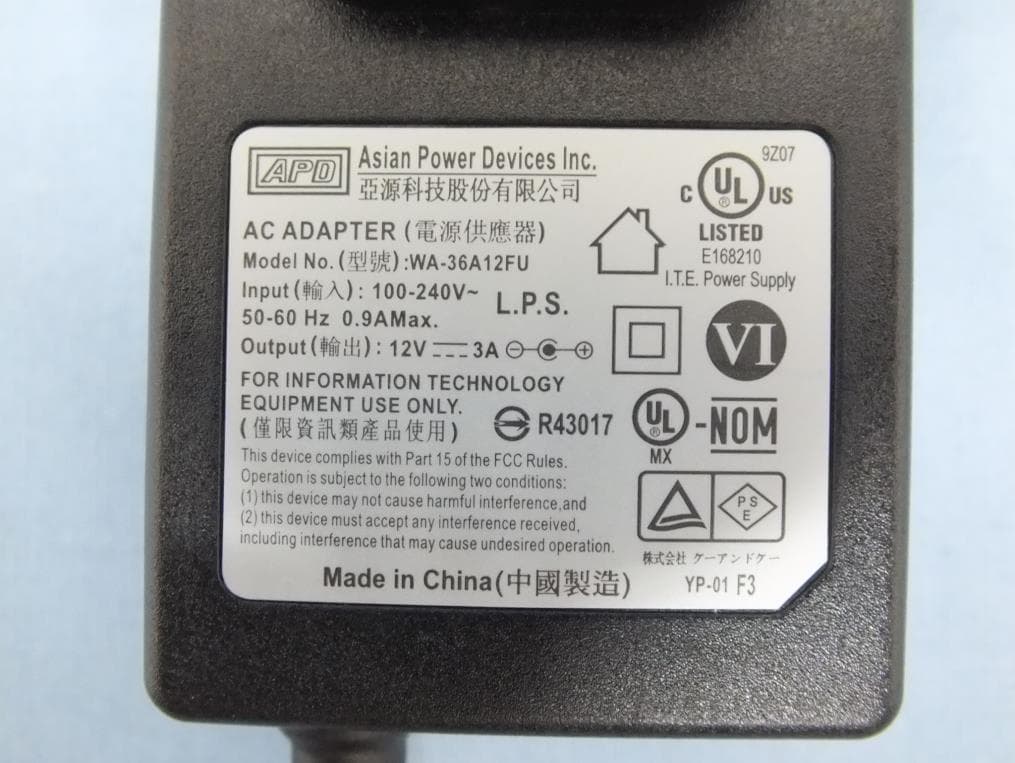
Click to zoom
Application Details
- Equipment Class
- NII - Unlicensed National Information Infrastructure TX
- Date of Grant
- Oct 08, 2015
- Application Purpose
- Original Equipment
- Date of Application
- Oct 08, 2015
- Equipment Note
- Simultaneous Dual-Band Wireless AC2200 Gigabit Ethernet Gateway
- Frequency Range
- 5745.00000000 - 5825.00000000
- Country
- Taiwan
Documents & Files
Document Text
Text extracted from the exhibit documents filed with the FCC. Open a document above to read the original.
Users Manual
Quick Start Guide www.zyxel.com EMG3425-Q10A Dual-Band Wireless AC/N Gigabit Ethernet Gateway Version 1.00 Edition 1, 08/2015 Copyright © 2015 ZyXEL Communications Corporation User’s Guide Default Login Details LAN IP Addresshttp://192.168.1.1 (Router Mode) http://192.168.1.2 (Access Point Mode) User Namesupervisor, admin Passwordsupervisor, 1234 EMG3425-Q10A User’s Guide 2 IMPORTANT! READ CAREFULLY BEFORE USE. KEEP THIS GUIDE FOR FUTURE REFERENCE. Screenshots and graphics in this book may differ slightly from your product due to differences in your product firmware or your computer operating system. Every effort has been made to ensure that the information in this manual is accurate. Related Documentation •Quick Start Guide The Quick Start Guide shows how to connect the EMG3425-Q10A and access the Web Configurator wizards. It contains information on setting up your network and configuring for Internet access. •More Information Go to support.zyxel.com to find other information on the EMG3425-Q10A . Contents Overview EMG3425-Q10A User’s Guide 3 Contents Overview User’s Guide ....................................................................................................................................... 11 Introduction .............................................................................................................................................12 Introducing the Web Configurator ...........................................................................................................19 EMG3425-Q10A Modes ..........................................................................................................................23 Router Mode ...........................................................................................................................................24 Access Point Mode .................................................................................................................................31 Tutorials ..................................................................................................................................................38 Technical Reference .......................................................................................................................... 50 Monitor ....................................................................................................................................................51 WAN ........................................................................................................................................................57 Wireless LAN ..........................................................................................................................................68 LAN .........................................................................................................................................................88 DHCP Server ..........................................................................................................................................94 NAT .........................................................................................................................................................99 DDNS ....................................................................................................................................................109 Static Route ........................................................................................................................................... 111 Interface Group ..................................................................................................................................... 114 Firewall .................................................................................................................................................. 117 Content Filtering ....................................................................................................................................122 IPv6 Firewall ..........................................................................................................................................124 Parental Control ....................................................................................................................................127 Bandwidth Management .......................................................................................................................133 Remote Management ............................................................................................................................147 Universal Plug-and-Play (UPnP) ...........................................................................................................158 USB Media Sharing ...............................................................................................................................164 Port Configuration .................................................................................................................................174 Maintenance ..........................................................................................................................................176 Troubleshooting ....................................................................................................................................187 Table of Contents EMG3425-Q10A User’s Guide 4 Table of Contents Contents Overview .............................................................................................................................. 3 Table of Contents ................................................................................................................................. 4 Part I: User’s Guide ......................................................................................... 11 Chapter 1 Introduction ......................................................................................................................................... 12 1.1…
Text truncated - open the document above for the full version.
Users Manual
Appendix A Pop-up Windows, JavaScript and Java Permissions EMG3425-Q10A User’s Guide 201 Opera Opera 10 screens are used here. Screens for other versions may vary slightly. Allowing Pop-Ups From Opera, click Tools, then Preferences. In the General tab, go to Choose how you prefer to handle pop-ups and select Open all pop-ups. Figure 128 Opera: Allowing Pop-Ups Enabling Java From Opera, click Tools, then Preferences. In the Advanced tab, select Content from the left- side menu. Select the check boxes as shown in the following screen. Appendix A Pop-up Windows, JavaScript and Java Permissions EMG3425-Q10A User’s Guide 202 Figure 129 Opera: Enabling Java To customize JavaScript behavior in the Opera browser, click JavaScript Options. Figure 130 Opera: JavaScript Options Select the items you want Opera’s JavaScript to apply. EMG3425-Q10A User’s Guide 203 APPENDIX B Setting Up Your Computer’s IP Address Note: Your specific EMG3425-Q10A may not support all of the operating systems described in this appendix. See the product specifications for more information about which operating systems are supported. This appendix shows you how to configure the IP settings on your computer in order for it to be able to communicate with the other devices on your network. Windows Vista/XP/2000, Mac OS 9/ OS X, and all versions of UNIX/LINUX include the software components you need to use TCP/IP on your computer. If you manually assign IP information instead of using a dynamic IP, make sure that your network’s computers have IP addresses that place them in the same subnet. In this appendix, you can set up an IP address for: •Windows XP/NT/2000 on page 203 •Windows Vista on page 207 •Windows 7 on page 211 •Mac OS X: 10.3 and 10.4 on page 215 •Mac OS X: 10.5 and 10.6 on page 218 •Linux: Ubuntu 8 (GNOME) on page 221 •Linux: openSUSE 10.3 (KDE) on page 225 Windows XP/NT/2000 The following example uses the default Windows XP display theme but can also apply to Windows 2000 and Windows NT. 1Click Start > Control Panel. Appendix B Setting Up Your Computer’s IP Address EMG3425-Q10A User’s Guide 204 2In the Control Panel, click the Network Connections icon. 3Right-click Local Area Connection and then select Properties. 4On the General tab, select Internet Protocol (TCP/IP) and then click Properties. Appendix B Setting Up Your Computer’s IP Address EMG3425-Q10A User’s Guide 205 5The Internet Protocol TCP/IP Properties window opens. Appendix B Setting Up Your Computer’s IP Address EMG3425-Q10A User’s Guide 206 6Select Obtain an IP address automatically if your network administrator or ISP assigns your IP address dynamically. Select Use the following IP Address and fill in the IP address, Subnet mask, and Default gateway fields if you have a static IP address that was assigned to you by your network administrator or ISP. You may also have to enter a Preferred DNS server and an Alternate DNS server, if that information was provided. 7Click OK to close the Internet Protocol (TCP/IP) Properties window. 8Click OK to close the Local Area Connection Properties window. Verifying Settings 1Click Start > All Programs > Accessories > Command Prompt. 2In the Command Prompt window, type "ipconfig" and then press [ENTER]. You can also go to Start > Control Panel > Network Connections, right-click a network connection, click Status and then click the Support tab to view your IP address and connection information. Appendix B Setting Up Your Computer’s IP Address EMG3425-Q10A User’s Guide 207 Windows Vista This section shows screens from Windows Vista Professional. 1Click Start > Control Panel. 2In the Control Panel, click the Network and Internet icon. 3Click the Network and Sharing Center icon. 4Click Manage network connections. Appendix B Setting Up Your Computer’s IP Address EMG3425-Q10A User’s Guide 208 5Right-click Local Area Connection and then select Properties. Note: During this procedure, click Continue whenever Windows displays a screen saying that it needs your permission to continue. 6Select Internet Protocol Version 4 (TCP/IPv4) and then select Properties. Appendix B Setting Up Your Computer’s IP Address EMG3425-Q10A User’s Guide 209 7The Internet Protocol Version 4 (TCP/IPv4) Properties window opens. Appendix B Setting Up Your Computer’s IP Address EMG3425-Q10A User’s Guide 210 8Select Obtain an IP address automatically if your network administrator or ISP assigns your IP address dynamically. Select Use the following IP Address and fill in the IP address, Subnet mask, and Default gateway fields if you have a static IP address that was assigned to you by your network administrator or ISP. You may also have to enter a Preferred DNS server and an Alternate DNS server, if that information was provided.Click Advanced. 9Click OK to close the Internet Protocol (TCP/IP) Properties window. 10Click OK to close the Local Area Connection Properties window. Verifying Settings 1Click Start > All Programs > Accessories > Command Prompt. 2In the Command Prompt window, type "ipconfig" and then press [ENTER]. You can also go to Start > Control Panel > Network Connections, right-click a network connection, click Status and then click the Support tab to view your IP address and connection information. Appendix B Setting Up Your Computer’s IP Address EMG3425-Q10A User’s Guide 211 Windows 7 This section shows screens from Windows 7 Enterprise. 1Click Start > Control Panel. 2In the Control Panel, click View network status and tasks under the Network and Internet category. 3Click Change adapter settings. 4Double click Local Area Connection and then select Properties. Appendix B Setting Up Your Computer’s IP Address EMG3425-Q10A User’s Guide 212 Note: During this procedure, click Continue whenever Windows displays a screen saying that it needs your permission to continue. 5Select Internet Protocol Version 4 (TCP/IPv4) and then select Properties. Appendix B Setting Up Your Computer’s IP Address EMG3425-Q10A User’s Guide 213 6The Internet Protocol V…
Text truncated - open the document above for the full version.
Cover Letter(s)
ZyXEL Communications Corporation No. 2, Gongye E. 9th Road, Hsinchu Science Park, Hsinchu, Taiwan Date: 2015/9/7 Federal Communications Commission 7435 Oakland Mills Rd, Columbia MD 21046-1609 Subject: Product Certification Representative Authorization Letter FCC ID: I88EMG3425Q10A To whom it may concern: We the undersigned, hereby authorize following person to act as our agent in the preparation of an application for equipment authorization of model EMG3425-Q10A to the FCC Rules and Regulations. International Certification Corp. Address : No.3-1, Lane 6, Wen San 3rd St. Kwei Shan Hsiang, Tao Yuan Hsein 333, Taiwan (R.O.C.) Name : Gary Chang Job Title : Manager e-mail : [email protected] Webs We further certifies that neither the applicant nor any party to this application, as defined in 47 CFR Ch. 1.2002(b), is subject to a denial to Federal benefits, that include FCC benefits, pursuant to section 5301 of the Anti-Drug Abuse Act of 1998, 21 U.S.C. 835(a). This appointment also includes the authority to complete FCC Form 731 on our behalf and sign the application as an authorized agent. Emma Bao / Section Manager ZyXEL Communications Corporation Tel: 886 3 578-3942 # 88582 E-mail: [email protected]
Cover Letter(s)
ZyXEL Communications Corporation No. 2, Gongye E. 9th Road, Hsinchu Science Park, Hsinchu, Taiwan Confidentiality Request Letter Date:2015/9/7 Federal Communications Commission Authorization and Evaluation Division FCC ID:I88EMG3425Q10A Permanent Confidentiality Request Pursuant to Sections 0.457 and 0.459 of the Commission’s Rules, the Applicant Hereby requests confidential treatment of information accompanying this Application As outlined below: 1. Block Diagram 2. Circuit Diagram 3. Operational Description The above materials contain trade secrets and proprietary information not customarily released to the public. The public disclosure of these matters might be harmful to the Applicant and provide unjustified benefits to its competitors. The Applicant understands that pursuant to Rule 0.457, disclosure of this Application and all accompanying documentation will not be made before the date of the Grant for this application Sincerely, Emma Bao / Section Manager ZyXEL Communications Corporation Tel: 886 3 578-3942 # 88582 E-mail: [email protected]
Cover Letter(s)
ZyXEL Communications Corporation No. 2, Gongye E. 9th Road, Hsinchu Science Park, Hsinchu, Taiwan Date: September 7, 2015 Subject: Ad Hoc Mode Function Declaration To Whom it may concern, We, ZyXEL Communications Corporation declare that the device does not support any non-US channels and country code selection in all the operational mode(s) for the following product. FCC ID: I88EMG3425Q10A IC:2468C-EMG3425Q10A Regards, Emma Bao / Section Manager ZyXEL Communications Corporation Tel: 886 3 578-3942 # 88582 E-mail: [email protected]
Cover Letter(s)
ZyXEL Communications Corporation No. 2, Gongye E. 9th Road, Hsinchu Science Park, Hsinchu, Taiwan Federal Communications Commission Authorization and Evaluation Division 7435 Oakland Mills Rd Columbia MD 21046-1609 Date: September 7, 2015 Subject: FCC Application for FCC ID: I88EMG3425Q10A To Whom it may concern, We, the undersigned, would like to declare that the composite portion catagorized as computer peripheral has been authorized under the Declaration of Conformity procedures, which the report issued from International Certification Corp..(report number: FD570601) Emma Bao / Section Manager ZyXEL Communications Corporation Tel: 886 3 578-3942 # 88582 E-mail: [email protected]
External Photos
Project No.: EP570601 Page No. : 1 of 16 Photographs of EUT Project No.: EP570601 Page No. : 2 of 16 Project No.: EP570601 Page No. : 3 of 16 Project No.: EP570601 Page No. : 4 of 16 Project No.: EP570601 Page No. : 5 of 16 Project No.: EP570601 Page No. : 6 of 16
ID Label/Location Info
Sujing 2015.07.02 EMG3425-10A PORDUCT LABEL EMG3425-Q10A Qiusi Shawn 1510-1S7T000 L222.75 * W53.75 mm Printing Content for supplier 供應商印刷內容 Notes: Label purple frame outline is shown for reference only and is not to be printed. Made in China EMG3425-Q10A Input Power : 12V 4A Power Consumption : 30 Watt max. FCC ID : I88EMG3425Q10A IC : 2468C-EMG3425Q10A IP Address : 192.168.1.1 Username: “admin” Password: “1234” WPS Button Connect to USB mass storage device EMG3425-Q10A Made in China Input Power : 12V 4A Power Consumption : 30 Watt max. FCC ID : I88EMG3425Q10A IC : 2468C-EMG3425Q10A IP Address : 192.168.1.1 Username: “admin” Password: “1234” WPS Button Connect to USB mass storage device Serial Number: S152V21000248 HW version: A01 WAN MAC: E8377A7F940C Pre-Shared Key (WPA2-PSK): AF8B62E1EC70 SSID(2.4 GHz): ISKONOVAC_7F940C SSID(5 GHz): ASDFGHJKJL 9mm 6.5mm9mm 9mm6.5mm6.3mm FCC ID: I88EMG3425Q10A
Internal Photos
Project No.: EP570601 Page No. : 7 of 16 Project No.: EP570601 Page No. : 8 of 16 Project No.: EP570601 Page No. : 9 of 16 Project No.: EP570601 Page No. : 10 of 16 Project No.: EP570601 Page No. : 11 of 16 Project No.: EP570601 Page No. : 12 of 16 Project No.: EP570601 Page No. : 13 of 16 Project No.: EP570601 Page No. : 14 of 16 Project No.: EP570601 Page No. : 15 of 16 Project No.: EP570601 Page No. : 16 of 16
RF Exposure Info
Report No.: FA570601 Page : 1 of 6 Report Version: Rev. 02 FCC RF Exposure Report FCC ID : I88EMG3425Q10A Equipment : Simultaneous Dual-Band Wireless AC2200 Gigabit Ethernet Gateway Model No. : EMG3425-Q10A Brand Name : ZyXEL Applicant : ZyXEL Communications Corporation Address : No. 2, Gongye E. 9th Road, Hsinchu Science Park, Hsinchu, Taiwan. Standard : 47 CFR FCC Part 2.1091 Received Date : Jun. 16, 2015 Tested Date : Jul. 17 ~ Aug. 14, 2015 We, International Certification Corp., would like to declare that the tested sample has been evaluated and in compliance with the requirement of the above standards. The test results contained in this report refer exclusively to the product. It may be duplicated completely for legal use with the approval of the applicant. It shall not be reproduced except in full without the written approval of our laboratory. Approved & Reviewed by: Gary Chang / Manager Ty: XXX Report No.: FA570601 Page : 2 of 6 Report Version: Rev. 02 Table of Contents 1 MPE EVALUATION OF MOBILE DEVICES ......................................................................................... 4 1.1 LIMITS FOR GENERAL POPULATION/UNCONTROLLED EXPOSURE............................................. 4 1.2 MPE EVALUATION FORMULA ............................................................................................................. 4 1.3 MPE EVALUATION RESULTS .............................................................................................................. 5 2 TEST LABORATORY INFORMATION ................................................................................................. 6 Report No.: FA570601 Page : 3 of 6 Report Version: Rev. 02 Release Record Report No. Version Description Issued Date FA570601 Rev. 01 Initial issue Sep. 09, 2015 FA570601 Rev. 02 Modified exposures distance (page 4.) Oct. 02, 2015 Report No.: FA570601 Page : 4 of 6 Report Version: Rev. 02 1 MPE EVALUATION OF MOBILE DEVICES Human exposure to RF emissions from mobile devices (47 CFR §2.1091) may be evaluated based on the MPE limits adopted by the FCC for electric and magnetic field strength and/or power density, as appropriate, since exposures are assumed to occur at distances of 21 cm or more from persons. 1.1 LIMITS FOR GENERAL POPULATION/UNCONTROLLED EXPOSURE Frequency Range (MHz) Power Density (mW /cm 2 ) Averaging Time (minutes) 300~1500 F/1500 30 1500~100000 1.0 30 1.2 MPE EVALUATION FORMULA Pd = 2 **4RPi Pt Where Pd= Power density in mW/cm 2 Pt= EIRP in Mw Pi= 3.1416 R= Measurement distance Report No.: FA570601 Page : 5 of 6 Report Version: Rev. 02 1.3 MPE EVALUATION RESULTS MPE Evaluation of Single Transmission Non-beamforming mode Frequency Range (MHz) Maximum Conducted Power (dBm) Antenna Gain (dBi) Distance (cm) Power Density (mW/cm 2 ) Limit (mW/cm 2 ) 2412~2462 29.92 1.53 21 0.252 1 5180~5240 29.89 1.92 21 0.274 1 5745~5825 28.09 1.92 21 0.181 1 Beamforming mode Frequency Range (MHz) Maximum Conducted Power (dBm) Antenna Gain (dBi) Distance (cm) Power Density (mW/cm 2 ) Limit (mW/cm 2 ) 5180~5240 27.92 7.94 21 0.696 1 5745~5825 27.99 7.94 21 0.707 1 Note: For 5150~5250 MHz band and 5725~5850 MHz band Directional gain = 1.92+10* log(4/1) = 7.94 dBi MPE Evaluation of Simultaneous Transmission 2.4 and 5GHz can transmit at the same time, MPE evaluation is as below formula PD1 / Limit1 + PD2 / Limit 2 + ..... < 1, PD = Power density 1. 2.4GHz Wi-Fi + 5GHz Wi-Fi Non-beamforming mode MPE Evaluation = Maximum MPE of 2.4GHz + Maximum MPE of 5 GHz = 0.252 / 1 + 0.274 / 1 = 0.526 < 1 2. 2.4GHz Wi-Fi + 5GHz Wi-Fi Beamforming mode MPE Evaluation = Maximum MPE of 2.4GHz + Maximum MPE of 5 GHz = 0.252 / 1 + 0.707 / 1 = 0.959< 1 Conclusion MPE evaluations of single and simultaneous transmission meet the requirement of standard. Report No.: FA570601 Page : 6 of 6 Report Version: Rev. 02 2 Test laboratory information Established in 2012, ICC provides foremost EMC & RF Testing and advisory consultation services by our skilled engineers and technicians. Our services employ a wide variety of advanced edge test equipment and one of the widest certification extents in the business. International Certification Corp, it is our definitive objective is to institute long term, trust-based associations with our clients. The expectation we set up with our clients is based on outstanding service, practical expertise and devotion to a certified value structure. Our passion is to grant our clients with best EMC / RF services by oriented knowledgeable and accommodating staff. Our Test sites are located at Linkou District and Kwei Shan Hsiang. Location map can be found on our website http://www.icertifi.com.tw. Linkou Kwei Shan Kwei Shan Site II Tel: 886-2-2601-1640 Tel: 886-3-271-8666 Tel: 886-3-271-8640 No. 30-2, Ding Fwu Tsuen, Lin Kou District, New Taipei City, Taiwan, R.O.C. No. 3-1, Lane 6, Wen San 3rd St., Kwei Shan Hsiang, Tao Yuan Hsien 333, Taiwan, R.O.C. No. 14-1, Lane 19, Wen San 3rd St., Kwei Shan Hsiang, Tao Yuan Hsien 333, Taiwan, R.O.C. If you have any suggestion, please feel free to contact us as below information Tel: 886-3-271-8666 Fax: 886-3-318-0155 Email: [email protected] ══END══
Test Report
Report No.: FR570601AN Page : 1 of 111 Report Version: Rev. 01 FCC Test Report FCC ID : I88EMG3425Q10A Equipment : Simultaneous Dual-Band Wireless AC2200 Gigabit Ethernet Gateway Model No. : EMG3425-Q10A Brand Name : ZyXEL Applicant : ZyXEL Communications Corporation Address : No. 2, Gongye E. 9th Road, Hsinchu Science Park, Hsinchu, Taiwan. Standard : 47 CFR FCC Part 15.407 Received Date : Jun. 16, 2015 Tested Date : Jul. 17 ~ Aug. 14, 2015 We, International Certification Corp., would like to declare that the tested sample has been evaluated and in compliance with the requirement of the above standards. The test results contained in this report refer exclusively to the product. It may be duplicated completely for legal use with the approval of the applicant. It shall not be reproduced except in full without the written approval of our laboratory. Approved & Reviewed by: Gary Chang / Manager Ty: XXX Report No.: FR570601AN Page : 2 of 111 Report Version: Rev. 01 Table of Contents 1 GENERAL DESCRIPTION .................................................................................................................... 5 1.1 Information .............................................................................................................................................. 5 1.2 Local Support Equipment List ................................................................................................................ 9 1.3 Test Setup Chart .................................................................................................................................... 9 1.4 The Equipment List .............................................................................................................................. 10 1.5 Testing Applied Standards ................................................................................................................... 11 1.6 Measurement Uncertainty .................................................................................................................... 11 2 TEST CONFIGURATION ..................................................................................................................... 12 2.1 Testing Condition ................................................................................................................................. 12 2.2 The Worst Test Modes and Channel Details ....................................................................................... 13 3 TRANSMITTER TEST RESULTS ........................................................................................................ 15 3.1 Conducted Emissions ........................................................................................................................... 15 3.2 Emission Bandwidth ............................................................................................................................. 24 3.3 RF Output Power .................................................................................................................................. 29 3.4 Peak Power Spectral Density ............................................................................................................... 32 3.5 Transmitter Radiated and Band Edge Emissions ................................................................................ 38 3.6 Frequency Stability ............................................................................................................................. 109 4 TEST LABORATORY INFORMATION ............................................................................................. 111 Report No.: FR570601AN Page : 3 of 111 Report Version: Rev. 01 Release Record Report No. Version Description Issued Date FR570601AN Rev. 01 Initial issue Sep. 09, 2015 Report No.: FR570601AN Page : 4 of 111 Report Version: Rev. 01 Summary of Test Results FCC Rules Test Items Measured Result 15.207 Conducted Emissions [dBuV]: 0.437MHz 34.69 (Margin -12.42dB) - AV Pass 15.407(b) 15.209 Radiated Emissions [dBuV/m at 3m]: 5715.00MHz 53.89 (Margin -0.11dB) - AV Pass 15.407(a) Emission Bandwidth Meet the requirement of limit Pass 15.407(e) 6dB bandwidth Meet the requirement of limit Pass 15.407(a) RF Output Power Max Power [dBm]: Non-beamforming mode 5150-5250MHz: 29.89 5725-5850MHz: 28.09 Beamforming mode 5150-5250MHz: 27.92 5725-5850MHz: 27.99 Pass 15.407(a) Peak Power Spectral Density Meet the requirement of limit Pass 15.407(g) Frequency Stability Meet the requirement of limit Pass 15.203 Antenna Requirement Meet the requirement of limit Pass Report No.: FR570601AN Page : 5 of 111 Report Version: Rev. 01 1 General Description 1.1 Information 1.1.1 Specification of the Equipment under Test (EUT) RF General Information Frequency Range (MHz) IEEE Std. 802.11 Ch. Freq. (MHz) Channel Number Transmit Chains (N TX ) Data Rate / MCS 5150-5250 a 5180-5240 36-48 [4] 4 6-54 Mbps 5150-5250 n (HT20) 5180-5240 36-48 [4] 4 MCS 0-31 5150-5250 n (HT40) 5190-5230 38-46 [2] 4 MCS 0-31 5150-5250 ac (VHT20) 5180-5240 36-48 [4] 4 MCS 0-9 5150-5250 ac (VHT40) 5190-5230 38-46 [2] 4 MCS 0-9 5150-5250 ac (VHT80) 5210 42 [1] 4 MCS 0-9 Note 1: RF output power specifies that Maximum Conducted Output Power. Note 2: 802.11a/n/ac uses a combination of OFDM-BPSK, QPSK, 16QAM, 64QAM, 256QAM modulation. Note 3: 802.11ac supports beamforming function. RF General Information Frequency Range (MHz) IEEE Std. 802.11 Ch. Freq. (MHz) Channel Number Transmit Chains (N TX ) Data Rate / MCS 5725-5850 a 5745-5825 149-165 [5] 4 6-54 Mbps 5725-5850 n (HT20) 5745-5825 149-165 [5] 4 MCS 0-31 5725-5850 n (HT40) 5755-5795 151-159 [2] 4 MCS 0-31 5725-5850 ac (VHT20) 5745-5825 149-165 [5] 4 MCS 0-9 5725-5850 ac (VHT40) 5755-5795 151-159 [2] 4 MCS 0-9 5725-5850 ac (VHT80) 5775 155 [1] 4 MCS 0-9 Note 1: RF output power specifies that Maximum Conducted Output Power. Note 2: 802.11a/n/ac uses a combination of OFDM-BPSK, QPSK, 16QAM, 64QAM, 256QAM modulation. Note 3: 802.11ac suppo…
Text truncated - open the document above for the full version.
Test Report
Report No.: FR570601CO Page : 1 of 15 Report Version: Rev. 01 FCC Co-Location Test Report FCC ID : I88EMG3425Q10A Equipment : Simultaneous Dual-Band Wireless AC2200 Gigabit Ethernet Gateway Model No. : EMG3425-Q10A Brand Name : ZyXEL Applicant : ZyXEL Communications Corporation Address : No. 2, Gongye E. 9th Road, Hsinchu Science Park, Hsinchu, Taiwan. Standard : 47 CFR FCC Part 15.247 47 CFR FCC Part 15.407 Received Date : Jun. 16, 2015 Tested Date : Aug. 10 ~ Aug. 14, 2015 We, International Certification Corp., would like to declare that the tested sample has been evaluated and in compliance with the requirement of the above standards. The test results contained in this report refer exclusively to the product. It may be duplicated completely for legal use with the approval of the applicant. It shall not be reproduced except in full without the written approval of our laboratory. Approved & Reviewed by: Gary Chang / Manager Ty: XXX Report No.: FR570601CO Page : 2 of 15 Report Version: Rev. 01 Table of Contents 1 GENERAL DESCRIPTION .................................................................................................................... 5 1.1 Information .............................................................................................................................................. 5 1.2 The Equipment List ................................................................................................................................ 6 1.3 Test Standards ....................................................................................................................................... 7 1.4 Measurement Uncertainty ............................…
Text truncated - open the document above for the full version.
Contact Information
Applicant
Emma Bao(Section Manager)
Technical Contact
International Certification Corp.Gary Chang
[email protected]886-3-271-8628
No.3-1, Lane 6, Wen San 3rd St. Kwei Shan · Taiwan
Non-Technical Contact
International Certification Corp.Wendy Liao
[email protected]886-3-271-8629
Test Firm
International Certification Corp.Fu-Cheng Chuang
Technical Specifications
| # | Rule Parts | Frequency Range | Power Output |
|---|---|---|---|
| 2 | 15E | 5.75 GHz - 5.83 GHz | 643.00 mW |
Other Applications from ZyXEL Communications Corporation
I88EE6601-00
Jul 18, 2024Tri-Band Wireless BE19000 10G Ethernet VoIP Gateway with SFP+ / Tri-Band Wireless BE19000 10G Ethernet VoIP Gateway / Tri-Band Wireless BE19000 10G Ethernet Gateway with SFP+ / Tri-Band Wireless BE19000 10G Ethernet Gateway
Equipment Class
6ID - 15E 6 GHz Low Power Indoor Access Point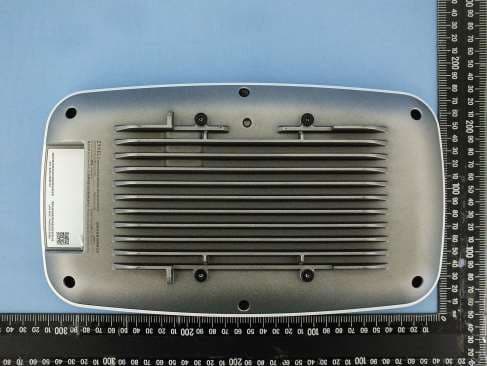
I8803935
Oct 17, 2023802.11be (WiFi 7) Triple-Radio Unified Pro Access Point
Equipment Class
DTS - Digital Transmission System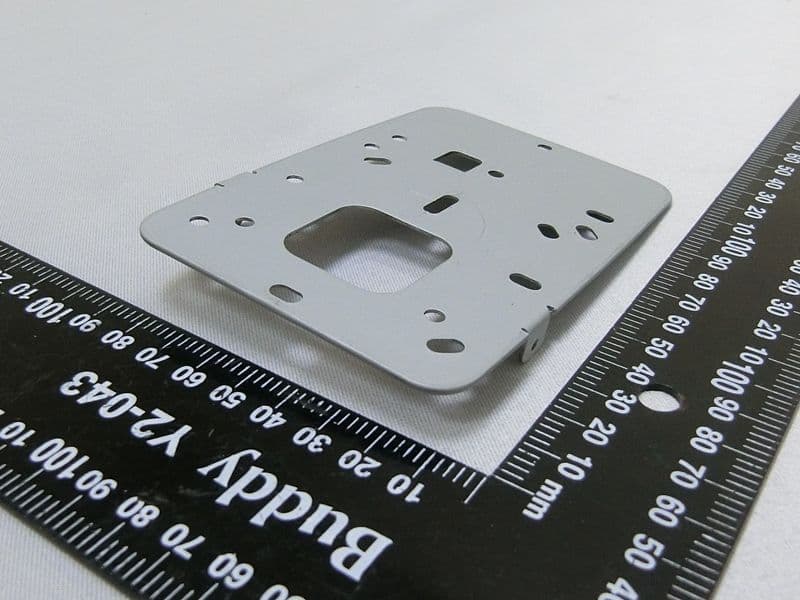
I8803973
Aug 01, 2023802.11ax (WiFi 6) Dual-Radio Wall-Plate Unified Access Point
Equipment Class
NII - Unlicensed National Information Infrastructure TX
I88WX5610-B0
Apr 25, 2023AX7800 WiFi 6E Tri-Band Gigabit Wireless Extender
Equipment Class
DTS - Digital Transmission System
I88EX7710-B0
Apr 16, 2023AX11000 WiFi 6E 10G Ethernet Gateway
Equipment Class
NII - Unlicensed National Information Infrastructure TX