I88NBG6716Simultaneous Dual-Band Wireless AC1750 HD Media Router
ZyXEL Communications Corporation
Click to zoom
Application Details
- Equipment Class
- DTS - Digital Transmission System
- Date of Grant
- Aug 08, 2013
- Application Purpose
- Original Equipment
- Date of Application
- Aug 08, 2013
- Equipment Note
- Simultaneous Dual-Band Wireless AC1750 HD Media Router
- Frequency Range
- 5745.00000000 - 5825.00000000
- Country
- Taiwan
Documents & Files
Document Text
Text extracted from the exhibit documents filed with the FCC. Open a document above to read the original.
Users Manual
Quick Start Guide www.zyxel.com NBG6716 Simultaneous Dual-Band Wireless AC1750 HD Media Router Version 1.00 Edition 1, 08/2013 Copyright © 2013 ZyXEL Communications Corporation User’s Guide Default Login Details LAN IP Addresshttp://192.168.1.1 (Router Mode) http://192.168.1.2 (Access Point Mode) Password1234 NBG6716 User’s Guide2 IMPORTANT! READ CAREFULLY BEFORE USE. KEEP THIS GUIDE FOR FUTURE REFERENCE. Screenshots and graphics in this book may differ slightly from your product due to differences in your product firmware or your computer operating system. Every effort has been made to ensure that the information in this manual is accurate. Related Documentation •Quick Start Guide The Quick Start Guide shows how to connect the NBG6716 and access the Web Configurator wizards. It contains information on setting up your network and configuring for Internet access. Contents Overview NBG6716 User’s Guide 3 Contents Overview User’s Guide ....................................................................................................................................... 11 Introduction .............................................................................................................................................13 Connection Wizard ..................................................................................................................................19 Introducing the Web Configurator ...........................................................................................................28 NBG6716 Modes .....................................................................................................................................31 Easy Mode ..............................................................................................................................................32 Router Mode ...........................................................................................................................................43 Access Point Mode .................................................................................................................................50 Tutorials ..................................................................................................................................................57 Technical Reference .......................................................................................................................... 69 Monitor ....................................................................................................................................................71 WAN ........................................................................................................................................................76 Wireless LAN ..........................................................................................................................................84 LAN .......................................................................................................................................................107 DHCP Server ........................................................................................................................................ 110 NAT ....................................................................................................................................................... 115 DDNS ....................................................................................................................................................125 Static Route ...........................................................................................................................................127 Firewall ..................................................................................................................................................130 Content Filtering ....................................................................................................................................135 StreamBoost Management ...................................................................................................................139 Remote Management ............................................................................................................................146 Universal Plug-and-Play (UPnP) ...........................................................................................................150 USB Media Sharing ...............................................................................................................................156 Maintenance ..........................................................................................................................................166 Troubleshooting ....................................................................................................................................176 Table of Contents NBG6716 User’s Guide 4 Table of Contents Contents Overview .............................................................................................................................. 3 Table of Contents ................................................................................................................................. 4 Part I: User’s Guide ......................................................................................... 11 Chapter 1 Introduction ......................................................................................................................................... 13 1.1 Overview ...........................................................................................................................................13 1.1.1 Dual-Band ................................................................................................................................14 1.2 Applications .......................................................................................................................................14 1.3…
Text truncated - open the document above for the full version.
Users Manual
NBG6716 User’s Guide166 CHAPTER 23 Maintenance 23.1 Overview This chapter provides information on the Maintenance screens. 23.2 What You Can Do •Use the General screen to set the timeout period of the management session (Section 23.3 on page 166). •Use the Password screen to change your NBG6716’s system password (Section 23.4 on page 167). •Use the Time screen to change your NBG6716’s time and date (Section 23.5 on page 168). •Use the Firmware Upgrade screen to upload firmware to your NBG6716 (Section 23.6 on page 169). •Use the Backup/Restore screen to view information related to factory defaults, backup configuration, and restoring configuration (Section 23.8 on page 172). •Use the Restart screen to reboot the NBG6716 without turning the power off (Section 23.8 on page 172). •Use the Language screen to change the language for the Web Configurator (Section 23.9 on page 172) . •Use the Sys OP Mode screen to select how you want to use your NBG6716 (Section 23.11 on page 174). 23.3 General Screen Use this screen to set the management session timeout period. Click Maintenance > General. The following screen displays. Figure 118 Maintenance > General Chapter 23 Maintenance NBG6716 User’s Guide 167 The following table describes the labels in this screen. 23.4 Password Screen It is strongly recommended that you change your NBG6716's password. If you forget your NBG6716's password (or IP address), you will need to reset the device. See Section 23.8 on page 172 for details. Click Maintenance > Password. The screen appears as shown. Figure 119 Maintenance > Password The following table describes the labels in this screen. Table 68 Maintenance > General LABELDESCRIPTION System NameSystem Name is a unique name to identify the NBG6716 in an Ethernet network. Domain NameEnter the domain name you want to give to the NBG6716. Administrator Inactivity Timer Type how many minutes a management session can be left idle before the session times out. The default is 5 minutes. After it times out you have to log in with your password again. Very long idle timeouts may have security risks. A value of "0" means a management session never times out, no matter how long it has been left idle (not recommended). ApplyClick Apply to save your changes back to the NBG6716. CancelClick Cancel to begin configuring this screen afresh. Table 69 Maintenance > Password LABELDESCRIPTION Password SetupChange your NBG6716’s password (recommended) using the fields as shown. Old PasswordType the default password or the existing password you use to access the system in this field. New PasswordType your new system password (up to 30 characters). Note that as you type a password, the screen displays an asterisk (*) for each character you type. Retype to ConfirmType the new password again in this field. ApplyClick Apply to save your changes back to the NBG6716. CancelClick Cancel to begin configuring this screen afresh. Chapter 23 Maintenance NBG6716 User’s Guide 168 23.5 Time Setting Screen Use this screen to configure the NBG6716’s time based on your local time zone. To change your NBG6716’s time and date, click Maintenance > Time. The screen appears as shown. Figure 120 Maintenance > Time The following table describes the labels in this screen. Table 70 Maintenance > Time LABELDESCRIPTION Current Time and Date Current Time This field displays the time of your NBG6716. Each time you reload this page, the NBG6716 synchronizes the time with the time server. Current Date This field displays the date of your NBG6716. Each time you reload this page, the NBG6716 synchronizes the date with the time server. Current Time and Date ManualSelect this radio button to enter the time and date manually. If you configure a new time and date, Time Zone and Daylight Saving at the same time, the new time and date you entered has priority and the Time Zone and Daylight Saving settings do not affect it. New Time (hh:mm:ss) This field displays the last updated time from the time server or the last time configured manually. When you select Manual, enter the new time in this field and then click Apply. Chapter 23 Maintenance NBG6716 User’s Guide 169 23.6 Firmware Upgrade Screen Find firmware at www.zyxel.com in a file that uses the version number and project code with a “*.bin” extension, e.g., “V1.00(AAKG.0).bin”. The upload process uses HTTP (Hypertext Transfer Protocol) and may take up to two minutes. After a successful upload, the system will reboot. New Date (yyyy/mm/dd) This field displays the last updated date from the time server or the last date configured manually. When you select Manual, enter the new date in this field and then click Apply. Get from Time Server Select this radio button to have the NBG6716 get the time and date from the time server you specified below. User Defined Time Server Address Select User Defined Time Server Address and enter the IP address or URL (up to 20 extended ASCII characters in length) of your time server. Check with your ISP/network administrator if you are unsure of this information. Time Zone Setup Time ZoneChoose the time zone of your location. This will set the time difference between your time zone and Greenwich Mean Time (GMT). Daylight SavingsDaylight saving is a period from late spring to early fall when many countries set their clocks ahead of normal local time by one hour to give more daytime light in the evening. Select this option if you use Daylight Saving Time. Start DateConfigure the day and time when Daylight Saving Time starts if you selected Daylight Savings. The at field uses the 24 hour format. Here are a couple of examples: Daylight Saving Time starts in most parts of the United States on the second Sunday of March. Each time zone in the United States starts using Daylight Saving Time at 2 A.M. local time. So in the United States you would select Second, Sunday, March and select 2 in the at field. Daylight Saving Time starts in the European Union on the last Sunday of March. All of the time z…
Text truncated - open the document above for the full version.
Cover Letter(s)
Bureau Veritas Consumer Products Services (H.K.) Ltd., Taoyuan Branch 香港商立德國際商品試驗有限公司 桃園分公司 No. 19, Hwa Ya 2nd Rd., Wen Hwa Tsuen, Kwei Shan Hsiang, Taoyuan Hsien 33383, Taiwan TEL: 886-3-3183232 FAX: 886-3-3270892 www.bureauveritas-adt.com E-mail: [email protected] Date: 2013-10-17 Re: Supersede request for FCC ID: I88NBG6716; Granted on 08/09/2013 To Whom It May Concern: We regret to inform you that due to type wrong AV total power value for 802.11ac (80MHz), we have submitted the wrong Test Report (DTS) exhibit to the filing. To prevent misunderstanding to the public, we would like to request the FCC to supersede the exhibit described as Test Report (DTS)_rev. If you have any questions, feel free to contact us. Thank you. Regards, Andrea Hsia Specialist Bureau Veritas Consumer Products Services (H.K.) Ltd., Taoyuan Branch Tel: 886-3-318 3232 ext. 1628 Fax: 886-3-327 0892 Email: [email protected]
External Photos
Page 1 CONSTRUCTION PHOTOS OF EUT Page 2 Page 3
ID Label/Location Info
Label location
Internal Photos
Page 4 Page 5 Page 6 Page 7 Page 8 Page 9 Page 10 Page 11 Page 12
Operational Description
FCC ID: I88NBG6716 Report No.: RF130511C01 Operational Description This device is a Simultaneous Dual-Band Wireless AC1750 HD Media Router, which operates in both 2.4GHz and 5GHz bands; the maximum data rate could be up to 1300Mbps which OFDM technique. If the signal to noise radio is too poor which could not support 1300Mbps, the 11Mbps data rate with DSSS technique will be applied. The transmitter of the EUT is powered by 12Vdc from AC Adapter. The antenna is PCB antenna with I-PEX antenna connector. The other instruction, please have a look at the users manual. FCC 15.407(c) states: The device shall automatically discontinue transmission in case of either absence of information to transmit or operational failure. These provisions are not intended to preclude the transmission of control or signaling information or the use of repetitive codes used by certain digital technologies to complete frame or burst intervals. Applicants shall include in their application for equipment authorization a description of how this requirement is met” Data transmission is always initiated by software, which is then pass down through the MAC, through the digital and analog baseband, and finally to the RF chip. Several special packets (ACKs, CTS, PSPoll, etc...) are initiated by the MAC. There are the only ways the digital baseband portion will turn on the RF transmitter, which it then turns off at the end of the packet. Therefore, the transmitter will be on only while one of the aforementioned packets are being transmitted.
RF Exposure Info
Report No.: SA130511C01 1 of 6 Report Format Version 5.0.0 RF EXPOSURE REPORT REPORT NO.: SA130511C01 MODEL NO.: NBG6716, EMG2926-Q10A FCC ID: I88NBG6716 RECEIVED: May 09, 2013 TESTED: May 23 ~ Jun. 21, 2013 ISSUED: Jun. 21, 2013 APPLICANT: ZyXEL Communications Corporation ADDRESS: No. 6, Innovation Road II, Hsinchu Science Park No. 2, Gongye E. 9th Road, Hsinchu Science Park, Hsinchu Taiwan 300 ISSUED BY: Bureau Veritas Consumer Products Services (H.K.) Ltd., Taoyuan Branch LAB ADDRESS: No. 47, 14th Ling, Chia Pau Vil., Lin Kou Dist., New Taipei City, Taiwan, R.O.C. TEST LOCATION: No. 19, Hwa Ya 2nd Rd, Wen Hwa Tsuen, Kwei Shan Hsiang, Taoyuan Hsien 333, Taiwan, R.O.C. This report is for your exclusive use. Any copying or replication of this report to or for any other person or entity, or use of our name or trademark, is permitted only with our prior written permission. This report sets forth our findings solely with respect to the test samples identified herein. The results set forth in this report are not indicative or representative of the quality or characteristics of the lot from which a test sample was taken or any similar or identical product unless specifically and expressly noted. Our report includes all of the tests requested by you and the results thereof based upon the information that you provided to us. You have 60 days from date of issuance of this report to notify us of any material error or omission caused by our negligence, provided, however, that such notice shall be in writing and shall specifically address the issue you wish to raise. A failure to raise such issue within the prescribed time shall constitute your unqualified acceptance of the completeness of this report, the tests conducted and the correctness of the report contents. Unless specific mention, the uncertainty of measurement has been explicitly taken into account to declare the com pliance or non-compliance to the specification. Report No.: SA130511C01 2 of 6 Report Format Version 5.0.0 TABLE OF CONTENTS RELEASE CONTROL RECORD ............................................................................................. 3 1. CERTIFICATION .......................................................................................................... 4 2. RF EXPOSURE ........................................................................................................... 5 2.1 LIMITS FOR MAXIMUM PERMISSIBLE EXPOSURE (MPE) ..................................... 5 2.2 MPE CALCULATION FORMULA................................................................................. 5 2.3 CLASSIFICATION ....................................................................................................... 5 2.4 CALCULATION RESULT OF MAXIMUM CONDUCTED POWER .............................. 6 Report No.: SA130511C01 3 of 6 Report Format Version 5.0.0 RELEASE CONTROL RECORD ISSUE NO. REASON FOR CHANGE DATE ISSUED SA130511C01 Original release Jun. 21, 2013 Report No.: SA130511C01 4 of 6 Report Format Version 5.0.0 1. CERTIFICATION PRODUCT: Simultaneous Dual-Band Wireless AC1750 HD Media Router MODEL NO.: NBG6716, EMG2926-Q10A BRAND: ZyXEL APPLICANT: ZyXEL Communications Corporation TESTED: May 23 ~ Jun. 21, 2013 TEST SAMPLE: ENGINEERING SAMPLE STANDARDS: FCC Part 2 (Section 2.1091) FCC OET Bulletin 65, Supplement C (01-01) IEEE C95.1 The above equipment (model: NBG6716) has been tested by Bureau Veritas Consumer Products Services (H.K.) Ltd., Taoyuan Branch, and found compliance with the requirement of the above standards. The test record, data evaluation & Equipment Under Test (EUT) configurations represented herein are true and accurate accounts of the measurements of the sample’s EMC characteristics under the conditions specified in this report. PREPARED BY : , DATE :Jun. 21, 2013 Ivy Lin / Specialist APPROVED BY: , DATE :Jun. 21, 2013 Ken Liu / Senior Manager Report No.: SA130511C01 5 of 6 Report Format Version 5.0.0 2. RF EXPOSURE 2.1 LIMITS FOR MAXIMUM PERMISSIBLE EXPOSURE (MPE) FREQUENCY RANGE (MHz) ELECTRIC FIELD STRENGTH (V/m) MAGNETIC FIELD STRENGTH (A/m) POWER DENSITY (mW/cm 2 ) AVERAGE TIME (minutes) LIMITS FOR GENERAL POPULATION / UNCONTROLLED EXPOSURE 300-1500 ... ... F/1500 30 1500-100,000 ... ... 1.0 30 F = Frequency in MHz 2.2 MPE CALCULATION FORMULA Pd = (Pout*G) / (4*pi*r 2 ) where Pd = power density in mW/cm 2 Pout = output power to antenna in mW G = gain of antenna in linear scale Pi = 3.1416 R = distance between observation point and center of the radiator in cm 2.3 CLASSIFICATION The antenna of this product, under normal use condition, is at least 20cm away from the body of the user. So, this device is classified as Mobile Device. Report No.: SA130511C01 6 of 6 Report Format Version 5.0.0 2.4 CALCULATION RESULT OF MAXIMUM CONDUCTED POWER FREQUENCY BAND (MHz) MAX POWER (dBm) ANTENNA GAIN (dBi) DISTANCE (cm) POWER DENSITY (mW/cm 2 ) LIMIT (mW/cm 2 ) 2412-2462 29.19 2 20 0.262 1 5180-5240 16.93 2 20 0.016 1 5745-5825 27.00 2 20 0.158 1 ---END---
Test Report
Report No.: RF130511C01-1 1 of 51 Report Format Version 5.1.0 FCC TEST REPORT (15.407) REPORT NO.: RF130511C01-1 MODEL NO.: NBG6716, EMG2926-Q10A FCC ID: I88NBG6716 RECEIVED: May 09, 2013 TESTED: May 24 ~ Jun. 21, 2013 ISSUED: Jun. 21, 2013 APPLICANT: ZyXEL Communications Corporation ADDRESS: No. 6, Innovation Road II, Hsinchu Science Park No. 2, Gongye E. 9th Road, Hsinchu Science Park, Hsinchu Taiwan 300 ISSUED BY: Bureau Veritas Consumer Products Services (H.K.) Ltd., Taoyuan Branch LAB ADDRESS: No. 47, 14th Ling, Chia Pau Vil., Lin Kou Dist., New Taipei City, Taiwan, R.O.C. TEST LOCATION: No. 19, Hwa Ya 2nd Rd, Wen Hwa Tsuen, Kwei Shan Hsiang, Taoyuan Hsien 333, Taiwan, R.O.C. This report is for your exclusive use. Any copying or replication of this report to or for any other person or entity, or use of our name or trademark, is permitted only with our prior written permission. This report sets forth our findings solely with respect to the test samples identified herein. The results set forth in this report are not indicative or representative of the quality or characteristics of the lot from which a test sample was taken or any similar or identical product unless specifically and expressly noted. Our report includes all of the tests requested by you and the results thereof based upon the information that you provided to us. You have 60 days from date of issuance of this report to notify us of any material error or omission caused by our negligence, provided, however, that such notice shall be in writing and shall specifically address the issue you wish to raise. A failure to raise such issue within the prescribed time shall constitute your unqualified acceptance of the completeness of this report, the tests conducted and the correctness of the report contents. Unless specific mention, the uncertainty of measurement has been explicitly taken into account to declare the com pliance or non-compliance to the specification. This report should not be used by the client to claim product certification, approval, or endorsement by TAF or any government agencies. Report No.: RF130511C01-1 2 of 51 Report Format Version 5.1.0 TABLE OF CONTENTS RELEASE CONTROL RECORD ............................................................................................. 4 1. CERTIFICATION .......................................................................................................... 5 2. SUMMARY OF TEST RESULTS ................................................................................. 6 2.1 MEASUREMENT UNCERTAINTY ............................................................................... 6 3. GENERAL INFORMATION .......................................................................................... 7 3.1 GENERAL DESCRIPTION OF EUT ............................................................................ 7 3.2 DESCRIPTION OF TEST MODES .............................................................................. 9 3.2.1 TEST MODE APPLICABILITY AND TESTED CHANNEL DETAIL ............................ 10 3.3 DUTY CYCLE OF TEST SIGNAL .............................................................................. 12 3.4 DESCRIPTION OF SUPPORT UNITS ...................................................................... 13 3.4.1 CONFIGURATION OF SYSTEM UNDER TEST ....................................................... 14 3.5 GENERAL DESCRIPTION OF APPLIED STANDARDS ........................................... 15 4. TEST TYPES AND RESULTS ................................................................................... 16 4.1 RADIATED EMISSION AND BANDEDGE MEASUREMENT .................................... 16 4.1.1 LIMITS OF RADIATED EMISSION AND BANDEDGE MEASUREMENT ................. 16 4.1.2 LIMITS OF UNWANTED EMISSION OUT OF THE RESTRICTED BANDS ............. 16 4.1.3 TEST INSTRUMENTS ............................................................................................... 17 4.1.4 TEST PROCEDURES ............................................................................................... 18 4.1.5 DEVIATION FROM TEST STANDARD...................................................................... 18 4.1.6 TEST SETUP ............................................................................................................. 19 4.1.7 EUT OPERATING CONDITION ................................................................................. 19 4.1.8 TEST RESULTS ........................................................................................................ 20 4.2 CONDUCTED EMISSION MEASUREMENT ............................................................ 30 4.2.1 LIMITS OF CONDUCTED EMISSION MEASUREMENT .......................................... 30 4.2.2 TEST INSTRUMENTS ............................................................................................... 30 4.2.3 TEST PROCEDURES ............................................................................................... 31 4.2.4 DEVIATION FROM TEST STANDARD...................................................................... 31 4.2.5 TEST SETUP ............................................................................................................. 31 4.2.6 EUT OPERATING CONDITIONS .............................................................................. 31 4.2.7 TEST RESULTS ........................................................................................................ 32 4.3 PEAK TRANSMIT POWER MEASUREMENT .......................................................... 34 4.3.1 LIMITS OF PEAK TRANSMIT POWER MEASUREMENT ........................................ 34 4.3.2 TEST SETUP ............................................................................................................. 34 4.3.3 TEST INSTRUMENTS ............................................................................................... 35 4.3.4 TEST PROCEDURE .................................................................…
Text truncated - open the document above for the full version.
Test Report
Report No.: RF130511C01 1 of 99 Report Format Version 5.2.0 FCC TEST REPORT (15.247) REPORT NO.: RF130511C01 MODEL NO.: NBG6716, EMG2926-Q10A FCC ID: I88NBG6716 RECEIVED: May 09, 2013 TESTED: May 23 ~ Jun. 21, 2013 ISSUED: Jun. 21, 2013 APPLICANT: ZyXEL Communications Corporation ADDRESS: No. 6, Innovation Road II, Hsinchu Science Park No. 2, Gongye E. 9th Road, Hsinchu Science Park, Hsinchu Taiwan 300 ISSUED BY: Bureau Veritas Consumer Products Services (H.K.) Ltd., Taoyuan Branch LAB ADDRESS: No. 47, 14th Ling, Chia Pau Vil., Lin Kou Dist., New Taipei City, Taiwan, R.O.C. TEST LOCATION: No. 19, Hwa Ya 2nd Rd, Wen Hwa Tsuen, Kwei Shan Hsiang, Taoyuan Hsien 333, Taiwan, R.O.C. This report is for your exclusive use. Any copying or replication of this report to or for any other person or entity, or use of our name or trademark, is permitted only with our prior written permission. This report sets forth our findings solely with respect to the test samples identified herein. The results set forth in this report are not indicative or representative of the quality or characteristics of the lot from which a test sample was taken or any similar or identical product unless specifically and expressly noted. Our report includes all of the tests requested by you and the results thereof based upon the information that you provided to us. You have 60 days from date of issuance of this report to notify us of any material error or omission caused by our negligence, provided, however, that such notice shall be in writing and shall specifically address the issue you wish to raise. A failure to raise such issue within the prescribed time shall constitute your unqualified acceptance of the completeness of this report, the tests conducted and the correctness of the report contents. Unless specific mention, the uncertainty of measurement has been explicitly taken into account to declare the com pliance or non-compliance to the specification. This report should not be used by the client to claim product certification, approval, or endorsement by TAF or any government agencies. Report No.: RF130511C01 2 of 99 Report Format Version 5.2.0 TABLE OF CONTENTS RELEASE CONTROL RECORD ............................................................................................. 5 1. CERTIFICATION .......................................................................................................... 6 2. SUMMARY OF TEST RESULTS ................................................................................. 7 2.1 MEASUREMENT UNCERTAINTY ............................................................................... 7 3. GENERAL INFORMATION .......................................................................................... 8 3.1 GENERAL DESCRIPTION OF EUT ............................................................................ 8 3.2 DESCRIPTION OF TEST MODES ............................................................................ 10 3.2.1 TEST MODE APPLICABILITY AND TESTED CHANNEL DETAIL ............................ 11 3.3 DESCRIPTION OF SUPPORT UNITS ...................................................................... 15 3.3.1 CONFIGURATION OF SYSTEM UNDER TEST ....................................................... 16 3.4 GENERAL DESCRIPTION OF APPLIED STANDARDS ........................................... 17 4. TEST TYPES AND RESULTS (FOR 2.4GHz BAND) ................................................ 18 4.1 RADIATED EMISSION AND BANDEDGE MEASUREMENT .................................... 18 4.1.1 LIMITS OF RADIATED EMISSION AND BANDEDGE MEASUREMENT ................. 18 4.1.2 TEST INSTRUMENTS ............................................................................................... 19 4.1.3 TEST PROCEDURES ............................................................................................... 20 4.1.4 DEVIATION FROM TEST STANDARD...................................................................... 20 4.1.5 TEST SETUP ............................................................................................................. 21 4.1.6 EUT OPERATING CONDITIONS .............................................................................. 21 4.1.7 TEST RESULTS ........................................................................................................ 22 4.2 CONDUCTED EMISSION MEASUREMENT ..................…
Text truncated - open the document above for the full version.
Contact Information
Applicant
Emma Bao(Section Manager)
Test Firm
Bureau Veritas CPS (H.K.) Ltd., Taoyuan BranchRichard Chen
Technical Specifications
| # | Rule Parts | Frequency Range | Power Output |
|---|---|---|---|
| 2 | 15C | 5.75 GHz - 5.83 GHz | 501.00 mW |
Other Applications from ZyXEL Communications Corporation
I88EE6601-00
Jul 18, 2024Tri-Band Wireless BE19000 10G Ethernet VoIP Gateway with SFP+ / Tri-Band Wireless BE19000 10G Ethernet VoIP Gateway / Tri-Band Wireless BE19000 10G Ethernet Gateway with SFP+ / Tri-Band Wireless BE19000 10G Ethernet Gateway
Equipment Class
6ID - 15E 6 GHz Low Power Indoor Access Point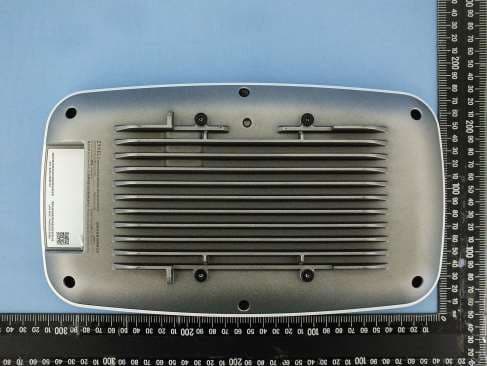
I8803935
Oct 17, 2023802.11be (WiFi 7) Triple-Radio Unified Pro Access Point
Equipment Class
DTS - Digital Transmission System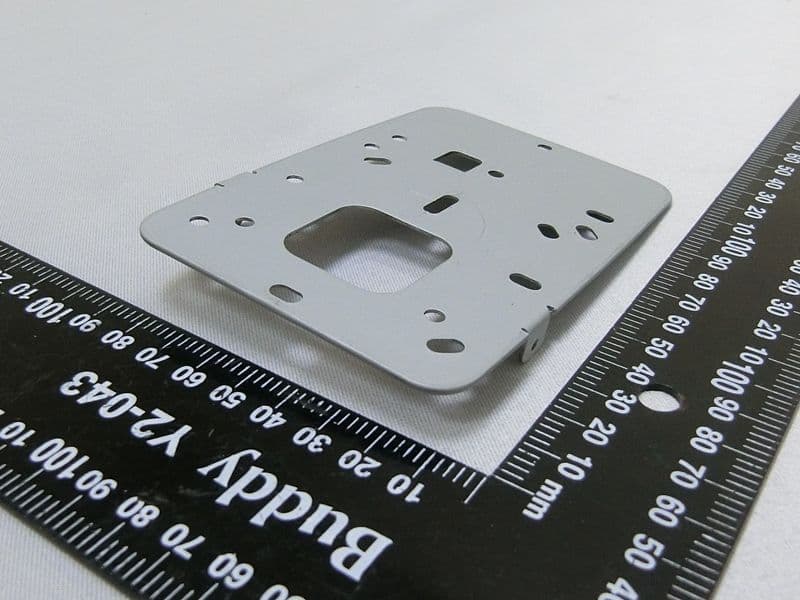
I8803973
Aug 01, 2023802.11ax (WiFi 6) Dual-Radio Wall-Plate Unified Access Point
Equipment Class
NII - Unlicensed National Information Infrastructure TX
I88WX5610-B0
Apr 25, 2023AX7800 WiFi 6E Tri-Band Gigabit Wireless Extender
Equipment Class
DTS - Digital Transmission System
I88EX7710-B0
Apr 16, 2023AX11000 WiFi 6E 10G Ethernet Gateway
Equipment Class
NII - Unlicensed National Information Infrastructure TX