I88P660HNT1A802.11n Wireless ADSL2+ 4-port Gateway
ZyXEL Communications Corporation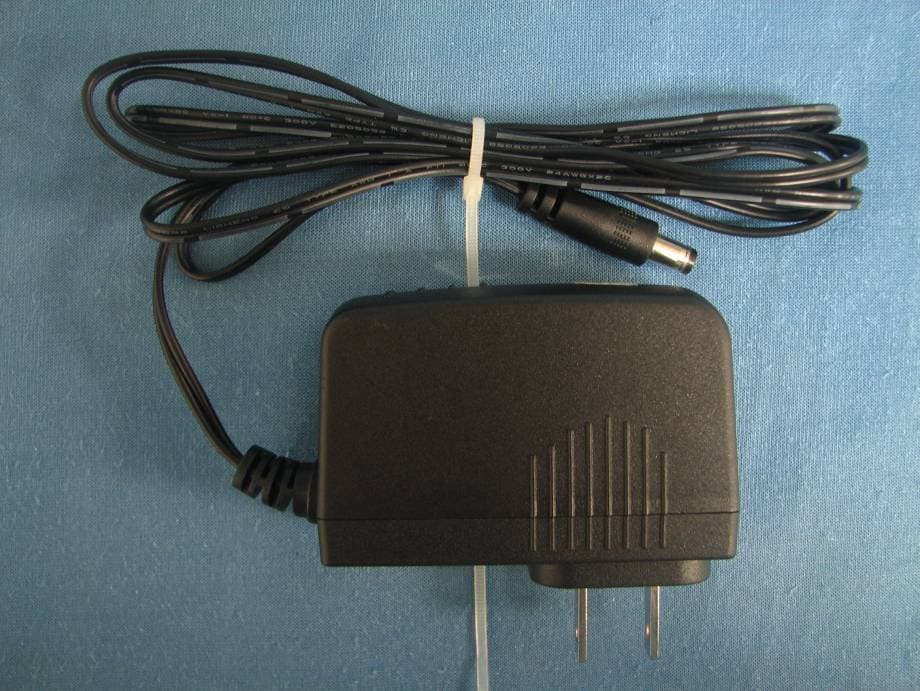
Click to zoom
Application Details
- Equipment Class
- DTS - Digital Transmission System
- Date of Grant
- Jul 22, 2010
- Application Purpose
- Original Equipment
- Date of Application
- Jul 22, 2010
- Equipment Note
- 802.11n Wireless ADSL2+ 4-port Gateway
- Frequency Range
- 2422.00000000 - 2452.00000000
- Country
- Taiwan
Documents & Files
Document Text
Text extracted from the exhibit documents filed with the FCC. Open a document above to read the original.
Users Manual
www.zyxel.com www.zyxel.com P-660HN-TxA 802.11n Wireless ADSL2+ 4-port Gateway Copyright © 2010 ZyXEL Communications Corporation Firmware Version 3.40 Edition 1, 6/2010 Default Login Details IP Addresshttp://192.168.1.1 Password1234 About This User's Guide P-660HN-TxA User’s Guide 3 About This User's Guide Intended Audience This manual is intended for people who want to configure the ZyXEL Device using the web configurator. You should have at least a basic knowledge of TCP/IP networking concepts and topology. Related Documentation •Quick Start Guide The Quick Start Guide is designed to help you get up and running right away. It contains information on setting up your network and configuring for Internet access. • Support Disc Refer to the included CD for support documents. • ZyXEL Web Site Please refer to www.zyxel.com for additional support documentation and product certifications. Documentation Feedback Send your comments, questions or suggestions to: [email protected] Thank you! The Technical Writing Team, ZyXEL Communications Corp., 6 Innovation Road II, Science-Based Industrial Park, Hsinchu, 30099, Taiwan. Need More Help? More help is available at www.zyxel.com. About This User's Guide P-660HN-TxA User’s Guide 4 • Download Library Search for the latest product updates and documentation from this link. Read the Tech Doc Overview to find out how to efficiently use the User Guide, Quick Start Guide and Command Line Interface Reference Guide in order to better understand how to use your product. • Knowledge Base If you have a specific question about your product, the answer may be here. This is a collection of answers to previously asked questions about ZyXEL products. •Forum This contains discussions on ZyXEL products. Learn from others who use ZyXEL products and share your experiences as well. Customer Support In the event of problems that cannot be solved by using this manual, you should contact your vendor. If you cannot contact your vendor, then contact a ZyXEL office for the region in which you bought the device. See http://www.zyxel.com/ web/contact_us.php for contact information. Please have the following information ready when you contact an office. • Product model and serial number. •Warranty Information. • Date that you received your device. • Brief description of the problem and the steps you took to solve it. Disclaimer Graphics in this book may differ slightly from the product due to differences in operating systems, operating system versions, or if you installed updated firmware/software for your device. Every effort has been made to ensure that the information in this manual is accurate. Document Conventions P-660HN-TxA User’s Guide 5 Document Conventions Warnings and Notes These are how warnings and notes are shown in this User’s Guide. Warnings tell you about things that could harm you or your device. Note: Notes tell you other important information (for example, other things you may need to configure or helpful tips) or recommendations. Syntax Conventions • The P-660HN-TxA may be referred to as the “ZyXEL Device”, the “device”, the “system” or the “product” in this User’s Guide. • Product labels, screen names, field labels and field choices are all in bold font. • A key stroke is denoted by square brackets and uppercase text, for example, [ENTER] means the “enter” or “return” key on your keyboard. • “Enter” means for you to type one or more characters and then press the [ENTER] key. “Select” or “choose” means for you to use one of the predefined choices. • A right angle bracket ( > ) within a screen name denotes a mouse click. For example, Maintenance > Log > Log Setting means you first click Maintenance in the navigation panel, then the Log sub menu and finally the Log Setting tab to get to that screen. • Units of measurement may denote the “metric” value or the “scientific” value. For example, “k” for kilo may denote “1000” or “1024”, “M” for mega may denote “1000000” or “1048576” and so on. • “e.g.,” is a shorthand for “for instance”, and “i.e.,” means “that is” or “in other words”. Document Conventions P-660HN-TxA User’s Guide 6 Icons Used in Figures Figures in this User’s Guide may use the following generic icons. The ZyXEL Device icon is not an exact representation of your device. ZyXEL DeviceComputerNotebook computer ServerFirewallTelep hone RouterSwitch Safety Warnings P-660HN-TxA User’s Guide 7 Safety Warnings • Do NOT use this product near water, for example, in a wet basement or near a swimming pool. • Do NOT expose your device to dampness, dust or corrosive liquids. • Do NOT store things on the device. • Do NOT install, use, or service this device during a thunderstorm. There is a remote risk of electric shock from lightning. • Connect ONLY suitable accessories to the device. • Do NOT open the device or unit. Opening or removing covers can expose you to dangerous high voltage points or other risks. ONLY qualified service personnel should service or disassemble this device. Please contact your vendor for further information. • Make sure to connect the cables to the correct ports. • Place connecting cables carefully so that no one will step on them or stumble over them. • Always disconnect all cables from this device before servicing or disassembling. • Use ONLY an appropriate power adaptor or cord for your device. • Connect the power adaptor or cord to the right supply voltage (for example, 110V AC in North America or 230V AC in Europe). • Do NOT allow anything to rest on the power adaptor or cord and do NOT place the product where anyone can walk on the power adaptor or cord. • Do NOT use the device if the power adaptor or cord is damaged as it might cause electrocution. • If the power adaptor or cord is damaged, remove it from the device and the power source. • Do NOT attempt to repair the power adaptor or cord. Contact your local vendor to order a new one. • Do not use the device outside, and make sure all the connections are indoors. There is a …
Text truncated - open the document above for the full version.
Users Manual
P-660HN-TxA User’s Guide 161 CHAPTER 12 Static Route 12.1 Overview The ZyXEL Device usually uses the default gateway to route outbound traffic from computers on the LAN to the Internet. To have the ZyXEL Device send data to devices not reachable through the default gateway, use static routes. For example, the next figure shows a computer (A) connected to the ZyXEL Device’s LAN interface. The ZyXEL Device routes most traffic from A to the Internet through the ZyXEL Device’s default gateway (R1). You create one static route to connect to services offered by your ISP behind router R2. You create another static route to communicate with a separate network behind a router R3 connected to the LAN. Figure 77 Example of Static Routing Topology WAN R1 R2 A R3 LAN Chapter 12 Static Route P-660HN-TxA User’s Guide 162 12.1.1 What You Can Do in the Static Route Screens Use the Static Route screens (Section 12.2 on page 162) to view and configure IP static routes on the ZyXEL Device. 12.2 The Static Route Screen Use this screen to view the static route rules. Click Advanced > Static Route to open the Static Route screen. Figure 78 Advanced > Static Route The following table describes the labels in this screen. Table 53 Advanced > Static Route LABELDESCRIPTION #This is the number of an individual static route. DestinationThis parameter specifies the IP network address of the final destination. Routing is always based on network number. NetmaskThis parameter specifies the IP network subnet mask of the final destination. GatewayThis is the IP address of the gateway. The gateway is a router or switch on the same network segment as the device's LAN or WAN port. The gateway helps forward packets to their destinations. Chapter 12 Static Route P-660HN-TxA User’s Guide 163 12.2.1 Static Route Edit Use this screen to configure the required information for a static route. Select a static route index number and click Edit. The screen shown next appears. Figure 79 Advanced > Static Route: Edit The following table describes the labels in this screen. ModifyClick the Edit icon to go to the screen where you can set up a static route on the ZyXEL Device. Click the Remove icon to remove a static route from the ZyXEL Device. A window displays asking you to confirm that you want to delete the route. ApplyClick this to save your changes. CancelClick this to restore your previously saved settings. Table 53 Advanced > Static Route LABELDESCRIPTION Table 54 Advanced > Static Route: Edit LABELDESCRIPTION Static Route Setup Destination IP Address This parameter specifies the IP network address of the final destination. Routing is always based on network number. If you need to specify a route to a single host, use a subnet mask of 255.255.255.255 in the subnet mask field to force the network number to be identical to the host ID. IP Subnet Mask Enter the IP subnet mask here. Gateway IP Address Enter the IP address of the gateway. The gateway is a router or switch on the same network segment as the device's LAN or WAN port. The gateway helps forward packets to their destinations. BackClick this to return to the previous screen without saving. ApplyClick this to save your changes. CancelClick this to restore your previously saved settings. Chapter 12 Static Route P-660HN-TxA User’s Guide 164 P-660HN-TxA User’s Guide 165 CHAPTER 13 802.1Q/1P 13.1 Overview This chapter describes how to configure the 802.1Q/1P settings. A Virtual Local Area Network (VLAN) allows a physical network to be partitioned into multiple logical networks. A VLAN group can be treated as an individual device. Each group can have its own rules about where and how to forward traffic. You can assign any ports on the ZyXEL Device to a VLAN group and configure the settings for the group. You may also set the priority level for traffic trasmitted through the ports. Figure 80 802.1Q/1P 13.1.1 What You Can Do in the 802.1Q/1P Screens •Use the Group Setting screen (Section 13.2 on page 166) to activate 802.1Q/ 1P, specify the management VLAN group, display the VLAN groups and configure the settings for each VLAN group. •Use the Port Setting screen (Section 13.3 on page 169) to configure the PVID for each port. 13.1.2 What You Need to Know About 802.1Q/1P IEEE 802.1P Priority IEEE 802.1P specifies the user priority field and defines up to eight separate traffic types by inserting a tag into a MAC-layer frame that contains bits to define class of service. Ports VLAN Groups Priority Levels 802.1Q 802.1P Chapter 13 802.1Q/1P P-660HN-TxA User’s Guide 166 IEEE 802.1Q Tagged VLAN Tagged VLAN uses an explicit tag (VLAN ID) in the MAC header to identify the VLAN membership of a frame across bridges - they are not confined to the device on which they were created. The VLAN ID associates a frame with a specific VLAN and provides the information that devices need to process the frame across the network. PVC A virtual circuit is a logical point-to-point circuit between customer sites. Permanent means that the circuit is preprogrammed by the carrier as a path through the network. It does not need to be set up or torn down for each session. Forwarding Tagged and Untagged Frames Each port on the device is capable of passing tagged or untagged frames. To forward a frame from an 802.1Q VLAN-aware device to an 802.1Q VLAN-unaware device, the ZyXEL Device first decides where to forward the frame and then strips off the VLAN tag. To forward a frame from an 802.1Q VLAN-unaware device to an 802.1Q VLAN-aware switch, the ZyXEL Device first decides where to forward the frame, and then inserts a VLAN tag reflecting the ingress port's default VID. The default PVID is VLAN 1 for all ports, but this can be changed. Whether to tag an outgoing frame depends on the setting of the egress port on a per-VLAN, per-port basis (recall that a port can belong to multiple VLANs). If the tagging on the egress port is enabled for the VID of a frame, then the frame is transmitted as a tagged frame; otherwise, it…
Text truncated - open the document above for the full version.
Attestation Statements
ZyXEL Communications Corporation No. 6, Innovation Rd.II Science Based Industrial Park Date: 2010-7-15 Subject: Ad Hoc Mode Function Declaration FCC ID: I88P660HNT1A To Whom it may concern, This device is acting as master and operating on 2.4GHz band. Ad Hoc function is available on client mode and not able to work on non-US frequencies. Please contact the one signed below or the authorized agent for this filing. Thank you. Regards, ( Signature Here) Name: Title: Section Manager Tel: 886-3-5783942 EXT 6780 E-mail: [email protected]
Attestation Statements
ZyXEL Communications Corporation (FCC ID:I88P660HNT1A) 2010-07-09 Federal Communications Commission Authorization and Evaluation Division 7435 Oakland Mills Road Columbia, MD 21046 To Whom It May Concern: This device can connect to a personal computer during normal operation, and as such it is also considered a class B personal computer peripheral subject to the DoC procedure. The device was tested by Compliance Certification Services Inc. in No. 81-1, Lane 210, Bade 2nd Rd., Lujhu Township, Taoyuan County, Taiwan.The report number is KS100623B03-EF Sincerely, ------------------------------- Wangyi Section Manager ZyXEL Communications Corporation
Cover Letter(s)
ZyXEL Communications Corporation Federal Communications Commission 7435 Oakland Mills Road Columbia MD 21046 Subject: Request for Confidentiality FCC ID: I88P660HNT1A To Whom It May Concern: Pursuant to the provisions of Sections 0.457 and 0.459 of the Commission’s rules (47 CFR §§ 0.457, 0.459), we are requesting the Commission to withhold the following attachments as confidential document from public disclosure indefinitely. Schematic Diagram Block Diagram Theory of Operation Above mentioned document contains detailed system and equipment description are considered as proprietary information in operation of the equipment. The public disclosure of above documents might be harmful to our company and would give competitor an unfair advantage in the market. Best Regards Sincerely, Wangyi / Section Manager ZyXEL Communications Corporation 2010-7-22
Cover Letter(s)
ZyXEL Communications Corporation 2010-07-09 FCC ID:I88P660HNT1A Dear Sir, I hereby have entrusted the following person to be a proxy regarding applicaton for Type Certification. Compliance Certification Services Inc. Address: No.10 WeiyeRd, Innovation park, Eco&Tec, DevelopmentZone, Kunshan City, Jiangsu, P.R.O.C Name: Miro Job Title: Manager Email: [email protected] I am therefore responsible for the contents of the application. Brand Name and Model Name of the specified radio equipment: ZyXEL /P-660HN-T1A,P-660HN-T3A FCC ID: I88P660HNT1A Product Name: 802.11n Wireless ADSL2+ 4-port Gateway Signature_ ___________________ FCC grantee contact person information. Name/Title: Wangyi / Section Manager Company Name: ZyXEL Communications Corporation Address: No. 6, Innovation Rd. II Science Based Industrial Park TEL: 886-3-5783942-6780 FAX: 886-3-5782439 Email: [email protected]
External Photos
Report No: KS100623B03 Date of Issue: July 16, 2010 EXTERNAL PHOTOGRAPHS OF EUT Report No: KS100623B03 Date of Issue: July 16, 2010 Report No: KS100623B03 Date of Issue: July 16, 2010 Report No: KS100623B03 Date of Issue: July 16, 2010 Adaptor: ADS0128-W 120100 Report No: KS100623B03 Date of Issue: July 16, 2010 Report No: KS100623B03 Date of Issue: July 16, 2010
Internal Photos
Compliance Certification Services (Kunshan) Inc. Report No.: KS100623B03 Date of Issue:July 16, 2010 INTERNAL PHOTOGRAPHS OF EUT Compliance Certification Services (Kunshan) Inc. Report No.: KS100623B03 Date of Issue:July 16, 2010 Compliance Certification Services (Kunshan) Inc. Report No.: KS100623B03 Date of Issue:July 16, 2010
Parts List/Tune Up Info
WHA YU INDUSTRIAL CO., LTD.(HEAD OFFICE) DONGGUAN AEON TECH CO.,LTD.(CHINA) SUZHOU AEON TECH CO.,LTD.(CHINA) SPECIFICATION FOR APPROVAL MANUFACTURERCUSTOMER SIGNATURESIGNATURE WHA YU GROUP WHA YU INDUSTRIAL CO., LTD.(HEAD OFFICE) Address: No. 326,Sec. 2,Kung Tao 5 Road, Hsin Chu Ciry, Taiwan, R.O.C. Address:Hupan Industrial District,Tai Ling Shan Town,Dong Guan City,Guangdong,China SUZHOU AEON TECH CO.,LTD(CHINA) Address:Limin North Road, LiLi Town,LiLi Industrial Park,LinHu Economic Zone Wujiang City,Jiangsu Province,China Tel:+86-512-63627980 Fax:+86-512-63627981 AEON TECH (SHANGHAI) CO.,LTD(CHINA) ( ) Address:Flat 501,5F,Build 27, NO.68,Guiqing Road, Huhui District, Shanghai,China DONGGUAN PARNER TECH CO.,LTD.(CHINA) Address:Hupan Industrial District, Shida Road, Tai Ling Shan Town, Dong Guan City, Guangdong, China Tel:+86-21-64959151 Fax:+86-21-64959059 Tel:+86-769-81662366 Fax:+86-769-81602681 Tel:+86-769-85655858 Fax:+86-769-85655258 Tel:+886-3-5714225(REP.) Fax:+ 886-3-5713853+ 886-3-5723600 DONGGUAN AEON TECH CO.,LTD.(CHINA) PART NAME: PCB Antenna Assembly AEON TECH (SHANGHAI) CO.,LTD(CHINA) DATE : DONGGUAN PARNER TECH CO.,LTD.(CHINA) APPROVED BY : W. Y. P/NO: 1004-0013 REV: X1 PART NO: 65-031-260103B REVISION: CUSTOMER: ItemPage 1.1 2.2 3.3~5 Contents Description ............................................ ...................... ............................................ ...................... Specification 1. Electrical Properties(With Housing) : 1.1 Frequency Range....................................... 1.2 Impedance .................................................. 1.3VSWR ....................................................... 1.4Return Loss..................................................... 1.5Radiation ................................................... 1.6Gain(peak)............................................................. 1.7Cable Loss.............................................................0.4dB Max. 1.8 Polarization.................................................Linear ; Vertical 1.9 Admitted Power....................................... 1.10Cable................................................ Coaxial Cable 2. Physical Properties : 2.1 Operating Temp. .............................................-20 ~ +65 2.2 Storage Temp. ...............................................-30 ~ +75 PCB Antenna Assembly Omni-directional 1W 2.4GHz ~ 2.5GHz 50 Nominal 1.92:1 Max. -10 dB Max. 3.5dBi (excluding cable loss ) 1 2 Page 5 of 11 2 S‐parameter test results 2.1 S11 test results 2.1.1 PCB Ant 3 Page 9 of 11 3.3 2D patterns 2.40 ~ 2.50 GHz X‐Z Plane (E‐total) Y‐Z Plane (E‐total) 4 Page 10 of 11 X‐Y Plane (E‐total) 5
RF Exposure Info
Report No: KS100623B03-RP FCC ID: I88P660HNT1A Date of Issue: July 16, 2010 Note: This report shall not be reproduced except in full, without the written approval of Compliance Certification Services Inc. This document may be altered or revised by Compliance Certification Services Inc. personnel only, and shall be noted in the revision section of the document. Page 1 Total Page: 6 Rev. 00 RF Exposure Evaluation Declaration For Product Name:802.11n Wireless ADSL2+ 4-port Gateway MODEL: P-660HN-T1A,P-660HN-T3A Trade Name: ZyXEL FCC ID: I88P660HNT1A Report No.: KS100623B03-RP Issued to ZyXEL Communications Corporation No. 6, Innovation Rd.II Science Based Industrial Park,Hsin-Chu,Taiwan Prepared by Compliance Certification Services Inc. Kun shan Laboratory No.10 Weiye Rd., Innovation park, Eco&Tec, Development Zone, Kunshan City, Jiangsu, China TEL: 86-512-57355888 FAX: 86-512-57370818 Issued Date: July 16, 2010 Report No: KS100623B03-RP FCC ID: I88P660HNT1A Date of Issue: July 16, 2010 Page 2 Rev. 00 Test Report Certification Product name: 802.11n Wireless ADSL2+ 4-port Gateway Model Number: P-660HN-T1A,P-660HN-T3A Model discrepancy: They are identical product except for their differential market Trade Name: ZyXEL FCC ID: I88P660HNT1A Device Category: Production unit Date of Receipt: June 23, 2010~July 16, 2010 Applicant: ZyXEL Communications Corporation No. 6, Innovation Rd.II Science Based Industrial Park,Hsin-Chu,Taiwan Manufacturer: ZyXEL Communications (WuXi) CO., Ltd Wuxi 60#-E,Minshan Road,New District,Wuxi Jiangsu, PRC Applicable Standard FCC OET 65 Test Result Complied Performed Location KunShan Laboratory No.10 Weiye Rd., Innovation park, Eco&Tec, Development Zone, KunShan City, Jiangsu, China. TEL: +86-512-5735-5888 / FAX: +86-512-5737-0818 FCC Registration Number: 238958 Approved by: Reviewed by: Miro Chueh RF Manager Compliance Certification Service Inc. Spring Zhou RF Section Manager Compliance Certification Service Inc. Report No: KS100623B03-RP FCC ID: I88P660HNT1A Date of Issue: July 16, 2010 Page 3 Rev. 00 1. FACILITIES AND ACCREDITATIONS 1.1. FACILITIES All measurement facilities used to collect the measurement data are located at No.10 Weiye Rd., Innovation park, Eco&Tec, Development Zone, Kunshan City, Jiangsu, China. The sites are constructed in conformance with the requirements of ANSI C63.4:2003 and CISPR Publication 22. All receiving equipment conforms to CISPR Publication 16-1, “Radio Interference Measuring Apparatus and Measurement Methods.” 1.2. ACCREDITATIONS Our laboratories are accredited and approved by the following approval agencies according to ISO/IEC 17025. USA A2LA、FCC Japan VCCI Canada INDUSTRY CANADA, Taiwan TAF China CNAS The measuring facility of laboratories has been authorized or registered by the following approval agencies. Canada Industry Canada Japan VCCI Taiwan BSMI USA FCC Copies of granted accreditation certificates are available for downloading from our web site, http://www.ccsrf.com Report No: KS100623B03-RP FCC ID: I88P660HNT1A Date of Issue: July 16, 2010 Page 4 Rev. 00 2. RF EXPOSURE EVALUATION 2.1. LIMITS According to FCC 1.1310: The criteria listed in the following table shall be used to evaluate the environment impact of human exposure to radio frequency (RF) radiation as specified in 1.1307(b) LIMITS FOR MAXIMUM PERMISSIBLE EXPOSURE (MPE) Frequency Range (MHz) Electric Field Strength (V/m) Magnetic Field Strength (A/m) Power Density (mW/cm2) Average Time (Minutes) (A) Limits for Occupational/ Control Exposures 300-1500 -- -- F/300 6 1500-100,000 -- -- 5 6 (B) Limits for General Population/ Uncontrolled Exposures 300-1500 -- -- F/1500 6 1500-100,000 -- -- 1 30 F= Frequency in MHz Calculation Given d GP E ×× = 30 & 3770 2 E S= Where E = Field strength in Volts / meter P = Power in Watts G = Numeric antenna gain d = distance between observation point and center of the radiator in cm S = Power density in milliwatts / square centimeter Combining equations and re-arranging the terms to express the distance as a function of the remaining variables yields: 2 3770 30 d GP S ×× = Changing to units of mW and cm, using: P (mW) = P (W) / 1000 and d (cm) = d(m) / 100 Yields () () 2 2 0796.0 100/3770 1000/30 d GP d GP S × ×= × ×× = Where d = Distance in cm P = Power in mW G = Numeric antenna gain S = Power density in mW / cm 2 Report No: KS100623B03-RP FCC ID: I88P660HNT1A Date of Issue: July 16, 2010 Page 5 Rev. 00 2.2. EUT SPECIFICATION EUT 802.11n Wireless ADSL2+ Gateway Frequency band (Operating) WLAN: 2.412GHz ~ 2.462GHz WLAN: 5.18GHz ~ 5.32GHz / 5.50GHz ~ 5.70GHz WLAN: 5.745GHz ~ 5.825GHz Others Device category Portable (<20cm separation) Mobile (>20cm separation) Others Exposure classification Occupational/Controlled exposure (S = 5mW/cm 2 ) General Population/Uncontrolled exposure (S=1mW/cm 2 ) Antenna diversity Single antenna Multiple antennas Tx diversity Rx diversity Tx/Rx diversity Max. output power IEEE 802.11b mode: 15.70dBm(37.2mW) IEEE 802.11g mode: 14.21dBm(26.4mW) IEEE 802.11gn Standard-20 MHz Channel mode: 14.20 dBm (26.3mW) IEEE 802.11gn Wide-40 MHz Channel mode: 14.33 dBm (27.1mw) Antenna gain (Max) Gain 3.5dBi(2.24)(2.4GHz) Evaluation applied MPE Evaluation* SAR Evaluation N/A Remark: 1. DTS device is not subject to routine RF evaluation; MPE estimate is used to justify the compliance. 2. For mobile or fixed location transmitters, no SAR consideration applied. The maximum power density is 1.0 mW/cm2 even if the calculation indicates that the power density would be larger. Report No: KS100623B03-RP FCC ID: I88P660HNT1A Date of Issue: July 16, 2010 Page 6 Rev. 00 2.3. TEST RESULT OF RF EXPOSURE EVALUATION Antenna Gain: Antenna Gain: The maximum Gain measured in fully anechoic chamber is 3.5dBi or 2.24 in Numeric Antenna gain. Output Power into Antenna & RF Exposure Evaluation Distance: Test Mode Frequency Band (MHz) Maximum Output Power to Antenna (mW) Power Density at d = 20 cm (mW/cm2) IEEE 802.11b 2.412GHz ~ 2.462 37.20 0.…
Text truncated - open the document above for the full version.
Test Report
Report No: KS100623B03-RP FCC ID: I88P660HNT1A Date of Issue: July 16, 2010 Note: This report shall not be reproduced except in full, without the written approval of Compliance Certification Services Inc. This document may be altered or revised by Compliance Certification Services Inc. personnel only, and shall be noted in the revision section of the document. Page 1 Total Page: 92 Rev. 00 FCC 47 CFR PART 15 SUBPART C TEST REPORT For 802.11n Wireless ADSL2+ 4-port Gateway MODEL: P-660HN-T1A,P-660HN-T3A Trade Name: ZyXEL Test Report Number: KS100623B03-RP Issued to ZyXEL Communications Corporation No. 6, Innovation Rd.II Science Based Industrial Park,Hsin-Chu,Taiwan Prepared by Compliance Certification Services Inc. Kun shan Laboratory No.10 Weiye Rd., Innovation park, Eco&Tec, Development Zone, Kunshan City, Jiangsu, China TEL: 86-512-57355888 FAX: 86-512-57370818 Issued Date: July 16, 2010 Report No: KS100623B03-RP FCC ID: I88P660HNT1A Date of Issue: July 16, 2010 Page 2 Rev. 00 Revision History Rev. IssueDate Revisions Effect Page Revised By 00 July 16, 2010 Initial Issue ALL Miro Chueh Report No: KS100623B03-RP FCC ID: I88P660HNT1A Date of Issue: July 16, 2010 Page 3 Rev. 00 TABLE OF CONTENTS 1. TEST RESULT CERTIFICATION.....................................................................................................4 2. EUT DESCRIPTION............................................................................................................................5 3. TEST METHODOLOGY.....................................................................................................................6 3.1 EUT CONFIGURATION.............................................................................................................................6 3.2 EUT EXERCISE........................................................................................................................................6 3.3 GENERAL TEST PROCEDURES................................................................................................................6 3.4 FCC PART 15.205 RESTRICTED BANDS OF OPERATIONS........................................................7 3.5 DESCRIPTION OF TEST MODES..............................................................................................................8 4. INSTRUMENT CALIBRATION..........................................................................................................9 4.1 MEASURING INSTRUMENT CALIBRATION...........................................................................................9 5. FACILITIES AND ACCREDITATIONS..........................................................................................10 5.1 FACILITIES.............................................................................................................................................10 5.2 EQUIPMENT...........................................................................................................................................10 5.3 ACCREDITATIONS.................................................................................................................................10 6. SETUP OF EQUIPMENT UNDER TEST.......................................................................................11 6.1 SETUP CONFIGURATION OF EUT..........................................................................................................11 6.2 SUPPORT EQUIPMENT..................................................................................................................11 7. FCC PART 15.247 REQUIREMENTS............................................................................................12 7.1 6DB BANDWIDTH...................................................................................................................................12 7.2 PEAK POWER........................................................................................................................................20 7.3 AVERAGE POWER.................................................................................................................................28 7.4 PEAK POWER SPECTRAL DENSITY.......................................................................................................30 7.5 SPURIOUS EMISSIONS....................................................................................................................38 7.5.1 CONDUCTED MEASUREMENT...........................................................................................................38 7.5.2 RADIATED EMISSIONS................................................................................................................57 7.6 POWERLINE CONDUCTED EMISSIONS............................................................................................90 Report No: KS100623B03-RP FCC ID: I88P660HNT1A Date of Issue: July 16, 2010 Page 4 Rev. 00 1. TEST RESULT CERTIFICATION Product name: 802.11n Wireless ADSL2+ 4-port Gateway Model Number: P-660HN-T1A,P-660HN-T3A Model discrepancy: They are identical product except for their differential market Trade Name: ZyXEL FCC ID: I88P660HNT1A Device Category: Production unit Date of Test: June 23, 2010~July 16, 2010 Applicant: ZyXEL Communications Corporation No. 6, Innovation Rd.II Science Based Industrial Park,Hsin-Chu,Taiwan Manufacturer: ZyXEL Communications (WuXi) CO., Ltd Wuxi 60#-E,Minshan Road,New District,Wuxi Jiangsu, PRC APPLICABLE STANDARDS STANDARD STANDARD FCC 47 CFR Part 15 Subpart C No non-compliance noted Deviation from Applicable Standard None We hereby certify that: The above equipment was tested by Compliance Certification Services Inc. T…
Text truncated - open the document above for the full version.
Contact Information
Applicant
Emma Bao(Section Manager)
Test Firm
Compliance Certification Services (KunShan) Inc.Kurt Chen
Technical Specifications
| # | Rule Parts | Frequency Range | Power Output |
|---|---|---|---|
| 3 | 15C | 2.42 GHz - 2.45 GHz | 27.10 mW |
Other Applications from ZyXEL Communications Corporation
I88EE6601-00
Jul 18, 2024Tri-Band Wireless BE19000 10G Ethernet VoIP Gateway with SFP+ / Tri-Band Wireless BE19000 10G Ethernet VoIP Gateway / Tri-Band Wireless BE19000 10G Ethernet Gateway with SFP+ / Tri-Band Wireless BE19000 10G Ethernet Gateway
Equipment Class
6ID - 15E 6 GHz Low Power Indoor Access Point
I8803935
Oct 17, 2023802.11be (WiFi 7) Triple-Radio Unified Pro Access Point
Equipment Class
DTS - Digital Transmission System
I8803973
Aug 01, 2023802.11ax (WiFi 6) Dual-Radio Wall-Plate Unified Access Point
Equipment Class
NII - Unlicensed National Information Infrastructure TX
I88WX5610-B0
Apr 25, 2023AX7800 WiFi 6E Tri-Band Gigabit Wireless Extender
Equipment Class
DTS - Digital Transmission System
I88EX7710-B0
Apr 16, 2023AX11000 WiFi 6E 10G Ethernet Gateway
Equipment Class
NII - Unlicensed National Information Infrastructure TX