I88P660HWDXV2802.11g Wireless ADSL Gateway
ZyXEL Communications Corporation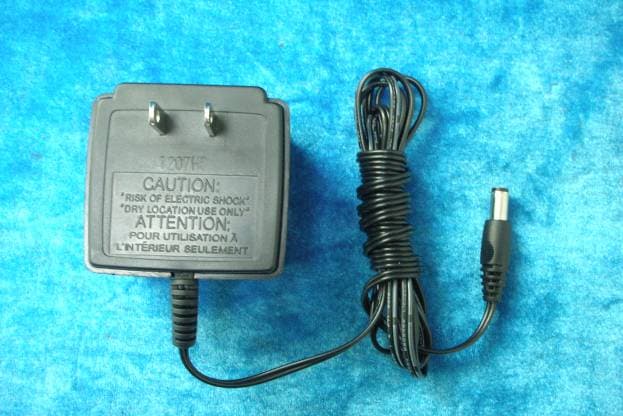
Click to zoom
Application Details
- Equipment Class
- DTS - Digital Transmission System
- Date of Grant
- Jun 13, 2007
- Application Purpose
- Original Equipment
- Date of Application
- Jun 13, 2007
- Equipment Note
- 802.11g Wireless ADSL Gateway
- Frequency Range
- 2412.00000000 - 2462.00000000
- Country
- Taiwan
Documents & Files
Document Text
Text extracted from the exhibit documents filed with the FCC. Open a document above to read the original.
Users Manual
www.zyxel.com P-660HW-Dx v2 802.11g Wireless ADSL2+ 4-port Gateway User’s Guide Version 3.40 3/2007 Edition 2 About This User's Guide P-660HW-Dx v2 User’s Guide 3 About This User's Guide Intended Audience This manual is intended for people who want to configure the ZyXEL Device using the web configurator. You should have at least a basic knowledge of TCP/IP networking concepts and topology. Related Documentation • Quick Start Guide The Quick Start Guide is designed to help you get up and running right away. It contains information on setting up your network and configuring for Internet access. • Web Configurator Online Help Embedded web help for descriptions of individual screens and supplementary information. "It is recommended you use the web configurator to configure the ZyXEL Device. • Supporting Disk Refer to the included CD for support documents. • ZyXEL Web Site • Please refer to www.zyxel.com for additional support documentation and product certifications. User Guide Feedback Help us help you. Send all User Guide-related comments, questions or suggestions for improvement to the following address, or use e-mail instead. Thank you! The Technical Writing Team, ZyXEL Communications Corp., 6 Innovation Road II, Science-Based Industrial Park, Hsinchu, 300, Taiwan. E-mail: [email protected] Document Conventions P-660HW-Dx v2 User’s Guide 4 Document Conventions Warnings and Notes These are how warnings and notes are shown in this User’s Guide. 1Warnings tell you about things that could harm you or your device. "Notes tell you other important information (for example, other things you may need to configure or helpful tips) or recommendations. Syntax Conventions • The P-660HW-D may be referred to as the “ZyXEL Device”, the “device” or the “system” in this User’s Guide. • Product labels, screen names, field labels and field choices are all in bold font. • A key stroke is denoted by square brackets and uppercase text, for example, [ENTER] means the “enter” or “return” key on your keyboard. • “Enter” means for you to type one or more characters and then press the [ENTER] key. “Select” or “choose” means for you to use one of the predefined choices. • A right angle bracket ( > ) within a screen name denotes a mouse click. For example, Maintenance > Log > Log Setting means you first click Maintenance in the navigation panel, then the Log sub menu and finally the Log Setting tab to get to that screen. • Units of measurement may denote the “metric” value or the “scientific” value. For example, “k” for kilo may denote “1000” or “1024”, “M” for mega may denote “1000000” or “1048576” and so on. • “e.g.,” is a shorthand for “for instance”, and “i.e.,” means “that is” or “in other words”. Document Conventions P-660HW-Dx v2 User’s Guide 5 Icons Used in Figures Figures in this User’s Guide may use the following generic icons. The ZyXEL Device icon is not an exact representation of your device. ZyXEL DeviceComputerNotebook computer ServerDSLAMFirewall TelephoneSwitchRouter Safety Warnings P-660HW-Dx v2 User’s Guide 6 Safety Warnings 1For your safety, be sure to read and follow all warning notices and instructions. • Do NOT use this product near water, for example, in a wet basement or near a swimming pool. • Do NOT expose your device to dampness, dust or corrosive liquids. • Do NOT store things on the device. • Do NOT install, use, or service this device during a thunderstorm. There is a remote risk of electric shock from lightning. • Connect ONLY suitable accessories to the device. • Do NOT open the device or unit. Opening or removing covers can expose you to dangerous high voltage points or other risks. ONLY qualified service personnel should service or disassemble this device. Please contact your vendor for further information. • Make sure to connect the cables to the correct ports. • Place connecting cables carefully so that no one will step on them or stumble over them. • Always disconnect all cables from this device before servicing or disassembling. • Use ONLY an appropriate power adaptor or cord for your device. • Connect the power adaptor or cord to the right supply voltage (for example, 110V AC in North America or 230V AC in Europe). • Do NOT allow anything to rest on the power adaptor or cord and do NOT place the product where anyone can walk on the power adaptor or cord. • Do NOT use the device if the power adaptor or cord is damaged as it might cause electrocution. • If the power adaptor or cord is damaged, remove it from the power outlet. • Do NOT attempt to repair the power adaptor or cord. Contact your local vendor to order a new one. • Do not use the device outside, and make sure all the connections are indoors. There is a remote risk of electric shock from lightning. • Do NOT obstruct the device ventilation slots, as insufficient airflow may harm your device. • Please use only No. 26 AWG (American Wire Gauge) or larger telecommunication line cord. • Antenna Warning! This device meets ETSI and FCC certification requirements when using the included antenna(s). Only use the included antenna(s). • If you wall mount your device, make sure that no electrical lines, gas or water pipes will be damaged. This product is recyclable. Dispose of it properly. Safety Warnings P-660HW-Dx v2 User’s Guide 7 Safety Warnings P-660HW-Dx v2 User’s Guide 8 Contents Overview P-660HW-Dx v2 User’s Guide 9 Contents Overview Introduction ............................................................................................................................ 31 Introducing the ZyXEL Device ...................................................................................................33 Introducing the Web Configurator ..............................................................................................39 Wizards ................................................................................................................................... 51 Wizard Setup for Internet Access ................…
Text truncated - open the document above for the full version.
Users Manual
Chapter 14 Dynamic DNS Setup P-660HW-Dx v2 User’s Guide 201 Dynamic DNS server auto detect IP Address Select this option only when there are one or more NAT routers between the ZyXEL Device and the DDNS server. This feature has the DDNS server automatically detect and use the IP address of the NAT router that has a public IP address. Note: The DDNS server may not be able to detect the proper IP address if there is an HTTP proxy server between the ZyXEL Device and the DDNS server. Use specified IP Address Type the IP address of the host name(s). Use this if you have a static IP address. ApplyClick Apply to save your changes to the ZyXEL Device. CancelClick Cancel to begin configuring this screen afresh. Table 81 Dynamic DNS (continued) LABELDESCRIPTION Chapter 14 Dynamic DNS Setup P-660HW-Dx v2 User’s Guide 202 P-660HW-Dx v2 User’s Guide 203 CHAPTER 15 Remote Management Configuration This chapter provides information on configuring remote management. 15.1 Remote Management Overview Remote management allows you to determine which services/protocols can access which ZyXEL Device interface (if any) from which computers. "When you configure remote management to allow management from the WAN, you still need to configure a firewall rule to allow access. You may manage your ZyXEL Device from a remote location via: • Internet (WAN only) • ALL (LAN and WAN) • LAN only, • Neither (Disable). "When you choose WAN only or LAN & WAN, you still need to configure a firewall rule to allow access. See Appendix E on page 311 for details on configuring firewall rules. To disable remote management of a service, select Disable in the corresponding Access Status field. You may only have one remote management session running at a time. The ZyXEL Device automatically disconnects a remote management session of lower priority when another remote management session of higher priority starts. The priorities for the different types of remote management sessions are as follows. 1Telnet 2HTTP Chapter 15 Remote Management Configuration P-660HW-Dx v2 User’s Guide 204 15.1.1 Remote Management Limitations Remote management over LAN or WAN will not work when: • You have disabled that service in one of the remote management screens. • The IP address in the Secured Client IP field does not match the client IP address. If it does not match, the ZyXEL Device will disconnect the session immediately. • There is already another remote management session with an equal or higher priority running. You may only have one remote management session running at one time. • There is a firewall rule that blocks it. • A filter is applied (through the commands) to block a Telnet, FTP or Web service. 15.1.2 Remote Management and NAT When NAT is enabled: • Use the ZyXEL Device’s WAN IP address when configuring from the WAN. • Use the ZyXEL Device’s LAN IP address when configuring from the LAN. 15.1.3 System Timeout There is a default system management idle timeout of five minutes (three hundred seconds). The ZyXEL Device automatically logs you out if the management session remains idle for longer than this timeout period. The management session does not time out when a statistics screen is polling. 15.2 WWW To change your ZyXEL Device’s World Wide Web settings, click Advanced > Remote MGMT to display the WWW screen. Figure 115 Remote Management: WWW Chapter 15 Remote Management Configuration P-660HW-Dx v2 User’s Guide 205 The following table describes the labels in this screen. 15.3 Telnet You can configure your ZyXEL Device for remote Telnet access as shown next. The administrator uses Telnet from a computer on a remote network to access the ZyXEL Device. Figure 116 Telnet Configuration on a TCP/IP Network 15.4 Configuring Telnet Click Advanced > Remote MGMT > Te l n e t tab to display the screen as shown. Table 82 Remote Management: WWW LABELDESCRIPTION PortYou may change the server port number for a service if needed, however you must use the same port number in order to use that service for remote management. Access StatusSelect the interface(s) through which a computer may access the ZyXEL Device using this service. Secured Client IPA secured client is a “trusted” computer that is allowed to communicate with the ZyXEL Device using this service. Select All to allow any computer to access the ZyXEL Device using this service. Choose Selected to just allow the computer with the IP address that you specify to access the ZyXEL Device using this service. ApplyClick Apply to save your settings to the ZyXEL Device. CancelClick Cancel to begin configuring this screen afresh. Chapter 15 Remote Management Configuration P-660HW-Dx v2 User’s Guide 206 Figure 117 Remote Management: Telnet The following table describes the labels in this screen. 15.5 Telnet Login Use the following steps to Telnet into your ZyXEL Device’s command interpreter. If your computer is connected to the ZyXEL Device over the Internet, skip to the next step. Make sure your computer IP address and the ZyXEL Device IP address are on the same subnet. 3In Windows, click Start (usually in the bottom left corner) and Run. Then type telnet and the ZyXEL Device’s IP address. For example, enter telnet 192.168.1.1 (the default IP address). 4Click OK. A login screen displays. Enter the password at the prompts. "The default password is 1234. The password is case-sensitive. Table 83 Remote Management: Telnet LABELDESCRIPTION PortYou may change the server port number for a service if needed, however you must use the same port number in order to use that service for remote management. Access StatusSelect the interface(s) through which a computer may access the ZyXEL Device using this service. Secured Client IP A secured client is a “trusted” computer that is allowed to communicate with the ZyXEL Device using this service. Select All to allow any computer to access the ZyXEL Device using this service. Choose Selected to just allow the computer with the IP address that you specify to access the ZyXEL…
Text truncated - open the document above for the full version.
Users Manual
P-660HW-Dx v2 User’s Guide 301 APPENDIX D IP Addresses and Subnetting This appendix introduces IP addresses and subnet masks. IP addresses identify individual devices on a network. Every networking device (including computers, servers, routers, printers, etc.) needs an IP address to communicate across the network. These networking devices are also known as hosts. Subnet masks determine the maximum number of possible hosts on a network. You can also use subnet masks to divide one network into multiple sub-networks. Introduction to IP Addresses One part of the IP address is the network number, and the other part is the host ID. In the same way that houses on a street share a common street name, the hosts on a network share a common network number. Similarly, as each house has its own house number, each host on the network has its own unique identifying number - the host ID. Routers use the network number to send packets to the correct network, while the host ID determines to which host on the network the packets are delivered. Structure An IP address is made up of four parts, written in dotted decimal notation (for example, 192.168.1.1). Each of these four parts is known as an octet. An octet is an eight-digit binary number (for example 11000000, which is 192 in decimal notation). Therefore, each octet has a possible range of 00000000 to 11111111 in binary, or 0 to 255 in decimal. The following figure shows an example IP address in which the first three octets (192.168.1) are the network number, and the fourth octet (16) is the host ID. Appendix D IP Addresses and Subnetting P-660HW-Dx v2 User’s Guide 302 Figure 185 Network Number and Host ID How much of the IP address is the network number and how much is the host ID varies according to the subnet mask. Subnet Masks A subnet mask is used to determine which bits are part of the network number, and which bits are part of the host ID (using a logical AND operation). The term “subnet” is short for “sub- network”. A subnet mask has 32 bits. If a bit in the subnet mask is a “1” then the corresponding bit in the IP address is part of the network number. If a bit in the subnet mask is “0” then the corresponding bit in the IP address is part of the host ID. The following example shows a subnet mask identifying the network number (in bold text) and host ID of an IP address (192.168.1.2 in decimal). By convention, subnet masks always consist of a continuous sequence of ones beginning from the leftmost bit of the mask, followed by a continuous sequence of zeros, for a total number of 32 bits. Subnet masks can be referred to by the size of the network number part (the bits with a “1” value). For example, an “8-bit mask” means that the first 8 bits of the mask are ones and the remaining 24 bits are zeroes. Table 125 IP Address Network Number and Host ID Example 1ST OCTET: (192) 2ND OCTET: (168) 3RD OCTET: (1) 4TH OCTET (2) IP Address (Binary)11000000101010000000000100000010 Subnet Mask (Binary)11111111111111111111111100000000 Network Number110000001010100000000001 Host ID00000010 Appendix D IP Addresses and Subnetting P-660HW-Dx v2 User’s Guide 303 Subnet masks are expressed in dotted decimal notation just like IP addresses. The following examples show the binary and decimal notation for 8-bit, 16-bit, 24-bit and 29-bit subnet masks. Network Size The size of the network number determines the maximum number of possible hosts you can have on your network. The larger the number of network number bits, the smaller the number of remaining host ID bits. An IP address with host IDs of all zeros is the IP address of the network (192.168.1.0 with a 24-bit subnet mask, for example). An IP address with host IDs of all ones is the broadcast address for that network (192.168.1.255 with a 24-bit subnet mask, for example). As these two IP addresses cannot be used for individual hosts, calculate the maximum number of possible hosts in a network as follows: Notation Since the mask is always a continuous number of ones beginning from the left, followed by a continuous number of zeros for the remainder of the 32 bit mask, you can simply specify the number of ones instead of writing the value of each octet. This is usually specified by writing a “/” followed by the number of bits in the mask after the address. For example, 192.1.1.0 /25 is equivalent to saying 192.1.1.0 with subnet mask 255.255.255.128. The following table shows some possible subnet masks using both notations. Table 126 Subnet Masks BINARY DECIMAL 1ST OCTET 2ND OCTET 3RD OCTET 4TH OCTET 8-bit mask11111111000000000000000000000000255.0.0.0 16-bit mask11111111111111110000000000000000255.255.0.0 24-bit mask11111111111111111111111100000000255.255.255.0 29-bit mask11111111111111111111111111111000255.255.255.248 Table 127 Maximum Host Numbers SUBNET MASKHOST ID SIZEMAXIMUM NUMBER OF HOSTS 8 bits255.0.0.024 bits2 24 – 216777214 16 bits255.255.0.016 bits2 16 – 265534 24 bits255.255.255.08 bits2 8 – 2254 29 bits255.255.255.248 3 bits2 3 – 26 Table 128 Alternative Subnet Mask Notation SUBNET MASK ALTERNATIVE NOTATION LAST OCTET (BINARY) LAST OCTET (DECIMAL) 255.255.255.0/240000 00000 255.255.255.128/251000 0000128 Appendix D IP Addresses and Subnetting P-660HW-Dx v2 User’s Guide 304 Subnetting You can use subnetting to divide one network into multiple sub-networks. In the following example a network administrator creates two sub-networks to isolate a group of servers from the rest of the company network for security reasons. In this example, the company network address is 192.168.1.0. The first three octets of the address (192.168.1) are the network number, and the remaining octet is the host ID, allowing a maximum of 2 8 – 2 or 254 possible hosts. The following figure shows the company network before subnetting. Figure 186 Subnetting Example: Before Subnetting You can “borrow” one of the host ID bits to divide the network 192.168.1.0 into two separate sub-networks. The subnet mask is now 25 bits (255.255.255.128 or…
Text truncated - open the document above for the full version.
Cover Letter(s)
ZyXEL Communications Corporation Federal Communications Commission 7435 Oakland Mills Road Columbia MD 21046 Subject: Request for Confidentiality FCC ID: I88P660HWDXV2 To Whom It May Concern: Pursuant to the provisions of Sections 0.457 and 0.459 of the Commission’s rules (47 CFR §§ 0.457, 0.459), we are requesting the Commission to withhold the following attachments as confidential document from public disclosure indefinitely. Schematic Diagram Block Diagram Theory of Operation Above mentioned document contains detailed system and equipment description are considered as proprietary information in operation of the equipment. The public disclosure of above documents might be harmful to our company and would give competitor an unfair advantage in the market. Best Regards ZyXEL Communications Corporation 2007/04/23
Cover Letter(s)
ZyXEL Communications Corporation Date:2007/04/23 Compliance Certification Services Certification Division 561F Monterey Road Morgan Hill, CA 95037 To whom it may concern: We, the undersigned, hereby authorize the Kunshan office of Compliance Certification Services Inc., d.b.a. Compliance Certification Services and hereafter referred to as CCS KS, to act on our behalf in all manners relating to application for equipment authorization, including signing of all documents relating to these matters. Any and all acts carried out by CCS KS on our behalf shall have the same effect as acts of our own. In authorizing CCS KS as our agent, we still recognize that we are responsible to: a) comply with the relevant provisions of the certification program; b) make all necessary arrangements for the conduct of the evaluation, including provision for examining documentation and access to all areas, records (including internal audit reports) and personnel for the purposes of evaluation (e.g. testing, inspection, assessment, surveillance, reassessment) and resolution of complaints; c) make claims regarding certification only in respect of the scope for which certification has been granted; d) do not use our product certification in such a manner as to bring the Certification Division into disrepute and not make any statement regarding our product certification which the Certification Division may consider misleading or unauthorized; e) upon suspension or cancellation of certification, discontinue use of all advertising matter that contains any reference thereto and return any certification documents as required by the Certification Division; f) use certification only to indicate the products are certified as being in conformity with specified standards; g) endeavor to ensure that no certificate or report nor any part thereof is used in a misleading manner; h) ensure that any reference to our product certification in communication media such as documents, brochures or advertising, complies with the requirements of the Certification Division; i) keep a record of all complaints made known to the us relating to the product’s compliance with requirements of the relevant standard and to make these records available to the Certification Division when requested; j) take appropriate action with respect to such complaints and any deficiencies found in products or services that affect compliance with the requirements for certification; k) document the actions taken. This authorization is valid until further written notice from the applicant. Sincerely Yours, WangYI ZyXEL Communications Corporation 2007/5/17
External Photos
Compliance Certification Services (Kunshan) Inc. Report No: KS070423A02 FCC ID: I88P660HWDXV2 Date of Issue: May 8, 2007 EXTERNAL PHOTOGRAPHS OF EUT Compliance Certification Services (Kunshan) Inc. Report No: KS070423A02 FCC ID: I88P660HWDXV2 Date of Issue: May 8, 2007 Compliance Certification Services (Kunshan) Inc. Report No: KS070423A02 FCC ID: I88P660HWDXV2 Date of Issue: May 8, 2007 Compliance Certification Services (Kunshan) Inc. Report No: KS070423A02 FCC ID: I88P660HWDXV2 Date of Issue: May 8, 2007 For Power Adapter: DVE(DV-121AACS)
Internal Photos
Compliance Certification Services (Kunshan) Inc. Report No: KS070423A02 FCC ID: I88P660HWDXV2 Date of Issue: May 8, 2007 INTERNAL PHOTOGRAPHS OF EUT Compliance Certification Services (Kunshan) Inc. Report No: KS070423A02 FCC ID: I88P660HWDXV2 Date of Issue: May 8, 2007 Compliance Certification Services (Kunshan) Inc. Report No: KS070423A02 FCC ID: I88P660HWDXV2 Date of Issue: May 8, 2007 Compliance Certification Services (Kunshan) Inc. Report No: KS070423A02 FCC ID: I88P660HWDXV2 Date of Issue: May 8, 2007 Compliance Certification Services (Kunshan) Inc. Report No: KS070423A02 FCC ID: I88P660HWDXV2 Date of Issue: May 8, 2007 Compliance Certification Services (Kunshan) Inc. Report No: KS070423A02 FCC ID: I88P660HWDXV2 Date of Issue: May 8, 2007
Test Report
Reference No.: KS070423A02-RP Report No.: KS070423A02-RP FCC ID :I88P660HWDXV2 Page 1 / 63 FCC TEST REPORT for 802.11g Wireless ADSL2+ 4-port Gateway MODEL: P-660HW-D1 v2 ; P-660HW-D3 v2 ;401681 Test Report Number: KS070423A02-RP Issued for ZyXEL Communications Corporation No. 6, Innovation Rd. II Science Based Industrial Park, Hsin-Chu, Taiwan. Issued by: Compliance Certification Services Inc. Kun shan Laboratory No.10 Weiye Rd, Innovation park, Eco&Tec, Development Zone, Kunshan City, Jiangsu, P.R.O.C TEL: 86-512-57355888 FAX: 86-512-57370818 Issued Date: May 9, 2007 Note: This report shall not be reproduced except in full, without the written approval of Compliance Certification Services Inc. This document may be altered or revised by Compliance Certification Services Inc. personnel only, and shall be noted in the revision section of the document. The client should not use it to claim product endorsement by TAF, A2LA, NVLAP, NIST or any government agencies. The test results in the report only apply to the tested sample. Lab. Code: 200581-0 Reference No.: KS070423A02-RP Report No.: KS070423A02-RP FCC ID : I88P660HWDXV2 Page 2 This report shall not be reproduced except in full, without the written approval of Compliance Certification Services. Revision History Rev. Issue Date Revisions Effect Page Revised By 00 May 9,2007 Initial Issue ALL Miro Chueh Reference No.: KS070423A02-RP Report No.: KS070423A02-RP FCC ID : I88P660HWDXV2 Page 3 This report shall not be reproduced except in full, without the written approval of Compliance Certification Services. TABLE OF CONTENTS 1 TEST CERTIFICATION ................................................................................................. 4 2 TEST RESULT SUMMARY ........................................................................................... 5 3 EUT DESCRIPTION....................................................................................................... 6 4 TEST METHODOLOGY................................................................................................. 7 4.1. DESCRIPTION OF TEST MODES ...................................................................................... 7 5 SETUP OF EQUIPMENT UNDER TEST ....................................................................... 8 5.1. DESCRIPTION OF SUPPORT UNITS................................................................................. 8 5.2. CONFIGURATION OF SYSTEM UNDER TEST ................................................................. 8 6 FACILITIES AND ACCREDITATIONS .......................................................................... 9 6.1. FACILITIES .......................................................................................................................... 9 6.2. ACCREDITATIONS ............................................................................................................. 9 6.3. MEASUREMENT UNCERTAINTY....................................................................................... 9 7 LIMITS AND RESULTS ............................................................................................... 10 7.1. POWER LINE CONDUCTED EMISSIONS MEASUREMENT........................................... 10 7.2. SPURIOUS EMISSIONS MEASUREMENT....................................................................... 15 7.3. 6dB BANDWIDTH MEASUREMENT ................................................................................. 33 7.4. PEAK OUTPUT POWER ................................................................................................... 38 7.5. BAND EDGES MEASUREMENT:...................................................................................... 43 7.6. PEAK POWER SPECTRAL DENSITY MEASUREMENT.................................................. 55 APPENDIX I RADIO FREQUENCY EXPOSURE............................................................ 60 APPENDIX II PHOTOGRAPHS OF THE TEST CONFIGURATION ............................... 62 Radiated Emissions Setup Photos............................................................................... 62 Reference No.: KS070423A02-RP Report No.: KS070423A02-RP FCC ID : I88P660HWDXV2 Page 5 This report shall not be reproduced except in full, without the written approval of Compliance Certification Services. 2 TEST RESULT SUMMARY APPLICABLE STANDARDS Standard Test Type ResultRemark 15.247(a)(2) 6dB Bandwidth Measurement Pass Meet the requirement of limit. 15.247(b)(3) 15.247(b)(4) Peak Power Measurement Pass Meet the requirement of limit. 15.247(d) Band Edges Measurement Pass Meet the requirement of limit. 15.247(e) Peak Power Spectral Density Pass Meet the requirement of limit. 15.247(d) 15.209(a) Spurious Emissions z Conducted Measurement z Radiated Emissions Pass Meet the requirement of limit. 15.207(a) Power line Conducted Emissions Pass Meet the requirement of limit. Note: 1. The test result judgment is decided by the limit of test standard 2. The information of measurement uncertainty is available upon the customer’s request. Reference No.: KS070423A02-RP Report No.: KS070423A02-RP FCC ID : I88P660HWDXV2 Page 6 This report shall not be reproduced except in full, without the written approval of Compliance Certification Services. 3 EUT DESCRIPTION Product 802.11g Wireless ADSL2+ 4-port Gateway Trade Name ZyXEL Model Number P-660HW-D1 v2; P-660HW-D3 v2; 401681 Model Discrepancy All the above models are identical except the model designation for different market. Wireless LAN module Model Number ZyAIRG-663 Wireless LAN module Brand name ZyXEL Received Date April 25, 2007 Power Adapter Power Rating Powered from an AC/DC power adapter Model Number:DV-121AACS Manufacturer: DVE Input: AC 120V, 60Hz, 23W Output: AC 12V, 1000mA AC Power Cord Type Unshielded, 1.8m (Detachable) to Power Adapter DC Power Cable Type Unshielded, 1.8m (Non-Detachable) at Power Adapter with a core Frequency Range 2412 ~ 2462 MHz Transmit Power IEEE 802.11b: 16.25 dBm IEEE 802.11g: 14.27 dBm…
Text truncated - open the document above for the full version.
Test Report
Base-Line Engineering Investigation to determine the worst case Equipment of Test Site Name of Equipment ManufacturerModel Serial Number Calibration Due Peak and Avg Power Sensor Agilent E9327A US40441788 07/29/2007 EPM-P Series Power Meter Agilent E4416A QB41292714 07/29/2007 BIAS-TEE Mini-Circuits ZFBT-6G RF092100430 07/29/2007 CH1 Mode ModulationData Rate (Mbps) Peak Power (dbm) b CCK 1 14.26 b CCK 2 14.68 b CCK 5.5 15.83 b CCK 11 16.17 g OFDM 6 14.32 g OFDM 9 14.19 g OFDM 12 14.11 g OFDM 18 14.08 g OFDM 24 14.22 g OFDM 36 14.26 g OFDM 48 14.23 g OFDM 54 14.28 CH6 Mode ModulationData Rate (Mbps) Peak Power (dbm) b CCK 1 14.45 b CCK 2 14.81 b CCK 5.5 15.96 b CCK 11 16.38 g OFDM 6 14.35 g OFDM 9 14.22 g OFDM 12 14.19 g OFDM 18 14.12 g OFDM 24 14.23 g OFDM 36 14.27 g OFDM 48 14.22 g OFDM 54 14.31 CH11 Mode ModulationData Rate (Mbps) Peak Power (dbm) b CCK 1 13.77 b CCK 2 14.02 b CCK 5.5 15.31 b CCK 11 15.88 g OFDM 6 13.74 g OFDM 9 13.63 g OFDM 12 13.52 g OFDM 18 13.45 g OFDM 24 13.58 g OFDM 36 13.60 g OFDM 48 13.63 g OFDM 54 13.68
Test Setup Photos
Compliance Certification Services (Kunshan) Inc. Report No: KS070423A02 FCC ID: I88P660HWDXV2 Date of Issue: May 8, 2007 TEST SETUP PHOTOGRAPHS OF EUT AC POWER LINE CONDUCTED EMISSION TEST Compliance Certific…
Text truncated - open the document above for the full version.
Contact Information
Applicant
Emma Bao(Section Manager)
Technical Contact
Compliance Certification ServicesMiro Chueh
[email protected]+86 512 57355888
No. 10 Weiye Rd · KunShan · China
Test Firm
Compliance Certification Services (KunShan) Inc.Kurt Chen
Technical Specifications
| # | Rule Parts | Frequency Range | Power Output |
|---|---|---|---|
| 1 | 15C | 2.41 GHz - 2.46 GHz | 42.00 mW |
Other Applications from ZyXEL Communications Corporation
I88EE6601-00
Jul 18, 2024Tri-Band Wireless BE19000 10G Ethernet VoIP Gateway with SFP+ / Tri-Band Wireless BE19000 10G Ethernet VoIP Gateway / Tri-Band Wireless BE19000 10G Ethernet Gateway with SFP+ / Tri-Band Wireless BE19000 10G Ethernet Gateway
Equipment Class
6ID - 15E 6 GHz Low Power Indoor Access Point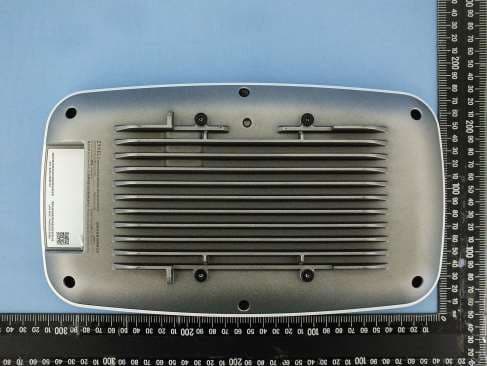
I8803935
Oct 17, 2023802.11be (WiFi 7) Triple-Radio Unified Pro Access Point
Equipment Class
DTS - Digital Transmission System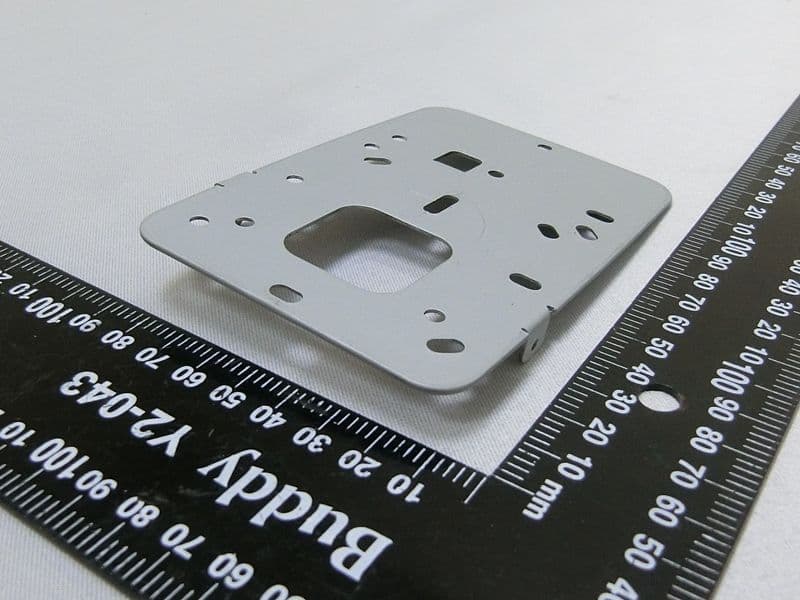
I8803973
Aug 01, 2023802.11ax (WiFi 6) Dual-Radio Wall-Plate Unified Access Point
Equipment Class
NII - Unlicensed National Information Infrastructure TX
I88WX5610-B0
Apr 25, 2023AX7800 WiFi 6E Tri-Band Gigabit Wireless Extender
Equipment Class
DTS - Digital Transmission System
I88EX7710-B0
Apr 16, 2023AX11000 WiFi 6E 10G Ethernet Gateway
Equipment Class
NII - Unlicensed National Information Infrastructure TX