IJE796COLOR MONITOR
Proview Electronics (Taiwan) Co Ltd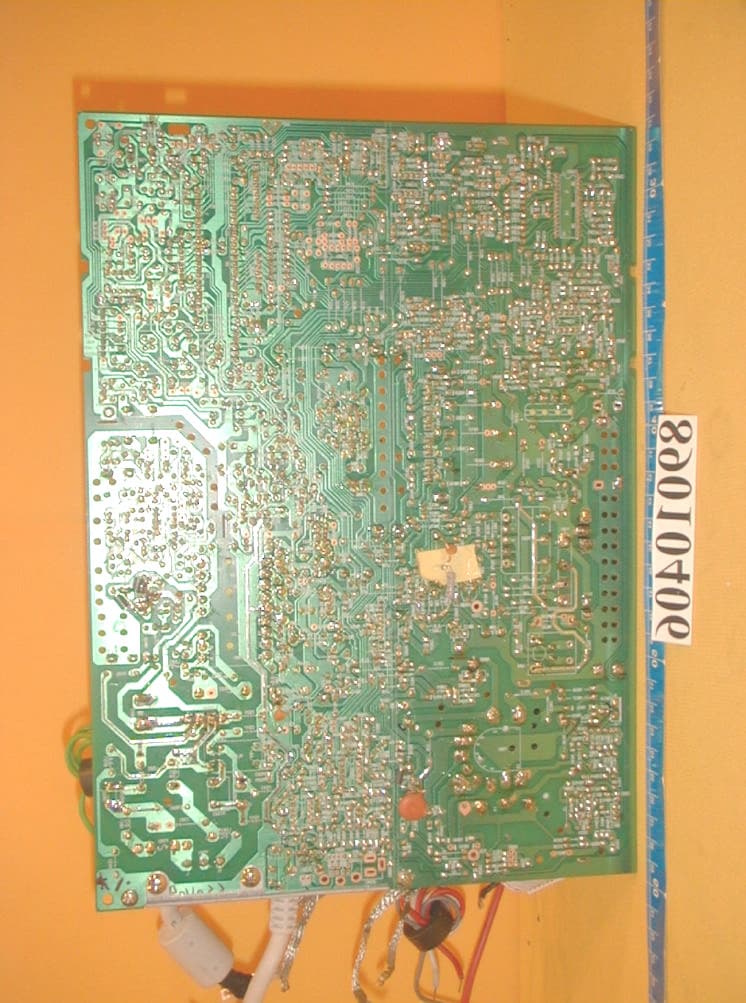
Click to zoom
Application Details
- Equipment Class
- JBP - Part 15 Class B Computing Device Peripheral
- Date of Grant
- Mar 26, 2000
- Application Purpose
- Original Equipment
- Date of Application
- Mar 07, 2000
- Equipment Note
- COLOR MONITOR
- Country
- Taiwan
Documents & Files
Document Text
Text extracted from the exhibit documents filed with the FCC. Open a document above to read the original.
Users Manual
Proview 17”,19”,21” User’s Manual Table of Content IMPORTANT SAFEGUARDS..............................................I 1. Introduction ...................................................................1 1.1 General information ...................................................1 1.2 Features ..............................................................1 2.Installation.......................................................................2 2.1 Package.......................................................................2 2.2 Precautions .................................................................3 2.3 Pedestal ......................................................................3 3.Connection to the computer .................................................4 3.1 Connecting the signal cable and the power cable ....................4 3.2 Connecting the microphone and speaker cable(optional) ..........4 4.Front control location and functions .....................................5 4.1 Operation ...................................................................5 4.2 Adjusting and programming ............................................6 4.3 Built-in microphone(optional) .......................................9 4.4 Self test pattern ........................................................9 4.5 Safety protection ......................................................9 4.6 Timing guide .............................................................9 4.7 Power management ......................................................10 4.8 Plug and play ...........................................................10 5. Technical information.......................................................11 5.1 Products specifications ................... .............................11 5.2 Signal connector pin assignment ......................................13 6.Troubleshooting ..............................................................14 F.C.C. STATEMENT .......................................................15 IMPORTANT SAFEGUARDS Warnings: 1. Read all of these instructions. Save these instructions for later use, Please 2. Follow all warning and instructions marked on the product. 3. Unplug this monitor from the wall outlet before cleaning. Do not use liquid cleaners or aerosol cleaners. Use a damp cloth for cleaning. 4. Do not use attachments not recommended by the monitor manufacturer as they may cause hazards. 5. Do not use this monitor near water. For example near a bathtub, washbowl, kitchen sink, or laundry tub, in a wet basement, or near a swimming pool, etc... 6. Do not place this monitor on an unstable cart, stand, or table. The monitor may fall, causing serious injury to a child or adult, and serious damage to the appliance. Use only with a cart or stand recommended by the manufacturer or sold with monitor. Wall or shelf mounting should follow the manufacturer's instructions, and should use a mounting kit approved by the manufacturer. 7. Slots and openings in the cabinet and the back or bottom are provided for ventilation, and to insure reliable operation of the television receiver and to protect it from overheating, these openings must not be blocked or covered. The openings should never be blocked by placing the monitor on a bed, sofa, rug, or other similar surface. This monitor should never be placed near or over a radiator or heat register. This monitor should not be placed in built-in installation such as a bookcase unless proper ventilation is provided. 8. This monitor should be operated only from the type of power source indicated on the marking label. If you are not sure of the type of power supplied in your home, consult your monitor dealer or local power company. 9. This monitor is equipped with a three-wire grounding type plug, a plug having a third (grounding) pin. This plug will only fit into a grounding-type power outlet. This is a safety feature. If you are unable to insert the plug into the outlet. contact your electrician to replace your obsolete outlet. Do not defeat the safety purpose of the grounding-type plug. 10.Do not allow anything to rest on the power cord. Do not locate this monitor where the cord will be abused by persons working on it. IImportant safeguards 11. For added protection for this monitor, when it is left unattended and unused for long periods of time, unplug it from the wall outlet. This will prevent damage to the monitor due to power-line surges. 12. Do not overload wall outlets and extension cords as this can result into fire or electric shock. 13. Never push objects of any kind into this monitor through cabinet slots as they may touch dangerous voltage points or short out parts that could result in a fire or electric shock. Never spill liquid of any kind on the monitor. 14. Do not attempt to service this monitor yourself since opening or removing covers may expose you to dangerous voltage or other hazards. Refer all servicing to qualified service personnel. 15. Unplug this monitor from the wall outlet and refer servicing to qualified service personnel under the following conditions: a. When the power cord or plug is damaged or frayed. b. If liquid has been spilled into the monitor. c. If the monitor has been exposed to rain or water. d. If the monitor does not operate normally by following the operating instructions. Adjust only those controls that are covered by the operating instructions as improper adjustment of other controls, may result in damage and will often require extensive work by a qualified technician to restore the monitor to normal operation. e. If the monitor has been dropped or the cabinet has been damaged. f. When the monitor exhibits a distinct change in performance this indicated a need for service. 16. When replacement parts are required, be sure the service technician has used replacement parts specified by the manufacturer that have the same characteristics as the original parts. Unauthorized substitutions may result in fire, electri…
Text truncated - open the document above for the full version.
Cover Letter(s)
Federal Communications CommissionDate: March 8, 2000 Authorization and Evaluation Division 7435 Oakland Mills Rd. Columbia, MD. 21046 Attention: Authorization and Evaluation Division Subject: Application for Certification on COLOR MONITOR (EUT) with FCC ID: IJE796 Dear Sir: We would like to apply for FCC certification of the EUT. Enclosed please find all required documents of the EUT listed below: 1. Exhibit 1 : The Authorization Letter signed by the applicant 2. Exhibit 2 : The FCC Label of EUT 3. Exhibit 3 : The modification List Letter signed by the applicant 4. Exhibit 4 : The RFI/EMI Test Report issued by ADT Corp. 5. Exhibit 5 : The photographs of EUT 6. Exhibit 6 : The Block Diagram & Schematic Diagram of EUT 7. Exhibit 7 : The User’s Manual of EUT Please review the information we submitted and issue us a grant for the EUT. If you have any questions or comments, please do not hesitate to contact Mr. Mike Su of ADT Lab. at fax no.: 886-2-2602-2943 or e-mail: [email protected] Sincerely yours, Cc. Mr. Harris W. Lai / Advance Data Technology Corporation
ID Label/Location Info
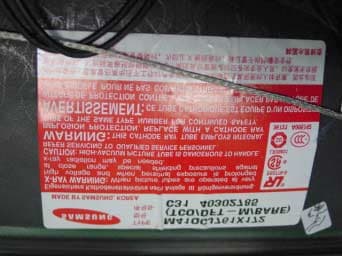
(Fig. 1) FCC ID: IJE796 The label will be permanently affixed at a conspicuous location on the device. LABEL
Internal Photos
(Photo 1) FCC ID: IJE796 (Photo 2) FCC ID: IJE796 1 (Photo 3) FCC ID: IJE796 (Photo 4) FCC ID: IJE796 2 2 2 2 2 (Photo 5) FCC ID: IJE796 1 2 2 2 2 2 2 2 (Photo 6) FCC ID: IJE796 2 2 2 2 2 (Photo 7) FCC ID: IJE796 10 11 6 9 12 (Photo 8) FCC ID: IJE796 3 4 5 (Photo 9) FCC ID: IJE796 7 8 (Photo 10) FCC ID: IJE796 13 13 13 13 13 13 13 (Photo 11) FCC ID: IJE796 (Photo 12) FCC ID: IJE796 14 14 14 14 14 14 (Photo 13) FCC ID: IJE796 (Photo 14) FCC ID: IJE796 (Photo 15) FCC ID: IJE796 (Photo 16) FCC ID: IJE796 (Photo 17) FCC ID: IJE796 (Photo 18) FCC ID: IJE796 (Photo 19) FCC ID: IJE796 (Photo 20) FCC ID: IJE796 (Photo 21) FCC ID: IJE796 (Photo 22) FCC ID: IJE796
Test Report
ADVANCE DATA TECHNOLOGY CORPORATION REPORT NO.: F89010406 Page 1 FCC ID: IJE796 EMC TEST REPORT REPORT NO.: F89010406 MODEL NO.: 796XX DATE OF TEST: Jan. 12, 2000 PREPARED FOR: PROVIEW ELECTRONICS (TAIWAN) CO. LTD. ADDRESS : 6F, NO. 1, PAU-SHENG RD., YUNG-HO CITY, TAIPEI HSIEN, TAIWAN, R.O.C. PREPARED BY:ADVANCE DATA TECHNOLOGY CORPORATION 11F, NO.1, SEC.4, NAN-KING EAST RD., TAIPEI, TAIWAN, R.O.C. This test report consists of 15 pages in total. It may be duplicated completely for legal use with the allowance of the applicant. It shall not be reproduced except in full, without the written approval of our laboratory. It should not be used by the client to claim product endorsement by NVLAP or any agency of the U.S. government. The test result in the report only applies to the tested sample. Accredited Laboratory ADVANCE DATA TECHNOLOGY CORPORATION REPORT NO.: F89010406 Page 2 FCC ID: IJE796 TABLE OF CONTENTS 1.CERTIFICATION..................................................................................................................3 2.GENERAL INFORMATION.................................................................................................4 2.1GENERAL DESCRIPTION OF EUT.........................................................................4 2.2DESCRIPTION OF SUPPORT UNITS.....................................................................5 2.3TEST METHODOLOGY AND CONFIGURATION................................................5 3.TEST INSTRUMENTS..........................................................................................................6 3.1TEST INSTRUMENTS (EMISSION)........................................................................6 3.2LIMITS OF CONDUCTED AND RADIATED EMISSION......................................7 4.TEST RESULTS (EMISSION)............................................................................................8 4.1RADIO DISTURBANCE...........................................................................................8 4.2EUT OPERATION CONDITION..............................................................................8 4.3TEST DATA OF CONDUCTED EMISSION............................................................9 4.4TEST DATA OF RADIATED EMISSION...............................................................11 5.PHOTOGRAPHS OF THE TEST CONFIGURATION WITH MINIMUM MARGIN........13 6.APPENDIX - INFORMATION OF THE TESTING LABORATORY................................15 ADVANCE DATA TECHNOLOGY CORPORATION REPORT NO.: F89010406 Page 3 FCC ID: IJE796 1. CERTIFICATION Issue Date: Feb. 16, 2000 Product:COLOR MONITOR Trade Name:PROVIEW Model No.:796XX Applicant:PROVIEW ELECTRONICS (TAIWAN) CO. LTD. Standard:FCC Part 15, Subpart B, Class B CISPR 22: 1993+A1: 1995+A2: 1996, Class B ANSI C63.4-1992 We hereby certify that one sample of the designation has been tested in our facility on Jan. 12, 2000. The test record, data evaluation and Equipment Under Test (EUT) configurations represent herein are true and accurate representation of the measurements of the sample's EMC characteristics under the conditions herein specified. The test results show that the EUT as described in this report is in compliance with the Class B limits of conducted and radiated emission of applicable standards. TESTED BY :, DATE: CHECKED BY : ( Bruce Lu ) , DATE: APPROVED BY : ( Ariel Hsieh ) , DATE: ( Mike Su ) ADVANCE DATA TECHNOLOGY CORPORATIONAccredited Laboratory ADVANCE DATA TECHNOLOGY CORPORATION REPORT NO.: F89010406 Page 4 FCC ID: IJE796 2. GENERAL INFORMATION 2.1 GENERAL DESCRIPTION OF EUT Product:COLOR MONITOR Model No.:796XX Power Supply Type:Switching Power Cord of monitor:Nonshielded (1.8 m) Data Cableof monitor:Shielded (1.5 m) Note: The EUT is a 17” COLOR MONITOR with an internal microphone and external speakers, and its resolution is up to 1600 x 1200. The “X” in model: 796XX could be defined as A~Z, 0~9 or blank according to different customers’ requirement. There is a ferrite core on the video cable outside the monitor. For more detailed features description, please refer to manufacturer's specification or User's Manual. ADVANCE DATA TECHNOLOGY CORPORATION REPORT NO.: F89010406 Page 5 FCC ID: IJE796 2.2 DESCRIPTION OF SUPPORT UNITS The EUT has been tested as an independent unit together with other necessary accessories or support units. The following support units or accessories are used to form representative test configuration during the tests. No.ProductBrandModel No.FCC IDI/O Cable 1. PERSONAL COMPUTER NTIPII-450T FCC DoC Approved Nonshielded Power (1.8m) 2. KEYBOARDFORWARDFDA-104GAF4ZDA-104GShielded Signal (1.4 m) 3. MOUSEDEXINA2P800ANIYA2P800AShielded Signal (1.5m) 4. PRINTERHP2225C+DSI6XU2225 Shielded Signal (1.5m) Nonshielded Power (2.1m) 5. MODEMACEEX1414IFAXDM1414 Shielded Signal (1.5m) Nonshielded Power (2.1m) 6. SPEAKER AUDIO- TECHNICA AT-SP25NA Nonshielded Signal (1.6m) Nonshielded Power (1.2m) 7. EARPHONEGAMMALH115NANonshielded Signal (2.5m) 8. VGA CARDCARDEXPERTCD-GX2A44TICUVGA-GW710NA 9. SOUND CARDYA HSINAUDIO 1869NANA Note: 1. An audio cable (1.4m) was connected between the mic. port of EUT and sound card of PC. 2. An audio cable (3.0m) was connected between the ext. speaker (R) of EUT and sound card of PC. 3. Two audio cables (0.2m) was connected between EUT and its ext. speakers. 4. A power cable (2.0m) was connected between EUT and its ext. speaker (R). 5. A USB cable (2.0m) was connected between EUT and PC for OSD control. 2.3 TEST METHODOLOGY AND CONFIGURATION Both conducted and radiated testing were performed according to the procedures in ANSI C63.4: 1992. Radiated testing was performed at an antenna to EUT distance of 3/10 m on an open area test site. Please refer to the photos of test configuration in Item 5. ADVANCE DATA TECHNOLOGY CORPORATION REPORT NO.: F89010406 Page 6 FCC ID: IJE796 3. TEST INSTRUMENTS 3.1 TEST INSTRUMENTS (EMISSION) CONDUCTED EMISSION MEASUREMENT Description & ManufacturerModel No.Serial No.Calibrated U…
Text truncated - open the document above for the full version.
Contact Information
Applicant
Dick Hong(Director)
886 2 2231-6789Fax: 886 2 2231-1950
Technical Contact
Advance Data Technology Corp.Mike Su
[email protected]886-2-26032180
No. 47, 14 Ling, Chia Pau Tsuen · Taipei Hsien · Taiwan
Non-Technical Contact
Advance Data Technology Corp.Mike Su
[email protected]886-2-26032180
Test Firm
Bureau Veritas CPS (H.K.) Ltd. Taoyuan BranchRichard Chen
Technical Specifications
| # | Rule Parts | Frequency Range | Power Output |
|---|---|---|---|
| 1 | 15B | - | - |
Other Applications from Proview Electronics (Taiwan) Co Ltd
IJELR778
Jun 09, 2004CRT MONITOR
Equipment Class
JBP - Part 15 Class B Computing Device Peripheral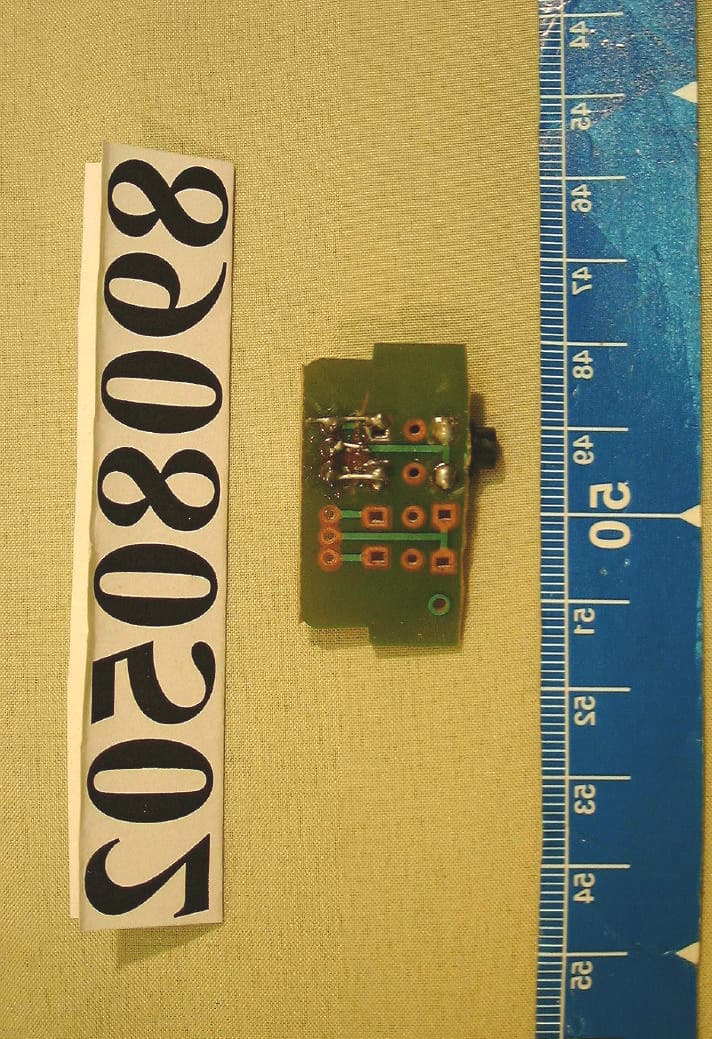
IJE558
Oct 05, 2000COLOR MONITOR
Equipment Class
JBP - Part 15 Class B Computing Device Peripheral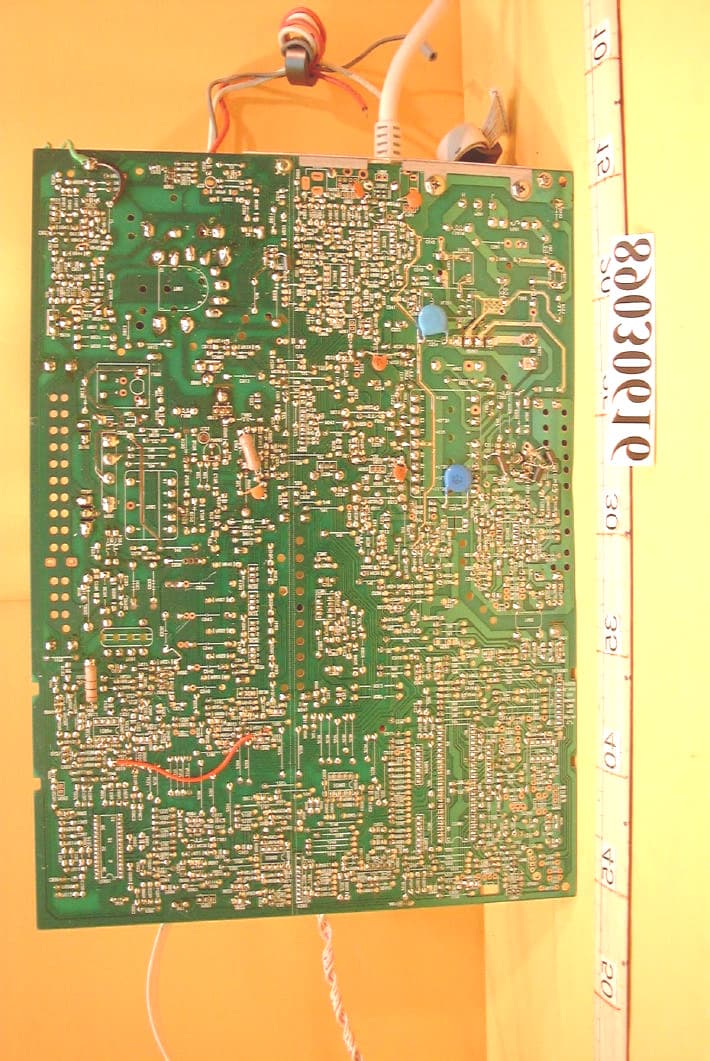
IJE215
Apr 18, 2000Color Monitor
Equipment Class
JBP - Part 15 Class B Computing Device Peripheral
IJE250
Apr 02, 2000COLOR MONITOR
Equipment Class
JBP - Part 15 Class B Computing Device Peripheral
IJE998A
Feb 03, 2000COLOR MONITOR
Equipment Class
JBP - Part 15 Class B Computing Device Peripheral